SuperTrend Order Block Robot MT5
- Experts
-
Duc Hoan Nguyen
 I develop practical trading tools for MetaTrader 4/5, with a focus on indicator integration, Multi-Timeframe analysis, market scanning, and automated trading solutions.
My work mainly includes:
• Indicator-to-EA Solutions - Version: 1.0
- Activations: 5
The EA is designed to be highly configurable, allowing users to build different trading styles instead of being limited to one fixed strategy.
IMPORTANT – PLEASE READ BEFORE PURCHASE
User Guide & Bonus Indicator
After purchasing the EA, please contact me to receive:
- Detailed user guide
- Explanation of the main EA functions
- Configuration assistance
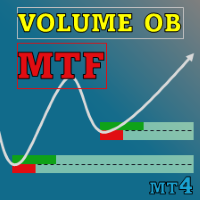
- Volume Trend Order Block Indicator – Bonus Gift
The bonus indicator helps you understand the signal logic used by the EA. Since the robot operates according to the indicator logic, understanding the indicator can make it much easier to create suitable settings.
Understanding the Indicator Is Important
The EA operates according to the logic of the Volume Trend Order Block Indicator.
Understanding how the indicator generates signals, identifies Order Blocks and works with SuperTrend can help you configure the robot more effectively.
There is no single parameter set that is suitable for every symbol, timeframe, broker or market condition.
Backtest Results Do Not Guarantee Future Performance
Backtesting is useful for evaluating how a configuration behaved on historical data, but past results cannot guarantee future profitability.
Market volatility, spread, commission, liquidity and price behavior can change over time. A configuration should therefore not be selected only because it produced an attractive historical equity curve.
Profit Always Comes With Risk
The EA includes several optional money-management and position-management methods.
Functions such as Martingale-style volume management, Recover, Grid and Hedging may increase exposure and drawdown when used aggressively.
If these methods do not match your strategy or risk tolerance, they can be disabled completely.
Each user should choose position sizing and risk settings according to account size, acceptable drawdown and personal risk tolerance.
New tools will be $30 for the first week or the first 3 purchases!
Trading Tools Channel on MQL5: Join my MQL5 channel to update the latest news from me
ENTRY MODES
- Order Block Signal – Enter when an Order Block signal appears.
- SuperTrend Shift – Enter when the SuperTrend direction changes.
- SuperTrend Touch – Enter when price interacts with the SuperTrend.
- All Conditions – Use all supported entry conditions.
MAIN FEATURES
The EA includes a wide range of functions that can be enabled or disabled independently:
- Fixed lot and risk-based lot sizing
- Flexible Stop Loss and Take Profit
- Hidden SL/TP
- Trailing Stop
- Drawdown control
- Volume management
- Recover
- Grid
- Hedging
- Basket TP/SL
- Breakeven display
- Trading session filter
- Day-of-week filter
- Holiday filter
- Economic news filter
- Trading control panel
TECHNICAL FILTERS
The EA supports multiple optional filters for signal confirmation:
- Moving Average
- RSI
- Stochastic
- ADX
- MACD
- SuperTrend
- Volumatic VIDyA
- Predictive Ranges
You do not need to enable every filter. The EA can be configured as a simple system or as a more selective multi-filter strategy.
YOU DO NOT NEED TO USE EVERY FEATURE
The large number of inputs may look complicated at first, but you do not need to understand or enable every function.
For example, the EA can be configured simply as:
Order Block Signal + SL + TP
or:
SuperTrend Shift + ADX Filter + Trailing Stop
or as a more advanced system combining several filters and position-management methods.
The most important point is to determine how you want the EA to trade.
NEED HELP WITH THE SETTINGS?
If the number of settings feels overwhelming, please contact me after purchase.
You can simply describe how you want the robot to operate, for example:
- When should it enter a trade?
- When should trading be avoided?
- How should SL and TP work?
- How should lot size be calculated?
- Should Trailing Stop be used?
- Should trading be limited to specific sessions?
- Which trend or signal filters should be used?
- Should Grid, Recover or Hedging be disabled?
Based on the trading behavior you want, I can explain which EA settings correspond to that configuration.
FINAL NOTE
This EA is a trading tool and does not guarantee profit.
Higher market exposure may increase potential returns, but it can also increase drawdown and risk.
Test configurations carefully, use appropriate position sizing and choose a level of risk that is suitable for your own account.