Gold Black
- Experts
- Version: 8.0
- Activations: 5

BOT GOLD BLACK — Smart Grid Robot with Dynamic Take Profit
Overview
GOLD BLACK is an automated trading Expert Advisor that combines a progressive buy-grid (averaging) strategy with a dynamic Take Profit, continuously recalculated on the average price of the position basket.
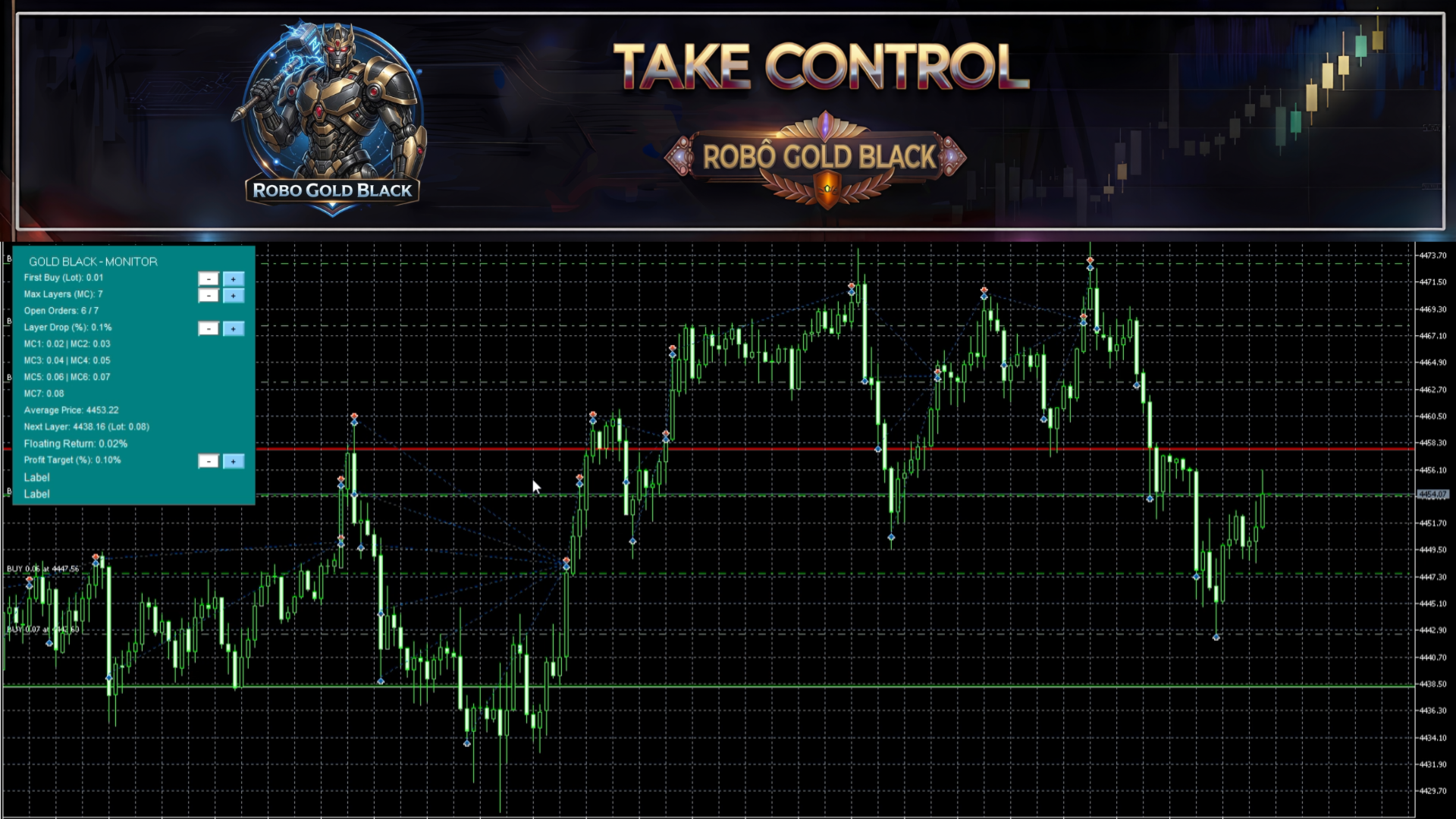
Operation is simple and visual: you place a trigger line directly on the chart, and the robot handles the rest — entry, layer management, and closing at the profit target. A HUD panel shows in real time the number of open orders, average price, floating return, profit target, and next-layer price. The main parameters can be adjusted live, directly on the panel, without reopening the settings or stopping the robot.
⚠️ Risk warning: grid/martingale strategies can open multiple simultaneous positions and increase account exposure during prolonged moves against the entry. Use only capital you can afford to risk, adjust the parameters to your account profile, and always test in a demo environment before trading live.
How it works
- Entry trigger line — on startup, the robot draws a horizontal line on the chart. Drag it to the price where you want to begin. When the market touches or crosses this line, the EA opens the first buy automatically.
- Grid layers — if price pulls back after entry, the robot adds new buys at each defined percentage drop, with an individual configurable lot per layer (up to 7 layers), lowering the average price in a controlled way.
- Dynamic Take Profit — the target is recalculated continuously on the average price of the whole basket. When the configured percentage is reached, the robot closes all positions at once.
- Automatic re-entry — after the basket closes, the EA resumes monitoring the market to start a new cycle, with no manual intervention.
- Visual lines on the chart — the Take Profit and next-layer lines stay visible, making it easy to follow the state of the operation at any time.
Why use GOLD BLACK
- Fully automatic operation once the trigger line is placed.
- Take Profit on the average price, suitable for recovery and price-averaging strategies.
- Flexible grid of up to 7 layers, with an individual lot per layer for fine exposure control.
- Live adjustment via the HUD panel — change lot, number of layers, distance between layers and profit target with one click, without stopping the robot.
- Complete info panel on the chart: average price, floating return, next layer and profit target.
- Configurable entry sensitivity in points, to trigger the entry line precisely.
- Dedicated Magic Number, so the robot manages only its own orders without interfering with manual trades or other EAs.
- Usage recommendations
- Recommended for accounts with adequate margin, since the grid strategy can open multiple simultaneous positions.
- Always test on a demo account before trading live.
- Adjust the initial lot, number of layers and distance between layers to your account size and risk tolerance.
- Recommended for pairs and assets with consistent liquidity, avoiding high-impact news periods or low liquidity.
Input parameters
Lot and Risk Settings
- First Buy Lot — volume of the first order in the cycle (default: 0.01).
- Robot Unique Identifier (Magic Number) — identifies the EA's orders, avoiding conflict with other operations (default: 888777).
Appearance and Sensitivity
- Panel Background Color — HUD panel background color.
- Panel Text Color — color of the info shown on the panel.
- Buy Trigger Line Color — color of the entry line on the chart.
- Market Entry Sensitivity (Points) — tolerance, in points, to consider that price touched the trigger line (default: 15).
Grid Settings
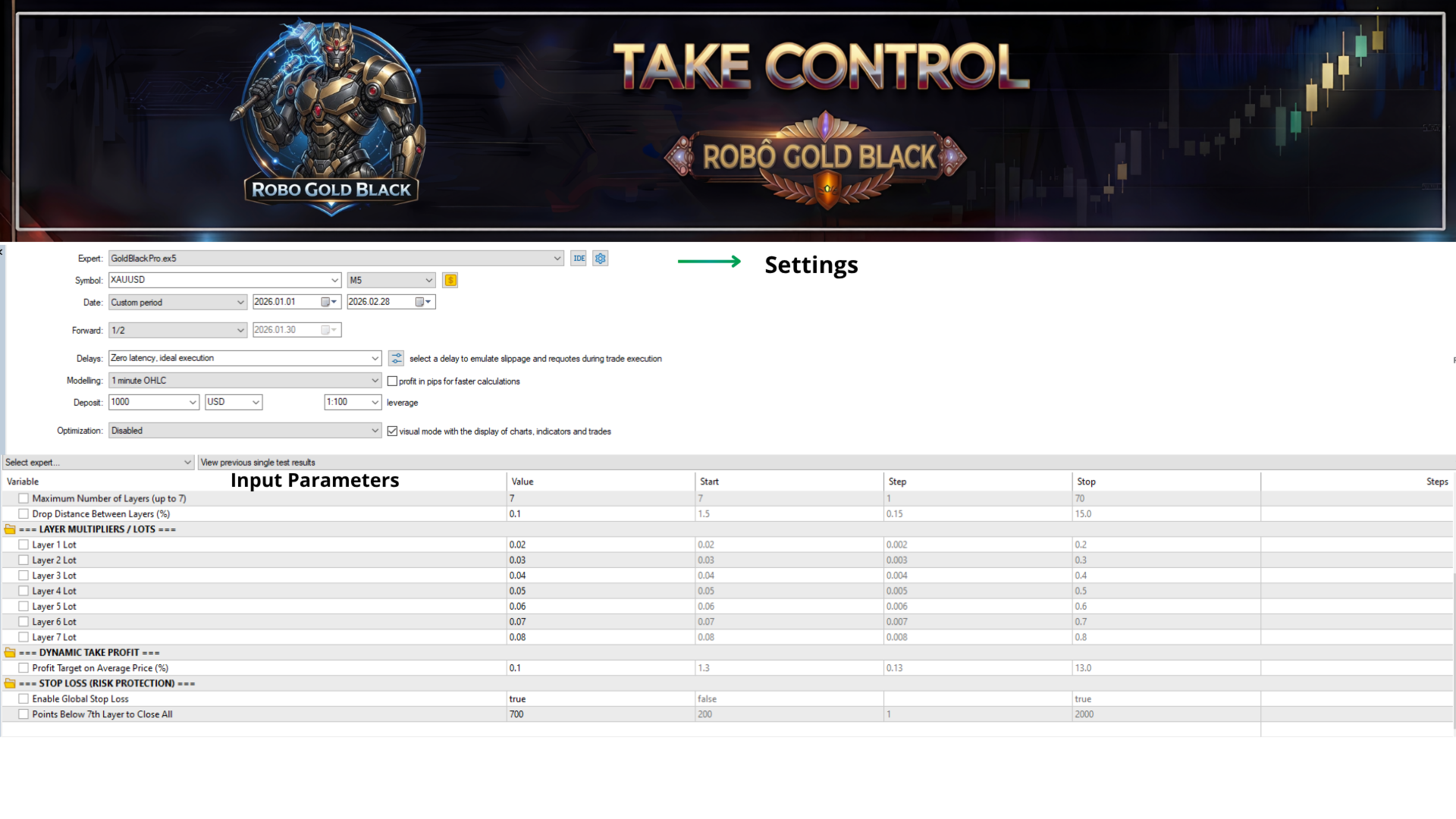
- Maximum Number of Layers — maximum additional buys, from 1 to 7 (default: 7).
- Drop Distance Between Layers (%) — percentage drop required to open the next layer (default: 1.5%).
Layer Lots
- Layer 1 Lot (default: 0.01)
- Layer 2 Lot (default: 0.02)
- Layer 3 Lot (default: 0.03)
- Layer 4 Lot (default: 0.04)
- Layer 5 Lot (default: 0.05)
- Layer 6 Lot (default: 0.06)
- Layer 7 Lot (default: 0.07)
Dynamic Take Profit
- Profit Target on Average Price (%) — profit percentage over the basket average price that triggers closing all positions (default: 1.3%).
On-Chart Control Panel (HUD)
The robot includes a visual panel directly on the chart, with full real-time control:
- Live adjustment: change with buttons, without stopping the robot — initial lot, number of layers, drop percentage between layers and profit target percentage.
- Movable: drag the panel to any position on the chart.
- Real-time info: open orders, average price, floating return, next layer and profit target.
- Visual lines: entry trigger, take profit and next layer shown directly on the chart.