Ninja MT5 Doctor Pro
- Utilities
-
Atsushi Katayama
 I develop and test MetaTrader 5 Expert Advisors with a focus on backtesting, forward testing, and risk management.
My products do not rely on martingale, grid, or averaging strategies. - Version: 1.0
- Activations: 5
NINJA MT5 DOCTOR PRO
OVERVIEW
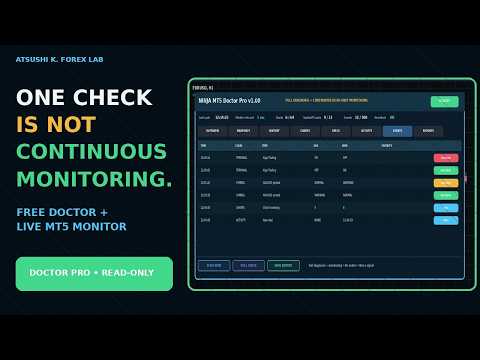
NINJA MT5 Doctor Pro is a read-only MT5 utility that includes every detailed check from the free Doctor and adds continuous environment monitoring. It runs in Expert Advisor format, but it is neither a trading EA nor an indicator. A one-time FULL CHECK and timer-driven monitoring are available from one dashboard. Panel and input names are in English.
FULL DIAGNOSIS
FULL CHECK performs 15 environment checks: connection; terminal, account and Doctor permissions; open charts and accessible attached-EA names; trade mode and published sessions; quote freshness; spread; selected-timeframe synchronization and bar count; volume rules; reference margin; execution, filling and order modes; stop and freeze levels; and broker-published symbol properties. Six timeframes are selected by default, with up to 21 standard periods available. The completed snapshot is stored separately from the live-monitoring state.
CONTINUOUS MONITORING
Pro periodically reviews terminal and account status, Algo Trading, open charts within the configured cap, symbol/timeframe pairs, accessible attached-EA names, quote freshness and spread. WARNING, BLOCKED and RECOVERY events are recorded only when a confirmed state changes, so an unchanged warning is not repeatedly appended. SCAN NOW runs a monitoring cycle immediately.
MAGIC ACTIVITY AND NOTIFICATIONS
For automatically discovered or configured Magic numbers, the ACTIVITY tab shows the latest deal, deal counts for today, 7 days and 30 days, open positions, pending orders and volume. EA names and Magic numbers are intentionally treated as separate information. Popup, push, sound, recovery and heartbeat notifications can be selected in Inputs. Push notifications require the standard MT5 notification setup.
LOCAL REPORTS AND PRIVACY
SAVE REPORT writes HTML and CSV containing the monitoring state and latest full diagnosis under MQL5/Files/NINJA_MT5_Doctor_Pro/. Manual, daily and weekly reports plus persistent event-history records are supported. Reports exclude the account login and are not uploaded. The utility uses no DLL, WebRequest, external licensing, external data or email.
INSTALLATION AND OPERATION
Attach one Doctor Pro instance to a separate normal chart that does not contain the EA being monitored. Keep each target EA on its own chart. Use one Doctor Pro per terminal and account. The eight tabs are OVERVIEW, SNAPSHOT, HISTORY, CHARTS, SPECS, ACTIVITY, EVENTS and REPORTS. The three main actions are SCAN NOW, FULL CHECK and SAVE REPORT. Verify settings and notifications on a demo account first.
READ-ONLY BOUNDARY AND LIMITATIONS
Doctor Pro never sends, modifies, closes or deletes orders and does not alter other charts, EAs or Market Watch. It cannot read another EA's private logic, entry conditions, internal state, exceptions or private permissions. A displayed EA name confirms attachment only; it does not prove internal operation. HEALTHY means that no blocker was found within the implemented monitoring scope and is not a guarantee of trading results or profit. The utility cannot notify after MT5 or the VPS itself has stopped. Spread, quotes, margin and broker properties can change.