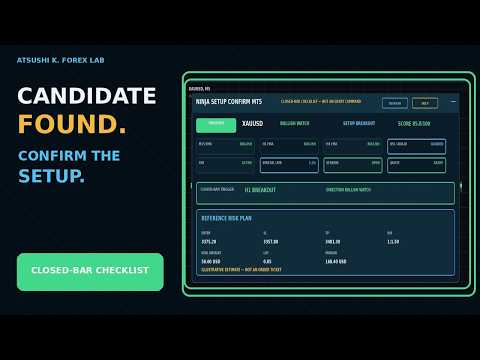
NINJA Setup Confirm MT5
- Utilities
-
Atsushi Katayama
 I develop and test MetaTrader 5 Expert Advisors with a focus on backtesting, forward testing, and risk management.
My products do not rely on martingale, grid, or averaging strategies. - Version: 1.0
- Activations: 5
OVERVIEW
NINJA Setup Confirm MT5 is a read-only utility for reviewing the current chart symbol after you have already found a candidate. It combines M15, H1 and H4 context, confirmed-bar setup checks, operating conditions and a reference risk plan in one panel.
WHAT IT CHECKS
The panel shows EMA trend alignment, directional RSI and ADX/DI, ATR activity, spread relative to ATR, session and quote status, and completed-bar breakout, pullback or continuation conditions. The transparent Market Context Score ranges from 0 to 100 and measures rule alignment, not probability.
STATES
WAIT means the context is not ready. ARMED means the directional context is aligned but all trigger conditions are not complete. TRIGGERED means the configured score, a qualifying completed bar and a valid reference plan are present. BLOCKED means an operating, broker or risk check failed.
REFERENCE PLAN
The panel estimates Entry, SL, TP, risk amount, lot and margin. OrderCalcProfit converts the actual Entry-to-SL loss into the account currency, and the lot is floored to the broker volume step. OrderCalcMargin can reduce the reference lot when the configured free-margin limit would be exceeded.
IMPORTANT
TRIGGERED is not an entry command, trade signal or profit guarantee. The utility does not send orders or modify positions. Values are estimates and can change with price, broker specifications, account type, commission, slippage and available history. Test it on a demo account first.
OPERATION
The panel can be refreshed, collapsed and opened. An in-panel help view explains every state. Optional popup, sound and push alerts are evaluated only after a completed check. No DLL, WebRequest or external indicator is used.