Assistant Trader Pro MT5
- Utilities
- Version: 1.0
- Activations: 5

Assistant Trader Pro MT5
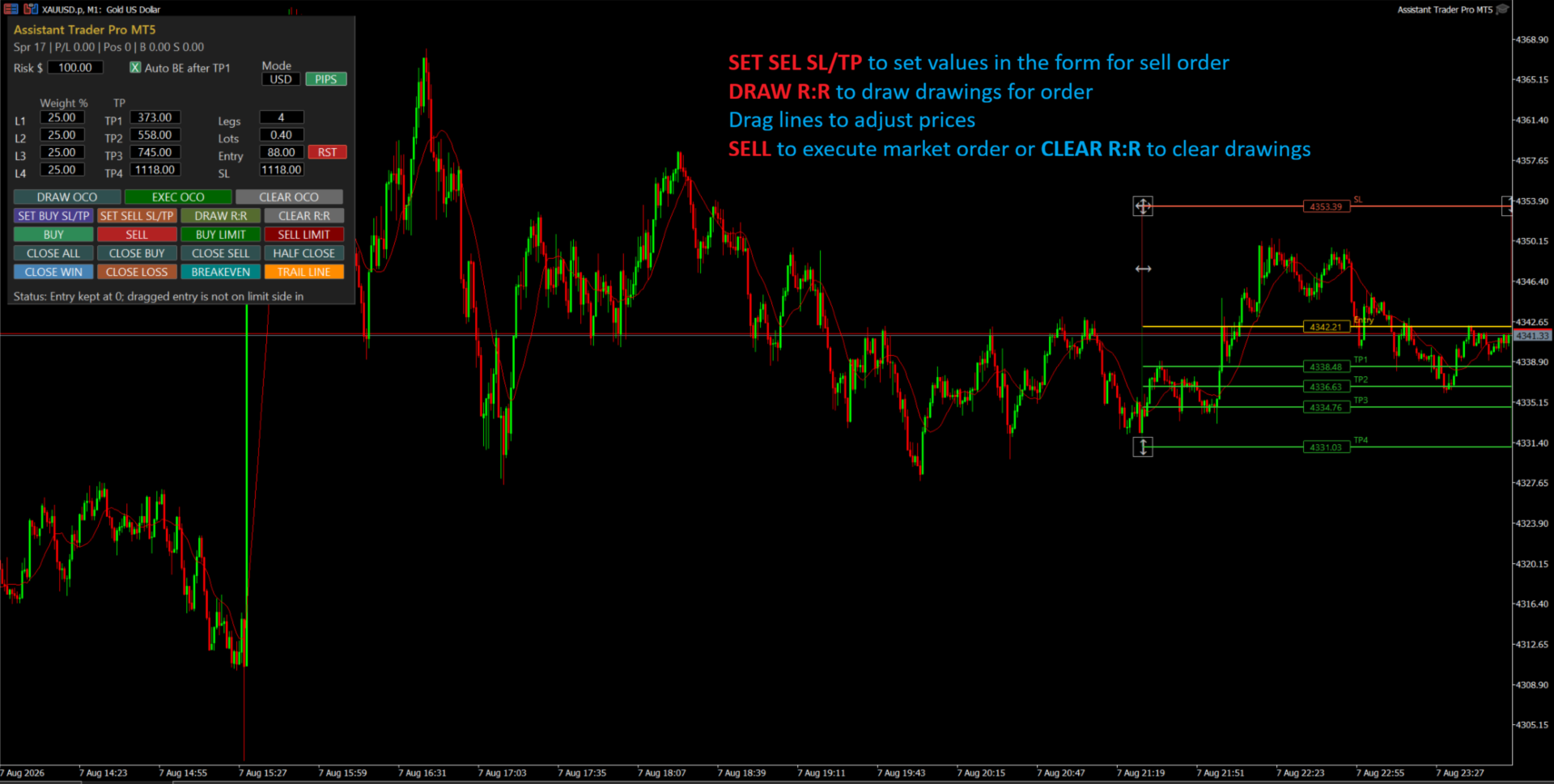
Assistant Trader Pro MT5 is a manual trading assistant for MetaTrader 5 designed for traders who need fast visual planning, multi-leg execution, OCO breakout orders, and practical chart-based trade management.
The EA does not trade automatically by signals. It helps the trader prepare, confirm, place, and manage trades faster with clear on-chart levels and a compact control panel.
OCO Orders: One Cancels the Other
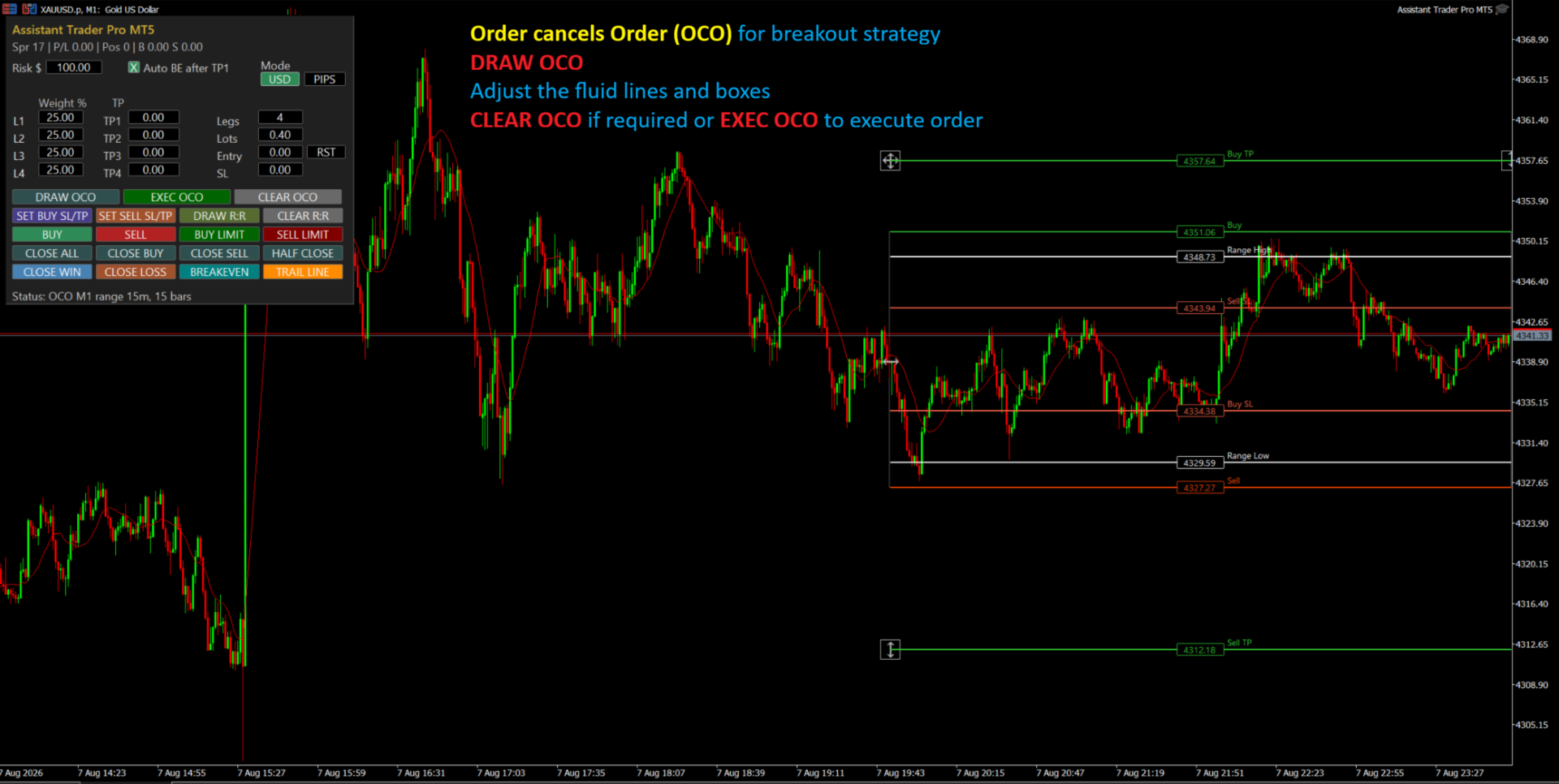
OCO means One Cancels the Other, also known as Order Cancels Order. It is useful in breakout situations where price may break either above or below a range.
The EA can draw a complete OCO breakout structure on the chart with:
- Buy breakout level
- Sell breakout level
- Buy SL
- Sell SL
- Buy TP
- Sell TP
- Range High
- Range Low
After the OCO setup is executed, two pending orders are placed. If one side is triggered, the opposite pending order is cancelled automatically. This helps avoid the common problem of leaving the opposite breakout order active after price has already chosen one direction.
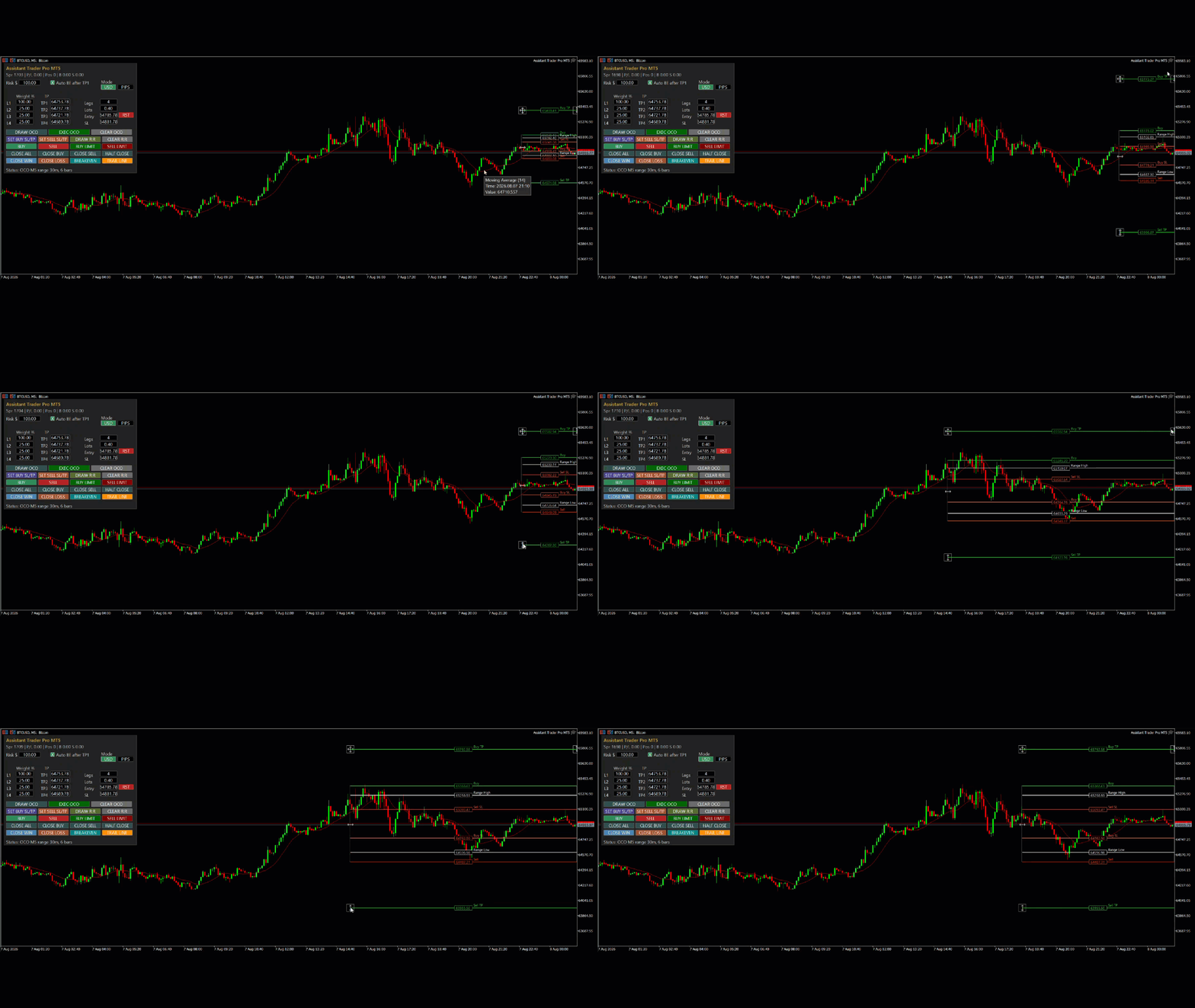
The OCO trade box is fully visual and adjustable. You can drag the structure, resize the time range, stretch levels vertically, and adjust individual price levels before execution.
Multi-Leg Market and Limit Orders
Assistant Trader Pro MT5 supports up to 4 trade legs. The total lot size entered in the panel is distributed according to the Weight % assigned to each leg.
Example:
- Total Lots: 0.80
- Legs: 4
- Weight: 25% each
The EA places four positions/orders of 0.20 lots each, each with its own target.
This is useful for staged exits, partial profit-taking, Telegram signal copying, and structured trade plans where TP1, TP2, TP3, and TP4 are used.
Market Orders
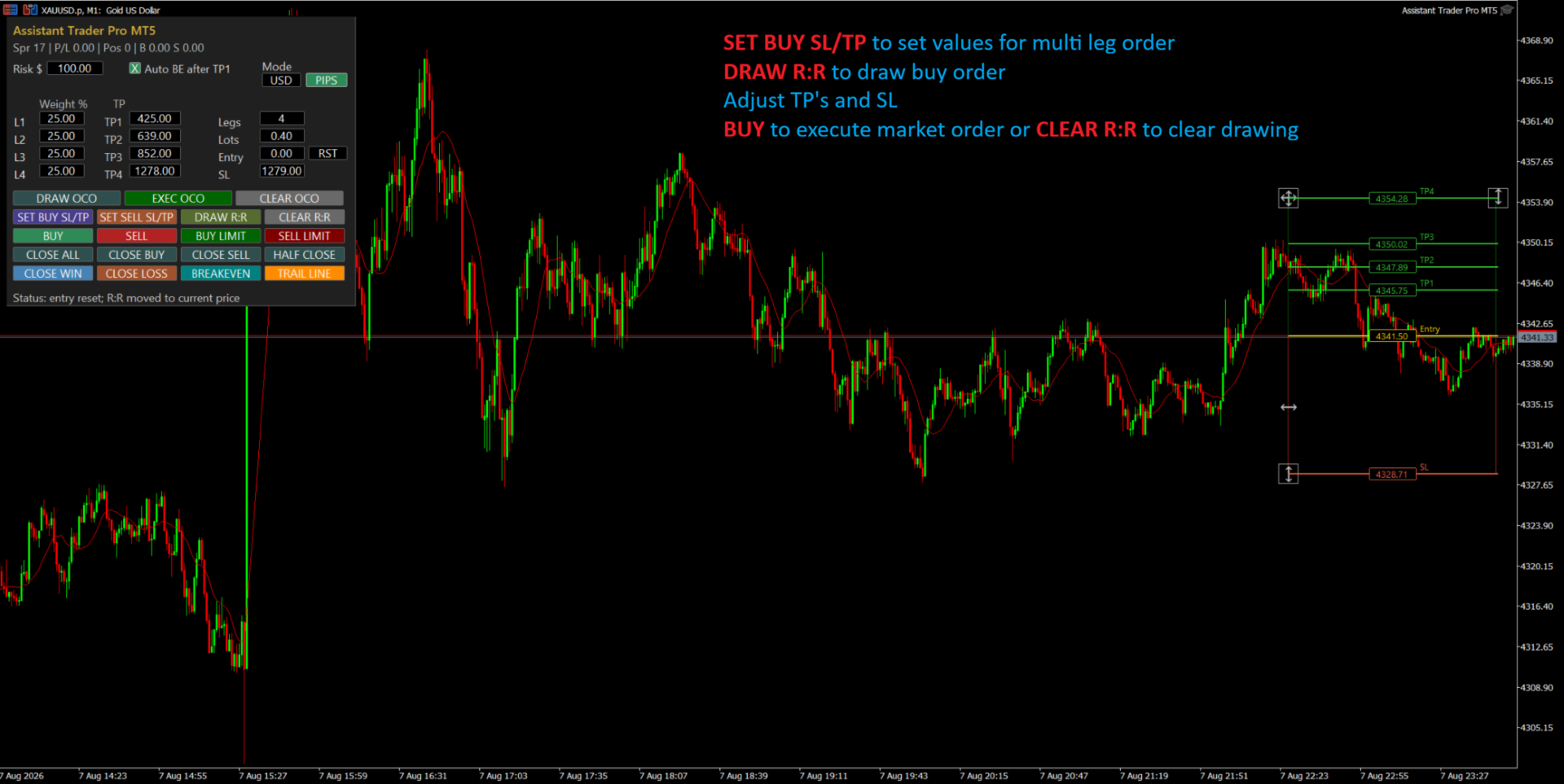
For instant Buy or Sell execution:
- Set Legs, Lots, Risk, Weight %, SL and TP levels.
- Leave Entry as 0 for current market entry.
- Press SET BUY SL/TP or SET SELL SL/TP to auto-fill levels from current volatility.
- Press DRAW R:R to review the setup visually.
- Adjust levels by dragging the chart boxes if needed.
- Press BUY or SELL and confirm the order.
Limit Orders
For planned pending entries:
- Enter your planned Entry price manually or drag the Entry line on the chart.
- Enter SL and TP levels in USD price mode or PIPS mode.
- Press BUY LIMIT or SELL LIMIT.
- The EA distributes the total lot size across the active legs and places pending orders with separate targets.
This is especially helpful when copying multi-target signals from Telegram or other signal sources.
USD and PIPS Mode
The EA supports both direct price input and pip-distance input.
- USD mode: Entry, SL and TP fields are treated as actual price levels.
- PIPS mode: SL and TP fields are treated as pip distances and converted internally to price levels.
This allows traders to work in the style they prefer.
Additional Trade Management Tools
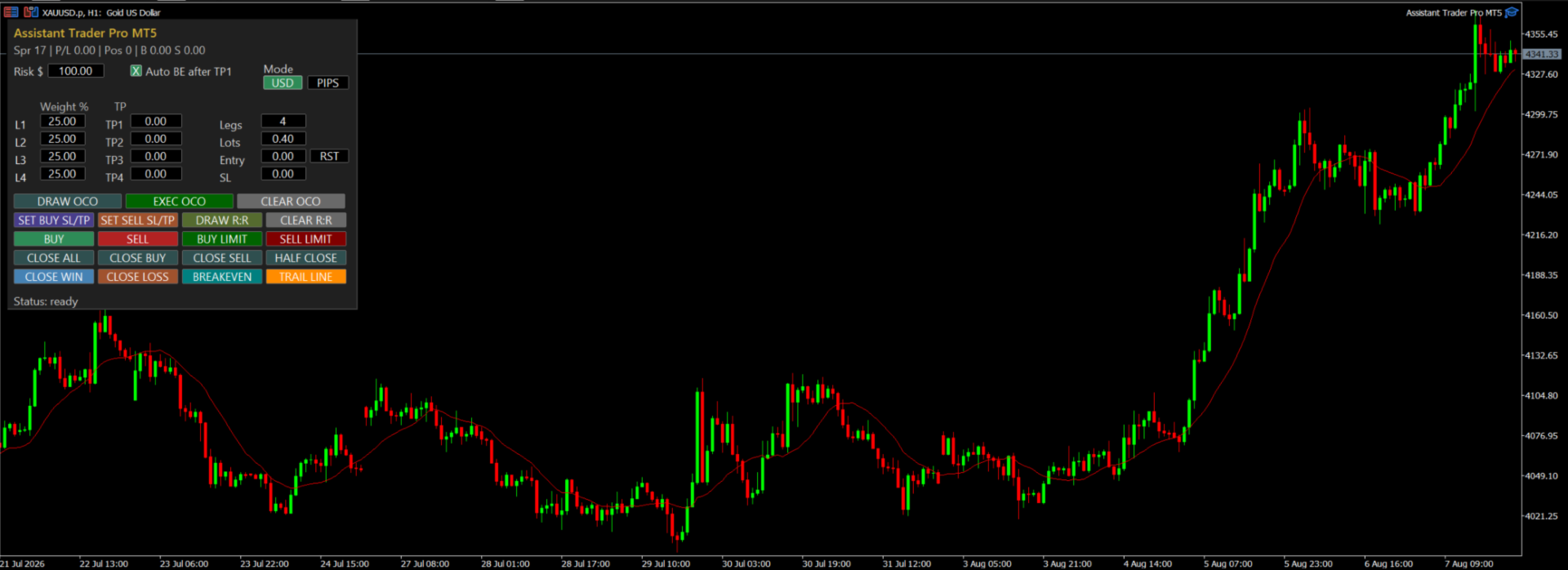
The panel also includes:
- Close All
- Close Buy
- Close Sell
- Half Close
- Close Win
- Close Loss
- Breakeven
- Auto Breakeven after TP1
- Trail Line
- Draw R:R
- Clear R:R
- Draw OCO
- Exec OCO
- Clear OCO
- Entry Reset
Auto Breakeven After TP1
Auto BE after TP1 can automatically move remaining stop losses to breakeven after the first target is reached. This is useful for multi-leg trades where TP1 secures the first part of the trade and the remaining legs continue toward higher targets.
Important
Assistant Trader Pro MT5 is a manual execution and trade management assistant. It does not guarantee profit and does not remove market risk, slippage, spread expansion, broker restrictions, or execution risk. Always test on demo first and confirm all levels before placing live orders.