VibeFox Gartley
- Indicators
- Version: 1.0
- Activations: 5

VibeFox Gartley — harmonic XABCD pattern with Fibonacci-validated entry points
VibeFox Gartley is a real-time harmonic-pattern indicator for MetaTrader 5. It scans the swing structure of price, finds the classic Gartley XABCD pattern, validates it with Fibonacci ratios, and marks the entry point right on the price chart at the completion of the pattern. Every control is gathered into one modern interactive panel, so instead of measuring legs by hand you see the harmonic pattern and the trade idea the moment they form.
How the indicator works
The indicator works in three stages: it first builds the swing skeleton of the market, then searches that skeleton for a valid Gartley pattern, and finally places a Buy or Sell marker at the completion point D.
1. Swing pivots (ZigZag)
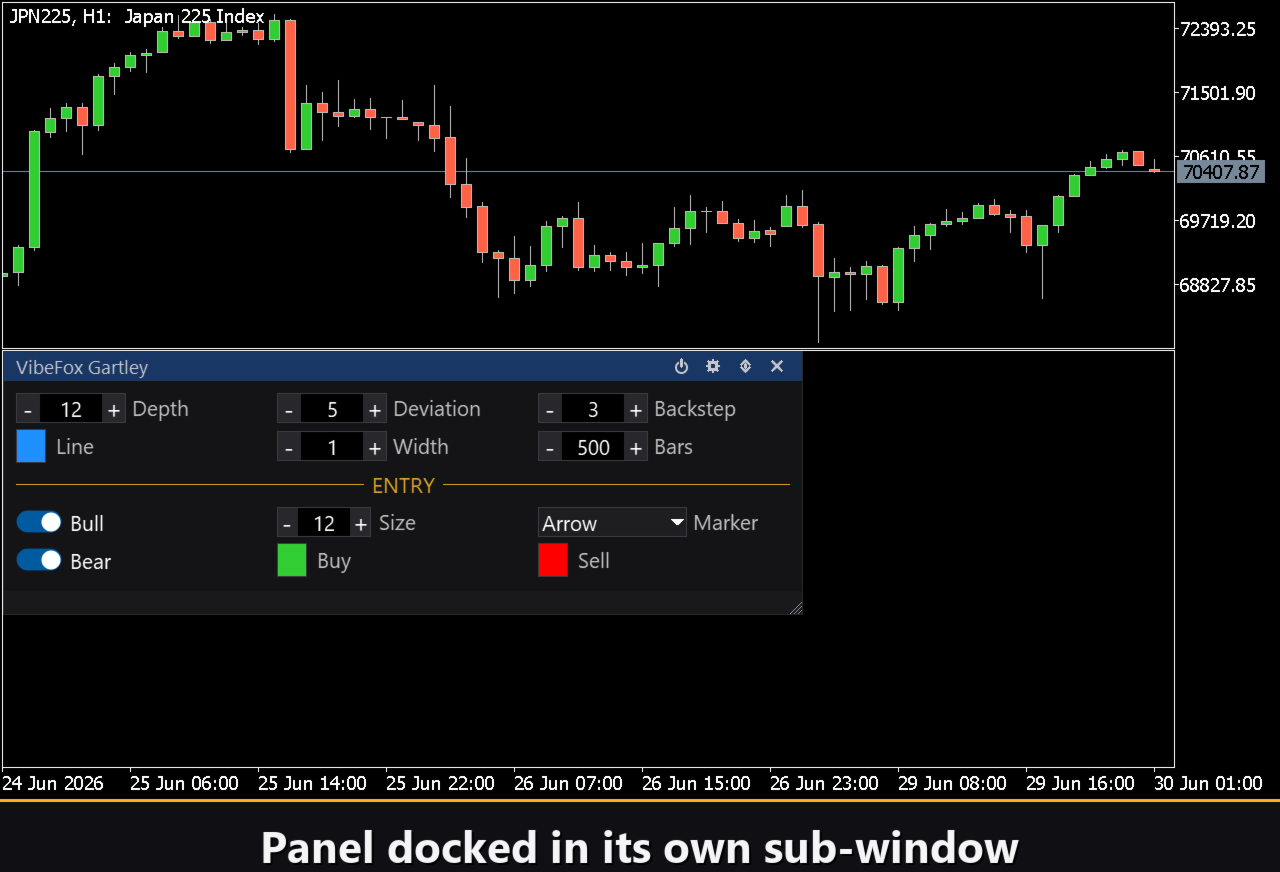
A built-in ZigZag engine filters out minor price noise and keeps only the meaningful turning points — the swing highs (peaks) and swing lows (troughs). Three classic parameters control it. Depth sets the minimum number of bars between two pivots, so small wiggles are ignored. Deviation is the minimum size of a reversal required to register a new pivot, filtering out shallow pullbacks. Backstep is the minimum number of bars between two extrema of the same kind. Together they tune the swing detection from fast and detailed to slow and major-swing-only. The Bars setting limits how much history is processed — 0 scans all available bars, a smaller value gives faster redraws on heavy charts.
2. The Gartley pattern (XABCD)
From the chain of alternating swing pivots the indicator scans every consecutive five-point sequence X-A-B-C-D and checks whether the legs respect the Gartley Fibonacci proportions. The acceptance bands are kept wide enough for real-chart patterns to validate while still resembling a true Gartley:
AB/XA between 0.382 and 0.886 (ideal 0.618); BC/AB between 0.236 and 0.950; CD/BC between 1.0 and 3.618 (the C-to-D extension); AD/XA between 0.5 and 1.0 (ideal 0.786), with the strict rule that point D must not exceed point X. Only when all four ratios fall inside their bands is the pattern accepted, drawn on the chart with its connecting lines, and turned into an entry.
3. Entry at point D
Each validated pattern produces exactly one entry, placed at its completion point D — the moment the harmonic structure is finished and price is expected to reverse out of the D zone.
Entry points
The main value of VibeFox Gartley is its automatic entry points: the indicator validates the pattern itself and places a clear marker right on the price chart. Two independent pattern directions are available, each with its own toggle.
Bullish Gartley — BUY at D
A bullish Gartley is the sequence X(low) A(high) B(low) C(high) D(low), where D is a swing low sitting above X. When it validates, a BUY marker is placed at point D — the down-leg into D is complete and price is expected to turn up.
Bearish Gartley — SELL at D
A bearish Gartley is the mirror sequence X(high) A(low) B(high) C(low) D(high), where D is a swing high sitting below X. When it validates, a SELL marker is placed at point D — the up-leg into D is complete and price is expected to turn down.
Buy and sell markers are colored separately with the Buy Color and Sell Color settings, so direction is read instantly. The Marker selector switches the glyph between a plain cross (+), filled triangles, or arrows with a tail, while the Size control scales the marker in pixels (6 to 40) to fit any chart density.
Full visual control
The pattern line color is set with Pattern Line Color and the thickness with Pattern Line Width from 1 to 5 pixels. The pattern lines and both entry markers each support a transparency setting (0-100%) in the color picker popup, so you can blend them softly into the chart background. Markers on the price chart are sized and colored independently, so entries stand out clearly against any background.
Interactive on-chart panel
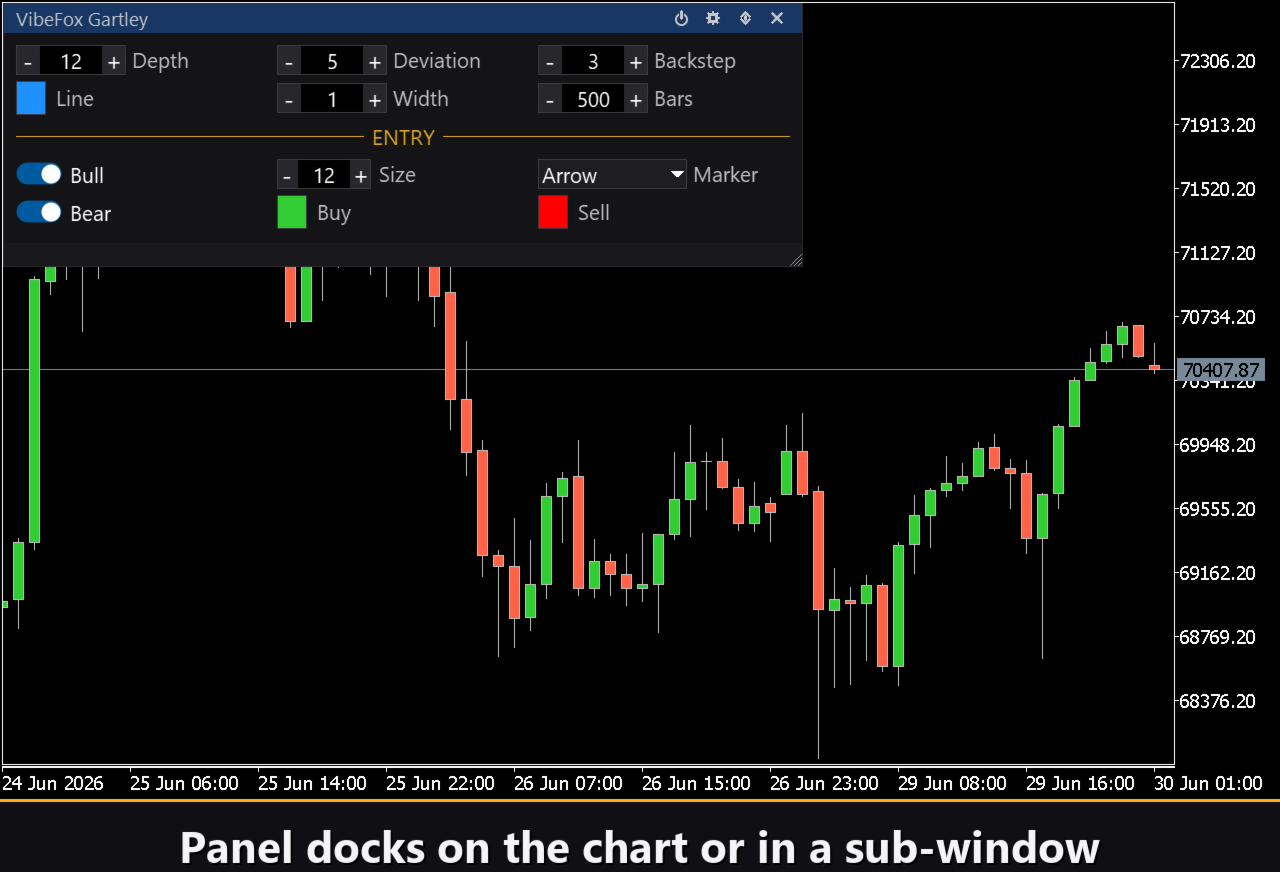
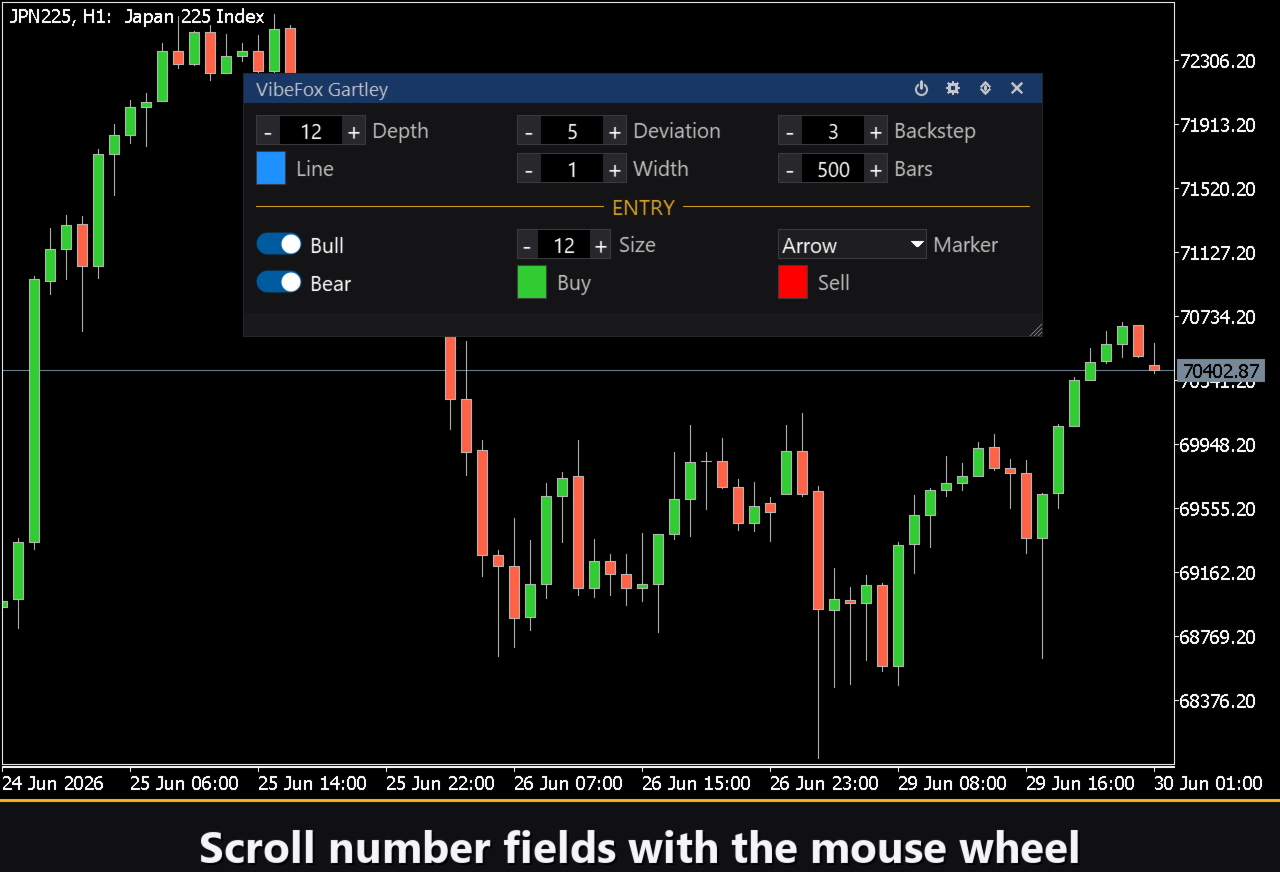
The whole interface is a smooth canvas-based panel built for fast mouse control. The swing parameters are gathered into tidy rows, and the entry block is set apart with its own gold ENTRY heading, so signal settings do not get mixed up with pattern settings. The panel header holds the control icons.
Power — turns the drawing of entry markers on and off without removing the indicator from the chart.
Settings (gear) — opens and closes the settings section.
Updown (arrows) — moves the panel between its subwindow and the main chart.
Close (cross) — closes the indicator.
Resizable — drag the bottom-right corner to scale the panel.
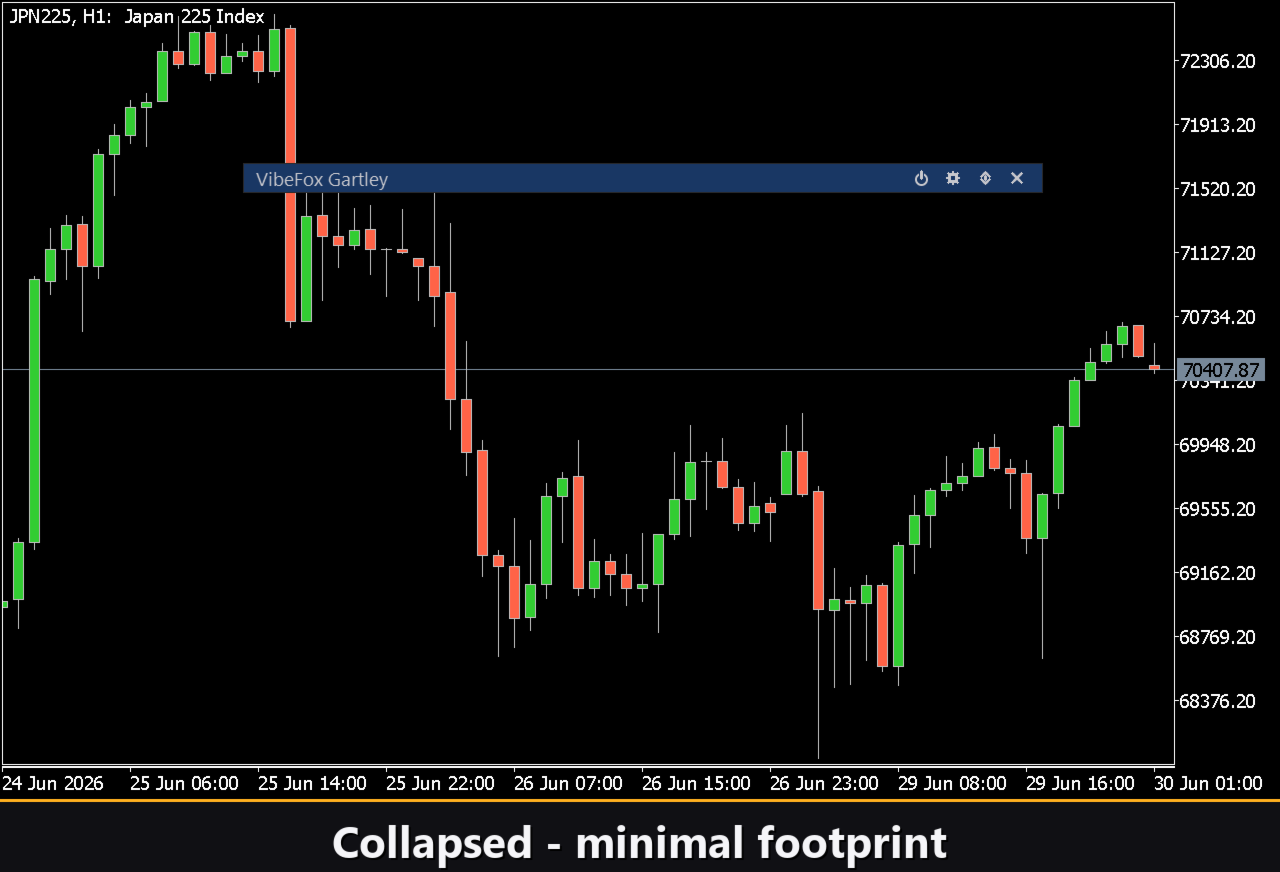
Collapsible — a double click on the header collapses the panel into a compact strip.
Mouse wheel — hover over any numeric field and scroll the wheel to change the value without opening the keyboard.
Settings and personalization
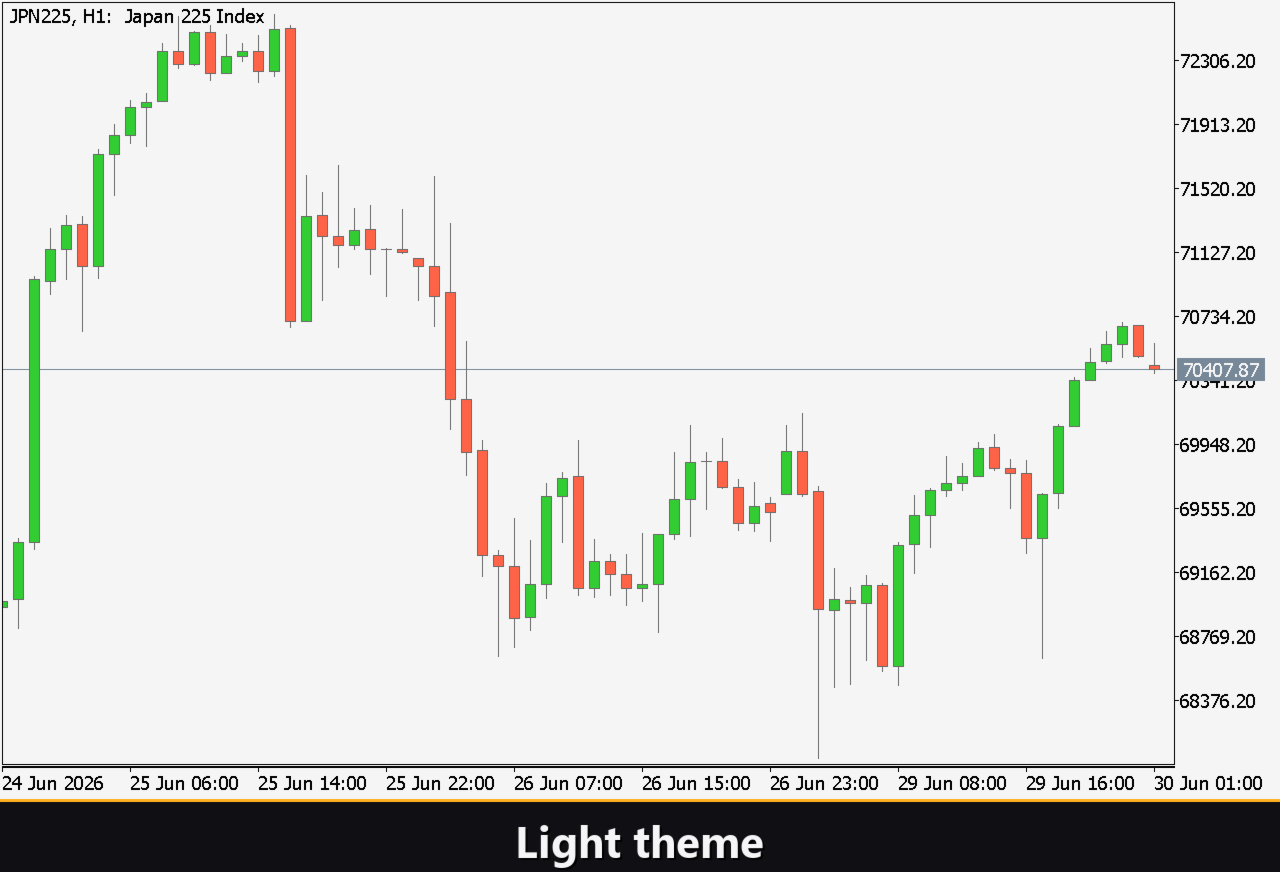
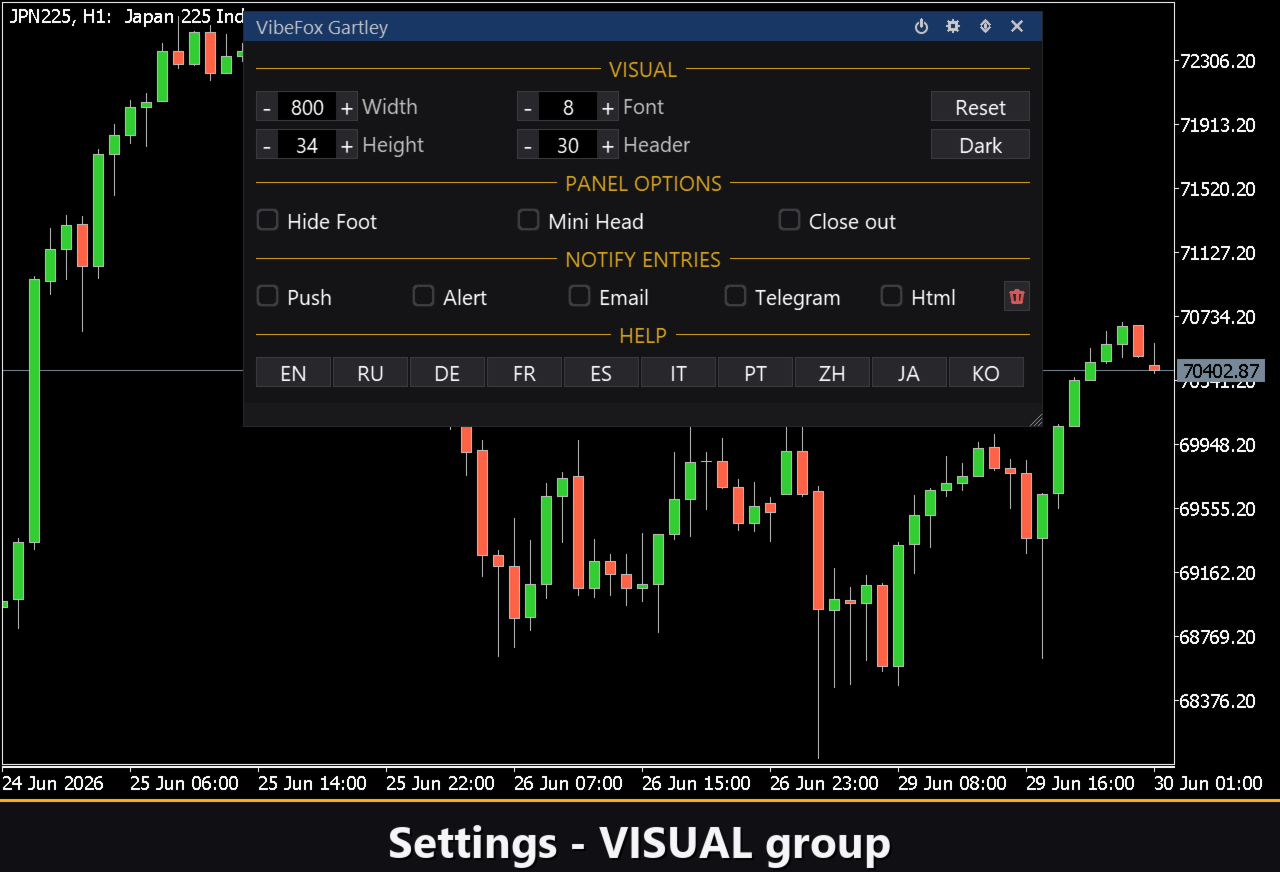
The Settings button opens a section where the panel is fitted to your workspace: a light, dark or automatic Theme, an adjustable panel width, header size, row height and font size. Extra touches let you hide the bottom bar via Hide Footer, shrink the header when collapsed with Mini Header, and automatically collapse the panel on a click outside it. Almost every parameter changes live right on the panel — the input fields on the Inputs tab only set the starting values. You can also run several independent copies on one chart by giving each a unique Instance, to compare different swing settings side by side.
Entry notifications
You do not need to sit and guard the chart waiting for a pattern. Each entry can be sent through several notification channels that are enabled independently right on the panel.
Alert — a pop-up message inside the terminal.
Push — a mobile notification to the MetaTrader app on your phone.
Email — a letter sent through the terminal's mail settings.
Telegram — the alert text together with a chart screenshot, sent straight to your Telegram chat.
Enable only the channels you need, and you will be notified the moment a new Gartley completes on the symbol and timeframe you are working with.
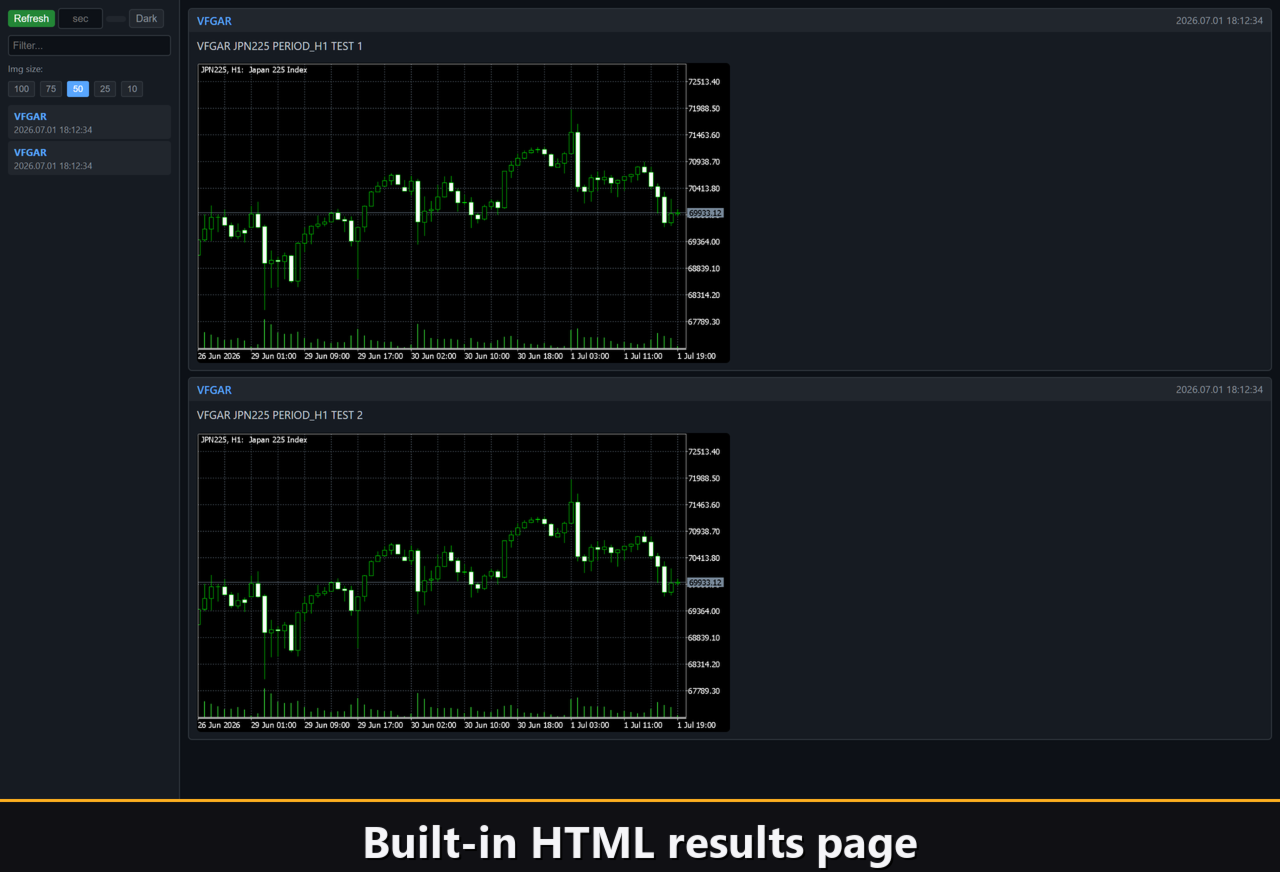
Visual history (HTML report)
Enable the Html channel, and every entry signal is saved to an HTML report together with a screenshot of the chart at the moment it fired. The report is stored in the terminal's Files folder, in the VibeFox_Gartley directory (MQL5/Files/VibeFox_Gartley/result.html), and opens in any browser — you get a visual log of all the patterns the indicator found. A one-click trash button clears the report and its screenshots whenever you want to start over.
Telegram Alerts
Signals can also be delivered straight to your Telegram chat — the alert text together with a screenshot of the chart at the moment of detection. Turn on the Telegram channel and enter your bot token and chat id in the inputs.
Delivery rides on the HTML report: each new signal is written into the report, and the report — opened in a browser — forwards it to your Telegram chat on its own. For this reason, enabling Telegram automatically keeps the Html report on, and the two channels work together.
Built-in multilingual help
A full help page is built into the panel, available in multiple languages, so every control is explained right where you use it.
Parameters (Inputs tab)
Most settings can also be changed live right on the panel (the Settings button) — the input parameters only set the initial values at startup.
Gartley (swings)
Swing Depth — the minimum number of bars between two pivots (2..100). Default: 12.
Swing Deviation — the minimum reversal size in points required to register a new pivot. Default: 5.
Swing Backstep — the minimum number of bars between two extrema. Default: 3.
Bars of history to process — how many bars back the swings are scanned, 0 = all available. Default: 500.
Pattern Line Color — the color of the Gartley pattern lines on the price chart. Default: DodgerBlue.
Line Transparency — pattern line transparency in percent, 0-100. Default: 0.
Pattern Line Width — the thickness of the lines in pixels, 1..5. Default: 1.
Entry Points
Bullish Gartley (BUY at D) — enables the bullish pattern and its BUY marker at point D. Default: on.
Bearish Gartley (SELL at D) — enables the bearish pattern and its SELL marker at point D. Default: on.
Marker Font Size — the size of the entry markers in pixels, 6..40. Default: 12.
Entry Marker — the marker glyph: Cross (+), Triangle, or Arrow. Default: Arrow.
Buy Color — the color of the BUY marker. Default: LimeGreen.
Buy Transparency — buy marker transparency in percent, 0-100. Default: 0.
Sell Color — the color of the SELL marker. Default: Red.
Sell Transparency — sell marker transparency in percent, 0-100. Default: 0.
Notifications
Push Notification — enables push alerts to the MetaTrader mobile app. Default: off.
Alert Popup — enables pop-up alerts inside the terminal. Default: off.
Email — enables email alerts through the terminal's mail settings. Default: off.
Html Report — saves each signal with a chart screenshot to Files/VibeFox_Gartley/result.html. Default: off.
Telegram — forwards signals with chart screenshots to a Telegram chat via the HTML report. Default: off.
Telegram - bot token — the token of the Telegram bot used for delivery. Default: empty.
Telegram - chat id — the target Telegram chat identifier. Default: empty.
Panel / Settings
Panel width, px — the width of the on-chart panel in pixels, 300..800. Default: 800.
Header size — the height of the panel header, 1..6. Default: 1.
Theme — the color theme of the panel: Light, Dark, or Auto. Default: Auto.
Row height (px) — the height of each parameter row in pixels. Default: 34.
Font size — the font size used inside the panel. Default: 8.
Hide Footer — hides the bottom bar of the panel. Default: off.
Mini Header on collapse — shows a compact header strip when the panel is collapsed. Default: off.
Close on click outside — automatically collapses the panel when clicking outside it. Default: off.
Instance — a unique number for each copy of the indicator on the same chart, allows running multiple instances side by side. Default: 1.
Panel Start Window — sets the initial position of the panel: main chart or subwindow. Default: Subwindow.