VibeFox Heiken Ashi
- Indicators
- Version: 1.10
- Updated: 2 July 2026
- Activations: 5

VibeFox Heiken Ashi — smoothed candles with entry signals
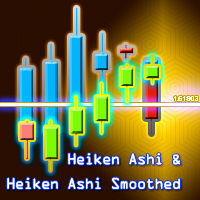
VibeFox Heiken Ashi is a real-time Heiken Ashi indicator for MetaTrader 5. It redraws the price chart using the Heiken Ashi formula to produce smoothed candles that filter out noise and make the direction and strength of a trend immediately visible. Entry point markers are placed right on the chart the moment a signal forms, and all controls are gathered into a single interactive panel.
How Heiken Ashi works
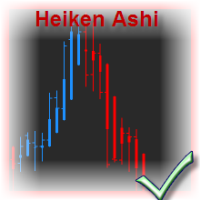
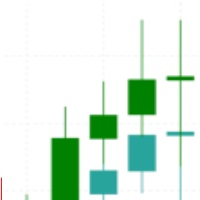
Ordinary candlesticks show the raw open, high, low and close of each bar. Heiken Ashi replaces those values with averaged ones, so each candle incorporates data from the previous candle as well. The result is a series of smoothed candles that change colour less often and stay the same colour for longer during a sustained move, making trends clearer and pauses more obvious.
The formula is straightforward. The HA close is the average of the four standard OHLC values. The HA open is the average of the previous HA open and HA close. The HA high and low take the extreme of the standard bar or the HA open/close, whichever is further out. A bull candle has its HA close above its HA open; a bear candle has it below.
The presence or absence of wicks carries information about trend quality. A bull candle with no lower wick means buyers were in control for the entire bar. A bear candle with no upper wick means sellers dominated. Candles with wicks on both sides mark uncertainty or reversal zones.
Entry points
VibeFox Heiken Ashi detects two independent entry conditions and places a coloured arrow on the price chart at the moment each fires. Both types can be enabled or disabled separately from the panel.
Entry — Color Flip
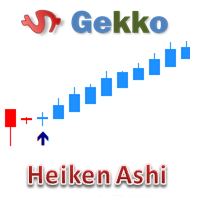
The primary signal fires when the colour of the HA candle flips relative to the previous closed candle: a bull candle following a bear candle produces a BUY marker; a bear candle following a bull candle produces a SELL marker. This catches the moment the smoothed trend changes direction and is the most common entry trigger in Heiken Ashi trading.
Trend — Strong Trend
The second signal fires on a strong-trend HA candle: a bull candle that has no lower wick, or a bear candle that has no upper wick. The absence of the opposite wick means the bar closed at its extreme in the trend direction — a sign that the move is firmly established and momentum is high. This signal can be used on its own to ride an existing trend or as confirmation for the Color Flip entry.
The colors of buy and sell markers are set independently with Buy and Sell color pickers, and the Size control scales the arrows from 1 to 5.
Full visual control
Every aspect of the candle rendering is tunable. The Bull and Bear colors set the candle bodies, and the Wick color applies to all shadows. The Body % parameter sets the candle body width as a percentage of the bar width, so the picture stays readable on any chart zoom. The Bars parameter bounds how many bars are analyzed and redrawn, keeping CPU usage proportional to what is actually visible.
Interactive on-chart panel
The entire interface is a smooth canvas-based panel designed for fast mouse control. Controls are grouped into tidy rows, and the signal block is set apart with its own gold ENTRY heading so candle settings and entry settings stay visually separated. The panel header holds the control icons.
Power — turns the drawing of candles and signals on and off without removing the indicator from the chart.
Settings (gear) — opens and closes the settings section.
Updown (arrows) — moves the panel between a separate subwindow and the main chart.
Close (cross) — closes the indicator.
Resizable — drag the bottom-right corner to scale the panel.
Collapsible — a double click on the header collapses the panel into a compact strip.
Mouse wheel — hover over any numeric field and scroll the wheel to change the value without opening the keyboard.
Settings and personalization
The Settings button opens a section where the panel is fitted to your workspace: a light, dark or automatic Theme, an adjustable panel width, header size, row height and font size. Extra touches let you hide the bottom bar via Hide Footer, shrink the header when collapsed with Mini Header, and automatically collapse the panel on a click outside it. Almost every parameter can be changed live on the panel — the Inputs tab only sets the starting values. You can run several independent copies on one chart by giving each a unique Instance number.
Entry notifications
You do not need to watch the chart waiting for a signal. Each entry can be sent through several notification channels that are enabled independently right on the panel.
Alert — a pop-up message inside the terminal.
Push — a mobile notification to the MetaTrader app on your phone.
Email — a letter sent through the terminal's mail settings.
Enable only the channels you need, and you will be notified the moment a new entry appears on the symbol and timeframe you are working with.
Visual history (HTML report)
Enable the Html channel, and every entry signal is saved to an HTML report together with a screenshot of the chart at the moment it fired. The report is stored in the terminal's Files folder at VibeFox_HeikenAshi/result.html and opens in any browser — you get a visual log of all the entries the indicator found. A one-click trash button clears the report and its screenshots whenever you want to start fresh.
Built-in multilingual help
A full help page is built into the panel, available in 10 languages, so every control is explained right where you use it.
Parameters (Inputs tab)
Most settings can also be changed live right on the panel (the Settings button) — the input parameters only set the initial values at startup.
Panel / Settings
Panel width, px — panel width in pixels, range 300..800. Default: 800.
Header size — header size, 1..6. Default: 1.
Theme — color theme: Auto (by chart), Dark or Light. Default: Auto.
Row height (px) — panel row height in pixels. Default: 34.
Font size — panel font size. Default: 8.
Hide Footer — hide the panel's bottom bar. Default: off.
Mini Header on collapse — show a mini header when collapsed. Default: off.
Close on click outside — collapse the panel on a click outside it. Default: off.
Instance — indicator copy number; lets you keep several independent copies on one chart. Default: 1.
Panel Start Window — where the panel opens at startup: Subwindow or Chart. Default: Subwindow.
Heiken Ashi
Bars to Analyze — number of bars to analyze and redraw, range 50..1000. Default: 250.
Body Width % — candle body width as a percentage of the bar width, range 30..95. Default: 70.
Bull Candle Color — color of bull (up) Heiken Ashi candles. Default: LimeGreen.
Bear Candle Color — color of bear (down) Heiken Ashi candles. Default: Tomato.
Wick Color — color of the candle wicks (shadows). Default: Silver.
Entry Points
Color Flip entry — signal when the HA candle color flips vs the previous candle; +BUY or -SELL marker placed on the chart. Default: on.
Strong Trend entry — signal on a strong-trend HA candle (no opposite wick). Default: off.
Buy Marker Color — color of the BUY signal marker. Default: Orange.
Sell Marker Color — color of the SELL signal marker. Default: Red.
Marker Size (1-5) — size of the signal arrow on the chart, range 1..5. Default: 2.
Notifications
Push Notification — push notification to the mobile MetaTrader terminal. Default: off.
Alert Popup — Alert pop-up window inside the terminal. Default: off.
Email — a letter through the terminal's mail settings. Default: off.
Html Report — saves every signal with a screenshot to an HTML report (Files folder, VibeFox_HeikenAshi directory), opens in any browser. Default: off.