UMNi SYNC Mt5 Multi Account Trade Copier

  • Utilities
  • Rickie Lee Robinson
    Rickie Lee Robinson
    • Founder & Lead Developer, MT4/MT5 EAs & Telegram Tools at  UMNi Systems
    • United Kingdom
    • 1372
    Founder of UMNi Systems. I build Telegram-connected tools and custom Expert Advisors for MetaTrader 4 and 5: trade alerts, remote control, session briefings and risk management. Every strategy I build is tested on 17 years of historical data before it goes near a live account. Custom bot builds
  • Version: 1.30
  • Updated: 12 November 2026
  • Activations: 5

UMNi-SYNC
Local Trade Copier for MetaTrader 5 — Master / Subscriber, MT4 and MT5 together

UMNi-SYNC copies trades from one MetaTrader account (the Master) to any number of other accounts (Subscribers) running on the same computer or VPS. The master publishes its open positions to a small file in the terminals' shared Common folder several times a second; each subscriber mirrors them: new trades, closes, partial closes and SL / TP changes. MT4 and MT5 terminals copy to each other. Telegram is used for alerts and remote commands, never for the copying itself.

KEY FEATURES

  • Master / Subscriber with any number of subscribers, named channels for several independent copy groups
  • Copies opens, closes, partial closes and every SL / TP change
  • MT4 ↔ MT5 in any direction (same file format)
  • Lot modes: same lots, multiplier, fixed lot, or scaled by balance ratio, with a maximum lot cap
  • Reverse copy option (SL and TP swap)
  • Symbol prefix / suffix and a symbol map for brokers with different names (e.g. GOLD=XAUUSD)
  • Price deviation guard: no copy if price has already moved too far from the master's entry
  • Master filters: by magic number and / or symbol list
  • Safe by design: if the master feed goes quiet (terminal closed, disconnected), copies are left alone, never closed; a close needs three consecutive snapshots to agree
  • Copies closed on the subscriber (own SL / TP or by hand) are not reopened
  • Picks up where it left off after a restart (copies are matched to the master again)
  • Telegram alerts: online / offline, trade copied (fill and difference in pips), copy closed (result), partial close, skipped or failed copies, master offline / back
  • Telegram commands: /syncstatus /syncpause /syncresume /synchelp
  • Chart panel: master link, positions, copies, last action; the master shows how many subscribers are online

HOW IT WORKS

  1. Attach UMNi-SYNC to any chart on the master terminal with MODE = Master.
  2. Attach it to any chart on each subscriber terminal with MODE = Subscriber and the same CHANNEL.
  3. Trades opened on the master (by you or any EA) appear on the subscribers within a second, and follow it until they close.

MAIN INPUTS

  • MODE / CHANNEL
  • Master: SOURCE_MAGIC, SOURCE_SYMBOLS
  • Subscriber: LOT_MODE, LOT_VALUE, MAX_LOT, COPY_SL, COPY_TP, COPY_PARTIAL_CLOSES, REVERSE, MAX_DEVIATION_PIPS, COPY_EXISTING_ON_START, MAX_COPIES
  • SYMBOL_PREFIX, SYMBOL_SUFFIX, SYMBOL_MAP, COPY_MAGIC, SLIPPAGE_POINTS, MASTER_TIMEOUT_SEC

GOOD TO KNOW

  • All terminals must run on the same computer or VPS under the same Windows user (they share the Common\Files folder). Copying between different computers is not supported.
  • An MT5 subscriber needs a hedging account. An MT5 master can be hedging or netting.
  • By default only trades the master opens after the subscriber starts are copied (COPY_EXISTING_ON_START = false).
  • Use one subscriber per terminal per channel.
  • Test with demo accounts first. Fills differ slightly between brokers and accounts.

QUICK SETUP

  1. Install UMNi-SYNC on every terminal (master and subscribers)
  2. Optional Telegram: Tools > Options > Expert Advisors > allow WebRequest for https://api.telegram.org, then enter a bot token and chat ID (use a different bot per terminal if you want commands on more than one)
  3. Set the same CHANNEL everywhere, MODE = Master on one terminal and Subscriber on the others
  4. Allow algorithmic trading on the subscribers

REQUIREMENTS

  • MetaTrader 5 (copies to and from MetaTrader 4 too), all terminals on one PC or VPS
  • A Telegram bot token and chat ID (optional, for alerts and commands)

Part of the UMNi Systems suite — umni-systems.com

Recommended products
Visual Netting order manager with margin-aware sizing, commission estimates and optional grid progression. TradeArchitect Perpetuals is a chart-based manual order and risk manager for MetaTrader 5 accounts that use Netting position accounting. It combines visual trade planning, margin-aware position sizing, commission-aware estimates, market and pending order execution, position management and optional same-direction order progression. The utility does not generate trading signals and does no
CopyIQ
Stephen Sanjeeve Sahayam
CopyIQ mirrors your trades between MetaTrader 5 terminals running on the same Windows PC - one source account feeding as many receiver accounts as you need. Everything happens locally on the one machine: no VPS, no DLLs, and no internet link between terminals to lag or break. A trade on your source account reaches every receiver in milliseconds. CopyIQ was built by studying where other local copiers let traders down - copies that arrive late, lot sizes that ignore the receiving account, symbols
Advanced Multi-Symbol Equity Protection & Hybrid Stops System Overview Professional-grade equity protection system designed for traders managing multiple currency pairs simultaneously. Features both individual symbol controls and master account-wide protection mechanisms. Key Features Hybrid Take Profit System - **Fixed TP:** Set specific profit targets per symbol - **Trailing TP:** Dynamic profit protection that follows price - **Hybrid Mode:** Combines both methods for optimal results
KC Trade Copier Pro is the ultimate local trade copying solution designed for high-performance trading on MetaTrader 5. Engineered for speed and reliability, it allows you to replicate trades between multiple accounts on the same PC or VPS with near-zero latency (1-5ms) . Whether you are a Prop Firm trader managing multiple funded accounts, a portfolio manager, or a scalper requiring instant execution, KC Trade Copier Pro offers a professional alternative to expensive monthly subscription servi
SUPREME COPY TRADE - ALL IN ONE The Fastest and Most Complete Copier for MetaTrader 5 Latency of only 100ms, up to 20x faster than common trade copiers. While other copiers take 2, 3 or even 5 seconds to replicate a trade, SUPREME COPY TRADE acts in just 100 milliseconds. Speed Comparison Common copiers: 2000ms Competitors: 500ms SUPREME COPY TRADE: 100ms (up to 20x faster) How We Achieve This Speed Instant event detection technology that reacts at the exact moment of the trade. Intelligent ver
Monitor up to eight EA profiles with grouped magic numbers, per-EA and portfolio risk limits, performance analytics, comparison, notifications and trade reports. This utility monitors and contains managed trades; it does not generate entry signals. PropPulse Sentinel is a MetaTrader 5 utility Expert Advisor for monitoring and managing risk across multiple trading Expert Advisors running in the same terminal. It organises trading activity into up to eight managed EA profiles. Each profile can u
Trade Copier Local MT5 is a fast local trade copier for copying trades between multiple MT4 and MT5 accounts. One EA works in both Master and Slave modes. Simply select the required Copier Mode and use the same product on your MetaTrader terminals. Copy trades between: • MT5 → MT5 • MT5 → MT4 • MT4 → MT5 • MT4 → MT4 Perfect for: • Trading multiple accounts at once • Linking multiple trading accounts • Personal account mirroring • Signal providers • Account managers • Prop trading setups #
Easy Trade Copy Client MT5
Krutik Piyushkumar Parekh
Easy Trade Copy (Client / Receiver) The easiest and most reliable way to copy trades to your account without missing a beat. If you want to copy trades from a master account to your own account, you need a tool you can trust. Most copiers glitch, miss trades, or accidentally open duplicates when your internet drops or your computer restarts. The Easy Trade Copy is built differently. It is a "smart" copier that double-checks every single trade to make sure your account perfectly matches the mast

Trade Assistant 38 in 1
Makarii Gubaydullin
4.91 (23)
Multifunctional tool: Lot Calculator, Grid Orders, R/R ratio, Trade Manager, Supply and Demand zones, Price Action and much more Demo version   |   User manual Trade Assistant   doesn't work in the strategy tester : you can download the   Demo Version HERE  to test the utility . Contact me   for any questions  / ideas for improvement / in case of a bug found If you need a MT4 version, it is available here Simplify, speed up and automate your trading   process . Expand the standard terminal capa
Auto Trade Copier for MT5
Vu Trung Kien
4.56 (27)
Auto Trade Copier is designed to copy trades to multiple MT4, MT5 and cTrader accounts/terminals with 100% accuracy. The provider and receiver accounts must be on the same PC/VPS. With this tool, you can copy trades to receiver accounts on the same PC/VPS. All trading actions will be copied from provider to receiver perfectly. This version can be used on MT5 accounts only. For MT4 accounts, you must use Auto Trade Copier (for MT4). Reference: - For MT4 receiver, please download Trade Receiver Fr
Advanced Kelly Risk Manager Institutional Drawdown & Lot Controller for MetaTrader 5 Are your other Expert Advisors trading too aggressively? Are you tired of waking up to blown accounts because a "Grid" or "Martingale" bot went out of control? The **Advanced Kelly Risk Manager** acts as the ultimate supervisor for your MetaTrader 5 account. It constantly monitors your account drawdown and intelligently shrinks the lot size of *any* trade placed by *any* EA to protect your balance. --- How
Server Link >> h ttps://www.mql5.com/en/market/product/160109 CopyTrade Slave is a lightweight, reliable local trade copier for MetaTrader 5 that mirrors positions from a Master account to one or more Slave accounts using a fast shared-file mechanism. It is designed for signal providers, account managers, and traders who need precise synchronization of trades with flexible delay and lot control. ​ Main concept Role: Works as the Slave side of a local copy trading setup and receives trades fr
EA Local Trade Copier Pro MT5: The Ultimate DLL-Free Trade Duplicator Are you tired of complicated trade copiers that require unsafe external DLLs, crash your terminal, or confuse you with separate "Master" and "Client" files? Experience the next generation of trade copying with EA Local Trade Copier Pro MT5. Engineered for maximum stability, lightning-fast execution, and ultimate simplicity, this utility allows you to seamlessly copy trades between multiple MetaTrader terminals on the same Wind
Elite Telegram Trade Copier & Community Manager (v3.94) Welcome to the ultimate solution for professional Telegram signal copying and community management. This Expert Advisor is not just a standard copier – it is a fully automated Trade Management Engine , a Signal Analytics Tool , and a Marketing Funnel for your own Telegram channels. Whether you want to automate trades from your favorite signal providers or manage your own VIP and Follower channels simultaneously, this EA handles everything:
FREE
Metatrader to telegram copier
Lawrence Chilambe Mkandawire
MT5 to Telegram Copier Pro is a powerful Expert Advisor built to solve one of the biggest challenges faced by signal providers and active traders: fast, reliable, and professional trade broadcasting . Many traders lose subscribers, miss opportunities, or create confusion because they manually type signals, delay trade updates, or send incomplete trade details. Others open trades from their phone and struggle to instantly share them with their Telegram audience. This tool eliminates those problem
INTRODUCTORY LAUNCH OFFER: $139 • Exclusive introductory price for the first 10 copies only. • Price will be permanently adjusted to $279 after the first 10 activations. • Next price step: $199 -> Final price: $279. Fortress Risk Manager is an institutional-grade, all-in-one Capital Protection and Risk Management Cockpit built natively for MetaTrader 5. Engineered specifically for prop firm challenge accounts, funded trader programs, and discipl
Trade Copier Professional — Local Copy Solution Trade Copier Professional is a reliable local trade copying system for MetaTrader 4/5. It allows traders to replicate positions instantly across multiple accounts on the same computer, with built‑in safety controls and a professional dashboard. Overview The EA operates in both Master and Slave modes from a single file, with seamless switching. Trades can be copied between MT4 and MT5 terminals without internet dependency, using local file‑based
Pattern Recognition EA
Claudiu-georgian Zavera
Pattern Recognition EA - From Learn to Earn. The market repeats itself. This EA finds every past repeat of the current candle sequence - and lets history vote the direction. ONE SHAPE. EVERY REPEAT IN HISTORY VOTES. The last N candles on your signal timeframe form a shape. The EA scans the history you choose - a fixed number of bars or everything your broker provides - for the SAME shape, and checks what happened next, every single time. Only when enough repeats exist AND a clear majority of t
RRtoolBox
David Ruiz Moreno
RRtoolbox - Professional Tools: Risk:Reward Trading Tool (SL/TP Horizontals + Pending orders + Diagonals), Alerts set on trend lines (for alerts on diagonal levels), SelfManagement (BE, partials...), close/cancelling by time, Statistics, Info and trading on chart. One-Click Trading with Visual Risk:Reward Management RRtoolbox is a comprehensive trading panel that combines one-click order execution,  statistics and  powerful visual Risk:Reward tools, alerts set with trendlines, on chart butt
Copy trades between MT5 multi accounts and MT4  multi accounts  on the same computer — instantly, reliably, completely offline. Trade once on the Master account and up to 100 Receiver accounts follow in about 5–10 ms speed. No internet bridge, no cloud service, no DLLs, no complicated setup. One EA does everything: attach it to a chart, choose Master or Receiver, and you are done. USER GUIDE How to Install Two or More MetaTrader 5 (MT5) Terminals on One Windows PC? To copy trades between MT5
OneClick Trade Panel is a professional trade management tool that puts essential trading functions at your fingertips. Designed for traders who need quick and efficient trade management, this EA simplifies complex trading tasks into single-click operations. This tool helps you manage your open positions faster and more efficiently than traditional manual methods. What This EA Does This Expert Assistant provides three key trade management functions: Move SL/TP to Breakeven   - Smart trade protect
MT4/5通用交易库(  一份代码通用4和5 ) #ifdef __MQL5__      #define KOD_TICKET ulong      #define KOD_MAGIC   long #else        #define KOD_TICKET long      #define KOD_MAGIC   int #endif class ODLIST; #import "K Trade Lib Pro 5.ex5"       //祝有个美好开始,运行首行加入    void StartGood() ;    //简单开单    long OrderOpen( int type, double volume, int magic, string symbol= "" , string comment= "" , double opprice= 0 , double sl= 0 , double tp= 0 , int expiration= 0 , bool slsetmode= false , bool tpsetmode= false );    //复杂开单
Local Trade Copier for MT5 with Drawdown Protection - Copy Trades Between Terminals on Prop Firm and Funded Accounts LAUNCH PRICING – FIRST 10 COPIES Guardian Copier launches at $99. After the first 10 copies: $149, final price $199. Rental option $35/month for traders who want to run it through one account cycle first. Most local trade copiers do one job: they copy. Guardian Copier does two: it copies your trades between MetaTrader 5 terminals on the same machine – and it puts an independent p
Run one strategy across every account you trade. Revanche Miroir Local Copier is a free local trade copier that mirrors trades between MetaTrader 5 accounts on the same computer, in real time. One program plays both parts: set it as the Master on the account you trade, and as a Slave on each account that should follow. A complete copier, free. It copies on any symbol, in any account currency, and between different brokers. If the master falls silent, open trades are held rather than closed, and
FREE
MyFxDesk
Truong Nguyen
MyFxDesk is a powerful reversal-continuation analysis indicator designed to uncover developing shifts in market direction before they become obvious. MyFxDesk was developed by combining next-generation AI-driven quantitative research and market intelligence with analysis shaped by years of real-world trading experience. Chart structure. Multiple timeframes. Entry timing. Risk. As discretionary traders, we already invest considerable focus in planning a trade. Reading a currency-strength dashboa
Golden Gestion TP SL No Limit MT5
Matthias Hubert Patrick Snidaro
Auto SL/TP Manager EA – Gestion Automatique Intelligente Auto SL/TP Manager EA est un Expert Advisor conçu pour automatiser la gestion des commandes avec une efficacité maximale et une grande discrétion. Il gère automatiquement : Le Stop Loss (SL) et le Take Profit (TP) Le Profit Lock (verrouillage progressif des bénéfices) Le Trailing Stop avec plusieurs méthodes avancées L' affichage masqué du SL et du TP pour plus de discrétion (non visible par le courtisan) C'est l'outil idéal pour les
DDKiller Pro
Njaratahiry Michael Randrianiaina
Stop Blowing Your Account. Once and For All. DDKiller Pro is the MT5 risk guardian that runs silently on your chart and shuts down trading the moment you hit a limit — whether you're grinding a prop firm challenge or managing your own CFD account. The problem every trader knows: You set your rules. You break them anyway. One revenge trade. One overleveraged position. One session that erases a month of gains. DDKiller Pro removes that decision from your hands entirely. What it does: The second yo
Copy Trade PRO - Slave EA (FREE with Master EA) Receive Trades Automatically from Your Master Account Copy Trade PRO - Slave EA is a professional trade receiver designed for MetaTrader 5. It automatically mirrors trades from the Copy Trade PRO Master EA with fast execution, intelligent symbol matching, and flexible risk management.    Telegram Support Link :   @GoldBotXSupport Need help or have questions? Contact me on WhatsApp:      https://wa.me/447378910922 This Slave EA is complete
FREE
Local Trade Copier copies positions and orders from one MetaTrader 5 terminal (master) to one or more MetaTrader 5 terminals (receivers) on the same computer. It works locally and does not send data over the internet. Key features - One master, multiple receivers, separated by channel name. - Volume modes: multiplier, fixed lot, balance ratio, equity ratio or risk-based (requires a stop loss). - Symbol mapping between brokers (InpSymbolMap, prefix and suffix); ambiguous or unavailable symbols a
TApro
Farid Abolfazl Honarvar
**Trade Assistant is an on-chart trading panel for MetaTrader 5.** It is a trade-execution and trade-management tool for discretionary traders: you decide where the trade is wrong, the EA does the maths, sends the order and manages it afterwards. It never starts a trade on its own, except for the optional automations you switch on yourself (reverse after stop loss, loss averaging), and it does not promise any result. **How a trade works** 1. Drag the SL line to where your idea is invalid. 2. P
Buyers of this product also purchase
Trade Assistant MT5
Evgeniy Kravchenko
4.43 (216)
It helps to calculate the risk per trade, the easy installation of a new order, order management with partial closing functions, trailing stop of 7 types and other useful functions. Additional materials and instructions Installation instructions - Application instructions Line function -   shows on the chart the Opening line, Stop Loss, Take Profit. With this function it is easy to set a new order and see its additional characteristics before opening.   Risk management  - The risk calculation
FarmedHedge Pair Trading Dashboard
Tanapisit Tepawarapruek
5 (7)
Farmed Hedge Yield Farming | All Markets (Manual - Hybrid - Semi/Automated EA) VERIFIED TRADING RESULTS - Farmed Hedge Yield Axi Copy:  https://www.mql5.com/en/signals/2356376 - Farmed Hedge Yield Exn Copy:   https://www.mql5.com/en/signals/2356404 - Farmed Hedge Yield V Copy:  https://www.mql5.com/en/signals/2357156 IMPORTANT NOTICE: FarmedHedge is a MANUAL-FOCUSED TRADING UTILITY ,not a fully automated EA. Results shown on this Signal include manual trades and overall strategic management.
Forex Trade Manager MT5
InvestSoft
4.98 (690)
Trade Manager MT5 is an advanced position size calculator and trade management tool for MetaTrader 5, designed to help traders plan trades faster, control risk more precisely, and manage open positions directly from the chart. It combines order placement, risk based lot calculation, Stop Loss and Take Profit management, Break Even, Trailing Stop, Partial Close, Equity Protection, and external trade management in one panel. Whether you trade forex, indices, metals, commodities, crypto, or future
Telegram to MT5 MultiChannel Copier
Sergio Marquez Uroz
4.71 (24)
Telegram to MT5 Multi-Channel Copier   automatically copies trading signals from your Telegram and Discord channels straight to MetaTrader 5. No bots, no browser extensions, no manual copying. A signal arrives in Telegram or Discord and the EA opens the trade in your terminal within seconds. And before you copy a channel, the built-in backtester shows you what that channel would have done in your account. The product has two components: a Windows application that listens to your Telegram channel
EA Overfitter
Stephen J Martret
5 (4)
That backtest looks great. But will it still be making money tomorrow, next week, next month? EA Overfitter re-runs your EA on 100 price histories it has never seen. One score tells you if the edge is real. A backtest tells you what an EA did on one price history — the one that happened to occur. What you cannot tell from it is how much of that result was the strategy and how much was the particular path. EA Overfitter answers that. It builds up to 100 synthetic price histories your EA has n
TradePanel MT5
Alfiya Fazylova
4.89 (174)
Trade Panel is a multi-functional trading assistant. The app contains over 50 trading functions for manual trading and allows you to automate most trading tasks. Application instructions: https://www.mql5.com/en/blogs/post/756482 Trial version of the application for a demo account: https://www.mql5.com/en/blogs/post/750865 How to install the application: https://www.mql5.com/en/blogs/post/756239 How to test the application in visual mode: https://www.mql5.com/en/blogs/post/770277 How to install
News Trade EA MT5
Konstantin Kulikov
4.55 (11)
Present to you the useful robot that I have been using for several years. It can be used in both semi-automatic mode and fully automatic mode. >>> Chat <<< The program contains flexible settings for trading on the news of the economic calendar. It cannot be checked in the strategy tester. Only real work. Download the latest archive of settings: https://www.mql5.com/en/blogs/post/747929 Signals monitoring: https://www.mql5.com/en/signals/author/test-standart When creating your own sets of setti
Copy Telegram signals with your own trading rules Telegram to MT5 Signal Trader automatically copies text-based trading signals from public and private Telegram channels and groups into MetaTrader 5. Manage multiple providers and MT5 accounts from one desktop app, with individual risk and trade settings for each provider . No Telegram bot or API setup needed for copying. Simply sign in with your own Telegram account by phone or QR code and select the channels or groups you have already joined. Y
================================================================================ POC BREAKOUT - V20.72. Full Professional Grade Toolkit ================================================================================ POC Breakout is a full MetaTrader 5 trading dashboard for discretionary traders who want breakout signals, Point of Control (POC) context, volume profiles, order flow, market structure, news, alerts, and advanced trade planning in one professional workspace. Attached directly to you
The product will copy all telegram signal to MT5 ( which you are member) , also it can work as remote copier.  Easy to set up, copy order instant, can work with almost signal formats, image signal,  s upport to translate other language to English Work with all type of channel or group, even channel have "Restrict Saving Content", work with  multi channel, multi MT5 Work as remote copier: with signal have ticket number, it will copy exactly via ticket number. Support to backtest signal. How to s
Power Candles Strategy Scanner - Self-Optimizing Multi-Symbol Setup Finder Self-optimizing settings work one chart at a time, and finding where they pay off right now means opening chart after chart. Power Candles Strategy Scanner runs the same self-optimizing engine as the Power Candles indicator on every symbol in your Market Watch, side by side. One panel ranks where it pays off: the winning strategy per symbol, its optimized Stop Loss and Take Profit. An alert fires the moment a fresh signal
Welcome to Entry In The Zone with SMC Multi Timeframe  Entry In The Zone with SMC Multi Timeframe  An indicator designed for market analysis based on Smart Money Concepts (SMC), displaying Market Structure, Key Zones (Order Blocks, Supply & Demand Zones, and Fair Value Gaps), Liquidity, and real-time BUY / SELL signals. It supports both Single-Timeframe and Multi-Timeframe analysis, along with the Confluence at Zone feature, which helps you evaluate supporting factors when price enters a key zon
EA Auditor
Stephen J Martret
5 (7)
EA Auditor is an independent analysis tool for traders evaluating Expert Advisors and trading signals on MetaTrader 5. It audits backtest reports, reviews posted developer signals, and cross-verifies the two against each other to help traders assess strategies before committing capital. The MQL5 market offers a wide range of Expert Advisors from many developers, with varying approaches, quality, and transparency. EA Auditor provides a consistent, data-driven framework for reviewing them, answer
Kontrol01 Manager
Andrei Koval
5 (2)
EA Portfolio Control & Cloud Monitoring for MetaTrader 5 Your EAs manage trades. KONTROL_01 manages your EAs. A control system for traders running multiple Expert Advisors on the same account. Coordinate EA activity, manage trading risks and monitor your setup remotely. A detailed User Manual is available via DM after purchase. IN PRACTICE Multiple EAs. No coordination. Your EAs trade independently, unaware of each other's activity. KONTROL_01 coordinates them, limits simultaneous activity a
MT5 to Telegram Signal Provider turns your trading account into a signal provider. Every trade action, whether manual, by EA or from your phone, is instantly sent as a message to Telegram. You can fully customize the format or use a ready-made template for quick setup. [ Demo ] [ Manual ] [ MT4 Version ] [ Discord Version ]     New: [ Telegram To MT5 ] Setup A step by step user guide is available. Key Features Ability to customize order details sent to subscribers You can create a tiered subs
AW Trade Manager
AW Trading Software Limited
AW Trade Manager is a trade panel for MetaTrader 5 with a risk/reward tool on the chart. A trade is planned with Entry, Stop Loss and Take Profit lines dragged with the mouse: plates show price, distance and money, zones show profit and loss, and the volume is calculated from the risk. Before sending, the confirmation window shows the whole trade with risk, margin and the rules of the position. Manual and instruction -> HERE / Free LIVE Demo -> HERE To manage a position after the entry the panel
Effortlessly manage multiple trading accounts The Local Trade Copier EA is a solution for individual traders or account managers who need to execute trade signals from external sources or who need to manage several accounts at the same time, without the need for a MAM or a PAMM account. It copies from up to 8 master accounts to unlimited slave accounts . [ Installation Guide | Update Guide | Troubleshooting | FAQ | All Products  ] 100% self hosted Easy to install and use It can copy from MT4 t
RETAILBERG FOOTPRINT CHART PRO — Order-Flow Workspace for MetaTrader 5 Version 7.00  |  Professional System  |  31 tools  |  One chart A full 150-page illustrated User Manual is included. Please read the full manual to understand this feature packed footprint chart elements and ui. https://www.mql5.com/en/blogs/post/777982 DEMO / STRATEGY TESTER — PLEASE READ FIRST
Dealer Panel
Mian Rameez Ali
Dealer's Panel No signal decides anything here — a hand does. One click, and the panel calculates what's underneath: lot size from risk, target from a 30-step balance ladder that remembers exactly how far an account has climbed. Toggle between market and pending without touching an input field. Set a stop, and the take-profit can write itself — a fixed share of the balance, translated into price with no arithmetic left for the trader to get wrong. One trade live at a time; it won't let a seco
Trade Manager DaneTrades
Levi Dane Benjamin
4.13 (31)
DaneTrades Trade Manager is a professional trade panel for MetaTrader 5, designed for fast, accurate execution with built‑in risk control. Place market or pending orders directly from the chart while the panel automatically calculates position size from your chosen risk, helping you stay consistent and avoid emotional decision‑making. The Trade Manager is built for manual traders who want structure: clear risk/reward planning, automation for repeatable management, and safeguards that help reduc
Bneu Prop Firm Pass System
Marvinson Salavia Caballero
5 (1)
BNEU PROP FIRM PASS SYSTEM v2.37 PRODUCT OVERVIEW Bneu Prop Firm Pass System is a professional risk management and account protection utility for MetaTrader 5. Attach to any chart and configure your account rules. The system monitors daily loss, maximum drawdown, profit target, trading days, open risk, margin usage, news events, pending orders, weekend restrictions, and rollover restrictions from one dashboard. It includes a 5-tab premium dashboard, prop firm presets, custom rules, Risk Sentine
Anchor Trade Manager
Kalinskie Gilliam
5 (8)
Your EAs cannot see each other, but Anchor can. Anchor gives you one place to coordinate your EAs, manage risk, and decide when trading is allowed. It works alongside the trading bots you already use without any changes to them. The Problem One EA opens a trade. Then another starts trading. The next thing you know, you wake up to multiple grids built across your account. Each EA may be doing exactly what it was designed to do, but together they can place far more risk on your account than you in
REVDEN AI Desk: Run Your Trading From One Conversation With Your Own AI, on REVDEN's Market Context Imagine running your trading from one conversation. REVDEN AI Desk brings it into MetaTrader 5: you ask your own AI how it reads the market, and it answers from REVDEN's full context on the symbols you trade, with their state, their risk picture and the releases ahead. Its proposals arrive with entry, stop, target and risk, and you approve the ones that fit. Your rules change the same way: write w
Telegram to MT5 signal copier: copy trading signals from Telegram channels and groups into MetaTrader 5 automatically, including entry zones, several take profits and edited messages. Telegram Signal Copier copies the trade signals of the Telegram channels you follow into MetaTrader 5 — including entry zones, several take profits, edited messages and every follow-up the provider posts later: break-even, close all, close half or a percentage, move SL or TP, cancel the pending order, "TP1 hit", "S
The product will copy all  Discord  signal   to MT5   ( which you are member  ) , also it can work as remote copier.  Easy to set up. Work with almost signal formats, support to translate other language to English Work with multi channel, multi MT5. Work with Image signal. Copy order instant, auto detect symbol. Work as remote copier: with signal have ticket number, it will copy exactly via ticket number. How to setup and guide: Let read all details about setup and download Discord To MetaTrader
Trader Evolution
Siarhei Vashchylka
5 (7)
" Trader Evolution " - A utility designed for traders who use wave and technical analysis in their work. One tab of the utility is capable of money management and opening orders, and the other can help in making Elliott wave and technical analysis. Manual (Be sure to read before purchasing) | Version for MT4 Advantages 1. Trading in a few clicks. Immediate and pending orders are available in the panel 2. Money management. The program automatically selects the appropriate lot size 3. Simplifies
Grid Manual MT5
Alfiya Fazylova
4.74 (23)
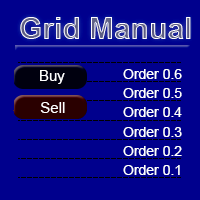
Grid Manual is a trading panel for working with grid strategies. The utility is universal, has flexible settings and an intuitive interface. It works with a grid of orders not only in the direction of averaging losses, but also in the direction of increasing profits. The trader does not need to create and maintain a grid of orders, the utility will do it. It is enough to open an order and the "Grid manual" will automatically create a grid of orders for it and will accompany it until the close. F
DrawDown Limiter
Haidar Lionel Haj Ali
5 (23)
DrawDown Limiter v5.0 — Advanced Account Protection Controller DrawDown Limiter v5.0 is a client-side account protection controller designed to supervise your trading account and automatically react when configured risk, profit, news, schedule, rollover, or position limits are reached. It can monitor manual trades, automated strategies, multiple Expert Advisors, pending orders and floating positions from one dedicated chart. It can protect the complete account or be configured to supervise a spe
YuClusters
Yury Kulikov
4.93 (43)
Attention: You can view the program operation in the free version  YuClusters DEMO .  YuClusters is a professional market analysis system. The trader has unique opportunities to analyze the flow of orders, trade volumes, price movements using various charts, profiles, indicators, and graphical objects. YuClusters operates on data based on Time&Sales or ticks information, depending on what is available in the quotes of a financial instrument. YuClusters allows you to build graphs by combining da
Premium Trade Manager - The Trade Panel With a Coach Built In Premium Trade Manager puts a trading coach inside your chart, with a full execution engine underneath it. Set the trade up the way you always do, then let Max, your AI trading coach, read that exact setup against your live account and give you a straight verdict before you commit: is the stop disciplined, is the risk sane, is a high-impact release minutes away, are you near a prop-firm limit. Below sits the engine that runs everything
More from author
UMNi-CMND MT5 Remote Command & Trade Control System UMNi-CMND turns Telegram into a full remote control panel for your MetaTrader terminal. Send commands from your phone to open trades, manage positions, query account status, and receive complete trade telemetry — all without touching the platform. KEY FEATURES Full remote trade execution via Telegram Open, close, and manage positions by command Move SL/TP, set breakeven, partial close Live status, account, and position q
UMNi-ALRT MT5 Advanced Trade Alert System UMNi-ALRT delivers structured, detailed Telegram alerts for every stage of your trading activity. More advanced than basic notifications, it provides full trade intelligence — including performance metrics, session context, and market data — in a clean, readable format. KEY FEATURES Full trade open / close alerts with deep detail MFE, MAE and exit efficiency tracking Session-aware candle and bias context Chart updates with spread,
UMNi-NTFY MT5 Telegram Notification System UMNi-NTFY is a lightweight Telegram notification tool for MetaTrader. It monitors trading activity and delivers fast, structured alerts directly to your phone — keeping you connected to your system without watching charts. KEY FEATURES Trade Open alerts (Entry, SL, TP) Trade Close alerts (P&L outcome) Session summaries System Online / Offline status Clean, structured message format Works with all symbols and timeframes Compatible
FREE
UMNi-NTFY UMNi-NTFY is a lightweight Telegram notification tool for MetaTrader 4. It monitors trading activity and delivers fast, structured alerts directly to your phone — keeping you connected to your system without watching charts. KEY FEATURES • Trade Open alerts (Entry, SL, TP) • Trade Close alerts (P&L outcome) • Session summaries • System Online / Offline status • Clean, structured message format • Works with all symbols and timeframes • Compatible with manual and
FREE
UMNi-CMND  UMNi-Cmnd — MT4 Remote Trade Command and Control UMNi-Cmnd turns Telegram into a full remote control panel for your MetaTrader 4 terminal. Send commands from your phone to open trades, manage positions, query account status, and receive complete trade telemetry — all without touching the platform. KEY FEATURES • Full remote trade execution via Telegram • Open, close, and manage positions by command • Move SL/TP, set breakeven • Live status, account, and positi
UMNi-SESH MT4 Trading Session Manager UMNi-Sesh keeps you informed at every session transition on MetaTrader 4. It monitors the four major trading sessions and delivers pre-session briefings, open and close alerts, and contextual market data — so you always know what's happening before you trade. KEY FEATURES • Automated session open and close alerts • Pre-session briefings with configurable lead time • Candle direction, bias, and day range at open • Session range, high/
UMNi-ALRT MT4 Intelligent Trade Alert System UMNi-Alrt delivers structured, detailed Telegram alerts for every stage of your MetaTrader 4 trading activity. It provides full trade intelligence — including performance metrics, session context, and market data — in a clean, readable format. KEY FEATURES • Full trade open / close alerts with deep detail • MFE, MAE and exit efficiency tracking • Session-aware candle and bias context • Chart updates with spread, range, and bod
UMNi-NEWS UMNi-NEWS — MT4 Economic Calendar & News Alert System UMNi-NEWS monitors the economic calendar and alerts you on Telegram before, during and after high-impact news. The calendar downloads automatically, so there is nothing to type in or maintain. It keeps you aware of scheduled risk throughout the trading day, so you can adjust exposure before events hit. KEY FEATURES • Automatic economic calendar: downloads and refreshes itself (no manual files) • Daily news br
UMNi-STATE UMNi-State — MT4 Market Condition Classifier UMNi-State analyses live market conditions using ATR, ADX, and Bollinger Bands, then classifies the current environment into one of nine distinct states. It alerts you whenever the market condition changes — so your awareness stays current without manual analysis. KEY FEATURES • Real-time market state classification (9 states) • Instant Telegram alert on state change • Session open notifications with current state c
UMNi-HLTH UMNi-Hlth monitors the quality of your MetaTrader 4 trading environment in real time. It tracks spread spikes and latency throughout the session, grades overall execution health, and alerts you when conditions deteriorate. KEY FEATURES • Real-time spread spike detection and alerting • Latency monitoring with warning and critical thresholds • End-of-session health report with grade (A to D) • Configurable thresholds for all metrics • On-chart panel showing live
UMNi-LOG Automated Trade Journal & Reporter for MetaTrader 4 — CSV + Telegram UMNi-LOG journals every closed trade on your account to a CSV file and sends a result card to Telegram, then sends a daily and a weekly report. It reads the account's trade history, so it catches every close on every symbol: manual trades, other EAs, partial closes, and trades that closed while the terminal was off (picked up when it restarts). It does not open, modify or close trades. KEY FEATURES Journals every clos
️ UMNi-RISK Risk Monitor & Daily Loss Guard for MetaTrader 4 UMNi-RISK watches your account in real time and alerts you on Telegram when risk thresholds are breached: drawdown, daily loss and margin exposure. Switch on the optional Daily Loss Guard and it will also close every open trade the moment your daily loss limit is reached, then keep the account flat until the next trading day. KEY FEATURES • NEW: optional Daily Loss Guard closes all positions (and pending orders)
UMNi-GRID Grid & Basket Position Manager for MetaTrader 4 — with Telegram control UMNi-GRID runs a one-direction grid on the chart it is attached to: it opens a first level, adds levels as price moves against the basket, and closes the whole basket when price returns a set distance past the average entry. Every step is reported to Telegram, and you can start, pause or close the grid from the chart or from your phone. IMPORTANT: grid trading adds to losing positions. It can recover small moves,
UMNi-SYNC Local Trade Copier for MetaTrader 4 — Master / Subscriber, MT4 and MT5 together UMNi-SYNC copies trades from one MetaTrader account (the Master) to any number of other accounts (Subscribers) running on the same computer or VPS. The master publishes its open positions to a small file in the terminals' shared Common folder several times a second; each subscriber mirrors them: new trades, closes, partial closes and SL / TP changes. MT4 and MT5 terminals copy to each other. Telegram is us
UMNi-FLOW Buy / Sell Pressure & Market Activity Monitor for MetaTrader 4 UMNi-FLOW watches every price tick and tells you on Telegram when buyers or sellers take control, when the market suddenly speeds up, and when a bar trades far more volume than normal. A clean panel on the chart shows the same read at a glance. It does not place trades. It is an awareness tool: it tells you what the market is doing, so you are not caught off guard. KEY FEATURES Buy / sell pressure measured tick by tick: ev
UMNi-SESH MT5 Session Awareness & Briefing System UMNi-SESH keeps you informed at every session transition. It monitors the four major trading sessions and delivers pre-session briefings, open and close alerts, and contextual market data — so you always know what's happening before you trade. KEY FEATURES Automated session open and close alerts Pre-session briefings with configurable lead time Candle direction, bias, and day range at open Session range, high/low, and move
UMNi-NEWS **MT5 Economic Calendar & News Alert System** UMNi-NEWS monitors the economic calendar and alerts you before, during, and after high-impact news events. It keeps you aware of scheduled risks throughout the trading day — so you can adjust exposure before events hit. KEY FEATURES • Daily news briefing on startup and at each new trading day • Two-stage pre-event warnings (30m and 5m by default) • Live news alert at event time with elevated spread warning • Post-
## UMNi-STATE **MT5 Market Condition Classification System** UMNi-STATE analyses live market conditions using ATR, ADX, and Bollinger Bands, then classifies the current environment into one of nine distinct states. It alerts you whenever the market condition changes — so your awareness stays current without manual analysis. KEY FEATURES • Real-time market state classification (9 states) • Instant Telegram alert on state change • Session open notifications with current
UMNi-HLTH **MT5 Execution Health Monitoring System** UMNi-HLTH monitors the quality of your trading environment in real time. It tracks spread spikes, latency, and slippage throughout the session, grades overall execution health, and alerts you when conditions deteriorate. KEY FEATURES • Real-time spread spike detection and alerting • Latency monitoring with warning and critical thresholds • Slippage tracking across the session • End-of-session health report with grade
️ UMNi-RISK Risk Monitor & Daily Loss Guard for MetaTrader 5 UMNi-RISK watches your account in real time and alerts you on Telegram when risk thresholds are breached: drawdown, daily loss and margin exposure. Switch on the optional Daily Loss Guard and it will also close every open trade the moment your daily loss limit is reached, then keep the account flat until the next trading day. KEY FEATURES • NEW: optional Daily Loss Guard closes all positions (and pending orders)
UMNi-GRID Grid & Basket Position Manager for MetaTrader 5 — with Telegram control UMNi-GRID runs a one-direction grid on the chart it is attached to: it opens a first level, adds levels as price moves against the basket, and closes the whole basket when price returns a set distance past the average entry. Every step is reported to Telegram, and you can start, pause or close the grid from the chart or from your phone. IMPORTANT: grid trading adds to losing positions. It can recover small moves,
UMNi-LOG Automated Trade Journal & Reporter for MetaTrader 5 — CSV + Telegram UMNi-LOG journals every closed trade on your account to a CSV file and sends a result card to Telegram, then sends a daily and a weekly report. It reads the account's trade history, so it catches every close on every symbol: manual trades, other EAs, partial closes, and trades that closed while the terminal was off (picked up when it restarts). It does not open, modify or close trades. KEY FEATURES Journals every clos
UMNi-FLOW Buy / Sell Pressure & Market Activity Monitor for MetaTrader 5 UMNi-FLOW watches every price tick and tells you on Telegram when buyers or sellers take control, when the market suddenly speeds up, and when a bar trades far more volume than normal. A clean panel on the chart shows the same read at a glance. It does not place trades. It is an awareness tool: it tells you what the market is doing, so you are not caught off guard. KEY FEATURES Buy / sell pressure measured tick by tick: ev
Filter:
No reviews
Reply to review