PropPulse Sentinel Multi EA Risk Manager
- Utilities
- Version: 6.23
- Activations: 10

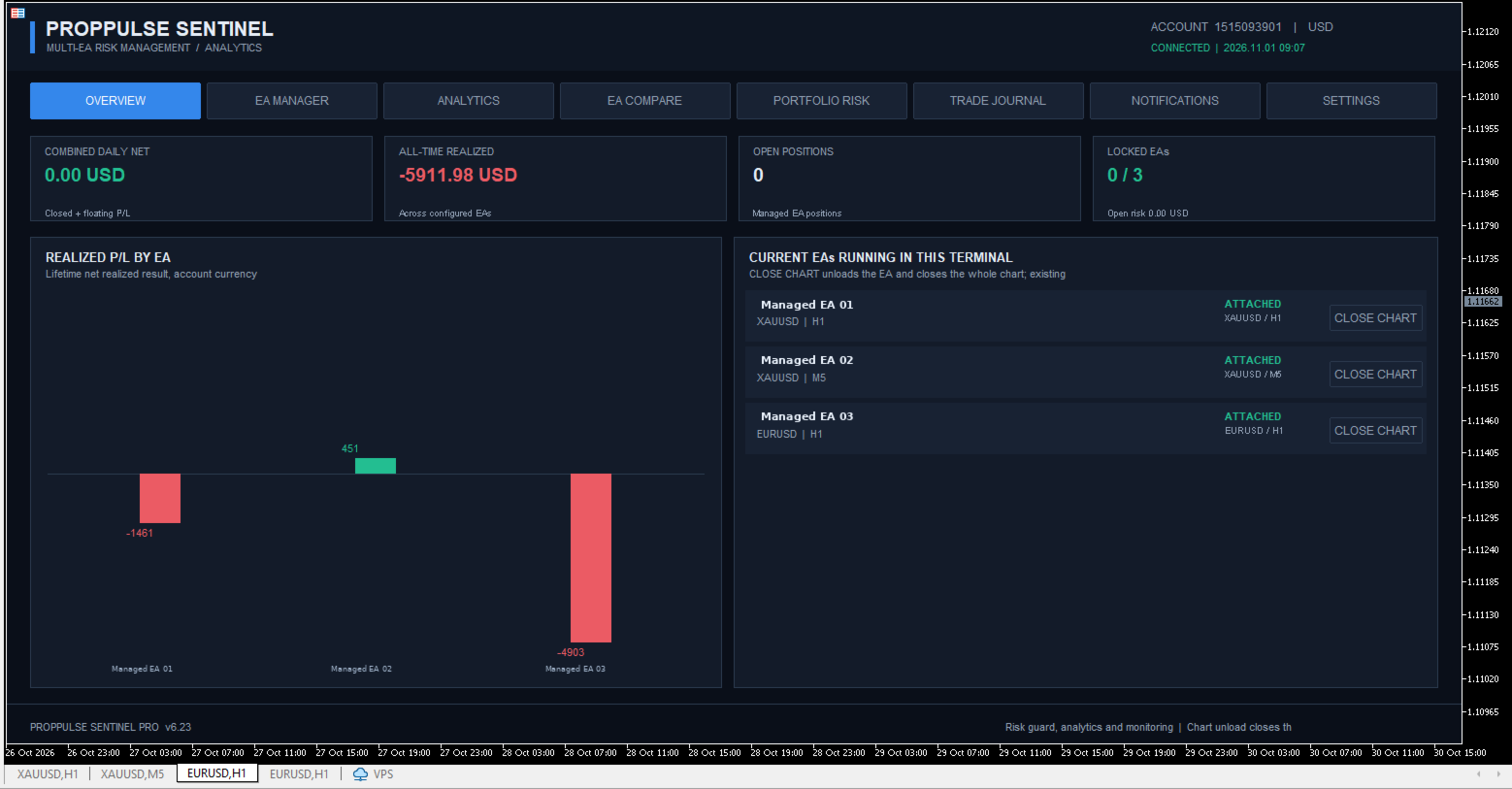
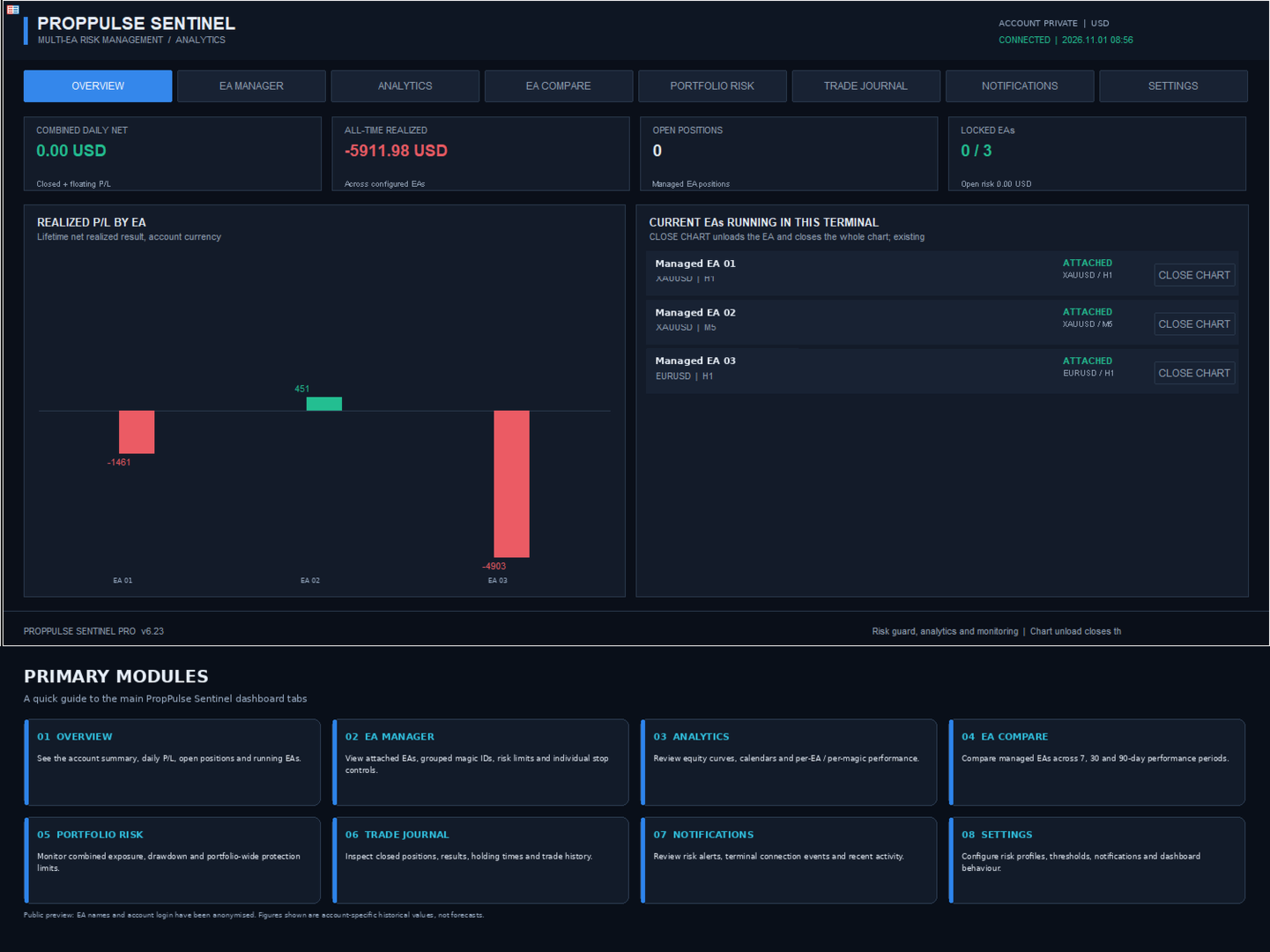
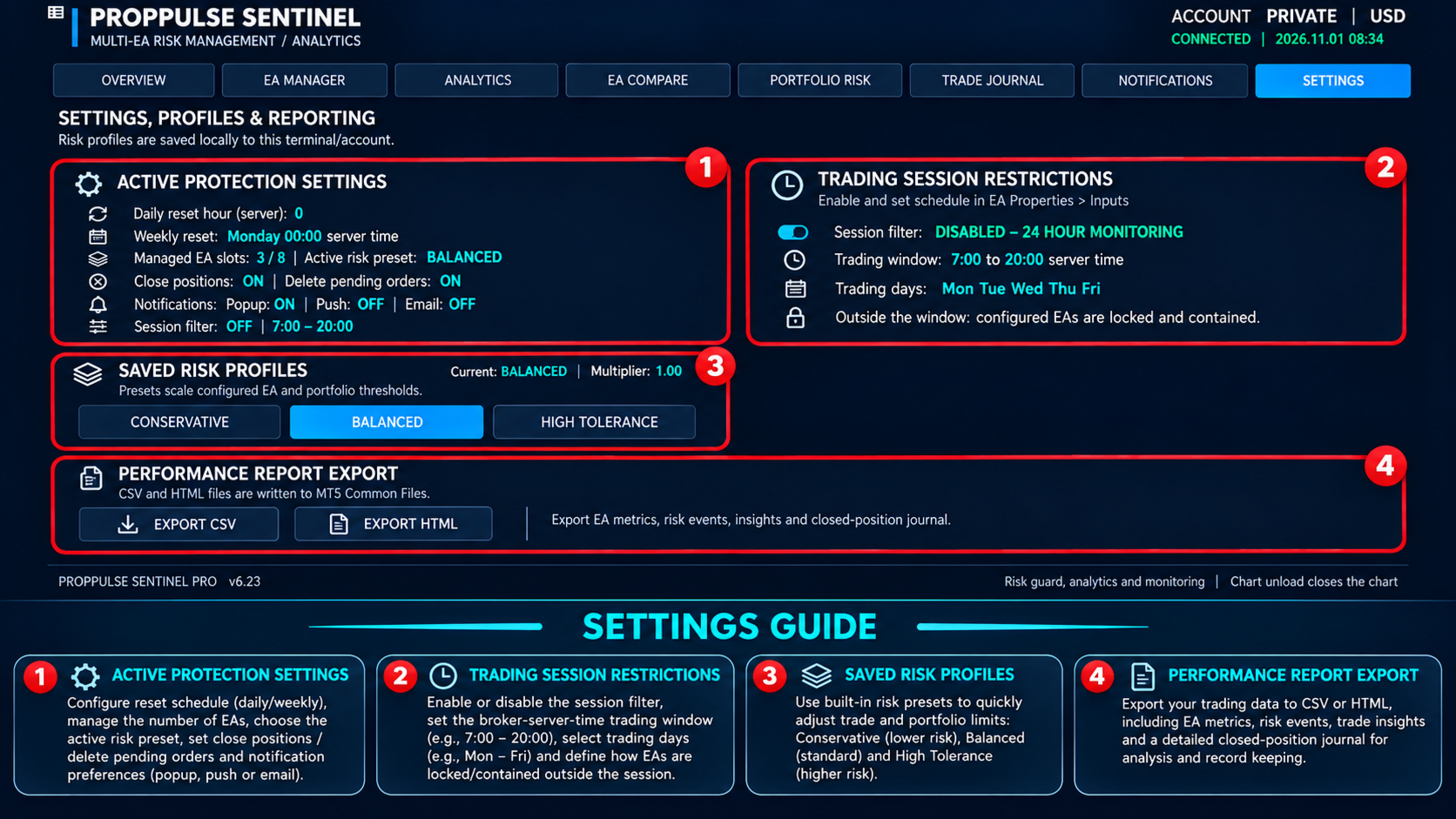
Monitor up to eight EA profiles with grouped magic numbers, per-EA and portfolio risk limits, performance analytics, comparison, notifications and trade reports. This utility monitors and contains managed trades; it does not generate entry signals.
PropPulse Sentinel is a MetaTrader 5 utility Expert Advisor for monitoring and managing risk across multiple trading Expert Advisors running in the same terminal.
It organises trading activity into up to eight managed EA profiles. Each profile can use one primary magic number and up to fifteen additional magic numbers. The dashboard combines activity for the profile while retaining a separate view of results attributed to each configured magic number.
MAIN FUNCTIONS
EA management
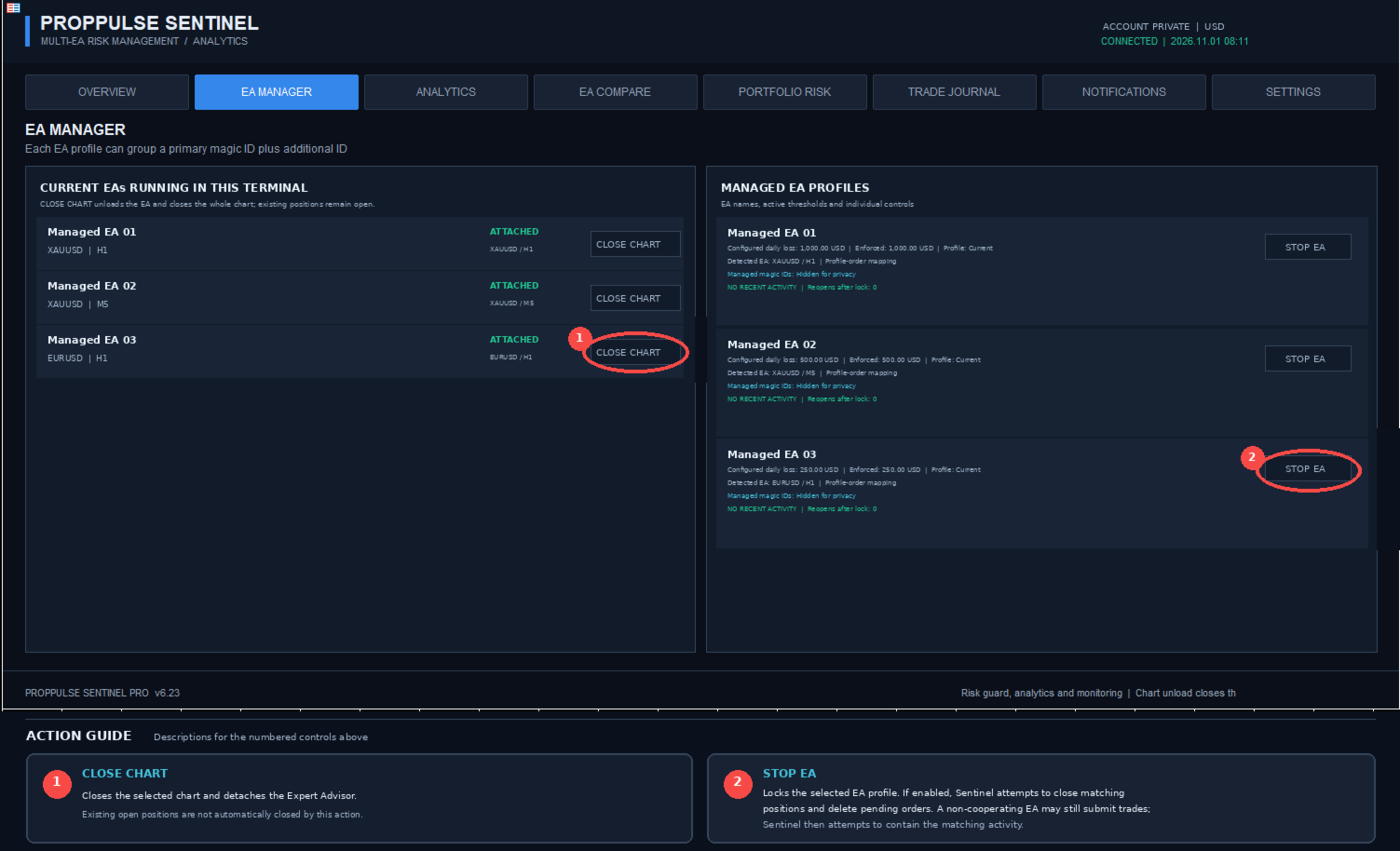
- Detects Expert Advisors attached to open charts.
- Displays configured EA profiles and their assigned magic numbers.
- Supports up to eight managed profiles.
- Supports up to sixteen magic numbers per profile, including the primary ID.
- Provides individual manual STOP and RESUME controls.
Per-EA risk controls
- Daily realised and floating profit/loss thresholds.
- Weekly profit/loss thresholds.
- Floating profit/loss thresholds.
- Maximum open-position count.
- Consecutive losing-position limit.
- Persistent lock state using terminal Global Variables.
Portfolio protection
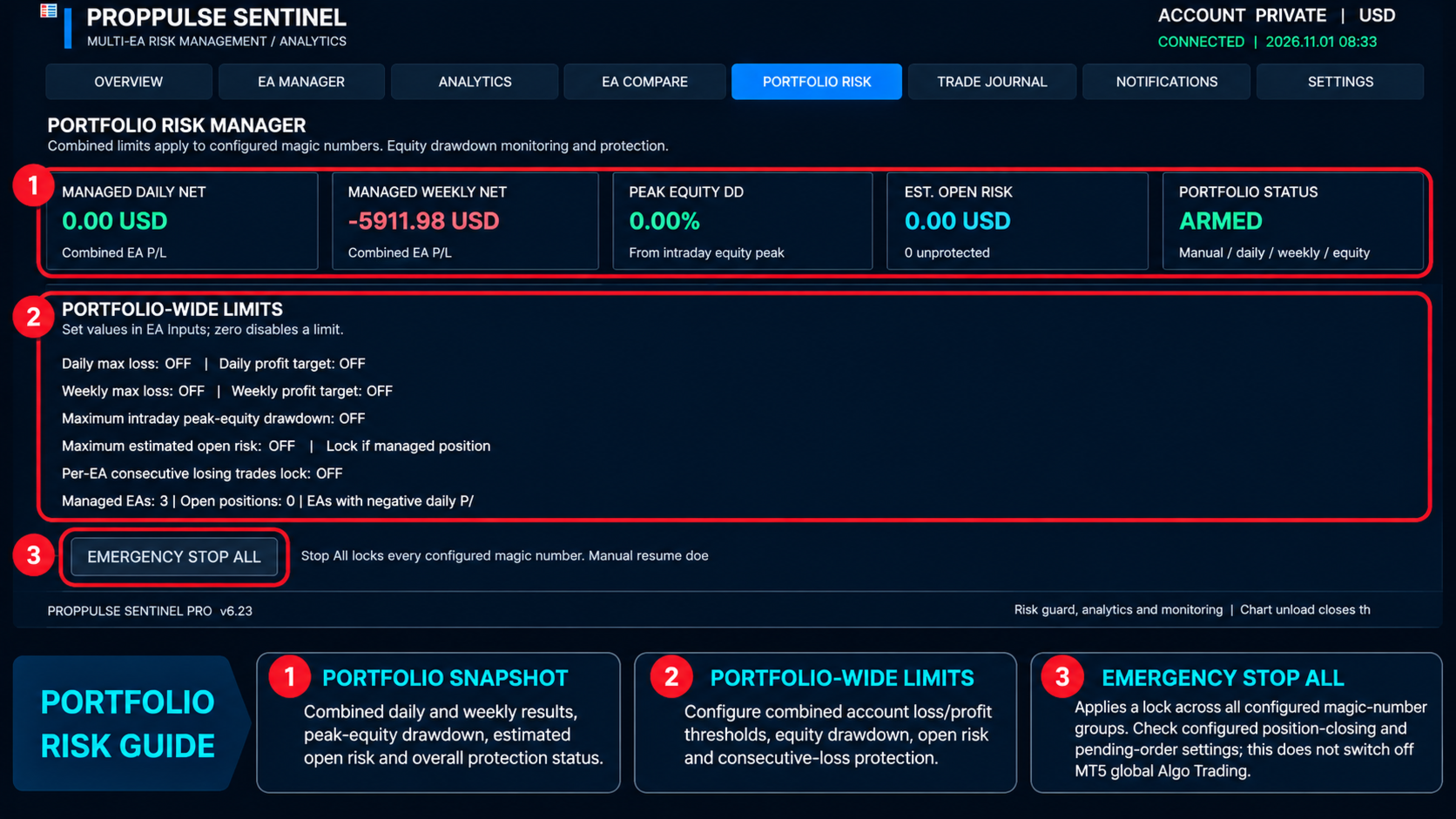
- Combined daily and weekly profit/loss thresholds.
- Intraday account-equity drawdown threshold.
- Estimated open risk based on stop-loss levels.
- Optional lock when a managed position has no stop loss or its risk cannot be calculated.
- Warning when multiple managed EAs have negative daily results.
- Portfolio-wide emergency STOP control.
Analytics and comparison
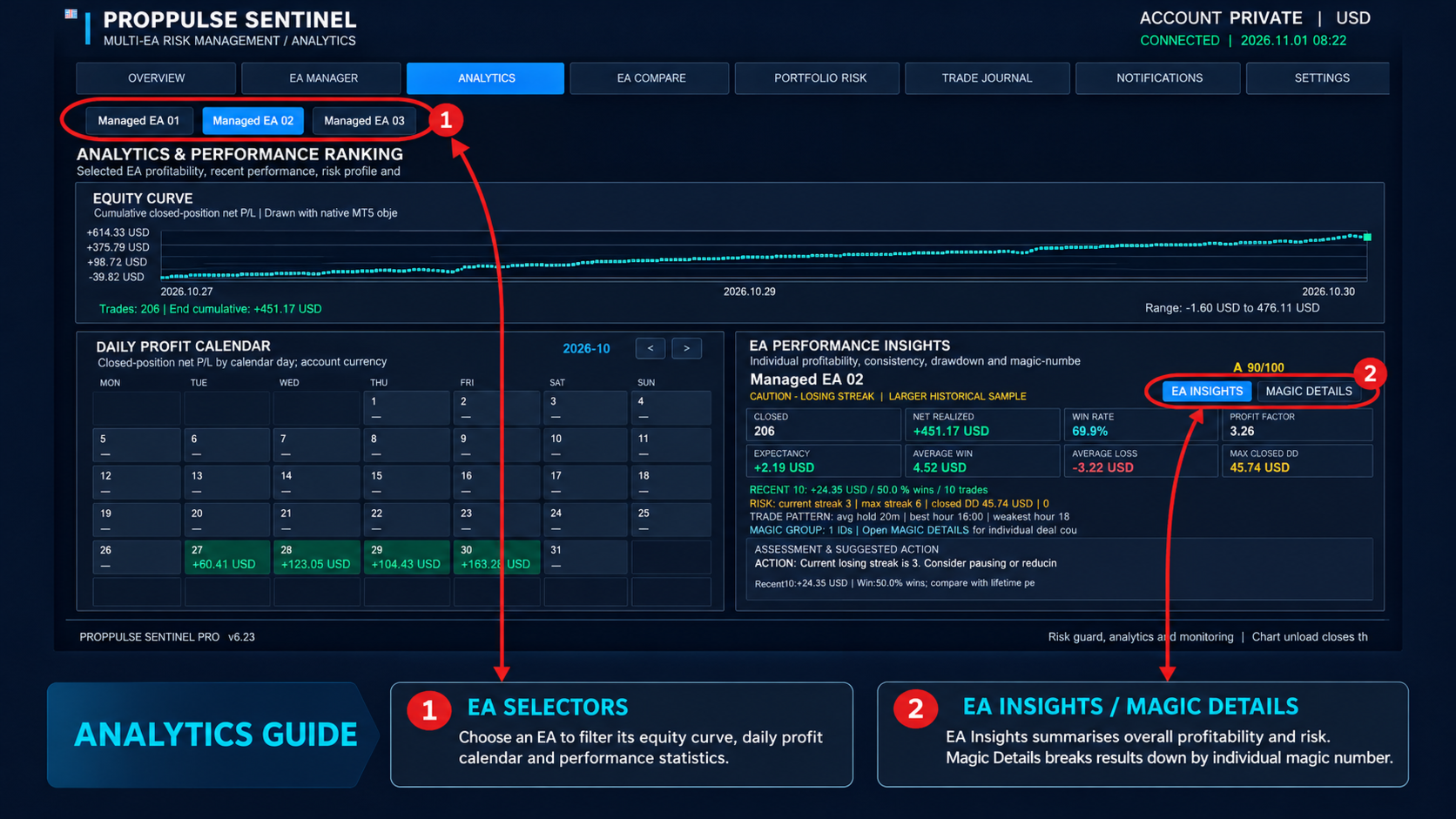
- Cumulative closed-position P/L curve.
- Daily profit calendar.
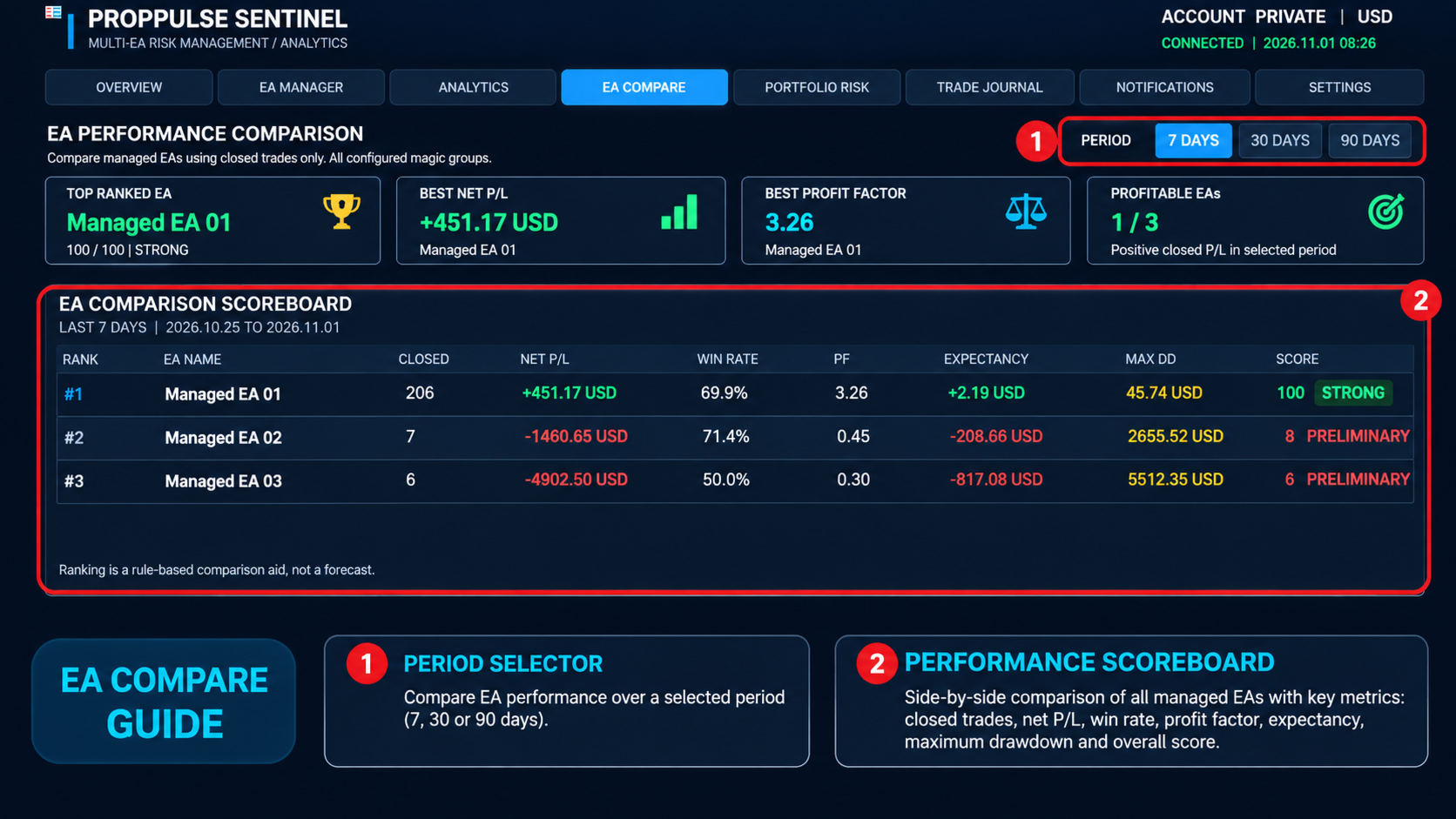
- Individual EA performance metrics.
- Per-magic-number details, including deals, closed trades, net P/L, win rate and profit factor.
- EA comparison over selectable 7-day, 30-day and 90-day periods.
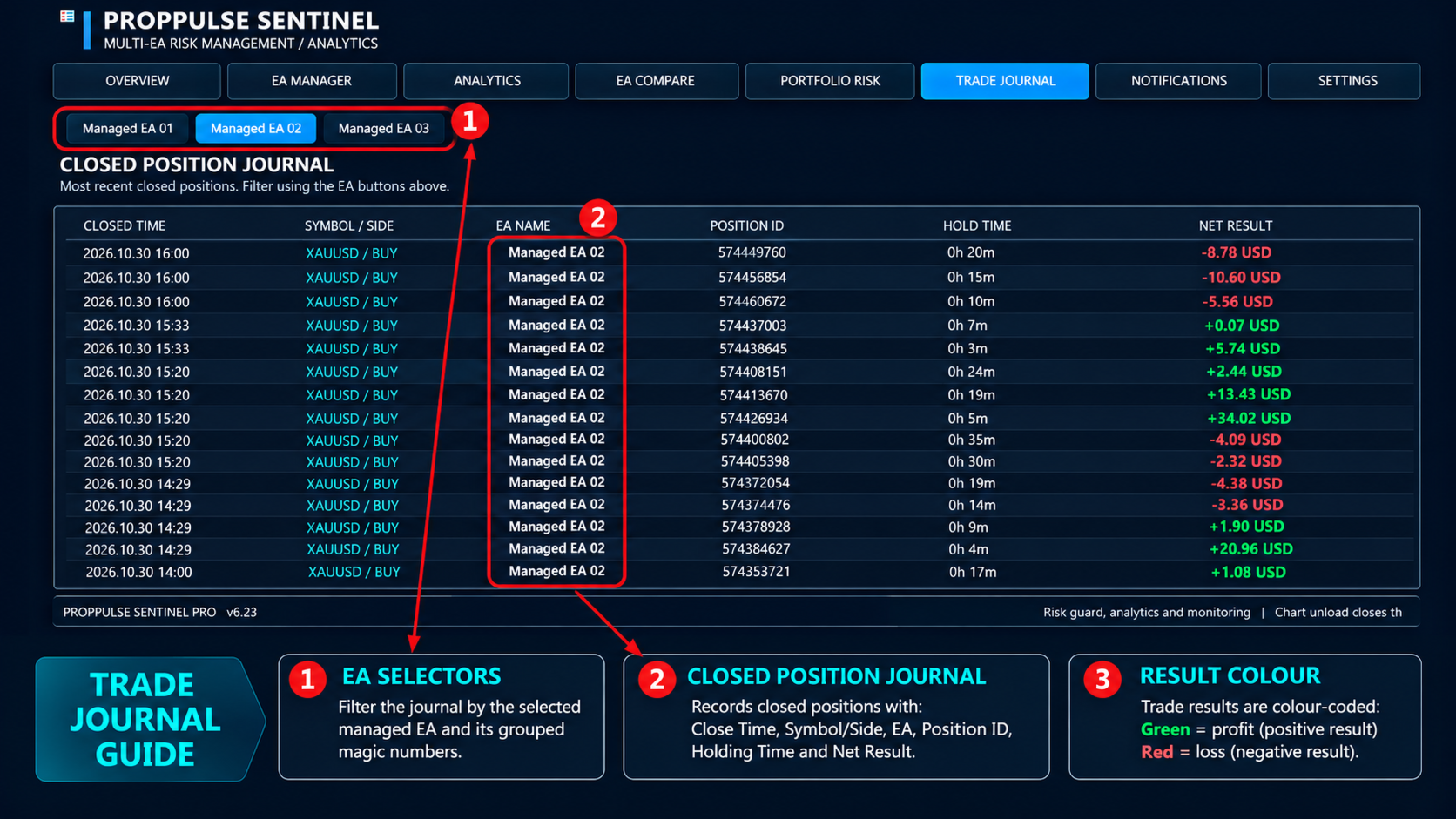
- Closed-position trade journal.
- CSV and HTML report export.
Notifications and session controls
- Terminal popup alerts.
- Optional MetaTrader push notifications and email notifications.
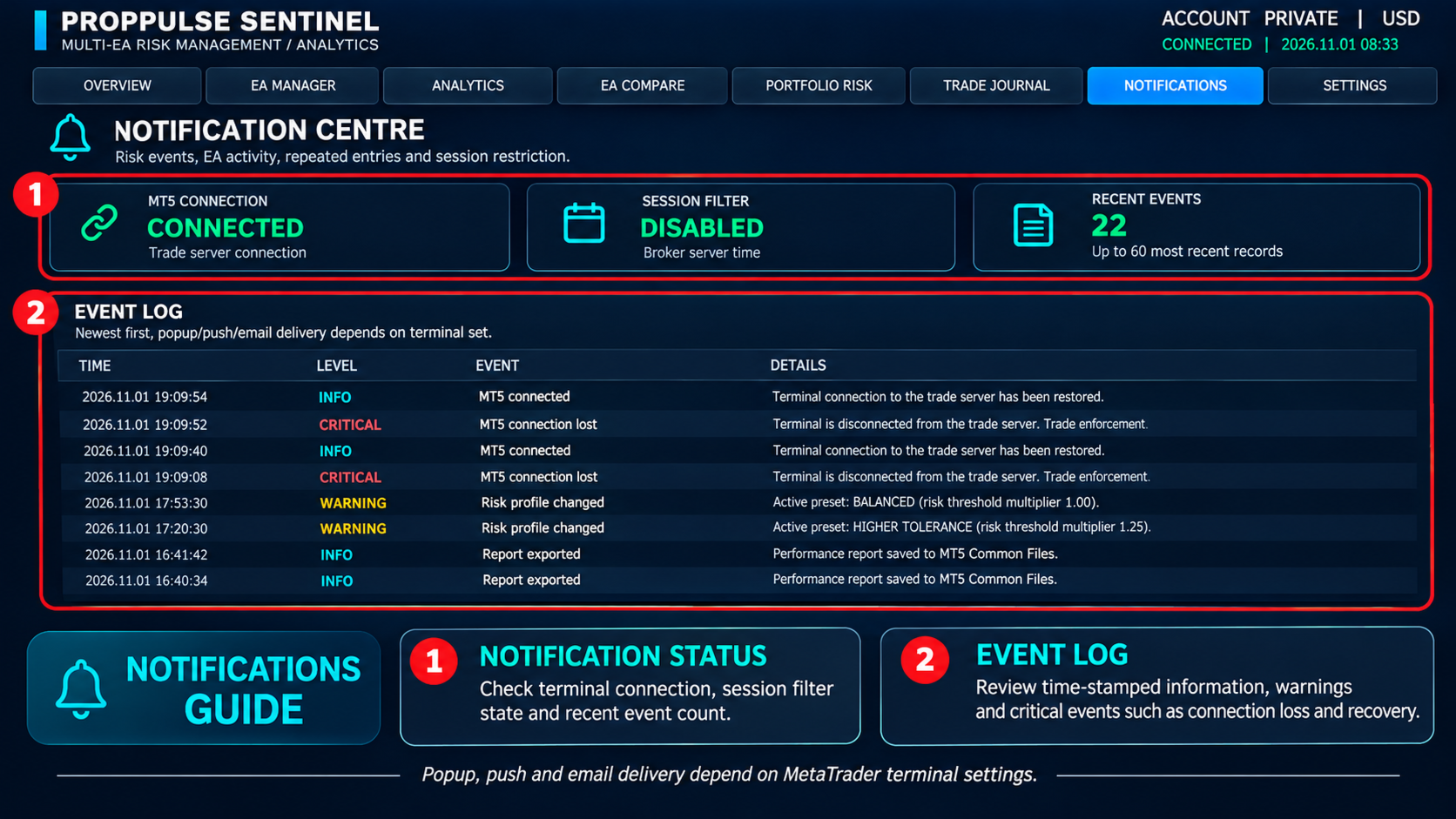
- Event log for risk and connection events.
- Optional trading-session restrictions based on broker server time.
HOW IT WORKS
Attach PropPulse Sentinel to a separate chart in the same MetaTrader 5 terminal as the EAs you want to monitor. Configure each managed profile with the correct EA name and magic number mapping. The utility reads matching positions and account history, calculates the configured risk metrics, and applies the selected lock and containment settings when a threshold is reached.
The utility does not generate buy or sell signals and does not open trades for the managed EAs.
IMPORTANT OPERATING LIMITATIONS
PropPulse Sentinel is an independent monitor. It does not change the target EA's own "Allow Algo Trading" checkbox and does not switch off MetaTrader's global Algo Trading setting. Unless the target EA has been specifically designed to cooperate with an external lock, the utility cannot intercept an order before the target EA sends it. When a configured limit is reached, PropPulse Sentinel can detect matching positions and attempt to close them and delete matching pending orders. Execution depends on terminal connectivity, market conditions, broker permissions and trade-server responses.
The optional automatic chart-unload feature closes the entire matching chart to detach the target EA. It is disabled by default. Closing a chart is not the same as disabling global Algo Trading.
On netting accounts, trades from different magic numbers on the same symbol may be combined into one net position. Individual open-position attribution and per-magic containment may therefore be limited when several EAs contribute to the same net position. A hedging account is recommended when independent per-EA position management is required.
Risk limits are configured in PropPulse Sentinel's own Inputs. The utility cannot read the private Inputs of another compiled EX5 Expert Advisor. Each user must confirm the target EAs' actual magic numbers and assign them to the correct profile.
The utility does not guarantee that all orders or positions can be closed, and it does not guarantee trading results or prevent all losses. Always test the settings on a demo account before using them on a live account.
REQUIREMENTS
- MetaTrader 5 desktop terminal.
- The target Expert Advisors and PropPulse Sentinel must run in the same terminal.
- Correct magic number configuration for each managed EA.
- MetaTrader terminal permissions to perform the selected trade-management actions.
- Push and email notifications require the corresponding MetaTrader terminal settings.
SUPPORT
For product questions and technical support, use the MQL5 Market product comments or MQL5 messaging facilities.