PanelPro MT5
- Utilities
-
Murilo Pereira Vieira
 About me:
I trade Forex and Futures-B3 contracts (WIN, WDO) and currency pairs—across multiple brokers and account types. I'm not a programmer trying to sell trading products; I'm a trader who learned to code because the tools I needed didn't exist.
What I build: - Version: 1.30
- Updated: 21 April 2026
- Activations: 5
Trading Panel — Product Description Trading Panel — Execution & Risk Management Panel for MetaTrader 5
This Trading Panel is a manual trading utility built directly from real trading experience. It is not just a tool to send orders — it is a complete solution for trade execution, position management and risk control, with built-in partial close, breakeven and trailing stop automation. Whether you are a beginner who needs simplicity, an active trader who requires precision, or a scalper who demands speed, Trading Panel adapts to your needs across all markets. Hedge and Netting accounts fully supported. No DLL required.
No DLL MQL5 Market compliant Hedge & Netting Forex • Futures • CFD • Stocks • Crypto 4 Themes
Important: The panel uses Magic Numbers. Always use a unique Magic Number per chart to avoid conflicts between instances.
Main Features
- One-click BUY and SELL: Execute market orders instantly with automatic SL and TP placement — no dialogs, no delays.
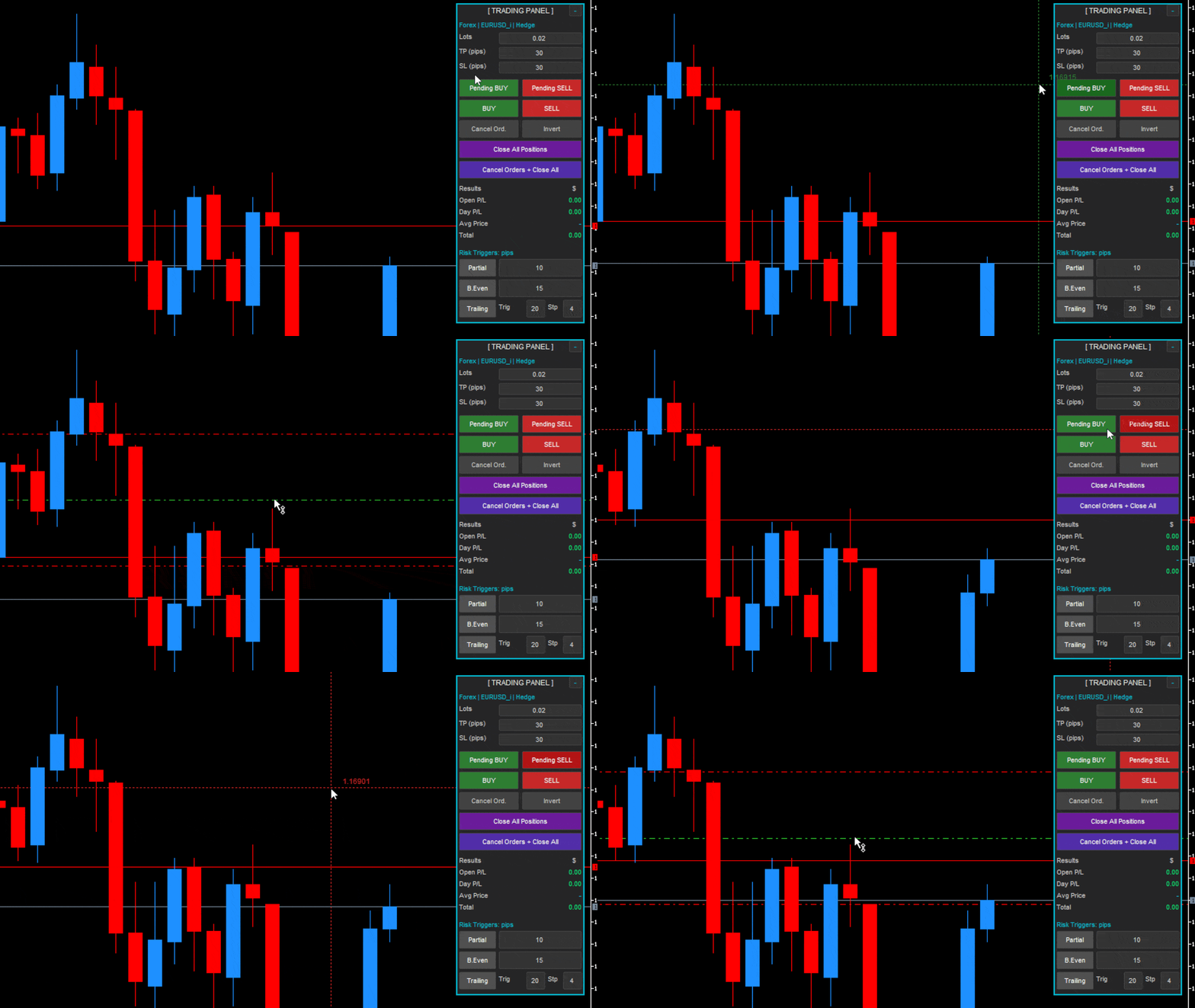
- Pending orders by chart click: Activate pending mode and click any price level on the chart to place a Buy Stop, Buy Limit, Sell Stop or Sell Limit exactly where you want.
- Live results panel: Open P/L, Day P/L, Average Price and Total updated in real time on every tick, including swap and commission.
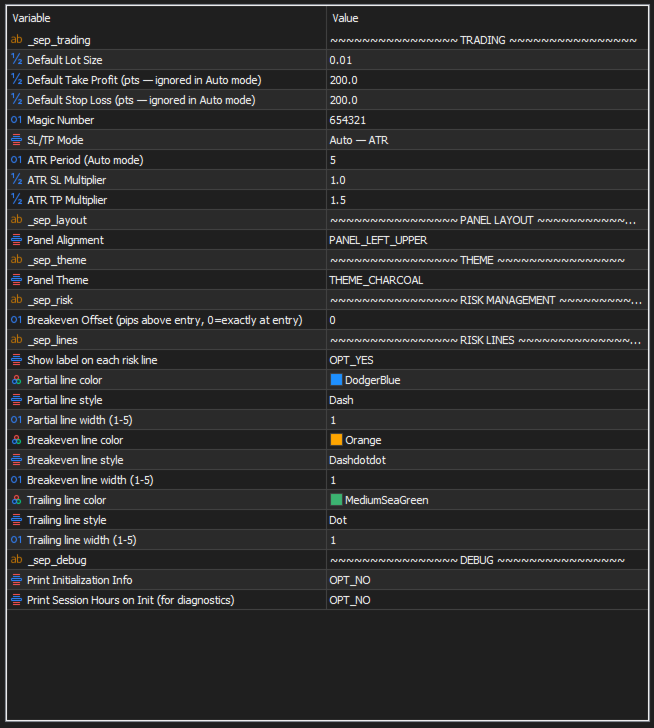
- SL/TP Modes: Three modes — Fixed (pips/pts), Fixed % of TP, or Auto ATR. In ATR mode, SL and TP are calculated automatically from current volatility using configurable multipliers.
- Per-symbol memory: Lot size and SL/TP values are saved individually per instrument — each symbol remembers its own configuration across timeframe changes and restarts.
Risk Management — Toggle On/Off Per Session
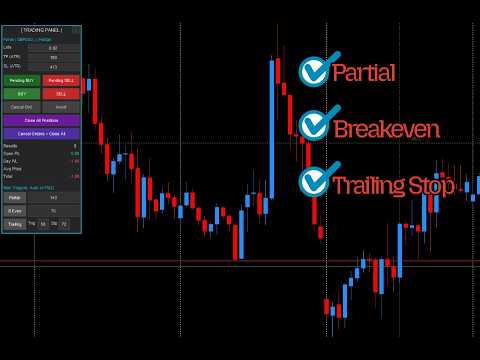
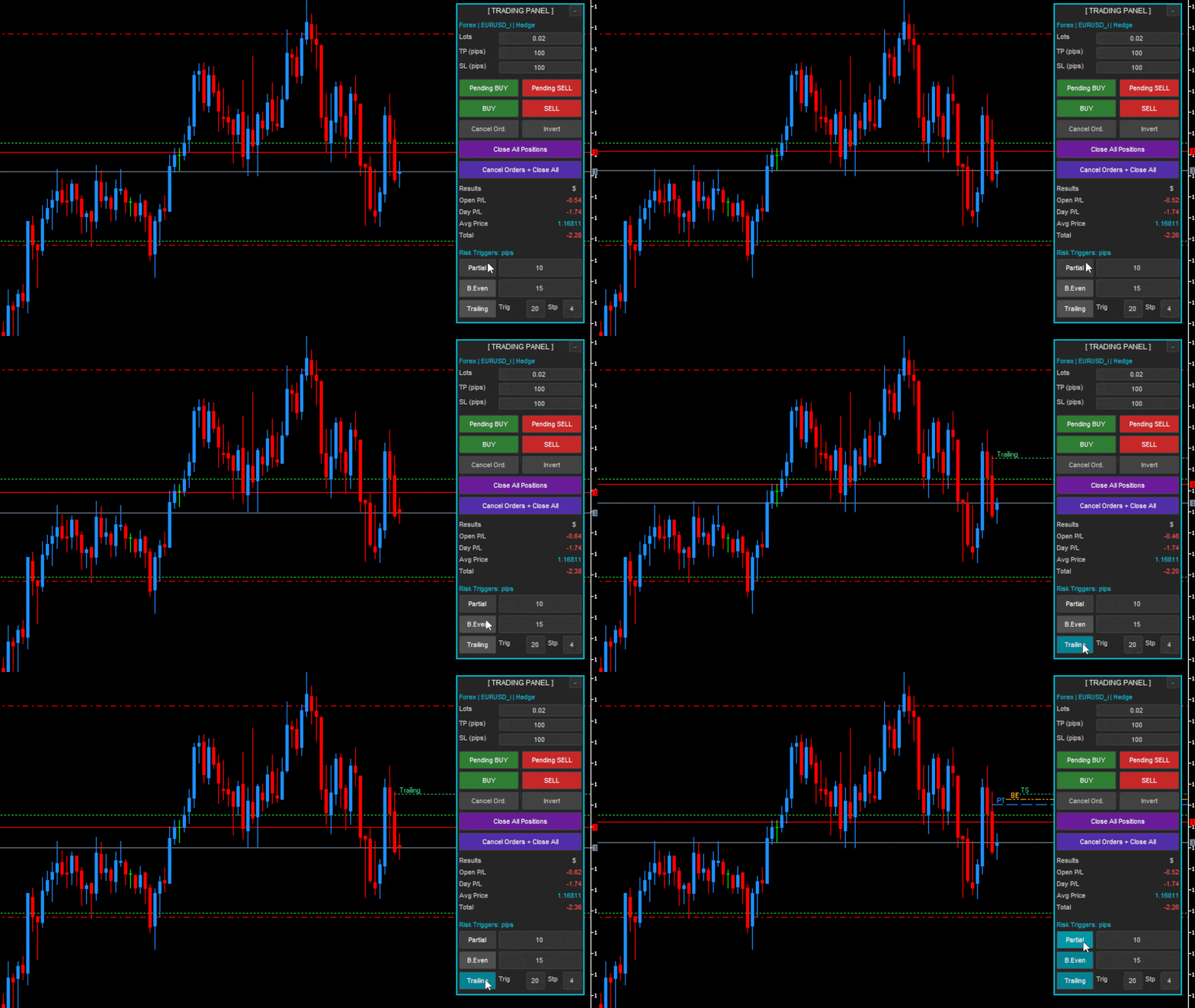
Partial Close
Automatically closes 50% of the position when a configurable profit target is reached. Executes once per position and removes its chart line when triggered.
Breakeven
Moves SL to entry price (plus optional offset in pips) once a set profit level is reached. Respects the broker's freeze level before modifying.
Trailing Stop
Activates above a configurable trigger and trails SL by a fixed step as price moves in your favour. Trigger and step are independent fields.
All Three Simultaneously
All three modes can run at the same time, each with its own toggle button and editable trigger value directly on the panel.
Visual Risk Lines
- Each active mode (Partial, Breakeven, Trailing) draws a dedicated line on the chart at its trigger price.
- Full customisation: Colour, line style (solid, dash, dot, dash-dot) and width (1–5) are individually configurable per mode via input parameters.
- Labels on lines: Each line shows a label positioned above for BUY trades and below for SELL trades — orientation is always clear at a glance.
- Staircase layout: When multiple modes are active, lines start at offset positions so they never overlap at the same horizontal point.
Execution Precision & Safety
- Requote retry: Refreshes price and resubmits automatically — up to 3 attempts without user action.
- Stop distance validation: Every order is checked against the broker's minimum STOPS_LEVEL and current spread. Invalid distances are corrected silently.
- Free margin check: Blocks the order before submission and alerts the trader if margin is insufficient.
- Symbol trade mode check: Detects Long Only, Short Only, Close Only and Disabled states and blocks the corresponding order types automatically.
- Freeze level protection: SL modification is skipped when price is within the broker's freeze zone and retried on the next tick.
- AutoTrading & account check: Verifies that AutoTrading is active and the account has trade permissions before any order is sent.
Quick Close & Order Management
- Invert position: Closes the current position and immediately opens the opposite direction with validated SL/TP — one click, no manual steps.
- Close All Positions: Closes every open position for the current symbol at market.
- Cancel Orders: Removes all pending orders for the current symbol instantly.
- Cancel + Close All: Cancels pending orders and closes all open positions in a single action.
Panel & Personalization
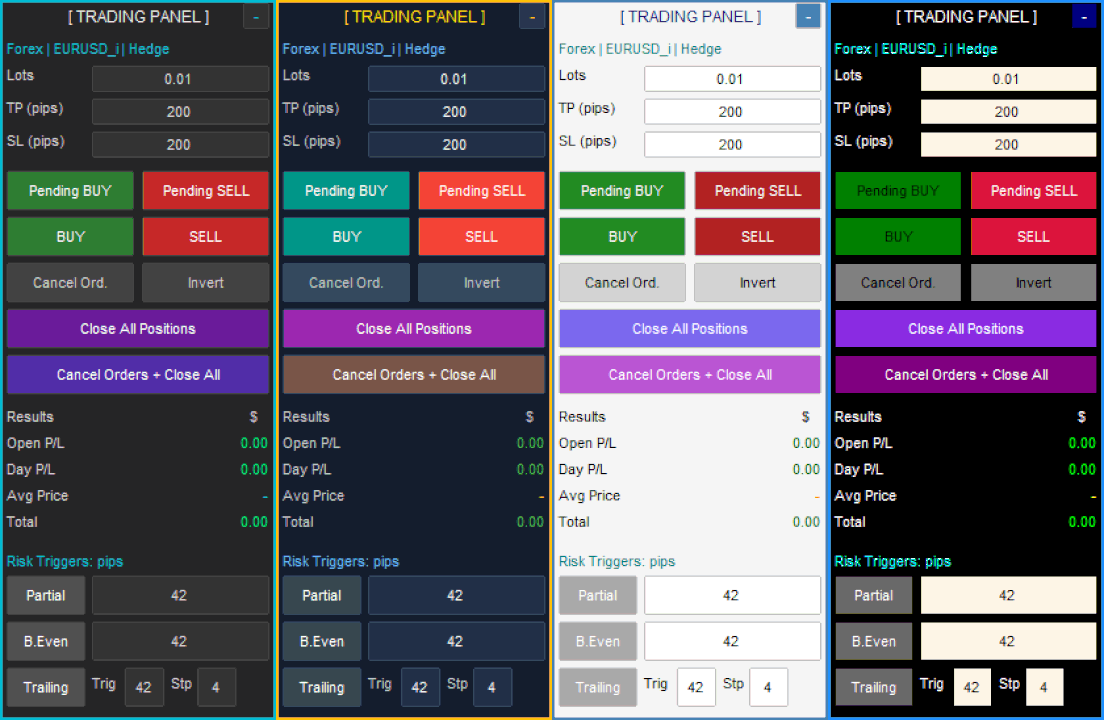
- 4 visual themes: Dark, Light, Midnight Blue and Charcoal — designed to integrate cleanly with any chart setup.
- Left or right positioning: Place the panel on either corner of the chart depending on your layout preference.
- Market hours detection: Execution buttons are automatically hidden when the market is closed and restored when it reopens — no manual intervention needed.
- State persistence: Risk toggles, trigger values, lot size and SL/TP all survive timeframe changes and EA restarts without reconfiguration.
Compatibility
Account types
Hedge and Netting — including B3 Exchange accounts
Instruments
Forex, B3 Futures (WIN, WDO), CFD indices & commodities, Stocks, Crypto
Symbol suffixes
Compatible with any suffix format (EURUSD_i, EURUSD.m, XAUUSD# etc.)
Themes
Dark, Light, Midnight Blue, Charcoal — persistent across sessions
No DLL
100% MQL5 Market compliant — no external libraries needed
Memory
All settings persist per symbol across timeframe changes and restarts
This panel executes real orders on live accounts. Always test on a demo account before live use. The panel does not generate signals and does not trade automatically — all trading decisions are made by the trader.