Golden Reversal Sale
- Experts
- Version: 1.4
- Activations: 5

This is a monthly offer. Don’t forget to message us after your purchase and join the communities.
Golden Reversal EA is a professional MT5 tool that combines: Signals based on REVERSAL STRATEGY.- Signals based on REVERSAL STRATEGY.
- Automatic SL/TP: two modes (read more below).
- Advanced risk management: Daily and weekly Drawdown limits by equity (prop firm style).
- High impact news filter (MT5 calendar, red folder events).
- Spread, time, cooldown, 1 signal per bar, max global trades filters.
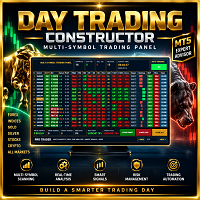
- Compact panel that allows you to: Trade in automatic mode (EA trades for you).
- Use as intelligent manual trading panel, where BUY/SELL follow your management rules. Single Pair / Multi-Pair / Multi-Frame modes, with separate control for: Alerts only (AlertsOnly).
- Automatic trading (AutoTrade).
Dual function: Automatic EA + Panel for your own trades
I recommend enabling the 'Allow algorithmic trading' checkbox. In the EA menu you can control Alert Only / AutoTrade mode, so the panel and alerts will work even when you don't want the EA to trade automatically for you.
Even in manual trades, the EA uses your current rules:
- SL/TP (by ATR, manual, ATR scan or SL/TP PRO).
- BreakEven, Trailing Stop and Partial.
- Spread, time, news filters, etc.
- Daily/weekly Drawdown limit if enabled.
You decide the entry, and the EA manages the trade according to panel settings.
The EA can also draw:
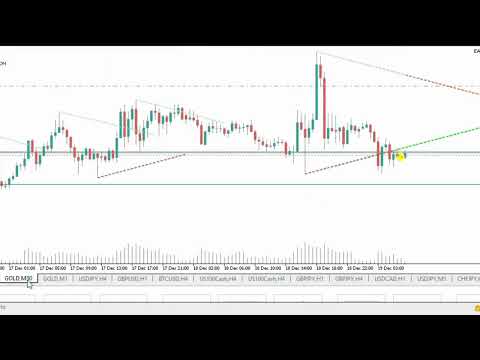
- Signal arrows and dots (RSI/Stoch).
- R:R overlays on open trades.
- Manual R:R simulator (DRAW R:R mode) where you drag ENTRY/TP/SL.
Add pairs and timeframes to menu in UPPERCASE followed by one with (,). Don't forget to write them exactly as your broker names them.
Includes two automatic modes for stop loss and take profit placement: SL/TP PRO - ATR scan.
Images detail available profiles for each mode - you can leave active in panel and EA will select the correct one.
Funding suggestion: If broker limit is e.g. 5% daily, configure EA around 4.0-4.5% to leave margin for spreads, gaps and slippage.
Support and Community
For questions, support or sharing configs, Write to us and join our community, where we share:
- Pair/timeframe preset examples.
- Manual trading panel usage ideas.
- Future updates and improvements.
telegram: https://t.me/aprendizajeD360