
Discord Notify
- Utilities
-
Aleh Piatrenka
 MQL4/MQL5 developer specializing in Expert Advisors and trading utilities.
Experienced in trade copying (master/slave systems) and trading notification services.
All products are designed and personally used in real trading environments. - Version: 2.0
- Updated: 15 September 2026
Automatically sends real-time notifications about trade opening, closing, partial closing and modification of MT5 to Discord.
The utility supports 16 languages: English, French, German, Indian (Hindi), Indonesian, Italian, Kazakh, Korean, Dutch, Polish, Portuguese, Russian, Spanish, Turkish, Ukrainian, and Vietnamese. You can also use any other language by customizing the notification text. The product is designed for traders who need to receive Discord notifications without constantly monitoring the terminal. It is suitable for Expert Advisor users who want to track their activity, traders working with multiple symbols, and VPS users.
Full and partial position closures are detected correctly (for example: 0.10 / 0.30 lots), and protection against duplicate messages is implemented.
Notifications can be sent for all symbols of the trading account or only for the chart symbol where the utility is attached (optional).
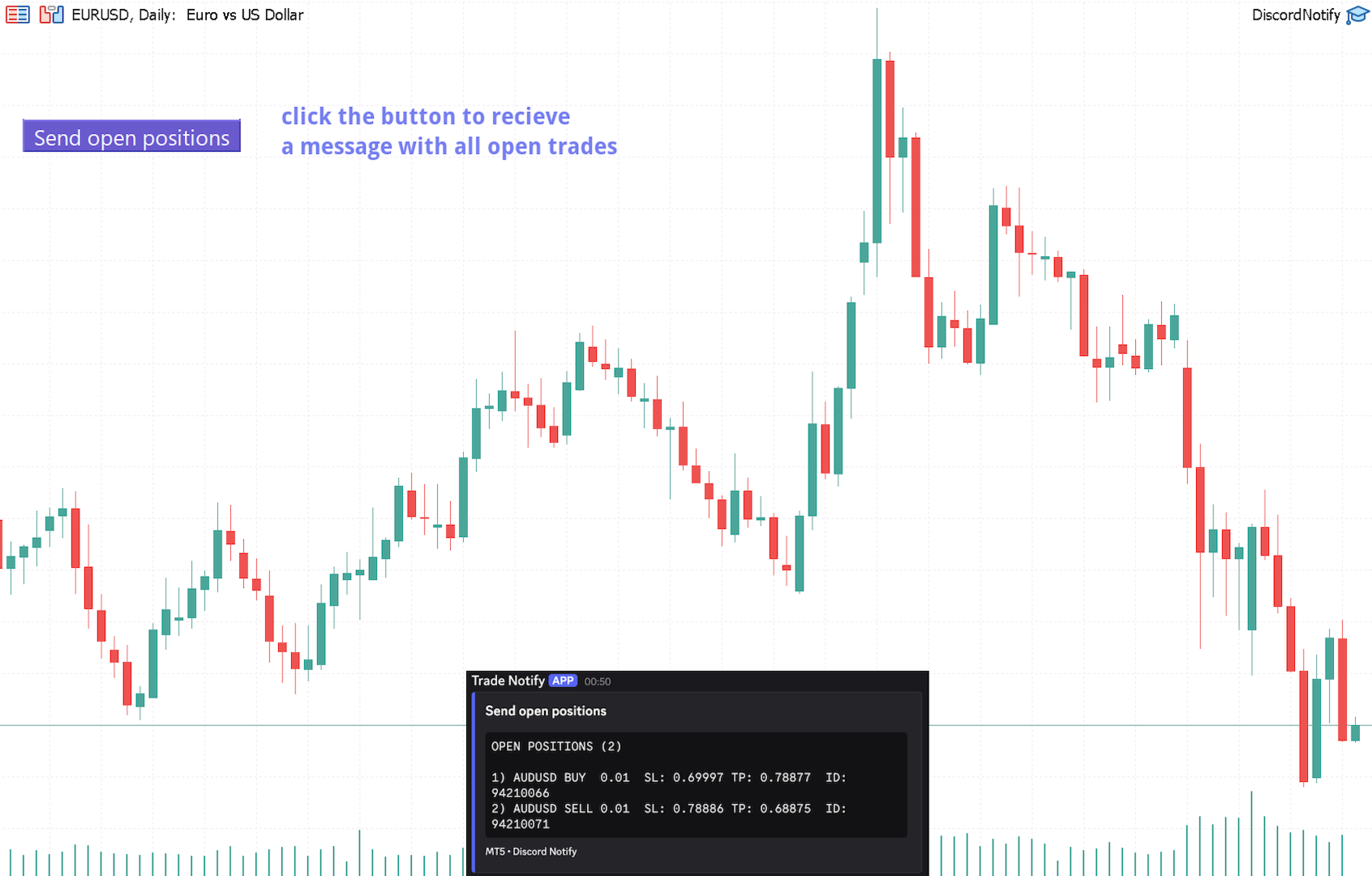
A Test Discord button is available to verify chat functionality and can be hidden from the chart after setup. A Send open positions button has been added, which sends a table-formatted list of all current open positions to Discord.
Notification content:
A trade opening notification includes: symbol, volume, trade direction (BUY / SELL), opening price, and Take Profit and Stop Loss values (optional).
A trade closing notification includes: symbol, closed volume (partial or full), closing price (optional), and final profit or loss (gross or net - optional).
Easy setup:
- Create a text channel in Discord and copy its Webhook URL.
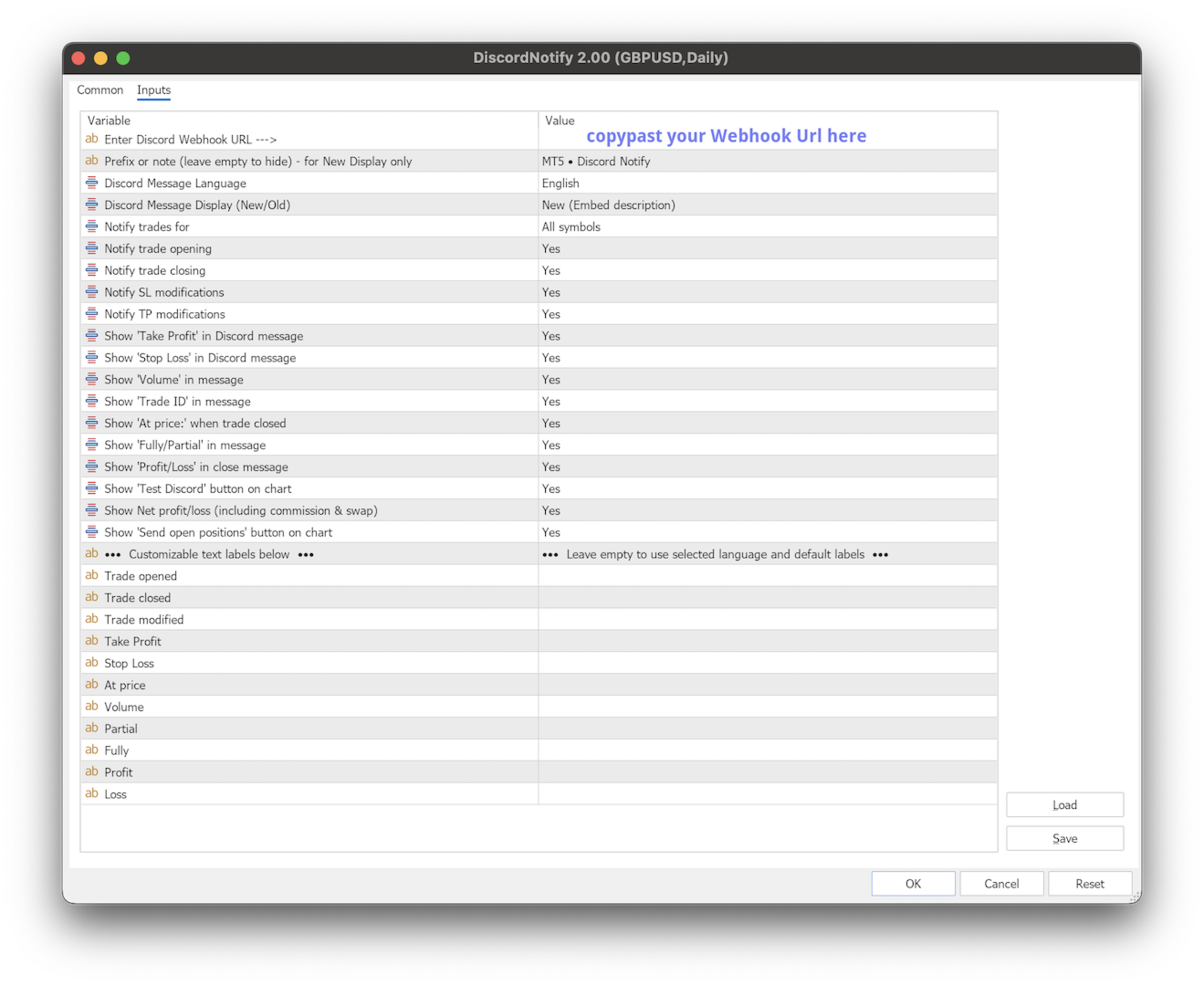
- In MetaTrader 5 → Tools → Options → Expert Advisor, enable WebRequest for https://discord.com/ (or https://discordapp.com depending on your MetaTrader version), attach the utility to any chart, and enter the Webhook URL in the Input Value.
- Click the Test Discord button on the chart to verify functionality.
Detailed step-by-step instructions are available in the screenshot.
Important notes:
The utility does not open or modify trades.
Works only while the MetaTrader 5 terminal is running (like any Advisor).
Compatible with all MT5 brokers and supports both netting and hedging accounts.
MT4 Version Available Here
For advanced features such as Remote control from the Discord App, Trading Statistics, Auto Reports, Price Alerts and Trade Notifications, please check out Trade Monitor. Try all advanced features for just $1.67/month with the 1-year rental.If you find this tool useful, a review would be greatly appreciated.
















































A simple yet extremely useful utility! It's a most for another Discord owners :)