Visual Position Sizer Risk Calculator
- Indicators
- Version: 1.2
- Updated: 2 February 2026
- Activations: 20

TradingView Style Risk Calculator for MT5
Stop Guessing. Stop Calculating. Start Trading.
Risk Reward Tool brings the intuitive, visual experience of TradingView directly into your MetaTrader chart. Professional trading requires precise risk management, but calculating lot sizes manually with Excel sheets is slow and dangerous.
The Solution: Simply drag the visual lines to your Entry, Stop Loss, and Take Profit levels. The tool instantly calculates exactly how many Lots you need to trade to risk your specific dollar amount (e.g., $50).
Key Features
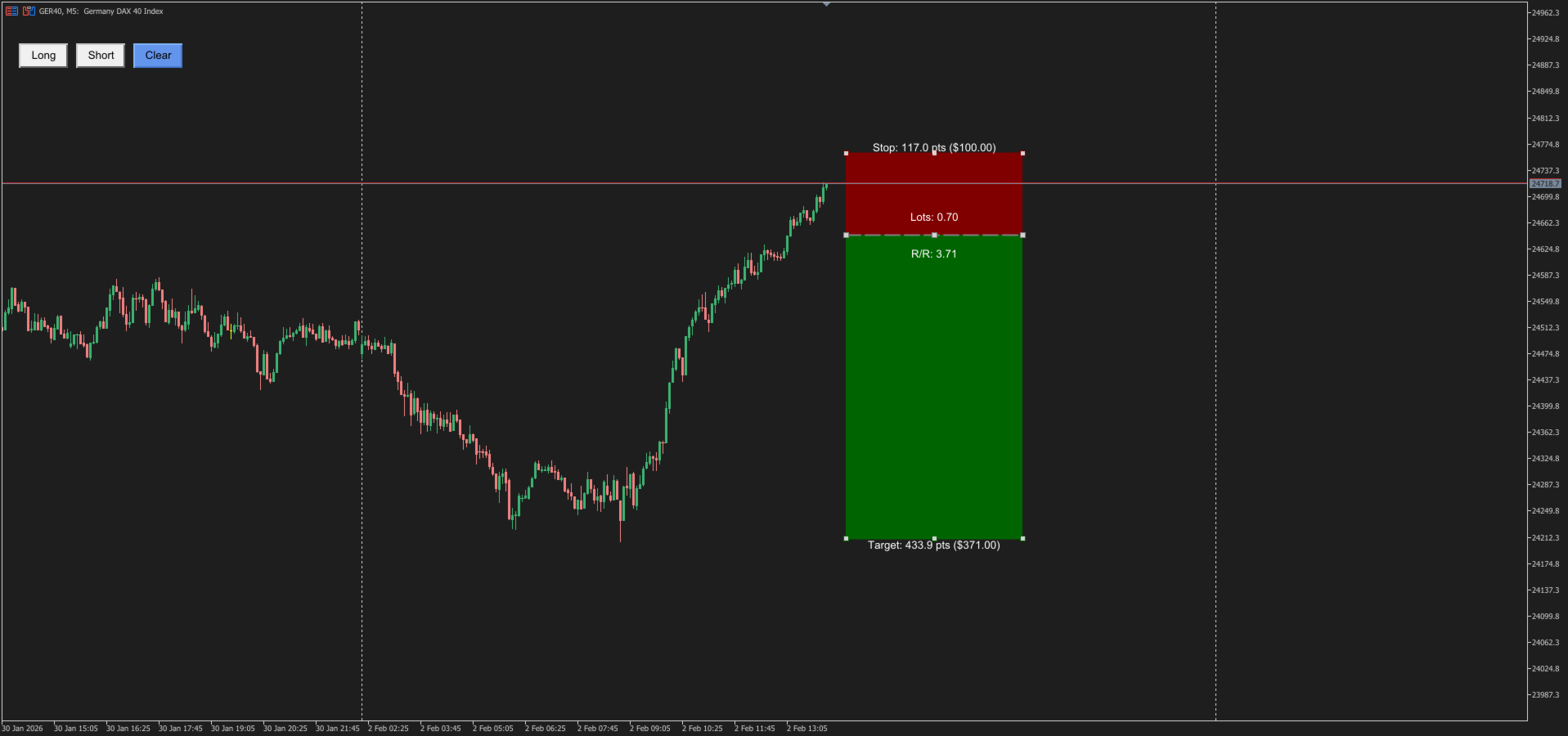
1. Visual "TradingView" Style Forget numbers; trade with your eyes. Drag interactive Green (Profit) and Red (Loss) zones directly on the chart to see your setup clearly before you pull the trigger.
2. Instant Lot Size Calculator Math happens in the background. You input your risk (e.g., $100), and the tool tells you: "Open 0.55 Lots to risk exactly $100 on this setup."
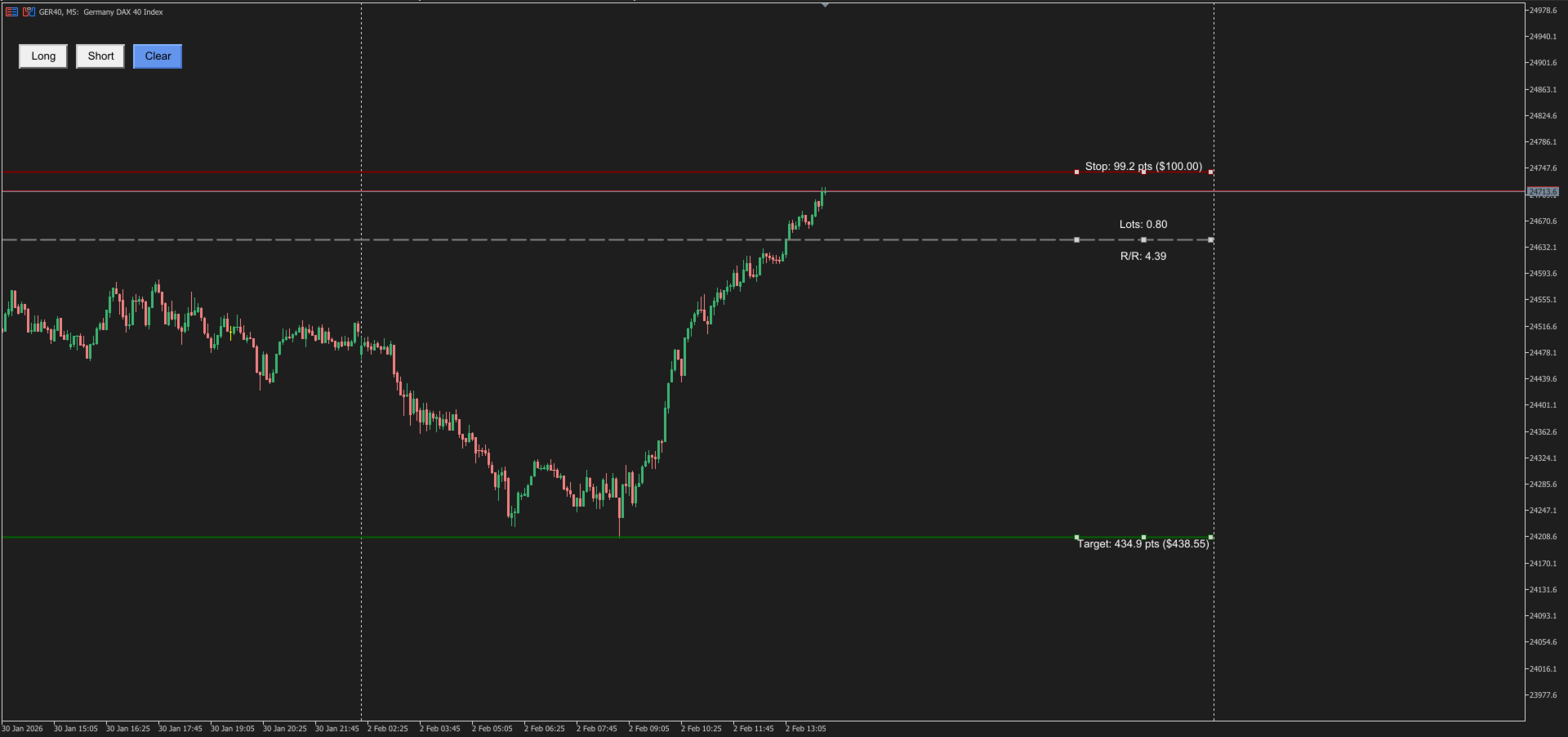
3. Minimalist & "Lines Only" Mode (NEW) Need a cleaner chart? You can now disable the colored background boxes and keep only the essential Lines and Text. Perfect for traders who want the data without the visual clutter.
4. Infinite Line Extensions (NEW) Align your trades with history. Enable the "Extend Left" feature to project your Entry, Stop, and Target lines infinitely backward, helping you line up your risk levels with past Support & Resistance structure.
5. Smart Instrument Detection Works on ALL symbols without complex setup:
-
Forex: Automatically calculates 5-digit pairs as Pips.
-
Indices/Gold: Automatically treats DAX, US30, or Gold as Points (no more confusion between 10 points vs 1000 points).
6. Real-Time Data Dashboard See everything at a glance:
-
Risk/Reward Ratio (e.g., 1:3.5)
-
Distance in Pips/Points
-
Potential Profit ($) vs Potential Loss ($)
Input Parameters
Money Management
-
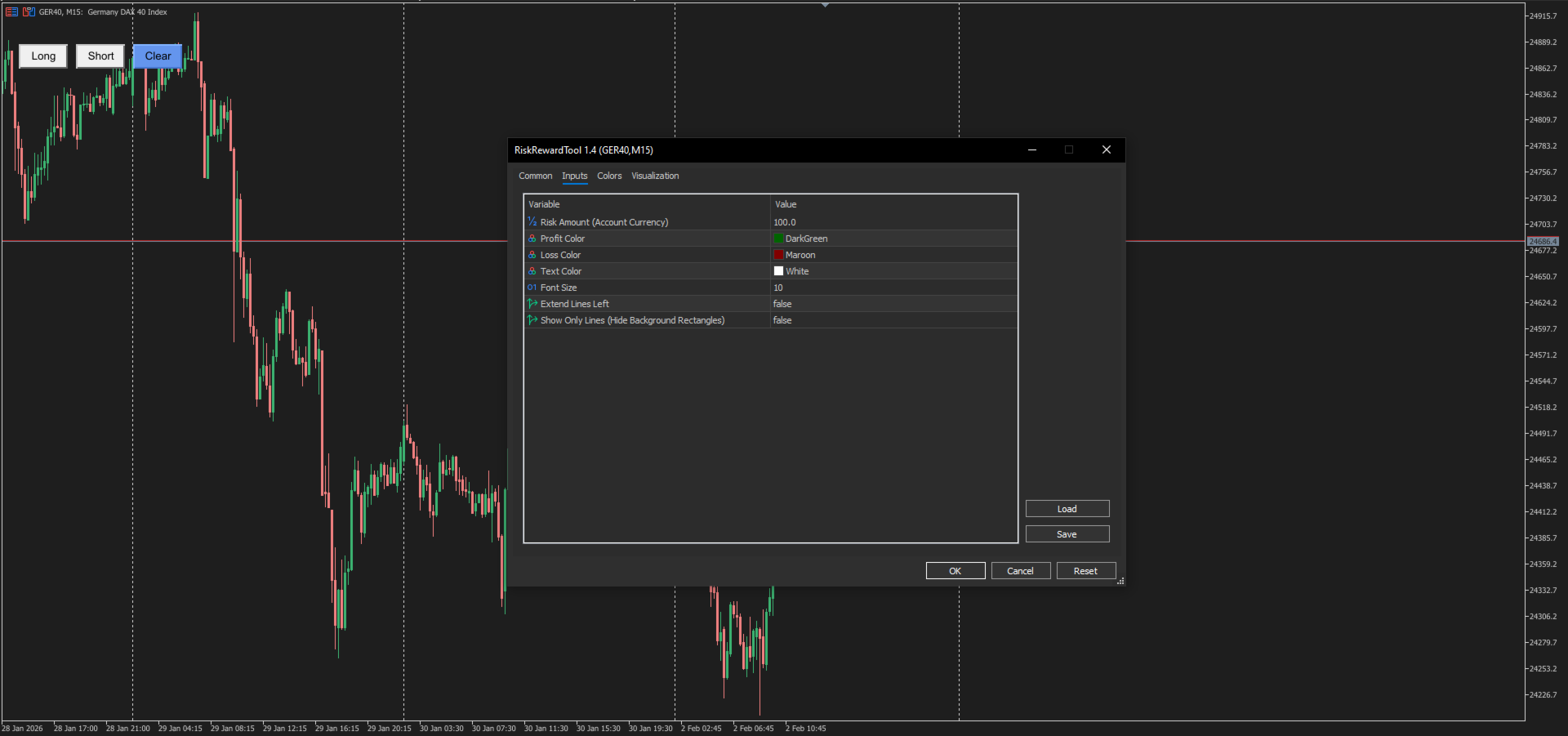
Risk Amount ($): The dollar amount you are willing to lose (e.g., 50.0). The tool uses this to calculate your safe Lot Size.
Visual & Pro Settings
-
Profit/Loss Colors: Fully customizable zones (Green/Red default).
-
Show Lines Only: true / false – Toggle this ON to hide the colored rectangles and see only the sleek lines and text.
-
Extend Lines Left: true / false – Extend your Entry/SL/TP lines infinitely to the left for historical comparison.
-
Text Size: Adjust to fit your screen resolution (4K friendly)
How to Use
-
Set Risk: Enter your max loss (e.g., $50) in settings.
-
Click: Hit the Long or Short button on the chart.
-
Drag: Move the Middle Line to Entry, Red Line to Stop Loss.
-
Trade: Read the "LOTS" number displayed on the screen and enter that size in your order window.