EquityShield MT5

🛡️ EquityShield is your automated risk management guardian for MetaTrader 5. If you've ever exceeded your daily loss limit, struggled to enforce your own trading rules during volatile markets, or wanted to automatically lock in profits when you hit your targets, EquityShield is built for you.

This is not a trading strategy - it's a safety system that watches your account 24/7, automatically closes positions when your risk limits are breached, and helps you maintain consistent trading discipline.

Who Is EquityShield For?

  • Disciplined Traders: Enforce your risk rules automatically without emotion
  • Multi-Strategy Traders: Monitor total account equity across all EAs and manual trades
  • Risk-Conscious Traders: Set daily loss limits and profit targets to protect your capital
  • Part-Time Traders: Can't watch the markets all day? EquityShield monitors for you

Key Features

  • Automatic Daily Drawdown Protection: Monitors equity every second and closes all positions when approaching your daily loss limit
  • Profit Target Lock-In: Automatically close positions when you hit your profit goal for the day
  • Telegram Alerts: Receive instant mobile notifications when limits are triggered
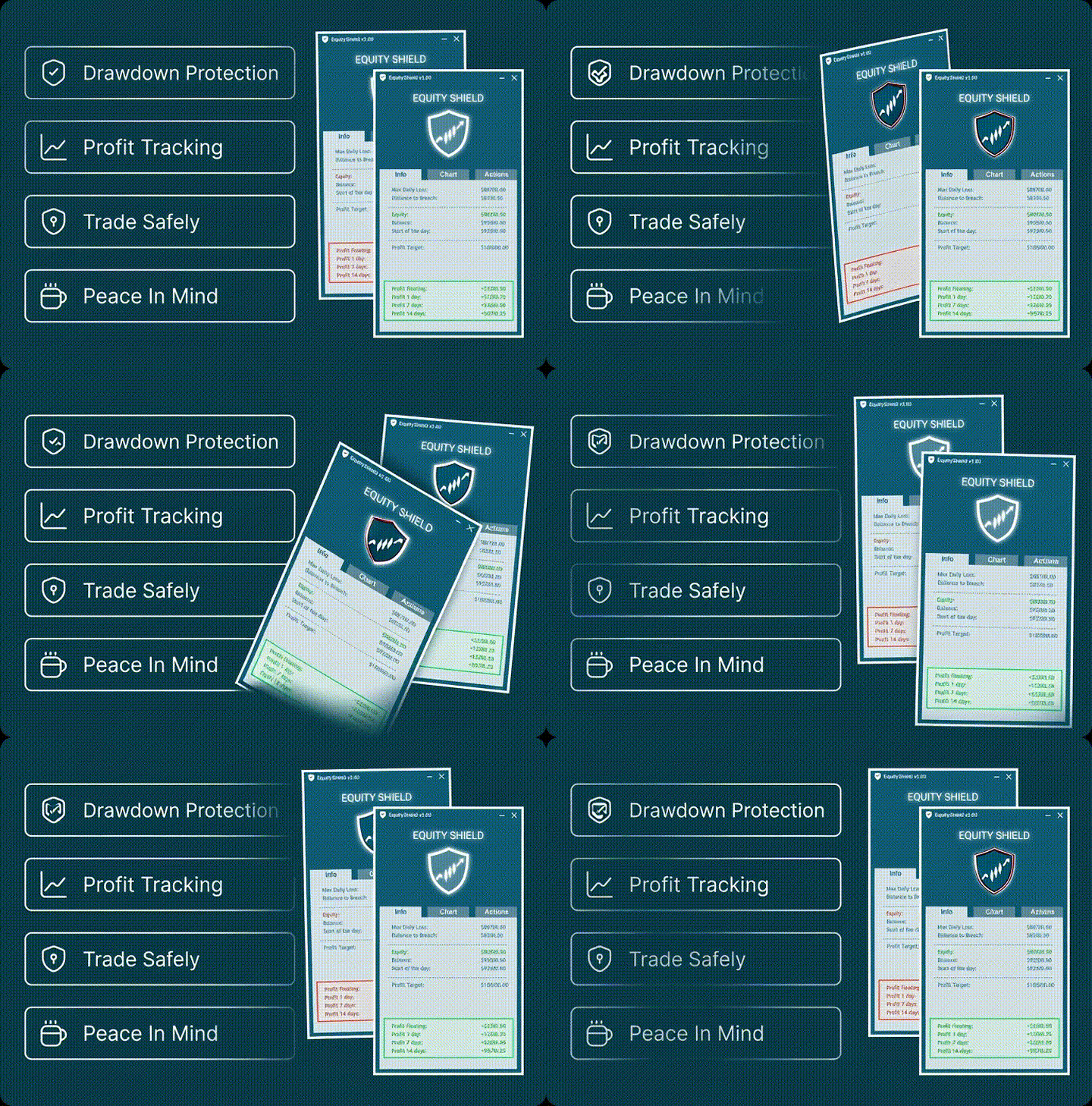
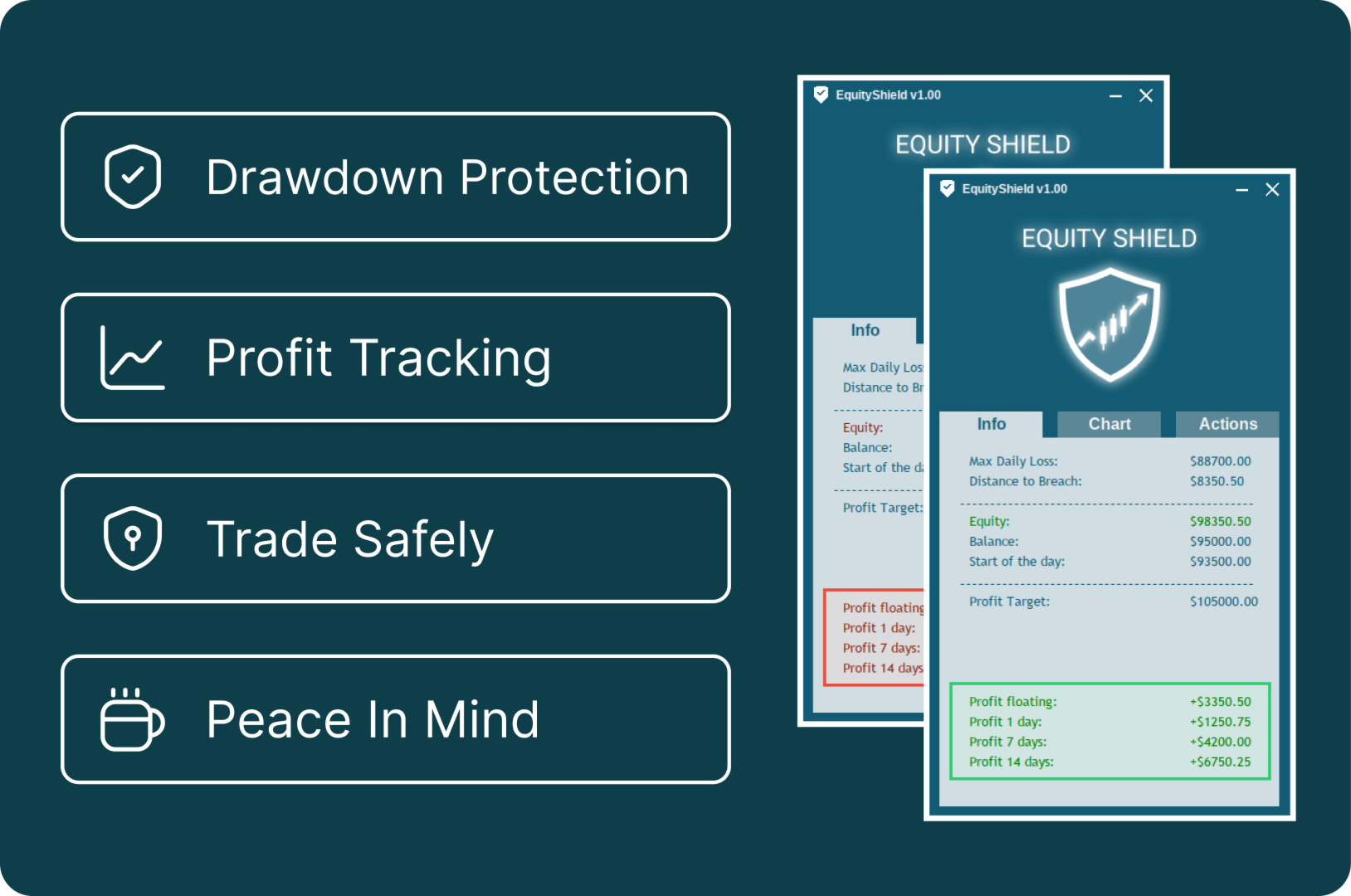
  • Visual Dashboard: Built-in panel showing current equity, daily P/L, and performance tracking with color-coded display
  • Balance History Chart: Visualize your account performance with an integrated equity curve chart
  • Optional Terminal Shutdown: Prevents impulsive trading by closing MT5 when stop-loss is hit
  • Universal Compatibility: Works with any EA, manual trading, symbol, or timeframe

What EquityShield Can and Cannot Do

EquityShield CAN protect you from:

  • Intraday Drawdown: Monitors equity every second during trading and closes positions before daily limits are breached
  • Profit Protection: Lock in your daily profit target automatically instead of giving back winnings
  • Multi-EA Overexposure: Total account monitoring prevents combined losses across all strategies from breaching limits
  • Emotional Override: Automatic enforcement when you might hesitate to close manually
  • Rule Violations: Ensures you stick to your trading plan even during high-stress situations

EquityShield CANNOT protect you from:

  • Market Gaps: If the market opens with a large gap against your positions, losses may occur before EquityShield can close positions
  • Extreme Spread Widening: Sudden spread increases during news or low liquidity can cause slippage
  • Execution Delays: In fast-moving markets, positions may close at worse prices than expected
  • Network/Platform Issues: If MT5 loses connection or crashes, protection is temporarily disabled

Best Practice: Use EquityShield as an additional safety layer alongside sound risk management. Avoid holding high-risk positions over weekends or major news events if your account is near your loss limits.

How It Works

  1. Attach EquityShield to any chart in MetaTrader 5
  2. Set your daily loss limit (absolute dollar amount or percentage)
  3. Optionally configure profit targets and Telegram alerts
  4. Trade with confidence - your account is protected automatically
  5. Monitor your progress via the built-in dashboard panel

Main Parameters

  • Daily Loss Limit: Maximum loss allowed per day (in account currency)
  • Daily Profit Target: Optional profit goal - positions close when reached
  • Reference Balance: Starting balance for calculating daily P/L
  • Close Terminal on Stop: Shut down MT5 when daily loss limit is hit
  • Telegram Integration: Receive mobile alerts for all critical events
  • Dashboard Display: Show/hide the on-chart information panel

Why EquityShield?

  • 24/7 Monitoring: Never miss the critical moment - EquityShield watches your account every second
  • Removes Emotion: No hesitation, no hope, no fear - just automatic rule enforcement
  • Single-Purpose Tool: Does one job perfectly without interfering with your trading strategy
  • Easy to Configure: Simple parameters, clear logic, no complex setup
  • Visual Feedback: See your risk status at a glance with the dashboard panel
  • Set and Forget: Once configured, works silently in the background protecting your capital

Important Notes

  • EquityShield is a protection tool, not a trading robot - it monitors and closes positions, doesn't open them
  • Works with any trading approach: manual, EAs, or combined
  • Requires MetaTrader 5 (not compatible with MT4)
  • Always test on demo accounts before using on live accounts
  • One instance per MT5 terminal protects your entire account
  • Daily loss calculations reset at midnight (broker server time)

Support

For questions, support, or feature requests, please contact me through the MQL5 marketplace messaging system.

Disclaimer

Risk Warning: Trading foreign exchange on margin carries a high level of risk and may not be suitable for all investors. EquityShield is a risk management tool designed to help enforce trading discipline and protect against excessive losses. However, no software can guarantee profits or prevent all losses. Past performance is not indicative of future results. Use this tool at your own risk. The developer is not responsible for any trading losses incurred while using this product. Always test thoroughly on demo accounts before using on live accounts.
Recommended products
# Universal Smart Manual Trade Manager MT5 v1.00 ## What the EA does Universal Smart Manual Trade Manager MT5 is a protective and management Expert Advisor for manually opened trades. It does not open new entries by itself. It only adopts already open positions that pass the selected filters, and can add missing SL/TP, manage break-even, profit lock, ATR trailing, send Telegram notifications, and display status information on the chart. The default setup is intentionally safe: the EA manages
EA SB8 Panel Trade
Juan Manuel Bernal Martin
SB-8 – Manual Trading Panel with Fixed Risk & TradingView-Style Visualization for MT5 SB-8 is an advanced manual trading panel for MetaTrader 5 , designed to execute trades visually, quickly and without calculations . It is especially built for traders coming from TradingView , who often find MT5 confusing when it comes to risk management and trade visualization. With SB-8, you don’t calculate lot size, percentages or risk . You simply move the Stop Loss line , and the panel handles everything a
DGem Trade Manager Panel
Damien Jean Michel Gremillet
Trade Manager Panel ## Short description  Manage your manual trades with one click: automatic break-even, trailing stop, two-level partial close and risk-based lot sizing — all from a single on-chart panel. --- ## Full description Trade Manager Panel is an on-chart utility that takes care of your open trades so you can focus on the market instead of the order ticket. Drop it on any chart and it manages every position on that symbol automatically, while an interactive panel lets you size new
TradeManager Control Suite Manual trading with structured planning and controlled risk TradeManager Control Suite is a comprehensive trading panel for MetaTrader 5. It helps you prepare trades directly on the chart, calculate position size, place orders and manage open positions according to a plan defined in advance. You remain responsible for every entry. The application does not trade independently and does not use an automated trading strategy. It performs the calculations, sends the orde
Dashboard Pro Trade Panel
Marc Francis Christian Yves Joseph Aime
Dashboard Pro Trade Panel est un panneau de trading manuel pour MetaTrader 5. Il permet de passer des ordres et de gérer les positions depuis le graphique, avec un aperçu des niveaux de stop-loss et de take-profit avant l'envoi de l'ordre. Il n'ouvre aucun trade de lui-même. Passage d'ordres Achat ou vente au marché, ou ordre en attente à un prix de votre choix. Taille de lot réglée avec les boutons -/+, ou bouton lot en mode risque : vous saisissez un pourcentage du solde du compte et le lot
Crash5 EA ,I s a automatic robot that has the level of professional decision when to take a trade without any emotion. The bot will help in your scalping decision making with its own TP (take profit) and SL (stop loss) with the trail stop when in profit. This is a trend based spike catching ,looking on whats happening in real time charts no repainting of any signals. The robot helps in making decisions on the candle stick pattern opened and closed lat price with the help of RSI ,MACD and the EMA
Shortcuts MT5 Hotkeys Scalping
Pablo Filipe Soares De Almeida
5 (2)
https://www.mql5.com/en/blogs/post/768319 Key Commands i - EA Control Panel. E - Trade Assistant. G - Performance Panel J - News Filter Panel B - Buy. S - Sell. 1-2-3 - Buy (customizable lots) 4-5-6 - Sell (customizable lots) L - Buy Limit. M - Sell Limit. U - Buy Stop. N - Sell Stop. Q - Remove Stop Loss. W - Remove Take Profit C - Closes all open positions. X - Closes a specific position. Z - Cancels all pending orders. T - Trailing stop. P - Partial. K - Breakeven. O - Positions 7-8-9 - Custo
Risk Manager Best: The Benchmark for Professional Money Management Why do I consider this utility the best solution on the market? The answer is simple: it was created by a trader for traders who value their time and money. Unlike overloaded alternatives, it doesn't have a single unnecessary feature that could distract you from chart analysis. This is a tool that turns routine risk calculations into instant action. Here are the key advantages, broken down into sections: 1. Intuitive Interfac
PropDesk Prop Firm Trade Manager
Yohan Rafael Yunque Avelino
Every panel tells you how much you're risking. This one tells you how much you have left. You didn't lose the challenge because your strategy failed. You lost it because one more trade pushed you past the daily limit while you were chasing the target. PropDesk is the desk that helps stop that from happening. 1. Size against your ROOM, not your equity. Every order shows "risk $X = Y% of your daily room left". You always know if the next trade fits inside what the firm allows today - before you
GoldPulseZ v1.0 — Manual Gold Trading EA for MetaTrader 5 GoldPulseZ is a professional manual trading assistant designed exclusively for XAUUSD (Gold) on MetaTrader 5. Built for active traders who want full control of their entries while benefiting from smart trade management automation. Timeframe: M15 Broker: Any broker Key Features: One-Click Trading Panel — Instantly place Buy or Sell orders directly from the chart dashboard with your pre-set lot size, SL, and TP. Automatic Trailing Stop — Lo
HotKeys MT5
Alexey Valeev
This utility provides the ability to use hot keys in manual trading instantly responding to the current market situation. You can assign hot keys to open/close positions by their type, open/close all positions on the current chart and remove all orders on the current chart. You can also assign hot keys for five predefined trade volumes and switch between them if necessary with no need to change the volume manually from time to time. It is also possible to set the auto calculation of a trade volu
Time-Based Auto-Close Order Management Tool (MT5) — Technical Description Overview This is an automated order management EA based on time-algorithm logic. Its core function is to automatically execute preset closing operations when user-defined holding periods expire, aiming to help traders enforce predetermined rules mechanically and reduce emotional interference. Core Closing Modes Closing Mode Functional Definition Close All Closes all eligible positions when the set time is reached. Close
Pulsar Panel MT5 is an on-chart trade manager for MetaTrader 5: plan an order with draggable entry, Stop Loss (SL) and Take Profit (TP) lines, send it with up to four TP levels, break-even and trailing stop, manage positions, guard your daily loss and review your statistics. Pulsar Panel is an Expert Advisor (EA) that draws its panels directly on the chart. There is no external application to install and no Dynamic Link Library (DLL). Important - running conditions. Pulsar Panel works on live an
Pattern Recognition EA
Claudiu-georgian Zavera
Pattern Recognition EA - From Learn to Earn. The market repeats itself. This EA finds every past repeat of the current candle sequence - and lets history vote the direction. ONE SHAPE. EVERY REPEAT IN HISTORY VOTES. The last N candles on your signal timeframe form a shape. The EA scans the history you choose - a fixed number of bars or everything your broker provides - for the SAME shape, and checks what happened next, every single time. Only when enough repeats exist AND a clear majority of t
Crypto_Forex Indicator "WPR with 2 Moving Averages" for MT5, No Repaint. - WPR itself is one of the best oscillators for scalping. - "WPR and 2 Moving Averages" Indicator allows you to see Fast and Slow Moving Averages of WPR oscillator. - Indicator gives opportunities to see the price corrections very early. - It is very easy to set up this indicator via parameters, it can be used on any time-frame. - You can see Buy and Sell entry conditions on the pictures. - With PC and Mobile alerts on WP
DeepTrade ScalpPanel
Yasir Mohammed Sachit Sachit
DeepTrade Scalp Panel is a fast, professional on-chart control panel built for scalpers who need to act in a fraction of a second. Open market orders instantly, drop pending orders with one tap, and let the panel handle Stop Loss, Take Profit, break-even and trailing automatically. No more fumbling with the order window while the move runs away from you.   KEY FEATURES - Instant BUY / SELL market execution with one tap - Fast pending orders: BUY STOP, SELL STOP, BUY LIMIT, SELL LIMIT placed at
This Expert Advisor is an One-click trading panel for multi pairs. Click   OPEN   button to open orders for the selected pairs. Click   CLOSE   button to close orders for the selected pairs. The lots of order is the number entered by users.The positive number is for buy order and the negative is for sell order. Click  CLOSE  button is to close the whole order ,instead of partial close.Close action has nothing to do with the number of lots. Set the input Magic Number to 0, the EA can close manua
Capital Management EA – Smart Risk Management & Profit Optimization for MT5 Take control of your trading capital with smart, automated strategies — fully optimized for MetaTrader 5 (MT5). Looking to protect your capital and maximize profits through automated money management strategies ? Capital Management EA is the all-in-one Expert Advisor for MetaTrader 5 (MT5) that helps you trade smarter, not harder. Core Features: 5-in-1 Capital Management Strategies – Built-in versatility Gr
Trade Exit Manager
Vladimir Korneevets
Trade Exit Manager — order entry and staged position management Trade Exit Manager is a MetaTrader 5 trading utility with two chart buttons. It places two user-configured order groups and follows a predefined exit plan: five partial-close levels, break-even stop adjustment, a hidden stop and trailing. The user chooses directions, volumes, order counts and distances. The utility does not analyze the market or generate entry signals. Features Two order groups. Configure market direction, pending t
Buy Sell Multiple Panel - Execute Bulk Orders in a Single Click! Description Save time and seize market opportunities instantly. This powerful panel allows you to place multiple buy or sell orders simultaneously, each with custom lot sizes, take-profit, and stop-loss levels. Perfect for sophisticated entry strategies and managing complex trades efficiently. Key Features Bulk Order Execution: Open multiple market orders at once with just one click. Flexible Lot Sizing: Set individual lot sizes f
Quick Close
Nikitha Lilitha Mathangana
Quick Close Button provides you with a quick, fast, effective, and handy way to close orders, positions, bearish and bullish open, profiting and losing positions. Available options: Close All: close all orders and positions. Close Profit: close all positions in profit. Close Loss: close all positions in loss. Close Stop: close all stop orders. Close Buy: close all buy positions. Close Sell: close all sell positions. Close Orders: close all orders Close Positions: close all positions # : Hides /
Forex Trade Manager Pro MT5 Trade Manager MT5 is a comprehensive trade management utility for MetaTrader 5 that gives you complete control over every aspect of your position from the moment you plan a trade to the moment you close it. It is built for traders who take risk seriously, from the beginner building discipline to the professional scalper who needs instant execution across multiple positions. The tool attaches to any chart and presents a clean, compact panel. You mark your intended entr
Risk Lot Manager MT5 V1.07 English Product Description Risk Lot Manager MT5 V1.07 is a risk-based lot size calculator and trade management utility designed for manual MetaTrader 5 traders. It combines risk control, position sizing, visual trade planning, market order execution, pending orders, reward-to-risk planning, R-based management, partial closing, and mobile pending-order takeover in one chart-based interface. This utility does not predict market direction and does not generate tradin
Short Description Swing Timing Breakout EA is a smart Expert Advisor for MetaTrader 5 that combines trend filtering, momentum timing, and dynamic risk management to capture high-probability swing and breakout opportunities. Full Description Swing Timing Breakout EA is a professional trading robot designed for MetaTrader 5, suitable for traders who want a balance between automation, control, and disciplined risk management. This EA uses a trend-following and momentum confirmation approach ,
QuickTrade Panel — One-Click Buy/Sell with Live Risk & Reward Preview Trade faster and smarter, directly from the chart — no order window required. QuickTrade Panel is a lightweight, fully manual trading panel for MetaTrader 5. It sits on your chart as a draggable floating window, giving you instant Buy/Sell execution with full control over lot size, stop loss, take profit, and risk-to-reward — all visible before you click. Key Features One-click Buy / Sell execution Large, color-coded SELL and
Telegram Utility EA link to any private/public bot and can help you to: Close all Orders Instantly by command. The command is encoded with your custom password and only you know. Telegram bot will tell you when all orders are closed and even Pause all other running EAs in your MT5 Terminal. Pause/Resume any other EAs running in the Terminal with just one click! Export trade report by pips form or money form. Send buy/sell signal to bot or your community ( telegram chat group, telegram channel).
Time saving and fast execution Whether you’re traveling or sleeping, always know that Telegram To MT5 performs the trades for you. In other words, Our   Telegram MT5 Signal Trader  will analyze the trading signals you receive on your selected Telegram channels and execute them to your Telegram to MT5 account. Reduce The Risk Telegram To Mt5   defines the whole experience of copying signals from   Telegram signal copier to MT5 platforms. Users not only can follow all instructions from the signal
BTC Trend Scalper MT5 Trend Capture Edition — Precision Momentum Trading for BTCUSD Hello, traders! I am BTC Trend Scalper MT5 — an intelligent Bitcoin trading Expert Advisor engineered to capture momentum moves with disciplined risk management. I am not a martingale. I am not a grid system. I am not a gambling robot. I am a trend-following scalper built specifically for traders who understand that protecting capital is more important than chasing every candle. My specialty? Bitcoin (BTCUSD)
Advanced Trailing Stop & Break-Even Expert Advisor with Partial Profit Taking Overview Unlock the full potential of your trading strategy with this Expert Advisor that automates trade management to maximize profits and minimize losses. Designed for both novice and experienced traders, this EA offers precise control over your trades with customizable trailing stops, break-even protection, and partial profit taking — all working seamlessly to protect your capital and lock in gains. Key Features Dy
One bad day should not end your account. Account Guardian is a seat belt for your whole trading account: you set the loss limits once, and when equity reaches one of them it closes everything and keeps the account flat - even if an EA misbehaves, a manual trade goes wrong or you are asleep. Why traders install it Guards the whole account, not one chart: every EA, every manual trade, every pending order, every symbol. Daily loss and max loss limits like the prop firms use, with a buffer so it tri
Buyers of this product also purchase
Trade Assistant MT5
Evgeniy Kravchenko
4.43 (216)
It helps to calculate the risk per trade, the easy installation of a new order, order management with partial closing functions, trailing stop of 7 types and other useful functions. Additional materials and instructions Installation instructions - Application instructions Line function -   shows on the chart the Opening line, Stop Loss, Take Profit. With this function it is easy to set a new order and see its additional characteristics before opening.   Risk management  - The risk calculation
Forex Trade Manager MT5
InvestSoft
4.98 (688)
Trade Manager MT5 is an advanced position size calculator and trade management tool for MetaTrader 5, designed to help traders plan trades faster, control risk more precisely, and manage open positions directly from the chart. It combines order placement, risk based lot calculation, Stop Loss and Take Profit management, Break Even, Trailing Stop, Partial Close, Equity Protection, and external trade management in one panel. Whether you trade forex, indices, metals, commodities, crypto, or future
Local Trade Copier EA MT5
Juvenille Emperor Limited
4.94 (149)
Local Trade Copier EA MT5 is a fast and flexible trade copier for copying and managing trades between multiple MetaTrader 5 accounts on the same Windows computer or Windows VPS. It combines local trade synchronization with Receiver-side controls for lot sizing, risk management, trade filtering, symbol mapping, trade management and account protection. Set up your Transmitter and Receiver terminals in about 1 minute and copy manual or EA trades between accounts at the same or different brokers. U
Telegram to MT5 MultiChannel Copier
Sergio Marquez Uroz
4.67 (21)
Telegram to MT5 Multi-Channel Copier   automatically copies trading signals from your Telegram and Discord channels straight to MetaTrader 5. No bots, no browser extensions, no manual copying. A signal arrives in Telegram or Discord and the EA opens the trade in your terminal within seconds. And before you copy a channel, the built-in backtester shows you what that channel would have done in your account. The product has two components: a Windows application that listens to your Telegram channel
FarmedHedge Pair Trading Dashboard
Tanapisit Tepawarapruek
5 (6)
Farmed Hedge Yield Farming | All Markets (Manual - Hybrid - Semi/Automated EA) VERIFIED TRADING RESULTS - Farmed Hedge Yield Axi Copy:  https://www.mql5.com/en/signals/2356376 - Farmed Hedge Yield Exn Copy:   https://www.mql5.com/en/signals/2356404 - Farmed Hedge Yield V Copy:  https://www.mql5.com/en/signals/2357156 IMPORTANT NOTICE: FarmedHedge is a MANUAL-FOCUSED TRADING UTILITY ,not a fully automated EA. Results shown on this Signal include manual trades and overall strategic management.
Copy Telegram signals with your own trading rules Telegram to MT5 Signal Trader automatically copies text-based trading signals from public and private Telegram channels and groups into MetaTrader 5. Manage multiple providers and MT5 accounts from one desktop app, with individual risk and trade settings for each provider . No Telegram bot or API setup needed for copying. Simply sign in with your own Telegram account by phone or QR code and select the channels or groups you have already joined. Y
TradePanel MT5
Alfiya Fazylova
4.88 (170)
Trade Panel is a multi-functional trading assistant. The app contains over 50 trading functions for manual trading and allows you to automate most trading tasks. Application instructions: https://www.mql5.com/en/blogs/post/756482 Trial version of the application for a demo account: https://www.mql5.com/en/blogs/post/750865 How to install the application: https://www.mql5.com/en/blogs/post/756239 How to test the application in visual mode: https://www.mql5.com/en/blogs/post/770277 How to install
================================================================================ POC BREAKOUT - V20.72. Full Professional Grade Toolkit ================================================================================ POC Breakout is a full MetaTrader 5 trading dashboard for discretionary traders who want breakout signals, Point of Control (POC) context, volume profiles, order flow, market structure, news, alerts, and advanced trade planning in one professional workspace. Attached directly to you
News Trade EA MT5
Konstantin Kulikov
4.55 (11)
Present to you the useful robot that I have been using for several years. It can be used in both semi-automatic mode and fully automatic mode. >>> Chat <<< The program contains flexible settings for trading on the news of the economic calendar. It cannot be checked in the strategy tester. Only real work. In the terminal settings, you need to add the news site to the list of allowed URLs. Click Tools > Options > Expert Advisors. Check the option "Allow WebRequests for listed URL:". Add this (de
Master Your Trading Discipline   Stop losing your hard-earned gains to overtrading and emotional decisions. The Discipline Tool is your ultimate trading assistant, ensuring strict risk management in real-time. Key Protection Features: Advanced Drawdown Defense : Automatically halts trading if your daily drawdown exceeds a preset threshold (percentage or dollar amount). Real-Time Equity Lock : Safeguard profits by referencing peak equity, ensuring drawdown stays within control. Hard Profit Target
Entry In The Zone with SMC Multi Timeframe is a real-time market analysis tool based on Smart Money Concepts (SMC), designed to analyze market structure, price direction, and key trading zones. It supports both Single-Timeframe and Multi-Timeframe Analysis, providing a clearer view of overall market structure across multiple timeframes, with real-time BUY / SELL signals designed with a strict focus on No-Repaint principles.   The signals are designed to help filter unclear setups and evaluate tr
The product will copy all telegram signal to MT5 ( which you are member) , also it can work as remote copier.  Easy to set up, copy order instant, can work with almost signal formats, image signal,  s upport to translate other language to English Work with all type of channel or group, even channel have "Restrict Saving Content", work with  multi channel, multi MT5 Work as remote copier: with signal have ticket number, it will copy exactly via ticket number. Support to backtest signal. How to s
Exp COPYLOT CLIENT for MT5
Vladislav Andruschenko
3.97 (35)
Professional Trade Copier for MetaTrader 5 Fast, professional, and reliable trade copier for MetaTrader . COPYLOT allows you to copy Forex trades between MT4 and MT5 terminals with support for Hedge and Netting accounts. COPYLOT MT5 version supports: - MT5 Hedge to MT5 Hedge - MT5 Hedge to MT5 Netting - MT5 Netting to MT5 Hedge - MT5 Netting to MT5 Netting - MT4 to MT5 Hedge - MT4 to MT5 Netting MT4 version Full Description +DEMO +PDF How To Buy How To Install How to get Log Files H
EasyInsight AIO MT5
Alain Verleyen
4.92 (12)
EASY Insight AIO – All-In-One Power for AI-Driven Trading Want to skip the setup and start scanning the entire market – Forex, Gold, Crypto, Indices, and even Stocks – in seconds? EASY Insight AIO is the complete plug-and-play solution for AI-powered trade analysis. It includes all core Stein Investments indicators built-in and automatically exports clean, structured CSV files – perfect for backtesting, AI prompts, and live market decision-making. No need to install or configure indicators manu
Copy Cat More Trade Copier MT5 is a local trade copier and a complete risk management and execution framework designed for today’s trading challenges. From prop firm challenges to personal portfolio management, it adapts to every situation with a blend of robust execution, capital protection, flexible configuration, and advanced trade handling. The copier works in both Master (sender) and Slave (receiver) modes, with real-time synchronization of market and pending orders, trade modifications, pa
MT5 to Telegram Signal Provider turns your trading account into a signal provider. Every trade action, whether manual, by EA or from your phone, is instantly sent as a message to Telegram. You can fully customize the format or use a ready-made template for quick setup. [ Demo ] [ Manual ] [ MT4 Version ] [ Discord Version ]     New: [ Telegram To MT5 ] Setup A step by step user guide is available. Key Features Ability to customize order details sent to subscribers You can create a tiered subs
Signal Trading View to MT5 Pro
Mirel Daniel Gheonu
4.5 (2)
Signal TradingView to MT5 Pro  Instant professional execution between TradingView and MetaTrader 5 Automate your trading strategy with the most robust communication bridge between TradingView alerts and real execution in MT5. Designed for traders who demand speed, flexibility, and impeccable risk management, this Expert Advisor transforms any alert message into a precise market or limit order.   Install and TEST the TRIAL version HERE STRENGTHS AND ADVANTAGES Universal Parsing Engine (Propriet
Power Candles Strategy Scanner - Self-Optimizing Multi-Symbol Setup Finder Self-optimizing settings work one chart at a time, and finding where they pay off right now means opening chart after chart. Power Candles Strategy Scanner runs the same self-optimizing engine as the Power Candles indicator on every symbol in your Market Watch, side by side. One panel ranks where it pays off: the winning strategy per symbol, its optimized Stop Loss and Take Profit. An alert fires the moment a fresh signal
The Patch
Mian Rameez Ali
The Patch It never opens a trade. It walks behind the ones that did. Every open position, every pending order — checked twice a second for the one thing that's easy to forget: a stop, a target. Found bare, it doesn't ask. It writes the missing number in, measured in points from wherever the position began, and moves on to the next. No strategy, no opinion on direction. Just the quiet assumption that nothing should ever sit on the market unprotected — not because someone decided it shouldn't,
VirtualTradePad One Click Trading Panel
Vladislav Andruschenko
4.59 (74)
Trading Panel for MetaTrader 5 — professional one-click trading from chart and keyboard A powerful trading panel for active manual trading, designed to open, manage, and close trades far faster and more efficiently than the standard MetaTrader interface. This panel is built for traders who want full control over positions, pending orders, profit management, and trading execution inside one professional workspace. This is not just another utility. It is a complete trading cockpit for MetaTrader
Grid Manual MT5
Alfiya Fazylova
4.73 (22)
Grid Manual is a trading panel for working with grid strategies. The utility is universal, has flexible settings and an intuitive interface. It works with a grid of orders not only in the direction of averaging losses, but also in the direction of increasing profits. The trader does not need to create and maintain a grid of orders, the utility will do it. It is enough to open an order and the "Grid manual" will automatically create a grid of orders for it and will accompany it until the close. F
Anchor Trade Manager
Kalinskie Gilliam
5 (9)
Your EAs cannot see each other, but Anchor can. Anchor gives you one place to coordinate your EAs, manage risk, and decide when trading is allowed. It works alongside the trading bots you already use without any changes to them. The Problem One EA opens a trade. Then another starts trading. The next thing you know, you wake up to multiple grids built across your account. Each EA may be doing exactly what it was designed to do, but together they can place far more risk on your account than you in
RETAILBERG FOOTPRINT CHART PRO — Order-Flow Workspace for MetaTrader 5 Version 7.00  |  Professional System  |  31 tools  |  One chart A full 150-page illustrated User Manual is included. Please read the full manual to understand this feature packed footprint chart elements and ui. https://www.mql5.com/en/blogs/post/777982 DEMO / STRATEGY TESTER — PLEASE READ FIRST
The News Filter MT5
Leolouiski Gan
4.79 (24)
This product filters   all expert advisors and manual charts   during news time.  It is able to remove any of your EA during news and automatically reattach them after news ends. This product also comes with a complete  order management system   that can handle your open positions and pending orders before the release of any news. Once you purchase   The News Filter , you will no longer need to rely on built-in news filters for future expert advisors, as this product can filter them all from her
Trade Indicator Assistant   is a powerful MT5 utility designed to turn indicators into automated trading systems. Its main feature is the ability to automatically detect an indicator’s   BUY and SELL signal buffers , without requiring you to know the buffer numbers, search through indicator settings, or modify the indicator source code. Bonus Indicator:   After purchasing Trade Indicator Assistant, contact me to receive   Trade Signal Pro   completely free as a bonus indicator. [Download Demo V
Floor Watch
Syed Tauqeer Hussain Shah
Floor Watch One number, watched every thirty seconds: how far equity has fallen since the day began — or since its highest point, if it's told to trail the peak instead of the open. Cross the line and it doesn't argue. Every open position closes, every pending order vanishes, and anything that slips through afterward gets shut the moment it appears. Not asked. Removed. The floor holds until the clock turns 5 AM Pakistan time — then, and only then, does the day start over. One rule. No except
Seconds Chart MT5
Boris Sedov
4.61 (18)
Seconds Chart is a unique tool for creating second-based charts in MetaTrader 5 . With Seconds Chart , you can construct charts with timeframes set in seconds, providing unparalleled flexibility and precision in analysis that is unavailable with standard minute or hourly charts. For example, the S15 timeframe indicates a chart with candles lasting 15 seconds. You can use any indicators and Expert Advisors that support custom symbols. Working with them is just as convenient as on standard charts.
Buy once. Get all my MT4 and MT5 indicators - available now and released in the future - at no extra cost. Contact me after purchase for instructions to receive them. The price is planned to rise by 50$ after every 10 purchases, up to 999$. The Market price at checkout applies. Keep the indicator you trust. Automate the work around it. Your signal. Your rules. Your execution. Already have an MT5 indicator you rely on, but still need to watch the chart, wait for a signal, calculate the lot, plac
Signals from your Telegram channels, copied to MetaTrader 4 and MetaTrader 5 within seconds. TradingMind Signal Bridge reads the channels and groups you choose, recognises each signal with fast built in rules, hands the messy ones to an AI model, including signals posted as screenshots, and passes the order to an expert advisor on your terminal. A news filter, prop firm account protection and a Telegram bot for remote control keep the decision about what gets traded with you. What this product i
Astro Trade MT5
Indra Maulana
5 (8)
25% discount on the release of the tool: only for the next 3 buyers Send a message to receive a demo version. AstroTrade Trading Assistant AstroTrade is a comprehensive multi-functional trading utility developed for the MetaTrader 5 platform. It integrates essential tools for trade execution, risk management, and technical monitoring into a single unified interface. The application is designed to assist traders in managing their daily operations through a visual and structured environment. Vi
More from author
DrawRectangular EA The Expert draws Renko rectangles and the levels of development of the following "bricks" directly on the chart, can be used as an indicator. The order may be opened on or against (sets in the settings) the trend, depending on the size of the shadows of the last two Renko bars. Expert features: No more than one order per symbol; You must set the size of the last two shadows: "from" and "to"; Management of lot size depending on the deposit; Adjustable size Renko bar; Pending
FREE
ReverseTrend
Ivan Zhigalov
ReverseTrend MT5 Introducing ReverseTrend - your fully automatic trading advisor designed for night scalping, utilizing the Bollinger Bands indicator for entry signals, focusing exclusively on BUY positions. This EA does not employ the risky martingale strategy, ensuring a safer trading approach. Key Features: Proven Long-Term Performance : ReverseTrend MT5 has shown remarkable results over a 5-year testing period from 2017 to 2024, with significant gains like +94.6% on EURAUD, +468% on EURCAD
NeonRectangle
Ivan Zhigalov
NeonRectangle EA – Cutting-Edge Price Action Algorithm for Maximum Profit NeonRectangle is a unique, fully automated Expert Advisor designed to consistently deliver high returns by leveraging advanced price action analysis. Developed from over 10+ years of real market experience, this EA is the culmination of my deep understanding of market behavior and trading dynamics. Live Signal: https://www.mql5.com/en/signals/1906396 Other products all products  |  NeonCircle Signal  |  NeonRectangle Si
NeonCircle
Ivan Zhigalov
NeonCircle This Expert Advisor (EA) is the culmination of my 10+ years of trading experience, offering a straightforward yet effective trading system optimized for the M15 timeframe on the following currency pairs: AUDCAD , AUDNZD , and NZDCAD . While these pairs are pre-optimized, feel free to adjust the settings for any additional instruments you wish to trade. THE SETTINGS FOR THIS EA ARE ATTACHED IN THE FIRST COMMENT!!! Trading Strategy Overview The EA operates without the use of indicators
NeonKumo
Ivan Zhigalov
NeonKumo Introducing NeonKumo a straightforward and reliable trading system designed with simplicity and precision in mind. Built around the Ichimoku indicator, this EA carefully evaluates the market to identify potential trades with clarity.  NeonKumo doesn’t aim to over complicate; instead, it harnesses the power of Ichimoku’s clear insights for traders looking for a balanced, no-frills solution in the forex market.   NeonKumo   is built to balance risk and consistency, making it ideal for tr
PropShield
Ivan Zhigalov
️ PropShield is your automated guardian for proprietary trading firm challenges and funded accounts. If you've ever failed a challenge by exceeding the daily drawdown limit by just a few dollars, or if you struggle to enforce your own risk rules during volatile markets, PropShield is built for you. This is not a trading strategy - it's a safety system that watches your account 24/7, automatically closes positions when risk limits are breached, and keeps you on track to pass challenges and keep
NoSwapEA MT5 - Trade Smart, Avoid Swaps Overview NoSwapEA is a smart and efficient Expert Advisor designed to help traders avoid overnight swap charges by automatically closing and reopening trades based on a customizable schedule. Developed by NeonTrade, this EA is perfect for traders who want to optimize their trading strategy while minimizing costs. Key Features    Swap-Free Trading : Automatically closes trades before swap charges are applied and reopens them the next day, saving you money
Filter:
No reviews
Reply to review