Beepsticks Tick Direction Sound Indicator

# Beepsticks v1.92 – Extended Technical Description


Beepsticks:

- For those who want to rest their eyes and prefer to hear every tick! 

- For those who want to maintain control over the proper functioning of their trading platform and connection, even when they are unable to watch the screen for a period of time.


User Manual for Beepsticks v1.92 – Tick & Candle Direction Sound Alert Indicator for MetaTrader 5 Platform


---


## 1. Description


The `Beepsticks` indicator provides sound alerts on the MetaTrader 5 platform whenever the price changes. With each new tick:


- If the price increases – the “up” sound is played,

- If the price decreases – the “down” sound is played.


Additionally, a sound can be played for each new candle (bar), with separate sounds for rising and falling candles.


This allows you to monitor price movement and candle changes through sound without constantly staring at the screen.


---


## 2. Features & Configuration


Beepsticks offers flexible configuration through input parameters. All settings are available in the indicator’s Properties panel when attaching to a chart.


### **Indicator Input Parameters**


| Parameter Name         | Type                  | Description                                                                                   |

|----------------------- |---------------------- |---------------------------------------------------------------------------------------------- |

| `Language`             | LanguageOptions enum  | Sets the button and status text language. Wide choice: English, Polish, Esperanto, etc.       |

| `Mode`                 | ModeOptions enum      | Operating mode: `MODE_TICK` (sound on tick), `MODE_BAR` (sound on candle), `MODE_TICK_BAR` (both). |

| `TickUpSound`          | TickUpSoundOptions    | Sound (from platform’s Sounds) for price increase on tick.                                    |

| `TickDownSound`        | TickDownSoundOptions  | Sound for price decrease on tick.                                                             |

| `CandleUpSound`        | CandleUpSoundOptions  | Sound for rising candle (close > open) on new bar.                                            |

| `CandleDownSound`      | CandleDownSoundOptions| Sound for falling candle (close < open) on new bar.                                           |

| `DojiSound`            | DojiSoundOptions      | Sound for doji candle (very small difference between open and close).                         |

| `DojiThreshold`        | double                | Absolute difference (in price units) between open and close considered “doji”.                |

| `SoundInterval`        | ENUM_TIMEFRAMES       | Timeframe for candle sounds (can be different from chart timeframe).                          |

| `BlockTickAfterCandle` | bool                  | If true, blocks tick sound briefly after a candle sound.                                      |

| `BlockTickSeconds`     | double                | How many seconds to block tick sound after a candle sound.                                    |

| `ButtonColor`          | color                 | Button background color.                                                                      |

| `ButtonTextColor`      | color                 | Button text color.                                                                            |

| `ButtonWidth`          | int                   | Button width in pixels.                                                                       |

| `ButtonHeight`         | int                   | Button height in pixels.                                                                      |

| `ButtonPosX`           | int                   | Button X position from left edge of chart (pixels).                                           |

| `ButtonPosY`           | int                   | Button Y position from top edge of chart (pixels).                                            |

| `ButtonFontSize`       | int                   | Font size for button.                                                                         |


---


### **Detailed Parameter Explanations**


#### **Language**

Sets the language for the ON/OFF button and status text. Wide range of choices including English, Polish, Esperanto, French, German, and many more. Switch by selecting from the dropdown.


#### **Mode**

- `MODE_TICK`: Play sound on every tick (price change).

- `MODE_BAR`: Play sound only when a new candle (bar) forms.

- `MODE_TICK_BAR`: Play sound on every tick AND at candle open/close.


#### **TickUpSound / TickDownSound**

Select which sound to play when price rises or falls on a tick. Choose from standard MetaTrader 5 sounds (e.g. `tick.wav`, `alert.wav`, `expert.wav`, etc.).


#### **CandleUpSound / CandleDownSound**

Set sounds for rising or falling candles (bars). Played when a new candle forms and its direction is determined.


#### **DojiSound / DojiThreshold**

- **DojiSound**: Sound played for a “doji” candle (open ≈ close).

- **DojiThreshold**: If `abs(open - close) <= DojiThreshold`, the candle is considered doji and triggers the DojiSound.


#### **SoundInterval**

Allows selection of the timeframe for candle-based sounds independent of the chart’s timeframe (e.g. play candle sounds on H1 bars even if chart is M1).


#### **BlockTickAfterCandle / BlockTickSeconds**

- If enabled, suppresses tick sounds for a short period after a candle sound is played (avoids overlapping audio).

- Block duration is set by `BlockTickSeconds`.


#### **ButtonColor / ButtonTextColor / ButtonWidth / ButtonHeight / ButtonFontSize / ButtonPosX / ButtonPosY**

Customize the appearance and position of the ON/OFF button displayed on the chart.


---


### **Sound File Selection**


- You can only select from standard MetaTrader 5 sound files (e.g. `alert.wav`, `expert.wav`, `tick.wav`, etc.) present in the platform’s `Sounds` directory.

- No user file upload or custom sound support is available in this version.

- If a selected sound is missing, an error is logged in the MetaTrader terminal log.


---


### **Interface Controls**


- **ON/OFF Button:**  

  Appears on the chart; click to toggle the indicator’s sound alerts.

- **Button Labels:**  

  - English: “Sound: ON” / “Sound: OFF”

  - Polish: “Dźwięk: wł.” / “Dźwięk: wył.”

- **Button Position and Appearance:**  

  Controlled via input parameters.


---


### **Example Use Cases**


- **Rest your eyes:** Hear every market move without watching the screen.

- **Monitor high volatility:** Audible feedback for every tick or candle.

- **Customize sounds:** Assign different sounds for up/down ticks or candles, or use the same sound for all events.


---


## 3. Benefits


- No more silent charts – every movement gets a voice.

- Give your eyes a break – you don’t need to watch the screen constantly.

- Stay focused or do something else while still staying informed.

- Supports faster recognition of direction and price behavior.

- Especially helpful during high volatility or increased market activity.

- Relieves mental pressure and helps maintain awareness.


### Additional Advantage: Detecting Platform Interruptions


The indicator helps identify interruptions in the functioning of the MetaTrader 5 platform, such as a platform freeze or loss of internet connection.  

These events manifest as a sudden absence of sound signals from the indicator.


This feature is especially useful when you are unable to visually monitor the platform for a period of time but still want to maintain control over your trading environment.  

If you notice that the expected sound signals stop, it can serve as an immediate alert to possible issues with the platform or connection, allowing you to take timely action.


---


## 4. Important Technical Notes & Warnings


- **MetaTrader 5 can only play one sound at a time.**  

  Other alerts (from EA, system notifications, etc.) may be muted, interrupted, or cut off during playback.

- **If the selected sound file is missing or cannot be played, an error message will be printed in the MetaTrader log.**

- **SoundInterval** parameter allows you to play candle sounds on any timeframe, regardless of chart.

- **Synchronization:**  

  Candle sounds are always aligned to the platform timeframes; no risk of time drift.

- **BlockTickAfterCandle** prevents audio overlap during rapid market changes.


### Technical Note: Candle Sound Playback and Limitations


Due to the fact that individual price changes (ticks) can occur relatively frequently, it is common for the candle sound (bar sound) not to be played as intended. This can happen because sounds may overlap, be interrupted, or otherwise prevented from playing correctly due to technical constraints of MetaTrader 5 (such as only one sound playing at a time, or rapid tick activity interrupting a candle sound).


This situation may occur quite often, especially during periods of high market activity or volatility.


**Therefore, candle sounds should be treated as a secondary, auxiliary notification subject to a higher risk of error and frequent disruptions.**  

They provide additional information, but cannot be relied upon for perfect accuracy or consistency.


Some features and settings described in this manual (such as blocking tick sounds after a candle sound) help minimize this issue.  

Users are strongly encouraged to read the manual thoroughly and to experiment with different settings to find the configuration that best suits their needs and trading style.


### Disclaimer Regarding Settings and Platform Operation


The program allows for a wide range of user-configurable settings. The author does not accept responsibility for any problems related to the functioning of the MetaTrader platform, any specific chart, or other software installed on the device, nor for the operating system on which the indicator is used, resulting from the use of particular settings.


The author also disclaims liability for any errors in the indicator's operation that may arise from the chosen settings, or from conflicts with other settings or programs running on the platform.  

While the indicator has been tested, it is not possible to guarantee that technical problems will never occur. Issues such as data loss, platform crashes, unexpected shutdowns, freezing of the platform, charts, or the indicator itself, or other similar situations may occur in certain cases.


By using the Beepsticks indicator, the user acknowledges and accepts these risks and waives any claims against the author arising from such situations.


### Disclaimer Regarding Language Versions for the Button


The author has made an effort to provide a wider variety of language versions for the indicator's ON/OFF button as a pleasant enhancement. However, the author does not guarantee that the translations are entirely accurate or that the button text will display correctly on every user's device.


These multilingual features are considered secondary and auxiliary.  

Therefore, the author kindly asks for understanding in case the button descriptions are inaccurate, contain linguistic errors, or do not display properly.


If you notice any problems or wish to assist the author in improving the quality of the descriptions, you are warmly invited to send feedback via email.


### Important Notice Regarding Standard Sound Files


The indicator assumes that the MetaTrader 5 platform where it is running contains all standard sound files located in the appropriate `Sounds` directory.  

If these sound files have been removed, renamed, replaced, or otherwise modified, the indicator may fail to play sounds, may not function correctly, or could even cause critical issues such as the indicator freezing or shutting down, the chart freezing, or in rare cases, the entire platform becoming unresponsive.


Users are strongly advised not to delete, rename, or alter the standard sound files provided with the MetaTrader platform.  

Any such modifications may result in instability, loss of functionality, or unexpected technical problems when using the Beepsticks indicator.


---


## 5. Installation Guide


1. Copy the `Beepsticks_v1.92.mq5` file to:  

   `MQL5\Indicators\`

2. Launch or restart your MetaTrader 5 platform.

3. In the “Navigator” window, locate the “Beepsticks” indicator and drag it onto your chart.

4. Set your desired configuration:

   - Choose sound files from the dropdowns,

   - Select language,

   - Adjust button position and appearance.


Done!


---


## 6. Disclaimer & Terms of Use


This indicator is provided as a helpful tool only.


- The author accepts **no responsibility** for financial losses, misinterpretation of signals, or trading decisions made while using this tool.

- The indicator may not work properly in all conditions, especially when other sound-based tools are also active.

- Use at your own risk.


**By installing or running the indicator, you accept these terms. If you do not agree, do not install or use the Beepsticks indicator.**


### Notice Regarding Documentation Currency and Accuracy


Due to possible updates and changes in the program code, the author reserves the right not to update certain parts of this description immediately or continuously.  

As a result, there may be some differences between the documentation and the actual state of the indicator, including its features, functionality, or user interface.


Such discrepancies may also arise from accidental mistakes, omissions, or technical errors in the documentation.


**The author does not accept responsibility for any damages or losses that may result for the user from such differences or errors in the documentation.**


This documentation is provided for general informational purposes only and does not constitute a guarantee of completeness, accuracy, or ongoing relevance.  

Users are encouraged to consult the most recent version of the indicator and to use their own discretion when relying on documentation and descriptions.


By using the Beepsticks indicator, the user acknowledges and accepts that the documentation may not accurately reflect the current state of the program and waives any claims against the author arising from such discrepancies.

---


## 7. FAQ


### **Candle Sound Timeframe vs. Chart Timeframe**


**Q:** If I set the candle sound interval (`SoundInterval`) to a different timeframe than my chart, will the indicator and chart get out of sync?  

**A:**  

No, you do not have to worry about time drift or mismatches. Candle sound events are always triggered by the precise opening time of bars in the selected `SoundInterval` timeframe, aligned to the broker’s server time.


### **Will the program continue to be developed?**


**A:**  

Yes, updates and improvements are planned.


### **How can I contact the author?**


**A:**  

For feedback, questions, or support, email: Paweł Albert Jelec, beepsticks@comf.pl


---


## 8. Complete List of Input Parameters (Quick Reference)


| Parameter               | Type                  | Example Value           | Description                                                  |

|-------------------------|-----------------------|-------------------------|--------------------------------------------------------------|

| `Language`              | LanguageOptions enum  | English                 | Button language                                              |

| `Mode`                  | ModeOptions enum      | MODE_TICK               | Sound mode (Tick, Candle, Tick+Candle)                       |

| `TickUpSound`           | TickUpSoundOptions    | TICKUP_SOUND_TICK       | Sound for tick up                                            |

| `TickDownSound`         | TickDownSoundOptions  | TICKDOWN_SOUND_EXPERT   | Sound for tick down                                          |

| `CandleUpSound`         | CandleUpSoundOptions  | CANDLEUP_SOUND_NEWS     | Sound for candle up                                          |

| `CandleDownSound`       | CandleDownSoundOptions| CANDLEDOWN_SOUND_ALERT2 | Sound for candle down                                        |

| `DojiSound`             | DojiSoundOptions      | DOJI_SOUND_NONE         | Sound for doji candle                                        |

| `DojiThreshold`         | double                | 0.0001                  | Open/close difference for doji                               |

| `SoundInterval`         | ENUM_TIMEFRAMES       | PERIOD_CURRENT          | Timeframe for candle sounds                                  |

| `BlockTickAfterCandle`  | bool                  | true                    | Block tick sound after candle sound                          |

| `BlockTickSeconds`      | double                | 1.0                     | Seconds to block tick sound                                  |

| `ButtonColor`           | color                 | clrSilver               | Button background color                                      |

| `ButtonTextColor`       | color                 | clrBlack                | Button text color                                            |

| `ButtonWidth`           | int                   | 120                     | Button width (pixels)                                        |

| `ButtonHeight`          | int                   | 25                      | Button height (pixels)                                       |

| `ButtonPosX`            | int                   | 100                     | Button position X (pixels from left)                         |

| `ButtonPosY`            | int                   | 20                      | Button position Y (pixels from top)                          |

| `ButtonFontSize`        | int                   | 12                      | Button font size                                             |


---


**End of Technical Description**


Recommended products
Panha Scalping EA MT5
Huy Phanna
2.75 (4)
PANHA SCALPING EA MT5 PANHA SCALPING EA MT5 is a professional automated scalping system designed to trade fast-moving forex markets using real-time market direction and advanced position control. The EA focuses on precise entries, controlled exposure, and intelligent basket-level profit and risk management, making it suitable for traders who want structured, automated scalping without complex configuration. Strategy Overview Market-direction based scalping Designed for fast-moving forex symbo
FREE
Auto Fractal Support And Resistance is a powerful multi-timeframe indicator designed for traders who want to trade lower timeframes with higher timeframe accuracy. When your mouse cursor is on a line you can easily see fractal describtion and index of fractal candle  and timeframe of that fractal candle.  This indicator automatically detects H1 and D1 fractal levels and draws clean horizontal support and resistance lines on any lower timeframe chart (M1, M5, M15, M30). Now you can see where the
Caicai L&S Yield Histogram Important Notice: This indicator is an integral tool of the automated EA Caicai Long and Short Pair Trading . This indicator visually displays the percentage deviation (Yield %) of a pair's current spread relative to its own historical mean. It is an excellent tool for quickly visualizing the gross financial potential of a market distortion in Long & Short operations. Main Features: Percentage Visualization: Understand the size of the distortion in palpable percentage
KT Horizontal Lines MT5
KEENBASE SOFTWARE SOLUTIONS
In MetaTrader, plotting multiple   horizontal lines   and then tracking their respective price levels can be a hassle. This indicator automatically plots multiple horizontal lines at equal intervals for setting price alerts, plotting support and resistance levels, and other manual purposes. This indicator is suitable for Forex traders who are new and looking for chances to make quick profits from buying and selling. Horizontal lines can help traders find possible areas to start trading when the
Welcome to the Ultimate Harmonic Patterns recognition indicator that is focused to detect advanced patterns. The Gartley pattern, Bat pattern, and Cypher pattern  are popular technical analysis tools used by traders to identify potential reversal points in the market. Our Ultimate Harmonic Patterns recognition Indicator is a powerful tool that uses advanced algorithms to scan the markets and identify these patterns in real-time. With our Ultimate Harmonic Patterns recognition Indicator, you ca
ZigZag with Fibonacci
Rafael Caetano Pinto
This indicator uses the metaquotes ZigZag indicator as base to plot fibonacci extension and fibonacci retracement based in the Elliot waves. A fibonacci retracement will be plotted on every wave draw by the ZigZag. A fibonacci extension will be plotted only after the 2nd wave. Both fibonacci will be updated over the same wave tendency. Supporting until 9 consecutive elliot waves. Parameters: Depth: How much the algorithm will iterate to find the lowest and highest candles Deviation: Amount of
Adaptive Trend Lines
Henri Salvatore Bigatti
4.76 (25)
This indicator shows the TLH and TLL and some trendlines that allow us to estimate the trend of market.  It also shows the values of the angles of the lines in percentage in points (pip) , the standard deviation, and the trend of each line, and when it breaks the lines of support and resistance (TLH and TLL). And finally, it also shows the points identified as supports and resistances through the fractal algorithm in the graph. The high and low trend lines are supported by the highs and lows, th
FREE
PZ Mean Reversion MT5
PZ TRADING SLU
3 (2)
Outperform traditional strategies: effective mean reversion for savvy traders Unique indicator that implements a professional and quantitative approach to mean reversion trading. It capitalizes on the fact that the price diverts and returns to the mean in a predictable and measurable fashion, which allows for clear entry and exit rules that vastly outperform non-quantitative trading strategies. [ Installation Guide | Update Guide | Troubleshooting | FAQ | All Products  |  Get Help ] Clear trad
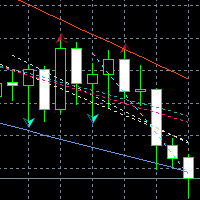
Support & Resistance indicator is a modification of the standard Bill Williams' Fractals indicator. The indicator works on any timeframes. It displays support and resistance levels on the chart and allows setting stop loss and take profit levels (you can check the exact value by putting the mouse cursor over the level). Blue dashed lines are support level. Red dashed lines are resistance levels. If you want, you can change the style and color of these lines. If the price approaches a support lev
Price Magnet — Price Density and Attraction Levels Indicator Price Magnet is a professional analytical tool designed to identify key support and resistance levels based on statistical Price Density. The indicator analyzes a specified historical period and detects price levels where the market spent the most time. These zones act as “magnets,” attracting price action or forming a structural base for potential reversals. Unlike traditional Volume Profile tools, Price Magnet focuses on price-time d
FlatBreakout MT5
Aleksei Vorontsov
FlatBreakout MT5 (Free Version) Flat Range Detector and Breakout Panel for MT5 — GBPUSD Only FlatBreakout MT5   is the free version of the professional FlatBreakoutPro MT5 indicator, specially designed for flat (range) detection and breakout signals on the   GBPUSD   pair only. Perfect for traders who want to experience the unique fractal logic of FlatBreakout MT5 and test breakout signals on a live market without limitations. Who Is This Product For? For traders who prefer to trade breakout of
FREE
Overview Heiken Ashi CE Filtered MT5 is a technical indicator for the MetaTrader 5 platform. It integrates smoothed candlestick charting with a dynamic exit strategy and a customizable trend filter to deliver clear buy and sell signals. The indicator is designed to improve trend detection and signal reliability by reducing market noise. If you want to see more high-quality products or order the development/conversion of your own products, visit my partners' website: 4xDev Get 10% OFF on manual
"Switching timeframes just to check the higher trend direction is such a hassle..." This product is made for you!! Trend Map - Product Overview This tool records and displays the trend direction of each timeframe (or fractal structure) directly on your chart. The panel remains visible even when you switch timeframes, making it ideal for traders who frequently change timeframes. With quick trend recognition, you can trade with less stress. Additionally, with just one click, you can create or
Classic SNR MetaTrader 5 Expert Advisor | Multi-Symbol Support & Resistance Trading with Trend-Based Logic Overview Classic SNR Breakout EA is a professional trading robot that identifies structural Support & Resistance levels using daily swing points and executes trades based on H1 price action relative to these levels. The EA applies   dual logic : in an uptrend, it sells on H1 rejection below an SNR level; in a downtrend, it buys on H1 rejection above an SNR level. Breakout confirmations are
SolarTrade Suite Financial Robot: LaunchPad Market Expert - designed to open trades! This is a trading robot that uses special innovative and advanced algorithms to calculate its values, Your Assistant in the World of Financial Markets. Use our set of indicators from the SolarTrade Suite series to better choose the moment to launch this robot. Check out our other products from the SolarTrade Suite series at the bottom of the description. Do you want to confidently navigate the world of inves
The SMC Venom Model BPR indicator is a professional tool for traders working within the Smart Money (SMC) concept. It automatically identifies two key patterns on the price chart: FVG   (Fair Value Gap) is a combination of three candles, in which there is a gap between the first and third candles. It forms a zone between levels where there is no volume support, which often leads to a price correction. BPR   (Balanced Price Range) is a combination of two FVG patterns that form a “bridge” - a zon
The indicator automatically identifies and labels essential elements of market structure shift, including: Break of Structure (BoS): Detected when there is a significant price movement breaking previous structural points. It mark possible uptrend and downtrend lines(UP & DN, It means constantly update high and low ), and once the price breaks through these lines, mark the red (BEAR) and green (BULL) arrows. BoS typically occurs when the price decisively moves through swing lows or swing highs t
GEN TrendPivot Hunter Developer: Gede Egi Overview GEN TrendPivot Hunter is a multifunctional indicator for MetaTrader 5. It combines Pivot-based Support & Resistance, Fair Value Gaps (FVG), and Trendlines into one analytical tool. The indicator helps visualize possible price reaction areas and market structures directly on the chart. All drawing styles, alerts, and notifications can be customized through the input parameters. The tool does not generate trading signals automatically; it is inte
CosmiCLab SMC FIBO CosmiCLab SMC FIBO is a professional trading indicator designed for traders who use Smart Money Concepts (SMC), market structure analysis and Fibonacci retracement levels. The indicator automatically detects market swings and builds Fibonacci levels based on the latest impulse movement. It also identifies market structure changes such as BOS (Break of Structure) and CHOCH (Change of Character), helping traders understand the current market direction. CosmiCLab SMC FIBO also pr
Auto Support and Resistances
Flavio Javier Jarabeck
4.57 (70)
Are you tired of drawing Support & Resistance levels for your Quotes? Are you learning how to spot Support & Resistances? No matter what is your case, Auto Support & Resistances will draw those levels for you! AND, it can draw them from other timeframes, right into you current chart, no matter what timeframe you are using... You can also Agglutinate regions/zones that are too much closer to each other and turning them into one single Support & Resistance Level. All configurable. SETTINGS Timefr
FREE
Hamster Scalping mt5
Ramil Minniakhmetov
4.71 (239)
Hamster Scalping is a fully automated Expert Advisor. Night scalping strategy. The RSI indicator and an ATR-based filter are used for entries. The advisor needs a hedging account type Be careful i not sell EA or sets at telegram it scam. All settings free here at   blog .  IMPORTANT! Contact me immediately after the purchase to get instructions and a bonus! Real operation monitoring as well as my other products can be found here: https://www.mql5.com/en/users/mechanic/seller General Recommendati
Best SAR MT5
Ashkan Hazegh Nikrou
4.33 (3)
Description :  we are happy to introduce our new free indicator based on one of professional and popular indicators in forex market (Parabolic SAR) this indicator is new modification on original Parabolic SAR indicator, in pro SAR indicator you can see cross over between dots and price chart, this crossover is not signal but talk about end of movement potential, you can start buy by new blue dot, and place stop loss one atr before first blue dot, and finally you can exit as soon as dots cross p
FREE
Balance of Power (BOP) indicator with multi-timeframe support, customizable visual signals, and configurable alert system. Freelance programming services, updates, and other TrueTL products are available on my MQL5 profile . Feedback and reviews are highly appreciated! What is BOP? Balance of Power (BOP) is an oscillator that measures the strength of buyers versus sellers by comparing the change in price to the range of the bar. The indicator is calculated as (Close - Open) / (High - Low), th
FREE
Exclusive EA for FOREX HEDGE account The EA (FuzzyLogicTrendEA) is based on fuzzy logic strategies based on the analysis of a set of 5 indicators and filters. Each indicator and filter has a weight in the calculation and, when the fuzzy logic result reaches the value defined in the EA parameter, a negotiation is opened seeking a pre-defined gain. As additional functions it is possible to define maximum spread, stop loss and so on . Recommended Symbol: EURUSD, AUDUSD, GBPUSD, NZDUSD, USDCAD, AU
Doctor Edge Strategy Pro – Range & Breakout Zones Doctor Edge Strategy Pro is a professional indicator designed to simplify market reading based on range and breakout zones. It combines concepts of Price Action, ICT, and Smart Money Concepts, providing an automated and precise approach for traders of synthetic indices, cryptocurrencies, and Forex pairs. How It Works Doctor Edge Strategy Pro automatically draws on the chart: The range zone (lateral accumulation); The upper breakout zone (gr
Noize Absorption Index - is the manual trading system that measures the difference of pressure between bears forces and bulls forces. Green line - is a noize free index that showing curent situation. Zero value of index shows totally choppy/flat market.Values above zero level shows how powerfull bullish wave is and values below zero measures bearish forces.Up arrow appears on bearish market when it's ready to reverse, dn arrow appears on weak bullish market, as a result of reverse expectation.
Your Trend Friend
Luigi Nunes Labigalini
5 (1)
The trend is your friend! Look at the color of the indicator and trade on that direction. It does not  repaint. After each candle is closed, that's the color of the trend. You can focus on shorter faster trends or major trends, just test what's most suitable for the symbol and timeframe you trade. Simply change the "Length" parameter and the indicator will automatically adapt. You can also change the color, thickness and style of the lines. Download and give it a try! There are big movements w
Gold Crazy EA MT5
Nguyen Nghiem Duy
Gold Crazy EA   is an Expert Advisor designed specifically for trading Gold H1/ EU M15. It use some indicators to find the good Entry. And you can set SL or you can DCA if you want. It can be an Scalping or an Grid/ Martingale depend yours setting. This EA can Auto lot by Balance, set risk per trade. You also can set TP/ SL for earch trade or for basket of trade. - RSI_PERIOD - if = -1, then the default strategy works, if >0, then the RSI strategy works - MAX_ORDERS - to trade with only 1 order,
Bounce Zone MT5
Nguyen Thanh Cong
4.56 (9)
Introduction The Bounce Zone indicator is a cutting-edge non-repainting technical tool built to identify key areas on the price chart where market sentiment is likely to cause a significant price reversal. Using advanced algorithms and historical price data analysis, this indicator pinpoints potential bounce zones. Combined with other entry signal, this indicator can help forex traders place the best trades possible Signal A possible buy signal is generated when price is in the green zone an
FREE
Haven FVG Indicator
Maksim Tarutin
5 (9)
Haven FVG Indicator 2.0 - A New Level of Market Imbalance Analysis Meet the massive update — Haven FVG Indicator 2.0 ! This is a professional tool for working with Fair Value Gaps (FVG), now more powerful than ever. In this version, we have implemented full Multi-Timeframe (MTF) analysis and an advanced notification system, allowing you to trade using the Smart Money concept with maximum precision without wasting time switching between charts. Check out my other products - > HERE . A Fair Value
FREE
Buyers of this product also purchase
ARIPoint
Temirlan Kdyrkhan
ARIPoint is a powerful trading companion designed to generate high-probability entry signals with dynamic TP/SL/DP levels based on volatility. Built-in performance tracking shows win/loss stats, PP1/PP2 hits, and success rates all updated live. Key Features: Buy/Sell signals with adaptive volatility bands Real-time TP/SL/DP levels based on ATR Built-in MA Filter with optional ATR/StdDev volatility Performance stats panel (Success, Profit/Loss, PP1/PP2) Alerts via popup, sound, push, or email Cu
SuperScalp Pro
Van Minh Nguyen
4.57 (21)
SuperScalp Pro – Advanced Multi-Filter Scalping Indicator System SuperScalp Pro is an advanced scalping indicator that combines the classic Supertrend with multiple intelligent confirmation filters to help identify trading opportunities. It works efficiently across multiple timeframes from M1 to H4, with optimized performance on XAUUSD, BTCUSD, and major Forex pairs. The indicator provides clear Buy and Sell signals, along with automatically calculated entry price, stop loss, and take profit lev
Divergence Bomber
Ihor Otkydach
4.9 (86)
Each buyer of this indicator also receives the following for free: The custom utility "Bomber Utility", which automatically manages every trade, sets Stop Loss and Take Profit levels, and closes trades according to the rules of this strategy Set files for configuring the indicator for various assets Set files for configuring Bomber Utility in the following modes: "Minimum Risk", "Balanced Risk", and "Wait-and-See Strategy" A step-by-step video manual to help you quickly install, configure, and s
Entry In The Zone and SMC Multi Timeframe is a real-time 2-in-1 market analysis tool that combines market structure analysis and a No Repaint BUY / SELL signal system into a single indicator, built on Smart Money Concepts (SMC) — a widely adopted framework used by professional traders to understand market structure. This indicator helps you see the market more clearly, make decisions based on structure rather than guesswork, and focus on high-probability zones where price is more likely to react
Quantum TrendPulse
Bogdan Ion Puscasu
5 (23)
Introducing Quantum TrendPulse , the ultimate trading tool that combines the power of SuperTrend , RSI , and Stochastic into one comprehensive indicator to maximize your trading potential. Designed for traders who seek precision and efficiency, this indicator helps you identify market trends, momentum shifts, and optimal entry and exit points with confidence. Key Features: SuperTrend Integration: Easily follow the prevailing market trend and ride the wave of profitability. RSI Precision: Detect
Power Candles MT5
Daniel Stein
4.75 (8)
Power Candles – Strength-Based Entry Signals for Any Market Power Candles brings Stein Investments’ proven strength analysis directly onto your price chart. Instead of reacting to price alone, each candle is colored based on real market strength, allowing you to instantly identify momentum build-ups, strength acceleration, and clean trend transitions. This tool is part of the Stein Investments ecosystem.  Browse all 18 tools, get AI-powered setup recommendations,  and join the community at http
Azimuth Pro
Ottaviano De Cicco
5 (7)
Azimuth Pro V2: Synthetic Fractal Structure and Confirmed Entries for MT5 Overview Azimuth Pro is a multi-level swing structure indicator by Merkava Labs . Four nested swing layers, swing-anchored VWAP, ABC pattern detection, three-timeframe structural filtering, and closed-bar confirmed entries — one chart, one workflow from micro-swings to macro-cycles. This is not a blind signal product. It is a structure-first workflow for traders who care about location, context, and timing. V2 Launch Offe
Gann Made Easy   is a professional and easy to use Forex trading system which is based on the best principles of trading using the theory of W.D. Gann. The indicator provides accurate BUY and SELL signals including Stop Loss and Take Profit levels. You can trade even on the go using PUSH notifications. PLEASE CONTACT ME AFTER PURCHASE TO GET TRADING  INSTRUCTIONS   AND GREAT EXTRA INDICATORS   FOR FREE! Probably you already   heard   about the Gann trading methods before. Usually the Gann theory
New Update of   Smart Trend Trading System MT5 For  2026 Market: If You Buy this Indicator you will Get my Professional Trade Manager + EA  for FREE . First of all Its worth emphasizing here that this Trading System is Non-Repainting   , Non Redrawing and Non Lagging Indicator Which makes it ideal from both manual and robot trading .  [Online course] , [manual] and [download presets] . The Smart Trend Trading System MT5 is a comprehensive trading solution tailored for new and experienced traders
FX Trend MT5 NG
Daniel Stein
5 (4)
FX Trend NG: The Next Generation Multi-Market Trend Intelligence Overview FX Trend NG is a professional multi-timeframe trend and market monitoring tool designed to give you a complete structural overview of the market in seconds. Instead of switching between dozens of charts, you instantly see which symbols are trending, where momentum is fading, and where strong alignment exists across timeframes. This tool is part of the Stein Investments ecosystem.  Browse all 18 tools, get AI-powered set
SignalTech MT5 is a trading system for EURUSD, USDCHF, USDJPY, AUDUSD, NZDUSD, EURJPY, AUDJPY, NZDJPY, CADJPY H2 and H3 Timeframe.  It can generate signals with Buy/Sell Arrows and Pop-Up/Sound Alerts. Each signal has clear Entry and Stop Loss levels, which should be automatically flagged on the chart, as well as potential Targets 1, 2, and 3. The Entry and TP levels are fixed after the trade is taken. The exit level is dynamic. If there are signs of a potential short-term trend reversal, the
Let's be honest first. No indicator will make you profitable on its own. If someone tells you otherwise, they're selling you a dream. Every indicator that shows perfect buy/sell arrows can be made to look flawless — just zoom into the right window of history and screenshot the winners. We won't do that. SMC Intraday Formula is a tool. It reads the market structure for you, maps the highest-probability price zones, and tells you exactly what the smart money footprint looks like right now — in pl
Introducing   Quantum Breakout PRO , the groundbreaking MQL5 Indicator that's transforming the way you trade Breakout Zones! Developed by a team of experienced traders with trading experience of over 13 years,   Quantum Breakout PRO   is designed to propel your trading journey to new heights with its innovative and dynamic breakout zone strategy. Quantum Breakout Indicator will give you signal arrows on breakout zones with 5 profit target zones and stop loss suggestion based on the breakout b
Grabber System MT5
Ihor Otkydach
4.83 (23)
Let me introduce you to an excellent technical indicator – Grabber, which works as a ready-to-use "All-Inclusive" trading strategy. Within a single code, it integrates powerful tools for technical market analysis, trading signals (arrows), alert functions, and push notifications. Every buyer of this indicator also receives the following for free: Grabber Utility for automatic management of open orders Step-by-step video guide: how to install, configure, and trade with the indicator Custom set fi
Meravith MT5
Ivan Stefanov
5 (1)
Market makers' tool. Meravith will: Analyze all timeframes and display the current trend in force. Highlight liquidity zones (volume equilibrium) where bullish and bearish volumes are equal. Display all liquidity levels across different timeframes directly on your chart. Generate and present text-based market analysis for your reference. Calculate targets, support levels, and stop-loss points based on the current trend. Compute the risk/reward ratio for your trades. Determine position size accor
Trend Screener Pro MT5
STE S.S.COMPANY
4.85 (104)
Trend Screener Indicator --Professional Trend Trading & Market Scanning System for MetaTrader Unlock the true power of trend trading with Trend Screener Indicator — a complete multi-currency, multi-timeframe trend analysis solution powered by Fuzzy Logic,Trend Pulse Technology  and advanced market structure algorithms.   Trend Screener transforms your MetaTrader platform into a professional-grade Trend Analyzer and Market Scanner, helping you identify high-probability trend opportunities, early
CGE Trading Suite
Carl Gustav Johan Ekstrom
5 (2)
Institutional-Grade Analytics for MT5 C GE Trading Suite delivers the analytical edge typically reserved for professional trading desks. The platform integrates a full suite of analytical tools into one seamless workflow: dynamic grid mapping, liquidity behavior analysis, ECM, trend lines, MIDAS, trade cycles, and directional channel projections. Together, these provide a unified view of market structure and momentum. Directional clarity is further enhanced by the capital flow index, which meas
See which strategy actually works on your symbol - before you risk real money. Power Bar detects extreme price bars on any symbol and any timeframe, then instantly backtests 3 different trading strategies so you can compare win rates, profit factors, and P&L side by side. All in a single interactive panel. No guessing. No curve-fitting. Just data. This tool is part of the Stein Investments ecosystem.  Browse all 18 tools, get AI-powered setup recommendations,  and join the community at https://
Btmm state engine pro
Garry James Goodchild
5 (4)
BTMM State Engine Pro is a MetaTrader 5 indicator for traders who use the Beat The Market Maker approach: Asian session context, kill zone timing, level progression, peak formation detection, and a multi-pair scanner from a single chart. It combines cycle state logic with a built-in scanner dashboard so you do not need the same tool on many charts at once. What it does Draws the Asian session range; session times can follow broker server offset or be set in inputs. Tracks level progression (L
Atomic Analyst MT5
Issam Kassas
3.94 (31)
New Update of   Atomic Analyst MT5 For  2026 Market: If You Buy this Indicator you will Get my Professional   Trade Manager + EA  for   FREE . First of all Its worth emphasizing here that this Trading Indicator is   Non-Repainting   , Non Redrawing and Non Lagging Indicator   Indicator, Which makes it ideal from both manual and robot trading.  User manual: settings, inputs and strategy . The Atomic Analyst  is a PA Price Action Indicator that uses Strength and Momentum of the price to find a bet
FX Power MT5 NG
Daniel Stein
5 (31)
FX Power: Analyze Currency Strength for Smarter Trading Decisions Overview FX Power is your go-to tool for understanding the real strength of currencies and Gold in any market condition. By identifying strong currencies to buy and weak ones to sell, FX Power simplifies trading decisions and uncovers high-probability opportunities. Whether you’re looking to follow trends or anticipate reversals using extreme delta values, this tool adapts seamlessly to your trading style. Don’t just trade—trade
OmniSync Projection
Antonio-alin Teculescu
5 (1)
Chronos Fractal Engine is an innovative price projection indicator for MetaTrader 5, designed to transform your technical analysis by intelligently identifying and projecting historical price patterns. Built upon an advanced correlation algorithm and the fractal principles of the market, this powerful tool visualizes potential future price movements, giving you a unique edge in your trading decisions. What is Chronos Fractal Engine? At its core, the Chronos Fractal Engine employs a sophisticat
Bill Williams Advanced
Siarhei Vashchylka
5 (11)
Bill Williams Advanced is designed for automatic chart analysis using Bill Williams' "Profitunity" system. The indicator analyzes four timeframes at once. Manual (Be sure to read before purchasing) Advantages 1. Analyzes the chart using Bill Williams' "Profitunity" system. Signals are displayed in a table in the corner of the screen and on the price chart. 2. Finds all known AO and AC signals, as well as zone signals. Equipped with a trend filter based on the Alligator. 3. Finds "Divergence Bar
Berma Bands
Muhammad Elbermawi
5 (8)
The Berma Bands (BBs) indicator is a valuable tool for traders seeking to identify and capitalize on market trends. By analyzing the relationship between the price and the BBs, traders can discern whether a market is in a trending or ranging phase. Visit the [ Berma Home Blog ] to know more. Berma Bands are composed of three distinct lines: the Upper Berma Band, the Middle Berma Band, and the Lower Berma Band. These lines are plotted around the price, creating a visual representation of the pric
Market Structure Order Block Dashboard MT5 is an MT5 indicator designed for traders who want to read market structure and the main price reaction zones directly on the chart. It combines BOS, ChoCH, Order Blocks, Fair Value Gaps (FVG), Liquidity, Kill Zones, Volume Profile, and a compact dashboard for quick analysis. This indicator targets traders who use market structure, ICT and Smart Money concepts as a decision framework. It can help spot trend continuations, possible reversals, price imbala
Auto Optimized Parabolic RSI: Advanced 3D Momentum Engine Most retail indicators fail because they rely on static inputs that break the moment market volatility shifts. Auto Optimized Parabolic RSI solves the problem of "indicator decay" by continuously recalculating its own mathematical edge, bringing institutional-grade quantitative adaptation directly to your MT5 terminal. The Core Advantage: Custom In-Memory 3D Optimization Standard auto-optimizers often freeze the MT5 platform because they
Crystal Heikin Ashi Signals
Muhammad Jawad Shabir
5 (2)
Crystal Heikin Ashi Signals - Professional Trend & Signal Detection Indicator Advanced Heikin Ashi Visualization with Intelligent Signal System for Manual & Automated Trading Final Price: $149 ---------> Price goes up $10 after every 10 sales . Limited slots available — act fast . Overview Crystal Heikin Ashi Signals is a professional-grade MetaTrader 5 indicator that combines pure Heikin Ashi candle visualization with an advanced momentum-shift detection system. Designed for both manual traders
Meridian Pro
Ottaviano De Cicco
5 (1)
Meridian Pro: Professional Multi-Timeframe Trend Matrix for MT5 Overview Meridian Pro is a multi-timeframe trend matrix by Merkava Labs that compresses directional state, strength, momentum condition and matrix agreement into one compact panel. One adaptive engine, applied consistently from M1 to W1. No per-symbol tuning. No indicator stacking. One structured readout across every asset and every timeframe. Launch Offer — Get Meridian Pro for USD 99 (introductory). Regular price: USD 149. 1. Why
FX Levels MT5
Daniel Stein
5 (13)
FX Levels: Exceptionally Accurate Support & Resistance for All Markets Quick Overview Looking for a reliable way to pinpoint support and resistance levels across any market—currencies, indices, stocks, or commodities? FX Levels merges our traditional “Lighthouse” method with a forward-thinking dynamic approach, offering near-universal accuracy. By drawing from real-world broker experience and automated daily plus real-time updates, FX Levels helps you identify reversal points, set profit targe
Top indicator for MT5   providing accurate signals to enter a trade without repainting! It can be applied to any financial assets:   forex, cryptocurrencies, metals, stocks, indices .  Watch  the video  (6:22) with an example of processing only one signal that paid off the indicator! MT4 version is here It will provide pretty accurate trading signals and tell you when it's best to open a trade and close it. Most traders improve their trading results during the first trading week with the help of
Filter:
No reviews
Reply to review