
Titan Trade Panel
- Utilities
-
Thi Ngoc Tram Le
 Hi, I’m Le — a professional algorithmic trader from Vietnam.
I design and develop advanced trading strategies, transforming them into powerful algorithmic robots for MetaTrader 5. - Version: 1.1
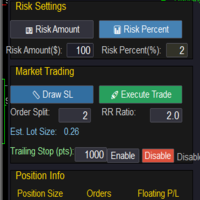
This Trade Panel provides tools for manual trading in MT5, offering features to help manage trades. The panel includes functions for trade execution, order management, and position monitoring through a compact interface. Why Choose This Trade Panel? Whether you're looking to manage multiple trades or just streamline your trading process, this custom Trade Panel offers everything you need to manage your positions efficiently. Control your risk, and monitor your trading performance easily.
Core Functions The panel includes market order management tools that allow users to:
Execute market orders with predefined Stop Loss and Take Profit levels
Place pending orders at specified price points
Manage multiple order types from a single interface
Monitor current positions and pending orders
Order Management Features Users can access essential trade management functions:
Set Stop Loss and Take Profit levels for orders
Implement Break Even settings on active positions
Close specific order types (Buy, Sell, or Pending)
View consolidated Stop Loss and Take Profit values
Interface Elements The panel displays practical trading information:
Current spread values for selected instruments
Market time and date
Active position details
Order status indicators
Technical Specifications
Customizable parameter settings
Position size calculator
Order execution confirmation options
Risk management controls
Usage Instructions
The panel integrates directly with MT5 standard trading functions. Users can:
Configure risk parameters through the settings menu
Access trade management tools via the main interface
Monitor position status in real-time
Adjust order parameters as needed


















































Great tool, I use it to place pending orders with a unique magic number that another EA can then manage once the trades executes