ForceCode Risk Assist Panel
- Utilità
- Versione: 1.10
- Aggiornato: 5 dicembre 2025
- Attivazioni: 5

ForceCode Risk Assist Panel
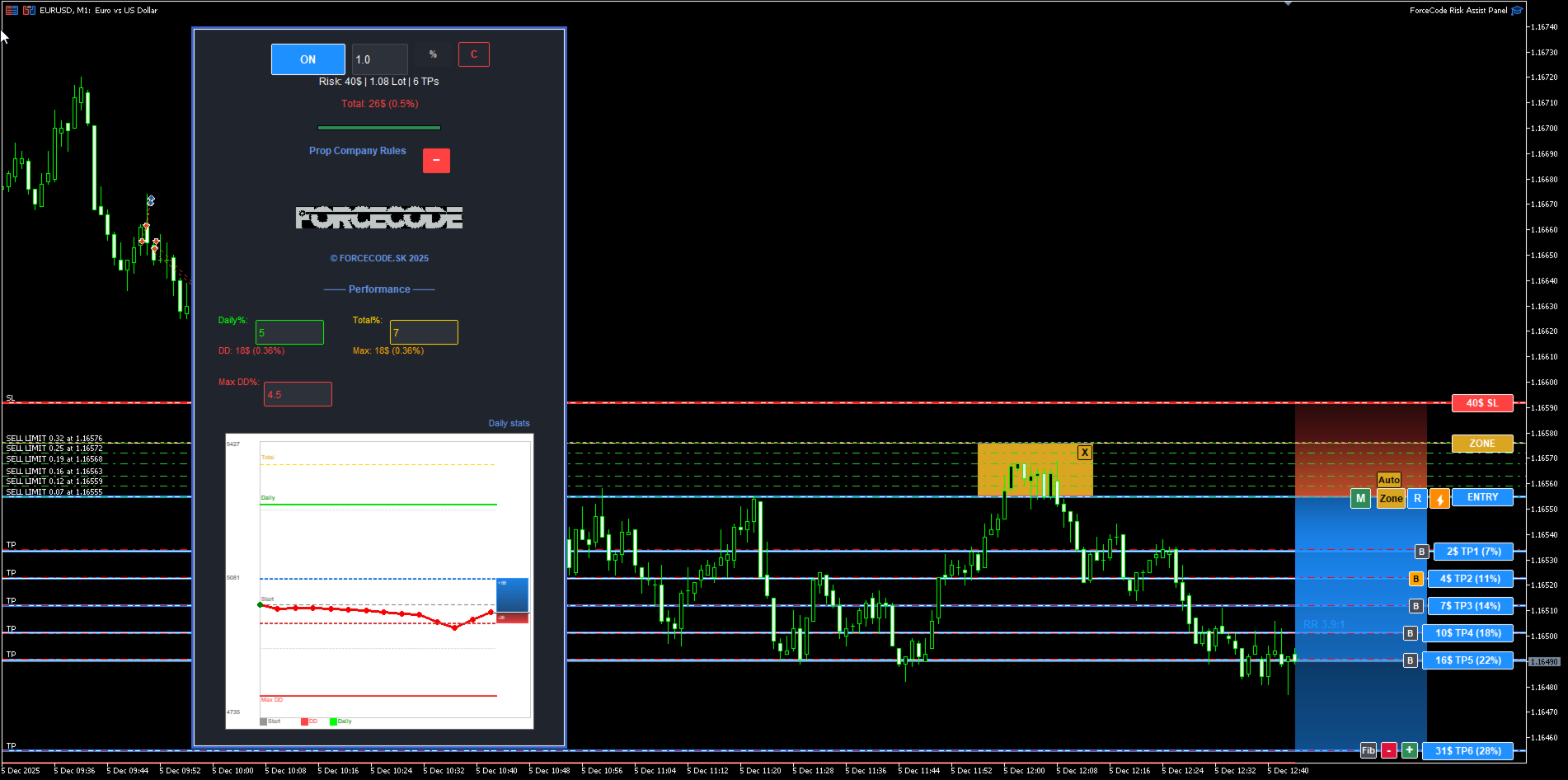
ForceCode Risk Assist Panel is a professional trading utility designed for strict risk management and Prop Firm compliance. It distinguishes itself with a unique Live Equity Preview that visually projects your future balance, and an innovative Rectangular Entry Zone system for weighted position sizing.
This tool transforms risk management from complex manual calculations into an instant visual workflow, allowing traders to focus entirely on price action while the software handles the math and discipline.
Key Features
🛡️ Prop Firm Guard & Drawdown Protection Essential for funded trader challenges. You can define a Max Daily Drawdown limit in the settings. The utility actively monitors your risk and prevents trade execution if a potential trade would exceed your daily loss limit, helping you adhere to strict trading rules.
📈 Unique Live Equity & Risk Visualization Unlike standard panels, ForceCode Risk Assist offers a unique visual projection of your account's future. It displays a dynamic "What If" scenario directly on the chart, showing exactly where your Equity (Balance) and Open Risk will stand if your targets or stops are hit.
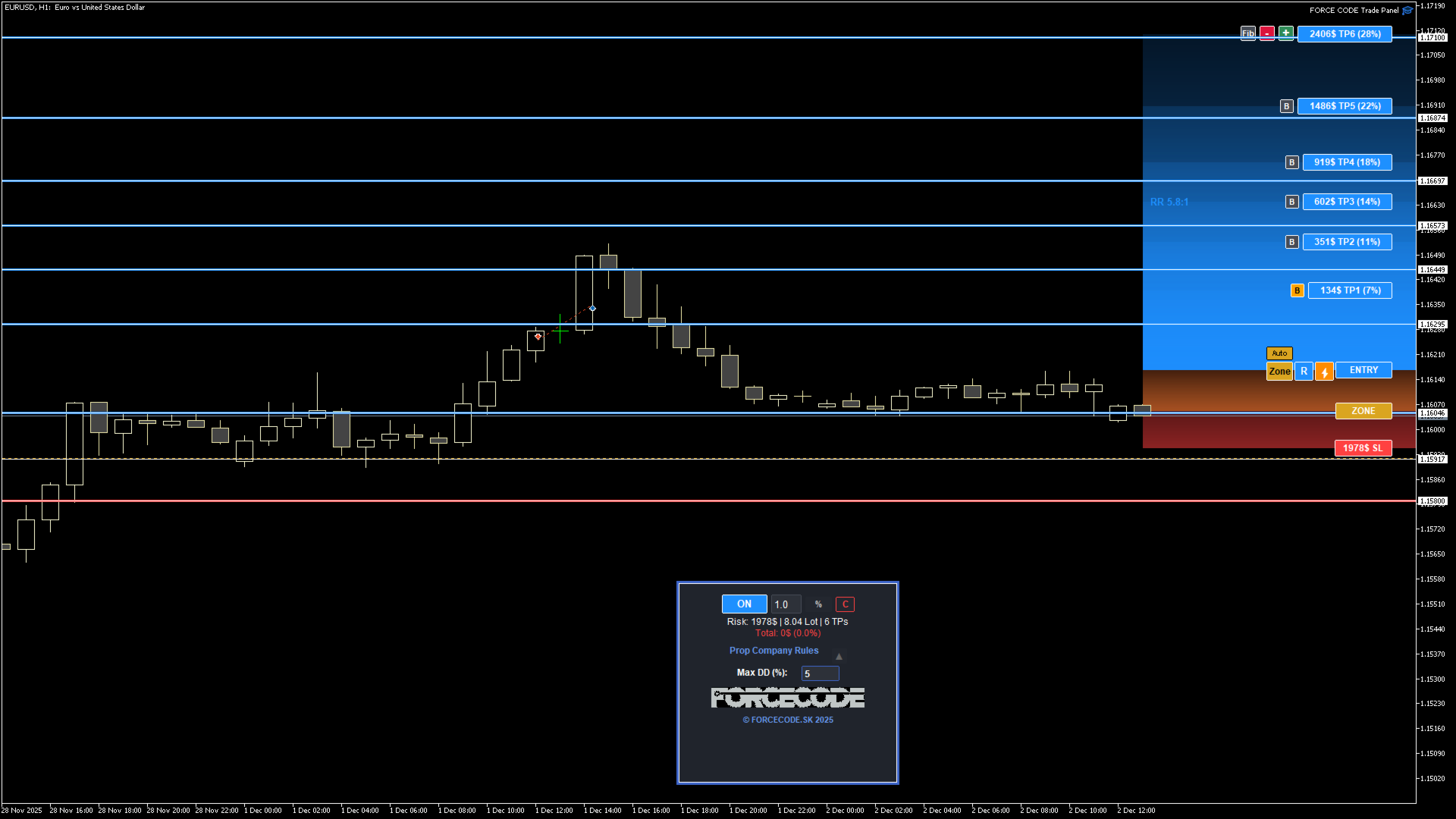
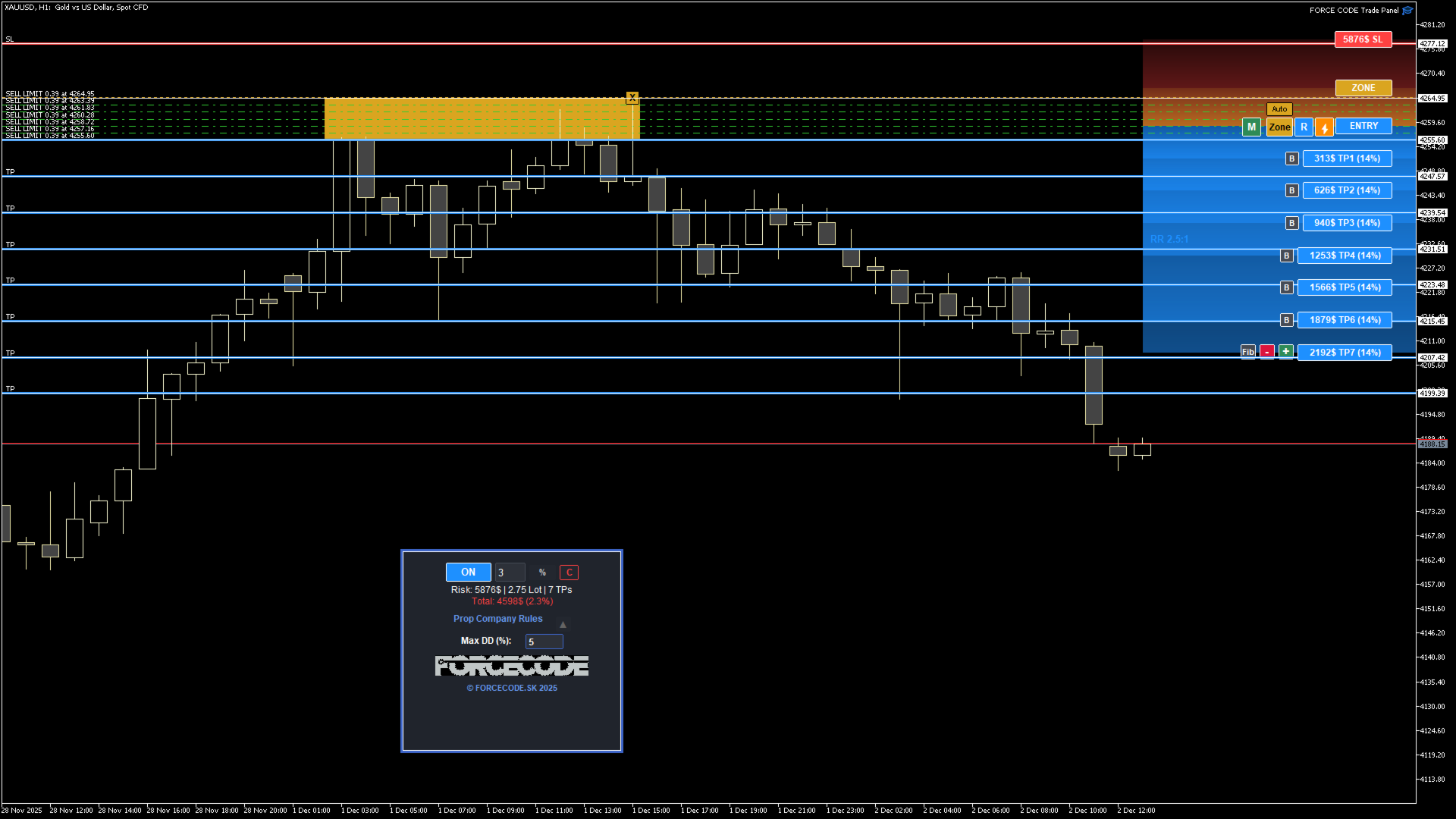
🔳 Rectangular Entry Zones (Weighted Entry) Stop relying on single-pixel entry prices. This tool features a unique Zone Trading system:
- Zone Drawing: Instead of a simple line, draw a rectangular Supply/ Demand zone on the chart.
- Smart Execution: The utility automatically calculates the volume and splits it into multiple limit orders distributed within this zone. This creates a professional weighted average entry price.
⚡ Visual Trade Management
- Drag and Drop: Set Entry, Stop Loss, and Take Profit levels using intuitive visual lines.
- Auto-Calculation: As you move the Stop Loss line, the position size (Lots) is recalculated in real-time to strictly match your defined risk percentage (e. g., 1.0%).
- Quick Analysis: Press Shift+X to instantly draw zones for visual analysis.
🛠️ Advanced Controls
- Fibonacci Take Profit: Distribute volume across multiple Take Profit targets using Fibonacci-based weighting.
- Risk Modes: Switch seamlessly between Percentage Risk (%) and Fixed Money Risk ($).
- Break-Even: Automated logic to secure your positions when the market moves in your favor.
How to Use
- Set Risk: Input your desired risk (e. g., 1% or a fixed USD amount).
- Draw: Drag the lines or draw an Entry Zone box to define your setup.
- Analyze: Use the unique Equity Preview to verify the trade fits your daily limits.
- Execute: Click the execute button to place the pending orders or enter the market instantly.
Parameters
- Risk Mode: Choose between % of Balance or Fixed Currency amount.
- Max Daily DD: Set your hard limit for daily drawdown protection.
- Visual Settings: Fully customizable colors for lines, zones, and text.
Note: This utility is a trading assistant designed to help with position sizing and risk control. It does not generate trading signals.