 MetaTrader 5
 专家
专家
 指标
指标
 程序库
程序库
 实用工具
实用工具
 窗口小部件
窗口小部件
 规则
规则
全新的MetaTrader 5 交易实用工具 - 61
 以下是可在MetaTrader 5中简化交易的交易程序。将鼠标悬停在一个工具上,阅读它的描述和用途。
“三只盲鼠EA MT5”
该专家顾问 (EA) 使用简单的“三根蜡烛趋势”策略,根据连续的看涨或看跌蜡烛形态确定交易信号。当出现连续三根看跌蜡烛时,EA 会开设多头仓位,而连续三根看涨蜡烛则触发空头仓位。EA 使用预定义的参数,包括手数、滑点、止损和止盈,并使用“立即成交或取消”(IOC)订单执行模式来执行交易。 免责声明: 该 EA 仅供实验使用,未针对实盘交易进行优化。旨在测试三根蜡烛趋势策略在不同外汇货币对和时间框架上的有效性。用户需意识到使用此 EA 进行交易存在重大风险,建议谨慎使用。强烈建议联系开发者,添加如其他指标等自定义因素,以更好地适应个人的交易策略和风险管理需求。 翻译由 ChatGPT 版本 4o mini 提供

Position Accelerator is an innovative solution for traders that helps maximize profits by capitalizing on trending market movements. The utility automatically increases the size of your trading positions once they reach a predefined profit level, significantly enhancing your profitability. This product is also available for MetaTrader 4 => https://www.mql5.com/en/market/product/126703 How does Position Accelerator work? 1. Acceleration through additional positions: When your open position reac

LogEverything EA
The LogEverything EA is a comprehensive tool designed for logging and recording various trading metrics, account information, and market data. It is a robust solution for traders who want to track the performance of their trades, analyze historical data, and ensure accurate record-keeping.
Key Features: Logs trade executions, including details such as entry price, lot size, stop loss, take profit, and comments.
Tracks closed trades with detailed information on profit or loss.

What is Close Charts Now? Do you have multiple charts open in MetaTrader 5 and need to close them all with a single click? Close Charts Now is the ideal solution for traders looking to save time and keep their workspace clean and organized. This script is designed to automatically close all open charts in your terminal, streamlining your workflow and avoiding tedious manual tasks. Features Simplicity: Just drag and drop. Efficiency: Save time by removing unnecessary charts in seconds. Ease of u
FREE

The script analyzes all trading instruments listed in the Market Watch of the MT5 platform to assess their suitability for trading on the timeframes specified in the settings. Based on the analysis, the script displays a table, where trading instruments deemed suitable and recommended for trading are marked in green, based on their compliance with the risk-to-reward ratio coefficient, including the spread (default 1:3). Instruments not recommended for trading are marked in red.
FREE

Script for quick updates (synchronization) up-to-date data in the SQLite database. Saves open positions and orders, current quotes.
Take advantage of SQLite's capabilities for intermediate data storage, analytics, and integrations of the MetaTrader platform. Keep all your data in one place.
Use the saved data in SQL analytical queries, from Python and other languages, to build dashboards
Parameters useDefaults true - use default parameters. Save data to the COMMON hierarchy, to the db/ram/{s
FREE

Script for quick updates (synchronization) trade history in the SQLite database. Saves closed positions and orders, symbols data.
Take advantage of SQLite's capabilities for intermediate data storage, analytics, and integrations of the MetaTrader platform. Keep all your data in one place.
Use the saved data in SQL analytical queries, from Python and other languages, to build dashboards
Parameters useDefaults true - use default parameters. Save data to the COMMON hierarchy, to the db/ram/{s
FREE

This program is designed to download economic calendar news events for a specified country over a selected date range, allowing traders to analyze and incorporate important economic data into their trading strategies. By specifying both a start and end date, as well as a country code, the program retrieves relevant news events within the defined period and exports them to a CSV file for easy review and analysis. This tool helps traders stay informed about scheduled economic events that may impac
FREE

Maximize your trading efficiency with the Fibonacci Retracement Assistant for MetaTrader 5. This powerful tool automates the process of setting Buy Limit and Sell Limit orders as soon as you draw your Fibonacci retracement levels. Designed for traders seeking precision and speed, it eliminates the manual effort of order placement, letting you focus on market analysis. Key Features: Automatic Order Placement : Instantly set Buy Limit and Sell Limit orders when you drag Fibonacci retracement leve

Overview:
The WWImportExportGV is a versatile and efficient utility designed for MetaTrader 5 (MT5) users to manage global variables effortlessly. With this tool, traders can easily export all global variables from their terminal to a CSV file or import them into another terminal, ensuring seamless synchronization between trading environments. Features: Export Mode: Automatically extracts all global variables from the current MT5 terminal and saves them to a CSV file. This file can be shared o
FREE

介绍 Trade Stacker:您的终极交易力量倍增器 通过自动化仓位叠加的力量改变您的交易! Trade Stacker EA 只需一键点击即可将单一交易机会转变为战略性多层次仓位。 注意,该应用程序在策略测试器中无法工作。请在此下载演示版: https://kevinafeku8.gumroad.com/l/avmxc
Instructions for the demo: https://www.mql5.com/en/blogs/post/759785
主要特点: • 在自定义价格水平上即时部署多个交易 • 根据您的个人策略进行交易 • 智能保本保护锁定您的收益 • 可选的交易重生模式通过自动替换盈利交易来保持策略活力 • 直观的界面使复杂交易变得简单 完美适用于: • 在趋势市场中逐步建仓 • 建立战略网格仓位 • 轻松管理多个入场点 • 适合激进和保守的交易者 掌控要素: • 每个层级的自定义仓位大小 • 灵活的获利目标 • 智能止损设置 • 有效的保本管理
欢迎提出改进和功能建议,如果您需要任何帮助,请随时联系。祝您
FREE

日历新闻指标 是您进行明智交易的必备工具,可实时更新经济事件和金融新闻。以下是它为您的交易策略带来的优势: 实时更新: 通过关键经济指标、央行公告和影响市场的地缘政治事件的即时通知,保持领先一步。 全球覆盖: 追踪全球市场的经济事件。无论您交易外汇、股票还是大宗商品,都能获得全球视角,帮助您做出明智决策。 影响分析: 一目了然地查看即将发生事件的预期影响。指标会突出显示高、中、低影响事件,方便您根据优先级进行关注。 指标描述:经济日历部门图标 此指标通过将经济日历事件分类为特定部门来提供直观的事件展示。每个部门都有独特的符号表示,使交易者无需详细文字描述即可快速解读市场影响。以下是各部门使用的图标: 市场 () – 表示影响整个金融市场的一般市场事件。 GDP () – 与国内生产总值相关的事件,反映经济增长和生产力。 就业 () – 突出就业数据,包括工作岗位增加和失业率。 价格 () – 表示价格指数,包括通货膨胀和生活成本调整。 货币 () – 涉及货币政策公告、利率和金融流动性。 政府 () – 涵盖政府决策,包括财政政策和影响市场的政治事件。 商业 () –
FREE

Book Data Binance! 你是否曾想过能够访问你最喜欢的加密货币的订单簿,获取价格、交易量和不平衡分析的详细信息,即使你的交易所不提供DOM访问? 有了Book Data Binance,这一切都成为现实!这个MQL5脚本专为寻求深入了解市场动态的加密货币交易者开发。 主要特点: 直接访问脚本菜单中任何可用加密货币的订单簿。 来自全球领先交易所之一的Binance的实时数据更新。 精确的订单不平衡分析,帮助你识别和预测价格走势。 与 Imbalance DOM Crypto 指标 的集成,将你的市场分析提升到新的水平。 为什么选择Book Data Binance? 这是希望了解每个价格水平上买卖方行为的完美补充!有了这个脚本,你将获得深入的见解,并在其他交易者中获得竞争优势。 不要错过这个机会!通过Book Data Binance解锁市场的力量,领先于加密货币革命! 安装和配置说明: 安装脚本: 将Book Data Binance代码保存到你的MetaTrader 5 (MT5)的Scripts文件夹中。 在MT5中
FREE

Volume Flow Binance! 您是否曾想过能够访问您最喜欢的加密货币的 times and trades 数据,了解交易量流动和价格波动分析,即使您的经纪商不提供完整的交易历史记录? 有了 Volume Flow Binance ,这一切现在变为现实!这个 MQL5 脚本是为寻求实时市场动态详细视图的加密货币交易者而设计的。 主要特点: 直接访问脚本菜单中任何加密货币的 times and trades 数据。 从全球领先的交易所 Binance 实时更新数据。 精确的交易量流动分析,让您能够识别并预测价格走势。 与 Times and Sales Crypto 指标 集成,将您的市场分析提升到一个新水平。 为什么选择 Volume Flow Binance? 这是那些希望通过观察每笔交易来实时了解买卖行为的完美工具!通过这个脚本,您将获得深入的见解,并在其他交易者面前获得竞争优势。 不要错过这个机会! 通过 Volume Flow Binance 解锁市场的力量,在加密货币革命中保持领先一步! 安装和设置说明: 脚本安装
FREE

The script calculates the rate of price change and its deviation. Displays a typical price movement channel. Transfer the script to the chart and it will automatically mark up the channels through which the price can move in the near future. Place orders according to the channel boundaries.
The script uses statistical methods to determine the rate and amplitude of the price. It calculates and displays channels and limits of further movement based on them. This version is intended for
FREE

Chart Service — improving the charts of the custom symbol. The service shows trading levels on the chart of a custom symbol. For example, it can be used when working on a seconds chart built using the Seconds Chart utility. Unlike Expert Advisors, indicators and scripts, services are not linked to a specific chart. Such applications run in the background and are launched automatically when the terminal is started (if they were previously launched). Use the Navigator to manage services. Services
FREE

This MetaTrader 5 trading robot is designed for traders who want to receive instant notifications about their trades on Telegram. With easy setup, the robot monitors real-time trade openings and closings in your account, immediately notifying you of each important change. Key Features Real-Time Notifications : Receive instant alerts on Telegram for every trade opening and closing. Notifications include key details such as the symbol, trade type (buy or sell), price, volume, and trade outcome, al

注意!!该程序的所有订单创建操作仅在用户点击“下单”按钮后产生,不会自动创建订单。 下载后请先使用模拟账户熟悉操作习惯,验证订单创建是否符合要求再正式使用。 盈亏比自动下单依赖EA自动交易功能, 使用前请先核实你的交易商是否允许使用EA交易。 任何修改建议或bug提交可联系我。
该工具提供: 1. 常用图形绘制功能:包括盈亏比工具,趋势线工具、斐波那契回撤工具、矩形工具、通道工具。绘制时可通过快捷键控制鼠标吸附K线或控制价格相同从而绘制水平线。 2. 快速的图表切换功能:使用快捷键在你的商品列表上快速滚动,让你可以专注于全屏模式。 3. 盈亏比计算及仓位控制功能:根据实时的点差及用户输入的手续费可以计算出计划的实际盈亏比,用户输入风险金额或风险比例后可立即根据该计划建仓。建仓成功后可以缩小止损,扩大止盈,止盈止损同样自动计算点差,无需担心误触止损。如果你是价格行为交易者,或者其他专注于盈亏比的交易者,这个功能将会大大提升你的效率,并且帮助你建立健康的交易习惯。 4.K线收盘倒计时提醒功能:提供K线收盘倒计时功能,并且可以自定义设置倒计时提前几秒发出提醒,帮助日内小周期交易者建立等待

https://www.mql5.com/en/market/product/125319
MT5 The Trend Catcher 101 is a powerful and reliable Expert Advisor that can help you to catch market trend movements after confirmation . This EA is based on the real market power movement method. it suppose to be under expert section but because some tricks causing the boot to avoid some trades when the market unstable so its unable to be validated , anyway the test showing a lot .
The Trend Catcher uses the market power to determine the opti

Principais Características: Interface Amigável e Personalizável: Painel Responsivo: Design adaptável que se ajusta ao tamanho do gráfico, permitindo fácil movimentação e posicionamento conforme sua preferência. Controles Intuitivos: Acesso rápido a informações essenciais da conta, como saldo, lucro atual, lucro diário e posições abertas. Parâmetros Personalizáveis: Ajuste facilmente o volume de lotes, níveis de Stop Loss e Take Profit diretamente no painel. Execução de Ordens Simplificada: Botõe

Clicks is a tool to improve the execution , management and accuracy of your trading.
Features: Allows you to set trading limits and show your statistics right on the chart. Allows you to open, modify, delete/close orders from a panel and makes it easy to set takeprofit and stoploss levels. Helps you trade using the trendlines drawn on your chart. The algo executes your orders when price reaches your trendlines. It has an automatic trailing stops feature so you can milk the market as much as you

Test Trade Saver Script
Application Type: Script
Application Functions: Saves test results cache file data into text files
About the Application The script extracts trading results from a test system cache file and saves them into text files for further analysis. How to Use Parameters: LOG_LEVEL - Logging level in the Experts terminal section. DEBUG provides the most detailed information, while ERROR gives the minimum. CUSTOM_MAGIC_NUMBER - The system identifier (Magic Number) used to save resu
FREE

The script calculates the rate of price change and its deviation. Displays a typical price movement channel. Transfer the script to the chart and it will automatically mark up the channels through which the price can move in the near future. Place orders according to the channel boundaries.
The script uses statistical methods to determine the rate and amplitude of the price. It calculates and displays channels and limits of further movement based on them.
Parameters
PLACEMENT - channel place

The Expert Advisor "TimeLeft Display" shows the remaining time until the close of the current candle in a digital display. The time is displayed in days, hours, minutes, and seconds. Features: Time Calculation: Calculates the remaining time until the close of the current candle based on the current timeframe of the chart. Digital Display: Shows the remaining time in a digital format. Customizable Font and Size: Allows selection of the font (Arial, Arial Black, Aptos Display, Tahoma,
FREE

THE BEST! yet easy-to-use MT5 to Telegram Trade Copier [MANUAL HERE]
Overview: This powerful tool allows traders to send real-time trade notifications directly to their Telegram channels and group, ensuring they never miss an important market move. TeleBot5 is an innovative MQL5 program designed to seamlessly bridge your MetaTrader 5 trading experience with Telegram.
**Key Features:**
- **Real-Time Trade Alerts:** Instantly receive notifications for every trade executed on your MT5 accoun

Short Description:
FTMO Protector PRO MT5 is an EA designed to protect your funded account by managing risk and ensuring compliance with the Prop Firm's trading rules. This EA automatically monitors equity levels, closes trades when profit targets or drawdown limits are reached, and provides a visual display of key account metrics. EA w orks with all different Prop Firm service providers.
Overview:
FTMO Protector PRO MT5 is an Drawdown Safeguard Expert Advisor meticulously crafted for trade

Overview
This Expert Advisor (EA) for MetaTrader 5 is a robust tool designed to optimize money and risk management. It allows users to calculate position sizes based on account balance, desired risk percentage, and trade parameters like stop loss and entry points. Additionally, it offers a clear view of reward-to-risk ratios and allows for the inclusion of broker commission, recalculating data accordingly.
Key Features
1. Risk-Based Position Sizing
The EA calculates position sizes by taking
FREE

该实用程序旨在将信号从 MT5 发送到 Discord。它具有许多独特功能,您不仅可以发送交易信号,还可以执行以下功能: 直接从终端向 Discord 发送消息 发送表情符号和自定义文本 直接从 MT5 终端向 Discord 发送文本和图像 所有这些都允许用户维护一个带有信号的通道,专注于交易和寻找高质量的信号。 Instructions for the utility
完全可定制的消息 信号消息可以完全自定义: 指定您自己的页眉和页脚 在消息底部插入链接 显示顾问或手动订单的评论 支持多种语言 该实用程序支持 14 种语言的消息: 英语 西班牙语 俄语 德语 意大利语 法语 葡萄牙语 土耳其 马来语 中国人 日本人 韩国人 阿拉伯 印地语 翻译特别涉及发送到您的频道的消息。 消息广播功能 该实用程序允许您广播有关以下内容的消息: 开单 关闭订单 订单修改 部分关闭 更改止损和止盈水平 激活挂单 发送交易报告,并可选择按天发送报告的时间表 用户友好的图形界面 该实用程序配备了图形界面,方便用户使用。它正在不断改进和完善。我们祝您使用我们的 MT4 版 Discord 信号实用程序一

News Stopper MT5 是一款专门为 MetaTrader 5 设计的实用工具,旨在通过在重大新闻事件之前自动平仓来保护您的交易。该工具非常适合手动交易者和自动交易系统,确保您的投资组合在因新闻发布引发的市场波动期间保持安全。 使用 News Stopper MT5,您可以通过预先响应经济事件来有效管理您的交易,保护您的资本免受突发市场波动的影响。通过配置针对您的交易策略量身定制的各种设置,您可以在关键交易时刻增强决策过程,同时降低风险。 MQL 产品安装指南 | 在 MT4/MT5 上更新已购买的 MQL 产品 | 常见故障排除指南 | 指标设置 / 指南 主要功能 弹出警报:在信号事件时触发 MetaTrader 警报弹窗,让您不错过任何交易机会。 推送通知:实时推送通知到您的 MetaTrader 移动应用,方便随时监控。 电子邮件警报:在信号事件时发送电子邮件通知,便于在远离终端时进行远程监控。 图表上的仪表板:在图表上直接显示实时信息面板,便于即时状态概览。 常规设置:灵活的配置选项,可在每个报价或设定的时间间隔内检查条件。 新闻设置:根据新闻事件的影响程度,允许在
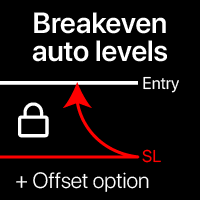
自动盈亏平衡水平 使用此工具,您可以在交易达到预期利润时激活自动止损移动。 对短期交易者尤为重要。偏移选项也可用:可以保护部分利润。 多功能工具 : 66+功能,包括此工具 | 联系我 如有任何问题 | MT4版本 激活自动盈亏平衡功能的过程: 1. 选择货币对或交易 将为其激活自动BE功能: 当前 [Symbol] / 所有 [ALL] 交易 / 或特定交易 [Ticket] 。 除了[Symbol]或[ALL]规则外 - 您可以为特定交易设置单独规则,通过其订单号:[Ticket]规则将优先。 2. 选择您要激活自动BE的 交易类型 : [ALL]: 所有活跃交易; [Longs]: 仅Buy交易; [Shorts]: 仅Sell交易; 3. [When profit] : 仅当 交易达到指定利润金额 时才会移动SL。 4. [+ Offset] : 您可以设置 额外的SL偏移 ,朝向TP水平方向。因此,SL不仅可以移动到盈亏平衡点,还可以移动到盈利水平。 5. 点击 [Activate Auto BE] 激活自动盈亏平衡功能。 底部部分显示自动BE功能的 当前状态 。 如果自动
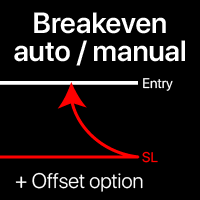
盈亏平衡水平:手动和自动 使用 此 工具 , 您 可以 快速 将 交易 移动 至 盈亏平衡,只需1次点击 : 特别 重要 在 短期 交易中。 您 还可以 设置 自动 止损 移动 , 当 交易 达到 预期 利润时。 偏移选项也可用。 多功能工具 :66+功能,包括扩展的盈亏平衡水平操作 | 联系我 如有任何问题 | MT4版本 此工具包含2个子部分: 1. [立即移动止损至盈亏平衡]: 手动将指定交易的止损移至盈亏平衡。 2. [自动盈亏平衡]: 当交易转为盈利时,自动盈亏平衡功能。
手动模式 [立即移动止损至盈亏平衡]: 1. 指定特定的 [交易品种] ,或选择 [全部] 交易品种。 2. 选择要应用盈亏平衡的 交易类型 : [全部]:针对所有活跃交易; [多头]:仅针对买入交易; [空头]:仅针对卖出交易; 3. [如果利润>] 选项:如果激活,止损将仅在 利润超过 指定值时移动。 4. [+偏移] :您可以设置 额外的止损偏移 ,朝向止盈水平方向。
因此,止损不仅可以移至盈亏平衡,还可以移至盈利水平。 使用 [v]选择器 ,您可以选择 计算 利润和偏移值
快速操作:一键关闭或修改所有交易 使用 此 工具 , 您 可以 快速 应用 必要 操作 到 所有 所选 类别 的 交易 。 特别 适用于 短期 交易者, 当 需要 快速 行动 时。 多功能工具 : 66+ 功能,包括此工具 | 联系我 如有任何问题 | MT4版本 1. 选择 [ALL] Symbols 或指定 特定 [Symbol] 进行管理 。 您还可以同时管理一组 不同的交易品种 ,例如: 输入 ' GBP ' 同时管理 GBP /USD, EUR/ GBP 和其他含有 ' GBP ' 的交易品种。 2. 下方您可以关闭 活跃交易 ,按 6种不同类型 分组。 使用 蓝色开关 选择关闭活跃交易的哪一部分: [Close full] : 活跃交易将 完全 关闭; [Close %] : 指定要关闭的当前手数大小的 百分比 。 选择 [Close %] 时:显示将要关闭的量的 P/L 和手数信息。 当您 点击 相应的 绿色按钮 时,所选组的所有交易将被关闭: [ALL]: 点击关闭所有活跃仓位 [Profit]: 点击关闭所有盈利交易 [Loss]: 点击关
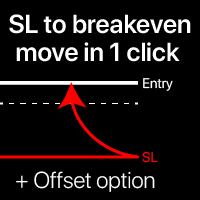
盈亏平衡水平:一键移动止损。避免损失现有利润 使用此工具,您可以一键快速保护您的利润。 对短期交易尤其重要。偏移选项也可用。 多功能工具 :66+功能,包括此工具 | 联系我 如有任何问题 | MT4版本 如何移动SL水平: 1. 指定具体的 [交易品种] ,或选择 [全部] 交易品种。 2. 选择您要应用盈亏平衡的 交易类型 : [全部]:适用于所有活跃交易; [多头]:仅适用于买入交易; [空头]:仅适用于卖出交易; 3. [如果利润>] 选项:如果激活,SL将仅在利润超过指定值时移动。 4. [+偏移] :您可以设置 额外的SL偏移 ,向TP水平方向移动。
因此,SL不仅可以移动到盈亏平衡,还可以移动到盈利水平。 使用 [v]选择器 ,您可以选择利润和偏移值的 计算方法 : 金额/点/点值/SL大小的%/TP大小的%/价格变化的%/账户大小的%/点差大小; ! 使用[%/SL]或[%/TP]方法时:仅当交易有SL/TP水平时才会包括。 5. 顶部的 绿色按钮 将显示符合您条件的交易数量。 点击此按钮后,SL将被移动。 在输入设置中,您可以选择将点差成本、佣金和掉期费用计入盈亏平
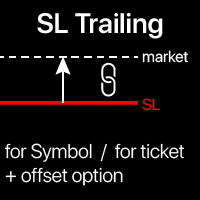
追踪止损: 根据市场走势自动移动止损 , 从交易中获取最大利润 止损移动过程可根据您的策略自动执行。 多样化的设置使该工具适用于任何策略,尤其对短线交易者至关重要。 多功能工具 :66+功能,包含此工具 | 如有疑问请联系我 | MT4版本 激活追踪止损需设置面板上的4个主要参数: 1. 品种 或 交易 (应用对象): 当前[Symbol]/[ALL]所有品种,或指定[Ticket]订单。 除[Symbol]或[ALL]规则外,可为特定订单设置独立规则(按Ticket编号),该规则优先。 2. 激活时机 :
[ 立即 执行后]:订单下达后 无延迟 启用; [达到盈利时] :当利润达到指定值时激活; 3. SL计算方式 :通过[v]选择器设置: 点差 或 点数 固定值。 价格变动的 百分比 。 基于 移动平均线 (MA)的SL。需设置: MA计算周期、方法、价格类型; SL与MA的偏移距离: 0表示SL=MA值; 正值使SL靠近TP; 负值使SL远离TP。 基于 K线价格 的SL。需设置: 1或6种价格:开盘/最高/最低/收盘/近影线/远影线; [近影线]:Buy取High,Sell取

Hey, traders! Today, I’m excited to introduce the Trend Reversal Pro , an indicator designed to help you spot trend reversals quickly and efficiently. If you're looking to improve your market entries and exits, stick around to see how this powerful tool works. What is the Trend Reversal Pro? The Trend Reversal Pro analyzes market highs and lows to identify potential reversals. It does this by calculating a percentage average of previous highs and lows and comparing them to the current trend. Thi

G Spikes Trade Assistant G Spikes Trade Assistant is a MetaTrader 5 utility panel designed to help users manage manual trading actions more efficiently. It provides quick access to order execution, stop-loss settings, target-price settings, and position-management controls from the chart. Main features Buy and Sell market order buttons. Pending order options. Stop-loss and target-price management. Close All and selected close options. Customizable display settings and trade comments. Interface t
FREE

This Program will not execute any trades!
Works on any chart and any time frame!
This is the MT5 version.
MT4 version: https://www.mql5.com/en/market/product/125496?source=Site+Market+My+Products+Page#description
This Program will produce a comment box at the top left of the chart and show you your equity % difference throughout the day. Updating constantly in real time.
The daily resets back to zero on open of a new market open day. Using new current equity at start of day as reference for
FREE

This Program will not execute any trades!
Works on any chart and any time frame!
This is the MT5 version.
MT4 version : https://www.mql5.com/en/market/product/125500?source=Site+Market+My+Products+Page#description
This EA will produce a comment box at the top left of the chart and show you your equity % difference throughout the day, week, month and year. Updating constantly in real time.
The daily resets back to zero on open of a new market open day.
The weekly resests back to zero at open

G Trade Broker Check – Instantly Evaluate Broker Performance Across Multiple Accounts and Leverage Settings
Take your trading to the next level by analyzing your broker’s performance in real time! With G Trade Broker Check , traders can effortlessly track their broker’s behavior over the past 24 hours on any symbol added to the Market Watch in MT5. Whether you’re comparing multiple brokers, testing different account types, or analyzing varying leverage setups, this powerful Expert Advisor prov
FREE

This is a service used to create custom symbols from an existing symbol by adding D2, D3, D4, W2 and W3 timeframes. List Symbols (Exp: EURUSD,GBPUSD,XAUUSD) : Declare the list of symbols to create the custom symbols. Example: AUDUSD,EURUSD,EURGPB,XAUUSD. Now the service will create the following custom symbols: AUDUSD_D2, AUDUSD_D3, AUDUSD_D4, AUDUSD_W2, AUDUSD_W3 EURUSD_D2, EURUSD_D3, EURUSD_D4, EURUSD_W2, EURUSD_W3 EURGPB_D2, EURGPB_D3, EURGPB_D4, EURGPB_W2, EURGPB_W3 XAUUSD_D2, XAUUSD_D3, X

The Dfx Position Risk Calculation Tool is an MT5 indicator developed by DefenderFX Ltd. designed to assist traders in assessing risk and reward for their trades. The tool automatically calculates the risk-to-reward ratio based on user-defined parameters, such as lot size and take profit (TP) level. It provides visual lines on the chart for entry (Blue Color), stop loss (SL) – Red Color, and TP levels (Green Color), which traders can adjust by dragging. Key Features: Input Parameters : Traders ca

Custom Alerts:监控多个市场,绝不错过关键交易信号 概述
Custom Alerts 是一款动态工具,专为希望集中监控多个交易品种潜在机会的交易者设计。通过整合我们旗舰工具(如 FX Power、FX Volume、FX Dynamic、FX Levels 和 IX Power)提供的数据, Custom Alerts 可自动通知您关键的市场变化,无需频繁切换图表,也不会错过交易良机。现在,它支持您的经纪商提供的所有资产类别,只需在设置中选择相应的资产类别即可,无需手动输入任何品种名称。 1. 为什么 Custom Alerts 对交易者非常有帮助 一体化市场监控
• Custom Alerts 收集并整合来自外汇、贵金属、加密货币、指数,甚至(若经纪商支持)股票市场的信号。
• 无需频繁切换图表,一切通知集中呈现。 根据策略定制提醒
• 精准设置提醒条件。无论是追踪成交量激增、强度突破,还是极端价格波动, Custom Alerts 都能确保您不会错过任何关键信号。
• 可与 Stein Investments 工具无缝集成,助您更深入分析与优化交易决策。 节省时

Prop Firm 数据: 图表上 最 重要 的 信息 该指标 将帮助您 快速 监控 当前 和 已平仓 交易 。 特别 适用于 当您 被限制 超出 某些 限额 时。 警报 功能 可帮助 避免 不良 结果 。 多功能工具 : 包含66+功能 | 如有疑问请联系我 | MT4版本 6 类 可显示 的 信息 当前 市场数据 : 隔夜利息, 点差, 平均点差。 浮动 仓位: 未平仓交易 的浮动盈亏, 总手数, 交易数量; 挂单 : 交易数量, 总手数, 买单和卖单数量; 所有 已平仓 交易的 结果 ( 统计 ) ; 交易 的 平均 持仓时间, 分别统计买单和卖单; 资金负载 信息: 止损触发时的潜在亏损; 多种选项可让您根据需要自定义指标。
可用 过滤器 , 每个 可 单独 启用/ 禁用 : 交易品种 : 所有品种的交易 仅当前品种的交易(指标运行的品种) 魔术号码 (使用 EA时 方便): 所有魔术号码 排除指定号码 仅指定魔术号码 设置 : 计算 盈亏, 回撤和资金负载 的方法 : 账户 货币

订单追踪:随着市场变动获得最佳执行价格 挂单追踪将允许您保持与入场价格的指定距离。 如果市场价格远离订单,订单将会移动。 多功能工具 : 66+ 功能,包括此工具 | 如有问题请联系我 | MT4版本 要激活订单追踪,您需要设置面板上的4个主要参数: 1. 符号 或 交易 ,将应用追踪: 对于当前[Symbol] / 对于[ALL]符号,或对于特定交易[Ticket]。 除了[Symbol]或[ALL]规则外 - 您可以为特定交易设置单独规则,
通过其票号:单独[Ticket]的规则将优先。 2. 追踪挂单的激活时刻 :
[ 执行后立即 ]: 无延迟 当订单放置时; [如果挂单 > 比]:追踪将在 指定时间后 开始; 3. 当前市场价格与入场价格的距离 。 如果市场远离入场点,此距离将在追踪时保持:
但如果市场价格接近入场点,订单将不会移动。可以是: [ 自动 ]:将在追踪开始时确定(第2点)。 或者您可以[ 手动 ]设置:以点/百分比/市场价格百分比。 4. 移动SL / TP水平的规则 。 您可以禁用它们的移动,也可以启用其中每一个的移动。 从入场价格到水平的初始距离将始终被保持
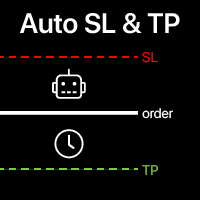
自动设置止损和止盈 对于尚未设置 SL / TP 水平的交易, 将自动创建这些水平。 如果您通过手机执行交易,这可能很方便。 多功能工具 : 66+ 功能,包括此工具 | 如有疑问请联系我 | MT4版本 要激活自动水平,需要设置以下4个主要参数(在面板上): 1. 符号 该功能将应用于: 特定 [Symbol] / 或所有 [ALL] 符号。 2. 交易类型: 如果[active position] / [pending order] / [active or pending trade]:
根据此值,该功能将仅应用于活跃交易、仅挂单或所有交易。 3. 接下来,您可以单独激活或停用 每个参数 : [SL = ]: 如果激活, SL 将在交易尚未设置SL时自动设置。 [TP = ]: 如果激活, TP 将在交易尚未设置TP时自动设置。 SL / TP计算方法 可以使用 [v] 选择器选择: 点/点值/价格百分比/货币金额/账户规模百分比; 使用R/R方法计算TP时:交易必须具有SL水平,否则 无法计算TP水平; 4. "Magic"数字规则 : [apply
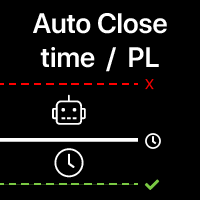
自动平仓:按时间或达到盈利/亏损触发 使用此工具,您可以在给定条件下自动平仓。 多功能工具 : 66+ 功能,包括此工具 | 联系我 如有任何问题 | MT4版本 要激活自动平仓,需要设置以下参数(在面板上):
1. 交易品种 应用此功能的: 特定 [Symbol] / 或所有 [ALL] 品种。 2. 条件, 何时平仓: [if total] / [if single] / [at time]: 根据此参数,可以选择
达到盈利/亏损时平仓 ,或 在指定时间平仓 。 [按盈利/亏损平仓] 选项设置: 1. [if total] / [if single]: 计算P/L方式:所有 选定交易 合计 ,或每笔交易 单独 ; 2. [Floating] / [Potential]: 计算 浮动P/L (未平仓交易), 或计算 潜在P/L (当达到TP/SL水平时); 3. [Profit] / [Loss] / [P/L]: 计算内容: 盈利、亏损或[盈利或亏损] ; 4. [On active] / [On pending] / [On both]: 应用

程序 - 服务 实现将每个交易系统的已平仓头寸自动保存到文件中,按行的形式存储。这对于进一步与其他产品(例如Semyon Racheev的资本管理服务等)的集成是必要的。 它自动将结果保存到以下格式的文件中:
文件名:" <magicNumber>.csv"
文件中的每一行表示一个已平仓头寸,格式为 " <magicNumber>,<positionCloseTime>,<positionVolume>,<positionProfit>" 算法: 服务从终端数据库中为指定的 magicNumber 列表检索多个已平仓头寸。 服务定位到参数中指定目录下的对应 magicNumber 的文件(如果存在)。它检索文件中描述的头寸集。 服务将每个 magicNumber 的这些头寸集合合并,并将结果集重新保存到对应的 <magicNumber>.csv 文件中。 因此,在参数指定的目录中,我们有包含历史已平仓头寸当前结果的文件。这些结果还可以与回测结果相结合,以便在资本管理或其他Semyon Racheev的分析产品中进行更准确的计算
FREE
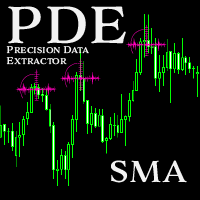
Introducing the Precision Data Extractor: SMA , an MQL5 utility crafted for traders, analysts and quants who need accurate historical data to build robust datasets. This tool lets you selectively pull historical price and indicator data— Simple Moving Average ( SMA )—from multiple applied prices, timeframes, and periods , then stores it in a CSV format, making it easy to feed into machine learning models, trading algorithms, or in-depth market analyses . Compatible with Forex , Stocks , and Comm
Introducing the Precision Data Extractor: EMA , an MQL5 utility crafted for traders, analysts and quants who need accurate historical data to build robust datasets. This tool lets you selectively pull historical price and indicator data— Exponential Moving Average ( EMA )—from multiple applied prices , timeframes , and periods , then stores it in a CSV format, making it easy to feed into machine learning models, trading algorithms, or in-depth market analyses . Compatible with Forex, Stocks, and
Introducing the Precision Data Extractor: LWMA , an MQL5 utility crafted for traders, analysts and quants who need accurate historical data to build robust datasets. This tool lets you selectively pull historical price and indicator data— Linear Weighted Moving Average ( LWMA )—from multiple applied prices, timeframes, and periods, then stores it in a CSV format, making it easy to feed into machine learning models , trading algorithms , or in-depth market analyses . Compatible with Fo
Introducing the Precision Data Extractor: SMMA , an MQL5 utility crafted for traders, analysts and quants who need accurate historical data to build robust datasets. This tool lets you selectively pull historical price and indicator data— Smoothed Moving Average ( SMMA )—from multiple applied prices, timeframes, and periods , then stores it in a CSV format, making it easy to feed into machine learning models, trading algorithms , or in-depth market analyses . Compatible with Forex , S
Introducing the Precision Data Extractor: RSI , an MQL5 utility crafted for traders, analysts and quants who need accurate historical data to build robust datasets. This tool lets you selectively pull historical price and indicator data— Relative Strength Index ( RSI )—from multiple applied prices, timeframes, and periods , then stores it in a CSV format, making it easy to feed into machine learning models, trading algorithms, or in-depth market analyses . Compatible with Forex, Stocks

Introducing the Precision Data Extractor: ATR , an MQL5 utility crafted for traders, analysts and quants who need accurate historical data to build robust datasets. This tool lets you selectively pull historical price and indicator data— Average True Range ( ATR )—from multiple timeframes and periods , then stores it in a CSV format, making it easy to feed into machine learning models , trading algorithms , or in-depth market analyses . Compatible with Forex , Stocks , and Commodit

Maximize or restore the main chart or indicator windows by double-clicking them.
Double-clicking a main chart window will hidden all the indicator windows and expand the main chart to the maximum. Double-clicking again to restore.
Double-clicking an indicator window will hide all the other indicator windows and expand the double-clicked indicator window to the free space. Double-clicking again to restore.
FREE

CoinMarketCap Price Fetcher- Real-Time Cryptocurrency Prices via CoinMarketCap
Overview:
The CoinMarketCap Price Fetcher is a powerful tool designed for traders and developers who want real-time access to cryptocurrency prices directly within the MetaTrader 5 (MT5) platform. It seamlessly integrates with the CoinMarketCap API to retrieve live cryptocurrency price data, including Bitcoin (BTC), Ethereum (ETH), and hundreds of other coins, with automatic updates at your chosen intervals (e.g.,

Chart Buddy 是一款娱乐工具,旨在为您的交易图表增添乐趣。角色会沿着图表的右侧移动,仿佛在为价格波动加油,从而为您的交易体验增添独特和愉悦的元素。虽然它不会直接影响您的交易,但动画能提供轻松的分心效果,让您感受到仿佛有一个个人支持者。 主要功能: 价格波动支持 :角色根据价格方向(上升、下降或与您当前头寸一致)移动,仿佛在为市场加油。 角色选择 :您可以选择三种不同的角色(松鼠、相扑选手或女孩),也可以上传自定义图片来个性化体验。 可定制的动画 :调整角色移动的速度和切换时间,以符合您的喜好。 视觉娱乐 :动画角色为您的交易环境增添生动、互动的元素。 关于 illust STAMPO 该工具使用来自免费图片资源 illust STAMPO (stampo.fun) 的图片。有关这些图片的使用详情,请参阅 此文章 。 参数设置: 价格波动方向 :选择让角色响应价格的上升、下降或头寸的方向。 角色类型 :选择松鼠、相扑选手或女孩,或者上传自己的自定义图片。 切换时间 :设置角色移动的切换时间。 图片设置 :为上升和下降方向分别配置两组图片(共四张图片)。 Chart Buddy
FREE
本地终端之间的 自动交易复制器 多种选项可让您根据需要自定义工具,配置过程即使对初学者也很容易理解。 多功能工具 : 包含66+项功能 | 如有疑问请联系我 此版本 仅适用于 MT5 。如需在MT4之间复制交易,您需要购买 MT4版本 提供 2 种 模式 : 从终端 发送 交易; 接收 并 复制 来自其他终端的交易; 还有一个选项可以在原始终端中关闭交易时 自动关闭 复制的交易。 可用 过滤器 ( 在发送和接收交易时使用 ),每个都可以单独启用/禁用: 交易品种 : 复制所有交易品种的交易 仅复制当前交易品种(运行工具的终端) 魔术编号 ( 使用EA时 方便): 所有魔术编号 排除指定编号 仅复制指定魔术编号 交易类型 :所有交易 / 仅挂单 / 仅市价单。 交易方向 :双向 / 仅买入 / 仅卖出。 交易注释 :指定文本:将排除或仅复制包含此文本的交易。 可以指定工具的 工作时间 段 。 在 执行 接收到的 交易 时应用的设置: 最大 滑点 SL / TP 水平:可以禁用其复制,以便交易执行时不带这些水平
选项将 注释替换 为指定文本
选项将 魔术编号替换 为指定编号
跟踪 当前 回撤 和 历史 已关闭 交易 的 记录 在 选定 期间 多种选项将允许您根据您的需求自定义指标 多功能工具 : 包含66+功能 | 联系我 如有任何问题 | MT4版本 2 值 可以 显示 : 当前 回撤 ( 或 收益 ) 开放交易; 结果 所有 已关闭 交易, 在 选定 时间 段 ( 统计 ) ; 可用 过滤器 , 每个 可以 可选 打开/ 关闭 : 符号 : 所有符号的交易 仅在同一符号(指标运行处)的交易 魔法编号 (方便 使用 EA时) : 所有魔法编号 避免指定编号 仅指定魔法编号 设置 : 方法 计算 值 : 账户货币; 点差; 点数; 作为 一个 百分比 的 一个 值 : % / 账户 余额 ; % / 可用 保证金 ; % / 净值 ; % / 自定义 金额; 时间 间隔 ( 如果 历史 计算 启用 ):
当前 天; 当前周; 当前 月 (从1号开始);
最近30天; 或任何自定义时期; 可选 , 您 可以 启用 显示 总 手数 所有 交易; 可视化 设 置 : 文本位置; 字体
直接在图表上 做笔记 , 并在交易时 使用您的观察 同步提醒 功能 可 让您 记住 有关 当前 市场 状态 的 重要 信息 因此 , 此 工具 将 帮助 您 避免 在 交易时 遗漏 之前 注意到 的 重要 信息 。 多功能工具 :66+ 功能,包括此工具 | 如有疑问请联系我 | MT4版本 设置: 笔记同步 方式 : 在相同品种之间同步; 每个图表上的独特笔记; 所有地方相同的笔记 ; 可选 , 笔记 可以 关联 到 创建时 的 时间周期 ; 可视化 设置 : 文本位置; 字体:颜色、样式、大小; 要 编辑 笔记 , 只需 点击 右下角 的 按钮 [ e] : 将 出现 输入 框 。 程序文件应放在“ Indicators ”目录中。 //--------------------------- 多功能工具 :66+ 功能,包括此工具 | 如有疑问请联系我 | MT4版本

Trade Panel – The Smart Trading Tool for Every Strategy Elevate your trading experience with Trade Panel , designed for traders of all levels. Whether you are a beginner or a seasoned professional, this platform simplifies trading with powerful features to efficiently manage your portfolio. Key Features Flexible Lot Size Adjustment Manually adjust lot sizes to suit your trading needs. Utilize the automatic lot sizing feature to align your trades with your desired risk percentage (% Risk) for
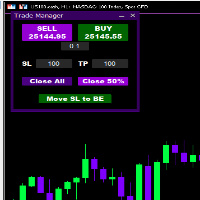
Introducing * *Trader Manager** for MetaTrader 5 - the most efficient tool for managing your trades and it's free! This smart assistant automatically sets **Stop Loss** and **Take Profit** immediately after opening a trade, saving you time and reducing the risk of errors.
With the ability to set a **Maximum Daily Loss** , you'll protect yourself from the dangers of **overtrading** and keep control of your finances.
Plus, you'll get a host of other features for easy position management: -
FREE
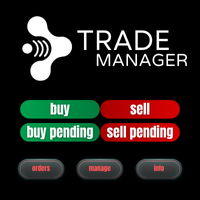
XC Trade Manager for MT5 Manage Your Trades with Precision and Ease
Welcome to XC Trade Manager, the ultimate solution for traders seeking efficient and intuitive trade management on the MT5 platform. Developed by xignalcoding.com, our seventh product in the MQL5 Market lineup, the XC Trade Manager is designed to streamline your trading experience, allowing you to focus on what truly matters—making informed trading decisions. Key Features 1. Orders Tab Effortlessly place and manage your trades

ENJOY FREE TESTING FROM OUR WEBSITE
DAILYTARGET_GUARD is a cutting-edge trading expert designed to maximize profits while minimizing risk through intelligent and automated position management. Perfect for traders seeking precision control over their operations, this bot offers advanced and customizable features tailored to fit your trading strategy. Key Features: Automated Position Management: Adjust your Stop Loss , Take Profit , and lot sizes to match your trading preferences. The bot manages

This plugin is designed to enhance trading efficiency and risk management in scalping strategies. Key features include:
-One-Click Trade Execution: With a single click, the plugin opens two trades simultaneously, each with its own Take Profit (TP1 and TP2) targets. -Automatic Stop Loss Adjustment: The plugin automatically adjusts the Stop Loss (SL) to Break Even (BE) once the price reaches halfway towards TP1, securing partial profits. -Account Protection Features: It includes built-in protecti
FREE

Gmail to MT5 is a tool that automates the process of transferring trading signals from your Gmail inbox directly to your MetaTrader 5 trading platform. It's a bridge that connects these two platforms, allowing you to receive and execute trades based on information sent via email. No DLL, no .exe, and no external software
Can receive TradingView signals Would you like more features? We'd be glad to implement them based on your needs How to set up: Create an app password at https://myaccount.googl

Simple Telegram Notification – Stay Informed on Your MT5 Trading Activity! Stay connected with your MetaTrader 5 trading activity using Simple Telegram Notification , the Expert Advisor that sends real-time notifications to your Telegram app whenever orders are opened, modified, or closed . Whether you're at your desk or on the move, you’ll always be up-to-date with critical trading information. Key Features: Order Notifications : Receive instant Telegram alerts whenever an order is opened, mod
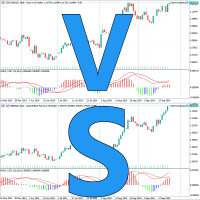
这是一个非常实用的图表同步对比工具,使多个品种图表保持一样的起始时间、 周期、缩放级别、 同时滚动。 促销价 $39→$59 特点 采用事件驱动,而不是OnTimer,同步非常快速
占用资源小 方便相似品种快速对比 有多年的使用并优化历史
参数 SyncPos 是否同步起始时间
使用 把Chart Compare加载到每一个图表,第一个图表会显示Main。
只需要操作Main图表,其它的图表都会同步成和Main图表一样。
建议使用窗口平铺,所有的图表都使用同一个模板。
Chart Compare,图表同步,多窗口工具,实用工具,图表对比,MT5货币强弱工具,货币交易盈利工具,日内交易实用工具,日内交易图表对比,日内交易盈利之路,快速对比盈利工具,图表交易工具,Forex Chart Compare.

多时间框架突破扫描仪
此工具可分析蜡烛图模式,绘制多个时间框架上的突破区域。交易时,能够看到更大的图景是关键。能够实时查看来自此强大工具的信号(跨多个时间框架)不仅可以节省分析时间,而且还是当前市场状况的关键指标,可以帮助交易者识别市场何时处于趋势或区间波动。当信号在多个时间框架上重合时,通常会发生或正在发生大市场波动
以下是此工具的摘要及其使用方法。
定义
此指标直接利用价格数据,不依赖指标来确定突破区域。
分析原始蜡烛图数据以确定可能出现或已经出现突破区域的价格。
它在图表上绘制一条支撑线和阻力线,显示当前突破区域。
看涨信号
绿色买入
这意味着当前价格已突破当前突破区域,波动性看涨。这是最新的牛市信号。
浅绿色买入
这意味着当前价格尚未突破当前突破区域,但之前的价格活动表明看涨趋势。
看跌信号
红色卖出
这意味着当前价格已突破当前突破区域,并具有看跌波动性。这是最新的熊市信号。
粉红色卖出
这意味着当前价格尚未突破当前突破区域,但之前的价格活动表明看跌趋势。
空白白色
未检测到突破区域
推荐设置
实用程序可以在 EURUSD、GBPUSD
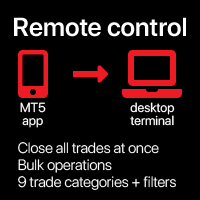
一次性 关闭 所有 交易 , 直接 通过 您的 移动 MT5 应用程序 管理 . 此 实用工具 可以 关闭 9 不同 类别 的 交易. 要 激活 操作 , 您 只需 需要 在 预定 价格 放置 挂单 (可通过 移动 MT5 应用程序 远程完成 ).
之后 , 实用工具 将 检测 订单 并 关闭 所有 必要的 交易. 通过 这种 方式 您 可以 快速 管理 一 组 交易 . 多功能实用工具 : 包含 66+ 功能 | 如有疑问请联系我 | MT4 版本 可用 交易 类别 : 所有交易 (活跃和挂单); 活跃头寸; 挂单; 利润; 亏损; 限价挂单 (Buy Limit / Sell Limit); 止单挂单 (Buy Stop / Sell Stop); 买入交易 (活跃买入和挂单卖出); 卖出交易 (活跃卖出和挂单卖出); 对于 每个 类别 , 您 应该 设置 一个 唯一的 挂单 价格 将 被 识别 以 执行 操作. 您 可以 设置 任何 订单 价格 ( 最好 远离 当前 市场 价格 , 以便 此 信号 订单 不会 被 激活).
附加过

FREE
MetaTrader市场提供了一个方便,安全的购买MetaTrader平台应用程序的场所。直接从您的程序端免费下载EA交易和指标的试用版在测试策略中进行测试。
在不同模式下测试应用程序来监视性能和为您想要使用MQL5.community支付系统的产品进行付款。
