
Uber Trade Manager
- Utilities
- Version: 2.88
- Updated: 7 February 2025
- Activations: 5

The UTM Trade Manager is a powerful, yet intuitive trading tool offering fast, efficient trade execution and advanced features such as the "Ignore Spread" mode and a built-in local trade copier, and others. Designed to simplify your trading operations, it provides a user-friendly graphical interface and on-chart controls for seamless management.
Important Notice:
This manager may experience performance issues on systems with less than 8GB of RAM or when running on Mac ARM (M1) systems using emulation software. For optimal performance, we recommend using a Windows-native environment with at least 8GB RAM. These issues are due to the GUI library, which can be demanding in non-native setups. Please review the full system requirements before purchase.
Due to low visibility and demand. While it had a strong start and received many good reviews, after US prop firm ban, sales have declined 90%, and it's no longer viable to continue actively developing it. The current version is stable and will remain available for use, with updates limited to major fixes. No new features are planned unless essential. Let's let it tick with 6-Month offers only, as many have messaged that they need it, and use it (myself included), so it is still available.Key Features:
-
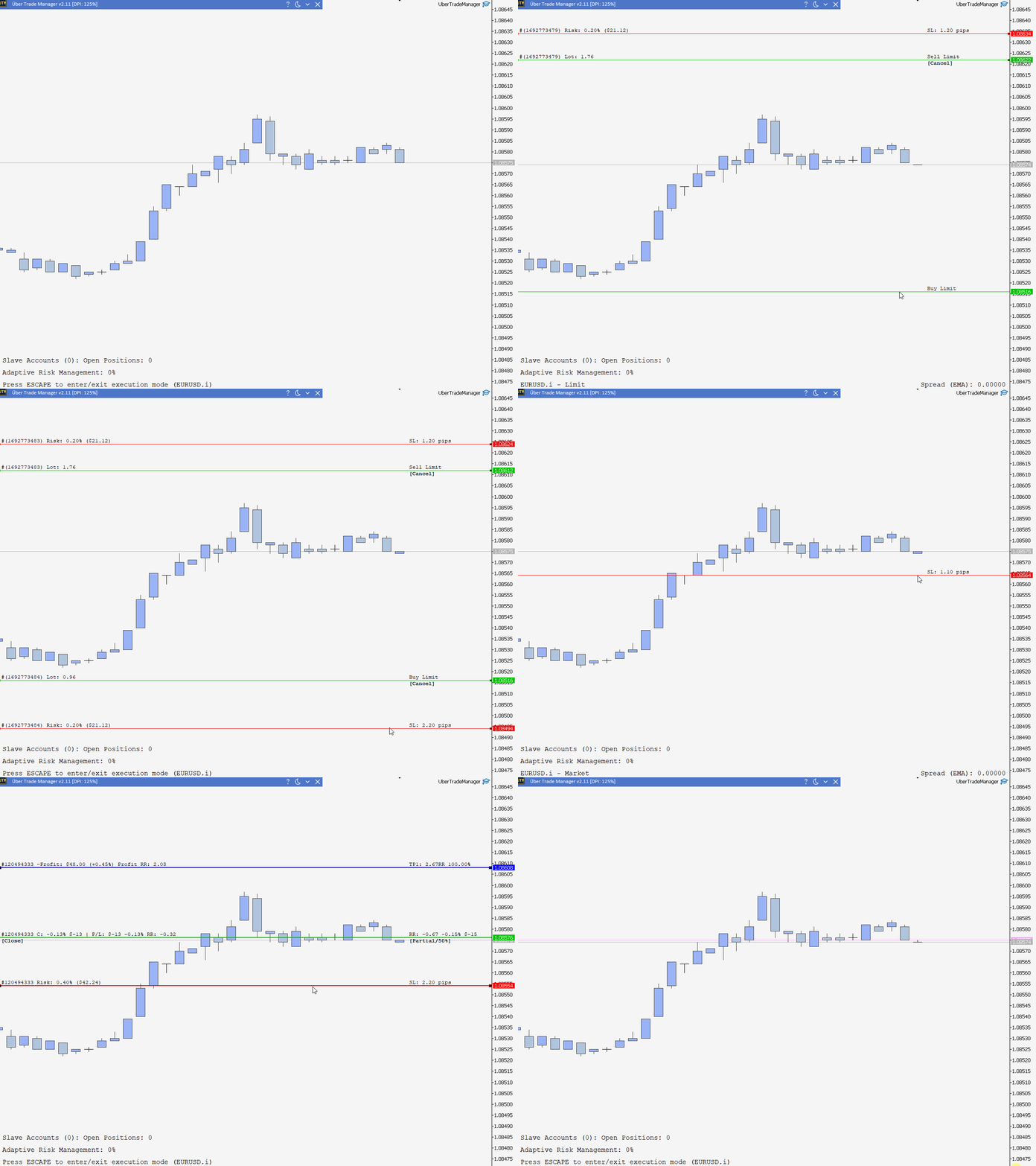
Trade Execution: Enter trades easily with one-click by defining the entry and stop loss prices on the chart. The system automatically calculates lot sizes based on your risk settings and can handle multiple positions simultaneously.
-
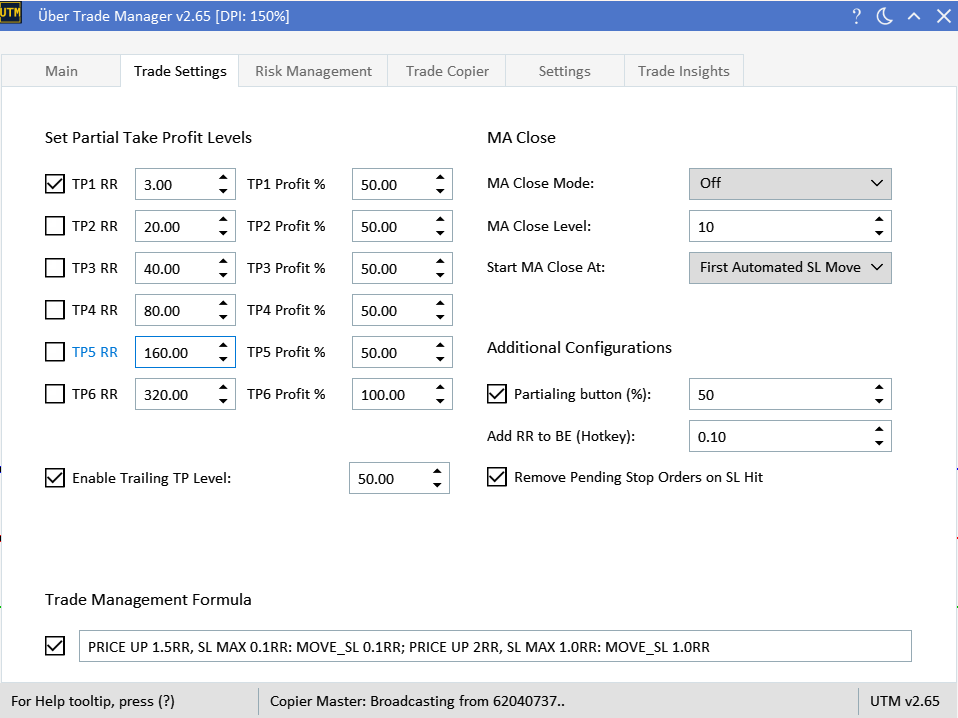
Flexible Trade Management: Set flexible partial take profit levels with specific risk-to-reward (RR) ratios, employ trailing by RR stop losses for advanced trade management or use it to automatically move to break-even, or use the MA-based close for dynamic trailing stop losses.
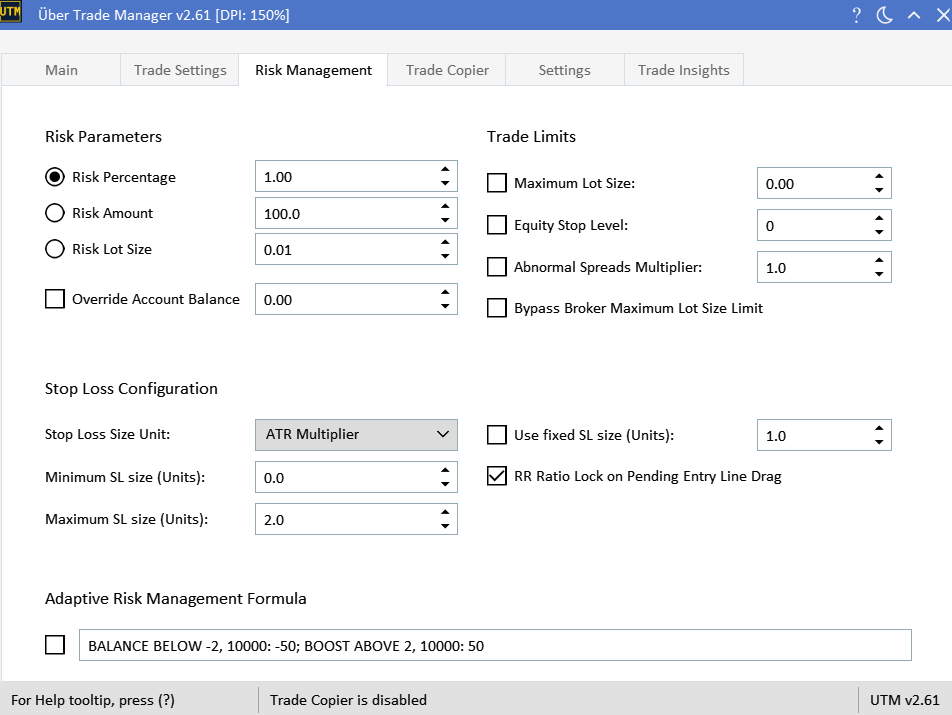
- Adaptive Risk Management: Seamlessly adjust risk parameters using the innovative Adaptive Risk Management Formula Language, tailored for both balance and drawdown-based strategies.
-
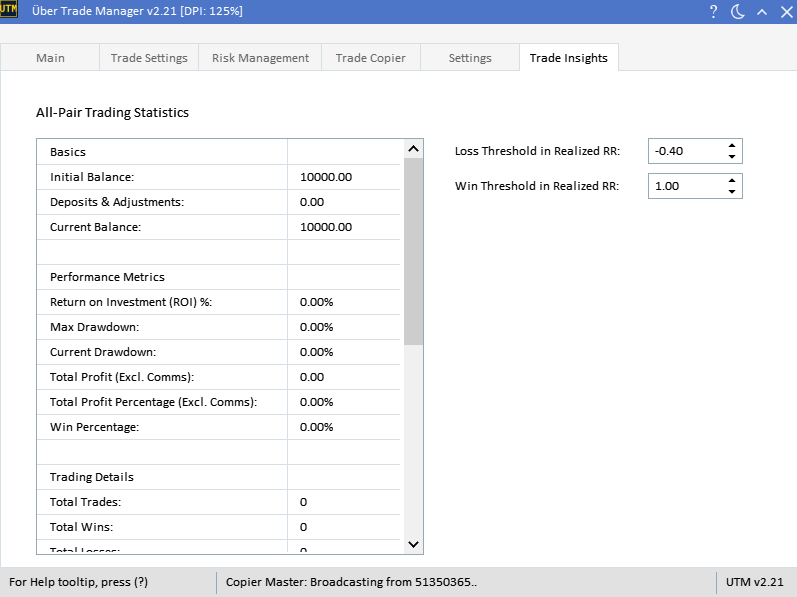
Trading Insights: Dive into detailed statistics, from basic account info to performance metrics and trading details.
-
User Interface: A user-friendly GUI with in-built tooltips for added guidance, and easy saving/loading of settings.
-
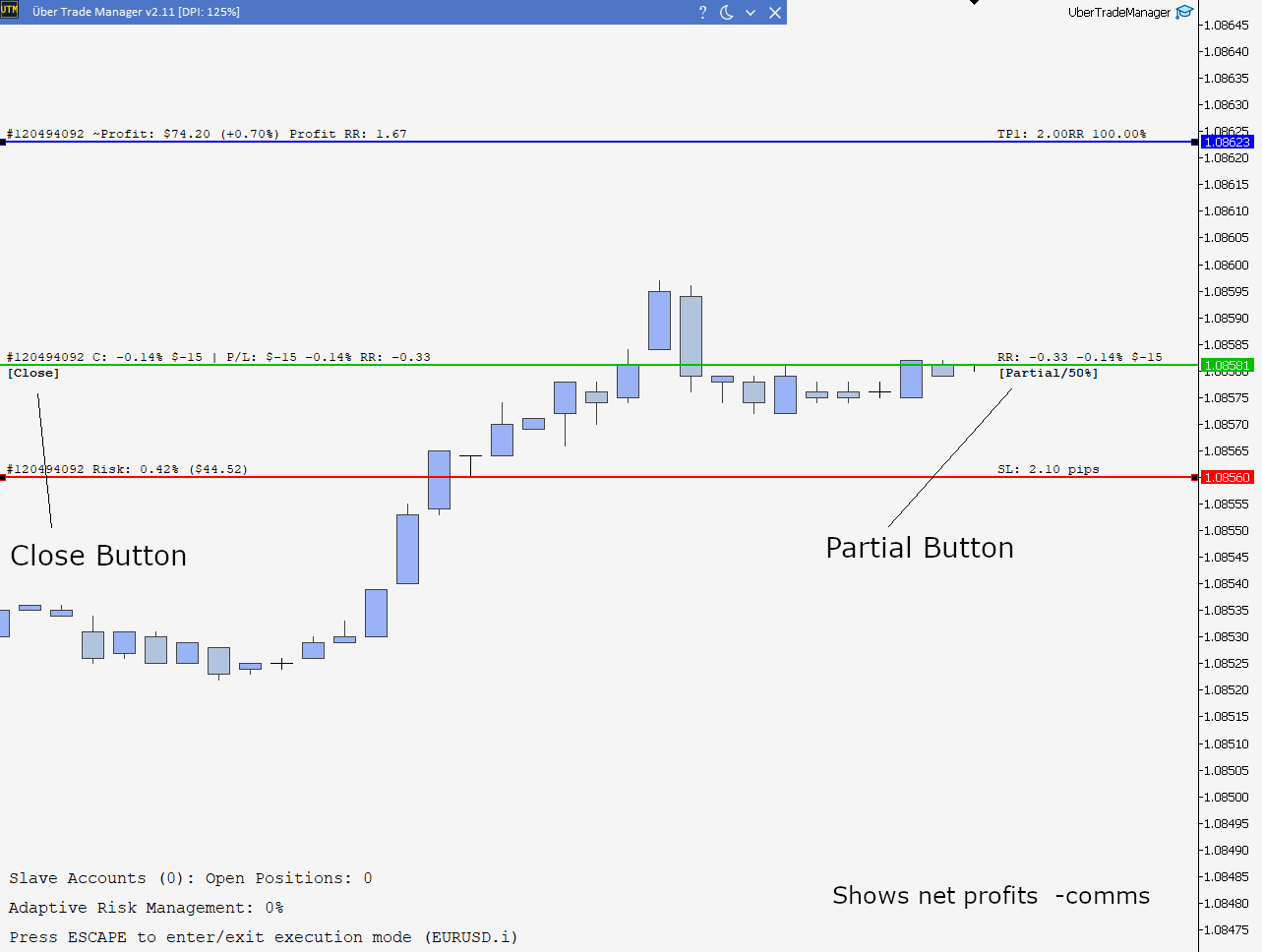
Position Customization: Adjust and customize all positions directly from the chart by dragging the lines.
-
On-Chart Buttons: Quick controls for partial/full closing of positions, and cancelling pending orders.
-
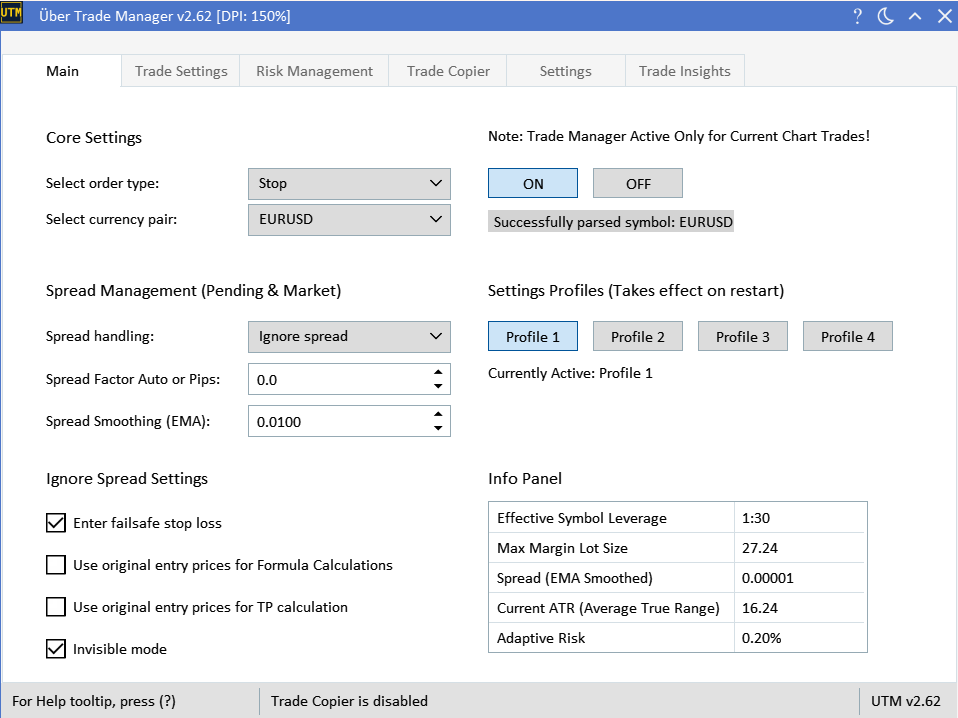
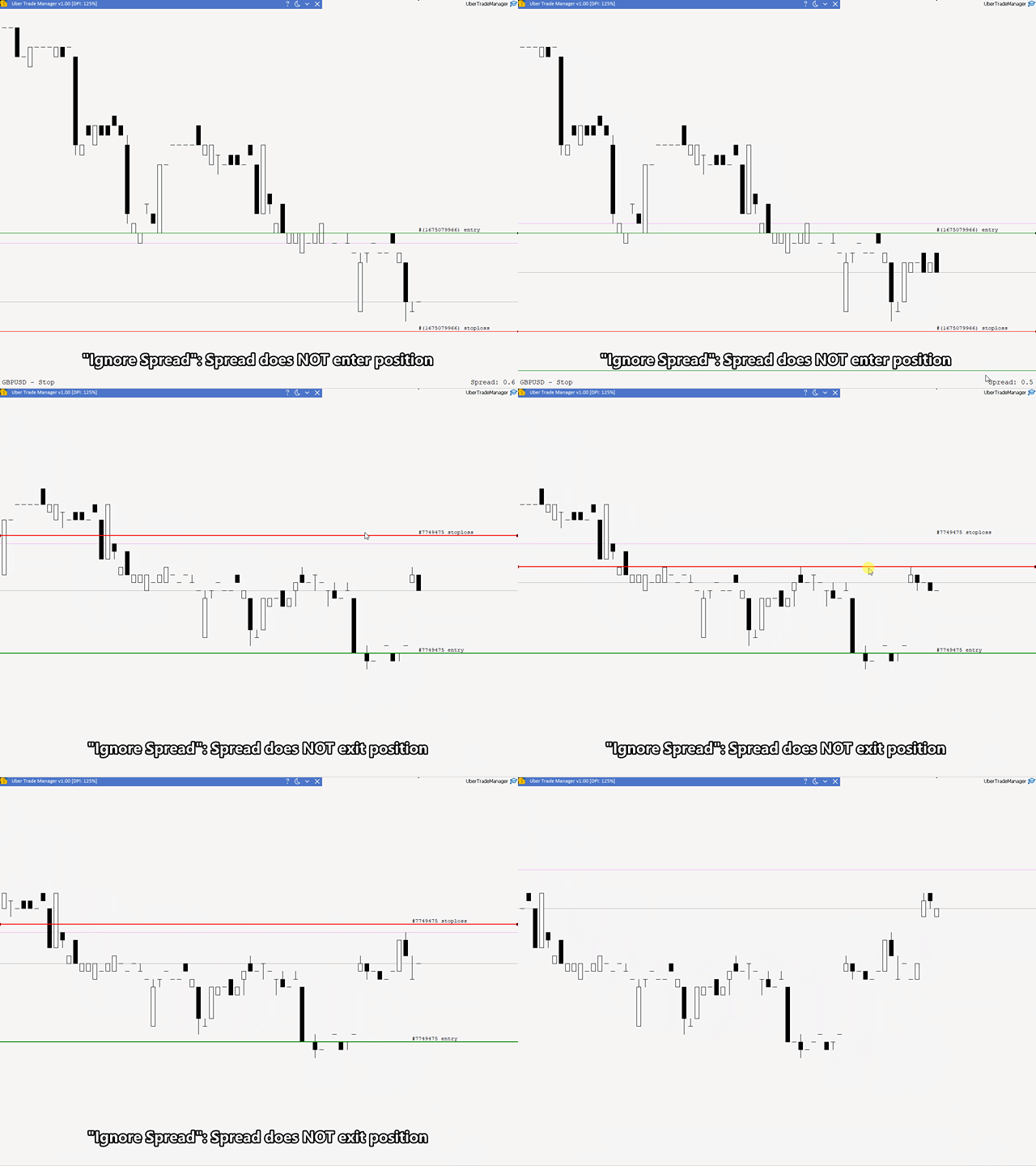
Advanced Spread Handling: Trade at candle prices with the "Ignore Spread" mode or factor in a specific amount of spread to protect against fluctuations with the "Spread Factor" mode.
-
Invisible Trades: Hide all orders, including market orders, entry and stop losses, from your broker with the 'Spread Ignore' and 'Spread Ignore: Invisible' modes.
-
Stop Loss Protection: Use a fixed stop loss size for enhanced risk management, or establish minimum and maximum stop loss size limits to ensure your stop loss never goes below or exceeds certain thresholds (ATR or Pips/Points).
-
Trade Limits: Maximum lot size cap, equity stop level.
-
Broker Limit Bypass: Bypass the broker's maximum lot size limit.
-
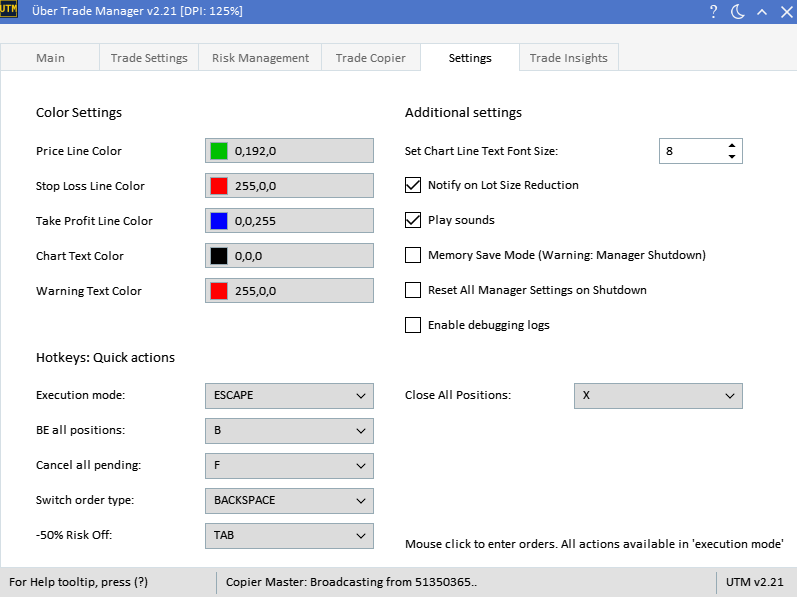
Hotkeys: Implement quick actions such as setting positions to break-even, cancelling orders, switching order types, or closing all open positions.
-
Trade Notifications: Receive sound alerts for entry, stop loss, take profit, and when stop pending orders are missed due to price reversals.
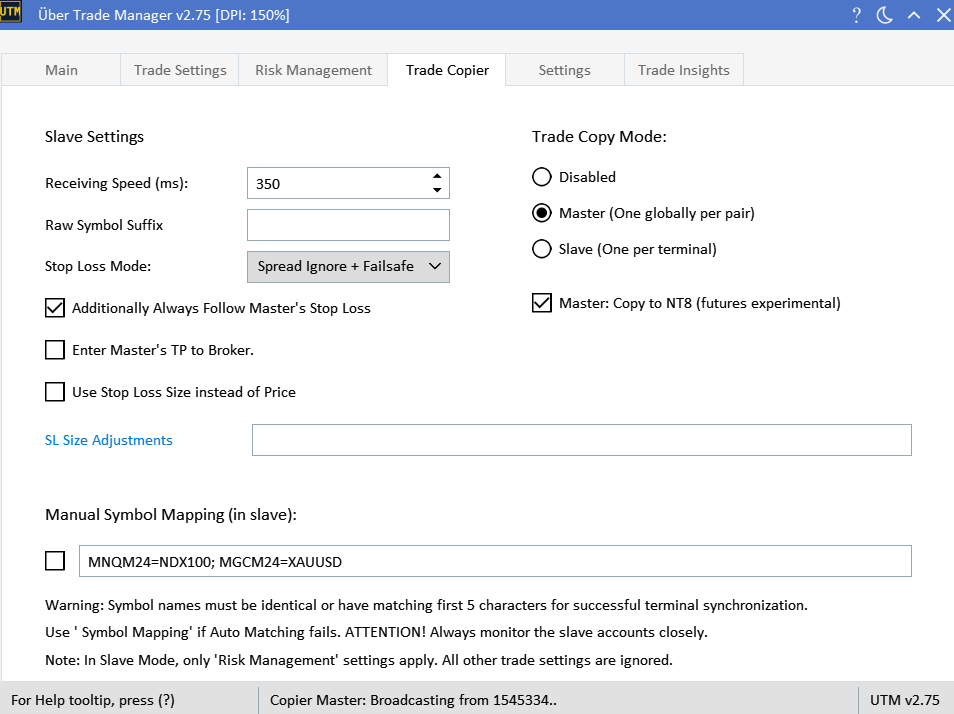
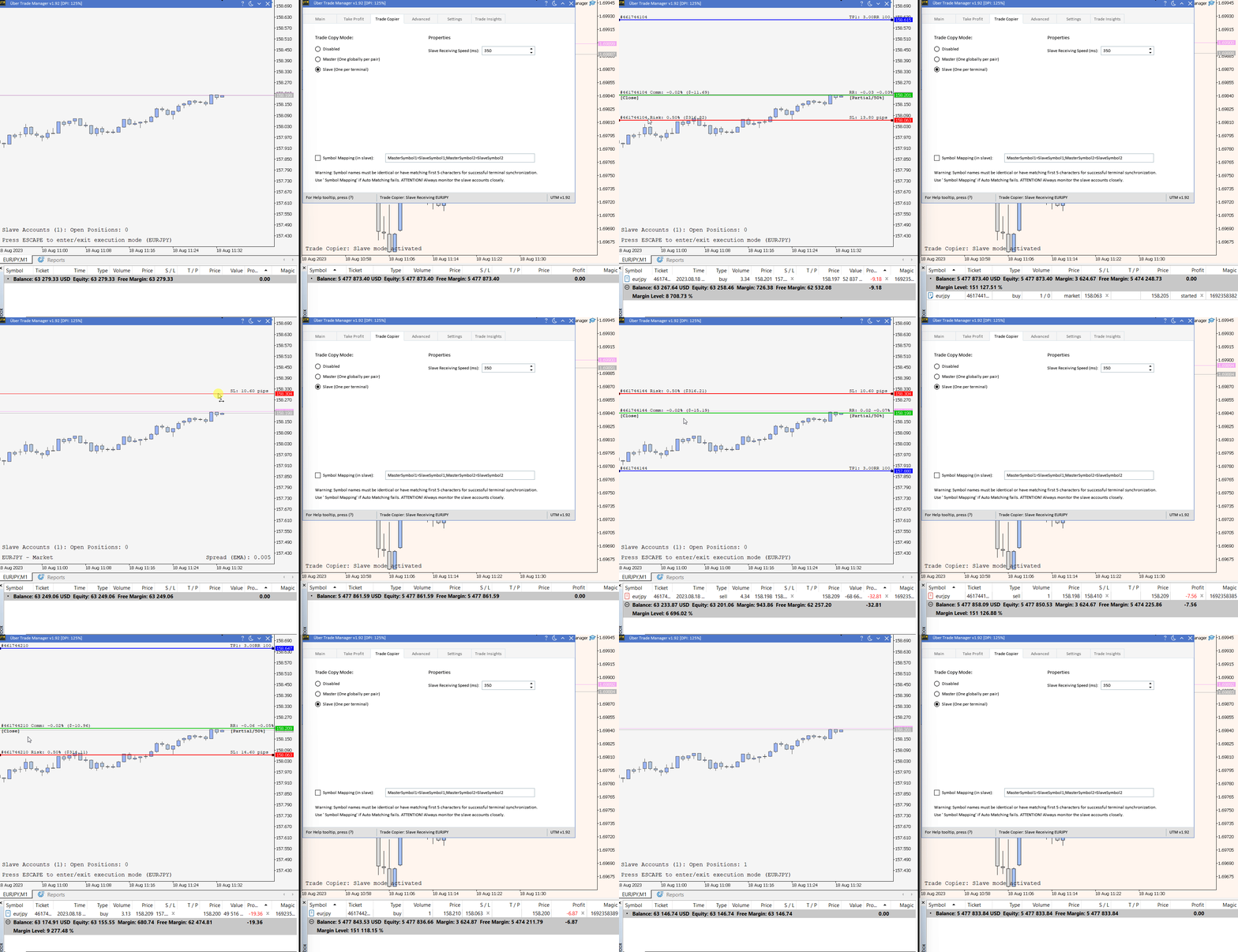
- Local Trade Copier: Synchronize trades across multiple MT5 installations with customizable risk settings on each slave. Allows copying between MT5 CFD <> MT5 Futures accounts. Also with experimental copying to NT8 futures accounts support.
-
Compatibility: Forex, CFD's (metals, crypto, indices, agriculture, stock) and Futures. Seconds Chart MT5, Tested on Windows only (non ARM version, read requirements).
For more detailed information, consulting the UTM Guide is essential.
REQUIREMENTS:
Please read the requirements in the beginning of UTM Guide carefully before making a purchase. (Especially MAC M1's)
PLEASE NOTE:
-
All hotkeys are available only in 'execution mode'.
-
The manager must be running on the same chart for take profit/partial close orders and for the 'Ignore spread mode' feature to work properly. However, if you have a 100% close percentage at TP1, and are not using the 'Ignore spread invisible mode', the manager will enter the TP level to the broker directly.
- To avoid confusion, the "Ignore Spread" mode is intended for advanced traders who understand how bid, ask, and spreads work in trading. If you believe the manager's risk calculation seems incorrect, please refer to troubleshooting section and guides to ensure you fully understand how the "Ignore Spread" mode operates.
-
'Ignore Spread mode' is designed to ignore spreads on the chart for precise candle/bid execution prices. However, this might lead to additional costs or commissions. For instance, in a losing sell trade, this mode may incur an extra cost due to the spread added to the stop loss size, slightly increasing the overall loss. Similarly, buy entries will have a slightly higher 'real' entry due to the difference between the BID and ASK prices. Therefore, the tradeoff is either you pay a little extra in commission for more accurate prices or you don't.
-
After activating the EA on a PC/VPS, it binds exclusively to that device. You can run multiple MT5 terminals for copy trading on the same device without needing extra activations.
-
Consulting to the "Getting Started" section of the UTM Guide is essential!
CAUTION:
-
Refrain from updating the UTM version if you have active trades that need managing.
-
A stable internet connection is essential when using Ignore Spread mode since most orders are market executed and not directly entered with the broker. Delays could occur with a poor connection. Ensure your internet connection is reliable when using this mode.
This product is intended for experienced traders only. Use at your own risk and understand that any financial outcomes are your own responsibility.








































Been using a while now and really helpful for my trading and also great functionality. Will be purchasing a longer term version when my 3 months expires.