Zone Commander HexTrade Manager
- Utilities
- Version: 1.10
- Updated: 27 October 2026
- Activations: 10

Zone Commander – HexTrade Manager: plan, place and manage your trades on the chart
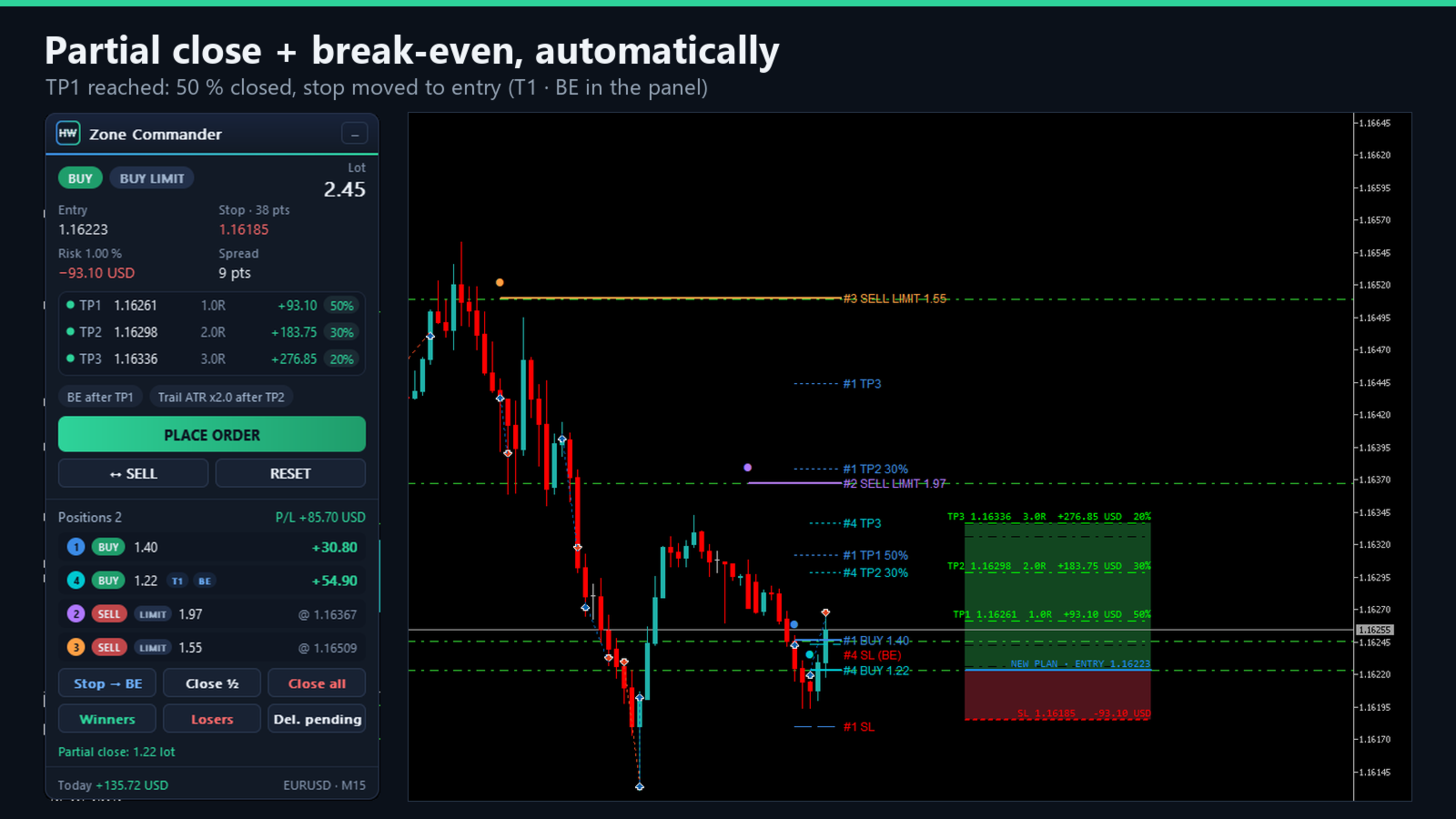
Draw the trade on the chart, check risk and targets in your account currency, place it with one click — and let Zone Commander take care of the rest: partial close at TP1 and TP2, break-even, trailing stop, several positions at once and a daily loss limit.
Panel and messages in 8 languages: English, German, Spanish, Portuguese, French, Italian, Russian, Turkish.
PLAN
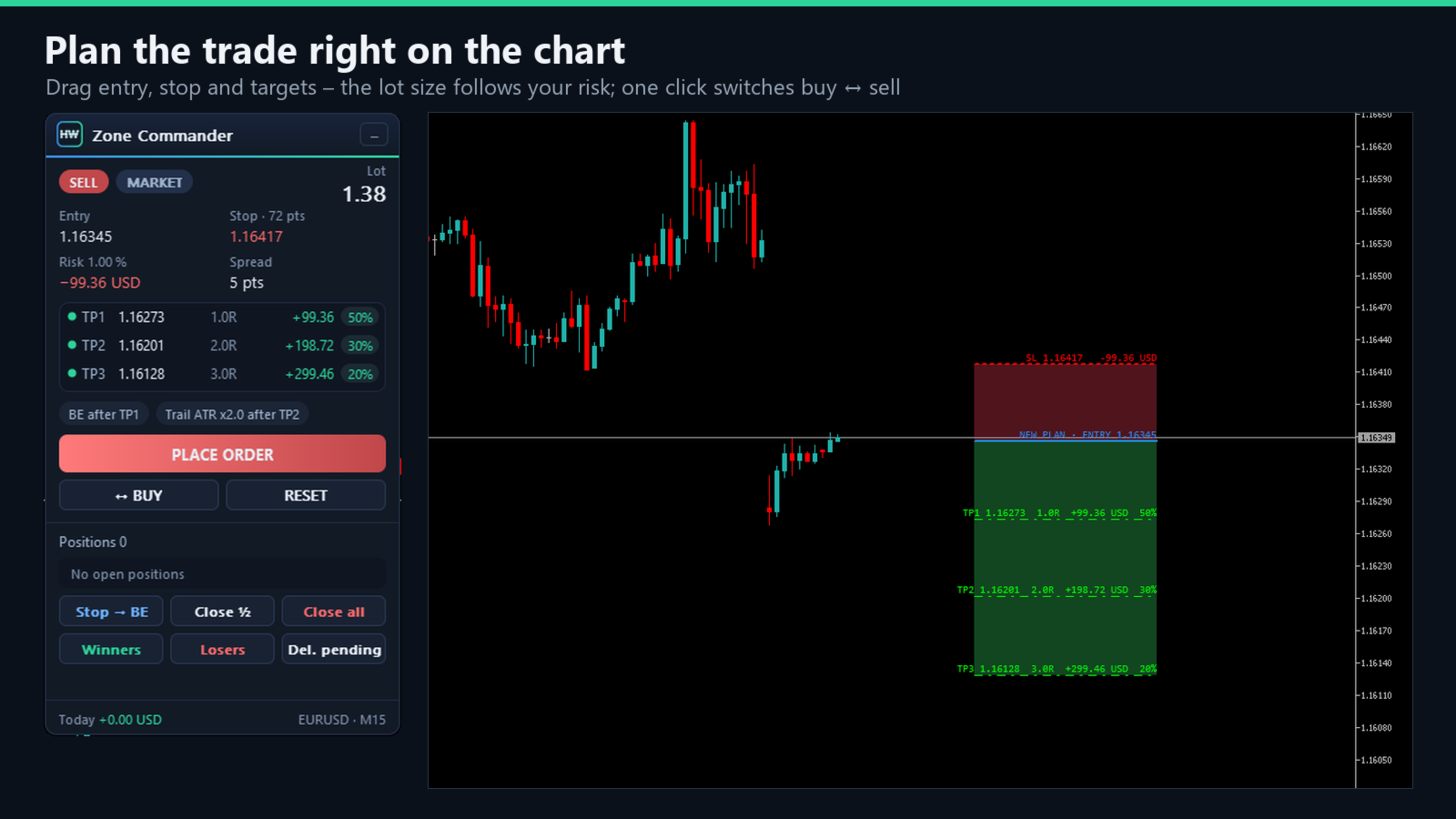
- Drag ENTRY, STOP and TP1 / TP2 / TP3 individually with the mouse. Grab inside the box to move the whole setup.
- The lot is calculated from your risk: % of balance, % of equity, a fixed amount of money — or a fixed lot.
- Stop and every target are shown in your account currency and as R multiple, right on the line and in the panel.
- Direction and order type are automatic: stop below entry = BUY, above = SELL; entry at the price = market order, otherwise Limit or Stop. One button mirrors the setup to the other side.
- Spread lock: a market order is only sent when the spread is not above your maximum.
- Warning when the smallest possible lot carries more risk than you set.
- Red/green boxes can be switched off — then only the lines are shown.
MANAGE
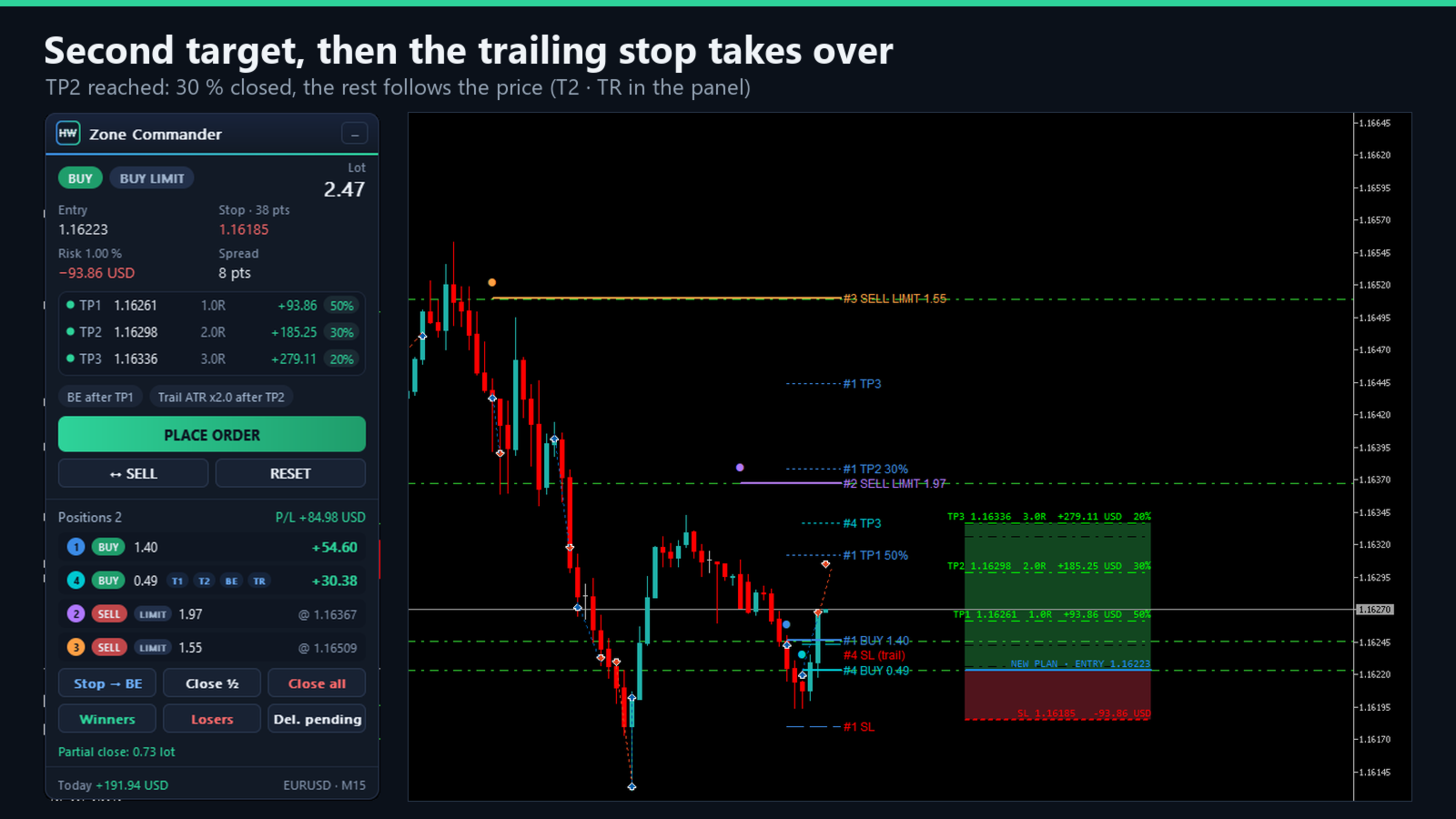
- Partial close at TP1 and TP2 — you choose the share of the starting lot (default 50 % / 30 %).
- The rest closes at TP3 — or runs without TP3 until the stop or the trailing stop ends it.
- Break-even: the stop moves to entry plus a small buffer after TP1, after TP2 or after a move of x R. Or with one click on "STOP TO BE".
- Trailing stop in 3 ways: fixed distance in points, ATR × multiplier, or low / high of the last candles. It starts right after entry, after TP1 or after TP2 and only ever moves in your favour.
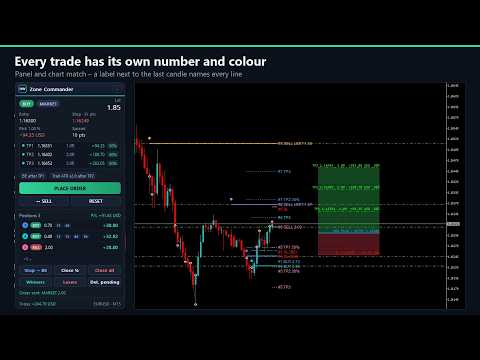
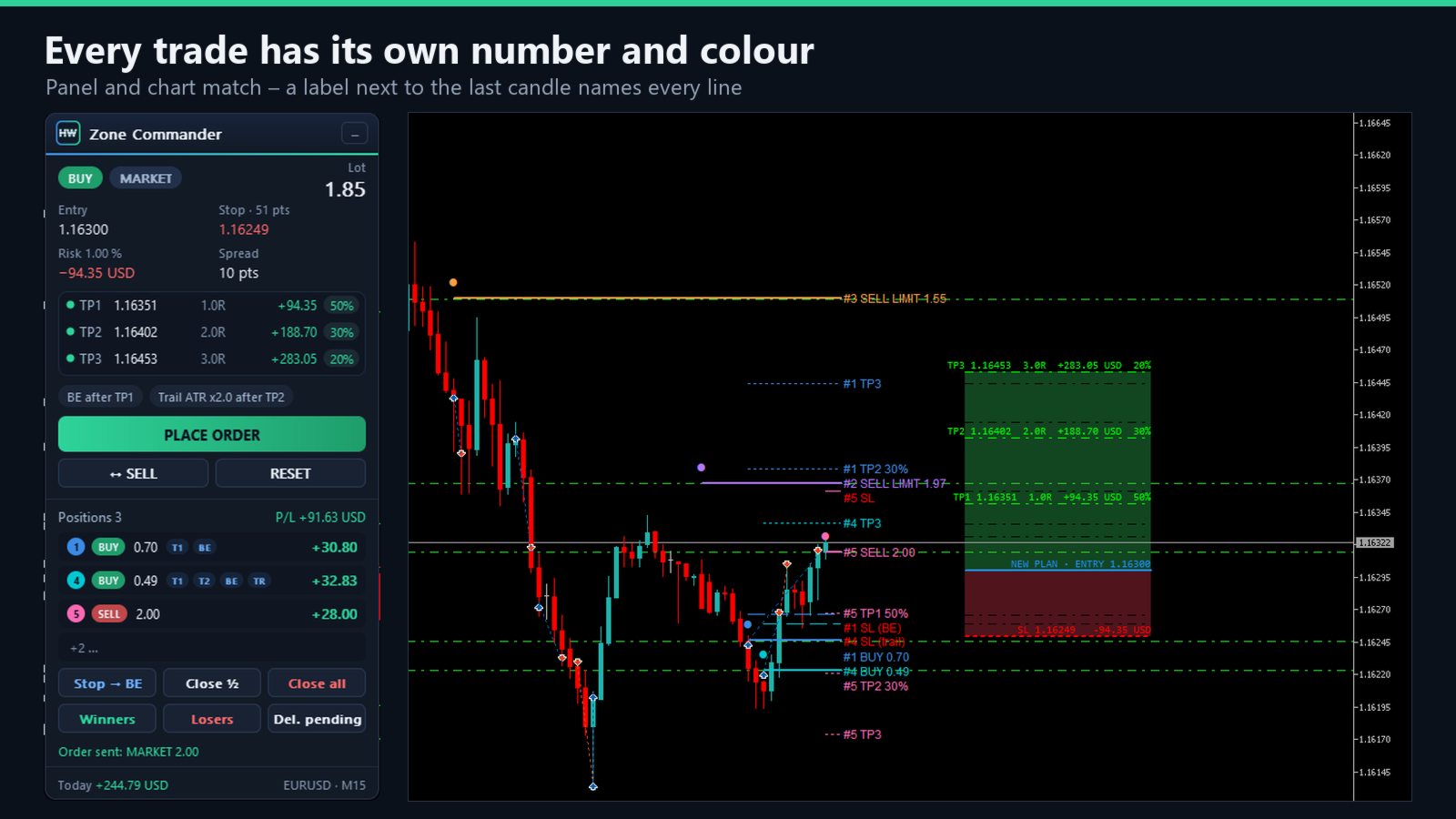
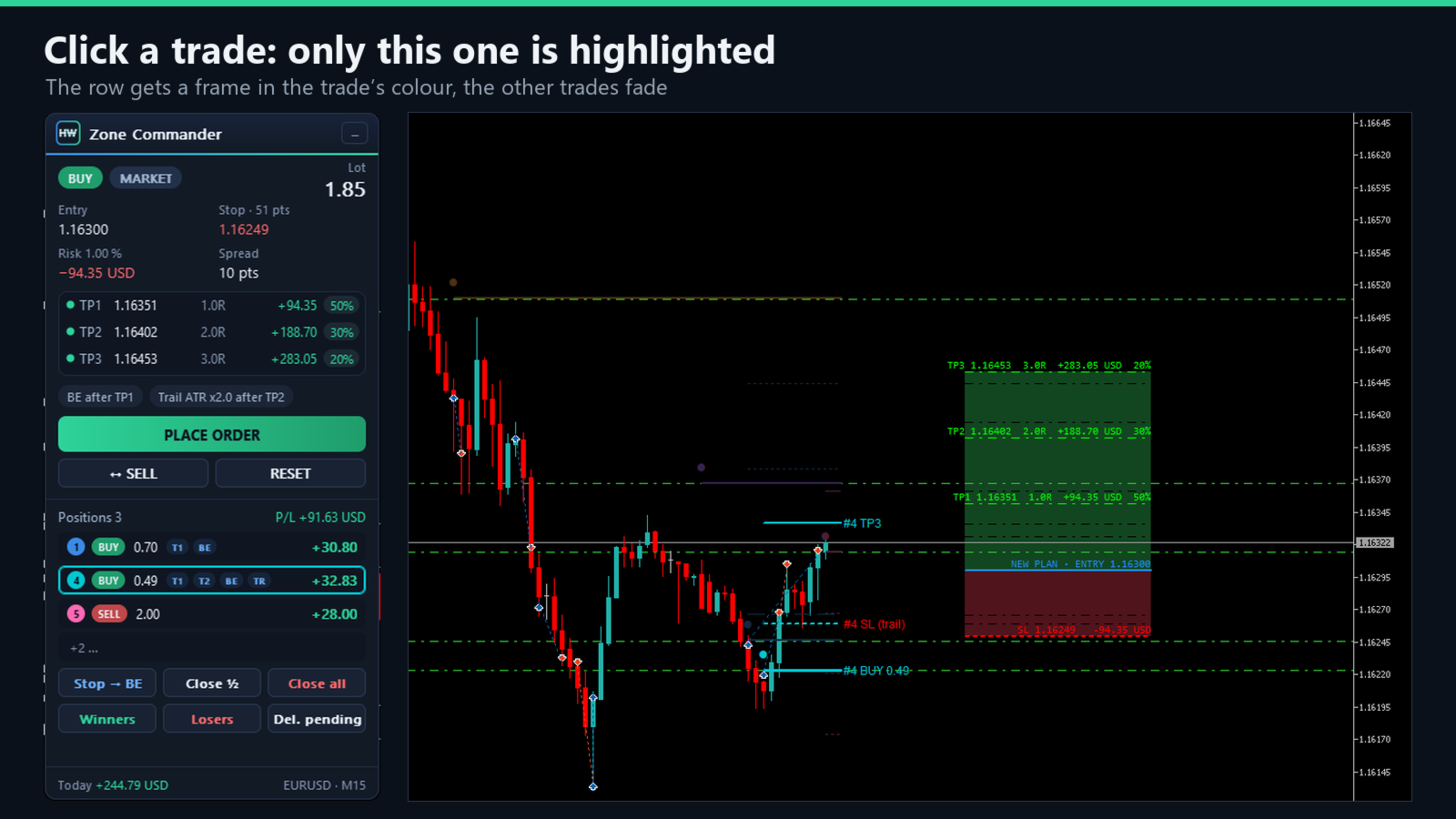
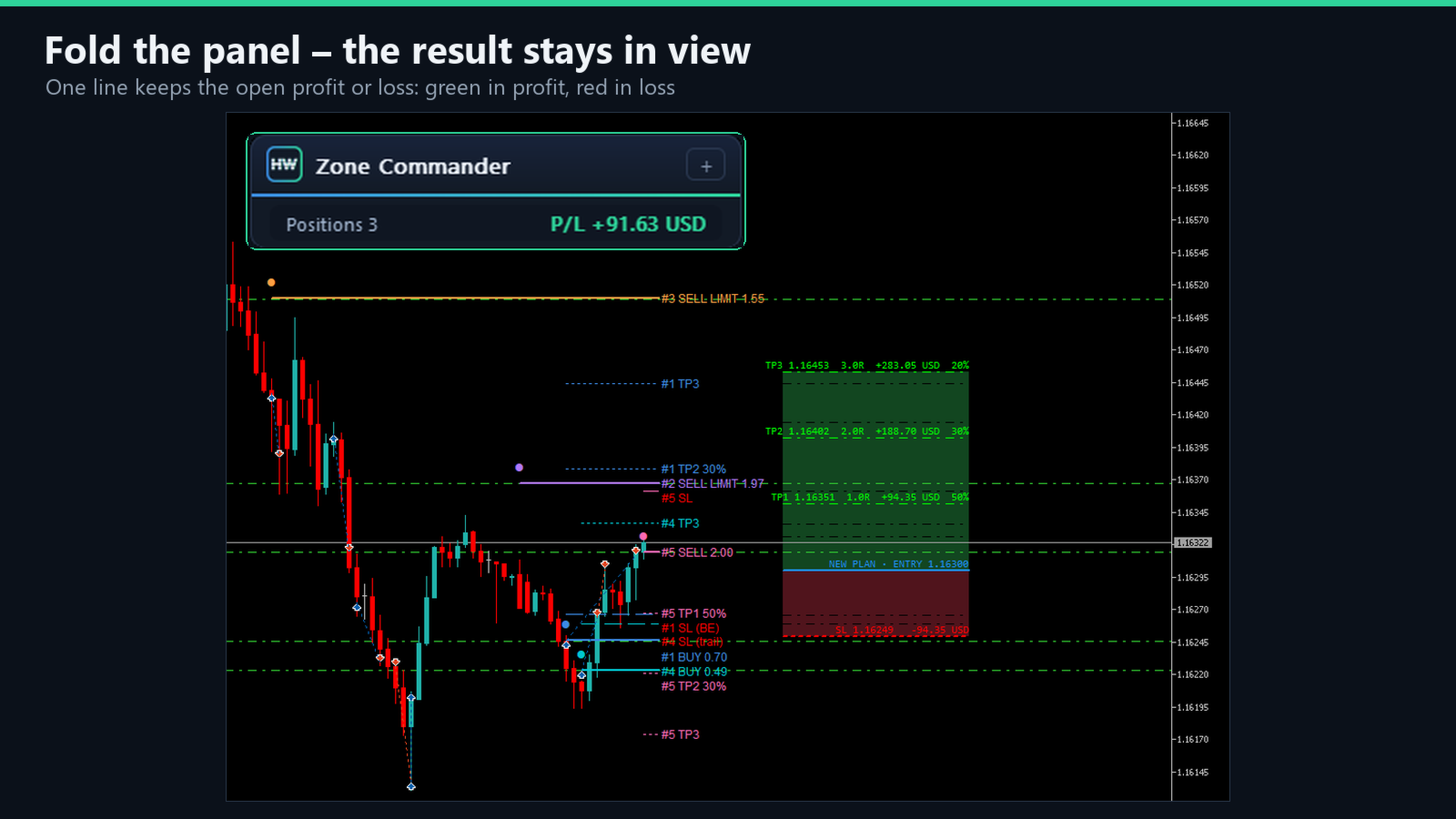
- Several trades at once, each with its own plan. Every trade gets a number and its own colour – the same in the panel and on the chart. Its lines start where it was opened and carry a label (#2 SL, #2 TP1 50 % …), so you always see which stop and target belongs to which trade. Click a row in the panel to highlight that one trade.
- Fold the panel down to its title bar: one line still shows the open result in your account currency — green in profit, red in loss.
- Optional: also manage manual trades (opened from the phone app or the MT5 order window) on the same symbol, based on their stop distance.
PROTECT
- Buttons: Stop → BE · Close ½ · Close all · Winners · Losers · Del. pending — point at a button and a short help line explains it. They only touch the trades this tool manages on this symbol.
- Daily loss limit: when the loss of the day reaches your limit (% of the day-start balance), no new orders are sent until the next day. Optionally all positions and pending orders of the account are closed at that moment.
RELIABLE
- The plan of every trade is stored in the terminal, so management continues after a restart of MetaTrader or a timeframe change.
- Double-click protection: a second click does not send a second order.
- The chart never stays frozen: a missed mouse release is detected and the chart is released automatically.
- One instance manages a symbol: a second chart of the same symbol shows the panel and leaves the management to the first.
- No DLLs, no internet access, no external files.
Try it before you buy
The Strategy Tester does not pass mouse clicks to tools, so in the free demo (visual mode) Zone Commander places example trades by itself — buy and sell in turn — and you can watch partial close, break-even and the trailing stop at work. On a live chart this never happens: there only you place orders.
Settings — what each one does
Language
- Display language — panel and messages in EN / DE / ES / PT / FR / IT / RU / TR.
Risk and lot size
- Risk measured as — % of balance, % of equity, fixed amount (account currency) or fixed lot.
- Risk per trade — the % or the amount for the option above (default 1 %).
- Fixed lot — used when "Fixed lot" is chosen.
Targets and partial close
- TP1 / TP2 / TP3 start distance — where the three targets appear, as multiples of the stop distance (1R / 2R / 3R). After that every line can be dragged freely.
- Close at TP1 / Close at TP2 — share of the starting lot closed at each target (50 % / 30 %).
- The rest of the position — close at TP3, or no TP3 (the rest runs).
Break-even
- Move the stop to break-even — off, after TP1, after TP2 or after a move of x R.
- … after a move of x R — used for the last option.
- Stop this far beyond entry — buffer in points so that costs (spread, commission) are covered.
Trailing stop
- Trailing stop — off, fixed distance, ATR × multiplier, or low / high of the last candles.
- Trailing starts — right after entry, after TP1 or after TP2.
- Distance in points / ATR period / ATR multiplier / candles back / timeframe — the values for the chosen method.
- Move the stop in steps of at least — avoids many tiny changes.
Order
- Stop distance at start — where the stop sits when the tool is loaded or reset.
- Entry this close to price = market order — otherwise a Limit or Stop order is placed.
- Max spread for market orders — 0 = off.
- Max price deviation — allowed slippage.
- Magic number — marks the tool's trades; the buttons and the management only touch these.
Managed trades
- Also manage manual trades — trades without magic number (phone app, MT5 order window) on this symbol get a plan from their stop distance.
Daily loss limit
- Daily loss limit — % of the day-start balance (server day), 0 = off.
- At the limit also close all trades of the account — closes every position and pending order of the account once the limit is reached.
Appearance
- Show boxes · panel position · zone width · grab range of the lines · colors · hide MT5's own trade lines on this chart (on by default; they come back when the tool is removed).
Strategy Tester
- Tester only: place example trades automatically — the demo trades described above; no effect on a live chart.
Good to know
- Works on any symbol and timeframe of the MetaTrader 5 desktop terminal, on hedging accounts (the usual account type for Forex and CFDs).
- Stop and TP3 are part of the order at the broker. Partial closes, break-even and the trailing stop are done by the tool, so MetaTrader must be running (for example on a VPS).
- With the smallest lot (for example 0.01) a position cannot be split; the partial close is then skipped and break-even and trailing still work.
- Algo Trading must be switched on. You place every order yourself with the button — on a live chart the tool never opens a trade on its own.
⚠️ Disclaimer
Trading foreign exchange and derivatives on margin carries a high level of risk. Zone Commander is a tool for placing and managing orders and does not guarantee any profit. Past results are no indicator of future results. Always trade with appropriate risk management.