Tailor Gold
- Experts
-
Saeid Soleimani
 I'm an algorithmic trading specialist and AI researcher based in Canada with a Ph.D. in Artificial Intelligence from the University of Toronto.
 - Version: 10.0
- Activations: 7
Tailor Gold
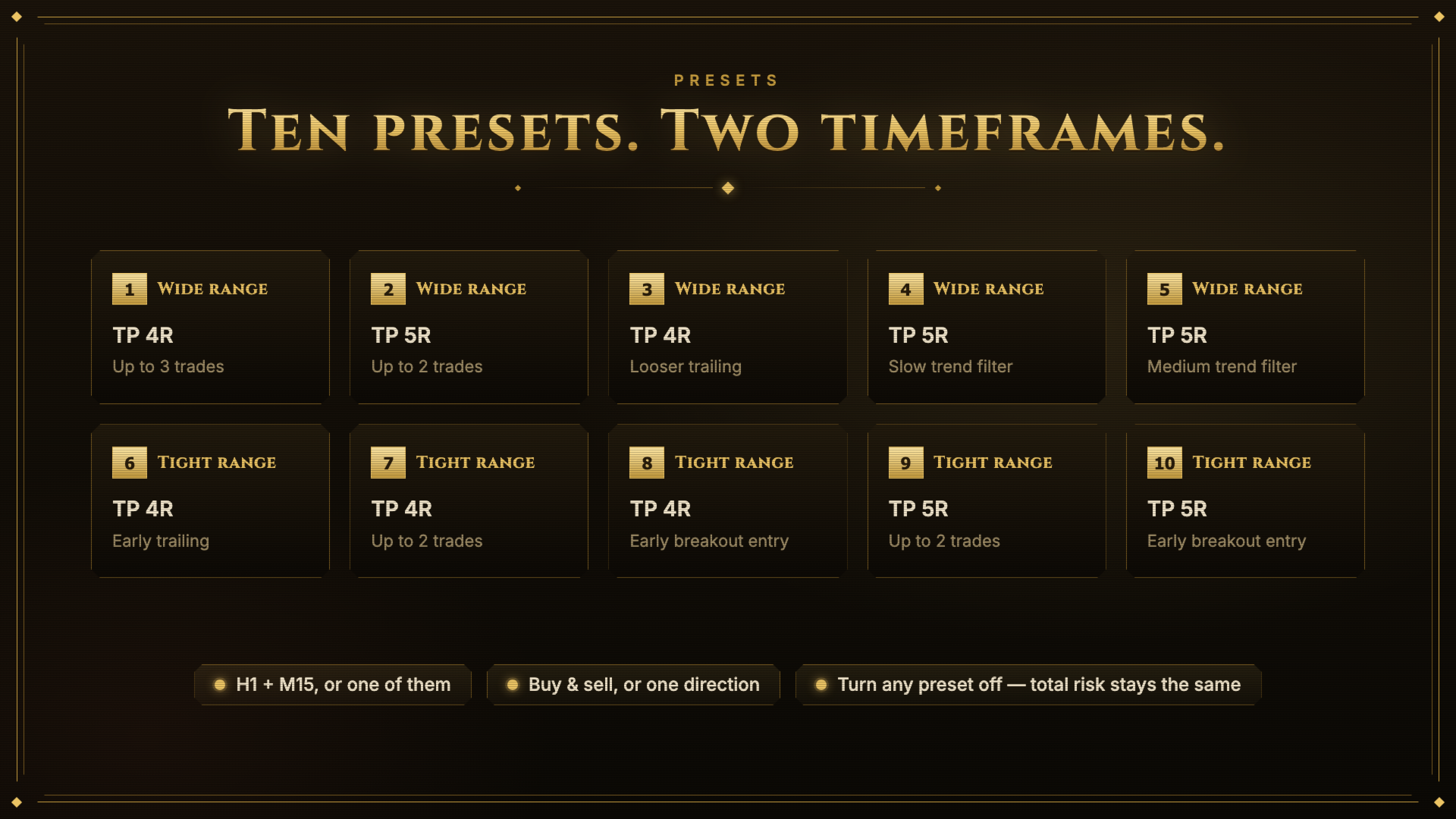
Tailor Gold is an Expert Advisor for XAUUSD. It trades on two timeframes at the same time and uses ten independently optimized parameter sets (presets). All presets run under one magic number and share one risk setting, so the total risk per signal stays the same no matter how many presets are enabled.
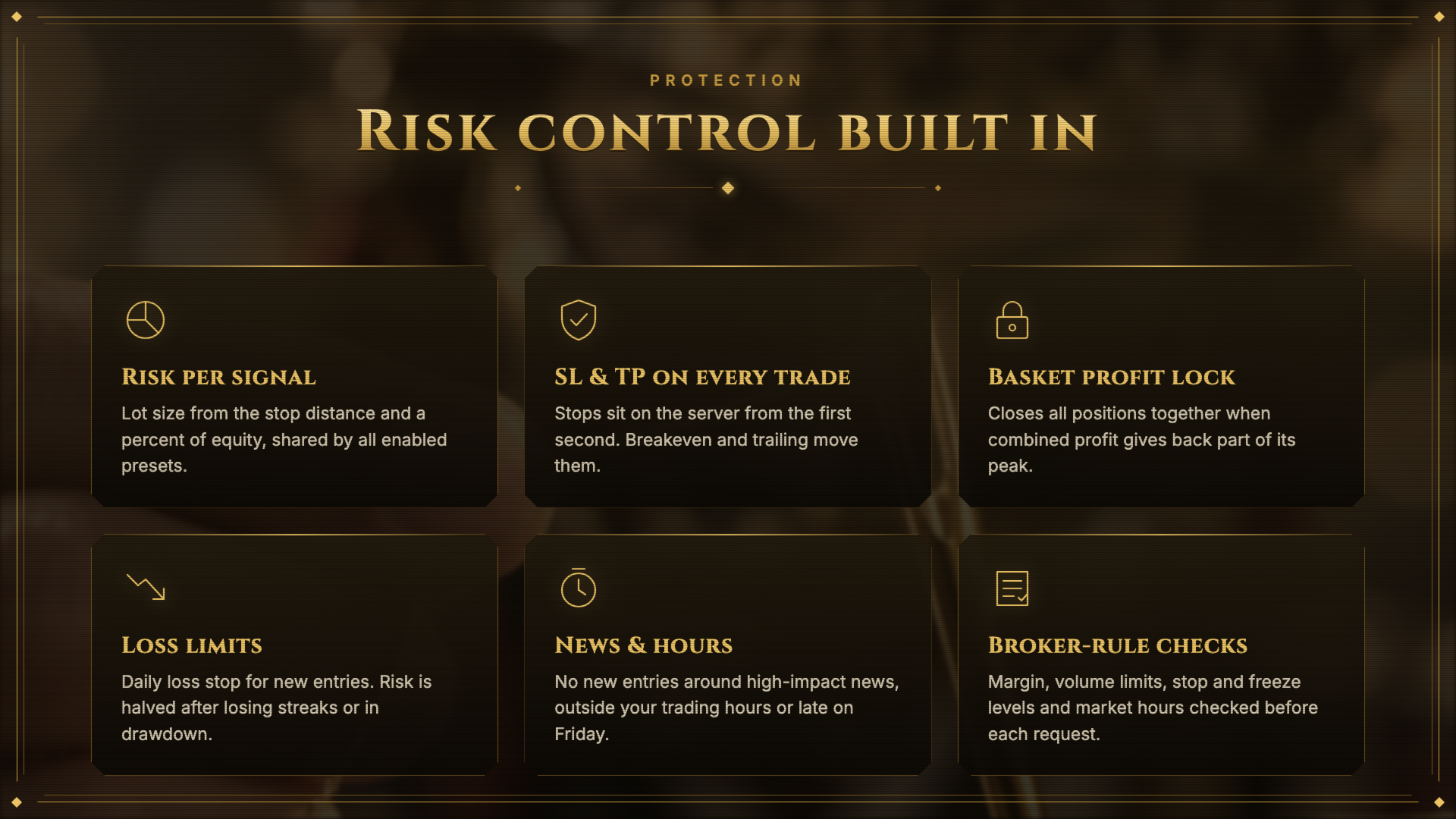
- Every position is opened with a stop loss and a take profit.
- No grid, no martingale, no averaging into losing positions.
- Extra positions are added only when the existing ones are already protected at breakeven.
- Lot size is calculated from the stop loss distance and the risk percentage.
- Optional basket lock closes all positions together after open profit gives back part of its peak.
- Optional news filter, trading hours, daily loss limit and drawdown-based risk reduction.
- Broker rules are checked before every order: trading permission, symbol trade mode, volume limits, stops and freeze levels, free margin.
Price
The price rises by 30 USD after every 10 copies sold.
| Copies sold | Price |
|---|---|
| 1 - 10 | 79 USD (current) |
| 11 - 20 | 109 USD |
| 21 - 30 | 139 USD |
| 31 - 40 | 169 USD |
| 41 and later | +30 USD every 10 copies |
Requirements
| Item | Requirement |
|---|---|
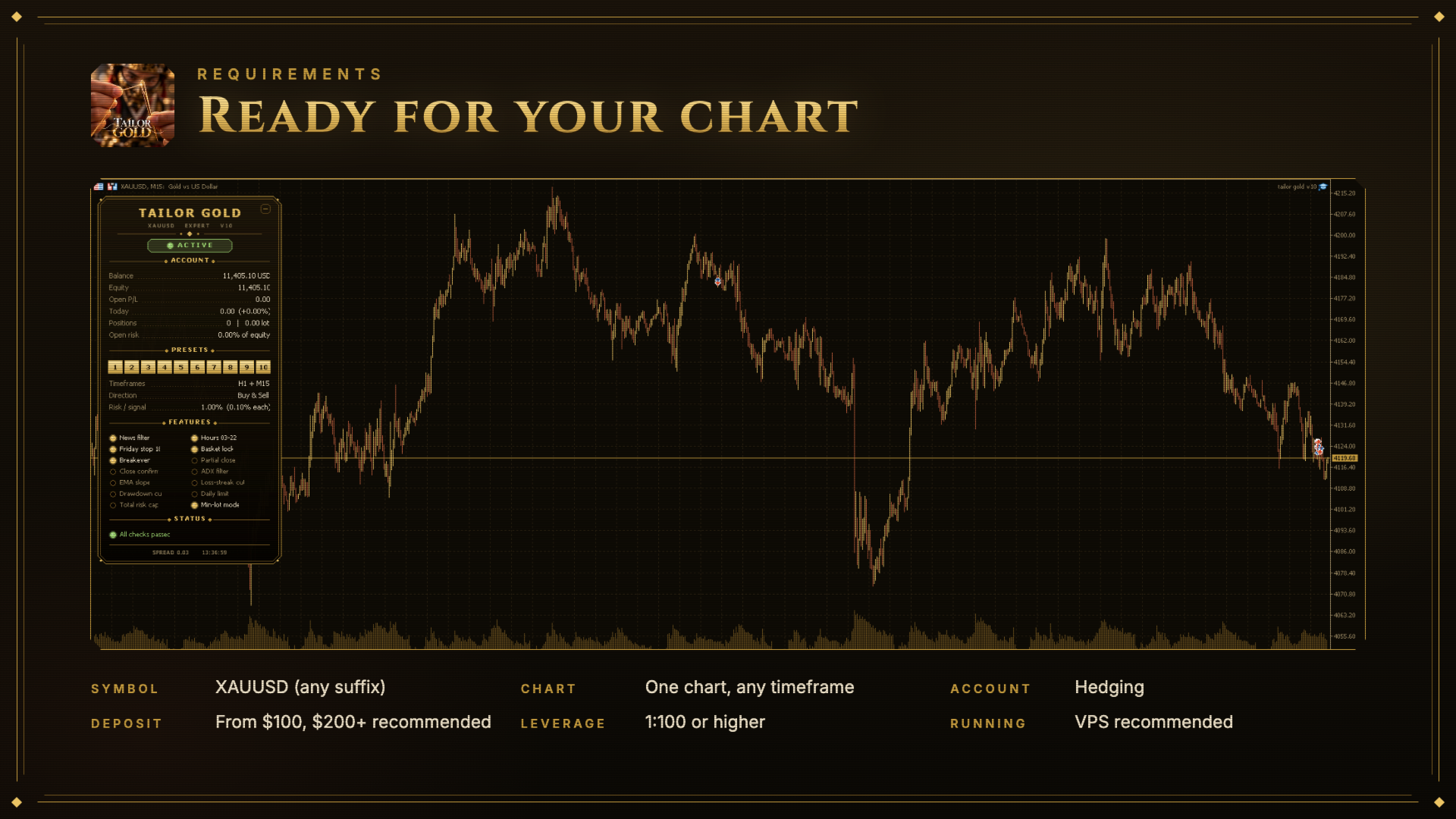
| Symbol | XAUUSD (any broker suffix, e.g. XAUUSD.m, GOLD) |
| Chart timeframe | Any. The EA uses the timeframes set in the inputs (default H1 and M15). |
| Account type | Hedging (netting accounts are not supported) |
| Minimum deposit | 100 USD, recommended 200 USD or more |
| Leverage | 1:100 or higher |
| Broker | Low spread on gold, raw/ECN accounts preferred |
| Charts needed | One chart. Do not run two copies with the same magic number. |
| Running | VPS recommended for uninterrupted operation |
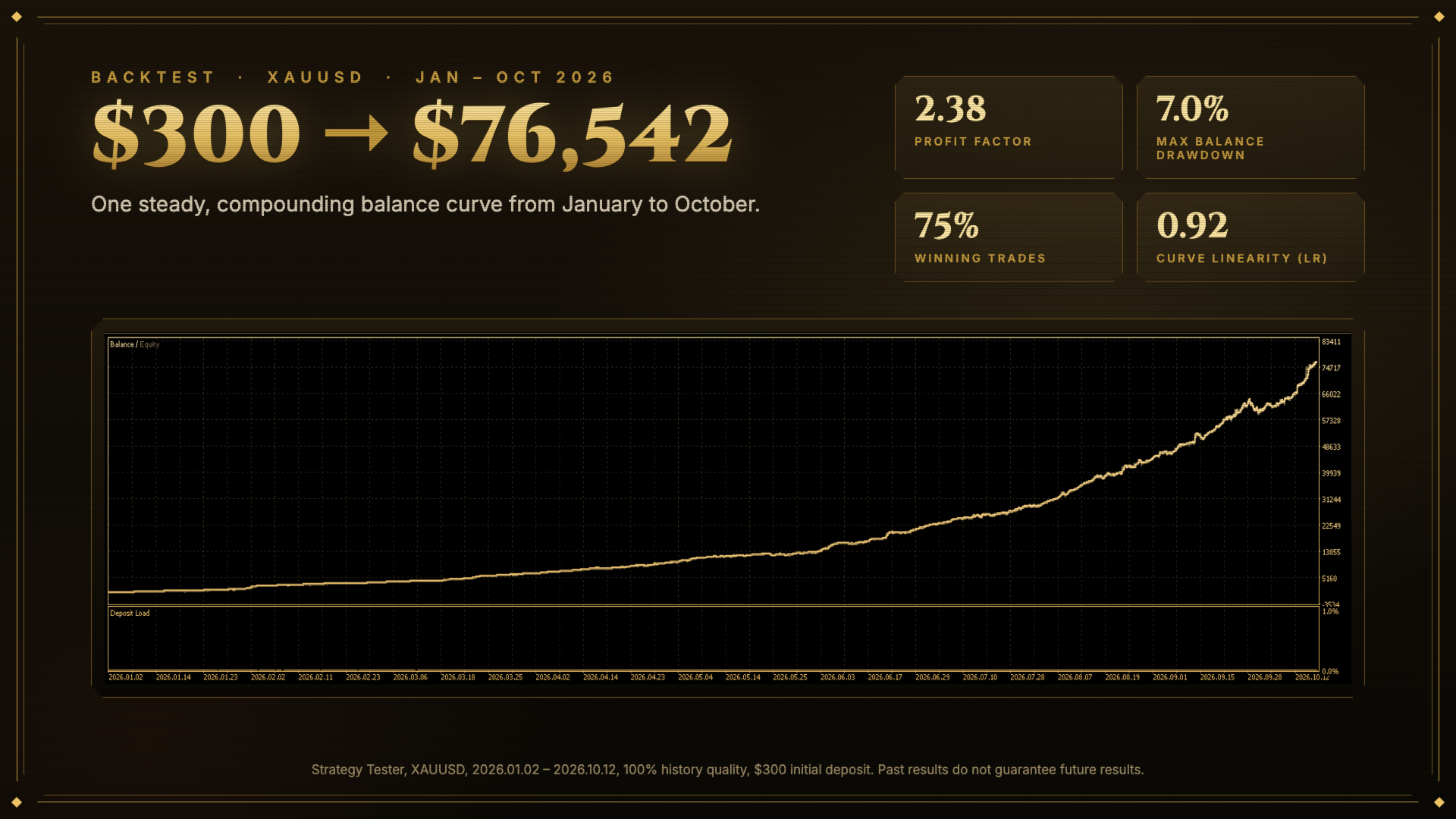
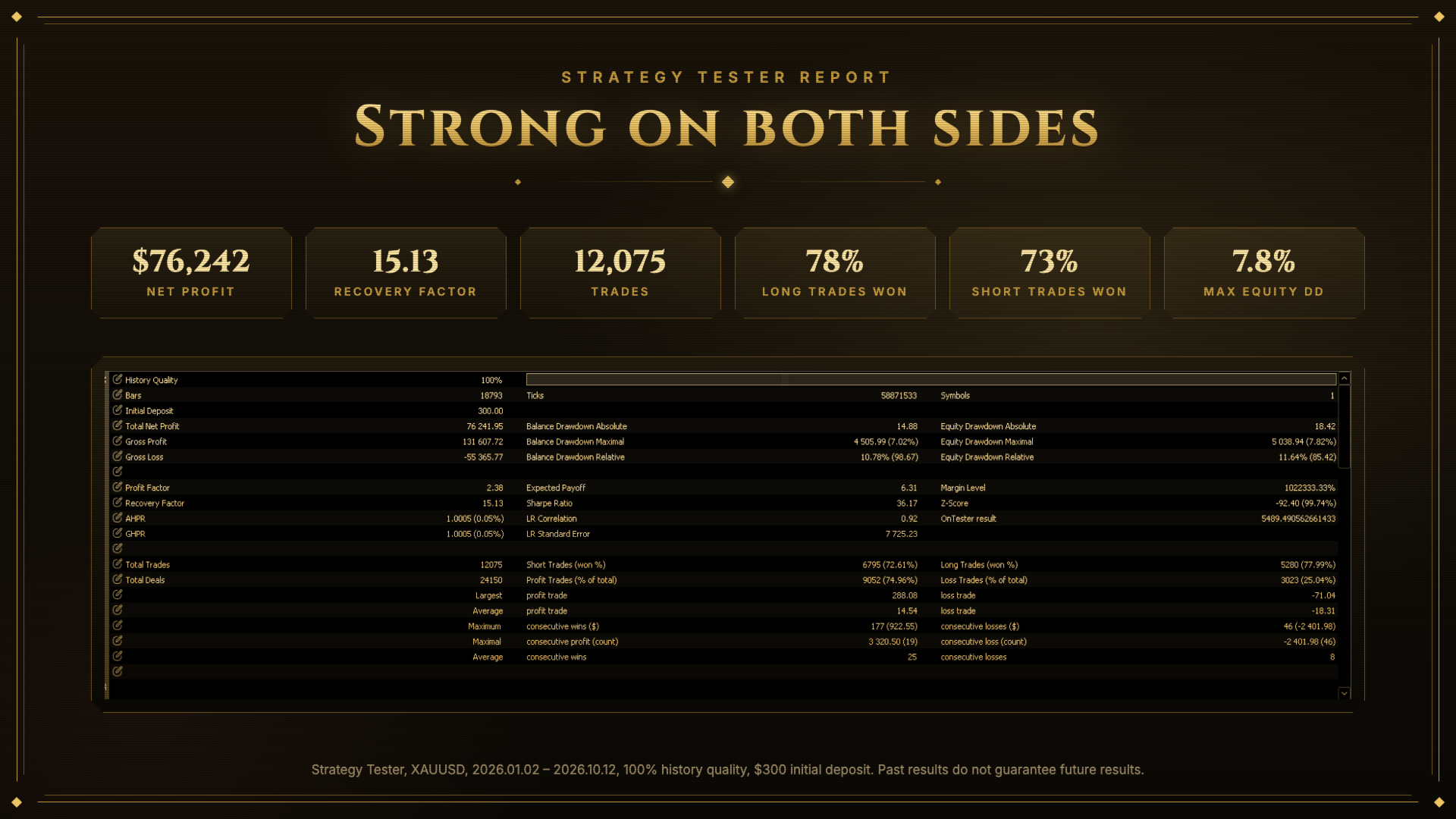
| Backtest | "Every tick based on real ticks". The news filter is not active in the Strategy Tester. |
Inputs
1. General
| Input | Description |
|---|---|
| Magic number | ID of the EA's positions. Change it only if another EA on the account uses the same number. |
| Timeframe 1 / Timeframe 2 | The two timeframes the EA trades on. Default H1 and M15. |
| Trade on | Both timeframes, timeframe 1 only, or timeframe 2 only. |
| Allowed direction | Buy and sell, buy only, or sell only. |
2. Trading hours (server time)
| Input | Description |
|---|---|
| Open new trades from / until | Hours in which new positions may be opened. Open positions are managed at all times. |
| Friday: no new trades from | No new positions on Friday after this hour. |
| News filter | No new positions 60 minutes before and after high-impact news for the symbol's currencies. Live trading only. |
3. Presets
| Input | Description |
|---|---|
| Preset 1 - 10 | Turn each preset on or off. Each one has its own optimized settings. "Wide range" presets accept larger market ranges than "tight range" ones; the label also shows the take profit in R and the main difference of that preset. Disabling presets does not change the total risk per signal. |
4. Position size
| Input | Description |
|---|---|
| Risk per signal, % | Percent of equity risked per signal, split across the enabled presets. Set 0 to use fixed lots. |
| Fixed lots | Lot size used when risk is 0. |
| Max lots per trade | Upper limit for one position (0 = broker maximum). |
| Min lot allowance, % | When the calculated lot is below the broker minimum, the minimum lot is used only if the total open risk stays under this percent (0 = skip the trade). |
| Max total open risk, % | Limit for the combined risk of all open positions (0 = no limit). |
5. Risk protection
| Input | Description |
|---|---|
| Halve risk after N losses | Risk is halved after this many losing trades in a row (0 = off). |
| Halve risk in drawdown, % | Risk is halved while equity is this percent below its peak (0 = off). |
| Daily loss limit, % | No new positions for the rest of the day after this loss (0 = off). |
6. Entry
| Input | Description |
|---|---|
| Wait for a bar close | true = enter only after a candle closes beyond the entry level, false = enter as soon as the level is touched. |
| Max entries per signal | How many times one signal may be traded in each direction. |
| Max positions per preset | Limit for positions, including added ones, per preset and timeframe (0 = preset value). |
7. Trend filters
| Input | Description |
|---|---|
| Min H1 ADX / ADX period | Trade only when trend strength on H1 is at least this value (0 = off). |
| H4 EMA slope bars | The H4 trend must point in the trade direction over this many bars (0 = off). |
8. Exits (1R = initial stop loss distance)
| Input | Description |
|---|---|
| Take profit in R | One take profit for all presets (0 = each preset's own value). |
| Breakeven after x ATR | Stop loss moves to breakeven when price moves this far in profit (0 = off). |
| Partial close at x R / size % | Close part of the position at this profit, then move the stop loss to breakeven (0 = off). |
9. Basket profit lock
| Input | Description |
|---|---|
| Give back % | All positions close together when the combined open profit falls this percent from its peak. |
| Activate at % of balance | Lock starts when open profit reaches this percent of balance. |
| Activate per 0.01 lot | Lock starts at this profit per 0.01 lot open. Overrides the percent setting. |
| Activate at x ATR | Lock starts at this average move per position. Overrides both settings above. Set all three to 0 to turn the lock off. |
10. Optimizer
| Input | Description |
|---|---|
| Optimization score | Custom criterion for the Strategy Tester: profit / drawdown, or profit / drawdown multiplied by the smoothness of the balance curve. |
11. Panel
| Input | Description |
|---|---|
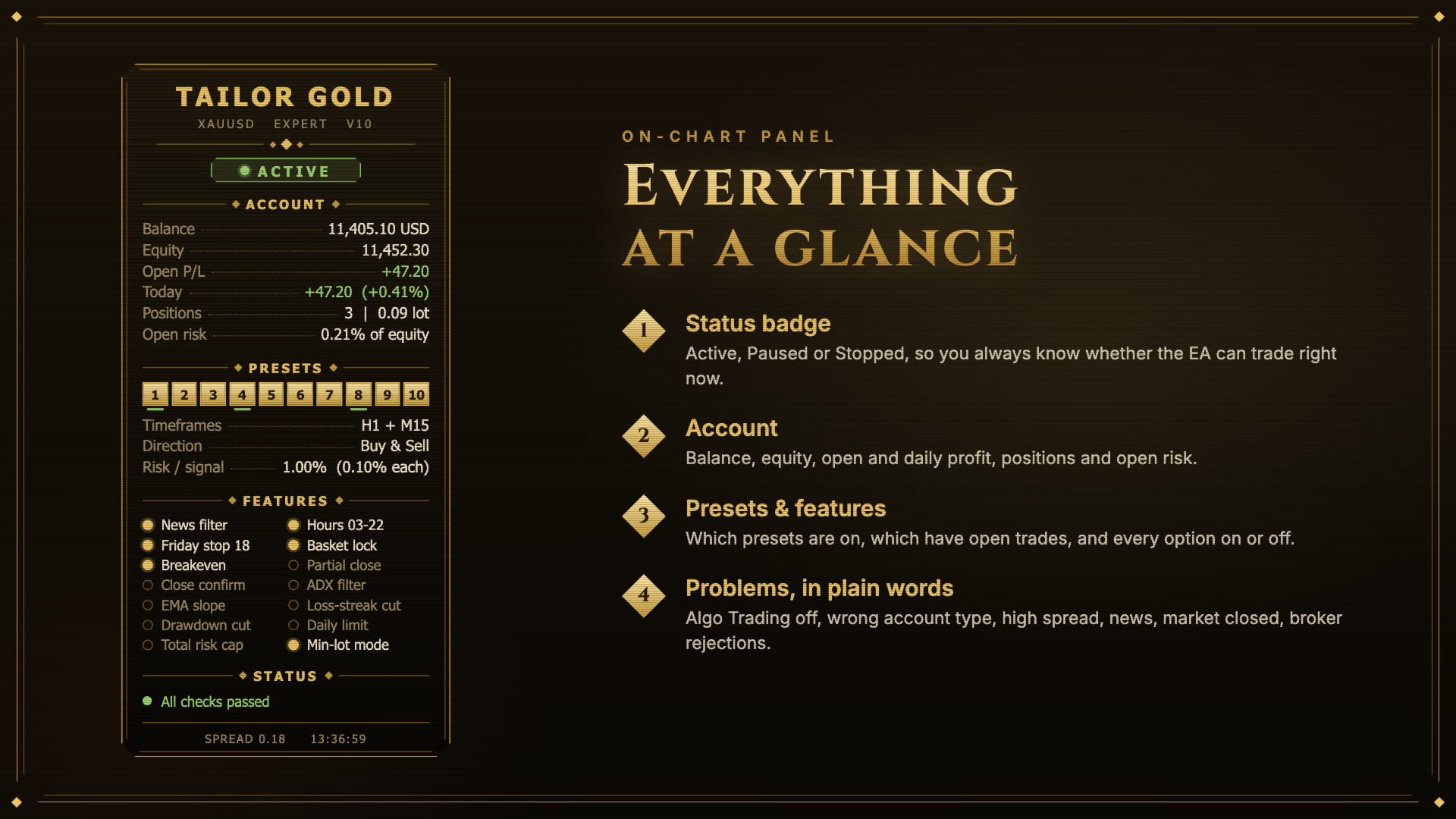
| Show the info panel | Panel on the left of the chart with account values, enabled presets and features, and current warnings. Click its header to collapse it. |
| Panel distance from left / top | Position of the panel in pixels. |
| Gold chart colors | Applies chart and candle colors that match the panel. The original colors are restored when the EA is removed. |
Notes
- Start with the default settings and test them in the Strategy Tester on your broker's data before trading live.
- Trading hours use the broker's server time.
- Past results do not guarantee future results. Trading gold carries a high level of risk.