TradeControl Pro
- Utilities
-
TPS Akademie UG
 The TPS Academy is an educational platform in the field of forex trading that provides ambitious traders with practical, actionable strategies and tools. Our focus is on comprehensible, structured training—from forex beginners to advanced professionals.
 - Version: 1.0
- Activations: 10
TradeControl Pro – Advanced Trade Manager for MetaTrader
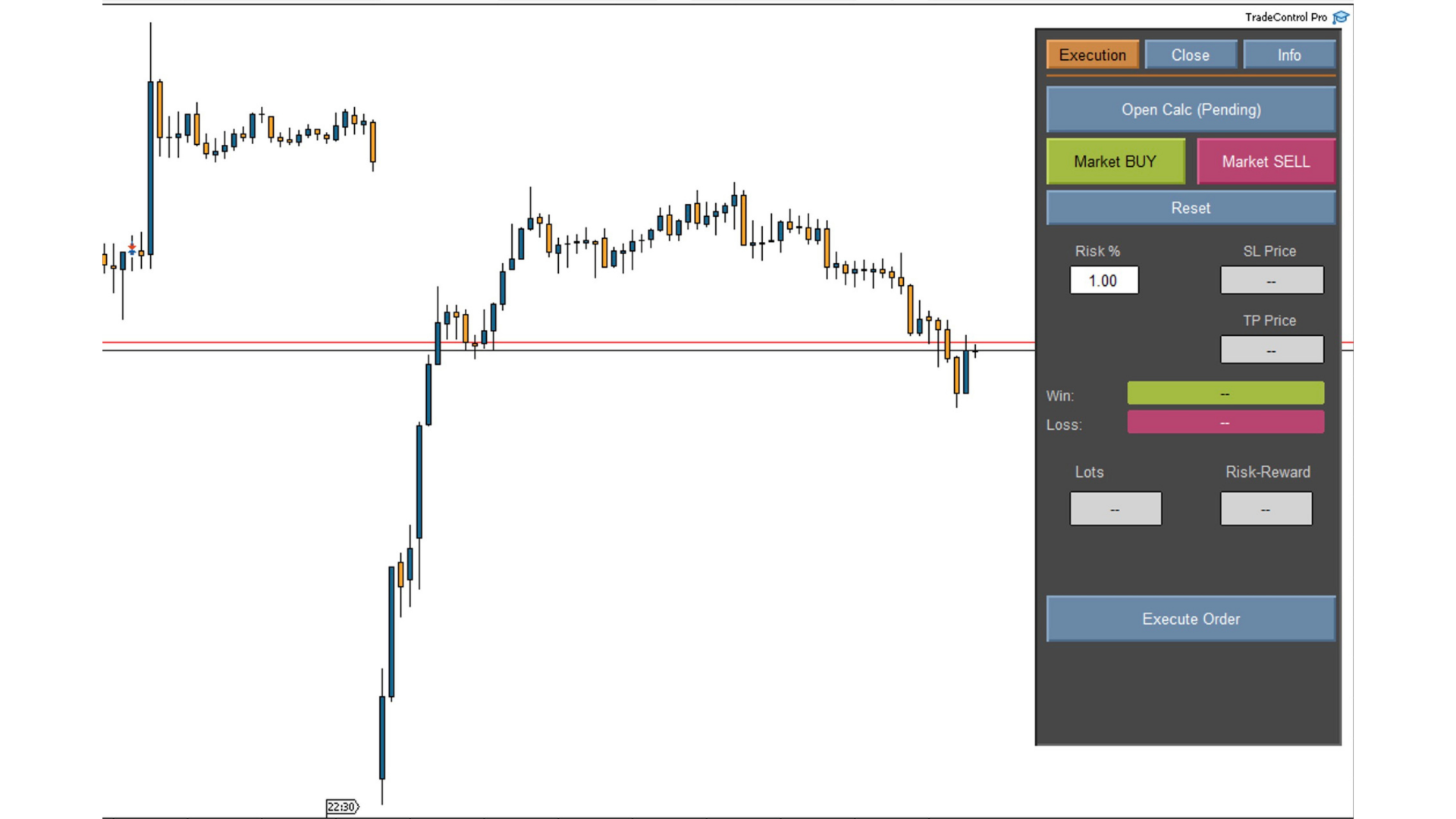
TradeControl Pro is a trade management tool for MetaTrader that enables structured and efficient management of trading positions directly on the chart. The application combines a clearly designed user interface with automated calculations and flexible control options for different trading approaches.
The integrated on-chart panel is organized in a tabular layout and divided into three main sections (tabs): Execution, Close, and Info. The interface is designed for clarity and direct interaction.
-
Clear structure with logically grouped functions
-
Dynamic updates of all relevant trading metrics
-
Direct control via the chart without additional windows
Tab: Execution (Trade Setup and Planning)
The Execution section is used for planning and executing new trades.
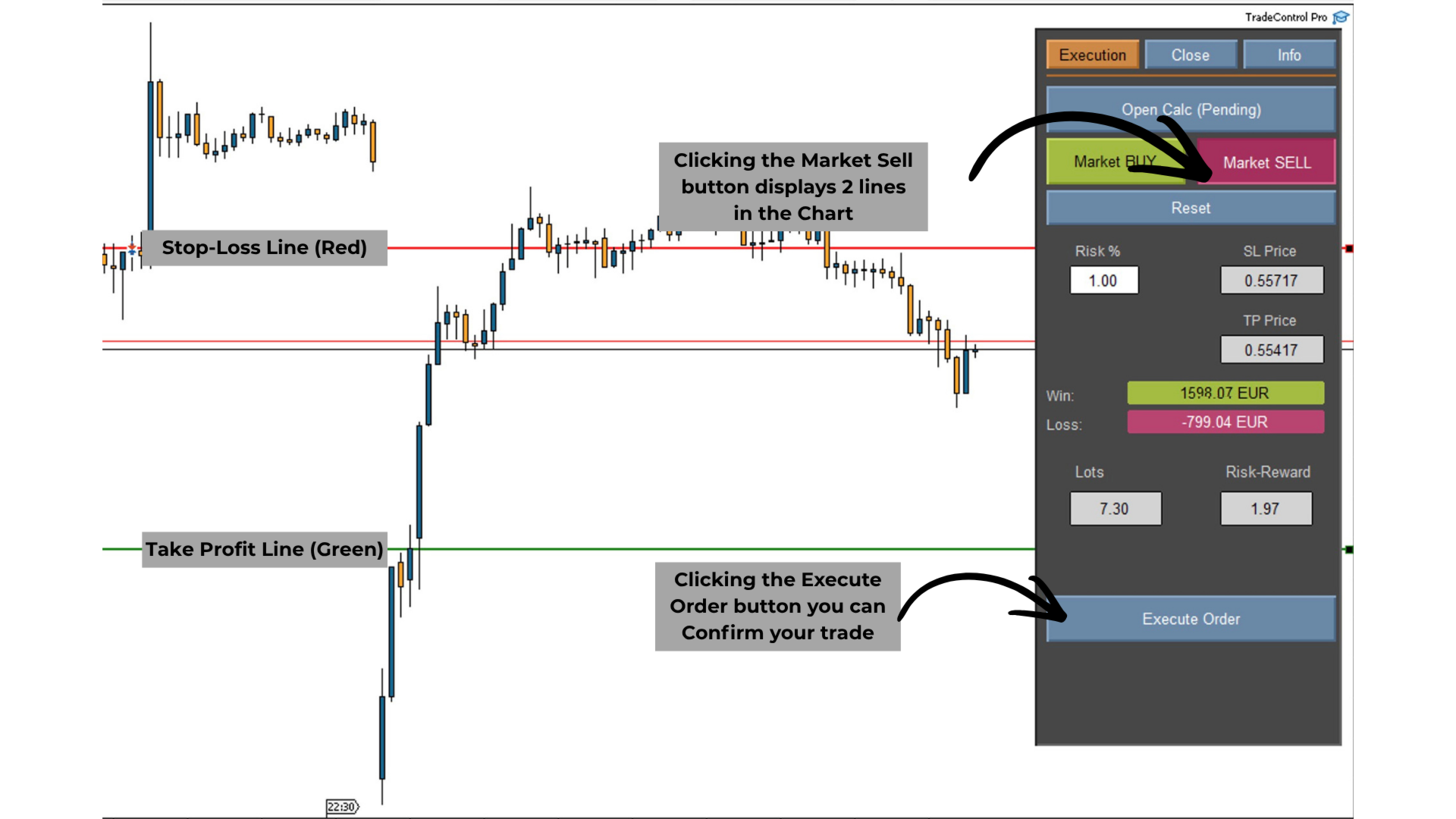
Open Calc (Pending Setup)
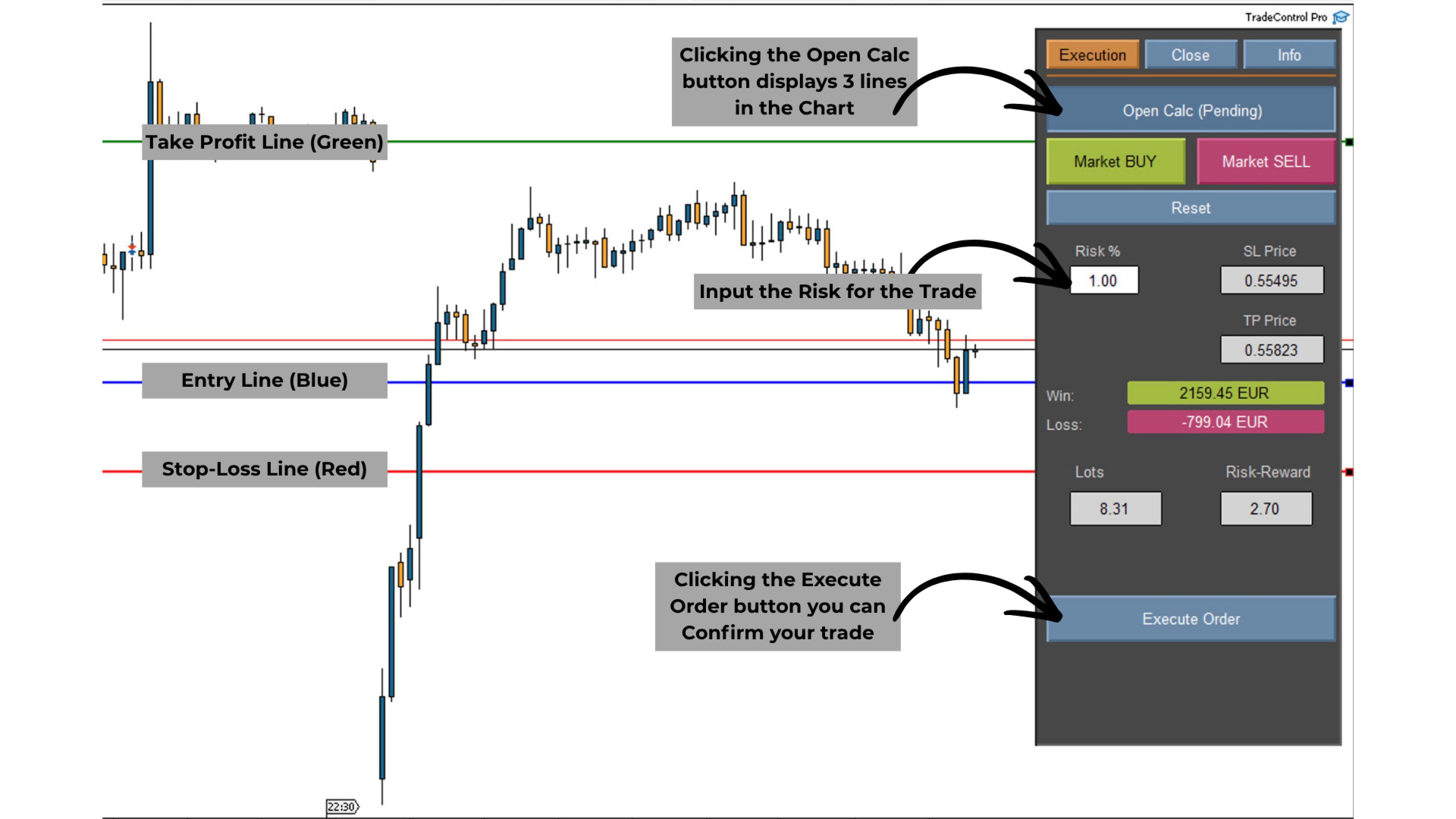
With Open Calc, three lines are automatically created on the chart:
-
Entry price
-
Stop-Loss (SL)
-
Take-Profit (TP)
These lines can be adjusted individually. Based on these price levels, the system calculates in real time:
-
Stop-Loss price and potential loss
-
Take-Profit price and potential profit
-
Position size (lots)
-
Risk-reward ratio
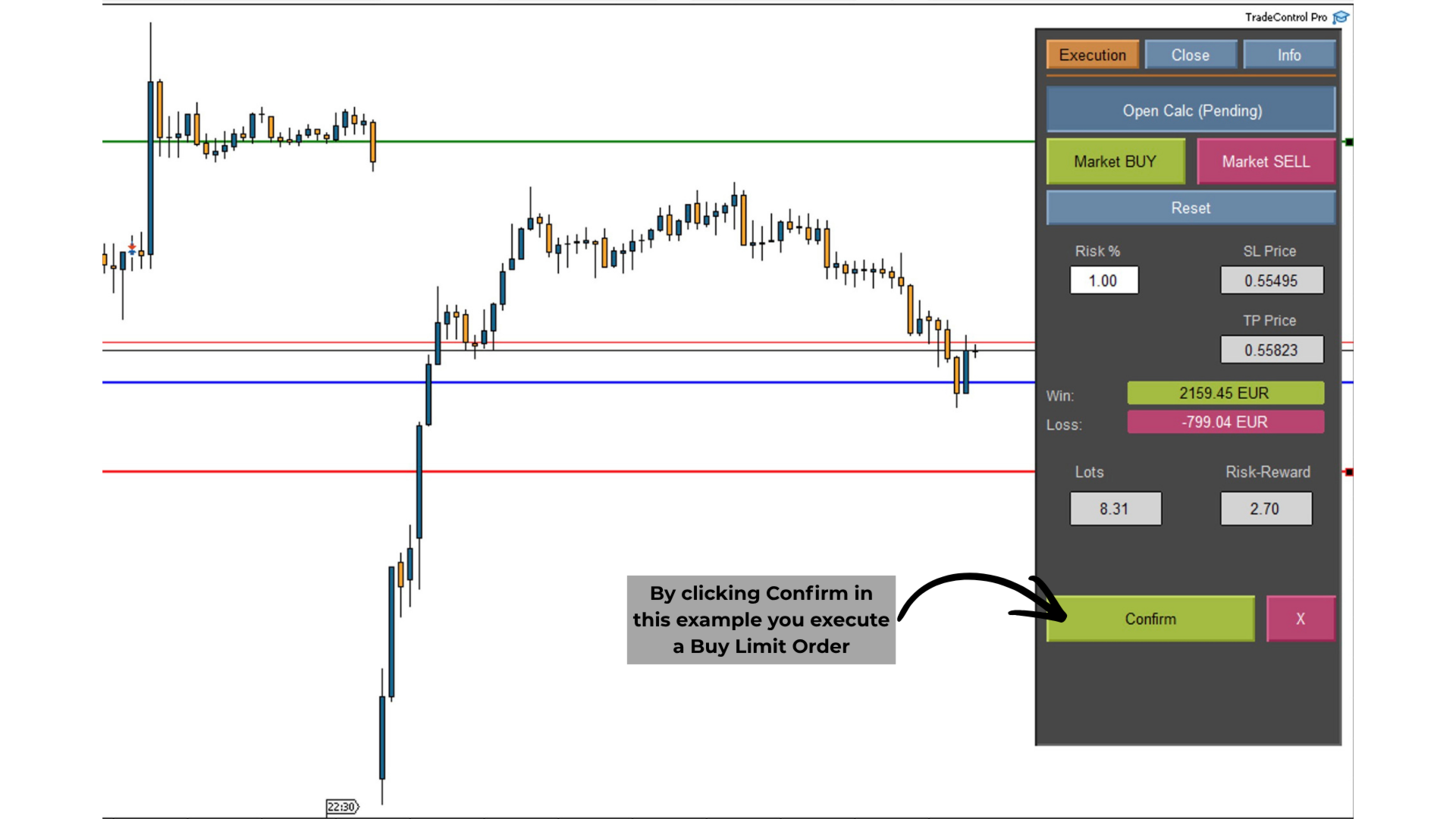
In this mode, only pending orders are prepared. The order is executed via the Execute and Confirm buttons.
Instant Order (Market Execution)
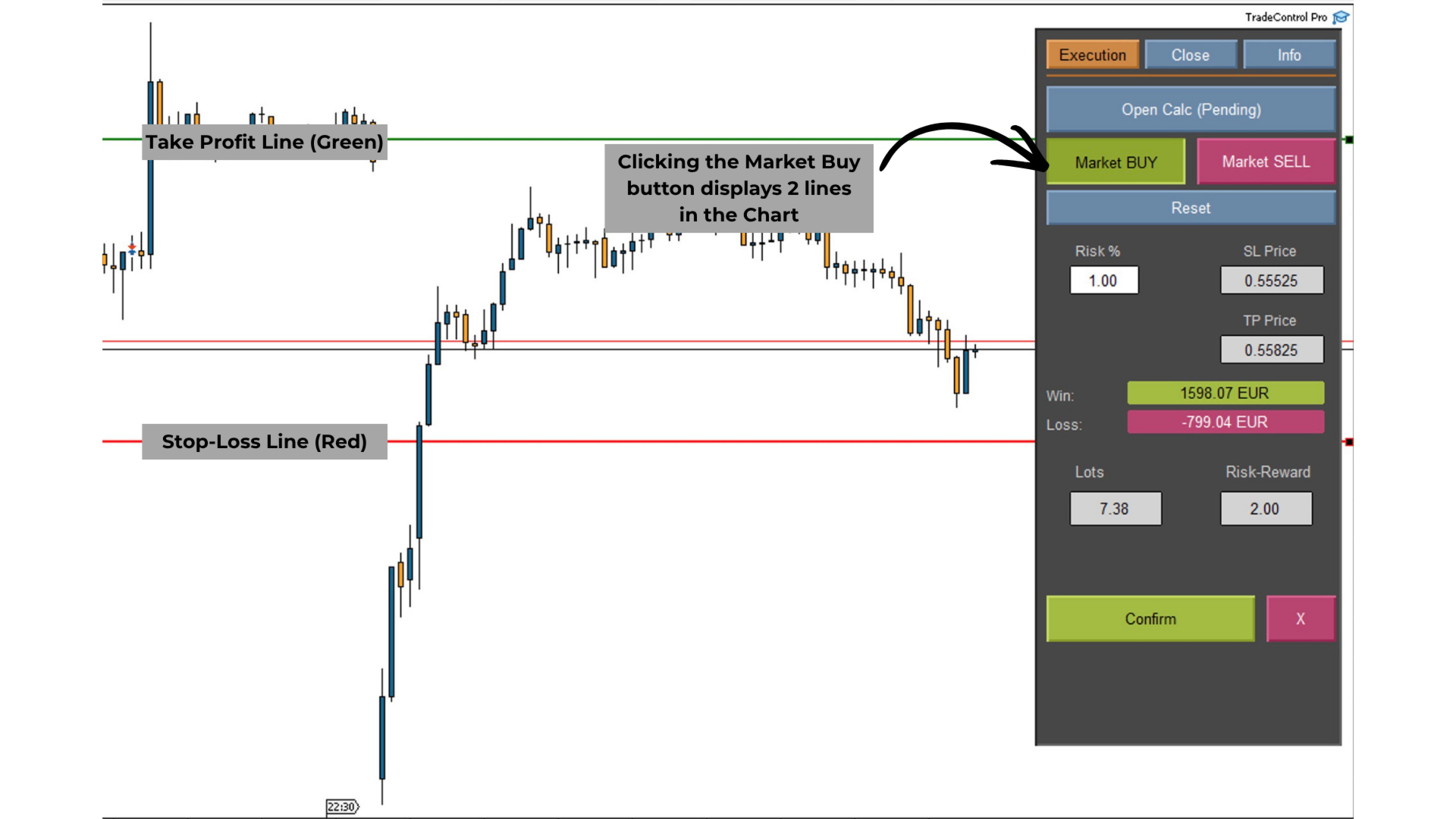
Using Instant Buy or Instant Sell, a market setup is initialized. The actual execution only occurs after confirmation based on the defined lines and the execution function. This ensures full control over all relevant price levels.
Automatic Direction Detection
The trade direction is automatically determined based on the position of the stop-loss relative to the entry price. An integrated validation prevents invalid price levels.
Tab: Close (Position Management)
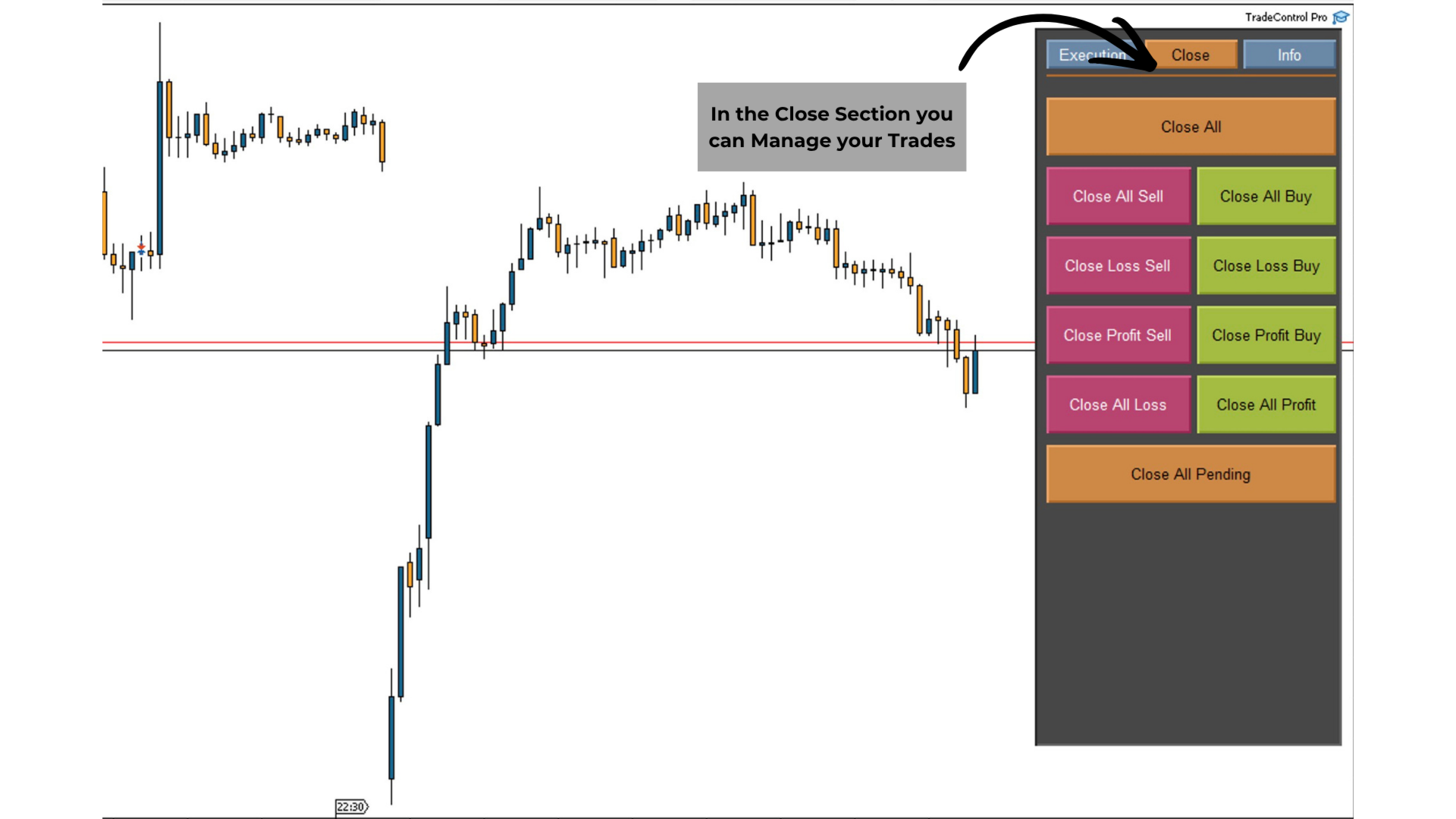
The Close section provides structured management of existing positions and orders.
-
Close all open positions and delete all pending orders
-
Selectively close positions by direction (Buy or Sell)
-
Close positions based on current result (profit or loss)
All actions are executed immediately and visually confirmed in the panel.
Tab: Info (Account Information)
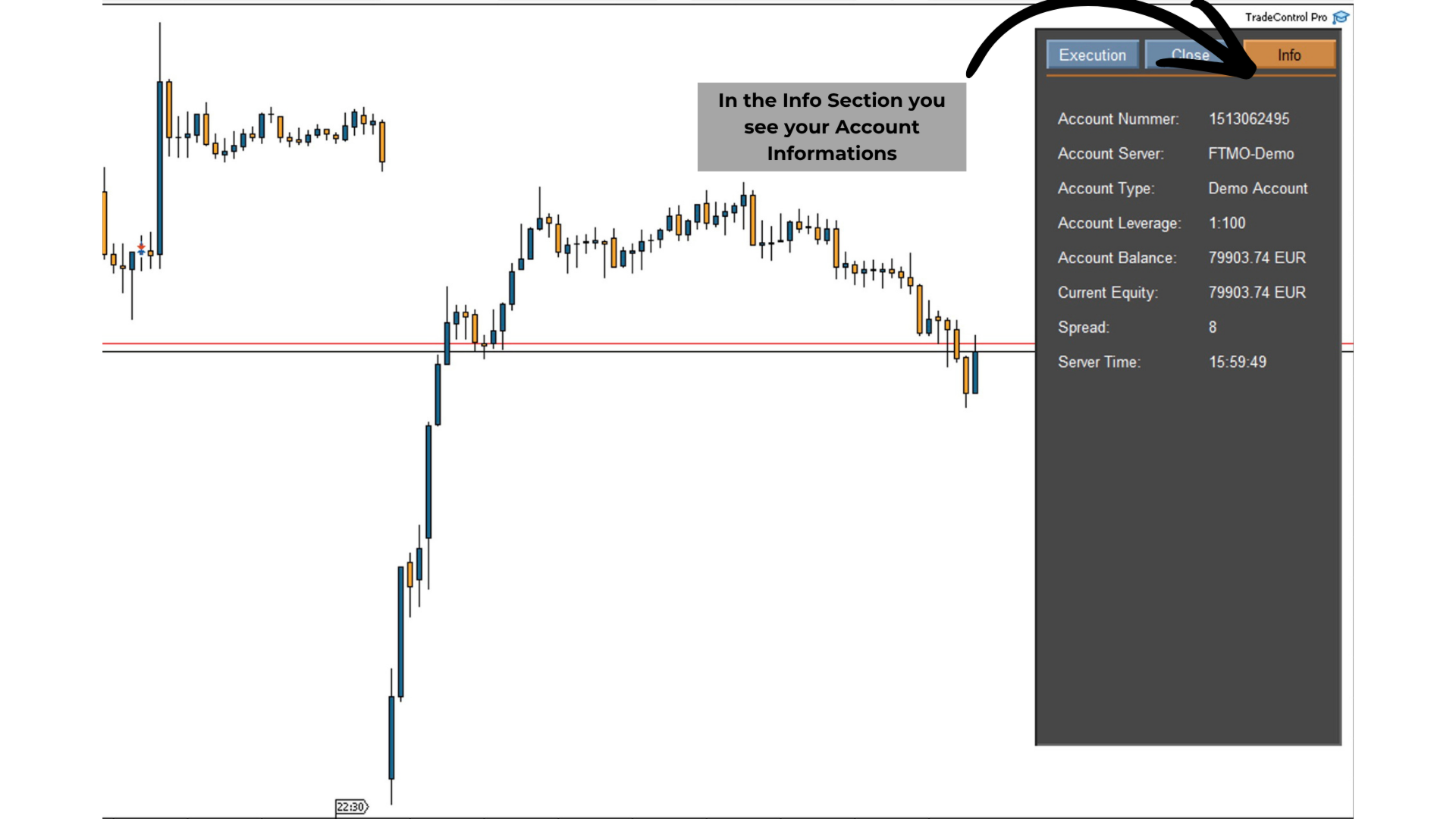
The Info section displays key account data in a clear format:
-
Account number
-
Server name
-
Account type (Demo or Live)
-
Leverage
-
Balance
-
Equity
-
Current spread
-
Server time
This information is updated continuously.
Risk Management and Calculation Logic
TradeControl Pro offers two flexible modes for position size calculation:
-
Percentage-based mode:
Position size is calculated based on a defined risk percentage of the account balance -
Fixed lot mode:
Constant position size with display of the corresponding risk in account currency
All calculations are performed dynamically, taking the stop-loss distance into account.
Input Parameters
-
Risk Mode (Percent / Fixed Lot): Selection of calculation mode via dropdown
-
Standard Risk per Trade (%): Default risk value in percentage mode (can be adjusted at any time via the panel input field)
-
Lot Size: Fixed position size in fixed lot mode
-
Standard SL Points: Predefined stop-loss distance in points
-
Standard TP Points: Predefined take-profit distance in points
-
Trade Comment: Custom label for trade history
-
Magic Number: Unique identifier for trades
All parameters can be defined at startup and adjusted during operation.
System Behavior and Processing
The application operates in an event-driven manner and remains responsive at all times during use. Changes to lines or parameters are processed immediately without interrupting usability. All trading actions are recorded in the MetaTrader expert log, including order type, position size, and execution status, enabling transparent analysis.
TradeControl Pro provides a structured environment for planning, executing, and managing trades directly on the chart, supporting consistent implementation of individual trading strategies.