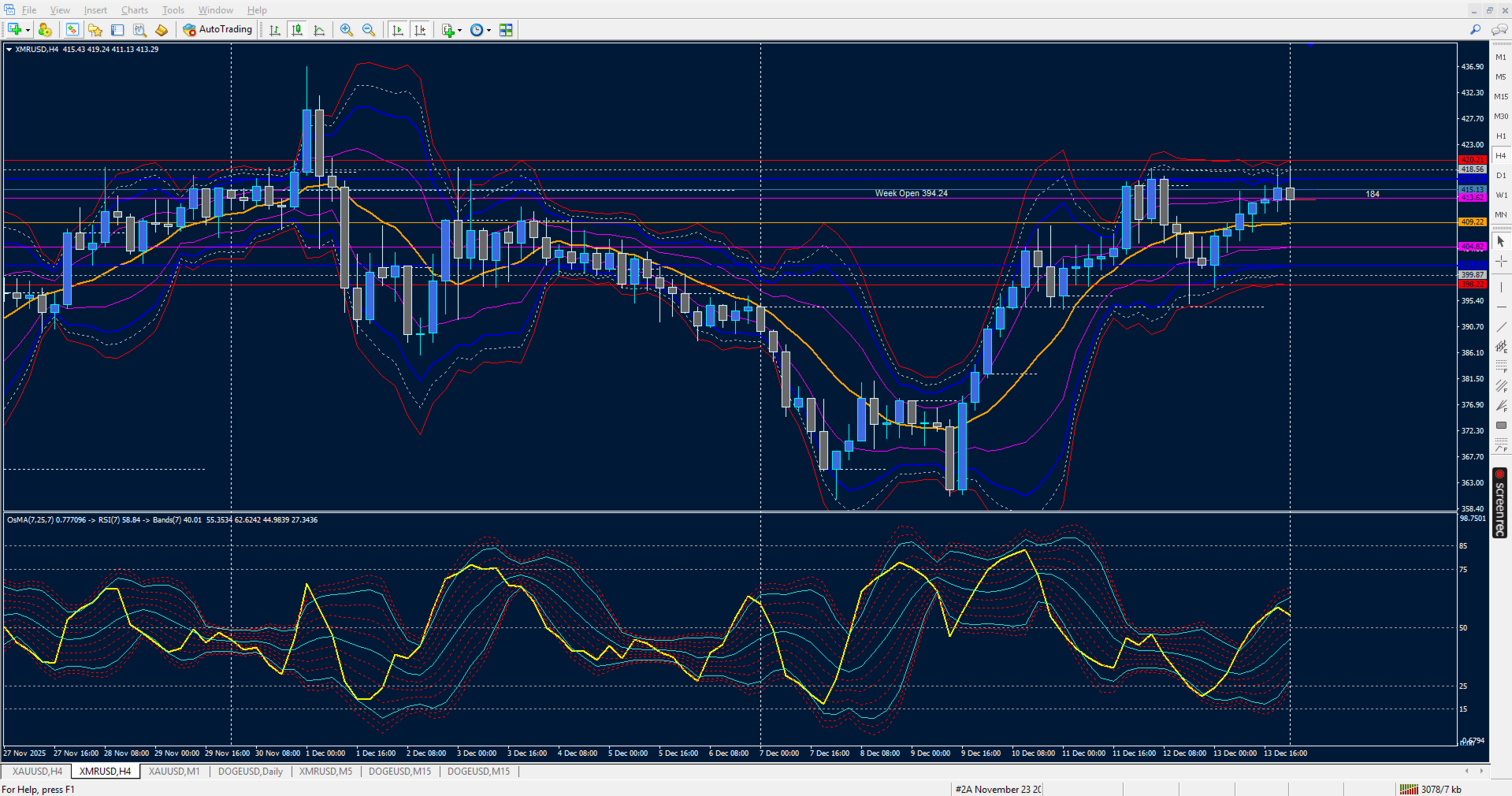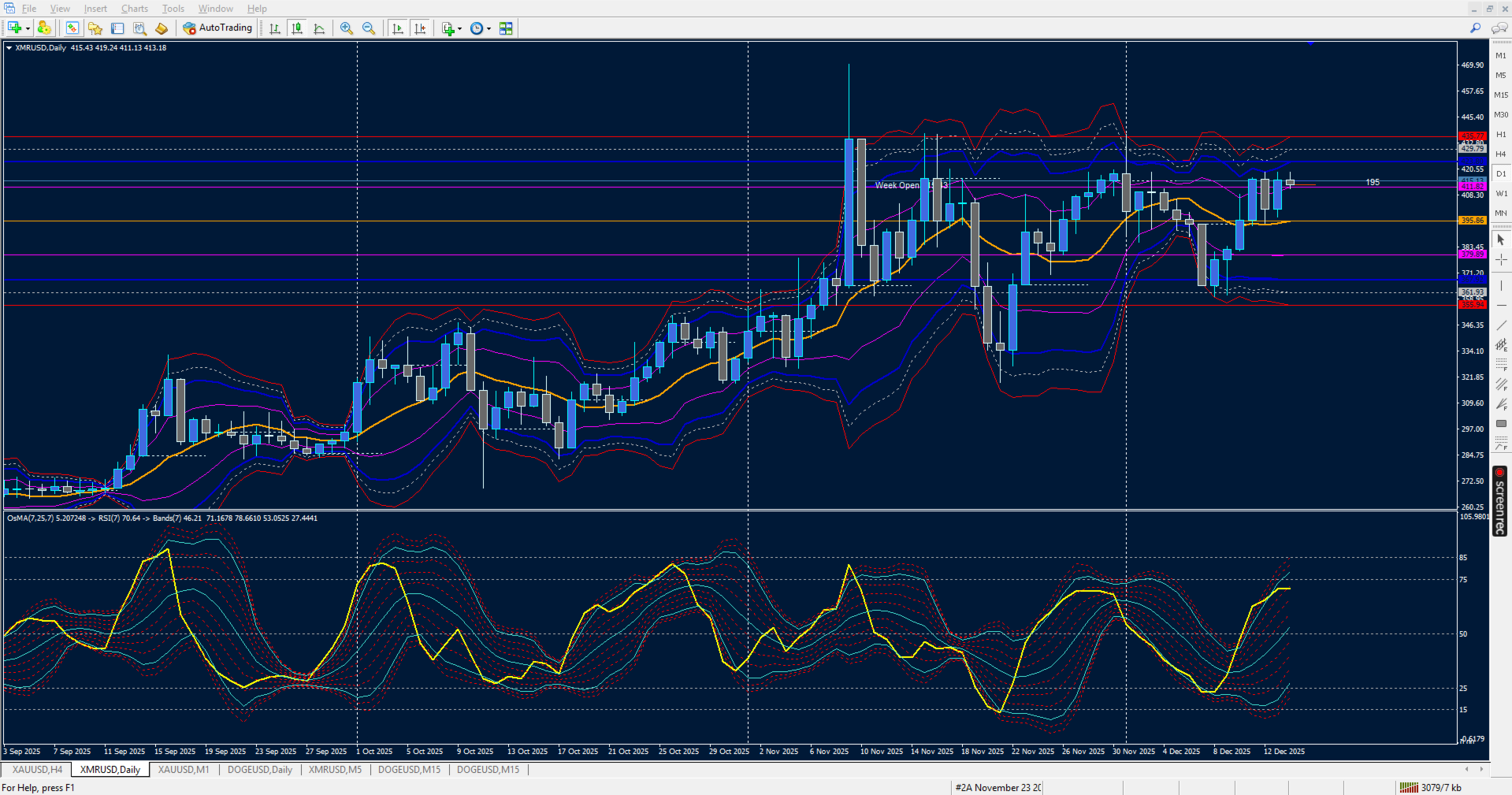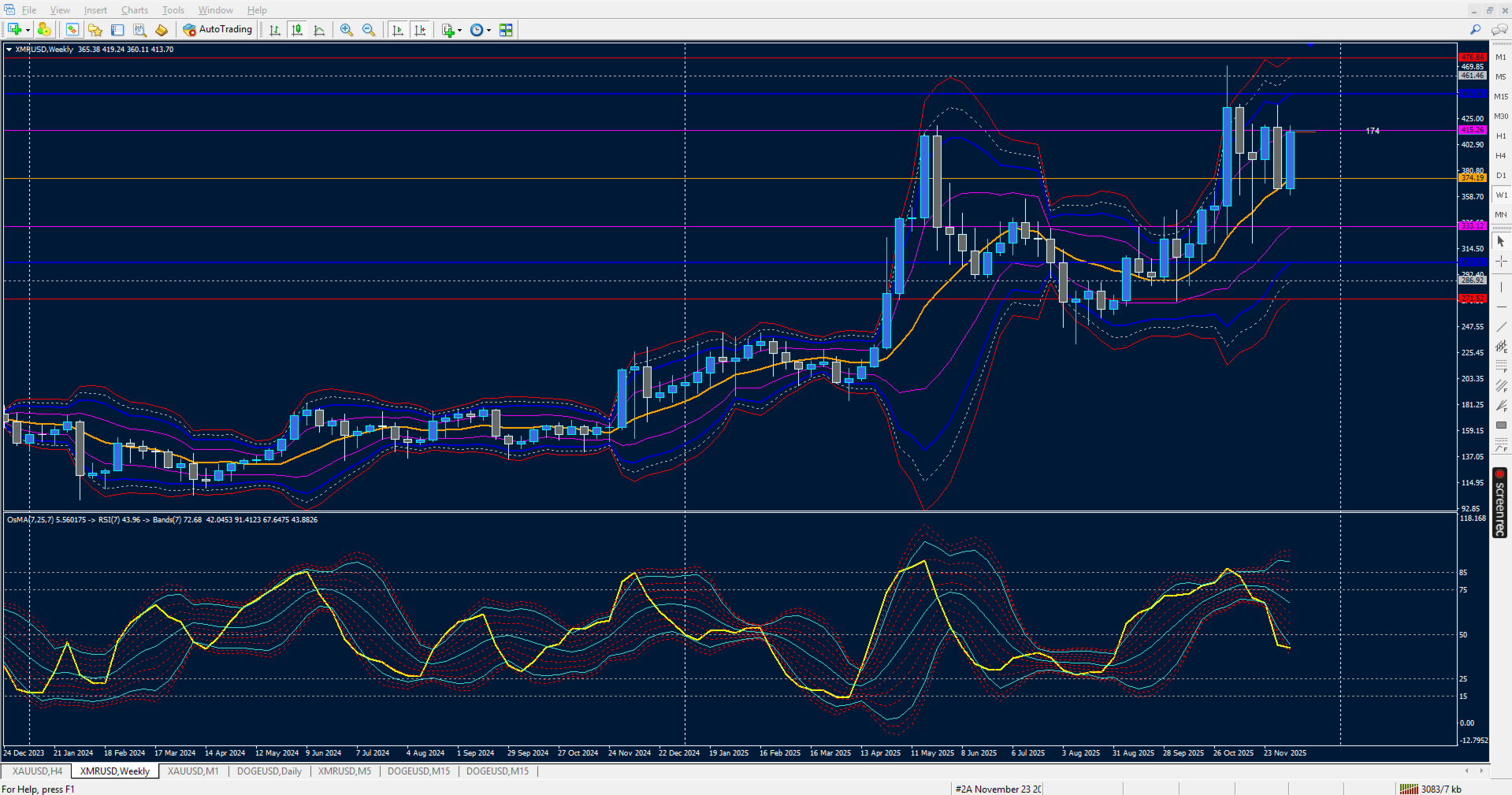
RSI of OsMA Bands On Array
- Indicators
- Version: 1.0
- Activations: 10

📘 Product Description: OsMA‑iRSI‑iBands 1.0
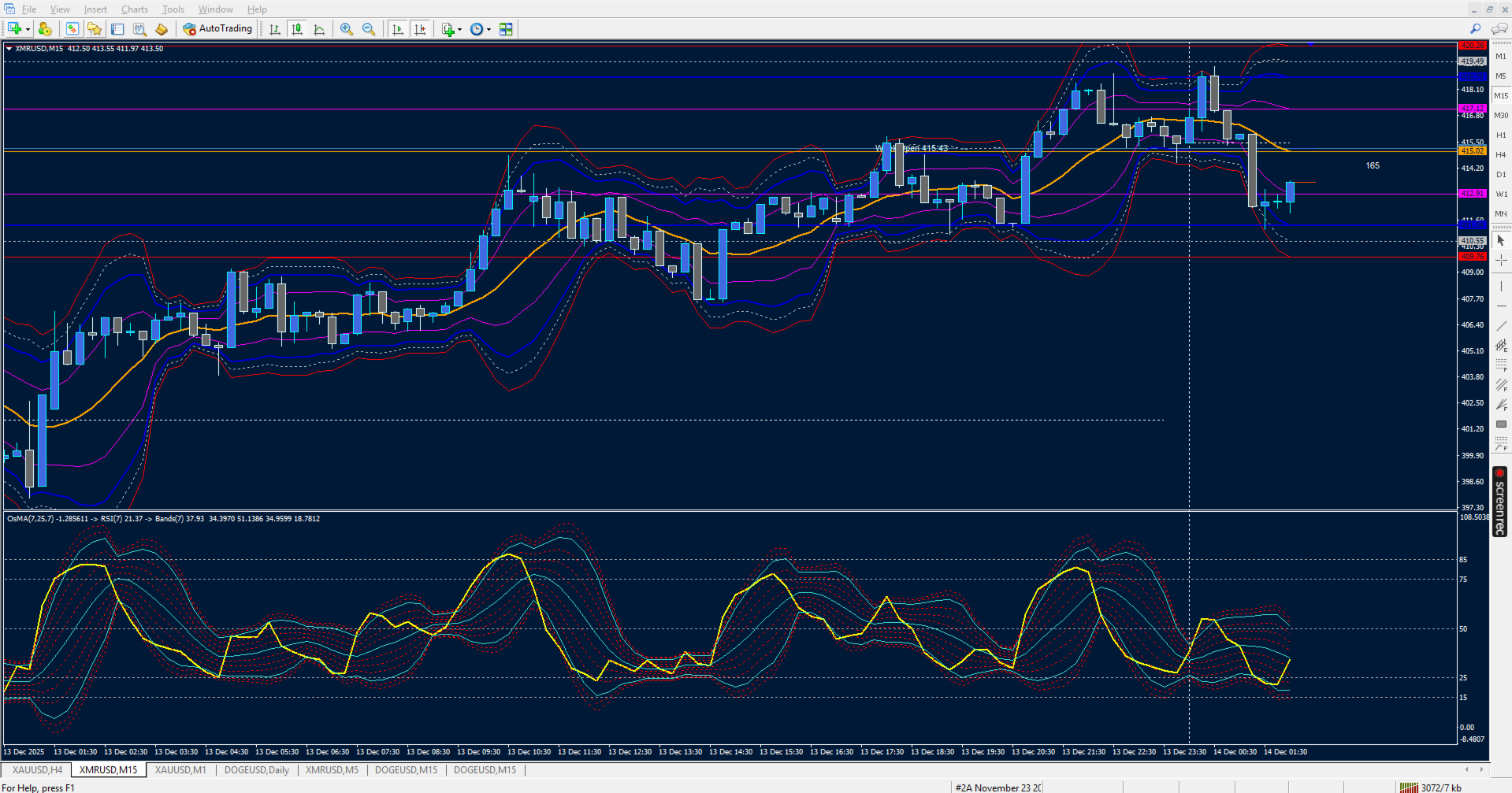
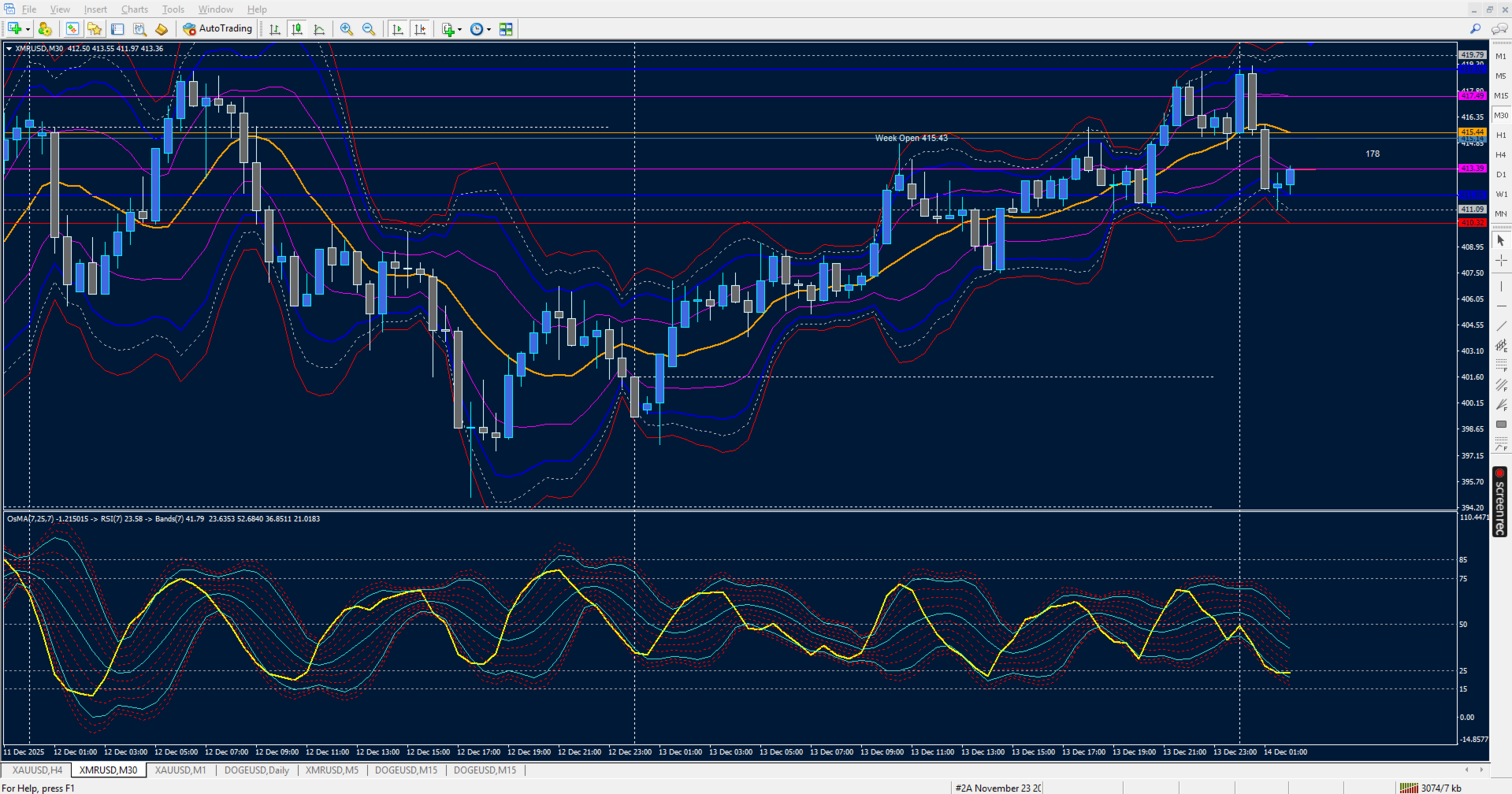
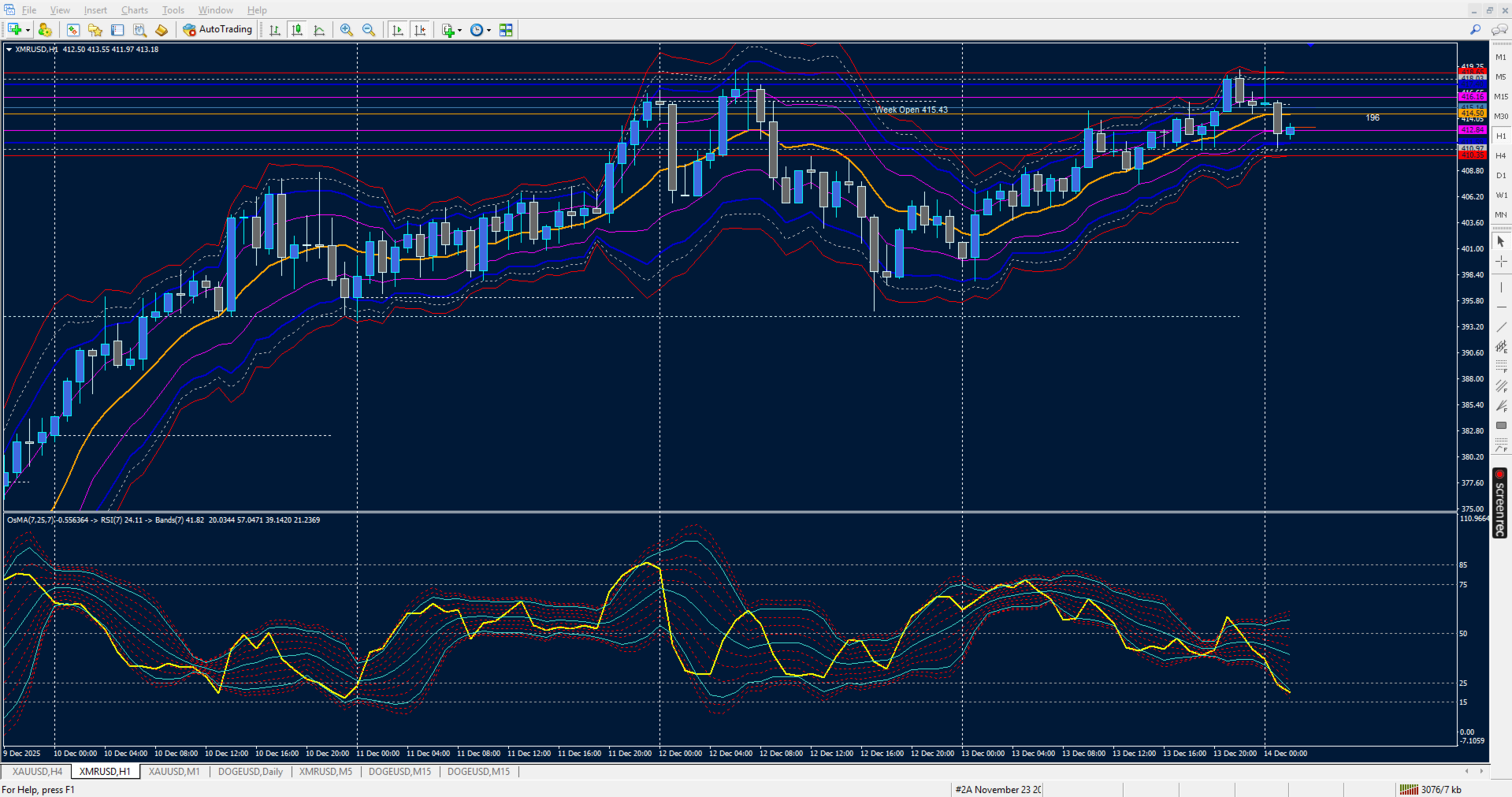
OsMA‑iRSI‑iBands 1.0 fuses the Moving Average of Oscillator (OsMA) with RSI on array and overlays a dynamic band array to give traders a multi-layered view of momentum divergence, trend bias, and volatility compression. This hybrid design helps traders detect early shifts in momentum, confirm overbought/oversold zones, and frame breakout setups with precision. Does not yet displays OsMA histogram.
🔍 Core Components
• OsMA Array of RSI on Array of Bollinger Bands
Measures the difference between MACD and its signal line, highlighting momentum divergence and trend acceleration.
• RSI on OsMA
Smooths the OsMA signal into a bounded oscillator, making threshold detection and band framing more intuitive.
• Bands Levels Array
Six deviation layers plus a central midline:
• 🔴 Upper Band → potential resistance zone
• 🟢 Middle Band → equilibrium line (trend bias)
• 🔵 Lower Band → potential support zone
• Additional dotted warning lines frame volatility compression and breakout zones.
🎯 Use Cases
• Detect OsMA‑driven momentum shifts with RSI confirmation
• Spot volatility compression across band layers before explosive moves
• Confirm overbought/oversold signals with band context
• Layer OsMA divergence with RSI and adaptive bands for high‑precision trade setups
🛠 Design Philosophy
• Explicit buffer mapping for OsMA, RSI, and band arrays
• Color separation for immediate visual audit
• Minimalist design for clarity in subwindows
• Debug mode for diagnostic output and audit transparency
🎛 User Input Controls for OsMA‑iRSI‑iBands 1.0
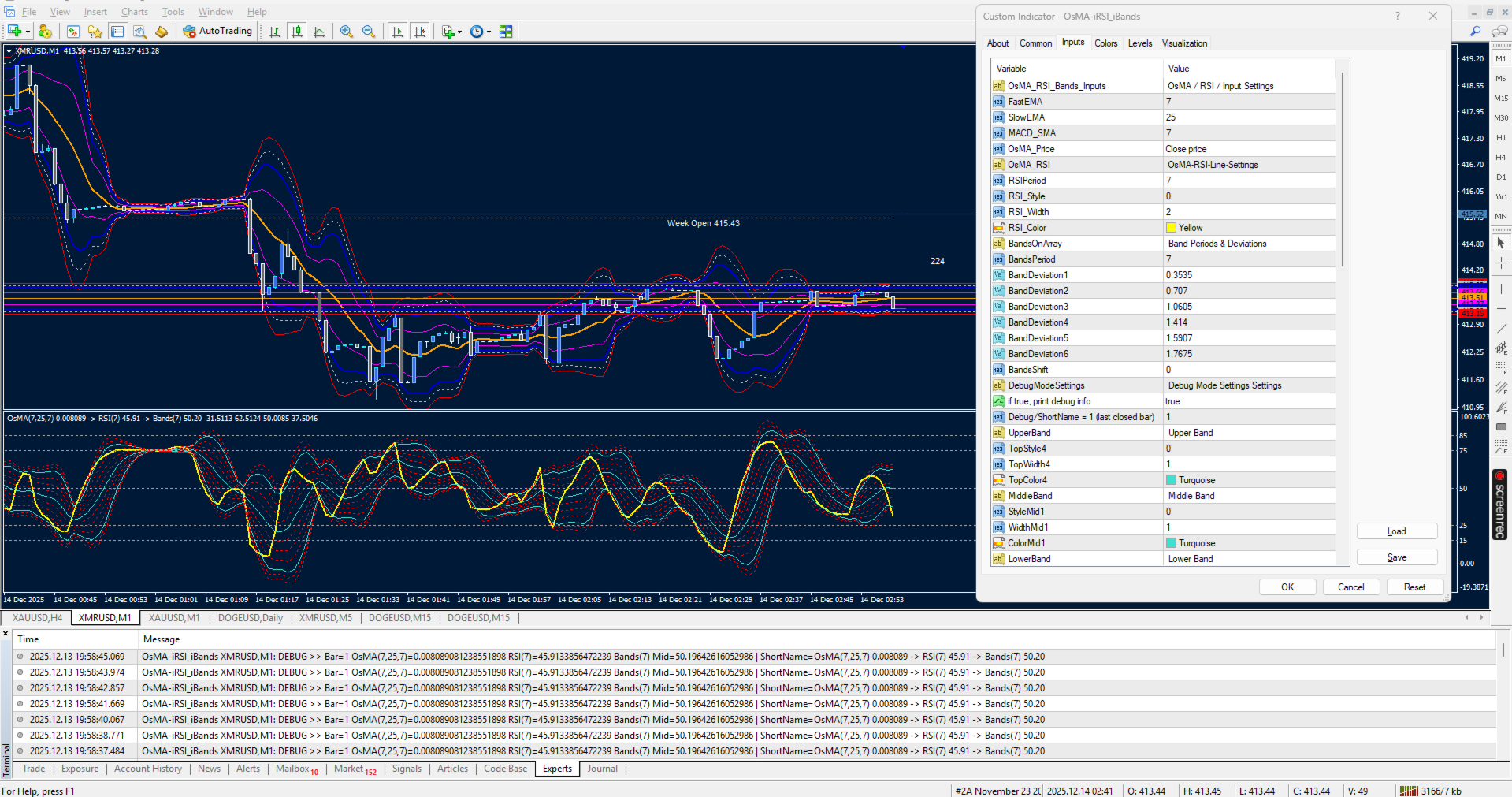
This indicator gives traders full flexibility to customize the OsMA calculation, RSI smoothing, and band levels. Buyers will have control over the following inputs:
📊 OsMA Settings
• ⏱ FastEMA → Set the fast EMA period for MACD calculation
• ⏱ SlowEMA → Set the slow EMA period for MACD calculation
• ⏱ MACD_SMA → Set the signal line smoothing period
• 🎚 OsMA_Price → Choose the applied price (Close, Open, High, Low, etc.)
📈 RSI Settings
• ⏱ RSIPeriod → Define the lookback period for RSI calculation on the OsMA array
• 🎨 RSI Line Style → Solid or dotted line options
• 📏 RSI Line Width → Adjust thickness for visibility
• 🌈 RSI Line Color → Select your preferred color (default: Yellow)
📐 Band Levels Settings
• 📏 BandsPeriod → Define the moving average period used for band calculations
• ↔️ BandsShift → Shift bands forward/backward on the chart
• 📊 Deviation Controls → Six independent deviation inputs for upper/lower bands:
• BandDeviation1 (0.3535)
• BandDeviation2 (0.707)
• BandDeviation3 (1.0605)
• BandDeviation4 (1.414)
• BandDeviation5 (1.5907)
• BandDeviation6 (1.7675)
Each deviation produces its own upper and lower band line, plus a middle line.
🎨 Style & Appearance Controls
• 🔴 Upper Band Style, Width, Color → Customize the main upper band
• 🟢 Middle Band Style, Width, Color → Customize the central equilibrium line
• 🔵 Lower Band Style, Width, Color → Customize the main lower band
• 🟠 Warning Lines (Upper & Lower) → Six dotted line styles with independent width and color controls for fine‑tuned visual alerts
🐾 Debug Settings
• 🐾 DebugMode → Toggle debug information printing (true/false)
• 📍 LastBarIndex → Choose whether to calculate on the current forming bar (0) or last closed bar (1)