 MetaTrader 5
 Experts
 지표
지표
 라이브러리
라이브러리
 유틸리티
유틸리티
 위젯
위젯
 규칙
규칙
MetaTrader 5용 트레이딩 유틸리티 - 16
 다음은 MetaTrader 5의 거래를 단순화하는 거래 프로그램입니다. 유틸리티의 설명과 목적을 읽으려면 유틸리티 위에 마우스를 놓으십시오.
EA Master Version any Follow Copy Account (Acc. Number) need a open MT Terminal, download multiple times Step1: Open Master MT5 Terminal = install master- Version (on any Symbol just one Time) Step2: Open Follower MT5 Terminal = install follower- Version (on any Symbol just one Time) Step3: all Trades from any Symbol or any Robot are copy now to follow- Terminal immediately for simple copy set on Chart and Start no optimization. This Robot is a Trade Copier for MT5 that automa
FREE

NewsFilter Pro — News Filter & Economic Calendar EA for MetaTrader 5
Automatically block trading during high-impact news events (NFP, FOMC, CPI). Uses MQL5 built-in Economic Calendar — no DLL, no external API, no configuration. Works with any EA, any broker, any currency pair.
Prop Firm Safe | NFP/CPI/FOMC Filter | Auto-Close Before News | Smart Currency Filter | 15 Activations
---
Why NewsFilter Pro?
Most trading EAs get destroyed during news events — NFP, FOMC, CPI, ECB — when spread

Level Assistant is an expert assistant for manually setting support and resistance levels.
Traders often form their own levels. If there are many charts of different periods, the level will be multiplied by all charts.
When placing a horizontal line on a chart, the Assistant suggests converting this line into a level. At the same time, he himself will determine the color and thickness of the line, depending on the period of the instrument and where it is relative to the price. Mark the level
FREE

Rocket TF Countdown Stay in Sync with Every Candle Rocket TF Countdown is a lightweight utility for MetaTrader 5 that displays the remaining time until the current candle closes. Designed for traders who want a clear and convenient way to monitor candle timing directly on their charts. Key Features Live Candle Countdown: Displays the remaining time until the current candle closes. Flexible Positioning: Choose the chart corner and adjust the horizontal and vertical offsets. Customizable Font Size
FREE
The Equity Closer Bot is a custom MetaTrader 5 (MT5) Expert Advisor (EA) designed to help traders manage their account equity levels automatically. It monitors the account's equity in real-time and closes all open trades when the equity reaches user-defined thresholds. This bot is ideal for traders who want to enforce strict risk management rules, protect their account from excessive losses, or lock in profits at specific equity levels. Key Features Dual Equity Thresholds : Below Equity Clos
FREE

News Guard & Slippage Shield Overview This Expert Advisor is a protective utility for MetaTrader 5 accounts. It pauses trading around high-impact news releases and automatically closes any position that fills with excessive slippage. It runs at account level, so it can protect every Expert Advisor and Magic Number on the same account, not only trades it opens itself. The EA does not place any trades of its own. It is designed to run alongside your existing trading robots as a risk-control layer.
FREE

TimeToClose The "TimeToClose" indicator is an essential tool for traders who need to monitor the remaining time before a candle closes. This indicator displays the remaining time directly on the BID line, providing a clear and precise reference during real-time trading. Key Features: Displays the remaining time for the current candle to close. Direct integration on the BID line for better visualization. Simple and user-friendly configuration. Ideal for all types of traders, from beginners to pro
FREE
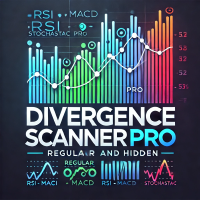
Divergence Scanner Pro is an advanced utility designed to detect both regular and hidden divergences across three powerful indicators: RSI , MACD , and Stochastic . With its robust algorithm and user-friendly interface, this tool is perfect for traders seeking an edge in the market. Key Features: Comprehensive Divergence Detection : Identifies regular and hidden divergences to highlight potential trend reversals or continuation opportunities. Multi-Indicator Support : Scans for divergences on RS
FREE

시장이 급변하는 상황에서 여러 개의 미결제 포지션에 대해 손절매를 수동으로 손익분기점으로 이동시키는 작업은 시간이 많이 소요될 뿐만 아니라, 실수로 여전히 손실을 보고 있는 포지션에 적용하기 쉽습니다.
‘피닉스 손익분기점 버튼’은 단 한 번의 클릭으로 수익이 나는 모든 미결제 포지션의 손절매를 손익분기점으로 이동시키며, 여전히 손실을 보고 있는 포지션은 자동으로 건너뜁니다.
수익을 보호하는 방식
- 한 번의 클릭으로 계좌 내 모든 미결제 포지션에 손익분기점 보호를 적용합니다. - 현재 손실을 보고 있는 포지션을 자동으로 감지하여 건너뜁니다. - 손익분기점은 스탑을 정확한 진입 가격으로 설정합니다. 해당 가격에 도달할 경우 스프레드는 여전히 부과되며, 패널은 무료 보호를 암시하지 않고 이를 명확하게 안내합니다. - 성공 또는 실패 시 소리 알림이 제공되며, 수정된 항목, 건너뛴 항목, 이미 보호된 항목에 대한 상세한 로그가 기록됩니다.
사용자 지정
패널의 위치 및 오프셋 조
FREE

MetaTrader 5용 깔끔한 실시간 정보 패널입니다. 매매 로직이 없어 포지션을 열거나 수정하거나 청산하지 않으며, 사용 중인 EA에 영향을 주지 않습니다.
시간 및 세션 • 서버 시간, 현지 시간, GMT • 시드니, 도쿄, 런던, 뉴욕 세션 실시간 표시 • 세션 중첩 감지 및 다음 세션까지 카운트다운
시장 데이터 • 종목 및 타임프레임 • 현재, 평균, 최대 스프레드
계좌 • 잔고, 자산, 여유 증거금, 미실현 손익
활동 • 보유 포지션, 대기 주문, 시장 내 총 랏
거래 내역 • 종목 및 매직 넘버별 그룹화 • 기간: Today / This week / This month / All time • Trades, Win%, P&L, MaxDD(단일 거래 최대 손실)로 정렬 가능 • 행이 부족하면 자동으로 종목별로만 그룹화 • 최대 2개의 매직 넘버로 필터링, 수동 거래 포함 여부 선택
뉴스 필터 • MQL5 경제 캘린더 내장 — 외부 소스나 DLL 불필요 • 기간:
FREE

Helios Smart Position Manager 개요 Helios Smart Position Manager는 MetaTrader 5를 위한 전문 거래 동기화 도구입니다. 어떤 포지션의 손절 또는 이익 실현을 수정하면 EA가 자동으로 변경 사항을 감지하고 동일한 심볼의 다른 모든 포지션에 적용합니다. 이를 통해 각 포지션을 개별적으로 수동 업데이트할 필요가 없어지며, 동일한 종목에서 여러 거래를 관리할 때 시간을 절약하고 오류를 방지합니다. 작동 방식 EA는 모든 미결 포지션을 지속적으로 모니터링하고 현재 손절 및 이익 실현 수준의 스냅샷을 유지합니다. 포지션의 SL 또는 TP가 변경된 것을 감지하면 동일한 심볼의 다른 모든 포지션을 식별하고 동일한 수정을 자동으로 적용합니다. 동기화는 충돌을 방지하기 위한 내장 쿨다운 기간과 함께 한 번에 하나의 변경 사항을 처리하며, 동기화 루프를 피하기 위해 방금 수정한 포지션은 건너뜁니다. 손절과 이익 실현의 변경은 독립적으로 감지됩니다.
FREE

Spread Profile by Hour는 사용 중인 브로커 자체의 틱 히스토리로부터 한 심볼의 스프레드 분포를 서버 기준 하루의 시간대별로 구성하여 24개의 막대로 그립니다. 막대의 진한 부분은 해당 시간대의 스프레드 중앙값이고, 더 밝은 윗부분은 90백분위수까지 이어집니다. 평소 사용하는 손절 폭을 입력하면 각 막대에 중앙값 스프레드가 그 손절 폭에서 차지하는 비율이 표시되므로, 비용을 리스크와 같은 단위로 볼 수 있습니다. 이 프로그램은 측정 도구입니다. 주문을 내지 않고, DLL과 WebRequest를 사용하지 않으며, 사용자가 켠 CSV 내보내기 외에는 어떤 파일도 쓰지 않습니다. 만든 이유: 데이 트레이딩과 스캘핑 규칙에서는 진입 신호가 아니라 스프레드가 우위의 생존 여부를 결정하는 경우가 많습니다. 터미널은 현재 순간의 스프레드를 보여주고, 바 히스토리는 바마다 스프레드 값 하나만 보관하므로 그 시간 안에서 무슨 일이 있었는지가 가려집니다. 같은 규칙이 조용한 시간대에는
FREE

这是一款专为手动交易者设计的MT5工具。解决了MT5回测只能跑EA自动交易无法手动回测的问题。它通过图形化按钮(Buy / Sell / Close All)让您在图表上快速开平仓,并 自动记录每一笔交易 ,实时计算 胜率、盈亏比、平均盈亏、最大回撤、当前权益 等专业数据,将您的交易行为转化为直观的绩效报告。它将是您不可或缺的辅助利器。
1. 一键交易,操作流畅 Buy / Sell / Close All 按钮 2. 实时交易记录与图表标记 自动绘制买卖箭头 :开仓时在K线图上生成绿色向上(买)或红色向下(卖)箭头,复盘时一目了然。 3. 专业绩效统计面板 完整交易明细 :总交易次数、盈利次数、亏损次数。 胜率 & 盈亏比 :自动计算胜率百分比、平均盈利、平均亏损、盈亏比。 资金管理指标 :总盈利、总亏损、净利润、当前权益、虚拟余额。 风险控制 :基于虚拟余额与浮动盈亏计算最大回撤(金额与百分比),帮助评估策略稳健性。
FREE

ATR Stop Loss and Take Profit Calculator. Know your risk before you take the trade! Click any candle and instantly see your stop loss, take profit, and correct lot size, all calculated from ATR, scaled to your account. A useful back-testing and live trading tool. If you find this indicator useful, please leave a review
How It Works
Click a candle. The indicator reads ATR at that bar, calculates SL and TP using your configured multipliers, and draws the levels on the chart. An info panel shows
FREE
EA Portfolio Analytics Dashboard Pro - Advanced Multi-EA Performance Monitor EA Portfolio Analytics Dashboard Pro is a professional MetaTrader 5 tool designed for advanced portfolio management and real-time performance analytics. Monitor all your Expert Advisors simultaneously with institutional-grade metrics. Key Benefits: Multi-EA Performance Matrix: Track unlimited EAs and their statistics in a single view. Real-Time Risk Analytics: Monitor key metrics like Sharpe Ratio, Value at Risk (V

Smart Sl Tp Manager For Mt5 is a lightweight and reliable trading utility designed to help you manage risk automatically.
It instantly sets Stop Loss and Take Profit levels for every manual trade you open, ensuring your positions are always protected. Perfect for traders who want more discipline, less stress, and consistent risk management. Key Advantages Automatic SL & TP for all manual trades Works with both Netting & Hedging accounts Re-applies SL/TP when you add new positions Simpl
FREE

TradeAssist Lot Calculator — the free position size calculator that cannot touch your account. Drag the stop-loss line on your chart and instantly see the correct lot size for your risk budget. No spreadsheets, no web calculators, no mental math — and no trading permissions needed, because this tool contains zero trading code. It calculates. That is all it does. WHY THIS ONE • 9 risk modes — fixed $, % of Balance / Equity / Free Margin / Custom base, % of previous Day / Week / Month balance, and
FREE

Alert Line Manager – FREE is a simple and reliable MT5 indicator that alerts you when price crosses horizontal lines . Designed for manual traders who work with key price levels. Features: Alerts on horizontal line crossing Popup and sound notifications Alert cooldown to prevent spam Alerts ON / OFF button on chart Works on any symbol and timeframe Limitations: Horizontal lines only No trend lines, channels or Fibonacci No push notifications Alert Settings Alert sound file
Sound file played
FREE

Layer Smart Risk Trade Assistant – MT5 Trade Manager, Risk Management & Order Organizer Utility for MetaTrader 5 Are you looking for the most reliable trade assistant for MetaTrader 5 (MT5) ?
Layer Smart Risk Trade Assistant is the ultimate manual trading utility and trade panel , perfect for both beginner and advanced traders who want smarter risk management , order organization, and effortless multi-order management . Do you ever struggle with: Forgetting to update your stoploss or take profi

Trailing Stop Manager MT5 Trailing Stop Manager MT5 is a flexible trade management utility for MetaTrader 5 that automatically moves the Stop Loss as price moves in your favor. It is designed for traders who want to protect profits and manage open positions automatically while keeping control over how and which positions are managed. The manager currently includes two trailing methods: • Standard Trailing Stop
• Fractals Trailing Stop It also includes a compact trading panel for opening, managi
XXXX ATR (Average True Range) Position Manager: ATR StopLoss, ATR Target, ATR Breakeven, ATR Trailing StopLoss, with Risk % Calculation / Position. More about ATR: www.atr-trading.com
Key takeaways One click does it all: SELL and BUY button automatically places ATR stoploss, ATR target, ATR breakeven, ATR trailing stop and Risk % calculation of equity Entire position is calculated based on ATR No more manual position calculations = No more wasted time = No more late entries Position sizes c

InnovaDash 로트 크기 계산기: 원클릭 위험 관리 터미널 더 이상 로트 크기를 추측하거나 의도한 것보다 더 많은 위험을 감수하지 마십시오. InnovaDash 로트 크기 계산기는 전문적인 위험 관리 및 빠른 실행 기능을 MT5 차트로 직접 가져오도록 설계된 정확하고 컴팩트한 거래 유틸리티입니다. InnovaDash Analytics 팀이 개발한 이 도구는 귀하와 같은 트레이더를 위해 완전히 무료로 배포됩니다. 빠른 실행이 필요한 스캘퍼이든, 진입을 계획하는 스윙 트레이더이든, 이 도구는 실시간 시장 데이터, 매수/매도(Bid/Ask) 스프레드 및 심볼 틱 가치를 기반으로 위험 계산을 즉각적으로 처리합니다. 핵심 기능 동적 위험 계산: 자본 위험을 관리할 방법을 정확하게 선택하십시오. 계좌 잔액의 정확한 위험 비율(%) 또는 고정된 현금($) 금액 간에 쉽게 전환할 수 있습니다. 스마트 레벨 감지 (SL 및 TP): 손절매 (Stop Loss): 포인트 단위로 거리를 입력하거나
FREE

This is a utility panel to assist closing of open Deals. The panel has input filters to assist one select the right trades. The tool displays the number of trades to be closed as well as profits to be realized. One click close, Filter trades to be closed by: symbol, (Filter by a particular symbol in the trade terminal). magic number (If your orders are from particular EA with unique magic numbers). whether in profit, loss or All. (P/L=all trades, profiting = trades in profit, loosing = trades
FREE

Daily Telegram Market Briefing — Professional FX Session Briefing for MT5
Daily Telegram Market Briefing is a MetaTrader 5 Expert Advisor that compiles a clean, actionable morning brief for the instrument on your chart and delivers it to your Telegram group or channel at a time you choose. It combines previous day OHLC levels, an Asia session range computed in your local time, a directional bias and short outlook, and a curated list of today’s high-impact macro events (from the ForexFactory cal

A. Chart Manager: Designed by an experienced trader and web performance engineer. Developed and built with performance, speed and optimization in mind. Uses unique clean outline of events, even when there are multiple events. Restyles your chart with one of five color themes when you click it. Removes background images and the objects other tools leave on the chart. Never removes the rectangle labels that Expert Advisor panels are built from. Shows or hides the grid, volumes, trade levels, price
FREE

ABJ EA DASHBOARD turns your account history into a clean, full-window dashboard on your chart. You can see which Expert Advisors or strategies make money and which lose, without opening the History tab or using spreadsheets. The tool is display-only. It never opens, closes or modifies a trade. Main features Fills the whole chart window. The layout, fonts and buttons scale automatically when you resize or maximize the chart. The A-, Auto and A+ buttons let you adjust the size by hand. Automatic g
FREE

Risk Manager Trade Panel is an on-chart tool that helps you size and manage trades with one click. Set your risk per trade as a percentage (for example 0.5%, 1% or 2%) and the panel instantly shows the correct lot size for your stop distance, taking your symbol's tick value and 3/5-digit pricing into account. One-click actions: Move the open position to breakeven (with a spread-safe offset). Close 50% of the position (partial close). Close the whole position. The tool does not open trades automa
FREE
This indicator allows to hide ZigZag indicator (on all MT4 timeframes) from a date define by the user with the vertical line. This indicator can be use with other "Hidden Indicators". Indicator Inputs: Depth Deviation Backstep Information on "ZigZag" indicator is available here: https://www.mql5.com/en/articles/1537 ************************************************************* Hey traders!! Give me your feeds! We are a community here and we have the same objective.... make some money from th
FREE

SuperPositionTerminal is a manual trading terminal for MetaTrader 5, built for discretionary and prop-firm traders who work to fixed daily risk limits. Build, size and execute every trade from one control panel: position sizing by account percentage, fixed money risk or fixed lot, multi-level partial exits, automatic break-even, and daily limits that refuse a trade before the money is at risk. It is not an automated strategy. It does not predict, signal or trade for you. It is the control surfac

The PSM Trading Panel is a comprehensive, all-in-one trade management utility designed for both manual and automated traders. Whether you prefer executing precise manual entries, managing recovery with a Martingale system, or deploying a Grid strategy, this panel provides all the necessary tools directly on your chart. Built with advanced risk management and a highly intuitive interface, the panel minimizes the emotional stress of trading by automating complex calculations like Auto-Candle Stop
FREE

정확한 진입 및 종료 조건에서 거래할 수 있는 거래 봇이 있는지 궁금했던 적이 있나요? 걱정하지 마세요. Pebble이 있습니다!
RSI 거래 패널에서 거래 매개변수를 설정하고 "거래 시작"을 누르면 됩니다! Pebble이 나머지를 처리합니다.
Pebble을 사용하는 몇 가지 이점은 다음과 같습니다.-
거래에서 인간의 감정을 제거합니다. 24시간 연중무휴로 활동하며 거래 조건을 검색합니다. 자동으로 주문을 하고 손절매를 손익분기점으로 이동합니다. SL 및 TP뿐만 아니라 RSI 조건에 따라 포지션을 종료할 수 있습니다. 패널에서 직접 RSI 기간을 변경합니다. 하위 창 1에 녹색 및 빨간색 선을 배치하여 각각 매수 및 매도 수준을 쉽게 시각화할 수 있도록 도와줍니다. 이것은 거래를 자동화하고 당신이 잠들어 있는 동안 이 봇이 당신을 대신하여 거래를 하게 하는 최고의 방법입니다!
FREE

ZeroLogics : Essential tool for trade execution, risk management, and planning—featuring visual levels, TPs, RR, lot sizing, and profit/loss calculation.
User Guide ZeroLogics — MetaTrader 5 (MQL5) • Official Manual 1. Real-Time Account Metrics TOTAL : Live consolidated floating P/L across all open positions on the active instrument. BALANCE : Consolidated account balance and account base currency. DAILY PROFIT : Closed net profit since 00:00 broker server time (includes intraday commissions
FREE

Introduction Welcome to the world of Forex trading, where every tick of the market can be influenced by news events. Introducing our expert advisor for MetaTrader, your ultimate tool for navigating the complexities of news trading. This innovative advisor is specifically designed to automate your trading strategy during key macroeconomic releases, ensuring you never miss an opportunity. When important indicators are announced, volatility often spikes, creating potential for profit. Our expert
FREE

Limiter Drawdown EA – Automatic Account Protection for MetaTrader 5
Description
Limiter Drawdown EA is a lightweight risk management tool for MetaTrader 5.
It monitors your account drawdown in real time and will automatically close all open trades once the threshold you define is reached. This provides a reliable safeguard for any trading strategy. Main Functions Monitors equity versus balance continuously Closes all positions when your chosen drawdown percentage is reached Optionally removes
FREE

• Please test the product in the Strategy Tester before purchasing to understand how it works.
• If you face any issues, contact me via private message—I’m always available to help.
• After purchase, send me a screenshot of your order to receive a FREE EA as a gift. Dual Hedge Trading Panel — Professional Trading & Risk Management for MetaTrader 5 Short Description Professional one-click BUY, SELL, and DUAL hedge execution panel featuring an advanced on-chart trade planner with draggable En

BOLETA ATA is a quick-execution trading panel for MetaTrader 5, built for manual traders who want to buy, sell, and manage positions without leaving the chart. Compact, straightforward, and with built-in protection automations. Main Panel Stop Loss and Take Profit with an on/off checkbox and an editable field — click and type the value directly, no need to open settings Lot size field (Qty) , editable at any time 3 clickable lot presets : a single click applies the value to the Qty field; a doub
FREE

Spectar Daily Loss Limiter is a small, free risk utility for MetaTrader 5. It does exactly one thing: it enforces a daily loss limit that you choose.
Many traders know their daily limit but break it after a bad trade. Many prop-firm style evaluations also measure the daily loss from the broker server's midnight and count floating (open) profit and loss, not only closed trades. This tool follows the same logic, so you can see in real time how much room you have left today.
How it works
1. At t
FREE

[지표 소개] 'Dynamic Price Countdown'은 트레이더의 시선이 가장 오래 머무는 '현재 가격'을 실시간으로 따라다니며, 캔들 마감까지 남은 시간을 직관적으로 보여주는 MT5 전용 인디케이터입니다. 기존의 차트 구석에 고정되어 있는 카운트다운 지표들과 달리 가격 변동에 맞춰 유기적으로 위치를 이동하므로, 시선을 분산시키지 않고 차트 분석과 진입 타이밍에 집중할 수 있도록 돕습니다. [주요 기능 및 장점] 다이내믹 위치 이동: 현재 가격(Bid)을 기준으로 사용자가 설정한 간격만큼 띄워진 상태로 카운트다운 텍스트가 가격을 따라갑니다. 독립적인 타이머 작동: 틱(Tick) 발생이 거의 없는 한산한 장이나 거래량이 적은 시간대에도 시간이 멈추지 않고 1초 단위로 부드럽게 카운트다운됩니다. 완벽한 커스터마이징: 본인의 차트 환경과 모니터 해상도에 맞춰 글자 크기, 색상, 상/하/좌/우 여백을 완벽하게 자유 조절할 수 있습니다. [설정 변수 설명 (Parameters
FREE
On the chart, draw grids for price and time at round numbers for easy reference.
"Parameter Input" allows for setting price intervals for each period. The grid lines for significant numbers (round numbers) are thicker and more prominent than other lines, making them easily distinguishable. The grid lines for significant numbers (round numbers) can be set to a different color than other lines. Colors at various points can be individually configured. Symbols and timeframes can be displayed, and t
FREE

Repaint Inspector는 지표가 리페인트하는지를 주장만 믿고 넘어가는 대신 직접 측정합니다. 차트에 부착하고 임의의 커스텀 지표와 그 매개변수 목록을 지정하면, 이미 마감된 바에서 해당 지표의 버퍼를 반복해서 다시 읽으며 바뀌는 모든 값, 나타나는 모든 값, 사라지는 모든 값을 세고, 그런 일이 히스토리에서 얼마나 먼 과거까지 여전히 일어나는지도 함께 측정합니다. 이 프로그램은 측정 도구입니다. 차트에서는 주문을 절대 보내지 않습니다. 전략 테스터에서는 시작 시 최소 볼륨 포지션 하나를 열었다가 닫는데, MQL5 Market의 자동 테스트가 엑스퍼트 어드바이저가 거래 작업을 수행하는지 확인하기 때문입니다. 이 거래는 저널에 알림으로 기록되고, 측정에는 포함되지 않으며, 입력값 하나로 끌 수 있습니다. DLL과 네트워크 접근을 사용하지 않으며, MQL5\Files에 있는 두 개의 CSV 파일 외에는 디스크에 아무것도 쓰지 않습니다. 만든 이유: '리페인트 없음'은 지표 설명에
FREE
Overview:
The Drawdown Control Limiter MT5 is a robust and efficient tool designed for traders who aim to monitor and limit drawdown levels in their MetaTrader5 Live/Demo accounts. This Expert Advisor provides real-time tracking of drawdown percentages or amounts and automatically closes positions if the specified limits are exceeded, helping protect your capital. EA account drawdown protector is designed for normal trading Live and Demo accounts (not for Prop Firms) . Key Features: Customiza

The Swap Calculator Panel shows you what holding a position overnight really costs – before you open the trade. • Works with every symbol of your account: forex, indices, shares, commodities, metals, crypto • Enter direction, lots, opening and closing date – from a few days to several years • Counts swap nights automatically, including the triple-swap day (weekend swap) • Total in your account currency, plus swap per lot and night for long and short • Shows the full calculation with the real n
FREE

Strifor Risk-Manager — 실시간 전문 리스크 관리 Strifor Risk-Manager는 엄격한 리스크 관리와 거래 규율을 중요시하는 트레이더를 위한 강력한 도구입니다.
일, 주, 월 단위 거래 결과를 자동으로 추적하며, 한도를 초과하면 경고하고 거래 시스템의 안정성을 유지합니다. 대상:
스캘핑, 데이 트레이딩, 스윙, 중기 시스템, 수동 및 자동 거래에 적합. 주요 기능: 유연한 한도 시스템 일간 리스크: % 또는 USD 주간 리스크: % 또는 USD 월간 리스크: % 또는 USD 계산 우선순위: % 또는 고정값 한도 증가 제한 (Cap flex by max limit) 거래 결과 추적 각 기간의 현재 손익 표시 수수료 및 스왑 반영 이익을 사용해 사용 가능한 한도 증가 가능 손실을 0까지 반영 (Use net loss) 고급 설정 현재 잔액 또는 수동 기준으로 계산 미결 포지션 포함/제외 심볼별 필터링 주의 시작일: 월요일 / 일요일 표시 모드: 전체 / 컴팩트
FREE

Click SLTP Manager MT5 is a simple and practical trade management utility designed to help manual traders set Stop Loss and Take Profit levels directly from the chart. Instead of opening the order modification window and manually typing SL and TP prices, traders can manage their existing positions or pending orders with a clean visual panel and a click-based workflow. The tool is made for traders who want faster, clearer, and more convenient order protection management in MetaTrader 5 . Main Fu
FREE

Limit Order Trailing Et — is a utility for trailing limit orders (Buy Limit and Sell Limit) in MetaTrader 5.
It automatically adjusts limit order prices following the market while maintaining a defined offset, allowing entries on pullbacks after price movement.
This tool is designed for working with limit orders in MT5 and can be used in both manual trading and semi-automated trading systems.
Unlike stop orders, limit orders are designed for price retracements (pullbacks) rather than brea
FREE

Latency and connection stability are truly the "lifeblood" of a trader, especially if you do scalping or news trading, where a difference of just a few milliseconds (ms) can determine whether your order experiences slippage or not. Let's break it down step by step so everything is clear, starting from the connection path to how we can implement this dashboard idea in MQL5. 1. Connection Path: What Does the Number in the Bottom-Right Corner Actually Mean? When you see the traffic bars and latenc
FREE

QuickTrade Manager for MT5 Professional One-Click Trade Execution & Management Panel for MetaTrader 5 Trade faster. Manage smarter. Execute with precision. QuickTrade Manager is a powerful chart-side trading panel built for traders who want instant execution, cleaner workflow, and precise control over every position directly from the chart. No more slow manual adjustments.
No more cluttered order management. Everything you need is in one professional panel . NEW IN THIS VERSION Modern Profession
FREE
뉴스 필터를 사용하는 데 필요한 스크립트입니다. 이 스크립트는 필터링할 차트를 선택하고 입력을 뉴스 필터 프로그램으로 보냅니다. 모든 입력은 해당 차트에만 적용되므로 차트마다 다른 입력을 유연하게 설정할 수 있습니다. 뉴스 필터(무료 데모)에 대한 링크는 아래에서 확인할 수 있습니다: 뉴스 필터 가이드 + 다운로드 링크
뉴스 선택 뉴스 소스는 Forex Factory의 경제 캘린더에서 얻어집니다. USD, EUR, GBP, JPY, AUD, CAD, CHF, NZD 및 CNY와 같은 어떤 통화 기준으로 선택할 수 있습니다. Non-Farm (NFP), FOMC, CPI 등과 같은 키워드 식별을 기준으로 선택할 수도 있습니다. 저, 중, 고 영향을 가지는 뉴스를 필터링할 수 있도록 선택할 수 있습니다. 차트와 관련된 뉴스만 선택하는 자동 모드가 있습니다. 뉴스 소스는 최신 뉴스 데이터를 보장하기 위해 매 시간 자동으로 새로 고칩니다. 각 뉴스 영향 수준에 대한 별도의 입력이 제공되어
FREE

Live Risk Dashboard MT5 EA Monitor your account risk clearly and trade within your limits Live Risk Dashboard MT5 EA is a practical account-monitoring utility for MetaTrader 5. It displays your most important trading and risk information directly on the chart, helping remove the "math anxiety" of managing open positions. Instead of repeatedly checking different MT5 windows or manually calculating floating profit, drawdown usage, and remaining limits, you can view everything in one clean, compact
FREE

Trading Toolbox for MT5 Faster chart control. Clearer account tracking. Less friction. Trading Toolbox is a lightweight on-chart utility for MetaTrader 5 that brings essential trading controls directly to your chart. Track PnL from a marked balance, manage trade sound alerts, toggle Scale Fix instantly, and keep your preferred setup saved between sessions—all from one clean, compact panel. Main Features Real-Time PnL Tracking
Mark your current account balance and instantly see your profit or lo
FREE

Xauiq ATR Trade Manager is a position management utility designed for manually opened XAUUSD trades. It does not generate entry signals and does not decide whether to buy or sell. After a manual position is detected, the utility manages risk, partial profit taking and the remaining position according to the confirmed settings. Main Features Manual Position Management The utility manages eligible manually opened positions and detects the actual Buy or Sell direction before calculating any level.
FREE

CSV News File Generator MT5 is a script specifically designed for the MQL5 platform. It enables the automated generation of CSV files containing economic calendar news, making it ideal for use in strategy simulators or as data for training artificial intelligence models. How Does It Work? The script gathers economic news directly from the MQL5 calendar, organizes the data into arrays, and converts it into CSV files for later use. Steps to Generate News Identify Event Codes:
Find the event code
FREE

Nomad Trade Panel is a trade panel for MetaTrader 5 that works out the lot size from your stop loss and the risk you choose, then sends the order from the chart. It is for manual traders who decide the risk first and want to see what will be sent before they click.
It is a manual tool. It never opens, changes or closes anything by itself: every action starts with your click, a level you drag, or the close-all key (Ctrl+Shift+F, pressed twice).
To start: attach it to a chart, check the stop lo
FREE

Symbol Cost Monitor 는 여러 거래 종목의 거래 비용을 동시에 빠르게 모니터링할 수 있도록 설계된 MetaTrader 5용 전문 분석 유틸리티입니다. 스프레드와 스왑은 최종 거래 결과에 직접적인 영향을 미칩니다. 이는 스캘핑, 활발한 데이 트레이딩, 며칠 동안 포지션을 보유하는 거래, 여러 종목을 동시에 거래하는 경우에 특히 중요합니다. MetaTrader 5의 기본 인터페이스에서는 이러한 모든 항목을 하나의 창에서 편리하게 비교하기 어렵기 때문에, 일반적으로 각 종목의 세부 정보를 개별적으로 열어 수동으로 확인해야 합니다. Symbol Cost Monitor는 선택한 종목의 핵심 데이터를 수집하여 차트 위의 간결한 패널에 표시합니다. 이를 통해 스프레드가 확대된 종목을 빠르게 확인하고, 스왑을 비교하며, 거래 조건의 변화를 모니터링하고, 포지션을 열기 전에 예상 비용을 평가할 수 있습니다. 패널은 데이터를 실시간으로 업데이트하며, Market Watch에 표시된 모든
FREE

이 무료 도구가 마음에 드셨다면 별점 5점을 남겨주세요! 정말 감사합니다 :) "위험 관리 어시스턴트" 전문가 자문 컬렉션은 다양한 시장 상황에서 효과적으로 위험을 관리하여 거래 전략을 강화하도록 설계된 포괄적인 도구 모음입니다. 이 컬렉션은 평균화, 전환, 헤지 전문가 자문의 세 가지 핵심 요소로 구성되어 있으며, 각 요소는 다양한 거래 상황에 맞춰 고유한 장점을 제공합니다.
이 EA는 시중에 나와 있는 표준 위험 관리 전략을 기반으로 개발되었습니다.
https://www.mql5.com/en/blogs/post/756961
1. "평균화 어시스턴트" EA: MT4: https://www.mql5.com/en/market/product/115468 MT5: https://www.mql5.com/en/market/product/115469 2. "스위칭 어시스턴트" EA: MT4: https://www.mql5.com/en/market/product/115478 MT5: ht
FREE

Order Entry - Probably the easiest way to enter an order If you like this perhaps you might consider buying the pro version https://www.mql5.com/en/market/product/64353?source=Site +Profile+Seller An aid for entering orders. Features: * Drag & drop tool to adjust price, stop loss and take profit levels. * Calculates lot sizes automatically based on risk entered, currency pair and stop loss / price levels.
Description It enables you to visually enter a trade's price, stop loss and take profit
FREE

Overview
This Expert Advisor (EA) for MetaTrader 5 is a robust tool designed to optimize money and risk management. It allows users to calculate position sizes based on account balance, desired risk percentage, and trade parameters like stop loss and entry points. Additionally, it offers a clear view of reward-to-risk ratios and allows for the inclusion of broker commission, recalculating data accordingly.
Key Features
1. Risk-Based Position Sizing
The EA calculates position sizes by taking
FREE
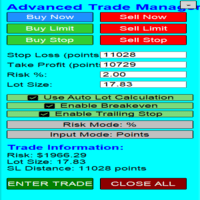
Overview Are you tired of complex manual calculations, emotional execution errors, and the constant fear of risking too much? The Advanced Trade Manager (ATM) is your all-in-one solution, a professional-grade Expert Advisor for MetaTrader 5 designed to give you institutional-level control over every aspect of your trade. From flawless risk calculation to intelligent, one-click execution, the ATM EA streamlines your entire trading process, allowing you to focus on your strategy, not the mechanics
FREE

It is just an alternative fibo lines. mt4 have is a very strange drawing of fibo lines, this utilites was written for mt4, but for mt5 it may not be particularly useful. A simple Box (Rectangle) graphic element with adjustable levels binding: it is possible to specify up to 17 custom levels, all rectangles on the chart with the given prefix in their name are processed. Levels are specified in % of the height of the rectangle. A convenient graphical element for analyzing charts by growth-correct
FREE

TrumpFeed to Telegram – Lightweight News Forwarder especially for Gold-Trader This Expert Advisor reads the Trump Truth Social RSS (mirror feed) , classifies new posts via OpenAI , neatly shortens the quote, and forwards it to your Telegram group/topic – including a compact XAUUSD impact summary . Ideal if you want to be notified immediately of potentially market-moving statements. Key Features Fetch: EA reads the RSS feed https://trumpstruth.org/feed every 30 seconds. Parse & Clean: Removes HTM

See your broker's pending order limit, free margin with margin call and stop out, and your open charts at a glance - read-only, never trades. Limit Monitor shows the limits of your trading account on one clean panel, so you notice a problem before your broker rejects an order. What you see Pending orders – your pending orders right now against the server limit of your account, with the highest value seen, your open positions and the total. If the server reports no limit, the panel says so. Margi
FREE

Trade Panel Manager — Master all trades in one dashboard Stop calculating volume manually, stop worrying about forgetting to set SL/TP. TTrade Panel Manager transforms MetaTrader 5 into a professional trading command center — drag and drop a few lines on the chart, the EA automatically calculates lot sizes according to your desired risk level, displaying SL/TP in pips and currency in real time, right before you press the button.
Why download now?
Accurate lot size calculation based on risk pe
FREE

Monthly Calendar MT5 simply presents your MT5 Trading History Beautifully. Your Entire Trading Month. At a Glance. Key Features
Download:
User can download screenshot by clicking Download icon.
Customizable Title:
Users can change the default “Monthly P/L Calendar” title to their preferred title.
Instant Profit/Loss Recognition:
Live tracking and P\L updates in seconds.
Click-to-Inspect:
Click any trading day to open detailed trade information.
Complete Trade Details:
Review time, sym
FREE

this is DEMO VERISON (for demo acc.) of TRADING OVERLAY with PARTIAL take profit ("virtual TP") and % risk lot size
--- full version available on my 'seller page' as well as version for MT4 Take better control of your trades with ease ! Easy lot size calculation with easy SL/TP setting. Your trading will be much more comfortable with this tool!
Main goal with this tool is very SIMPLE and FAST operation! Works like any EA, add it to selected chart and trade !
Features: start tra
FREE

Unified Scroll – Effortless Multi-Timeframe Chart Synchronization (MQL5)
Tired of manually scrolling through multiple charts? Unified Scroll is the ultimate MQL5 utility that instantly syncs scrolling and panning across all charts of the same symbol—regardless of timeframe. No more misaligned charts, no more wasted time. Just smooth, synchronized analysis at your fingertips.
Seamless Scrolling & Panning – Move one chart, and all others follow in real time .
Works with Any Sym
FREE

TradeBuddy Smart Trade & Breakeven Manager — One-Click Trading, Breakeven Lines & TP/SL Assistant
Tired of opening the order modification dialogue over and over just to tweak Stop Loss and Take Profit? Wondering where your exact zero-profit Breakeven price is when managing multiple grid or scalping positions?
TradeBuddy Smart Trade & Breakeven Manager is an institutional-grade on-chart utility engineered specifically for manual traders, prop firm challengers, and scalpers. Designed with a sl
FREE

Name: Trailing Stop EA Version: 1.1 Author: D. Petru Description: This Expert Advisor (EA) for MetaTrader 5 implements a trailing stop functionality. The EA monitors all open positions and, if the price moves in favor of the position by more than the set TrailingStop value, then the EA will move the stop loss to a distance of TrailingStop from the current price. Key Features: Trailing Stop : The user can set the trailing stop distance in points. When the price moves in favor of the
FREE

MT4 버전: https://www.mql5.com/en/market/product/91169 MT5 버전: https://www.mql5.com/en/market/product/110193 실시간 시그널: https://www.mql5.com/en/signals/2345410
"스마트 트레이더" 트레이딩 어시스턴트 전문가 자문을 소개합니다. 탁월한 적응력과 최첨단 위험 관리 전략으로 전 세계 전문 트레이더들이 신뢰하는 최고의 도구입니다.
"스마트 트레이더"의 핵심은 끊임없이 변화하는 시장 상황에 동적으로 대응하도록 세심하게 설계된 혁신적인 위험 관리 전환 시스템입니다. 정적인 위험 매개변수에 의존하는 기존 트레이딩 어시스턴트와 달리, "스마트 트레이더"는 고급 알고리즘을 활용하여 시장 데이터를 실시간으로 지속적으로 분석하고, 시장 변동성에 대한 노출을 최소화하면서 수익 잠재력을 극대화하는 위험 관리 방식을 지능적으로 조정합니다. "스마트 트레이더"의 차별점은 시장 상황에 따라

PropSizer is a free lot calculator on the chart: drag an entry line and a stop line, and one text line shows the broker normalised lot size for your risk, the money on the line and the stop distance. A session candle counter and a news line come with it. Setup takes a minute: attach it to the chart you want to trade, set your risk per trade once, and drag the two lines. It never places an order. Try it first
It is free. Attach it to any chart, drag the lines, read the number. In the strategy te
FREE

버튼 하나. 클릭 한 번. 깨끗한 차트. MT4 version 모든 것을 그렸습니다. 추세선, 피보나치, 사각형, 구역, 화살표… 차트는 현대 예술 작품처럼 보입니다. 아름답지만 — 가격이 보이지 않습니다. NAKED CHART 이 한 번의 클릭으로 해결합니다. 한 번 클릭 → 모든 드로잉이 즉시 사라집니다 다시 클릭 → 모든 것이 원래대로 돌아옵니다 지표는 영향 없음 — 드로잉만 숨겨집니다 드래그 가능한 버튼 — 차트 어디에나 배치 가능 설정 없음. 복잡함 없음. 모든 것을 바꾸는 버튼 하나.----------------- --------------------------------------------------------- 「때로는 가장 깨끗한 차트가 가장 강력하다.」
— SPARTACUS2026
FREE
MetaTrader 마켓은 MetaTrader 플랫폼용 애플리케이션을 구입할 수 있는 편리하고 안전한 환경을 제공합니다. Strategy Tester의 테스트를 위해 터미널에서 Expert Advisor 및 인디케이터의 무료 데모 버전을 다운로드하십시오.
MQL5.community 결제 시스템을 이용해 성능을 모니터링하고 원하는 제품에 대해 결제할 수 있도록 다양한 모드로 애플리케이션을 테스트할 수 있습니다.
