OrderPro Trading Panel
- Utilità
- Versione: 1.0
- Attivazioni: 5

OrderPro Trade Panel v1.00
OrderPro is a professional tool that provides a complete and interactive control panel to manage your trading operations. It was designed to simplify and speed up order execution, offering advanced risk management tools and real-time analysis.
Advantages of OrderPro
✅ Intuitive interface - All controls in a single organized panel
✅ Fast execution - Orders placed with one click
✅ Professional risk management - Automatic BE and TS
✅ Clear visualization - All important information in real time
✅ Flexibility - Three calculation types (%, $, Pts) for TP/SL
✅ Visual pending orders - Control/Shift + click with preview
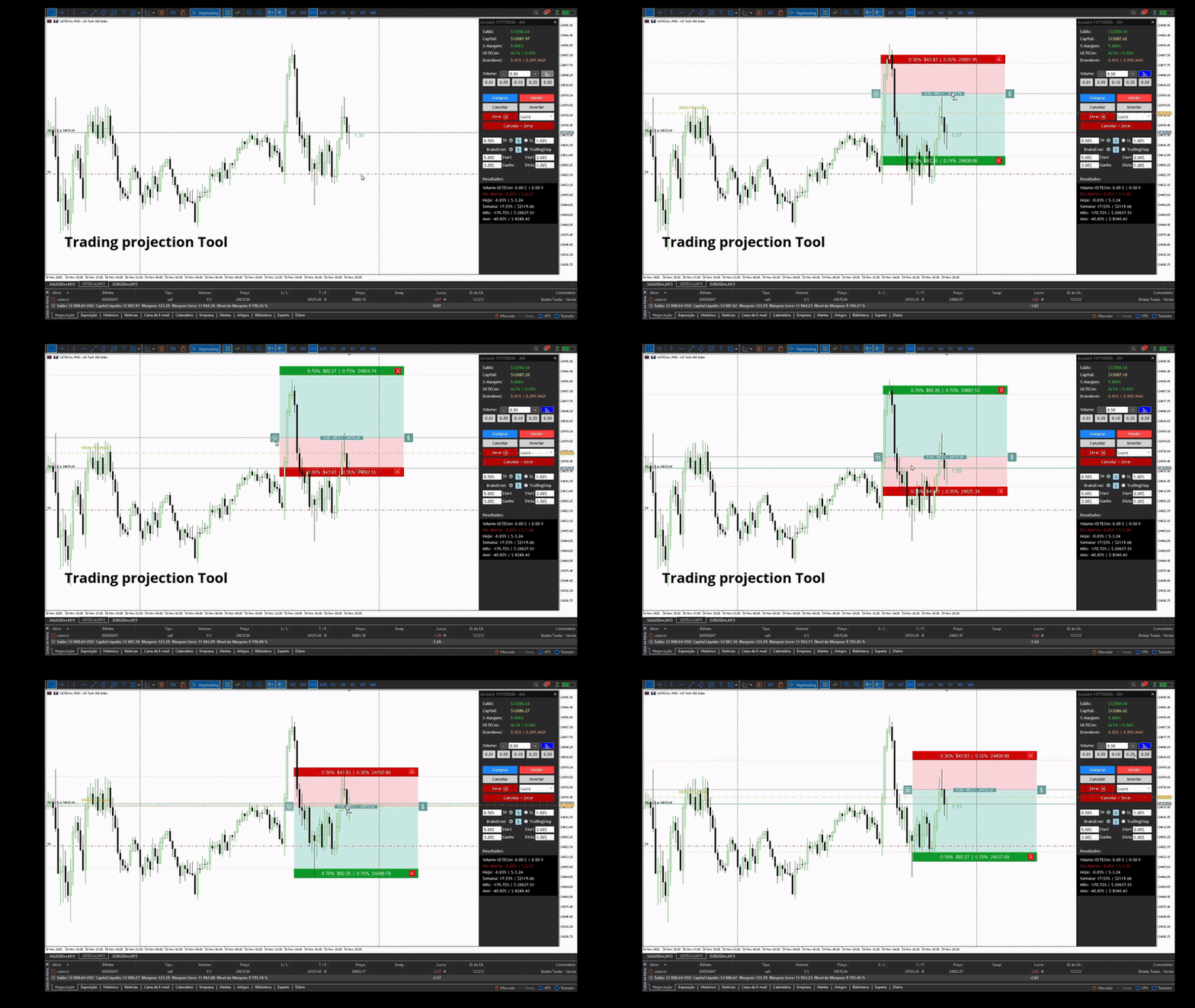
✅ Scenario projection - Plan trades visually
✅ Data persistence - Settings saved automatically
✅ Optimized performance - Smart caching
✅ Sound feedback - Different sounds for each type of action
How it works:
- The panel stays fixed on the right side of the chart
- All information updates automatically
- Controls are fully interactive and easy to use
- The system automatically saves your settings between sessions
Input Parameters
When attaching the EA to the chart, you can configure:
SaldoInicialAno (default: 0.0)
- Defines the starting balance of the year for performance calculations
- If left at 0, the system calculates automatically based on account history
PassoVolume (default: 0.01)
- Defines the increment/decrement of the "+" and "-" volume buttons
- Example: if set to 0.01, each click adds or removes 0.01 lot
VolumeMaximo (default: 1.00)
- Maximum volume allowed in the panel’s volume field
- Protection against accidental entry of excessively high volumes
Panel Information
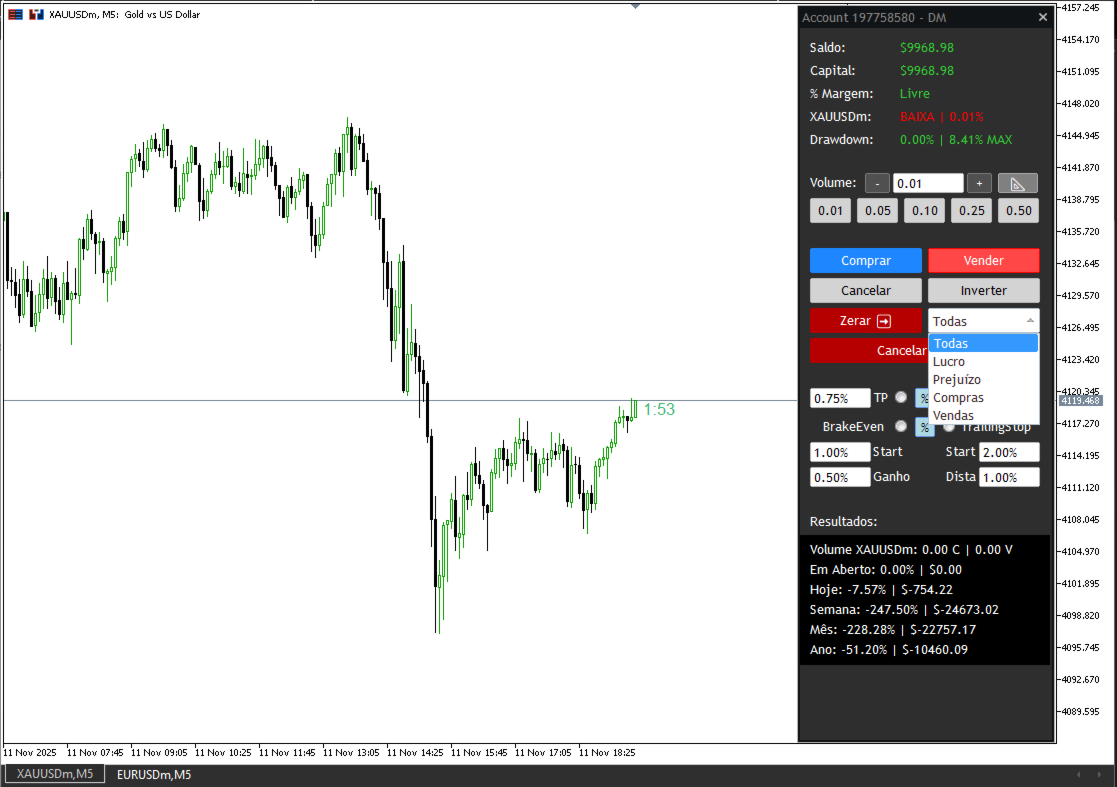
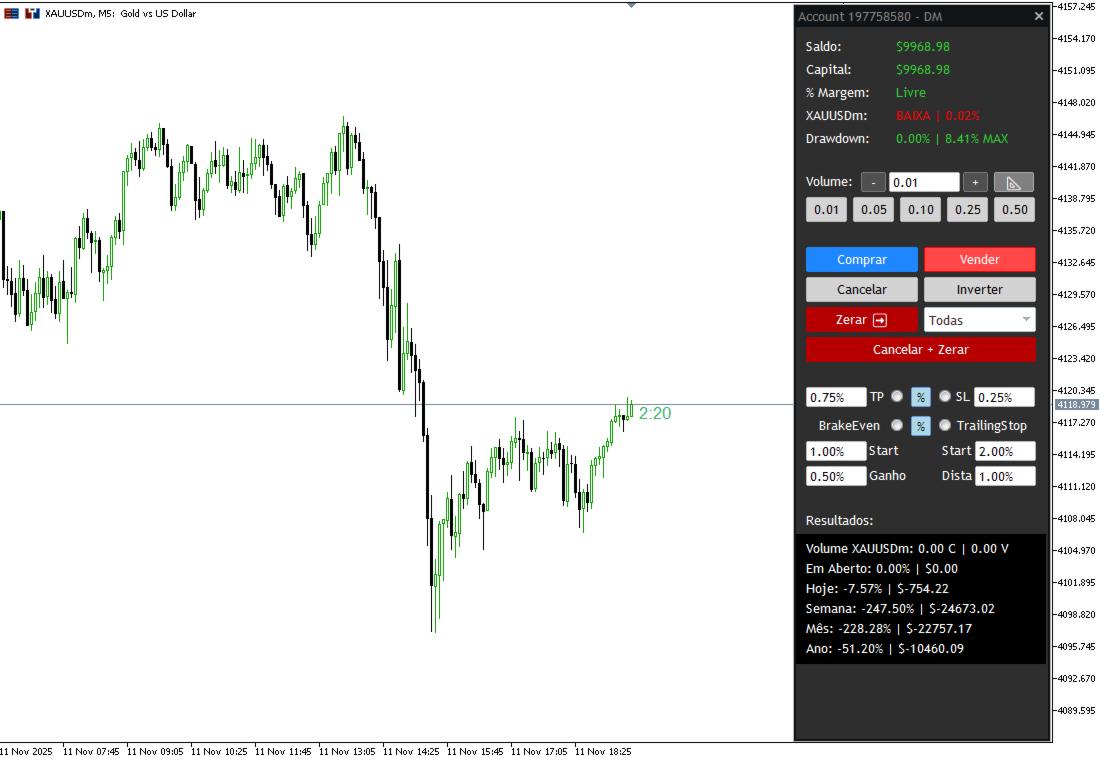
The panel displays various information organized into sections:
Financial Section (Top)
- Balance: Your current account balance (in green)
- Equity: Current equity (net worth), changes color based on profit/loss
- Margin: Percentage of free/used margin, with color alerts
- Day Variation: Trend (UP/DOWN/NEUTRAL) and intraday variation percentage
- Drawdown: Current and maximum drawdown in percentage
Volume Control Section
Editable volume input field
"+" and "-" buttons to adjust volume quickly
Results Section
- Open: Current result of open positions (% and monetary value)
- Total Volume: Total buy and sell volume of the current asset
- Today: Day’s result (% and value)
- Week: Weekly result (% and value)
- Month: Monthly result (% and value)
- Year: Yearly result (% and value)
TP/SL/BE/TS Configuration Section
- TP (Take Profit): Radio button to enable + value field
- SL (Stop Loss): Radio button to enable + value field
- BE (Break Even): Radio button to enable + Start and Gain
- TS (Trailing Stop): Radio button to enable + Start and Gain
Trade Buttons
BUY (green)
Executes a market buy order with the configured volume. If TP and/or SL are active, they are applied automatically.
SELL (red)
Executes a market sell order with the configured volume. If TP and/or SL are active, they are applied automatically.
REVERSE (yellow)
Completely reverses your position:
Closes all current positions
Opens a new position in the opposite direction with double the previous volume
CANCEL (white)
Cancels all pending orders (Buy Limit, Buy Stop, Sell Limit, Sell Stop) that have not yet been executed.
CLOSE (white)
Closes positions based on the filter selected in the ComboBox:
- All: Closes all open positions
- Profit: Closes only positions in profit
- Loss: Closes only losing positions
- Buys: Closes only buy positions
- Sells: Closes only sell positions
CANCEL + CLOSE (orange)
Performs both actions simultaneously: cancels all pending orders and closes all open positions.
Projection System
The Projection system allows you to visually plan trades on the chart with automatic risk-reward calculation and direct execution.
Click the PROJ button on the panel (it turns blue when projections are active).
Displayed Information:
- Upper and Lower Rectangles:
- Format: % balance | $ value | % price | exact price
- Example: 0.50% $50.00 | 0.25% 128.450
- Shows the financial result if the order reaches that level
- Central Rectangle:
- Format: volume - RR X.X - price
- Example: 1.00 - RR 2.5 - 128.350
- RR = Risk-Reward Ratio (calculated automatically)
How to adjust levels:
- Dragging Upper/Lower rectangles:
- Moves TP or SL vertically
- Cannot cross the central line
- Values recalculate automatically
- Dragging the Central rectangle:
- Moves the entire structure at once
- Useful for repositioning while maintaining proportions
- Dragging horizontally:
- Adjusts visual alignment without changing prices
Orders with Control/Shift + Click
This is a powerful feature to place pending orders quickly:
Control + Click on the chart
Creates pending BUY orders
- If clicked BELOW current price: creates Buy Limit
- If clicked ABOVE current price: creates Buy Stop
- While holding Control and moving the mouse, visual lines appear:
- Green dotted line: order price + volume + % variation
- Blue line (if TP active): TP level + financial value + % variation
- Red line (if SL active): SL level + financial value + % variation
Shift + Click on the chart
Creates pending SELL orders
- If clicked ABOVE current price: creates Sell Limit
- If clicked BELOW current price: creates Sell Stop
- Same visual guidance lines appear
Advantages:
- Instant visualization of order, TP, and SL placement
- Automatic calculation based on the defined type (%, $, Pts)
- Fast execution without needing the panel