ChallengeLens Prop Firm Simulator

ChallengeLens - Prop Firm Challenge Simulator: pass rate, failure reasons and best lot size

Before you pay for a prop firm challenge, find out how often your EA or your trading would have passed it.

ChallengeLens takes the daily results of your account history or of your Strategy Tester reports and replays the challenge from every possible start day, with the real rules of the prop firm. In a few seconds you see the pass rate, why the challenges fail, how many days it takes to pass and which lot size gives the best chance. It never opens or closes trades.


What you get

Pass rate
- Every trading day of your history becomes the start of a full challenge: 700 days of data = 700 simulated challenges.
- The big number on the panel is the share of challenges passed: green, yellow or red at a glance.

Why the challenges fail
- Failed on the daily loss limit, failed on the maximum loss, failed on the time limit, or not finished because the data ended.
- You know exactly which rule is the danger for your strategy.

Days to pass
- Median number of days to pass both phases, and a histogram of all the results.

Best lot size
- The whole simulation is repeated with lots x0.25, x0.5, x0.75, x1, x1.25, x1.5 and x2.
- The gold box shows the multiplier with the highest pass rate (if two are equal, the faster one). Example: x0.75 means "use 75% of the lots you use now".

Monte Carlo
- Your days are mixed in random order thousands of times, to check that the result does not depend on lucky timing.

Worst day and lowest point
- The worst day of the history and the deepest drop below the starting balance during the simulated challenges.


Prop firm rules

Ready presets (switch them with the arrows on the panel):
- FTMO 2-Step: 10% + 5%, daily loss 5%, maximum loss 10%, minimum 4 days.
- FTMO 1-Step: 10%, daily loss 3%, trailing maximum loss 10%, best-day rule 50%.
- The5ers High Stakes: 8% + 5%, daily loss 5%, maximum loss 10%, 3 profitable days.
- The5ers Hyper Growth: 10%, daily loss 3% (pause), maximum loss 6%.
- FundedNext Stellar 2-Step: 8% + 5%, daily loss 5%, maximum loss 10%, minimum 5 days.
- FundedNext Stellar 1-Step: 10%, daily loss 3%, maximum loss 6%, minimum 2 days.
- Custom: your own targets (one or two phases), daily loss that fails or only pauses the day, static or trailing maximum loss, minimum trading or profitable days, time limit, best-day rule.

Prop firms change their rules: always check the current rules of your firm and use Custom if they are different.


Your data, three ways

1. Strategy Tester reports (the most common use: "will my EA pass?")
- Backtest your EA in the MetaTrader 5 Strategy Tester, even over several years.
- Save the report as HTML (right click on the results, Report, HTML) in the MQL5\Files folder of your terminal (File > Open Data Folder > MQL5 > Files).
- In ChallengeLens choose "Strategy Tester report(s)" and type the file name.
- Several EAs together: write several files separated by ; (example: gold.html;indices.html). They are combined into one portfolio. Optional weight: gold.html*0.5.

2. Account history
- Attach ChallengeLens to the account where you or your EA trade. It reads the closed trades by itself.
- Filter by magic number or symbol to look at one EA only.

3. Demo data
- A built-in example (a fictional EA) to see how everything works in one click.


How to use it

1. Attach ChallengeLens to any chart (it does not matter which symbol).
2. Choose the data and the prop firm. Everything else works with the default settings.
3. Read the panel. Change the prop firm with the arrows, the data source with one click, and press Recalculate after a new backtest.


Settings

Data: data to simulate, report file name(s), magic numbers, symbols, start date.
Challenge rules: preset, and for Custom: targets, daily loss and pause, maximum loss and trailing, minimum days and profitable days, profitable-day size, time limit, best-day rule.
Simulation: lot multiplier, safety margin, start a challenge every day / week / month, Monte Carlo runs.
Display: language (automatic: English, Italiano, Español, Deutsch, Français, Português, 中文), light or dark theme, panel size.


Important to know

- ChallengeLens uses the result of the closed trades of each day. During the day the floating loss can be larger: this is why a safety margin (0.5% by default) is applied to the loss limits.
- It is a simulation on past data. It shows how a strategy behaved under the challenge rules, it does not promise future results.
- At least 3 months of trading data are needed for meaningful numbers; with less data the panel shows a warning.
- The free demo of the Market runs in the Strategy Tester with the built-in demo data only. Your own account history and reports are used by the full version on a chart.
- ChallengeLens is read-only: it never opens, modifies or closes trades on your account.

Questions or suggestions? Send me a private message on MQL5, I usually answer within 24 hours.

Recommended products
Prop Firm Shield Full
Pablo Adolfo Cantos
Prop Firm Shield is a risk management panel for MetaTrader 5, built for prop firm traders who need control over their daily limits. You configure each limit and the tool watches the account around the clock, acting automatically when a limit is reached: closing positions, deleting pending orders and blocking new trading until the next day. Features: - Daily Take Profit - three modes: fixed USD, percent of the day-start balance, or target balance - Daily Stop Loss - three modes: fixed USD, percen
SPECIAL LAUNCH OFFER: $30 (1-Month Rent) Limited time offer to build our community and gather feedback! AmbM GOLD Institutional Scalper A high-precision M5 algorithm for XAUUSD (Gold) , engineered to trade exclusively at Institutional Liquidity Levels ($5/$10 psychological marks). PERFORMANCE DATA (BUY ONLY) • Win Rate: 87.09%. • Safe Growth: +$4,113 profit on $10k (13.75% Max Drawdown). • Extreme Stress Test: Successfully generated +$22,997 in a 5-year stress test (2020-2026), proving
CFTC R Dashboard puts the weekly CFTC Commitments of Traders (COT) report on your MetaTrader 5 chart. Attach it to any chart: it finds the matching markets, downloads the official CFTC data and shows four years of positioning in one panel. No CSV files, no copy-paste, no API key. It is a utility: it never opens, changes or closes trades. A new report comes out every Friday (positions as of Tuesday). The dashboard picks it up by itself. WHAT YOU SEE - Large speculators (funds): longs, shorts,
ApeX Journal MT5
Korakot Santithammarak
View User Manual       ApeX Trade Manager MT5  →     ApeX Journal MT5  →     ApeX Indicator SMC MT5  →     ApeX Indicator ICT Concepts MT5  →     ApeX Indicator Volume Profile MT5  →    ApeX Indicator ICT Macros MT5  → Your broker keeps a list of your trades. It does not keep a record of your trading. ApeX Journal turns the history already sitting in MetaTrader into the journal you keep meaning to write. Powered by ApeX Journal A complete trading journal, built directly inside MetaTrader 5.
Advisor for hedging trading or pair trading. A convenient panel allows you to open positions on the necessary trading instruments and lots. Automatically determines the type of trading account - netting or hedging. Advisor can close all its positions upon reaching profit or loss (determined in the settings). A negative value is required to control losses (for example, -100, -500, etc.). If the corresponding fields are 0, the EA will not use this function.   Settings: Close profit (if 0 here
DeepTrade SessionIntel
Yasir Mohammed Sachit Sachit
Most session tools try to cover everything. DeepTrade Session Intel does the opposite — it focuses on what actually moves the market: the London and New York sessions, tuned for Gold (XAUUSD) and US30. It maps the liquidity and the real activity window so you trade when the market is alive, not when it's dead.   WHAT IT SHOWS - London and New York session boxes drawn at their real server hours - Session HIGH and LOW lines — the liquidity that price hunts - Pre-session breakout range — the conso
SinalTradeToMT5
Angelo Marcelo Serafin
SinalTrade is a professional Telegram-to-MetaTrader 5 signal management platform. The EA works as a secure Connector between MT5 and the SinalTrade Interface. Most settings are managed directly from the Interface, making configuration easier and allowing centralized control of Telegram providers, MT5 accounts, execution rules and risk management. Main features: • Telegram signal monitoring • Automatic BUY/SELL signal detection • Market, STOP and LIMIT orders • Entry ranges and multiple entries •
Hybrid Assisted Trading Engine Manual Trading. Machine Discipline. The Hybrid Assisted Trading Engine is an institutional-grade manual trade management system designed to protect traders from emotional mistakes — without taking control away from them. You decide when to enter . The engine decides how the trade is managed . What It Does This system continuously monitors your manual trades and enforces professional-level trade management rules in real time: Smart Breakeven logic R-based trai
DR Assistant Lite
Diogo Cesar Toigo
Ferramenta derivada do DR Assistant, a versão Lite conta com recursos semelhantes, mas sendo mais específica em sua aplicação, destina-se exclusivamente ao uso para gestão de ordens abertas a partir de suas funções. Deste modo, quaisquer outras negociações ou posições abertas por outras ferramentas ou manuais serão ignoradas pelo Assitant Lite. Os parâmetros e configurações disponíveis, bem como suas principais funções são: - Take Profit e Stop Loss: duas opções de Steps, em pontos, para ambas a
Grid Trading EA is a semi-automated one-click trading EA for both Normal Trading and Grid/Martingale Trading . Normal Trading Simply click Buy or Sell directly from the chart. The EA will automatically manage trades by: Setting Stop Loss and Take Profit Managing Trailing Stop Grid / Martingale Trading (For Hedging Account Type Only) When Grid Trading mode is enabled, the EA will automatically open additional grid orders at specified distances while increasing the lot size based on your settings.
Awesome Oscillator by Bill Williams with the ability to fine-tune and replace the averaging algorithms of the indicator, which significantly expands the possibilities of using this oscillator in algorithmic trading and brings it closer in its properties to such an indicator as the MACD. To reduce price noise, the final indicator is processed with an additional Smooth averaging. The indicator has the ability to give alerts, send mail messages and push signals when the direction of movement of th
Stop guessing and start executing with precision. Learning complex trading methodologies takes years of screen time—until now. The Propfolio Strategy Mentor OS is an elite, on-chart analytical dashboard that acts as your live digital trading mentor. It doesn't just draw lines on your chart; it actively scans the market, identifies high-probability setups across 8 different institutional strategies, and tells you exactly what to look for in real-time via the Live Mentorship Terminal. Whether you
Risk Manager Panel PRO
Haitham Abduh Irahim Ali Al-areefi
Risk Manager Panel PRO — Smart Trading Assistant for MT5 Risk Manager Panel PRO is an advanced trade-execution panel designed for professional traders who need speed, accuracy, and full control over their risk. This tool replaces manual calculations and transforms your chart into a powerful trading workstation. It is built especially for traders who value lot precision, risk management, smart pending orders , and instant execution — all in one clean and intuitive interface. Key Features
Advanced MT5 Indicator: Precision-Powered with Pivot Points, MAs & Multi-Timeframe Logic Unlock the full potential of your trading strategy with this precision-engineered MetaTrader 5 indicator —an advanced tool that intelligently blends Pivot Points , Adaptive Moving Averages , and Multi-Timeframe Analysis to generate real-time Buy and Sell signals with high accuracy.    If you want to test on Real Market, Let me know. I will give the Demo file to run on Real Account.    Whether you're a scal
Prior Day Breakout Pro
Allan Aparece Ninal
Prior Day Breakout Pro is an Expert Advisor for MetaTrader 5 that trades the previous-day high and low breakout on XAUEUR. It sizes each trade by a fixed lot or a risk percent. It can pause around high-impact news. Six tested presets are included. This EA promises no profit. Every result below is a backtest on broker history, not live trading. The tests passed on gold only. Thirty-seven symbols were tested. Quick start Open an XAUEUR chart on H1 or M15 (a prefixed or suffixed name is fine). Atta
Historical Trading Info A simple, free utility to display essential trade information directly on your chart. This lightweight tool helps you keep track of your performance at a glance. Features: Current Open Trades: Instantly view a summary of all your active positions. Recent Trade History: Analyze your closed trades from a selected period within the last 30 days. Clear Timeframe: The historical data is neatly organized starting from the beginning of the day(s) you choose to review. Economic
FREE
PZ Mean Reversion MT5
PZ TRADING SLU
1 (1)
Outperform traditional strategies: effective mean reversion for savvy traders Unique indicator that implements a professional and quantitative approach to mean reversion trading. It capitalizes on the fact that the price diverts and returns to the mean in a predictable and measurable fashion, which allows for clear entry and exit rules that vastly outperform non-quantitative trading strategies. [ Installation Guide | Update Guide | Troubleshooting | FAQ | All Products ] Clear trading signals Ama
Caicai L&S Yield Histogram Important Notice: This indicator is an integral tool of the automated EA Caicai Long and Short Pair Trading . This indicator visually displays the percentage deviation (Yield %) of a pair's current spread relative to its own historical mean. It is an excellent tool for quickly visualizing the gross financial potential of a market distortion in Long & Short operations. Main Features: Percentage Visualization: Understand the size of the distortion in palpable percentage
Nexus Trade Terminal
Matheus Rodrigues Satriano
Nexus Trade Terminal is a utility Expert Advisor that combines market context and manual execution on one panel. On every closed bar it updates three readings and offers buttons to send orders. Panel execution is disabled until you allow it in the inputs. How it works Regime: Hurst exponent and fractal dimension over the lookback window, plus momentum and volatility, classify the market as trend, mean reversion, chaotic or range/accumulation, with a heuristic confidence value. Volume and gap mon

OsasFXea Diamond RapidFire MT5
Wan Mohammad Shazly Bin Wan Zulkifli
OsasFXea Diamond RapidFire Panel osasFXea  ·  MetaTrader 4 & 5 OsasFXea Diamond   RapidFire   Panel One-click rapid trade panel for fast discretionary basket trading on gold, crypto, forex, and more. MT4 & MT5   Utilities Category   Hedging accounts   XAUUSD · BTCUSD · Forex Overview What it does RapidFire Panel places you in complete control of your basket trading workflow. Every core action — open, manage, close — is one click away on a branded dashboard that sits on your chart. The panel foll
PEPITO MANUAL ASSISTANT A trading panel for MetaTrader 5 for traders who decide their own entries. You choose when to buy or sell; the panel sizes the trade, places the stops, manages the open positions and shows you where support and resistance are. It does not open trades by itself. Every entry is your click. Pepito Agent Assistant helps traders identify and evaluate potential opportunities. It does not automatically open trades if is not enable from trade panels. Trading decisions remain u
General Description In the simplest terms this is a contrarian intra-day scalping system. Built to try and let correct trades run as far as possible and flip the trade when indicated. The indicator looks at historical daily trading ranges to lay out levels at which it takes long and short positions based on the statistical levels. The indicator is built around index futures, mainly around S&P and the DOW but can be used an any futures contract mainly using AMP Futures to trade. The indicator is
Fibonacci Sniper XAUUSD
Luis Paulo de Oliveira
GOLD FIBONACCI SNIPER M5 Description GOLD FIBONACCI SNIPER M5 is a professional MetaTrader 5 indicator specially developed for XAUUSD (Gold) on the M5 timeframe. The indicator uses Fibonacci retracements combined with trend analysis, volatility filters, candle rejection patterns, and market strength confirmation to identify high-probability entry opportunities. The system automatically detects retracement zones between the 38.2, 50, and 61.8 Fibonacci levels, which are commonly considered instit
Orbit Range Pro
Nikolai Konovalov
Proprietary, fully automated MT5 Expert Advisor with confidential trading logic. GBPUSD tested on 100% real ticks. Orbit Range Pro is a proprietary trading robot for MetaTrader 5. Its decision logic is confidential and is not disclosed - you get a ready-to-run EA, tuned and verified by the author. Verified GBPUSD backtest (MT5 Strategy Tester, real ticks 100%, $10,000 deposit, 0.03 lots): - Full period 2026.04.20-2026.10.17: net profit +$996.28 (~+9.96%), max equity drawdown 5.00%, profit fact
Divergent Stochastic Filter II Catch Reversals Early, Filter Noise, Trade with Confidence The Edge: Why This Stochastic is Different  Every trader knows the Stochastic oscillator. But knowing when to trust its signals, that's the real challenge. The Divergent Stochastic Filter II transforms this classic indicator into a precision reversal detection system by adding critical elements: divergence intelligence, signal filtering and exhaustion detection.  While standard Stochastic oscillators fire s
STREAK English EN STREAK — Put every market move into context Three bullish candles do not always tell the same story. Their size, their pace and the behaviour of earlier runs can help you understand the movement now taking shape. STREAK is a MetaTrader 5 indicator that analyses runs of candles moving in the same direction across several timeframes. It compares the current situation with historical observations to present continuation and reversal estimates, together with the number of availabl
Multiple Positions
Emanuel Reynard Phillips
Need to open multiple positions/trades all at once?  We've created your easy solution. You can now enter multiple positions at one time. You can set you Lot size, Number of positions, Take profit, and stop loss. For example: You want to buy 3, 5, 10 or any number of positions with a certain lot size. You can now do so by simply tapping the "Buy" button.  Or  For Example: You want to sell 3, 5, 10 or any number of positions with a certain lot size. You can do so by simply clicking the "Sell" bu
Custom Alerts MT5
Daniel Stein
5 (9)
Custom Alerts: Monitor Multiple Markets and Never Miss a Key Setup Overview Custom Alerts is a dynamic solution for traders who want a consolidated way to track potential setups across multiple instruments. By integrating data from our flagship tools—such as FX Power, FX Volume, FX Dynamic, FX Levels, and IX Power— Custom Alerts automatically notifies you of crucial market developments without juggling multiple charts or missing prime opportunities. With support for all asset classes your brok
Automated Timeframe cycling with Symbols centered.  Force every timeframe onto one clock window, so the story you see on Daily is the same story you are slicing on H4, H1, and M1.  Traders usually flip timeframes and lose the span. A Daily chart shows a few weeks, then M15 shows a few hours, and the eye treats them as different markets. This indicator locks the window to N bars of the highest enabled timeframe — default 10 Daily — and maps every lower timeframe to that same stretch. You stay ins
FREE
Pattern Recognition EA
Claudiu-georgian Zavera
Pattern Recognition EA - From Learn to Earn. The market repeats itself. This EA finds every past repeat of the current candle sequence - and lets history vote the direction. ONE SHAPE. EVERY REPEAT IN HISTORY VOTES. The last N candles on your signal timeframe form a shape. The EA scans the history you choose - a fixed number of bars or everything your broker provides - for the SAME shape, and checks what happened next, every single time. Only when enough repeats exist AND a clear majority of t
Buyers of this product also purchase
Trade Assistant MT5
Evgeniy Kravchenko
4.43 (216)
It helps to calculate the risk per trade, the easy installation of a new order, order management with partial closing functions, trailing stop of 7 types and other useful functions. Additional materials and instructions Installation instructions - Application instructions Line function -   shows on the chart the Opening line, Stop Loss, Take Profit. With this function it is easy to set a new order and see its additional characteristics before opening.   Risk management  - The risk calculation
FarmedHedge Pair Trading Dashboard
Tanapisit Tepawarapruek
5 (7)
Farmed Hedge Yield Farming | All Markets (Manual - Hybrid - Semi/Automated EA) VERIFIED TRADING RESULTS - Farmed Hedge Yield Axi Copy:  https://www.mql5.com/en/signals/2356376 - Farmed Hedge Yield Exn Copy:   https://www.mql5.com/en/signals/2356404 - Farmed Hedge Yield V Copy:  https://www.mql5.com/en/signals/2357156 IMPORTANT NOTICE: FarmedHedge is a MANUAL-FOCUSED TRADING UTILITY ,not a fully automated EA. Results shown on this Signal include manual trades and overall strategic management.
Forex Trade Manager MT5
InvestSoft
4.98 (690)
Trade Manager MT5 is an advanced position size calculator and trade management tool for MetaTrader 5, designed to help traders plan trades faster, control risk more precisely, and manage open positions directly from the chart. It combines order placement, risk based lot calculation, Stop Loss and Take Profit management, Break Even, Trailing Stop, Partial Close, Equity Protection, and external trade management in one panel. Whether you trade forex, indices, metals, commodities, crypto, or future
Telegram to MT5 MultiChannel Copier
Sergio Marquez Uroz
4.71 (24)
Telegram to MT5 Multi-Channel Copier   automatically copies trading signals from your Telegram and Discord channels straight to MetaTrader 5. No bots, no browser extensions, no manual copying. A signal arrives in Telegram or Discord and the EA opens the trade in your terminal within seconds. And before you copy a channel, the built-in backtester shows you what that channel would have done in your account. The product has two components: a Windows application that listens to your Telegram channel
EA Overfitter
Stephen J Martret
5 (4)
That backtest looks great. But will it still be making money tomorrow, next week, next month? EA Overfitter re-runs your EA on 100 price histories it has never seen. One score tells you if the edge is real. A backtest tells you what an EA did on one price history — the one that happened to occur. What you cannot tell from it is how much of that result was the strategy and how much was the particular path. EA Overfitter answers that. It builds up to 100 synthetic price histories your EA has n
TradePanel MT5
Alfiya Fazylova
4.89 (174)
Trade Panel is a multi-functional trading assistant. The app contains over 50 trading functions for manual trading and allows you to automate most trading tasks. Application instructions: https://www.mql5.com/en/blogs/post/756482 Trial version of the application for a demo account: https://www.mql5.com/en/blogs/post/750865 How to install the application: https://www.mql5.com/en/blogs/post/756239 How to test the application in visual mode: https://www.mql5.com/en/blogs/post/770277 How to install
News Trade EA MT5
Konstantin Kulikov
4.55 (11)
Present to you the useful robot that I have been using for several years. It can be used in both semi-automatic mode and fully automatic mode. >>> Chat <<< The program contains flexible settings for trading on the news of the economic calendar. It cannot be checked in the strategy tester. Only real work. Download the latest archive of settings: https://www.mql5.com/en/blogs/post/747929 Signals monitoring: https://www.mql5.com/en/signals/author/test-standart When creating your own sets of setti
Copy Telegram signals with your own trading rules Telegram to MT5 Signal Trader automatically copies text-based trading signals from public and private Telegram channels and groups into MetaTrader 5. Manage multiple providers and MT5 accounts from one desktop app, with individual risk and trade settings for each provider . No Telegram bot or API setup needed for copying. Simply sign in with your own Telegram account by phone or QR code and select the channels or groups you have already joined. Y
================================================================================ POC BREAKOUT - V20.72. Full Professional Grade Toolkit ================================================================================ POC Breakout is a full MetaTrader 5 trading dashboard for discretionary traders who want breakout signals, Point of Control (POC) context, volume profiles, order flow, market structure, news, alerts, and advanced trade planning in one professional workspace. Attached directly to you
The product will copy all telegram signal to MT5 ( which you are member) , also it can work as remote copier.  Easy to set up, copy order instant, can work with almost signal formats, image signal,  s upport to translate other language to English Work with all type of channel or group, even channel have "Restrict Saving Content", work with  multi channel, multi MT5 Work as remote copier: with signal have ticket number, it will copy exactly via ticket number. Support to backtest signal. How to s
Power Candles Strategy Scanner - Self-Optimizing Multi-Symbol Setup Finder Self-optimizing settings work one chart at a time, and finding where they pay off right now means opening chart after chart. Power Candles Strategy Scanner runs the same self-optimizing engine as the Power Candles indicator on every symbol in your Market Watch, side by side. One panel ranks where it pays off: the winning strategy per symbol, its optimized Stop Loss and Take Profit. An alert fires the moment a fresh signal
Welcome to Entry In The Zone with SMC Multi Timeframe  Entry In The Zone with SMC Multi Timeframe  An indicator designed for market analysis based on Smart Money Concepts (SMC), displaying Market Structure, Key Zones (Order Blocks, Supply & Demand Zones, and Fair Value Gaps), Liquidity, and real-time BUY / SELL signals. It supports both Single-Timeframe and Multi-Timeframe analysis, along with the Confluence at Zone feature, which helps you evaluate supporting factors when price enters a key zon
EA Auditor
Stephen J Martret
5 (7)
EA Auditor is an independent analysis tool for traders evaluating Expert Advisors and trading signals on MetaTrader 5. It audits backtest reports, reviews posted developer signals, and cross-verifies the two against each other to help traders assess strategies before committing capital. The MQL5 market offers a wide range of Expert Advisors from many developers, with varying approaches, quality, and transparency. EA Auditor provides a consistent, data-driven framework for reviewing them, answer
Kontrol01 Manager
Andrei Koval
5 (2)
EA Portfolio Control & Cloud Monitoring for MetaTrader 5 Your EAs manage trades. KONTROL_01 manages your EAs. A control system for traders running multiple Expert Advisors on the same account. Coordinate EA activity, manage trading risks and monitor your setup remotely. A detailed User Manual is available via DM after purchase. IN PRACTICE Multiple EAs. No coordination. Your EAs trade independently, unaware of each other's activity. KONTROL_01 coordinates them, limits simultaneous activity a
MT5 to Telegram Signal Provider turns your trading account into a signal provider. Every trade action, whether manual, by EA or from your phone, is instantly sent as a message to Telegram. You can fully customize the format or use a ready-made template for quick setup. [ Demo ] [ Manual ] [ MT4 Version ] [ Discord Version ]     New: [ Telegram To MT5 ] Setup A step by step user guide is available. Key Features Ability to customize order details sent to subscribers You can create a tiered subs
AW Trade Manager
AW Trading Software Limited
AW Trade Manager is a trade panel for MetaTrader 5 with a risk/reward tool on the chart. A trade is planned with Entry, Stop Loss and Take Profit lines dragged with the mouse: plates show price, distance and money, zones show profit and loss, and the volume is calculated from the risk. Before sending, the confirmation window shows the whole trade with risk, margin and the rules of the position. Manual and instruction -> HERE / Free LIVE Demo -> HERE To manage a position after the entry the panel
Effortlessly manage multiple trading accounts The Local Trade Copier EA is a solution for individual traders or account managers who need to execute trade signals from external sources or who need to manage several accounts at the same time, without the need for a MAM or a PAMM account. It copies from up to 8 master accounts to unlimited slave accounts . [ Installation Guide | Update Guide | Troubleshooting | FAQ | All Products  ] 100% self hosted Easy to install and use It can copy from MT4 t
RETAILBERG FOOTPRINT CHART PRO — Order-Flow Workspace for MetaTrader 5 Version 7.00  |  Professional System  |  31 tools  |  One chart A full 150-page illustrated User Manual is included. Please read the full manual to understand this feature packed footprint chart elements and ui. https://www.mql5.com/en/blogs/post/777982 DEMO / STRATEGY TESTER — PLEASE READ FIRST
Dealer Panel
Mian Rameez Ali
Dealer's Panel No signal decides anything here — a hand does. One click, and the panel calculates what's underneath: lot size from risk, target from a 30-step balance ladder that remembers exactly how far an account has climbed. Toggle between market and pending without touching an input field. Set a stop, and the take-profit can write itself — a fixed share of the balance, translated into price with no arithmetic left for the trader to get wrong. One trade live at a time; it won't let a seco
Trade Manager DaneTrades
Levi Dane Benjamin
4.13 (31)
DaneTrades Trade Manager is a professional trade panel for MetaTrader 5, designed for fast, accurate execution with built‑in risk control. Place market or pending orders directly from the chart while the panel automatically calculates position size from your chosen risk, helping you stay consistent and avoid emotional decision‑making. The Trade Manager is built for manual traders who want structure: clear risk/reward planning, automation for repeatable management, and safeguards that help reduc
Bneu Prop Firm Pass System
Marvinson Salavia Caballero
5 (1)
BNEU PROP FIRM PASS SYSTEM v2.37 PRODUCT OVERVIEW Bneu Prop Firm Pass System is a professional risk management and account protection utility for MetaTrader 5. Attach to any chart and configure your account rules. The system monitors daily loss, maximum drawdown, profit target, trading days, open risk, margin usage, news events, pending orders, weekend restrictions, and rollover restrictions from one dashboard. It includes a 5-tab premium dashboard, prop firm presets, custom rules, Risk Sentine
Anchor Trade Manager
Kalinskie Gilliam
5 (8)
Your EAs cannot see each other, but Anchor can. Anchor gives you one place to coordinate your EAs, manage risk, and decide when trading is allowed. It works alongside the trading bots you already use without any changes to them. The Problem One EA opens a trade. Then another starts trading. The next thing you know, you wake up to multiple grids built across your account. Each EA may be doing exactly what it was designed to do, but together they can place far more risk on your account than you in
REVDEN AI Desk: Run Your Trading From One Conversation With Your Own AI, on REVDEN's Market Context Imagine running your trading from one conversation. REVDEN AI Desk brings it into MetaTrader 5: you ask your own AI how it reads the market, and it answers from REVDEN's full context on the symbols you trade, with their state, their risk picture and the releases ahead. Its proposals arrive with entry, stop, target and risk, and you approve the ones that fit. Your rules change the same way: write w
Telegram to MT5 signal copier: copy trading signals from Telegram channels and groups into MetaTrader 5 automatically, including entry zones, several take profits and edited messages. Telegram Signal Copier copies the trade signals of the Telegram channels you follow into MetaTrader 5 — including entry zones, several take profits, edited messages and every follow-up the provider posts later: break-even, close all, close half or a percentage, move SL or TP, cancel the pending order, "TP1 hit", "S
The product will copy all  Discord  signal   to MT5   ( which you are member  ) , also it can work as remote copier.  Easy to set up. Work with almost signal formats, support to translate other language to English Work with multi channel, multi MT5. Work with Image signal. Copy order instant, auto detect symbol. Work as remote copier: with signal have ticket number, it will copy exactly via ticket number. How to setup and guide: Let read all details about setup and download Discord To MetaTrader
Trader Evolution
Siarhei Vashchylka
5 (7)
" Trader Evolution " - A utility designed for traders who use wave and technical analysis in their work. One tab of the utility is capable of money management and opening orders, and the other can help in making Elliott wave and technical analysis. Manual (Be sure to read before purchasing) | Version for MT4 Advantages 1. Trading in a few clicks. Immediate and pending orders are available in the panel 2. Money management. The program automatically selects the appropriate lot size 3. Simplifies
Grid Manual MT5
Alfiya Fazylova
4.74 (23)
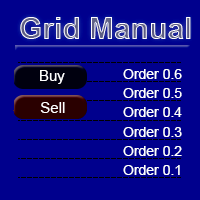
Grid Manual is a trading panel for working with grid strategies. The utility is universal, has flexible settings and an intuitive interface. It works with a grid of orders not only in the direction of averaging losses, but also in the direction of increasing profits. The trader does not need to create and maintain a grid of orders, the utility will do it. It is enough to open an order and the "Grid manual" will automatically create a grid of orders for it and will accompany it until the close. F
DrawDown Limiter
Haidar Lionel Haj Ali
5 (23)
DrawDown Limiter v5.0 — Advanced Account Protection Controller DrawDown Limiter v5.0 is a client-side account protection controller designed to supervise your trading account and automatically react when configured risk, profit, news, schedule, rollover, or position limits are reached. It can monitor manual trades, automated strategies, multiple Expert Advisors, pending orders and floating positions from one dedicated chart. It can protect the complete account or be configured to supervise a spe
YuClusters
Yury Kulikov
4.93 (43)
Attention: You can view the program operation in the free version  YuClusters DEMO .  YuClusters is a professional market analysis system. The trader has unique opportunities to analyze the flow of orders, trade volumes, price movements using various charts, profiles, indicators, and graphical objects. YuClusters operates on data based on Time&Sales or ticks information, depending on what is available in the quotes of a financial instrument. YuClusters allows you to build graphs by combining da
Premium Trade Manager - The Trade Panel With a Coach Built In Premium Trade Manager puts a trading coach inside your chart, with a full execution engine underneath it. Set the trade up the way you always do, then let Max, your AI trading coach, read that exact setup against your live account and give you a straight verdict before you commit: is the stop disciplined, is the risk sane, is a high-impact release minutes away, are you near a prop-firm limit. Below sits the engine that runs everything
More from author
GoldRsiScalper is an automated Expert Advisor for gold (XAUUSD). It looks for short, sharp moves that overshoot on the 1-minute chart and trades the bounce, with a stop loss and a take profit on every trade. How it works - BUY: RSI(21) closes below 25, then the next candle closes back above 25. - SELL: RSI(21) closes above 72, then closes back below 72, only when price is below the EMA 50 on H1 (no selling into an uptrend). - Signals are evaluated on closed candles only (no repainting). - Stop
TrendLens - Multi-Timeframe Trend Indicator with Trend Cloud, No-Repaint Arrows, Trade Plan, Parabolic SAR and ADX Phases TrendLens shows the trend of a higher timeframe directly on the chart you trade. Candles are coloured by trend, unclear phases turn grey, and a clean on-chart panel tells you in plain words what the market is doing. It works on any symbol (forex, gold, indices, crypto CFDs) and on any timeframe from M1 to D1. The idea is simple: trade in the direction of the bigger trend, s
StructureLens - Smart Money Concepts for MT5: Market Structure, Order Blocks, Fair Value Gaps, Liquidity StructureLens draws the market structure the way Smart Money traders read it, on any symbol and timeframe. Everything is calculated on closed candles: once a label is drawn it never changes. Market structure - Swing points HH, HL, LH and LL. A swing is confirmed only after "Swing length" candles on each side (default 10), so it never repaints. - BOS (break of structure, solid line) when pr
RangeLens
Jacopo Monti
RangeLens - Asian Session Range and London Breakout for MT5 RangeLens draws the Asian session range every day and tells you when price breaks out of it, with a complete trade plan and real statistics of the last days on your own chart. Works on gold, forex and indices, with any broker. The Asian range - During the Asian session gold and many currency pairs move in a tight range. When London opens, price often leaves that range with strength. - RangeLens draws the range box of every day with i
TradeLens - Risk Calculator and Trade Manager for MT5 TradeLens puts risk first. Drag the stop loss and take profit lines on the chart and it tells you the exact lot size for the risk you choose, then opens and manages the trade with one click. Works on any symbol: forex, gold, indices, crypto CFDs, on personal and prop-firm accounts. Risk calculator - Type your risk in % of the balance directly in the panel (for example 1%). - Press BUY setup or SELL setup: a red stop loss line and a green t
GuardLens - Prop Firm Account Guard for MT5 One bad day can end a prop-firm challenge. GuardLens watches the whole account, every second, and acts BEFORE the daily or maximum loss limit is broken: it closes every position, deletes pending orders and locks the account. It protects manual trades and the trades of any other Expert Advisor on the same account. Account rules - Ready presets: FTMO 2-Step, FTMO 1-Step, The5ers High Stakes, personal account, or Custom with your own values. - Daily lo
NewsLens - Economic News on the Chart for MT5 High-impact news moves the market in seconds and many prop firms forbid trading around it. NewsLens shows the economic calendar directly on your chart, so you always know what is coming and when to stay out. Data comes from the economic calendar built into MetaTrader 5: no external website, no DLL, nothing to configure. Panel - The next events of your currencies with a live countdown ("in 2h 15m", "NOW"). - Importance colour: red high, orange medi
ScanLens - Multi-Symbol Trend Scanner for MT5 Stop flipping through 20 charts. ScanLens shows up to 30 symbols in one panel with the trend on four timeframes, the last market-structure break, the position against the Asian range, the daily change and the volatility. Aligned symbols are highlighted, so you see at a glance where the opportunities are. Columns - Trend on M15, H1, H4 and D1: fast/slow EMA (21/55) with ADX(14) confirmation. Green arrow = up, red arrow = down, dash = range (ADX bel
KillzoneLens - ICT Killzones for MT5 The ICT killzones are the hours when the big players move the market: the London open and the New York open above all. KillzoneLens draws them on your chart in the right place every day, converting New York time to your broker's server time automatically, including the US and European daylight-saving changes. Killzones (New York time, all adjustable) - Asian 20:00-00:00, London open 02:00-05:00, New York open 07:00-10:00, London close 10:00-12:00. - A colo
JournalLens - Trading Journal and Account Statistics for MT5 Do you really know how you trade? JournalLens turns your account history into a clear trading journal right on the chart: how much you made today, this week or this month, your win rate, profit factor, drawdown, best hours and best symbols. No spreadsheets, no external websites. Periods Today, Week, Month, Year and All, one click away. Statistics - Net profit/loss in money and % of the starting balance of the period. - Number of tr
StrengthLens - Currency Strength Meter for MT5 Trade the strongest currency against the weakest one. StrengthLens ranks the 8 major currencies (USD, EUR, GBP, JPY, CHF, CAD, AUD, NZD) from the 28 pairs between them, on three timeframes at once, and tells you the best pair to trade right now. How it works - For every currency it measures the average % change against the other 7 currencies over the last N candles (12 by default). - The 8 currencies are ranked on the main timeframe, with a stren
BasketLens - Basket Profit and Loss Manager for MT5 Grids, martingales, hedges, copied trades, several EAs on one account: the result that matters is the TOTAL of all the positions, not each single trade. BasketLens treats the selected positions as one basket and closes them all together when the basket reaches your profit target or your loss limit. It is a utility Expert Advisor: it never opens trades. It manages the positions opened by you or by any other EA on the same account. Choose the
CopyLens - Local Trade Copier for MT5 Copy every trade from one MetaTrader 5 account to one or more other accounts running on the same computer or VPS. One Expert Advisor, two modes: MASTER on the source account, SLAVE on each receiving account. Tested live: in a 30-minute stress test the master made 91 operations (opens, partial closes, stop loss changes, closes on EURUSD, XAUUSD and US500) and the slave copied all 91, each in about 0.3 seconds. What is copied - New positions, full closes a
SignalLens - Telegram Trade Notifier for MT5 Send your trades to Telegram as they happen: to your phone, to a private group or to a public channel for your followers. SignalLens runs inside MetaTrader: no server, no extra software, no monthly fee. What it sends - New positions: symbol, direction, lots, entry, stop loss and take profit. - Closes with the result in money, pips and %. - Partial closes, stop loss and take profit changes. - Pending orders placed and deleted (optional). - A chart s
AurumLens - Limited Edition. Only 20 licenses will ever be sold. Two proven strategies, gold and the S&P 500, in one Expert Advisor with a risk manager built to protect prop-firm challenges. === LAUNCH OFFER === - Licenses 1 to 10: 700 USD - Licenses 11 to 20: 1,200 USD - After the 20th license AurumLens is closed to new buyers. Forever. Why so few? An edge shared by thousands of traders is no longer an edge. With 20 licenses worldwide, your trades stay yours, and prop firms will not see the s
Filter:
No reviews
Reply to review