ChallengeLens Prop Firm Simulator

ChallengeLens - 自营交易公司挑战模拟器:通过率、失败原因与最佳手数

在为自营交易公司(Prop Firm)的挑战付费之前,先了解您的EA或您的交易方式能通过多少次。

ChallengeLens 读取您账户历史或策略测试报告中的每日结果,按照该公司的真实规则,从每一个可能的开始日重新模拟整个挑战。几秒钟内,您就能看到通过率、挑战失败的原因、通过所需的天数,以及哪种手数的成功机会最大。它从不开仓或平仓。


您将得到

通过率
- 历史中的每一个交易日都会作为一次完整挑战的起点:700天的数据 = 700次模拟挑战。
- 面板上的大数字就是通过的比例:绿色、黄色或红色,一目了然。

挑战失败的原因
- 因每日亏损失败、因最大亏损失败、因超时失败,或因数据结束而未完成。
- 您能准确知道哪条规则对您的策略最危险。

通过所需天数
- 通过两个阶段所需天数的中位数,以及所有结果的分布图。

最佳手数
- 整个模拟会以 x0.25、x0.5、x0.75、x1、x1.25、x1.5 和 x2 的手数重复计算。
- 金色框显示通过率最高的倍数(若相同则取更快的)。例如:x0.75 表示"使用您当前手数的75%"。

蒙特卡洛
- 将您的交易日随机打乱顺序数千次,检验结果是否只是依赖了幸运的顺序。

最差单日与最低点
- 历史中最差的一天,以及模拟挑战期间低于初始余额的最大回落。


自营交易公司规则

内置预设(用面板上的箭头切换):
- FTMO 2-Step:10% + 5%,每日亏损 5%,最大亏损 10%,至少 4 天。
- FTMO 1-Step:10%,每日亏损 3%,跟踪最大亏损 10%,最佳单日规则 50%。
- The5ers High Stakes:8% + 5%,每日亏损 5%,最大亏损 10%,3 个盈利日。
- The5ers Hyper Growth:10%,每日亏损 3%(暂停),最大亏损 6%。
- FundedNext Stellar 2-Step:8% + 5%,每日亏损 5%,最大亏损 10%,至少 5 天。
- FundedNext Stellar 1-Step:10%,每日亏损 3%,最大亏损 6%,至少 2 天。
- 自定义:您自己的目标(一个或两个阶段)、每日亏损为失败或仅暂停当天、固定或跟踪的最大亏损、最少交易日或盈利日、时限、最佳单日规则。

自营交易公司会修改规则:请务必核对您所在公司的最新规则,如有不同请使用"自定义"。


三种数据来源

1. 策略测试报告(最常见的用途:"我的EA能通过吗?")
- 在 MetaTrader 5 策略测试器中对您的EA进行回测,可以跨越多年。
- 将报告保存为 HTML(在结果上点右键,报告,HTML),放到终端的 MQL5\Files 文件夹(文件 > 打开数据文件夹 > MQL5 > Files)。
- 在 ChallengeLens 中选择 "Strategy Tester report(s)" 并输入文件名。
- 多个EA组合:用 ; 分隔多个文件(例如:gold.html;indices.html),它们会合并为一个投资组合。可选权重:gold.html*0.5。

2. 账户历史
- 将 ChallengeLens 放在您或您的EA交易的账户上:它会自动读取已平仓的交易。
- 可按魔术号或品种筛选,只查看某一个EA。

3. 演示数据
- 内置示例(一个虚构的EA),一键了解所有功能。


使用方法

1. 将 ChallengeLens 放到任意图表上(品种无关)。
2. 选择数据和自营交易公司。其余一切使用默认设置即可。
3. 查看面板。用箭头切换公司,单击切换数据来源,新的回测后点击"重新计算"。


设置

数据:要模拟的数据、报告文件名、魔术号、品种、开始日期。
挑战规则:预设;自定义时可设置目标、每日亏损与暂停、最大亏损与跟踪、最少天数与盈利日、盈利日标准、时限、最佳单日规则。
模拟:手数倍数、安全边际、每天 / 每周 / 每月开始一次挑战、蒙特卡洛次数。
显示:语言(自动:English、Italiano、Español、Deutsch、Français、Português、中文),浅色或深色主题,面板大小。


须知

- ChallengeLens 使用每天已平仓交易的结果。日内的浮动亏损可能更大,因此对亏损限额应用了安全边际(默认 0.5%)。
- 这是基于历史数据的模拟。它展示一个策略在挑战规则下的表现,不承诺未来的结果。
- 至少需要3个月的交易数据才能得到有意义的数字;数据较少时面板会显示提示。
- 市场的免费演示版在策略测试器中只能使用内置演示数据。您自己的账户历史和报告需在图表上使用完整版。
- ChallengeLens 为只读工具:从不在您的账户上开仓、修改或平仓。

有问题或建议?请在 MQL5 上给我发私信,我通常会在24小时内回复。

推荐产品
Prop Firm Shield Full
Pablo Adolfo Cantos
Prop Firm Shield is a risk management panel for MetaTrader 5, built for prop firm traders who need control over their daily limits. You configure each limit and the tool watches the account around the clock, acting automatically when a limit is reached: closing positions, deleting pending orders and blocking new trading until the next day. Features: - Daily Take Profit - three modes: fixed USD, percent of the day-start balance, or target balance - Daily Stop Loss - three modes: fixed USD, percen
SPECIAL LAUNCH OFFER: $30 (1-Month Rent) Limited time offer to build our community and gather feedback! AmbM GOLD Institutional Scalper A high-precision M5 algorithm for XAUUSD (Gold) , engineered to trade exclusively at Institutional Liquidity Levels ($5/$10 psychological marks). PERFORMANCE DATA (BUY ONLY) • Win Rate: 87.09%. • Safe Growth: +$4,113 profit on $10k (13.75% Max Drawdown). • Extreme Stress Test: Successfully generated +$22,997 in a 5-year stress test (2020-2026), proving
CFTC R Dashboard 把 CFTC 每周发布的交易者持仓报告(Commitments of Traders,COT)直接显示在您的 MetaTrader 5 图表上。加载到任意图表:它会自动找到对应的市场,下载 CFTC 官方数据,并在一个面板中显示四年的持仓。无需 CSV 文件,无需复制粘贴,无需 API 密钥。这是一个工具:它从不开仓、修改或平仓。 每周五发布新报告(周二的持仓)。面板会自动获取。 您能看到什么 - 大型投机者(基金):多头、空头、净头寸和每周变化,带柱状条 - 商业持仓者(套保者):多头和空头 - RANK:当前净头寸在过去 4 年中的位置(0% = 空头最多,100% = 多头最多) - CONV:谁占主导,多头还是空头,范围 -10 到 +10 - N%OI 和 OI:净头寸占未平仓合约的比例,以及未平仓合约是增加还是减少 - 每周变化异常大时显示方框;RANK 连续 3 周或以上处于极端时也显示方框 - 货币对的两边:在 EURUSD 上您会看到欧元和美元指数 顾问:只有一条经过检验的规则 大多数 COT"反转信号"在 1986 至 20
ApeX Journal MT5
Korakot Santithammarak
View User Manual       ApeX Trade Manager MT5  →     ApeX Journal MT5  →     ApeX Indicator SMC MT5  →     ApeX Indicator ICT Concepts MT5  →     ApeX Indicator Volume Profile MT5  →    ApeX Indicator ICT Macros MT5  → Your broker keeps a list of your trades. It does not keep a record of your trading. ApeX Journal turns the history already sitting in MetaTrader into the journal you keep meaning to write. Powered by ApeX Journal A complete trading journal, built directly inside MetaTrader 5.
Advisor for hedging trading or pair trading. A convenient panel allows you to open positions on the necessary trading instruments and lots. Automatically determines the type of trading account - netting or hedging. Advisor can close all its positions upon reaching profit or loss (determined in the settings). A negative value is required to control losses (for example, -100, -500, etc.). If the corresponding fields are 0, the EA will not use this function.   Settings: Close profit (if 0 here
DeepTrade SessionIntel
Yasir Mohammed Sachit Sachit
Most session tools try to cover everything. DeepTrade Session Intel does the opposite — it focuses on what actually moves the market: the London and New York sessions, tuned for Gold (XAUUSD) and US30. It maps the liquidity and the real activity window so you trade when the market is alive, not when it's dead.   WHAT IT SHOWS - London and New York session boxes drawn at their real server hours - Session HIGH and LOW lines — the liquidity that price hunts - Pre-session breakout range — the conso
SinalTradeToMT5
Angelo Marcelo Serafin
SinalTrade 是一款专业的 Telegram 到 MetaTrader 5 交易信号管理平台。 EA 作为 MT5 与 SinalTrade 界面之间的安全 Connector。大多数设置都可以直接通过 SinalTrade 界面进行管理,使配置更加简单,并能够集中管理 Telegram 信号提供商、MT5 账户、执行规则和风险管理。 主要功能: • Telegram 交易信号监控 • 自动识别 BUY/SELL 信号 • 市价单、STOP 挂单和 LIMIT 挂单 • 入场区间和多重入场 • 最多支持 5 个 Take Profit 目标 • 基于 Risk:Reward 的自动 TP • Break Even 和基于 TP 的渐进式保护 • Trailing Stop • Percentage Risk、Fixed Lot 和 Fixed Money 风险模式 • Daily Loss、Drawdown 和 Equity 保护 • 最大风险敞口和每日最大交易次数 • 每个信号提供商独立的策略和风险配置 • 根据信号时间、点差、滑点、距离和置信度进行信号验证 • 多个 MT5
Hybrid Assisted Trading Engine Manual Trading. Machine Discipline. The Hybrid Assisted Trading Engine is an institutional-grade manual trade management system designed to protect traders from emotional mistakes — without taking control away from them. You decide when to enter . The engine decides how the trade is managed . What It Does This system continuously monitors your manual trades and enforces professional-level trade management rules in real time: Smart Breakeven logic R-based trai
Ferramenta derivada do DR Assistant, a versão Lite conta com recursos semelhantes, mas sendo mais específica em sua aplicação, destina-se exclusivamente ao uso para gestão de ordens abertas a partir de suas funções. Deste modo, quaisquer outras negociações ou posições abertas por outras ferramentas ou manuais serão ignoradas pelo Assitant Lite. Os parâmetros e configurações disponíveis, bem como suas principais funções são: - Take Profit e Stop Loss: duas opções de Steps, em pontos, para ambas a
Grid Trading EA is a semi-automated one-click trading EA for both Normal Trading and Grid/Martingale Trading . Normal Trading Simply click Buy or Sell directly from the chart. The EA will automatically manage trades by: Setting Stop Loss and Take Profit Managing Trailing Stop Grid / Martingale Trading (For Hedging Account Type Only) When Grid Trading mode is enabled, the EA will automatically open additional grid orders at specified distances while increasing the lot size based on your settings.
Awesome Oscillator by Bill Williams with the ability to fine-tune and replace the averaging algorithms of the indicator, which significantly expands the possibilities of using this oscillator in algorithmic trading and brings it closer in its properties to such an indicator as the MACD. To reduce price noise, the final indicator is processed with an additional Smooth averaging. The indicator has the ability to give alerts, send mail messages and push signals when the direction of movement of th
Stop guessing and start executing with precision. Learning complex trading methodologies takes years of screen time—until now. The Propfolio Strategy Mentor OS is an elite, on-chart analytical dashboard that acts as your live digital trading mentor. It doesn't just draw lines on your chart; it actively scans the market, identifies high-probability setups across 8 different institutional strategies, and tells you exactly what to look for in real-time via the Live Mentorship Terminal. Whether you
Risk Manager Panel PRO
Haitham Abduh Irahim Ali Al-areefi
Risk Manager Panel PRO — Smart Trading Assistant for MT5 Risk Manager Panel PRO is an advanced trade-execution panel designed for professional traders who need speed, accuracy, and full control over their risk. This tool replaces manual calculations and transforms your chart into a powerful trading workstation. It is built especially for traders who value lot precision, risk management, smart pending orders , and instant execution — all in one clean and intuitive interface. Key Features
Advanced MT5 Indicator: Precision-Powered with Pivot Points, MAs & Multi-Timeframe Logic Unlock the full potential of your trading strategy with this precision-engineered MetaTrader 5 indicator —an advanced tool that intelligently blends Pivot Points , Adaptive Moving Averages , and Multi-Timeframe Analysis to generate real-time Buy and Sell signals with high accuracy.    If you want to test on Real Market, Let me know. I will give the Demo file to run on Real Account.    Whether you're a scal
Prior Day Breakout Pro
Allan Aparece Ninal
Prior Day Breakout Pro is an Expert Advisor for MetaTrader 5 that trades the previous-day high and low breakout on XAUEUR. It sizes each trade by a fixed lot or a risk percent. It can pause around high-impact news. Six tested presets are included. This EA promises no profit. Every result below is a backtest on broker history, not live trading. The tests passed on gold only. Thirty-seven symbols were tested. Quick start Open an XAUEUR chart on H1 or M15 (a prefixed or suffixed name is fine). Atta
PZ Mean Reversion MT5
PZ TRADING SLU
1 (1)
采用专业和量化方法进行均值回归交易的独特指标。它利用了价格以可预测和可衡量的方式转移并返回均值这一事实,这允许明确的进入和退出规则大大优于非量化交易策略。 [ Installation Guide | Update Guide | Troubleshooting | FAQ | All Products ] 清晰的交易信号 非常容易交易 可定制的颜色和尺寸 实现性能统计 优于大多数交易策略 显示合适的止损和止盈水平 它实现了电子邮件/声音/视觉警报 这个怎么运作 该指标从更高的时间范围测量完全可定制的移动平均线的标准偏差,并使用趋势跟踪方法精确地找到交易。交易是通过深入当前图表的价格行为发现的,并在价格返回到平均价格区间时关闭,根据您选择的更高时间范围计算。由于其编码方式,该指标将远离高波动性和强劲趋势市场,并且仅在可预测的情况下进行交易,在可接受的波动性与方向性比率范围内,回归均值是可行的。 指标剖析 绿线是更高时间范围内的移动平均线(也就是平均值) 虚线区域是移动平均线周围的典型价格区间 蓝线是看涨交易的突破价格 红线是看跌交易的突破价格 交易是针对均值进行的,并在典型的价格
Caicai L&S Yield Histogram Important Notice: This indicator is an integral tool of the automated EA Caicai Long and Short Pair Trading . This indicator visually displays the percentage deviation (Yield %) of a pair's current spread relative to its own historical mean. It is an excellent tool for quickly visualizing the gross financial potential of a market distortion in Long & Short operations. Main Features: Percentage Visualization: Understand the size of the distortion in palpable percentage
Nexus Trade Terminal
Matheus Rodrigues Satriano
Nexus Trade Terminal is a utility Expert Advisor that combines market context and manual execution on one panel. On every closed bar it updates three readings and offers buttons to send orders. Panel execution is disabled until you allow it in the inputs. How it works Regime: Hurst exponent and fractal dimension over the lookback window, plus momentum and volatility, classify the market as trend, mean reversion, chaotic or range/accumulation, with a heuristic confidence value. Volume and gap mon
OsasFXea Diamond RapidFire MT5
Wan Mohammad Shazly Bin Wan Zulkifli
OsasFXea Diamond RapidFire Panel osasFXea  ·  MetaTrader 4 & 5 OsasFXea Diamond   RapidFire   Panel One-click rapid trade panel for fast discretionary basket trading on gold, crypto, forex, and more. MT4 & MT5   Utilities Category   Hedging accounts   XAUUSD · BTCUSD · Forex Overview What it does RapidFire Panel places you in complete control of your basket trading workflow. Every core action — open, manage, close — is one click away on a branded dashboard that sits on your chart. The panel foll
PEPITO MANUAL ASSISTANT A trading panel for MetaTrader 5 for traders who decide their own entries. You choose when to buy or sell; the panel sizes the trade, places the stops, manages the open positions and shows you where support and resistance are. It does not open trades by itself. Every entry is your click. Pepito Agent Assistant helps traders identify and evaluate potential opportunities. It does not automatically open trades if is not enable from trade panels. Trading decisions remain u
General Description In the simplest terms this is a contrarian intra-day scalping system. Built to try and let correct trades run as far as possible and flip the trade when indicated. The indicator looks at historical daily trading ranges to lay out levels at which it takes long and short positions based on the statistical levels. The indicator is built around index futures, mainly around S&P and the DOW but can be used an any futures contract mainly using AMP Futures to trade. The indicator is
Fibonacci Sniper XAUUSD
Luis Paulo de Oliveira
GOLD FIBONACCI SNIPER M5 Description GOLD FIBONACCI SNIPER M5 is a professional MetaTrader 5 indicator specially developed for XAUUSD (Gold) on the M5 timeframe. The indicator uses Fibonacci retracements combined with trend analysis, volatility filters, candle rejection patterns, and market strength confirmation to identify high-probability entry opportunities. The system automatically detects retracement zones between the 38.2, 50, and 61.8 Fibonacci levels, which are commonly considered instit
Orbit Range Pro
Nikolai Konovalov
Proprietary, fully automated MT5 Expert Advisor with confidential trading logic. GBPUSD tested on 100% real ticks. Orbit Range Pro is a proprietary trading robot for MetaTrader 5. Its decision logic is confidential and is not disclosed - you get a ready-to-run EA, tuned and verified by the author. Verified GBPUSD backtest (MT5 Strategy Tester, real ticks 100%, $10,000 deposit, 0.03 lots): - Full period 2026.04.20-2026.10.17: net profit +$996.28 (~+9.96%), max equity drawdown 5.00%, profit fact
Divergent Stochastic Filter II Catch Reversals Early, Filter Noise, Trade with Confidence The Edge: Why This Stochastic is Different  Every trader knows the Stochastic oscillator. But knowing when to trust its signals, that's the real challenge. The Divergent Stochastic Filter II transforms this classic indicator into a precision reversal detection system by adding critical elements: divergence intelligence, signal filtering and exhaustion detection.  While standard Stochastic oscillators fire s
STREAK English EN STREAK — Put every market move into context Three bullish candles do not always tell the same story. Their size, their pace and the behaviour of earlier runs can help you understand the movement now taking shape. STREAK is a MetaTrader 5 indicator that analyses runs of candles moving in the same direction across several timeframes. It compares the current situation with historical observations to present continuation and reversal estimates, together with the number of availabl
Multiple Positions
Emanuel Reynard Phillips
需要同时开立多个头寸/交易吗?我们已经为您创建了简单的解决方案。您现在可以一次输入多个仓位。您可以设置手数、持仓数量、止盈和止损。 例如:您想要购买 3、5、10 或任意数量的具有一定手数的头寸。 您现在只需点击“购买”按钮即可完成此操作。 或者 例如:您想要出售 3、5、10 或任意数量的具有一定手数的头寸。 您只需单击“出售”按钮即可完成此操作。 Xūyào tóngshí kāi lì duō gè tóucùn/jiāoyì ma? Wǒmen yǐjīng wèi nín chuàngjiànle jiǎndān de jiějué fāng'àn. Nín xiànzài kěyǐ yīcì shūrù duō gè cāngwèi. Nín kěyǐ shèzhì shǒushù, chícāng shùliàng, zhǐ yíng hé zhǐ sǔn. Lìrú: Nín xiǎng yào gòumǎi 3,5,10 huò rènyì shùliàng de jùyǒu yīdìng shǒu shǔ de tóucùn. Nín xiànzài zhǐ xū
Custom Alerts:监控多个市场,绝不错过关键交易信号 概述 Custom Alerts 是一款动态工具,专为希望集中监控多个交易品种潜在机会的交易者设计。通过整合我们旗舰工具(如 FX Power、FX Volume、FX Dynamic、FX Levels 和 IX Power)提供的数据, Custom Alerts 可自动通知您关键的市场变化,无需频繁切换图表,也不会错过交易良机。现在,它支持您的经纪商提供的所有资产类别,只需在设置中选择相应的资产类别即可,无需手动输入任何品种名称。 1. 为什么 Custom Alerts 对交易者非常有帮助 一体化市场监控 • Custom Alerts 收集并整合来自外汇、贵金属、加密货币、指数,甚至(若经纪商支持)股票市场的信号。 • 无需频繁切换图表,一切通知集中呈现。 根据策略定制提醒 • 精准设置提醒条件。无论是追踪成交量激增、强度突破,还是极端价格波动, Custom Alerts 都能确保您不会错过任何关键信号。 • 可与 Stein Investments 工具无缝集成,助您更深入分析与优化交易决策。 节省时
Automated Timeframe cycling with Symbols centered.  Force every timeframe onto one clock window, so the story you see on Daily is the same story you are slicing on H4, H1, and M1.  Traders usually flip timeframes and lose the span. A Daily chart shows a few weeks, then M15 shows a few hours, and the eye treats them as different markets. This indicator locks the window to N bars of the highest enabled timeframe — default 10 Daily — and maps every lower timeframe to that same stretch. You stay ins
FREE
Pattern Recognition EA
Claudiu-georgian Zavera
Pattern Recognition EA - From Learn to Earn. The market repeats itself. This EA finds every past repeat of the current candle sequence - and lets history vote the direction. ONE SHAPE. EVERY REPEAT IN HISTORY VOTES. The last N candles on your signal timeframe form a shape. The EA scans the history you choose - a fixed number of bars or everything your broker provides - for the SAME shape, and checks what happened next, every single time. Only when enough repeats exist AND a clear majority of t
该产品的买家也购买
Trade Assistant MT5
Evgeniy Kravchenko
4.43 (216)
它有助于计算每笔交易的风险,容易安装新的订单,具有部分关闭功能的订单管理, 7 种类型的追踪止损和其他有用的功能。   附加材料和说明 安装说明   -   应用程序说明 线条功能  - 在图表上显示开仓线、止损线、止盈线。 有了这个功能,就可以很容易地设置一个新的订单,并在开仓前看到它的附加特性。   风险管理  - 风险计算功能在考虑到设定的风险和止损单的大小的情况下,计算新订单的成交量。它允许你设置任何大小的止损,同时观察设定的风险。 批量计算按钮 - 启用 / 禁用风险计算。 在 " 风险 " 一栏中设置必要的风险值,从 0 到 100 的百分比或存款的货币。 在 " 设置 " 选项卡上选择风险计算的变量: $ 货币, % 余额, % 资产, % 自由保证金, % 自定义, %AB 前一天, %AB 前一周, %AB 前一个月。   R/TP 和 R/SL - 设置止盈和止损的关系。 这允许你设置相对于损失的利润大小。 例如, 1 : 1 - 这决定了 TP = SL 的大小。 2 : 1 - 这意味着 TP 是 SL 的两倍。 RR - 它禁用比率。   订单管理 该面板支
Farmed Hedge Yield Farming | All Markets (Manual - Hybrid - Semi/Automated EA) VERIFIED TRADING RESULTS - Farmed Hedge Yield Axi Copy:  https://www.mql5.com/en/signals/2356376 - Farmed Hedge Yield Exn Copy:   https://www.mql5.com/en/signals/2356404 - Farmed Hedge Yield V Copy:  https://www.mql5.com/en/signals/2357156 IMPORTANT NOTICE: FarmedHedge is a MANUAL-FOCUSED TRADING UTILITY ,not a fully automated EA. Results shown on this Signal include manual trades and overall strategic management.
欢迎来到 Trade Manager EA——这是一个终极风险管理工具,旨在使交易变得更直观、精准和高效。它不仅仅是一个下单工具,而是一个用于无缝交易计划、仓位管理和风险控制的全面解决方案。不论您是新手交易员、资深交易员,还是需要快速执行的剥头皮交易员,Trade Manager EA 都可以满足您的需求,适用于外汇、指数、大宗商品、加密货币等各种市场。 借助 Trade Manager EA,复杂的计算已成过去。只需分析市场,在图表上用水平线标记入场、止损和止盈,设置您的风险水平,Trade Manager 就会立即计算出理想的头寸规模,并实时显示以点、账户货币计价的止损和止盈。每笔交易都得以轻松管理。 主要功能: 头寸规模计算器 :根据定义的风险瞬间确定交易规模。 简单的交易计划 :在图表上用可拖动的水平线直接计划交易,设置入场、止损和止盈。 实时显示 SL 和 TP :以账户货币、点或分显示止损和止盈,便于分析。 高级保护工具 盈亏平衡选项 : 基本盈亏平衡 :当您的交易达到设定水平时自动保护利润。 多级盈亏平衡 :设置多达 4 个级别以逐步保护利润。 尾随止损选项 : 基本尾随
Telegram to MT5 Multi-Channel Copier   可将您 Telegram 和 Discord 频道中的交易信号自动复制到 MetaTrader 5。无需机器人、无需浏览器扩展、无需手动复制。信号一到 Telegram 或 Discord,EA 几秒内就在您的终端开仓。 在复制某个频道之前,内置回测器还能告诉您该频道在您的账户上会有怎样的表现。 产品包含两个组件:一个监听您 Telegram 频道的 Windows 应用程序,以及在 MT5 终端执行信号的本 EA。同时提供 MT4 版本   点此 . 购买前先试用:   应用程序可免费下载。连接您自己的频道,查看每条信号的读取结果。Backtest 选项卡和实际交易需要已购买或已租用的 EA。本页面的免费演示版只能在策略测试器中运行,而策略测试器无法读取 Telegram 和 Discord。 设置指南与应用下载:   https://www.mql5.com/zh/blogs/post/779480 了解如何 回测任何 Telegram 信号频道 。 当前价格将来会上调。 工作原理 应用通过您自己的 Te
EA Overfitter
Stephen J Martret
5 (4)
回测看起来很漂亮。但它明天、下周、下个月还能继续赚钱吗? EA Overfitter 让您的 EA 在 100 段它从未见过的价格历史上重新运行。一个分数告诉您这个优势是否真实。 回测告诉您的,是 EA 在某一段价格历史上的表现——那段恰好发生过的历史。您无法从中判断,这个结果有多少来自策略本身,又有多少只是那一条特定路径带来的。 EA Overfitter 回答的正是这个问题。它构建最多 100 段您的 EA 从未交易过的合成价格历史,让策略在全部这些历史上重新运行,并展示它所产生的完整结果区间。您得到的不再是一条幸运或不幸路径上的单个数字,而是一幅真实的图景:策略在陌生数据上多久能赚钱、典型结果是什么样(而不是最好的那一次),以及您的回测离它有多远。 这些世界是由您自己的近期历史重建而成,因此这不是预测——任何从历史数据出发的检验都不可能是预测。它告诉您的是:这个优势是否依赖于价格的某一种特定排列,以及回测数字距离典型结果有多远。在投入资金之前,这才是值得回答的问题。 三个步骤 1. 构建。在图表上选择时间区间和世界数量,然后按 Build。EA Overfitter 会
TradePanel MT5
Alfiya Fazylova
4.89 (174)
交易面板是一款多功能交易助手。该应用包含超过50种手动交易功能,并允许您自动执行大多数交易任务。 应用程序说明 : https://www.mql5.com/zh/blogs/post/761102 用于模拟账户的应用程序试用版: https://www.mql5.com/zh/blogs/post/762579 如何安装应用程序: https://www.mql5.com/zh/blogs/post/762580 如何在可视化模式下测试应用程序: https://www.mql5.com/zh/blogs/post/770278 如何在VPS MetaTrader上安装应用程序: https://www.mql5.com/zh/blogs/post/770196 贸易. 只需单击一下即可执行交易操作: 打開掛單和頭寸,並自動計算風險。 一鍵打開多個訂單和頭寸。 打開訂單網格。 按組別關閉掛單和頭寸。 反轉頭寸方向(關閉買入>打開賣出,關閉賣出>打開買入)。 鎖定頭寸(通過開啟缺少的頭寸,使買入和賣出頭寸的數量相等)。 一鍵部分關閉所有頭寸。 將所有頭寸的止盈和止損設置在同一價格水平。
News Trade EA MT5
Konstantin Kulikov
4.55 (11)
在此向大家介绍一款我本人使用多年的机器人。该产品支持半自动和全自动交易模式。 >>> Chat <<< 本程序包含基于经济日历新闻的灵活交易设置功能。不支持策略测试器检验。仅可进行实际操作。 下載最新的設定檔: https://www.mql5.com/en/blogs/post/747929 訊號監控: https://www.mql5.com/en/signals/author/test-standart 请参考博客中各类参数说明自行实现个性化设置   : https://www.mql5.com/en/blogs/post/748545   。 主要默认设置说明 单一图表英镑/GBP(英镑美元/GBPUSD、欧元英镑/EURGBP、英镑日元/GBPJPY、英镑加拿大元/GBPCAD、英镑澳大利亚元/GBPAUD、英镑瑞士法郎/GBPCHF)货币对操作。英镑/GBP是波动性最大的货币,能够为用户顺利完成交易提供更多机会。 Use_Symbols_from_Line = true; Symbols_Line = GBPUSD, EURGBP, GBPJPY, GBPCAD, GB
按照自己的交易规则复制 Telegram 信号 Telegram to MT5 Signal Trader 可将 Telegram 公开及私密频道和群组中的文字交易信号自动复制到 MetaTrader 5。通过一个桌面应用管理多个信号提供者和 MT5 账户,并为 每个提供者单独设置风险和交易参数 。 复制信号无需 Telegram 机器人,也无需配置 API。 只需通过手机号或二维码登录您自己的 Telegram 账户,然后选择您已加入的频道或群组。您无需创建机器人,也无需提供 Telegram API 令牌、API ID 或 API hash。 自行选择仓位大小,将平仓分配到多个止盈价位,并自动执行保本止损和移动止损。在跟随信号提供者的同时,掌握信号的实际交易方式。 本产品由这款 MT5 EA 和必须配合使用的 Windows 桌面应用组成。请参阅 安装指南及应用下载 。 管理多个信号提供者和账户 为每个提供者单独设置: 为每个频道设置专属的仓位计算方式、入场规则、止损、止盈和交易管理参数。 灵活分配至不同账户: 将同一提供者的信号复制到多个已连接的 MT5 账户,并为每个账户使用不
================================================================================ POC BREAKOUT - V20.72. Full Professional Grade Toolkit ================================================================================ POC Breakout is a full MetaTrader 5 trading dashboard for discretionary traders who want breakout signals, Point of Control (POC) context, volume profiles, order flow, market structure, news, alerts, and advanced trade planning in one professional workspace. Attached directly to you
The product will copy all telegram signal to MT5 ( which you are member) , also it can work as remote copier.  Easy to set up, copy order instant, can work with almost signal formats, image signal,  s upport to translate other language to English Work with all type of channel or group, even channel have "Restrict Saving Content", work with  multi channel, multi MT5 Work as remote copier: with signal have ticket number, it will copy exactly via ticket number. Support to backtest signal. How to s
Power Candles Strategy Scanner:自我优化的多品种交易设置扫描器 一个风吹草动就提醒的扫描器,只会让您学会忽略它。一根K线收盘时行情一热闹,提醒接连不断,您真正要做的那个交易设置就被淹没在噪音里。 Power Candles Strategy Scanner 在您 Market Watch 中的每个品种上运行自我优化的 Power Candles 引擎,只针对通过您自己筛选条件的内容发出提醒:最后一根已收盘K线的强度、交易设置的盈亏比、实时点差,以及您交易的资产类别。一旦某个品种进入您的列表,扫描器就会通知您。被您筛掉的一切保持安静,同一根K线收盘的所有命中合并成一条消息送达。 购买前先看看面板和每一个筛选条件。 截图、完整功能导览以及与 Power Candles 的配合流程: stein.investments/products/power-candles-scanner 本工具属于 Stein Investments 生态系统:18 款以上工具,外加 Max,您的一对一 AI 交易导师。  全天候在线,深入了解每一个指标,在您需要把事情想清楚的那一刻
下一次更新 — 版本 2.52 即将推出![全新功能] 准备迎接 4 项重大新功能,全面提升您的市场分析能力与交易流程! 我们将通过 4 项全新功能,进一步提升市场分析水平,满足您的交易需求。现为您介绍: 1. TRADE OVERVIEW DASHBOARD 2. CONFLUENCE AT ZONE 3. STRONG & WEAK HIGH/LOW 4. OTE 1. TRADE OVERVIEW DASHBOARD 一个帮助您更轻松地了解整体市场状况的仪表盘,为您的交易决策提供参考指引,帮助您系统地分析市场并规划交易,所有信息尽在一个屏幕中。 多时间周期市场概览(Multi-Timeframe Market Overview) 更清晰地了解市场方向与价格结构 快速查看市场状况 为系统化市场分析和入场规划提供指引。 2. CONFLUENCE AT ZONE 当价格进入关键区域时……您将了解有多少项支持因素相互吻合。 关键区域是交易决策至关重要的地方。但仅仅是价格进入某个区域还不够。此功能可帮助您在入场交易前,识别相互吻合的因素,包括信号及其他相关因素,从而进行更全面的分析,并
EA Auditor
Stephen J Martret
5 (7)
EA Auditor is an independent analysis tool for traders evaluating Expert Advisors and trading signals on MetaTrader 5. It audits backtest reports, reviews posted developer signals, and cross-verifies the two against each other to help traders assess strategies before committing capital. The MQL5 market offers a wide range of Expert Advisors from many developers, with varying approaches, quality, and transparency. EA Auditor provides a consistent, data-driven framework for reviewing them, answer
EA Portfolio Control & Cloud Monitoring for MetaTrader 5 Your EAs manage trades. KONTROL_01 manages your EAs. A control system for traders running multiple Expert Advisors on the same account. Coordinate EA activity, manage trading risks and monitor your setup remotely. A detailed User Manual is available via DM after purchase. IN PRACTICE Multiple EAs. No coordination. Your EAs trade independently, unaware of each other's activity. KONTROL_01 coordinates them, limits simultaneous activity a
MT5 to Telegram Signal Provider 是一个易于使用且完全可自定义的工具,它允许向 Telegram 的聊天室、频道或群组发送 指定 的信号,将您的账户变为一个 信号提供商 。 与大多数竞争产品不同,它不使用 DLL 导入。 [ 演示 ] [ 手册 ] [ MT4 版本 ] [ Discord 版本 ] [ Telegram 频道 ]  New: [ Telegram To MT5 ] 设置 提供了逐步的 用户指南 。 不需要了解 Telegram API;开发者提供了您所需的一切。 关键特性 能够自定义发送给订阅者的订单详情 您可以创建分层的订阅模型,例如铜、银、金。其中金订阅获得所有信号等。 通过 id、符号或评论过滤订单 包括执行订单的图表截图 在发送的截图上绘制已关闭的订单,以便额外核实 延迟发送新订单消息的可能性,以便在发送前对位置进行调整 订单详情完全透明: 新的市场订单*带截图 订单修改(止损、获利) 已关闭的订单*带截图 部分关闭的订单** 新的挂单 修改的挂单(进场价格) 挂单激活(作为新的市场订单附加) 已删除的挂单 历史订单报告
AW Trade Manager
AW Trading Software Limited
AW Trade Manager 是一款 MetaTrader 5 交易面板,在图表上提供风险/回报工具。交易通过用鼠标拖动 Entry、Stop Loss 和 Take Profit 线来规划:标签显示价格、距离和金额,区域显示盈利和亏损,手数按风险计算。发送之前,确认窗口完整显示这笔交易,包括风险、保证金和该仓位的规则。 使用手册与说明 -> 这里 / 免费 LIVE 演示版 -> 这里 入场后的仓位管理方面,面板提供保本、追踪止损、部分平仓、按时间平仓和隐藏价位。这些功能可在 Rules 选项卡中为所有新交易开启,也可在仓位窗口中只为单个仓位开启。在单笔交易之上,还有账户风险限制、篮子、定时任务、提醒和 MT5 经济日历统一发挥作用。 优势: 图表上的交易计划:Entry、Stop Loss 和 Take Profit 线,带标签、区域和 R:R 按百分比或金额形式的风险计算手数,手数向下取整,入场前即可看到实际风险 市价单和挂单、Stop-Limit、在图表上用标尺设置到期时间、OCO:Mirror、Fork、Pair 保本、7 种追踪止损及 Step lock、TP 和 SL
Local Trade Copier EA 是针对需要从外部来源执行交易信号或需要同时管理多个账户的个人交易者或账户经理的解决方案,无需 MAM 或 PAMM 账户。它可以从多达 8 个主帐户复制到无限的从帐户 [ 安装指南 | 更新指南 | 故障排除 | 常见问题 | 所有产品 ] 100% 自托管 容易安装和使用 不使用安装程序、配置文件、服务器、内存管道或 DLL 1000 次激活可永久使用 EA 本地执行,无网络延迟 它实现了您需要的所有功能: 最多8个主账户和无限从属账户 适用于所有经纪人和 DD/NDD/ECN/STP 执行 适用于具有不同帐户货币的帐户 在真实账户和模拟账户之间工作不明显 支持主从账户中的符号名称后缀 按幻数和订单评论过滤 不会干扰其他交易 可选择复制 SL 和 TP 水平 可选择复制挂单 支持符号翻译 支持部分关闭 反向模式 灵活的交易规模: - 固定地段 - 乘数 - 成比例的 - 与乘数成比例 EA 可以使用投资者或任何账户的主密码复制交易。 如何将交易从一个主账户复制到一个或多个从账户 在源终端中安装 EA 将 EA 加载到任何图表并选择“MA
RETAILBERG FOOTPRINT CHART PRO — Order-Flow Workspace for MetaTrader 5 Version 7.00  |  Professional System  |  31 tools  |  One chart A full 150-page illustrated User Manual is included. Please read the full manual to understand this feature packed footprint chart elements and ui. https://www.mql5.com/en/blogs/post/777982 DEMO / STRATEGY TESTER — PLEASE READ FIRST
Dealer's Panel No signal decides anything here — a hand does. One click, and the panel calculates what's underneath: lot size from risk, target from a 30-step balance ladder that remembers exactly how far an account has climbed. Toggle between market and pending without touching an input field. Set a stop, and the take-profit can write itself — a fixed share of the balance, translated into price with no arithmetic left for the trader to get wrong. One trade live at a time; it won't let a seco
Trade Manager DaneTrades
Levi Dane Benjamin
4.13 (31)
交易管理器可帮助您快速进入和退出交易,同时自动计算风险。 包括帮助您防止过度交易、报复性交易和情绪化交易的功能。 交易可以自动管理,账户绩效指标可以在图表中可视化。 这些功能使该面板成为所有手动交易者的理想选择,并有助于增强 MetaTrader 5 平台。多语言支持。 MT4版本  |  用户指南+演示 交易经理在策略测试器中不起作用。 如需演示,请参阅用户指南 风险管理 根据%或$自动调整风险 可选择使用固定手数或根据交易量和点自动计算手数 使用 RR、点数或价格设置盈亏平衡止损 追踪止损设置 最大每日损失百分比,在达到目标时自动平仓所有交易。 保护账户免遭过多提款并阻止您过度交易 最大每日损失(以美元为单位)在达到目标时自动关闭所有交易。 保护账户免遭过多提款并阻止您过度交易 一键实现所有交易的盈亏平衡 自动计算从手机/电话发送的交易的风险 OCO 在设置中可用 交易和头寸管理 通过设置每月、每周、每天、每小时或每分钟的最大交易次数,停止过度交易和报复性交易。 高级挂单管理。 调整何时关闭挂单的规则 追踪挂单 支持市价订单和挂单 每日最大利润目标(以美元为单位)以确保头寸并停止
Bneu Prop Firm Pass System
Marvinson Salavia Caballero
5 (1)
BNEU PROP FIRM PASS SYSTEM v2.37 PRODUCT OVERVIEW Bneu Prop Firm Pass System is a professional risk management and account protection utility for MetaTrader 5. Attach to any chart and configure your account rules. The system monitors daily loss, maximum drawdown, profit target, trading days, open risk, margin usage, news events, pending orders, weekend restrictions, and rollover restrictions from one dashboard. It includes a 5-tab premium dashboard, prop firm presets, custom rules, Risk Sentine
Anchor Trade Manager
Kalinskie Gilliam
5 (8)
Your EAs cannot see each other, but Anchor can. Anchor gives you one place to coordinate your EAs, manage risk, and decide when trading is allowed. It works alongside the trading bots you already use without any changes to them. The Problem One EA opens a trade. Then another starts trading. The next thing you know, you wake up to multiple grids built across your account. Each EA may be doing exactly what it was designed to do, but together they can place far more risk on your account than you in
REVDEN AI Desk:依托 REVDEN 的市场背景,在与您自己的 AI 的一场对话中运作您的交易 设想一下,在一场对话中运作您的全部交易。 REVDEN AI Desk 将这一切带入 MetaTrader 5:您询问自己的 AI 如何解读市场,它依据 REVDEN 对您所交易品种的完整背景信息作答,包括这些品种的状态、风险画像和即将到来的数据发布。它的提案附带入场、止损、目标和风险,您批准合适的那些。您的规则也以同样的方式修改:写下需要改变的内容,您的 AI 就会为您起草新的规则手册,采用与否由您决定。围绕这场对话,整个市场呈现在同一个屏幕上。 查看交易台和设置指南。 每个界面、每项设置,以及与您自己的 AI 共同迈出的第一步: stein.investments/products/revden-ai-desk 与您的 AI 进行一场对话,用一个屏幕纵览市场,两者共享同一个数据基础。  用您自己的话: 就在图表旁边,询问市场、某个品种或某项提案。  依托 REVDEN 的背景信息: 您的 AI 读取您所选每个品种的状态、风险画像、即将到来的数据发布,以及您的持仓和您的规则手
Telegram 到 MT5 信号复制器(跟单工具):自动把 Telegram 频道和群组的交易信号复制到 MetaTrader 5,支持入场区间、多个止盈和修改过的消息。 Telegram Signal Copier 把您关注的 Telegram 频道里的交易信号复制到 MetaTrader 5——包括入场区间、多个止盈、被编辑过的消息,以及信号发布者之后发出的所有跟进指令:保本、全部平仓、平一半或按百分比平仓、移动止损或止盈、取消挂单、"TP1 已到"、"止损已触发"。它围绕每个跟单用户都关心的问题设计: "它真的读懂我的频道了吗?" ——并让您在投入真金白银之前就能验证。 支持 Windows、macOS 和 Linux。 免费配套程序 TSC Reader 使用您自己的 Telegram 账户读取频道,并通过终端公共文件夹(Common)中的文件把信号交给 EA。没有 DLL,没有 WebRequest,中间没有任何第三方服务。Reader 可运行在 Windows、与 MT5 for Mac 并存的 macOS,以及无界面的 Linux VPS 上。 您的 Telegram
The product will copy all  Discord  signal   to MT5   ( which you are member  ) , also it can work as remote copier.  Easy to set up. Work with almost signal formats, support to translate other language to English Work with multi channel, multi MT5. Work with Image signal. Copy order instant, auto detect symbol. Work as remote copier: with signal have ticket number, it will copy exactly via ticket number. How to setup and guide: Let read all details about setup and download Discord To MetaTrader
Trader Evolution
Siarhei Vashchylka
5 (7)
" Trader Evolution " - A utility designed for traders who use wave and technical analysis in their work. One tab of the utility is capable of money management and opening orders, and the other can help in making Elliott wave and technical analysis. Manual (Be sure to read before purchasing) | Version for MT4 Advantages 1. Trading in a few clicks. Immediate and pending orders are available in the panel 2. Money management. The program automatically selects the appropriate lot size 3. Simplifies
Grid Manual MT5
Alfiya Fazylova
4.74 (23)
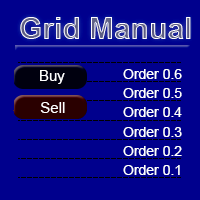
Grid Manual是一个交易面板,用于处理订单网格。 该实用程序是通用的,具有灵活的设置和直观的界面。 它不仅可以在亏损方向上设置订单网格,还可以在盈利方向上设置订单网格。 交易者不需要创建和维护订单网格,实用程序会这样做。 打开一个订单就足够了,Grid manual会自动为它创建一个订单网格,并伴随它直到非常关闭。 完整说明和演示版 此處 。 该实用程序的主要特性和功能: 伴隨以任何方式打開的訂單,包括從移動終端打開的訂單。 適用於兩種類型的網格:“限制”和“停止”。 使用兩種方法計算網格間距:固定和動態(基於 ATR 指標)。 允許您更改未結訂單網格的設置。 顯示圖表上每個網格的盈虧平衡水平。 顯示每個網格的利潤率。 允許您一鍵關閉網格中的盈利訂單。 讓您一鍵關閉每個訂單網格。 允許您對訂單網格應用追踪止損功能。 允許您在訂單網格上應用將訂單網格的止損轉移到盈虧平衡水平的功能。 相對於訂單網格的盈虧平衡水平自動重新排列止盈(僅在限價網格模式下,距離取決於所選的計算類型:“保守”或“激進”)。 最多可管理 20 個訂單網格,每個網格最多可包含 100 個訂單。 計算初始手數時,
DrawDown Limiter
Haidar Lionel Haj Ali
5 (23)
DrawDown Limiter v5.0 — 高级账户保护控制器 DrawDown Limiter v5.0 是一款运行于客户端的交易账户保护控制器,用于监控您的交易账户,并在达到您所设定的风险、盈利、新闻、时间计划、Rollover 或持仓数量限制时自动采取相应措施。 它可以通过一个独立图表监控 手动交易、自动化策略、多个 EA、挂单以及浮动持仓 。它既可以保护整个交易账户,也可以通过 Magic Number 仅监控特定 EA 或一组 EA。 DrawDown Limiter 的目的不仅仅是显示回撤,而是 主动执行您设定的交易规则 ,并在保护条件保持有效期间持续执行这些规则。 DrawDown Limiter v5.0 不仅用于监控您的亏损程度,还用于控制策略何时可以继续运行、哪些风险敞口可以保留、何时必须停止交易,以及自动化交易环境何时可以安全恢复运行。 需要帮助或有任何问题?  请查看   DrawDown Limiter 用户指南 我是  Lio ,欢迎随时联系我!  我们始终愿意为您解答问题、提供帮助并持续改进产品。 统一的保护系统 DrawDown Limiter v
YuClusters
Yury Kulikov
4.93 (43)
Attention: You can view the program operation in the free version  YuClusters DEMO .  YuClusters is a professional market analysis system. The trader has unique opportunities to analyze the flow of orders, trade volumes, price movements using various charts, profiles, indicators, and graphical objects. YuClusters operates on data based on Time&Sales or ticks information, depending on what is available in the quotes of a financial instrument. YuClusters allows you to build graphs by combining da
Premium Trade Manager - 内置交易导师的图表面板 Premium Trade Manager 将一位交易导师嵌入您的图表,并在其下搭载完整的执行引擎。像往常一样建立交易,然后让您的 AI 交易导师 Max 读取这笔具体的交易,结合您的实时账户给出直接判断,再由您决定是否下单:止损是否符合纪律化交易的要求、风险规模是否合理、高影响新闻事件是否即将发布、您是否接近资金盘限额。其下是完整的执行引擎,负责点击之后的一切:一键按风险下单、您在图表上拖动规划且交易进行中仍可随时调整的计划、最多四个分批止盈级别、七种移动止损方式、实时资金盘合规检查、新闻屏蔽保护,以及对自身成本进行评级的点差功能。决策由您做出。Max 给出第二次审视。面板负责此后的一切。 购买前先亲手体验。 直接在浏览器中点击实时面板,这是在购买前感受其工作方式的最快途径。 stein.investments/products/premium-trade-manager Max 是您的一对一 AI 交易导师,他直接内置于面板之中。  他了解您的账户、您的设置和您的规则,用您自己的语言回答,并在每笔交易下单前进
作者的更多信息
GoldRsiScalper is an automated Expert Advisor for gold (XAUUSD). It looks for short, sharp moves that overshoot on the 1-minute chart and trades the bounce, with a stop loss and a take profit on every trade. How it works - BUY: RSI(21) closes below 25, then the next candle closes back above 25. - SELL: RSI(21) closes above 72, then closes back below 72, only when price is below the EMA 50 on H1 (no selling into an uptrend). - Signals are evaluated on closed candles only (no repainting). - Stop
TrendLens - Multi-Timeframe Trend Indicator with Trend Cloud, No-Repaint Arrows, Trade Plan, Parabolic SAR and ADX Phases TrendLens shows the trend of a higher timeframe directly on the chart you trade. Candles are coloured by trend, unclear phases turn grey, and a clean on-chart panel tells you in plain words what the market is doing. It works on any symbol (forex, gold, indices, crypto CFDs) and on any timeframe from M1 to D1. The idea is simple: trade in the direction of the bigger trend, s
StructureLens
Jacopo Monti
StructureLens - Smart Money Concepts for MT5: Market Structure, Order Blocks, Fair Value Gaps, Liquidity StructureLens draws the market structure the way Smart Money traders read it, on any symbol and timeframe. Everything is calculated on closed candles: once a label is drawn it never changes. Market structure - Swing points HH, HL, LH and LL. A swing is confirmed only after "Swing length" candles on each side (default 10), so it never repaints. - BOS (break of structure, solid line) when pr
RangeLens
Jacopo Monti
RangeLens - Asian Session Range and London Breakout for MT5 RangeLens draws the Asian session range every day and tells you when price breaks out of it, with a complete trade plan and real statistics of the last days on your own chart. Works on gold, forex and indices, with any broker. The Asian range - During the Asian session gold and many currency pairs move in a tight range. When London opens, price often leaves that range with strength. - RangeLens draws the range box of every day with i
TradeLens - Risk Calculator and Trade Manager for MT5 TradeLens puts risk first. Drag the stop loss and take profit lines on the chart and it tells you the exact lot size for the risk you choose, then opens and manages the trade with one click. Works on any symbol: forex, gold, indices, crypto CFDs, on personal and prop-firm accounts. Risk calculator - Type your risk in % of the balance directly in the panel (for example 1%). - Press BUY setup or SELL setup: a red stop loss line and a green t
GuardLens - Prop Firm Account Guard for MT5 One bad day can end a prop-firm challenge. GuardLens watches the whole account, every second, and acts BEFORE the daily or maximum loss limit is broken: it closes every position, deletes pending orders and locks the account. It protects manual trades and the trades of any other Expert Advisor on the same account. Account rules - Ready presets: FTMO 2-Step, FTMO 1-Step, The5ers High Stakes, personal account, or Custom with your own values. - Daily lo
NewsLens - Economic News on the Chart for MT5 High-impact news moves the market in seconds and many prop firms forbid trading around it. NewsLens shows the economic calendar directly on your chart, so you always know what is coming and when to stay out. Data comes from the economic calendar built into MetaTrader 5: no external website, no DLL, nothing to configure. Panel - The next events of your currencies with a live countdown ("in 2h 15m", "NOW"). - Importance colour: red high, orange medi
ScanLens - Multi-Symbol Trend Scanner for MT5 Stop flipping through 20 charts. ScanLens shows up to 30 symbols in one panel with the trend on four timeframes, the last market-structure break, the position against the Asian range, the daily change and the volatility. Aligned symbols are highlighted, so you see at a glance where the opportunities are. Columns - Trend on M15, H1, H4 and D1: fast/slow EMA (21/55) with ADX(14) confirmation. Green arrow = up, red arrow = down, dash = range (ADX bel
KillzoneLens - ICT Killzones for MT5 The ICT killzones are the hours when the big players move the market: the London open and the New York open above all. KillzoneLens draws them on your chart in the right place every day, converting New York time to your broker's server time automatically, including the US and European daylight-saving changes. Killzones (New York time, all adjustable) - Asian 20:00-00:00, London open 02:00-05:00, New York open 07:00-10:00, London close 10:00-12:00. - A colo
JournalLens - Trading Journal and Account Statistics for MT5 Do you really know how you trade? JournalLens turns your account history into a clear trading journal right on the chart: how much you made today, this week or this month, your win rate, profit factor, drawdown, best hours and best symbols. No spreadsheets, no external websites. Periods Today, Week, Month, Year and All, one click away. Statistics - Net profit/loss in money and % of the starting balance of the period. - Number of tr
StrengthLens - Currency Strength Meter for MT5 Trade the strongest currency against the weakest one. StrengthLens ranks the 8 major currencies (USD, EUR, GBP, JPY, CHF, CAD, AUD, NZD) from the 28 pairs between them, on three timeframes at once, and tells you the best pair to trade right now. How it works - For every currency it measures the average % change against the other 7 currencies over the last N candles (12 by default). - The 8 currencies are ranked on the main timeframe, with a stren
BasketLens - Basket Profit and Loss Manager for MT5 Grids, martingales, hedges, copied trades, several EAs on one account: the result that matters is the TOTAL of all the positions, not each single trade. BasketLens treats the selected positions as one basket and closes them all together when the basket reaches your profit target or your loss limit. It is a utility Expert Advisor: it never opens trades. It manages the positions opened by you or by any other EA on the same account. Choose the
CopyLens - Local Trade Copier for MT5 Copy every trade from one MetaTrader 5 account to one or more other accounts running on the same computer or VPS. One Expert Advisor, two modes: MASTER on the source account, SLAVE on each receiving account. Tested live: in a 30-minute stress test the master made 91 operations (opens, partial closes, stop loss changes, closes on EURUSD, XAUUSD and US500) and the slave copied all 91, each in about 0.3 seconds. What is copied - New positions, full closes a
SignalLens - Telegram Trade Notifier for MT5 Send your trades to Telegram as they happen: to your phone, to a private group or to a public channel for your followers. SignalLens runs inside MetaTrader: no server, no extra software, no monthly fee. What it sends - New positions: symbol, direction, lots, entry, stop loss and take profit. - Closes with the result in money, pips and %. - Partial closes, stop loss and take profit changes. - Pending orders placed and deleted (optional). - A chart s
AurumLens - Limited Edition. Only 20 licenses will ever be sold. Two proven strategies, gold and the S&P 500, in one Expert Advisor with a risk manager built to protect prop-firm challenges. === LAUNCH OFFER === - Licenses 1 to 10: 700 USD - Licenses 11 to 20: 1,200 USD - After the 20th license AurumLens is closed to new buyers. Forever. Why so few? An edge shared by thousands of traders is no longer an edge. With 20 licenses worldwide, your trades stay yours, and prop firms will not see the s
筛选:
无评论
回复评论