AXT TradePilot MT5
- Utilities
- Version: 1.0
- Activations: 10

Trade management and execution panel for MetaTrader 5.
AXT TradePilot MT5 provides a centralized on-chart interface for opening, managing, monitoring and protecting trading positions. It is designed for discretionary traders who want to manage trades directly from the chart without repeatedly using the standard MetaTrader trade dialogs.
The product combines position management, risk controls and several order management modes in one panel.
Main Features
General
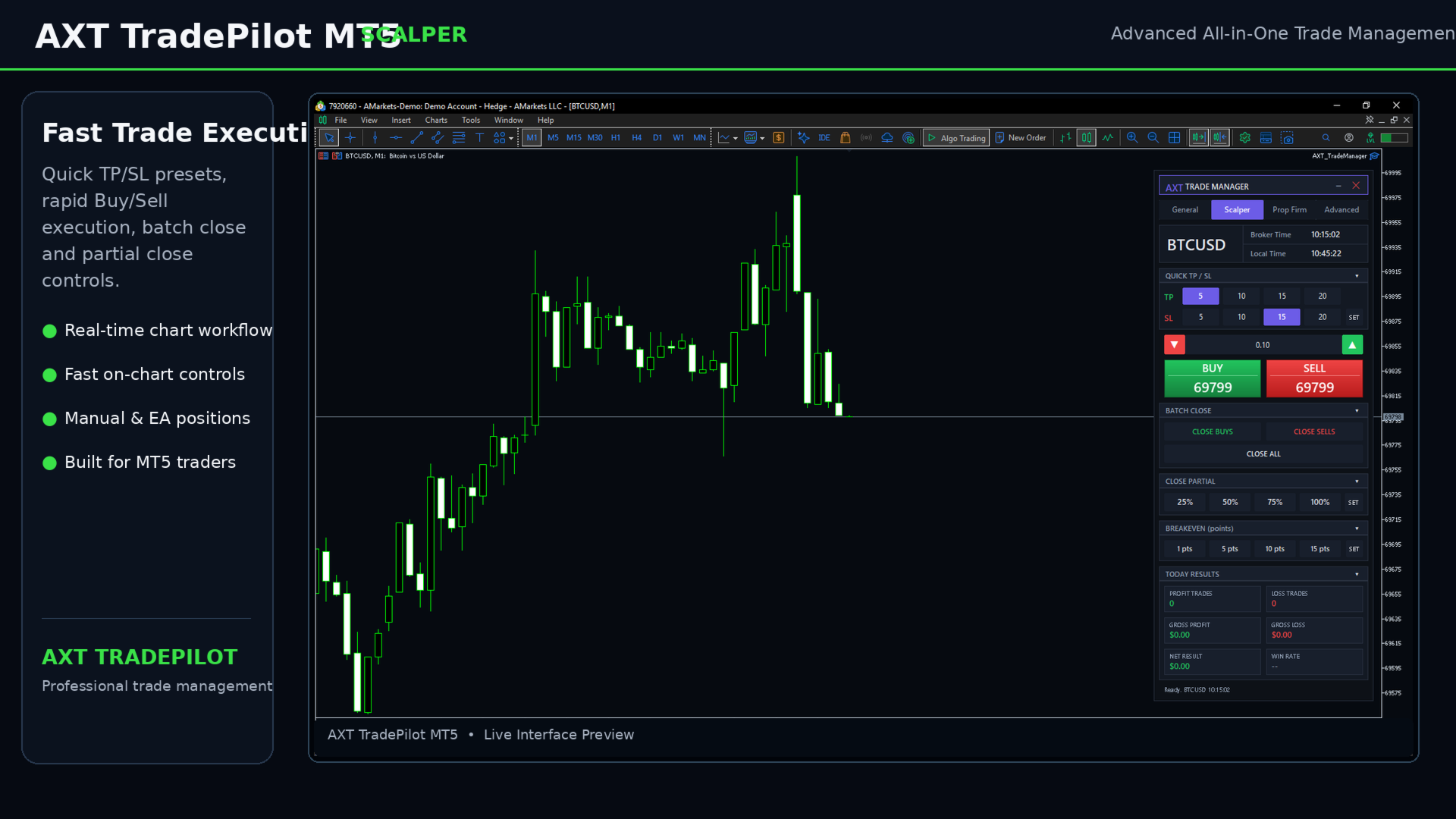
The General section provides the main trading and position management functions:
-
Market Buy and Sell execution
-
Position and order management
-
Stop Loss and Take Profit management
-
Break Even
-
Trailing Stop
-
Partial Close
-
Position monitoring
-
Lot management modes
-
Risk-based position sizing
-
Account and trading information
The Positions section displays active positions individually and provides direct controls for each position.
Hedge
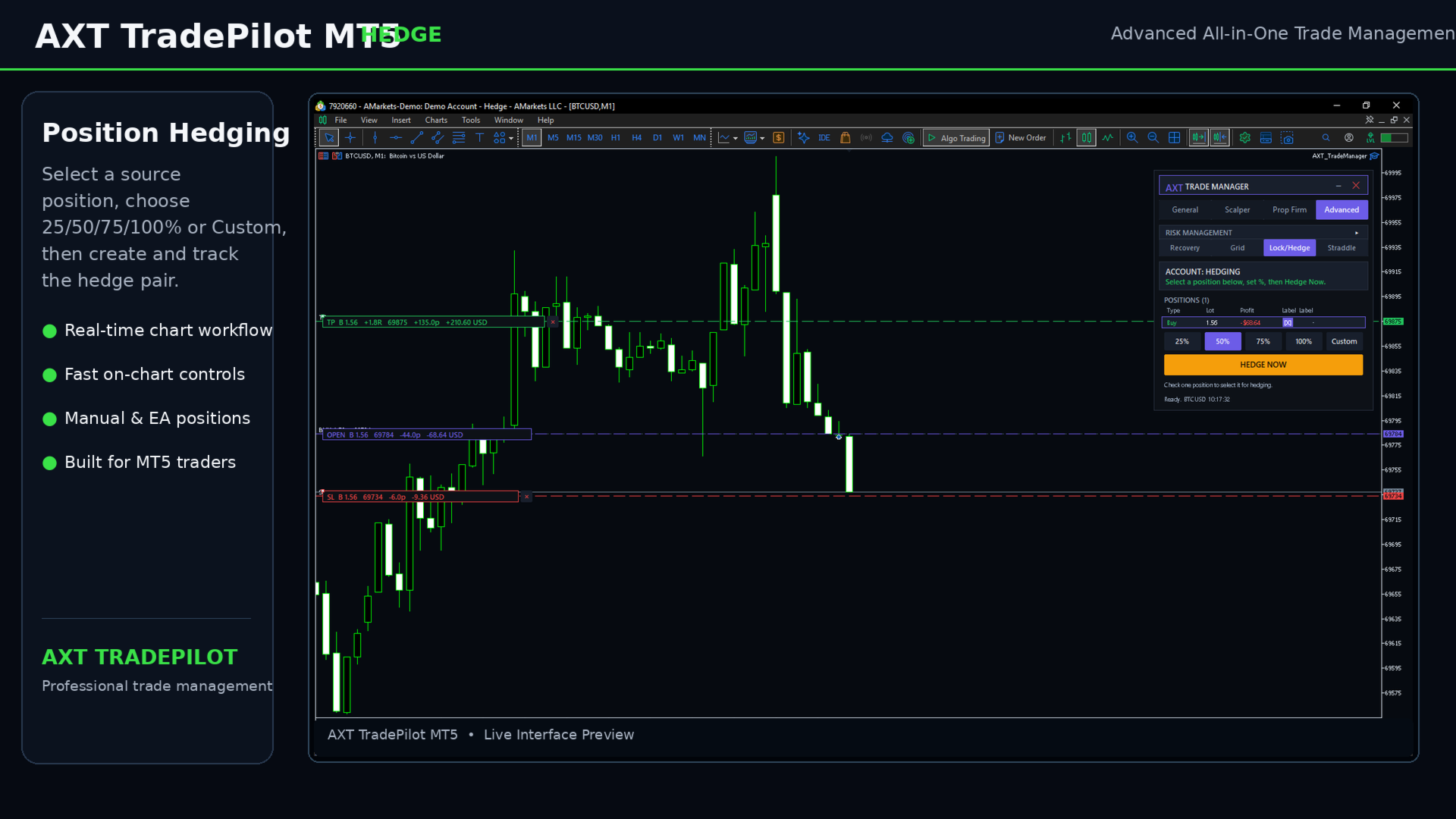
The Hedge section allows the user to select an existing position and create an opposite hedge position based on a selected percentage of its volume.
Supported hedge percentages:
-
25%
-
50%
-
75%
-
100%
-
Custom
The hedge can be created for:
-
Manual positions
-
Positions opened by AXT TradePilot
Each hedge position contains a reference to its source position in the trade comment, making the relationship between the two positions easier to track.
The Hedge section also provides a Pair Close function for closing the source position and its associated hedge position. After the close requests are sent, the EA verifies the actual position state instead of relying only on the initial trade request result.
The Hedge feature requires a MetaTrader 5 hedging account.
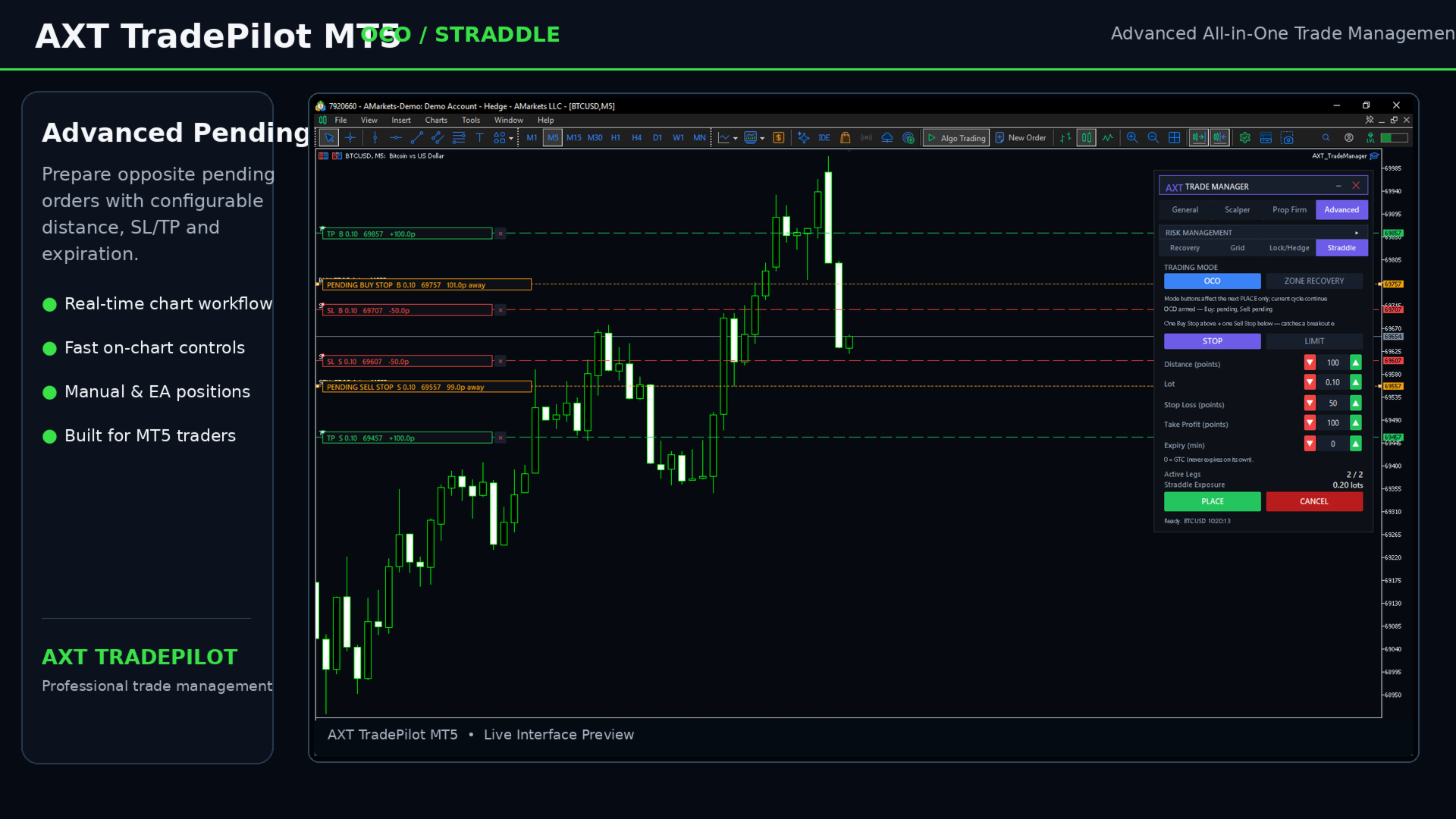
OCO
The OCO (One Cancels the Other) section is designed for setups where two pending orders represent alternative entry scenarios.
The user can configure the required order parameters and place the two sides of the setup from the panel.
When one side is activated, the opposite pending order is managed according to the OCO configuration.
Straddle
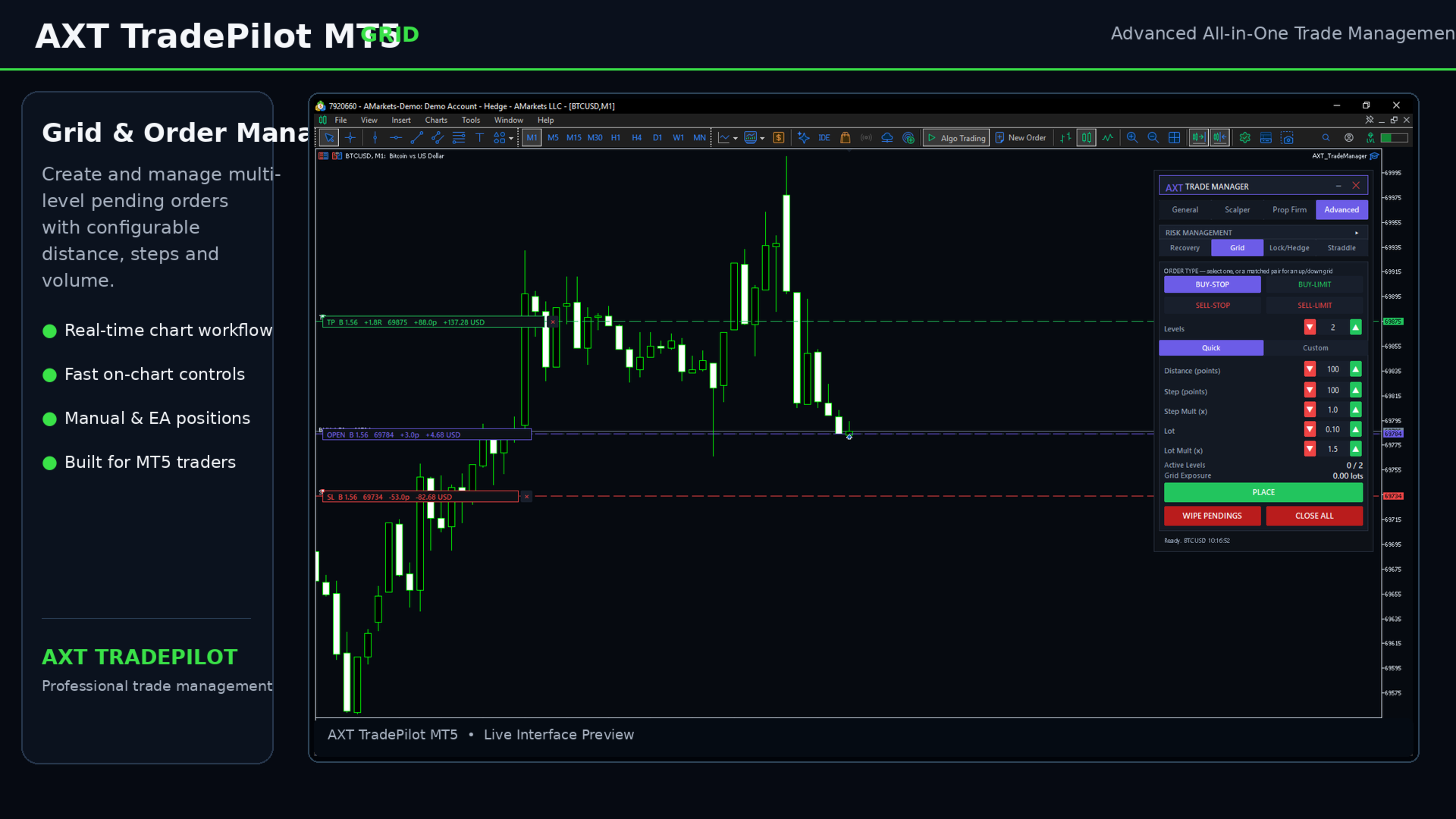
The Straddle section allows the user to prepare two opposite pending orders around the current market price.
The panel provides controls for:
-
Buy Stop
-
Sell Stop
-
Distance
-
Stop Loss
-
Take Profit
-
Order volume
-
Expiration settings
This can be used for breakout-oriented execution setups where the trader wants to prepare both market directions before a move occurs.
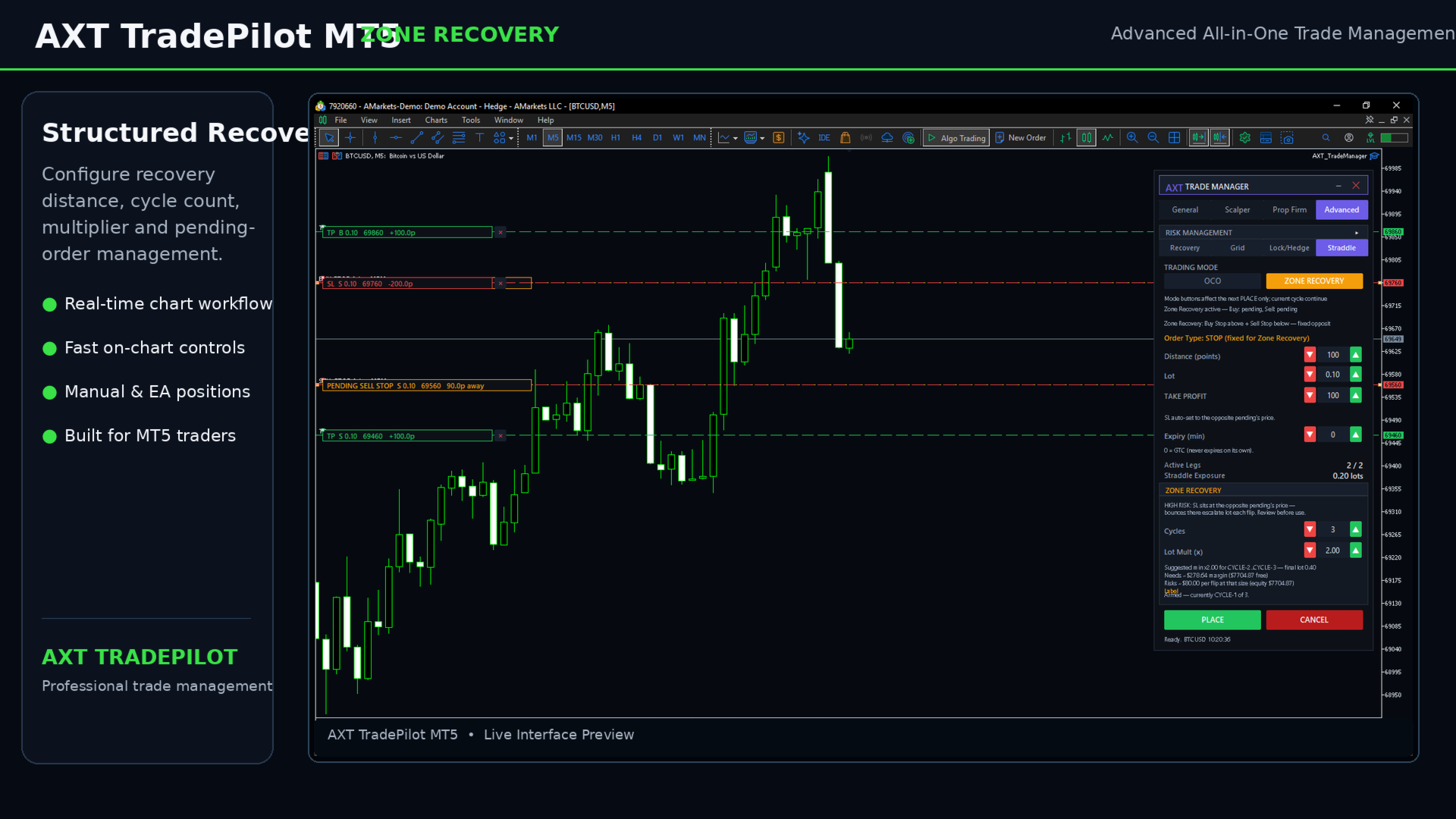
Zone Recovery
The Zone Recovery section provides a structured way to manage recovery cycles using predefined recovery levels.
The module can manage:
-
Recovery direction
-
Recovery distance
-
Recovery volume settings
-
Recovery levels
-
Take Profit
-
Cycle management
-
Pending recovery orders
The recovery workflow is controlled from the chart and can be monitored through the panel.
Zone Recovery involves increased trading risk and should be configured according to the user's account conditions and risk limits.
Risk Management
AXT TradePilot includes account-level and position-level risk controls designed to help traders monitor exposure.
Depending on the selected configuration, the panel can work with:
-
Risk percentage
-
Fixed monetary risk
-
Fixed lot size
-
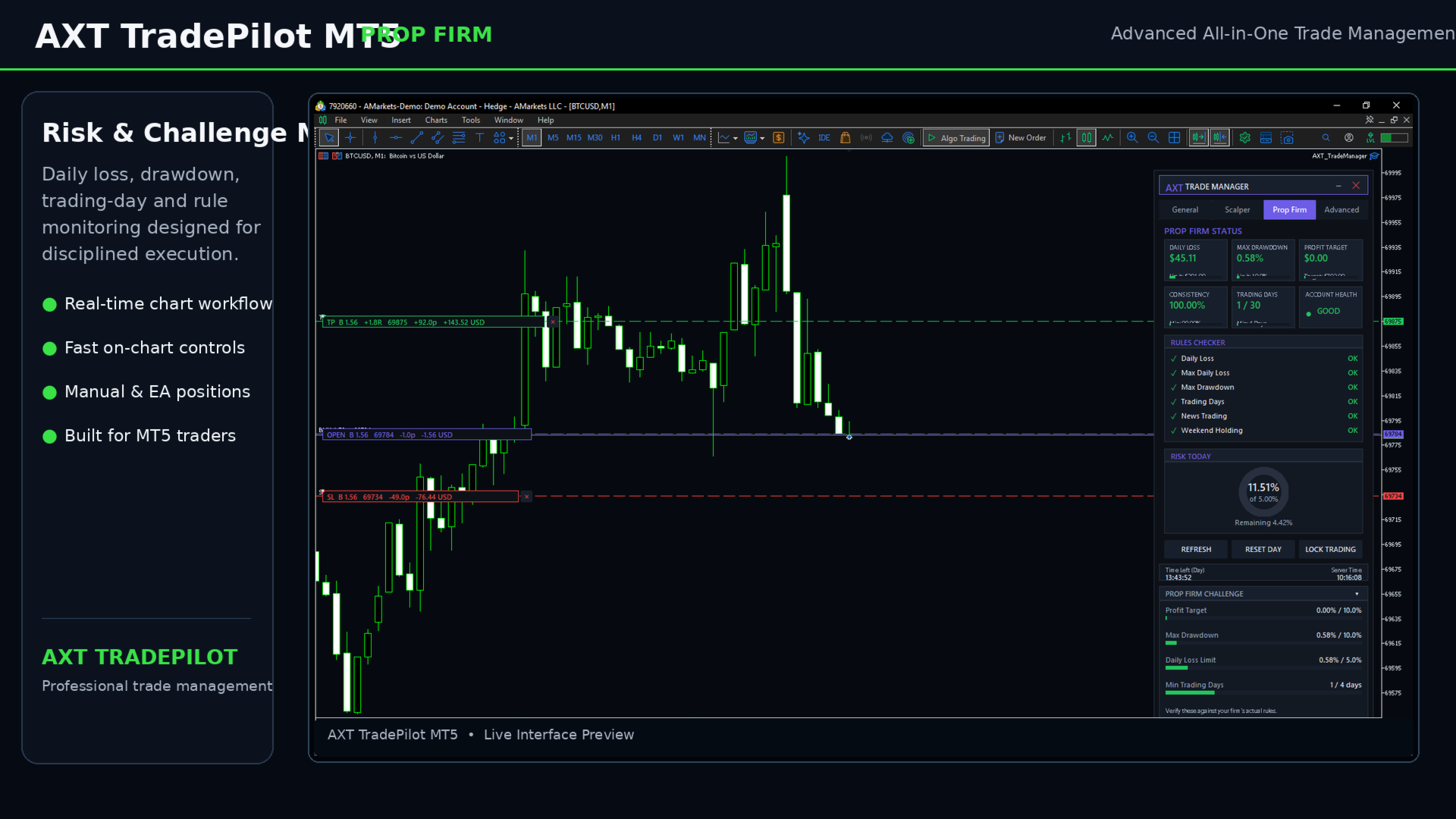
Daily loss limits
-
Drawdown monitoring
-
Profit target monitoring
-
Trading protection controls
Risk calculations depend on the account balance, equity, symbol properties, volume settings and broker conditions.
Position Management
Each active position is handled individually through the panel.
Available controls can include:
-
Close
-
Partial Close
-
Stop Loss
-
Take Profit
-
Break Even
-
Trailing management
-
Hedge
-
Pair Close for hedged positions
The interface is designed to keep frequently used trade controls available without opening multiple MetaTrader dialogs.
Customization
The panel includes configurable parameters for:
-
Trading volume
-
Risk mode
-
Stop Loss
-
Take Profit
-
Recovery settings
-
Hedge percentage
-
Trading distances
-
Protection limits
-
Strategy-specific options
The available parameters depend on the selected module and account configuration.
Manual Trading and EA Positions
AXT TradePilot can work with positions opened manually as well as positions opened by the EA according to the configured Magic Number.
Manual positions can be managed without requiring the position to have been created by the EA.
Important Information
AXT TradePilot MT5 is a trade management and execution utility. It does not provide guaranteed trading results and does not guarantee profits.
The product does not predict market direction and does not replace an independent trading strategy or risk management plan.
Trading operations are subject to the execution conditions of the broker, including:
-
Symbol trading rules
-
Minimum and maximum volume
-
Volume step
-
Stop and freeze levels
-
Market availability
-
Margin requirements
-
Execution mode
-
Account type
Some features, including Hedge functionality, require a hedging account.
Users should test the product in the MetaTrader 5 Strategy Tester and on a demo account before using it in live trading.
Compatibility
-
MetaTrader 5
-
Expert Advisor
-
Hedging accounts supported
-
Manual and EA-managed positions
-
Forex
-
Metals
-
Indices
-
Crypto and other instruments supported by the broker, subject to symbol specifications
Why AXT TradePilot?
AXT TradePilot brings commonly used trade execution and management functions together in one MetaTrader 5 panel.
Instead of switching between multiple standard trading dialogs, the trader can manage positions, orders, risk settings and selected trading workflows directly from the chart.
The focus of the product is execution control, position management and configurable trading workflows.