FXTools
- Utilities
-
Bahramirad
 Most Advanced Dashboard for manual trading in Metatrader
Guide on how each section of dashboard works:
Part 0 (Overal Guide) : https://www.mql5.com/en/blogs/post/775273 - Version: 2.21
- Updated: 16 October 2026
- Activations: 20
FxTools
This is an all-in-one MT5 trading dashboard. It helps calculate risk per trade, open orders quickly, manage positions with partial close, trailing stop, grid, martingale, recovery, and breakeven, plus indicator analysis, chart tools (Easy Position Manager and Easy Trade Deck), an Expert Advisors desk to compare live vs backtest per magic and manage from the card, and other useful tools.
Demo version Link
Additional materials and instructions
Overall Guide – Shortcut bar – Overlays – Indicators – Open – Close – Filters – Trail – Grid – Martingale – Recovery – Breakeven – Chart (EPM & Deck) – Expert Advisors
________________________________________
Expert Advisors
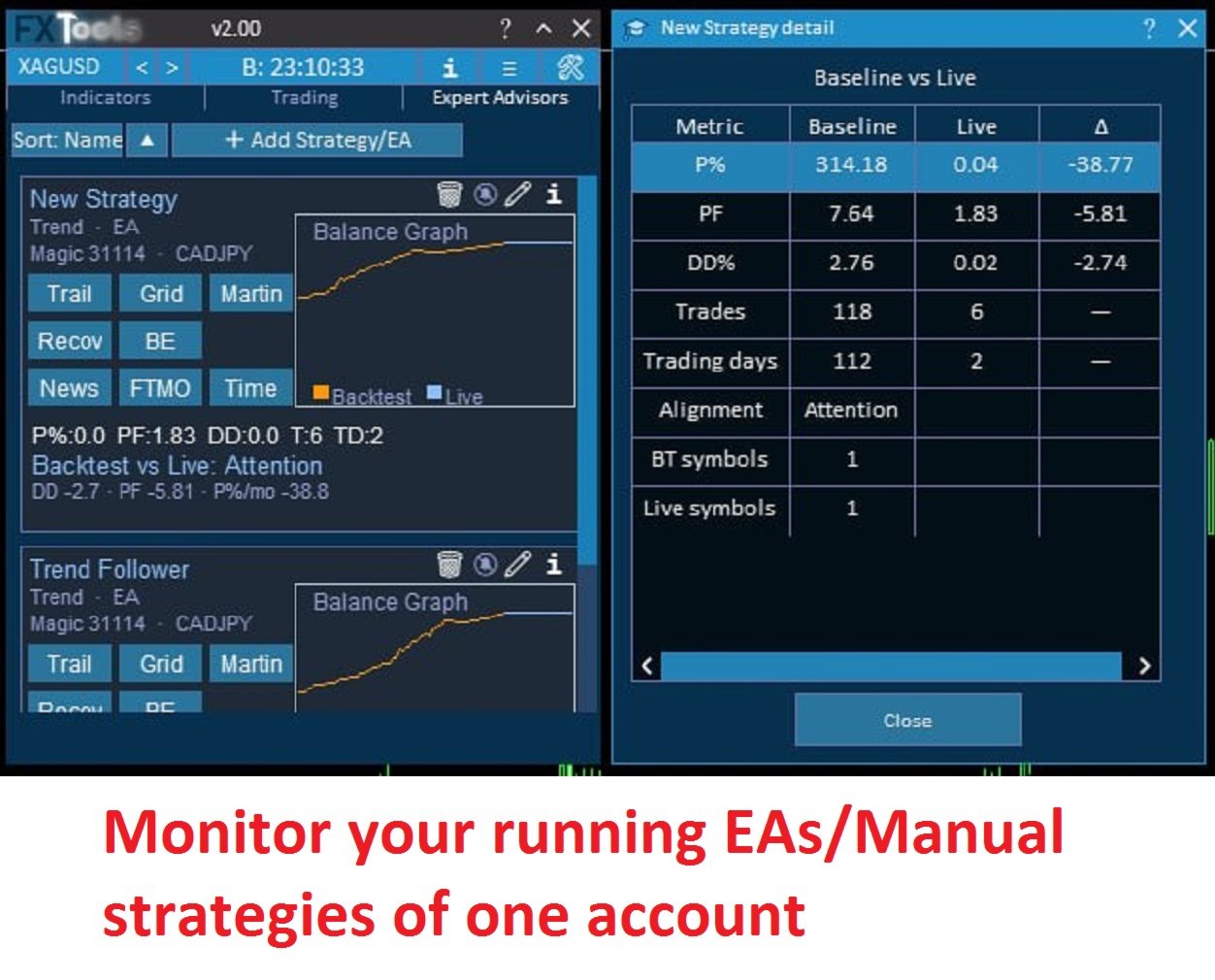
One desk for every robot and every manual book. One card per strategy, matched by magic (or magic 0 for hand trades). Live results sit next to an imported Strategy Tester HTML report. Apply Trail, Grid, Martingale, Recovery, Breakeven, and News / Prop / Time filters from the card without hunting through charts.
- One card per EA or manual strategy (magic, optional symbols and comment).
- Import an MT5 tester .htm / .html report and compare live vs backtest on the same graph (P%, PF, DD, trades).
- Enable and Apply manage and filters from the card onto matching open positions.
________________________________________
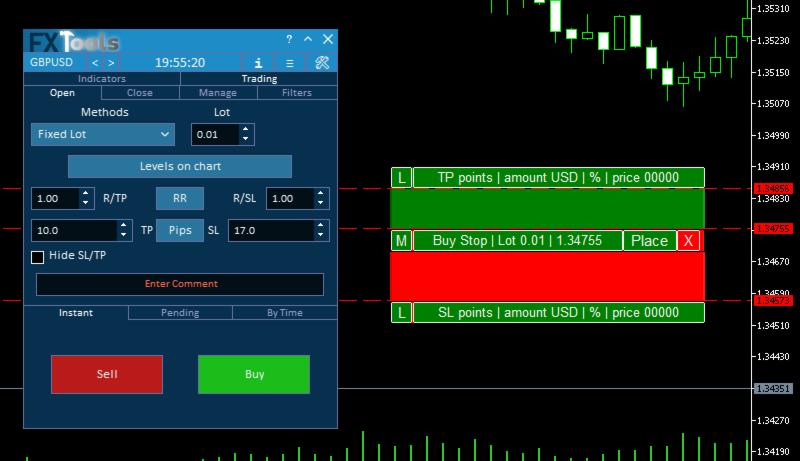
Levels on Chart
Shows Entry, Stop Loss, and Take Profit lines on the chart.
Easy Trade Deck: set a new order and see its levels before opening. Easy Position Manager: pills and lines on running trades (and pending SL/TP).
________________________________________
Risk management
Calculates the lot size for a new order using the selected risk method and the Stop Loss size.
It allows you to set any Stop Loss and still keep the risk under control.
Lot calculation method – choose how volume is calculated:
- Fixed Lot
- Risk % Balance
- Risk % Equity
- Reward % Balance
- Reward % Equity
- Reduce by Profit
- Fixed Lot per Balance
- Currency Amount
In the Risk / Lot fields set the value you need. The calculated lot appears automatically in the Lot box.
________________________________________
R/TP and R/SL
Sets the relation of Take Profit to Stop Loss.
This allows you to set profit size relative to loss.
For example:
- 1 : 1 – TP = SL
- 2 : 1 – TP is twice the SL
RR – on/off the ratio lock controls.
________________________________________
Orders management
The panel supports market and pending orders.
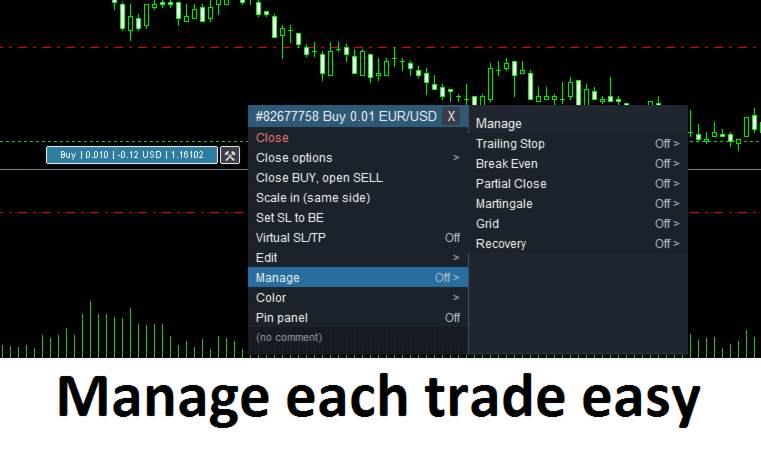
- Partial close – (Manual and Automated) close a part of the position by lot or percent across up to 8 TP and 8 SL levels.
- Trailing Stop – 6 modes (Fixed Distance, ATR, MA, Parabolic SAR, Candles High/Low, By Profit).
- Breakeven – move Stop Loss to a no-loss level.
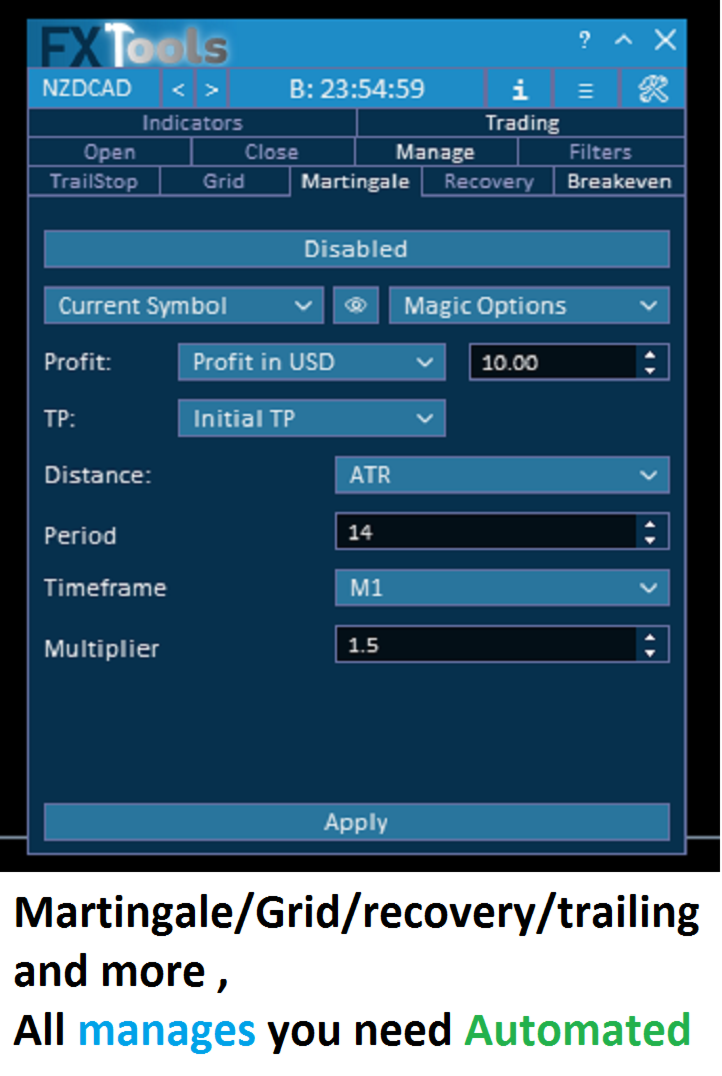
- Grid – (Manual and Automated) open additional orders by distance (Fixed, ATR, MA, Bollinger Bands, Time, Manual).
- Martingale – (Manual and Automated) scale volume and distance with the same spacing methods.
- Recovery Zone – (Manual and Automated) recovery management for drawdown positions.
- Close options – (Manual and Automated) close by order type, by profit/loss, or when a target is reached.
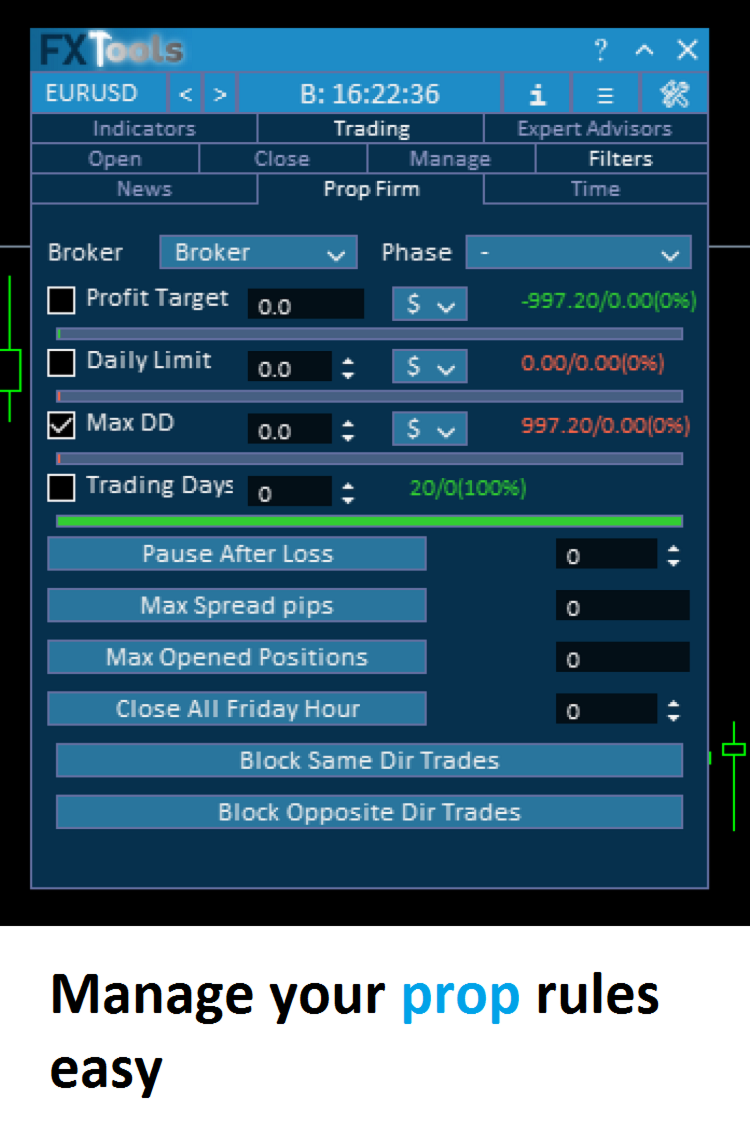
- Prop Firm / News / Time Filters – block or control trading around news, prop rules, and sessions.
________________________________________
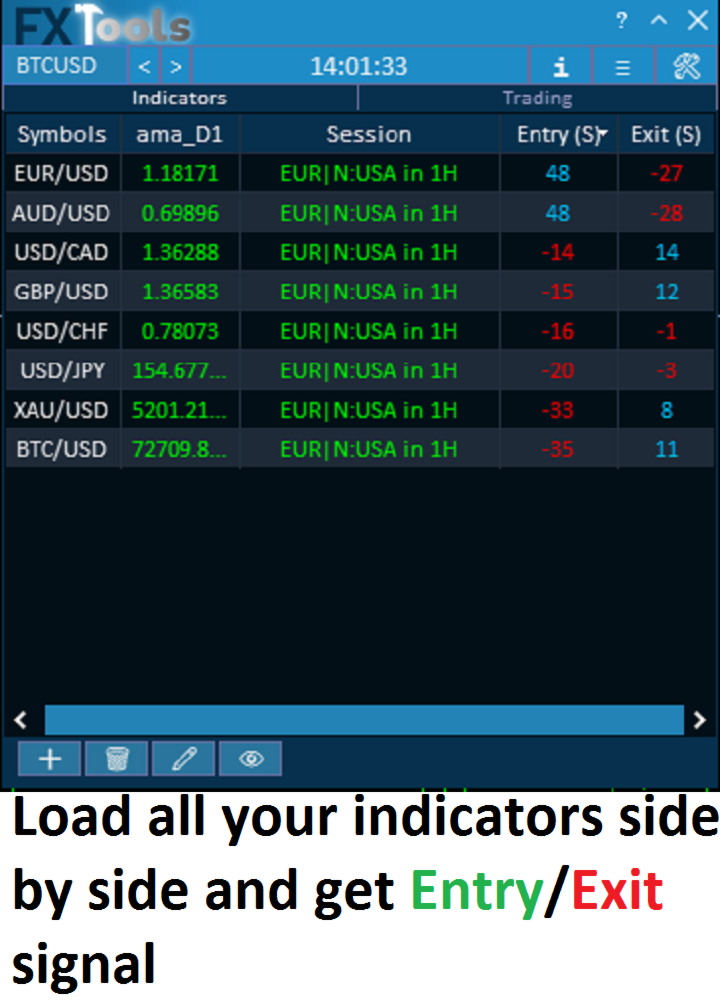
Indicators analysis
- Load any indicator to see them for all the symbols in a simple table.
- Calculate how to get best score for entry and exit of each indicator.
- Score Entry / Exit signals across symbols for all of the indicators you set in combined.
- Show signal history on the chart.
- Configure calculations and display icons for Buy / Sell.
________________________________________
________________________________________
Additional functions
- Symbol switch – change the current chart symbol from the dashboard (or move through the list with Prev / Next).
- Help mode – detailed tooltip on every control; each has a QR code to the matching section of the 14-part guide.
- Info window – Statistics, Account, and Symbol details.
- Notifications – phone, pop-up, and email alerts for trade events.
- Screenshot – quick chart capture from the minimized toolbar.
- Profiles – save, load, and delete dashboard settings.
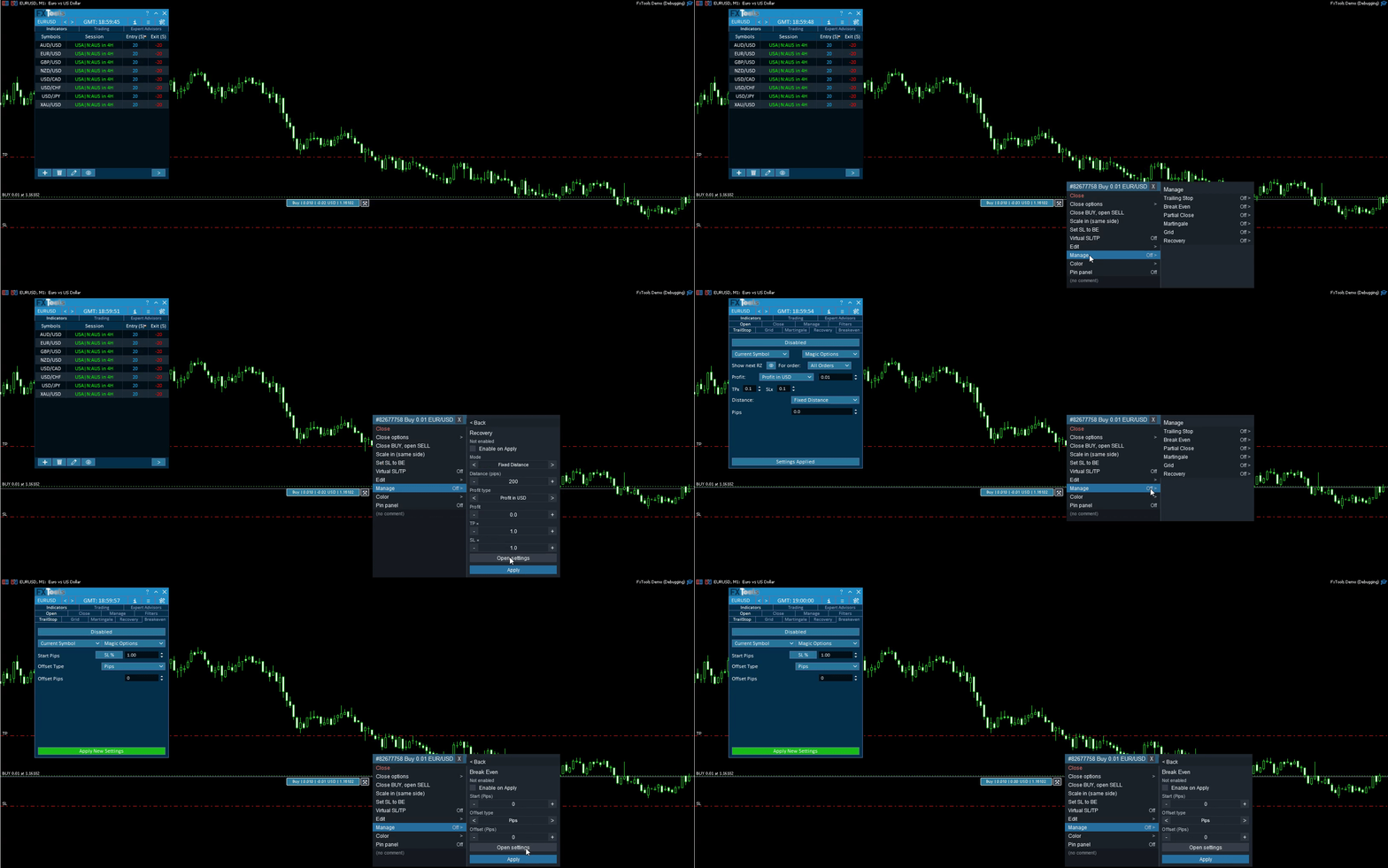
- Easy Position Manager – SL/TP pills on the chart, virtual levels, and Trail / Partial / Grid / Martingale / Recovery / Breakeven from the flyout. Toggle with input Show Easy Position Manager.
- Easy Trade Deck – Buy/Sell on the chart with lot, SL and TP (Levels on chart). Does not turn off Chart Shift or Autoscroll.
- Tab visibility – hide any dashboard tab from Inputs; choose Indicators / Trading / Experts order.











































Bonjour, vraiment sympa comme outil. Il y a tout.