Blubbify SMC
- Experts
- Version: 1.0
- Activations: 20

Blubbify Smart Money Concept is an advanced analytical engine and automated trading system designed to track institutional footprints. It uses high-probability mathematical models to identify supply and demand imbalances, track volume accumulation, and execute trades alongside market momentum.
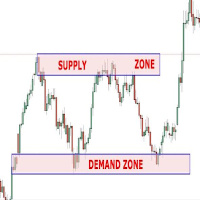
The system operates by analyzing the chart for sudden structural shifts and liquidity sweeps. Once an institutional footprint is confirmed, it projects graphical supply and demand zones onto the chart. You can use it purely as a visual indicator to augment your manual trading, or enable the built-in trade manager to fully automate your entries and exits.
Core Advantages
Institutional Zone Mapping The engine automatically draws institutional supply and demand rectangles on your chart. These zones act as highly reactive price magnets. Each zone is graded with a Quality Score based on the volume injection and price action structure, allowing you to filter out low-probability setups.
Liquidity Sweep Detection The system actively scans for stop hunts and liquidity purges. It identifies candles that briefly break recent structural lows or highs only to sharply reverse. These sweeps often precede major trend continuation or reversal moves.
Multi-Timeframe Cloud Scanner Trading against the higher timeframe trend is a common pitfall. Blubbify features a built-in multi-timeframe scanner that constantly evaluates the H1 and H4 periods. The on-chart dashboard clearly displays whether the market is currently experiencing bullish or bearish dominance, helping you align your entries with the macro trend.
Advanced Trade Management When automated trading is enabled, the system does not simply open a trade and hope for the best. It utilizes dynamic lot sizing based on your exact risk percentage. Once a trade is active, it employs trailing stops, a rapid breakeven activation, and partial position closures to lock in profits while protecting your capital.
Strict Risk Protection The code has been rigorously hardened to handle extreme market conditions. It uses tick-size price normalization, netting freeze level immunity, and volume limit dynamic trimming to ensure safe execution across different brokers. It does not use grid or martingale strategies; every trade uses a hard Stop Loss.
Parameter Configuration
Trading Settings
- Enable Auto Trading - Set to true to allow the Expert Advisor to execute trades automatically.
- Risk per Trade (%) - The percentage of your balance to risk per trade. Set to 0 to use a fixed lot size.
- Fixed Lot Size - The static lot size to use if Risk per Trade is set to 0.
- Stop Loss (Points) - The hard stop loss distance.
- Take Profit (Points) - The hard take profit distance.
Trade Management
- Trailing Start (Points) - The profit distance required before the trailing stop activates. Set to 0 to disable.
- Trailing Step (Points) - The distance the price must move to adjust the trailing stop further.
- Breakeven Activation (Points) - The profit distance required to move the stop loss to the entry price. Set to 0 to disable.
- Partial Close Ratio - The percentage of the position to close when the 1:1 risk-to-reward ratio is hit (0.0 to 1.0).
Engine Settings
- Analysis Period - The timeframe the engine uses to calculate zones and sweeps.
- Max Bars to Process - The amount of historical data to scan on initialization.
- Dynamic Breakout Factor - The sensitivity multiplier for detecting institutional candle thrusts.
- Max Active Zones - The maximum number of historical supply and demand zones to keep on the chart.
Notifications
- Enable Alerts - Enables pop-up terminal alerts for high-quality setups.
- Min Quality for Alerts (%) - Only trigger alerts for zones that meet this minimum quality threshold.
- Enable Push Notifications - Sends mobile push notifications to your MT5 app.
- Alert Sound - The wav file to play when a setup is detected.
Visuals
- Show Institutional Dashboard - Toggles the on-chart statistical dashboard.
- Dashboard X Offset - Horizontal position of the dashboard.
- Dashboard Y Offset - Vertical position of the dashboard.
- Premium Background Color - The background color of the dashboard panel.