TradeOps MT5
- Utilities
-
ALGOECLIPSE LTD
My name is Bailey Wickens, I am the founder of a UK-based software company, AlgoEclipse Ltd. We are dedicated to creating trading algorithms for MetaTrader 5. Our focus is on developing Expert Advisors with clean coding practices, clear logic, and stability in mind. - Version: 1.0
- Activations: 10
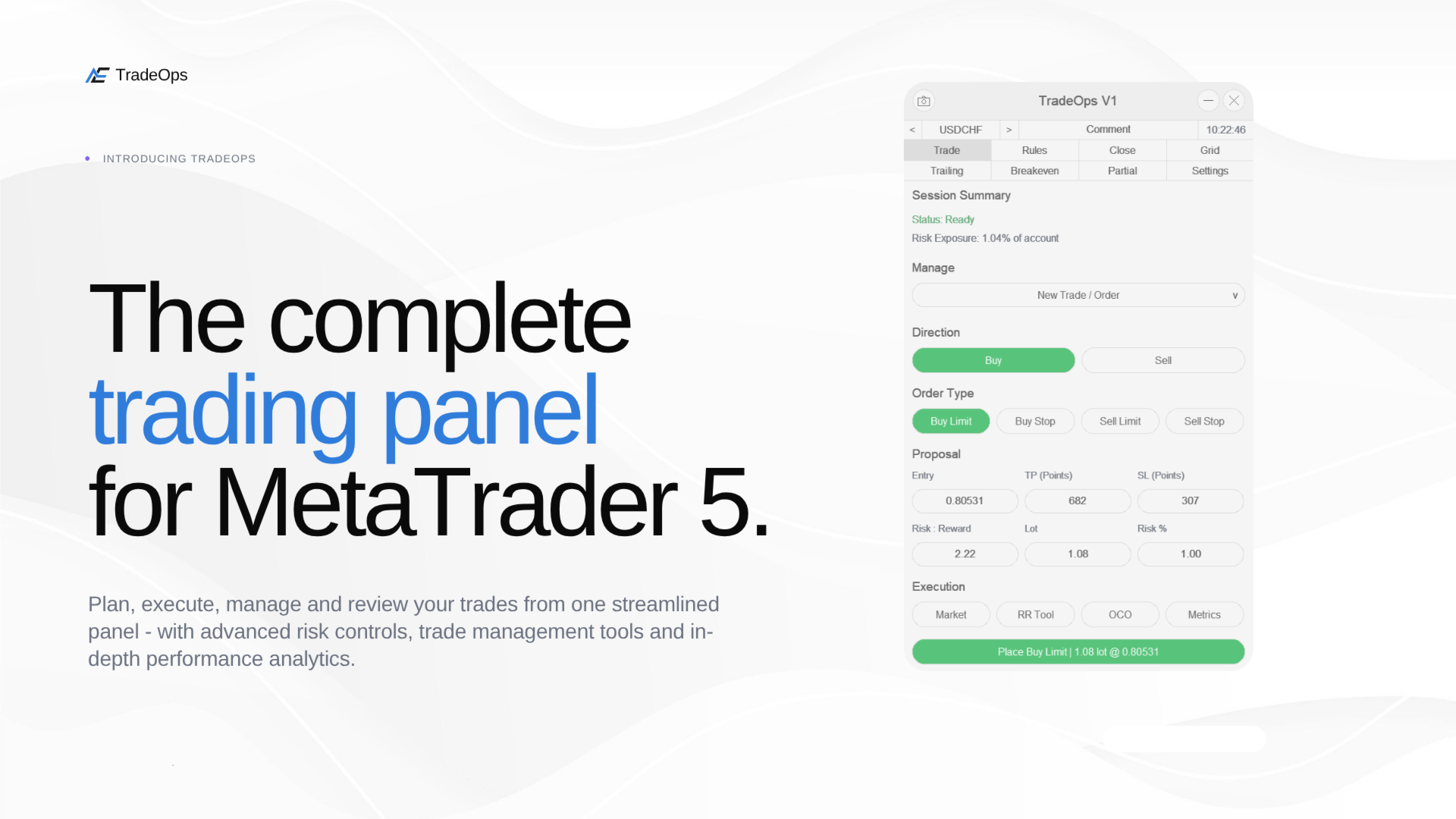
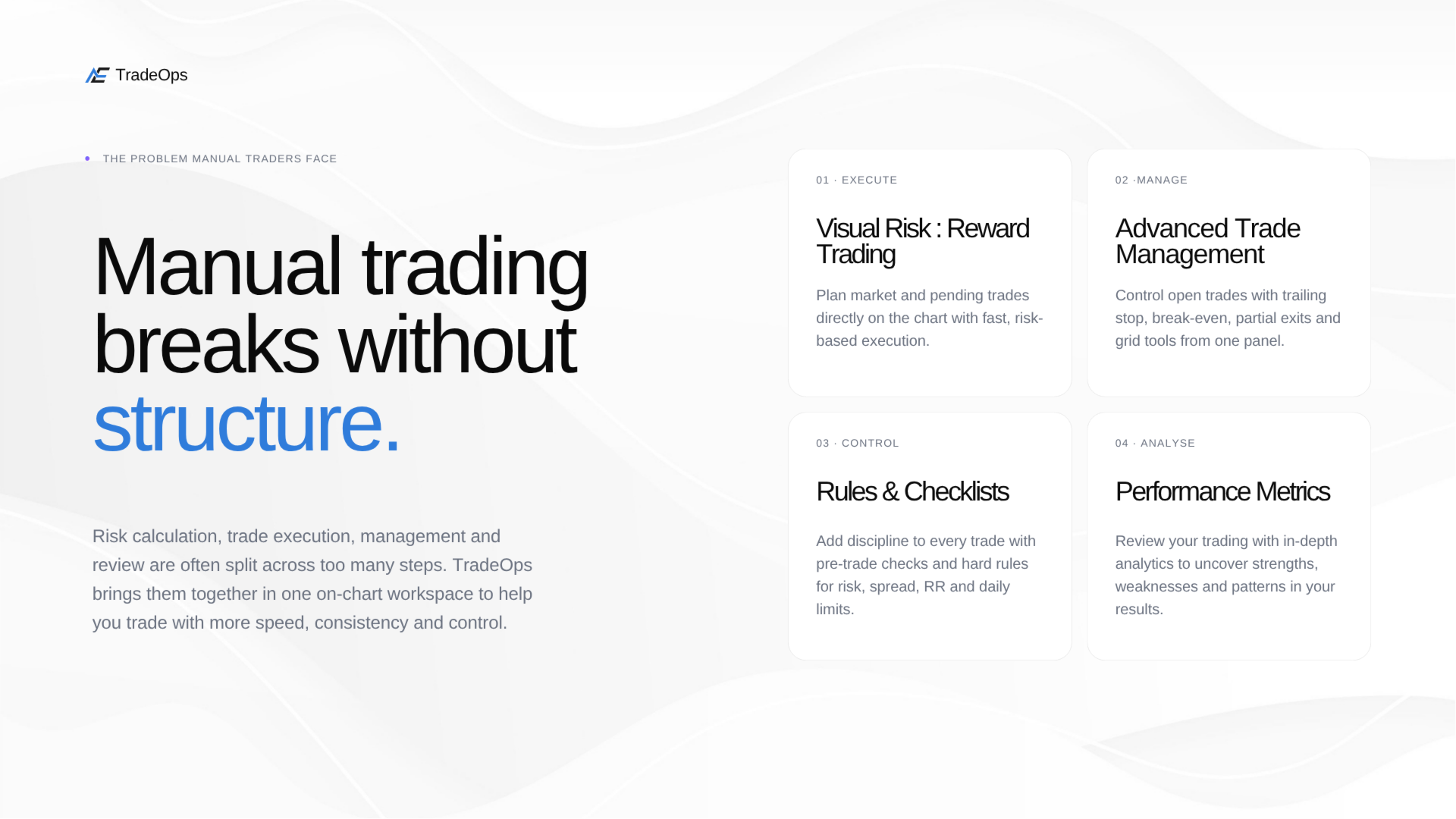
TradeOps is a complete trade execution, management and discipline panel for MetaTrader 5. Built around the way you actually trade, it gives you precise control over how trades are planned, placed and managed, while helping enforce the rules you set for yourself before a position can even be opened. From a fully configurable pre-trade Rules Engine and Checklist, to advanced Grid management and detailed performance analysis, TradeOps is designed to bring structure, control and consistency to every stage of your trading.
Trade Within Your Rules
Define exactly what must be true before you're allowed to place a trade. TradeOps can automatically block new trades when your configured rules are not met, including maximum risk per trade, minimum Risk:Reward, maximum spread, trades per day, maximum open positions, daily loss limits, minimum Stop Loss distance and more.
Alongside these limits is a fully adjustable eight-item pre-trade Checklist that you can customise around your own trading requirements. Set the checks that matter to your strategy and require them to be confirmed before entering a trade. If your required rules or Checklist conditions aren't satisfied, TradeOps prevents the trade from being submitted.
Plan and Place Trades Visually
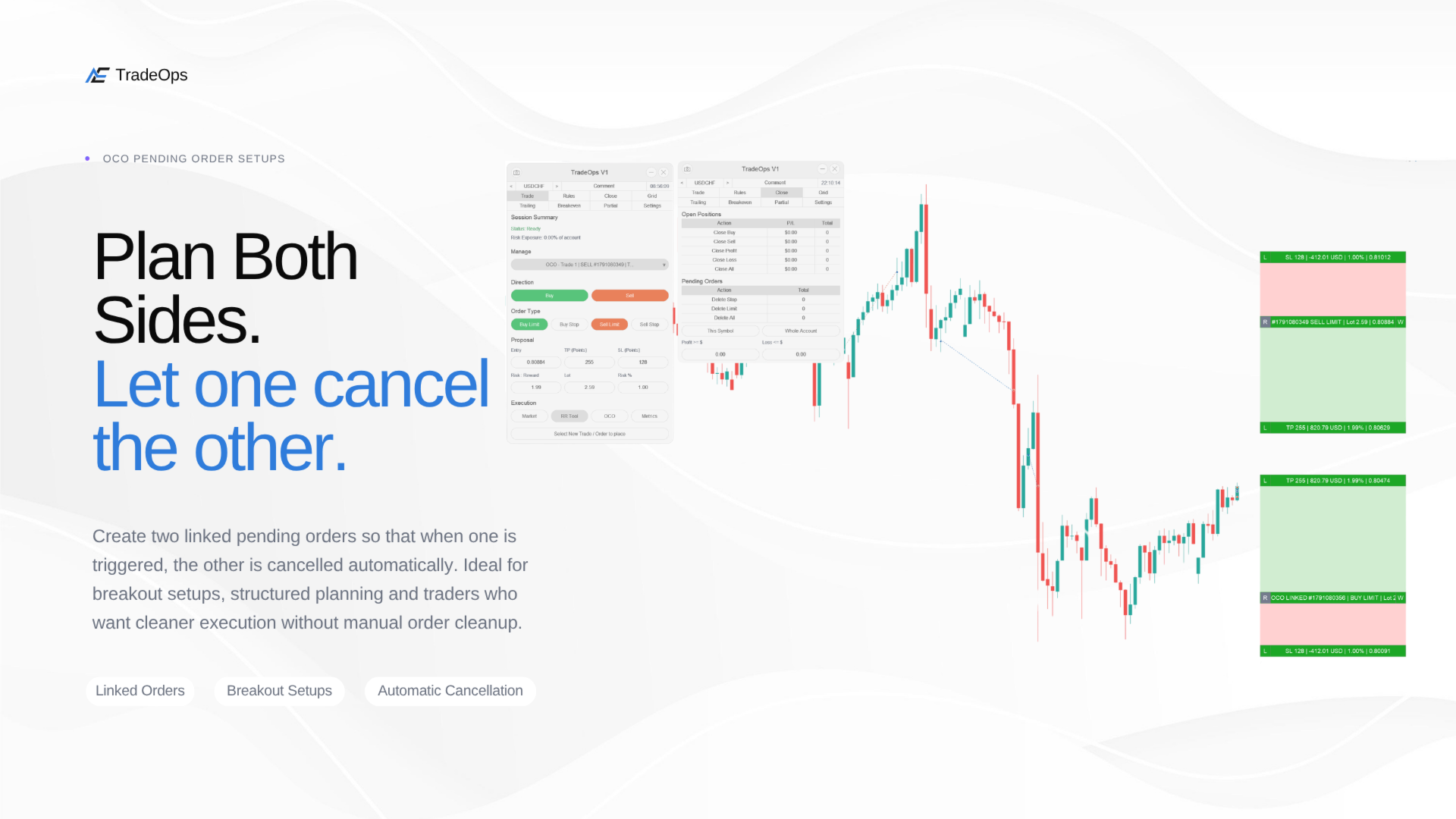
Place market or pending orders with adjustable lot size, Stop Loss, Take Profit and risk-based position sizing, or plan the entire setup directly on the chart with the Risk:Reward tool. Drag Entry, Stop Loss and Take Profit levels into position and see the risk, reward and position sizing update as you adjust them.
Lock the TP or SL distance while moving Entry, reverse a setup between Buy and Sell, or use OCO to create linked Buy Stop and Sell Stop orders where the remaining order is automatically cancelled when the other is triggered.
Manage Every Trade Your Way
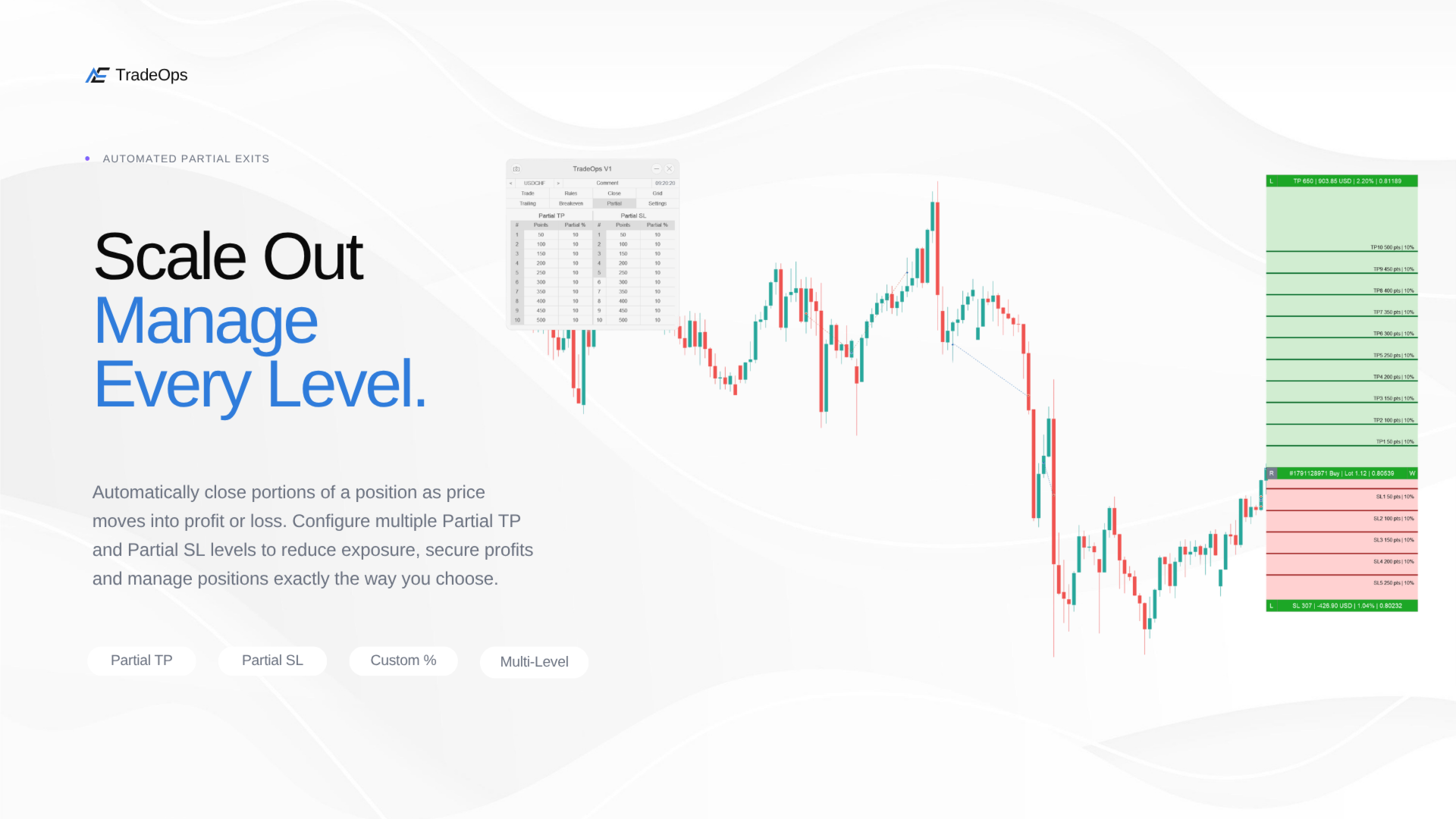
Once a position is open, choose exactly how TradeOps should manage it. Trailing Stop can follow price using points, a moving average, Parabolic SAR, ATR, chart fractals, the previous bar or your own partial-close levels. Breakeven can automatically move the Stop Loss to entry after your chosen trigger, while Partial Close allows you to scale out across multiple take-profit and stop-loss levels.
Each management feature is controlled on a trade-by-trade basis. Preview the levels directly on the chart, configure the behaviour you want, then activate it only when you're ready.
Advanced Grid Management
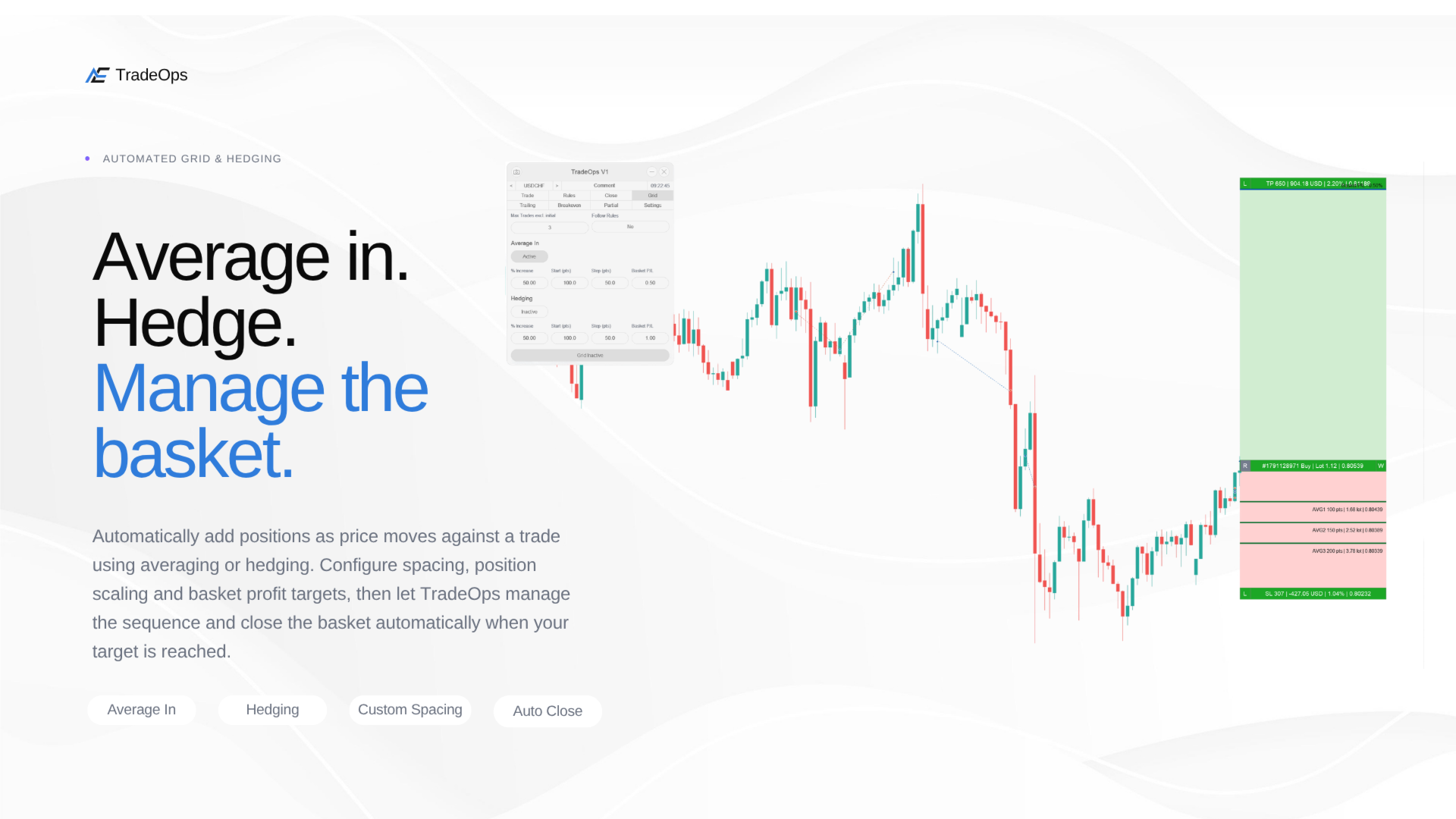
Build and manage averaging strategies directly from the panel using TradeOps Grid. Configure additional entries at the price levels you choose, control the spacing between each level, set how many additional positions can be opened and manage the entire sequence toward a combined basket profit target.
Grid supports averaging in with either fixed lot sizes or progressive Martingale-style position sizing, giving you control over how position size changes as additional levels are added. You can define the maximum number of Grid levels, control the sizing of each entry and keep the overall sequence within the limits you choose. Hedge mode is also available when you want to manage exposure in the opposite direction rather than continue averaging into the position.
Understand Your Trading Performance
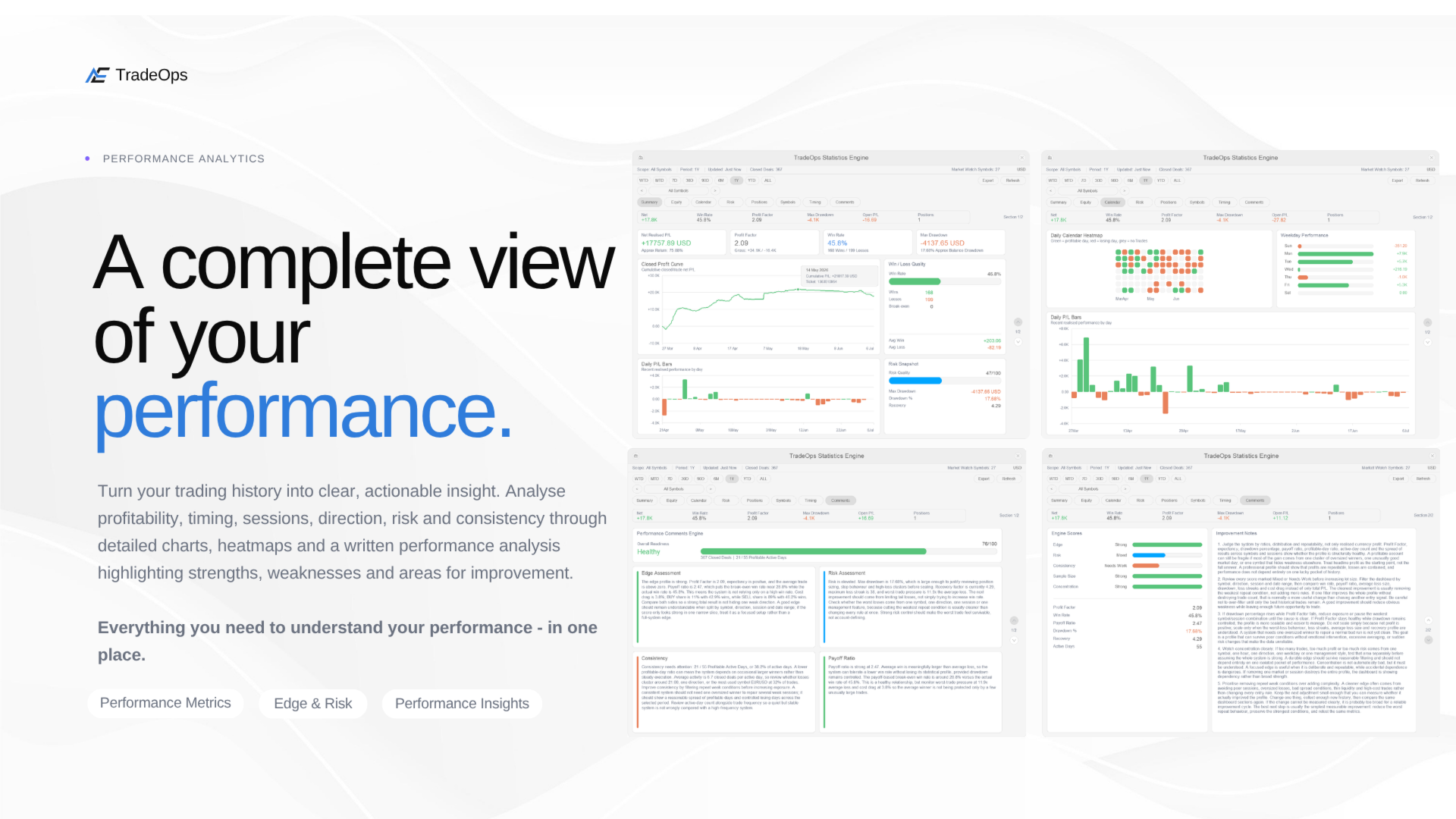
The built-in Performance Dashboard gives you a detailed breakdown of how you actually trade, covering Summary, Equity, Calendar, Risk, Positions, Symbols, Timing and more. Filter results by period or symbol, analyse your trading from multiple angles and export your data to CSV when you want to take the analysis further.
TradeOps also goes beyond charts and statistics with a dedicated written Performance Analysis. Your trading history is assessed and broken down into clear observations around your performance, helping highlight patterns, strengths, weaknesses and areas of your trading that may deserve more attention. This gives you both the raw data and a written interpretation of what that data says about the way you trade.
Monitor Risk in Real Time
The floating Risk Monitor keeps important account information visible while you trade, including balance, equity, margin, open P/L, today's P/L, current exposure and correlation between your open positions. It can remain visible independently of the main panel, giving you a constant view of account-level risk while managing trades or working on another chart.
Close and Control Positions Quickly
Manage open positions and pending orders individually or in bulk from the Close tab. Actions can be applied to the current symbol or across the whole account, with filters for Buy, Sell, profitable and losing positions, alongside live totals before you commit to the action.
Alerts and Hotkeys
Configure popup or push notifications for important trading events including new trades, closed trades, Stop Loss or Take Profit hits, partial closes, breakeven activation and blocked trades. Optional hotkeys give you quick access to frequently used actions including market Buy and Sell, submitting the current chart setup, closing managed positions and cancelling pending orders.
Make It Yours
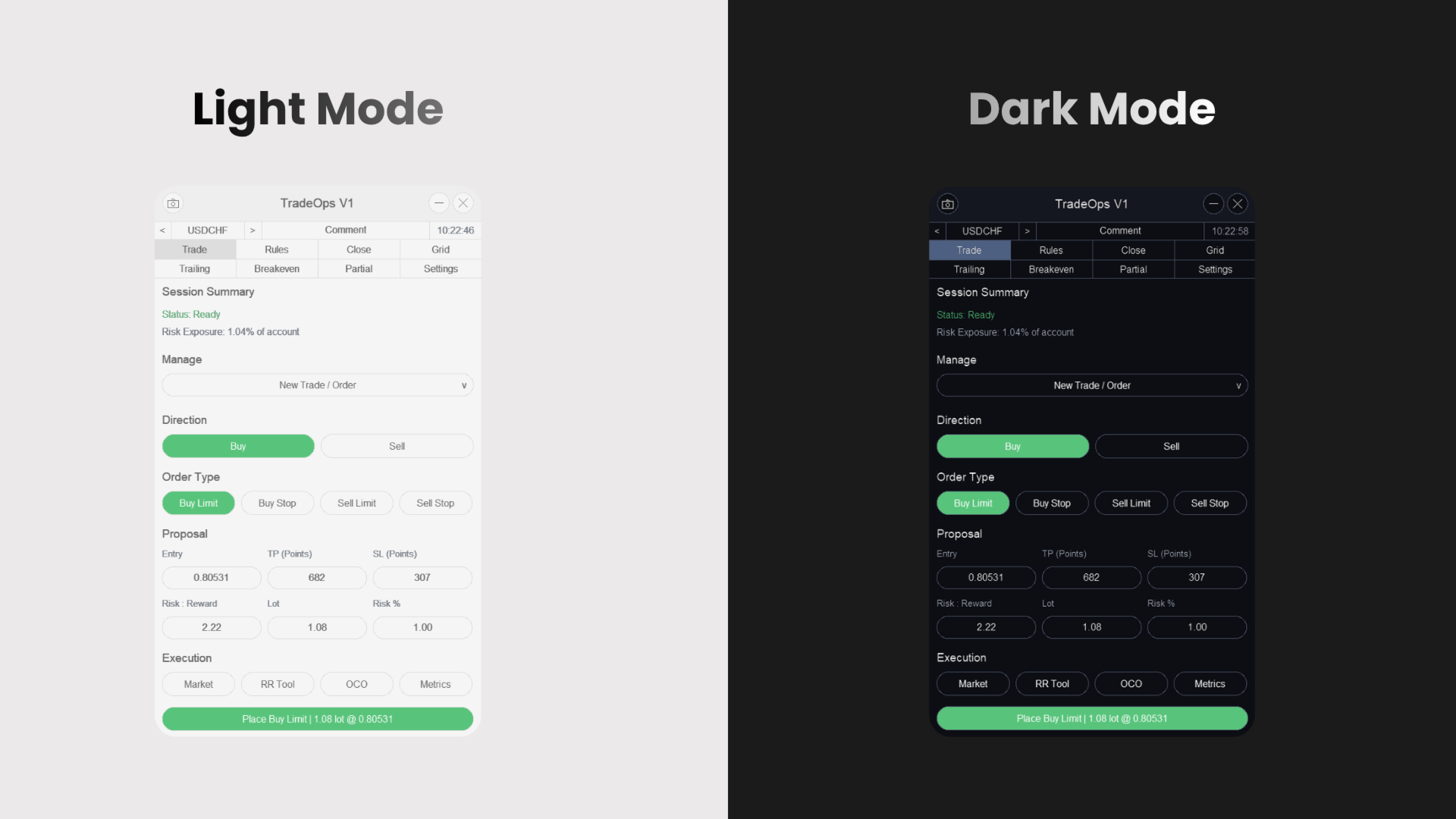
Choose between light and dark themes, scale the interface from 25% to 150% or let TradeOps scale automatically, reposition the panel anywhere on your chart and customise individual interface colours to create a workspace that suits the way you trade.
Important Notes
Trade Within Your Rules
Define exactly what must be true before you're allowed to place a trade. TradeOps can automatically block new trades when your configured rules are not met, including maximum risk per trade, minimum Risk:Reward, maximum spread, trades per day, maximum open positions, daily loss limits, minimum Stop Loss distance and more.
Alongside these limits is a fully adjustable eight-item pre-trade Checklist that you can customise around your own trading requirements. Set the checks that matter to your strategy and require them to be confirmed before entering a trade. If your required rules or Checklist conditions aren't satisfied, TradeOps prevents the trade from being submitted.
Plan and Place Trades Visually
Place market or pending orders with adjustable lot size, Stop Loss, Take Profit and risk-based position sizing, or plan the entire setup directly on the chart with the Risk:Reward tool. Drag Entry, Stop Loss and Take Profit levels into position and see the risk, reward and position sizing update as you adjust them.
Lock the TP or SL distance while moving Entry, reverse a setup between Buy and Sell, or use OCO to create linked Buy Stop and Sell Stop orders where the remaining order is automatically cancelled when the other is triggered.
Manage Every Trade Your Way
Once a position is open, choose exactly how TradeOps should manage it. Trailing Stop can follow price using points, a moving average, Parabolic SAR, ATR, chart fractals, the previous bar or your own partial-close levels. Breakeven can automatically move the Stop Loss to entry after your chosen trigger, while Partial Close allows you to scale out across multiple take-profit and stop-loss levels.
Each management feature is controlled on a trade-by-trade basis. Preview the levels directly on the chart, configure the behaviour you want, then activate it only when you're ready.
Advanced Grid Management
Build and manage averaging strategies directly from the panel using TradeOps Grid. Configure additional entries at the price levels you choose, control the spacing between each level, set how many additional positions can be opened and manage the entire sequence toward a combined basket profit target.
Grid supports averaging in with either fixed lot sizes or progressive Martingale-style position sizing, giving you control over how position size changes as additional levels are added. You can define the maximum number of Grid levels, control the sizing of each entry and keep the overall sequence within the limits you choose. Hedge mode is also available when you want to manage exposure in the opposite direction rather than continue averaging into the position.
Understand Your Trading Performance
The built-in Performance Dashboard gives you a detailed breakdown of how you actually trade, covering Summary, Equity, Calendar, Risk, Positions, Symbols, Timing and more. Filter results by period or symbol, analyse your trading from multiple angles and export your data to CSV when you want to take the analysis further.
TradeOps also goes beyond charts and statistics with a dedicated written Performance Analysis. Your trading history is assessed and broken down into clear observations around your performance, helping highlight patterns, strengths, weaknesses and areas of your trading that may deserve more attention. This gives you both the raw data and a written interpretation of what that data says about the way you trade.
Monitor Risk in Real Time
The floating Risk Monitor keeps important account information visible while you trade, including balance, equity, margin, open P/L, today's P/L, current exposure and correlation between your open positions. It can remain visible independently of the main panel, giving you a constant view of account-level risk while managing trades or working on another chart.
Close and Control Positions Quickly
Manage open positions and pending orders individually or in bulk from the Close tab. Actions can be applied to the current symbol or across the whole account, with filters for Buy, Sell, profitable and losing positions, alongside live totals before you commit to the action.
Alerts and Hotkeys
Configure popup or push notifications for important trading events including new trades, closed trades, Stop Loss or Take Profit hits, partial closes, breakeven activation and blocked trades. Optional hotkeys give you quick access to frequently used actions including market Buy and Sell, submitting the current chart setup, closing managed positions and cancelling pending orders.
Make It Yours
Choose between light and dark themes, scale the interface from 25% to 150% or let TradeOps scale automatically, reposition the panel anywhere on your chart and customise individual interface colours to create a workspace that suits the way you trade.
Important Notes
| - TradeOps is a discretionary trading aid, not an automated strategy. Trading decisions and risk remain your responsibility. - Past performance shown on the dashboard does not guarantee future results. - Grid, Martingale and other position-increasing features can materially increase exposure and margin use; use sensible limits and test them on demo first. - Designed for interactive use on a live chart. Test on a broker demo account before using real funds. |