Phantom Session Timer

Trading the wrong session is one of the most expensive mistakes beginners make — and most professionals never fully solve.

You have a London breakout strategy. But you are staring at the chart at 3 AM when Asian session liquidity is thin, spreads are wide, and the setups that form look exactly the same as they do at 8 AM London open. You take the trade. It doesn't behave the way your strategy expects. Because timing matters — session matters — and your terminal doesn't tell you what session you're actually in.

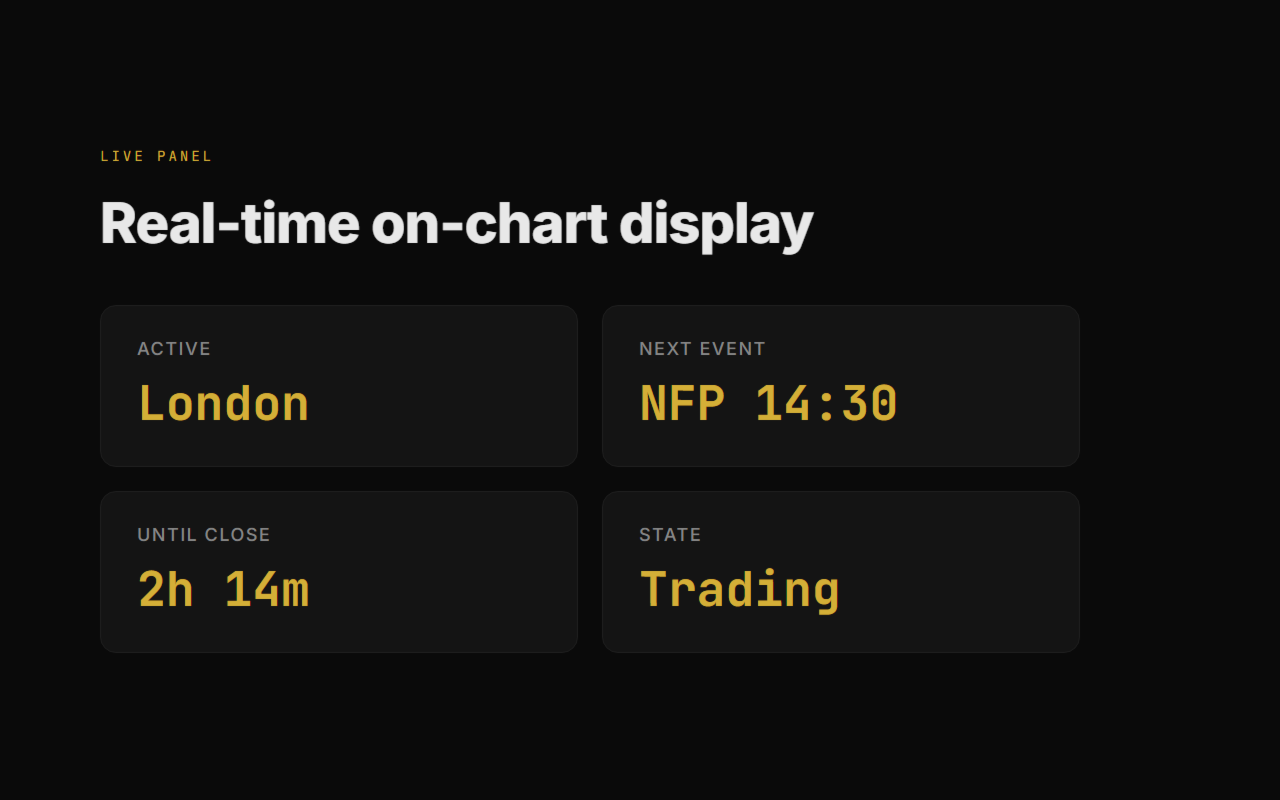
PHANTOM Session Timer puts session awareness directly on your chart. At a glance: which sessions are live, which overlap is active, how long until London open, how long until New York close. The information you always need and never have in one place.

---

### What PHANTOM Session Timer Does

PHANTOM Session Timer is a MetaTrader 5 utility that displays a real-time session dashboard directly on your chart. It shows all four major trading sessions — Sydney, Tokyo, London, New York — with live open/close status, color-coded activity indicators, countdown timers to next open, and session overlap highlighting.

It automatically adjusts for Daylight Saving Time. No manual offset adjustments needed between summer and winter. The timer is always accurate.

---

### Key Features

- 4-session display — Sydney, Tokyo, London, New York with live status
- Real-time countdown — time until next session open and time until current session close
- Session overlap highlighting — London/NY overlap is the highest liquidity window — shown prominently
- DST auto-adjustment — handles US and EU Daylight Saving Time automatically
- Server time display — always shows broker server time alongside local time
- Custom sessions — add custom trading windows (e.g., your personal trading hours)
- Session open alerts — optional sound and push notification at each session open
- Visual session bands on chart — optional colored background bands on the chart showing each session period
- Daily reset timer — counts down to broker daily candle reset (midnight server time)
- Compact and full display modes — minimal single-line display or full panel

---

### Setup in 3 Steps

1. Drag PHANTOM Session Timer onto any chart
2. Select your broker's GMT offset (or leave on auto-detect)
3. Done — all sessions display with live countdowns immediately

---

### Part of the PHANTOM Trading Suite

PHANTOM Session Timer is a free utility from the PHANTOM Sentinel ecosystem. The right timing tools are the foundation — the suite handles everything else.

| Product | What It Does | Price |
|---|---|---|
| PHANTOM News Shield | Automatic news filter — closes or protects trades before NFP, FOMC, CPI | $39 |
| PHANTOM Trail Pro | Smart stepped ATR trailing stop with Break Even and partial closes | $49 |
| PHANTOM Guardian | Prop firm risk enforcer — daily loss, drawdown, anti-tilt, weekend close | $49 |
| PHANTOM Copier | Smart trade copier for multi-account management | $79 |
| PHANTOM Airbag | Emergency drawdown protection — detects abnormal loss and intervenes | $99 |
| PHANTOM Trader DSS | Full AI trading system — 13 strategies, autonomous execution | $199 |

Free 14-day trial of the full suite: https://goldfoundry.de/sentinel

---

### Support

- Email: support@goldfoundry.de
- Telegram: @phantomtraders
- Response time: within 24 hours on business days

---

### Risk Disclaimer

PHANTOM Session Timer is an informational utility. Session times displayed are based on standard market convention and broker server time. Session timing does not guarantee market behavior within those windows. Trading financial instruments involves substantial risk of capital loss. Only trade with capital you can afford to lose.

### Category: Utilities → Other
### Pricing: FREE

---

Part of the PHANTOM Trading Suite:
- Phantom News Shield — Automatic news protection
- Phantom Trail Pro — Smart trailing stop manager
- Phantom Guardian — Prop firm risk management
- Phantom Copier — Smart trade copier
- Phantom Airbag — AI trade filter for any EA
- Phantom Trader DSS — Autonomous AI trader

Try the full PHANTOM Suite free for 14 days at goldfoundry.de/sentinel
Recommended products
Advanced harmonic filter is a reliable and smart utility that uses an author's algorithm to process continuous data and present them in the form of harmonic oscillations. The utility can identify regularities and patterns in the input data, which are then used to generate output data that is most similar to the input data. This makes it a powerful tool to use with other indicators to predict future trends and identify   Elliott   waves on selected intervals. The utility is most effective when us
FREE
Linear Regression Channel v4.0 — Indicator for MetaTrader 5 Linear Regression Channel v4.0 is an indicator that automatically calculates the optimal channel length using the R² coefficient, and draws a history of previous channels to visualize the evolution of price structure. What is new in v4.0 Automatic length by maximum R². The indicator evaluates all lengths between the configured minimum and maximum, calculates the R² for each one, and selects the length that best fits the current price. T

FREE
LT Pointer Sync
Thiago Duarte
4.5 (6)
Pointer Sync is a pointer synchronizer between open charts. It makes the MT5 cross (activated by the middle mouse button) to be replicated on all open charts. In addition, it is possible to create horizontal lines (letter H) and vertical lines (letter V), very useful for studying. The appearance of the lines is customizable. Note: Synchronization is through the X and Y scale in pixels , not price and/or date. It is a simple and free utility. Enjoy! This is a free indicator, but it took hours to
FREE
Indicator debugger EA
Manuel-armando Puzio
For MT5 Backtest. With this EA, you can read indicators via backtesting. Buffers and objects are read. You can then use them to program strategies and use them for your EA.  It's very easy to use. You simply enter the full indicator name in the menu and you're ready to go. You can then see all the information you need in the backtest log (journal). The default path is the indicator's root directory. If you want to specify a different directory from there, you can do so in the menu.
FREE
OR One Click App
PinterEC Technology Projects Inc.
OR One-Click - Exiting EA on OsMA and RSI This utility will not create a new position for you nor will it find a new opportunity.  It will help you exit a trade. It allows you to use the "One-Click" feature on your cellphone  MT5 APP to place a trade; then the utility will modify and manage the position until it is closed.  This utility will work on the following 16 symbols. USDJPY, EURJPY, AUDJPY, CADJPY, GBPJPY, EURUSD, EURGBP, EURCAD, EURAUD, AUDCHF, AUDCAD, USDCAD, USDCHF, AUDUSD, GBPUSD, N
FREE
Hard Scalping Assistant
Jorge Javier Catalan Garcia
Hard Scalping Assistant is a semi-automatic Expert Advisor for MetaTrader 5 created for traders who want to keep making their own decisions, but with a much more advanced, organized and professional execution. It does not enter the market on its own: you choose the direction, define the trade idea and adjust the zone directly on the chart, while the assistant automatically calculates the risk, lot size and the full execution structure. With just a few clicks, you can prepare BUY or SELL trades
FREE
LT Round Numbers MT5
Thiago Duarte
4.86 (21)
Round numbers (or key levels) is an amazing strategy. These numbers are strong support and resistance levels. So what this indicator does is draw horizontal lines on the chart to help you find these levels. Configurations: Key levels in pips - distance between the lines. Color -   lines color. Style -   lines style. Width -  lines width. Display at background -  draw lines in front or back of candles. Selectable -  turn on or off the option to select the lines. Lines identification -  identifica
FREE
GEX Options Radar — Options-Based Market Structure for US Indices (NDX / SPX) GEX Options Radar displays real-time-ish key levels derived from market maker positioning in index options — directly on your USTEC or US500 chart, with no paid data subscription required. What it calculates Zero Gamma (Gamma Flip) — the price level where dealers' net gamma exposure flips from positive to negative. Above it: "long gamma" regime (volatility typically dampened). Below it: "short gamma" regime (moves ofte
FREE
MultiFrame Volume Trend (MFVI) is a powerful VWAP-based indicator that displays volume trends across multiple timeframes in a clean, easy-to-read dashboard directly on your chart. Instantly capture the overall market direction in just seconds. Features Multi-timeframe VWAP analysis from M1 to MN1. Dashboard panel shows the trend state of each timeframe at a glance. Plots VWAP line and buy/sell arrows directly on the chart. Fully customizable: colors, line width, panel position, arrow symbols. Bu
FREE
One Click Chart Snap captures screenshots of your chart across all selected timeframes with a single button click — or fully automatically on a timer. Perfect for traders who journal their trades, do multi-timeframe analysis, share setups with a community, or want a visual record of the market at a specific moment. How it works At tach the utility to any chart and a button appears in the top-right corner. One click cycles the chart through every timeframe you enabled (M1 to MN1), captures each
FREE
Position Sizer PROP
Lazaro Farias Do Espirito Santo
Position Sizer PROP Stop putting your challenge at risk because of wrong lot sizing, forgotten limits, or unclear exposure before sending the next order. In PROP Firm challenges, many traders do not fail only because of poor entries. Risk management mistakes also matter: oversized lots, poorly calculated risk, daily drawdown breaches, excessive exposure, or lack of control over account rules. After approval, the challenge continues. Keeping the account active requires discipline, operational co
Phoenix Volume Panel
Nigel Nii Darku Narnor Darko
This is a comprehensive summary of the Phoenix Master Engine (MT5). This tool is designed as a high-performance "Execution Dashboard" that blends Smart Money Concepts (SMC) with real-time momentum tracking. Project: Phoenix Master Engine (v1.0) Platform: MetaTrader 5 Strategy Type: Order Flow & Momentum Execution Visual Style: Dark Mode (Indigo/Teal/Black) 1. Core Visual Features Dynamic Volume Profile: Unlike standard indicators, this renders a "no-flicker" horizontal volume profile in the cha
FREE
Free Global Stop Loss and Take Profit Setter with Break Even Free one click Stop Loss and Take Profit tool for manual trading. Apply a fixed SL and TP to every open position on the symbol, or move them all to break even, with a single button. It only modifies Stop Loss and Take Profit levels — it never opens or closes a trade. Set your SL and TP distance in points, click once, and every position on the current symbol is protected. The break even button moves stops to entry (or a configurable num
FREE
Survive your prop firm challenge and keep your funded account alive. Prop Firm Risk Guardian is a real-time discipline panel for funded and challenge accounts: it shows exactly how close you are to breaching your daily loss limit and trailing max drawdown, and the largest lot you may fire right now without crossing the line. What it tracks It tracks the three numbers that end challenges: your used daily loss against the limit, with the remaining buffer and a reset countdown; your maximum drawd
FREE
Shows various helpful informations lik: ATR (in Pips) Spread  (in Pips) Spread in percent of ATR (very helpful when your SL/TP is based on ATR Time left to next candle period Change in percent of last X candles (configurable) Spread warning, when its higher then 1/3 of the ATR Next-candle warning, when it appears shortly (2.5% of period) Please follow me on Twitter https://twitter.com/semager and stay up to date with the newest Indicators and EAs.
FREE
Prop Firm Protector
Janitha Sandaruwan Amaradasa Wickramasingha Arachchilage
Prop Firm Protector - Complete Risk Management Suite (Most capable Protector in the market)  A comprehensive risk management tool designed to help traders monitor and manage their trading according to predefined rules and limits. --- Protection Features This EA provides automated monitoring and management across multiple risk categories: Symbol and Lot Management - Whitelist allowed symbols with automatic monitoring of unauthorized pairs - Maximum lot size enforcement with configurable act
FREE
Auto Fibonacci MT5
Teerathad Booranawisedkul
Overview Auto Fibonacci EA is a professional trading tool designed to automatically detect swing points and draw Fibonacci retracement levels on your charts. This indicator helps traders identify potential support and resistance zones based on the golden ratio principles. Key Features Automatic Swing Detection Intelligent algorithm identifies swing high and swing low points automatically Customizable swing detection sensitivity (SwingBars parameter) Works on all timeframes: M1, M5, M15, M30, H1
FREE
Trade Manager – BreakEven and Global Stop Loss with one click This Expert Advisor (EA) is designed to help traders manage their positions faster and more efficiently. It comes with two main features, accessible through on-chart buttons: BreakEven function: Instantly moves all open trades to the entry price with a single click. Option to add a configurable margin (e.g., +2 pips) to cover spreads or commissions. Global Stop Loss function: Instantly applies the same stop loss level to
FREE
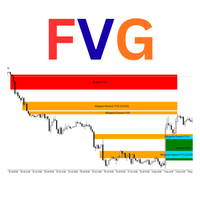
Luta FVG Pro – Professional Fair Value Gap (FVG) Indicator Detects Institutional Fair Value Gaps on H4 timeframe with the same way used by ICT/SMC traders. Features: • Real-time Bullish & Bearish FVG detection • Automatic Mitigation tracking • Inverted FVG signals (very powerful reversal setups) • "GOOD" FVG marking (gaps ≥ 2× minimum size – higher probability) • Clean rectangles with smart labels (Bullish FVG / Mitigated / Inverted) • Overlap filter option • Maximum 50 active zones (no chart
FREE
Instant Close All Charts
Sivakumar Paul Suyambu
️ Instant Close All Charts – MT5 Utility Script One-Click Solution to Instantly Close Every Chart Window in MetaTrader 5 Managing too many open chart windows in MetaTrader 5 can slow down your platform, clutter your workspace, and reduce productivity. Instant Close All Charts is a lightweight, ultra-fast MT5 utility script designed to close all open chart windows with a single click — clean, safe, and efficient. Download MT5 EA Products Whether you're a trader working with dozens of charts or
FREE
Hi you, I need your help! Be my Patron, let's make it possible! https://www.patreon.com/joaopeuko https://github.com/Joaopeuko/Mql5-Python-Integration Channel: English version - Versão Inglês: https://www.mql5.com/en/channels/Mql5_Python_Integration_EN Portuguese version - Versão Português: https://www.mql5.com/en/channels/Mql5_Python_Integration_PT Paid version with 38 indicator: https://www.mql5.com/en/market/product/58056 I believe that development in PYTHON is easier and simpler
FREE
Move Stoploss Pro
Beatrice Bernard Mgaya
Ladies and gentlemen, let me explain a simple tool that can help adjust stop-loss positions based on historical data and customized distance. Tool Name: Trailing Stop Pro Description: A trailing stop is a risk management tool commonly used in trading. It allows traders to set a dynamic stop-loss level that automatically adjusts as the price moves in their favor. Here’s how it works: Initial Stop-Loss: When you enter a trade, you set an initial stop-loss level. This is the price at which you’re
FREE
Theme Switcher
Andres Felipe Carvajal Rodriguez
Theme Switcher - Personalize Your Trading Terminal Description The Theme Switcher is an interactive panel that lets you quickly change the color scheme of your MetaTrader 5 chart. Designed for traders seeking a comfortable and personalized visual environment, This tool offers a variety of theme styles inspired by brands, movies, and professional designs. How to Use It Open the panel: Simply add the indicator to your chart, and a window with buttons for different themes will appear. Select a them
FREE
DashBoard Mesa Proprietaria
Cleriton De Oliveira Lopes
Dashboard – Trading Panel for MetaTrader 5 Dashboard is an essential tool for traders who need a centralized view , efficient order control , and quick access to key market information , all displayed directly on the MetaTrader 5 chart. Features: Clear display of open positions Quick order management (open/close) Profit/loss tracking per trade Built-in trend indicators (moving averages, candles, etc.) Customizable panel for different trading styles Optimized interface for day trading, swing
FREE
RenkoChartsDemo
Stanislav Korotky
This is a demo version of a non-trading expert , which utilizes so called the custom symbols feature ( available in MQL as well ) to build renko charts based on historical quotes of selected standard symbol and to refresh renko in real-time according to new ticks. Also it translates real ticks to the renko charts, which allows other EAs and indicators to trade and analyze renko. Place the EA on a chart of a working instrument. The lesser timeframe of the source chart is, the more precise resulti
FREE
️ Trade Manager oneclick  ( Reverse Trade,  Partial Close,  Breakeven, Close All Running Trade )   control – Smart Manual Trade Control for MT5 Trade Manager oneclick control is a powerful yet lightweight trade management utility built for manual traders who want precise control over their open positions — directly from the MT5 chart. This EA does not open or close trades automatically based on any strategy. It simply provides one-click management tools to handle your running trades efficient
FREE
NAS100 Auto Sl And TP MT5
Moustapha Boulouz
5 (2)
Introducing NAS100 Auto SL and TP Maker for MT5: Never miss setting StopLoss and TakeProfit again with our NAS100 Auto SL and TP Maker, an indispensable assistant for traders navigating the Nasdaq 100 market on MetaTrader 5. This tool is designed for those who seek a seamless solution to automate the management of StopLoss and TakeProfit levels. Key Features: Effortless Automation: Automatically monitors Nasdaq 100 trades without StopLoss and/or TakeProfit. Dynamically adjusts levels based on u
FREE
GOM Trade Manager
Wannapach Chinnaprapa
GOM Trade Manager helps you execute trades the way you want it. Works on all instruments Forex, Commodities, & Crypto. It helps you with lot calculations, spread addition and balance calculations so you can just focus on actual trading. For full automatic planned management, stackable triggers and spread widening protection >> check out GOM Trade Manager Pro . ------------------------------------------NOTABLE FEATURES------------------------------------------ You set everything based on bid
FREE
MA Cross 5/10 EA with Trend Filter This Expert Advisor (EA) is an automated trading system based on a simple and proven Moving Average crossover strategy. It opens trades when a fast Moving Average crosses a slow Moving Average, and uses an optional Trend Filter to avoid trading against the main market direction. Designed for beginners and intermediate traders, this EA focuses on clarity, stability, and disciplined trading rules. Main Advantages Simple and Reliable Strategy Uses Moving A
FREE
GridShowAverageMT5
Andrei Novichkov
3 (1)
For any number of placed market and pending orders, the utility calculates the "breakeven level" - weighted average price. The calculation is performed individually for buy and sell orders. The weighted average price is marked with a label and colored horizontal line separately as well - one line for the buy price, and the other for sell price. Input Parameters: Include pending. Include the pending orders in calculation. The default value of this parameter is false, and the calculation of the b
FREE
Buyers of this product also purchase
Trade Assistant MT5
Evgeniy Kravchenko
4.41 (215)
It helps to calculate the risk per trade, the easy installation of a new order, order management with partial closing functions, trailing stop of 7 types and other useful functions. Additional materials and instructions Installation instructions - Application instructions - Trial version of the application for a demo account Line function -   shows on the chart the Opening line, Stop Loss, Take Profit. With this function it is easy to set a new order and see its additional characteristics bef
Forex Trade Manager MT5
InvestSoft
4.98 (670)
Trade Manager MT5 is an advanced position size calculator and trade management tool for MetaTrader 5, designed to help traders plan trades faster, control risk more precisely, and manage open positions directly from the chart. It combines order placement, risk based lot calculation, Stop Loss and Take Profit management, Break Even, Trailing Stop, Partial Close, Equity Protection, and external trade management in one panel. Whether you trade forex, indices, metals, commodities, crypto, or future
Local Trade Copier EA MT5
Juvenille Emperor Limited
4.97 (146)
Experience exceptionally fast trade copying with the   Local Trade Copier EA MT5 . With its easy 1-minute setup, this trade copier allows you to copy trades between multiple MetaTrader terminals on the same Windows computer or Windows VPS with lightning-fast copying speeds of under 0.5 seconds. Whether you're a beginner or a professional trader, the   Local Trade Copier EA MT5   offers a wide range of options to customize it to your specific needs. It's the ultimate solution for anyone looking t
TradePanel MT5
Alfiya Fazylova
4.88 (166)
Trade Panel is a multi-functional trading assistant. The app contains over 50 trading functions for manual trading and allows you to automate most trading tasks. Before making a purchase, you can test the demo version on a demo account. Download the trial version of the application for a demonstration account: https://www.mql5.com/en/blogs/post/750865 . Full instructions here . Trade. Allows you to perform trading operations in one click: Open pending orders and positions with automatic risk cal
================================================================================ POC BREAKOUT - V20.72. Full Professional Grade Toolkit ================================================================================ POC Breakout is a full MetaTrader 5 trading dashboard for discretionary traders who want breakout signals, Point of Control (POC) context, volume profiles, order flow, market structure, news, alerts, and advanced trade planning in one professional workspace. Attached directly to you
Beta Release The Telegram to MT5 Signal Trader is nearly at the official alpha release. Some features are still under development and you may encounter minor bugs. If you experience issues, please report them, your feedback helps improve the software for everyone. Telegram to MT5 Signal Trader is a powerful tool that automatically copies trading signals from Telegram channels or groups directly to your MetaTrader 5 account. It supports both public and private Telegram channels, and you can conn
Astro Trade MT5
Indra Maulana
5 (2)
AstroTrade Trading Assistant AstroTrade is a comprehensive multi-functional trading utility developed for the MetaTrader 5 platform. It integrates essential tools for trade execution, risk management, and technical monitoring into a single unified interface. The application is designed to assist traders in managing their daily operations through a visual and structured environment. Visual Trade Execution and Risk Management The application includes a specialized trading panel that assists in c
Exp COPYLOT CLIENT for MT5
Vladislav Andruschenko
3.97 (35)
Professional Trade Copier for MetaTrader 5 Fast, professional, and reliable trade copier for MetaTrader . COPYLOT allows you to copy Forex trades between MT4 and MT5 terminals with support for Hedge and Netting accounts. COPYLOT MT5 version supports: - MT5 Hedge to MT5 Hedge - MT5 Hedge to MT5 Netting - MT5 Netting to MT5 Hedge - MT5 Netting to MT5 Netting - MT4 to MT5 Hedge - MT4 to MT5 Netting MT4 version Full Description +DEMO +PDF How To Buy How To Install How to get Log Files H
HINN MagicEntry Extra
ALGOFLOW OÜ
4.71 (17)
LIMITED SUMMER SALE -40% !   ONLY $30 insead of $50!  Maximum real discount!  ONLY UNTIL 08/22 HINN MAGIC ENTRY – the ultimate tool for entry and position management! Place orders by selecting a level directly on the chart! full description   ::  demo-version  :: 60-sec-video-description Key features: - Market, limit, and pending orders - Automatic lot size calculation - Automatic spread and commission accounting - Unlimited partitial take-profits  - Breakeven and trailing stop-loss and take-p
Power Candles Strategy Scanner - Self-Optimizing Multi-Symbol Setup Finder Power Candles Strategy Scanner runs the same self-optimizing engine that powers the Power Candles indicator - on every symbol in your Market Watch, side by side. One panel tells you which symbols are statistically tradable right now, which strategy wins on each, the optimal Stop Loss / Take Profit pair, and pings you the moment a fresh signal fires. This tool is part of the Stein Investments ecosystem - 18+ tools plus Max
Telegram to MT5 Multi-Channel Copier automatically copies trading signals from your Telegram channels directly into MetaTrader 5. No bots, no browser extensions, no manual copying. You receive a signal on Telegram and the EA opens the trade on your terminal in a few seconds. The product includes two components: a Windows application that listens to your Telegram channels, and this Expert Advisor that executes the signals on your MT5 terminal. An MT4 version is also available. Setup guide and app
Trade copier MT5
Alfiya Fazylova
4.58 (52)
Trade Copier is a professional utility designed to copy and synchronize trades between trading accounts. Copying occurs from the account / terminal of the supplier to the account / terminal of the recipient, which are installed on the same computer or VPS . PROMOTION - If you have already purchased the "Trade Copier MT5," you can receive the "Trade Copier MT4" for free (for copying MT4 > MT5 and MT4 < MT5). For more detailed information about the conditions, please contact us via private message
FarmedHedge Pair Trading Dashboard
Tanapisit Tepawarapruek
5 (3)
Farmed Hedge Yield Farming | All Markets (Manual - Hybrid - Semi/Automated EA) MULTI-ASSET SUPPORT Trade any asset available on your broker - Forex: Major, Minor, Exotic pairs - Crypto: BTC, ETH, XRP, SOL, BNB - Stocks: Apple, Tesla, Amazon, Google, etc. - Commodities: Gold, Silver, Oil, Gas - Indices: US30, NAS100, SPX500, DAX40 - Any CFD your broker offers VERIFIED TRADING RESULTS - Farmed Hedge Yield Axi Copy:  https://www.mql5.com/en/signals/2356376 - Farmed Hedge Yield Exn Copy:   https:/
Telegram To MT5 Ultra
Mirel Daniel Gheonu
5 (4)
Telegram To MT5 — Signal Copier Turn the trading calls from your Telegram channels into real MT5 orders — automatically, on as many accounts as you like, with risk and rules fully under your control. Telegram To MT5 connects the VIP / signal channels you already follow on Telegram to your MetaTrader 5 terminal. A free companion desktop app reads the messages (even from channels that block bots), and this Expert Advisor executes them on your account — applying your own risk settings, symbol mappi
Premium Trade Manager - The Trade Panel With a Coach Built In Premium Trade Manager puts a trading coach inside your chart, with a full execution engine underneath it. Set the trade up the way you always do, then let Max, your AI trading coach, read that exact setup against your live account and give you a straight verdict before you commit: is the stop disciplined, is the risk sane, is a high-impact release minutes away, are you near a prop-firm limit. Below sits the engine that runs everything
VirtualTradePad PRO SE MT5 — professional trading control center for MetaTrader 5 VirtualTradePad PRO SE is a premium chart-based trading panel and trade-management workspace for MetaTrader 5 . It is designed for traders who want faster execution, clearer position control, structured trade management, visual level planning and a professional workflow directly from the chart. This is not only a BUY / SELL panel. PRO SE combines manual trading, pending orders, position management, partial exits, b
Trade Manager DaneTrades
Levi Dane Benjamin
4.23 (30)
DaneTrades Trade Manager is a professional trade panel for MetaTrader 5, designed for fast, accurate execution with built‑in risk control. Place market or pending orders directly from the chart while the panel automatically calculates position size from your chosen risk, helping you stay consistent and avoid emotional decision‑making. The Trade Manager is built for manual traders who want structure: clear risk/reward planning, automation for repeatable management, and safeguards that help reduc
Anchor Trade Manager
Kalinskie Gilliam
5 (7)
Anchor: The EA Manager Your EAs manage their own trades. Anchor manages the account around them. Anchor gives you one place to control your EAs, manage risk and decide when trading is allowed. Any EA, any vendor, any broker or symbol. No source-code changes required. The Problem Most EAs only know what they are doing. They cannot see when another EA is already trading, when several EAs open and are stacking risk or when the account has reached your loss limit. Even using just one EA, it may not
Trade Dashboard MT5
Fatemeh Ameri
4.95 (132)
Trade Dashboard simplifies how you open, manage, and control your trades, with built-in lot size calculation. It allows you to execute trades, manage risk, and control positions directly on the chart, with tools such as partial close, breakeven, and trailing stop. Designed to reduce manual work and help you stay focused on your trading decisions. A demo version is available for testing. Detailed explanations of features are provided within the MQL5 platform. Installation instructions are include
Custom Alerts AIO: All-in-One Market Scanner – No Setup Required Overview Custom Alerts AIO is the fastest and easiest way to monitor multiple markets for real-time trading signals—without any setup or extra licenses. It comes with all required Stein Investments indicators already embedded, making it the perfect plug-and-play solution for traders who value simplicity and performance. Just load it to any chart and start receiving alerts across Forex, Metals, Crypto, and Indices. Shares can be a
Footprint Chart Pro — Professional OrderFlow EA for MetaTrader 5 Version 6.34 | Professional tool for real traders | Institutional-Grade Visualization DEMO USERS - PLEASE SELECT EVERY TICK / REAL TICK WHEN TESTING AND YOU HAVE DOWNLOADED HISTORICAL DATA. IF YOU SEE A WAITING SCREEN AND IT IS NOT DOWNLOADING, IT MEANS YOU HAVE LOW HISTORICAL DATA. TRY 1 MIN AND 5 MIN FIRST ON 1 DAY DATA. ONE DAY DATA SHOULD BE THE NEWEST AND MOST CURRENT DATE. PLEASE WAIT UNTIL THE MARKET HAS ROLLED OVER PERIOD.
Timeless Charts
Samuel Manoel De Souza
5 (7)
Timeless Charts is an all-in-one trading utility for professional traders. It combines custom chart types such as Seconds Charts and Renko with advanced order flow analysis using Footprints , Clusters , Volume Profiles , VWAP studies, and anchored analysis tools for deeper market insight. Trading and position management are handled directly from the chart through an integrated trade management panel , while Market Replay and Virtual Accounts provide environments for practicing trading skills and
YuClusters
Yury Kulikov
4.93 (43)
Attention: You can view the program operation in the free version  YuClusters DEMO .  YuClusters is a professional market analysis system. The trader has unique opportunities to analyze the flow of orders, trade volumes, price movements using various charts, profiles, indicators, and graphical objects. YuClusters operates on data based on Time&Sales or ticks information, depending on what is available in the quotes of a financial instrument. YuClusters allows you to build graphs by combining da
Seconds Chart MT5
Boris Sedov
4.61 (18)
Seconds Chart is a unique tool for creating second-based charts in MetaTrader 5 . With Seconds Chart , you can construct charts with timeframes set in seconds, providing unparalleled flexibility and precision in analysis that is unavailable with standard minute or hourly charts. For example, the S15 timeframe indicates a chart with candles lasting 15 seconds. You can use any indicators and Expert Advisors that support custom symbols. Working with them is just as convenient as on standard charts.
Quant AI Agents
Ho Tuan Thang
5 (1)
Quant AI Agents are independent trading Expert Advisors. Instead of trading using a fixed strategy like other conventional EAs, Quant AI Agents   is a   multi-agent AI trading framework   that turns natural-language strategy prompts into live.  WANT THE SAME RESULTS AS MY LIVE SIGNAL?   Use the exact same brokers I do:   IC MARKETS , IC TRADING   .  Unlike the centralized stock market, Forex has no single, unified price feed.  Every broker sources liquidity from different providers, creating un
The product will copy all telegram signal to MT5 ( which you are member) , also it can work as remote copier.  Easy to set up, copy order instant, can work with almost signal formats, image signal,  s upport to translate other language to English Work with all type of channel or group, even channel have "Restrict Saving Content", work with  multi channel, multi MT5 Work as remote copier: with signal have ticket number, it will copy exactly via ticket number. Support to backtest signal. How to s
Features   With MT5 to Interactive Brokers(IB) Trader, you can: 1. Load chart data from IB to MT5, and Analyze with all standard or customer Indicators. 2. Place Orders to IB Account Directly in MT5. 3. Make your Own EAs upon IB Securities by only making minus changes of the trading function. Usage 1) Installation Copy the "Mt5ToIBTraderEn.ex4" and sample files to [MT5 Data Folder]->MQL5->Experts.  2)  MT5 Settings Add the IP Address to the MT5 Allowed URLs in 'Tools->Options->Expert Adviso
Trade Command Center
Nguyen Thanh Trieu
5 (2)
Additional materials and instructions Installation instructions - Trial version of the application for a demo account ; Official Information Official channel Seller profile Trade Command Center — Professional Trade Execution & Real-Time Risk Guard Panel Trade Command Center is a high-performance visual trade execution, lot size calculator, and risk management utility for MetaTrader 5. It is engineered specifically for manual traders requiring strict risk enforcement, capital protection, a
Welcome to ENTRY IN THE ZONE WITH SMC MULTI TIMEFRAME Entry In The Zone and SMC Multi Timeframe is a real-time market analysis tool based on Smart Money Concepts (SMC), designed to analyze market structure, price direction, and key trading zones. It supports both Single-Timeframe Analysis and Multi-Timeframe Analysis, providing a clearer view of the overall market structure across multiple timeframes, with real-time BUY / SELL signals that do not repaint. It is designed to help filter trading op
MT5 to Telegram Signal Provider turns your trading account into a signal provider. Every trade action, whether manual, by EA or from your phone, is instantly sent as a message to Telegram. You can fully customize the format or use a ready-made template for quick setup. [ Demo ] [ Manual ] [ MT4 Version ] [ Discord Version ]     New: [ Telegram To MT5 ] Setup A step by step user guide is available. Key Features Ability to customize order details sent to subscribers You can create a tiered subs
Filter:
No reviews
Reply to review