NextGenFx
- Experts
- Version: 1.2
- Activations: 5

NextGenFx Scalper is an automated Expert Advisor for MetaTrader 5 designed primarily for trading XAUUSD (Gold).
The EA uses a combination of trend analysis, momentum conditions, support and resistance levels, candle-based price analysis and configurable trading sessions. These conditions are evaluated together before a trade is opened.
The EA also includes position management and account-level risk controls that can be configured by the user.
TRADING STRATEGY
The EA uses multiple technical conditions to evaluate potential trading opportunities.
Trend direction is determined using Exponential Moving Averages (EMA) across multiple timeframes.
The Relative Strength Index (RSI) is used as part of the momentum and reversal conditions.
M15 candle analysis is used to evaluate price pressure before an entry.
M30 support and resistance levels are used as an additional condition when evaluating potential trade locations.
The EA can also restrict trading to selected market sessions, including the Asian, London and New York sessions.
A trade is opened only when the required conditions are satisfied according to the configured settings.
TRADING SESSIONS
Trading sessions can be enabled or disabled through the input parameters.
The available sessions are:
Asian session
London session
New York session
The user can configure the session start times according to the desired trading schedule.
RISK MANAGEMENT
The EA provides several risk management options.
Lot sizing can be configured according to the user's requirements.
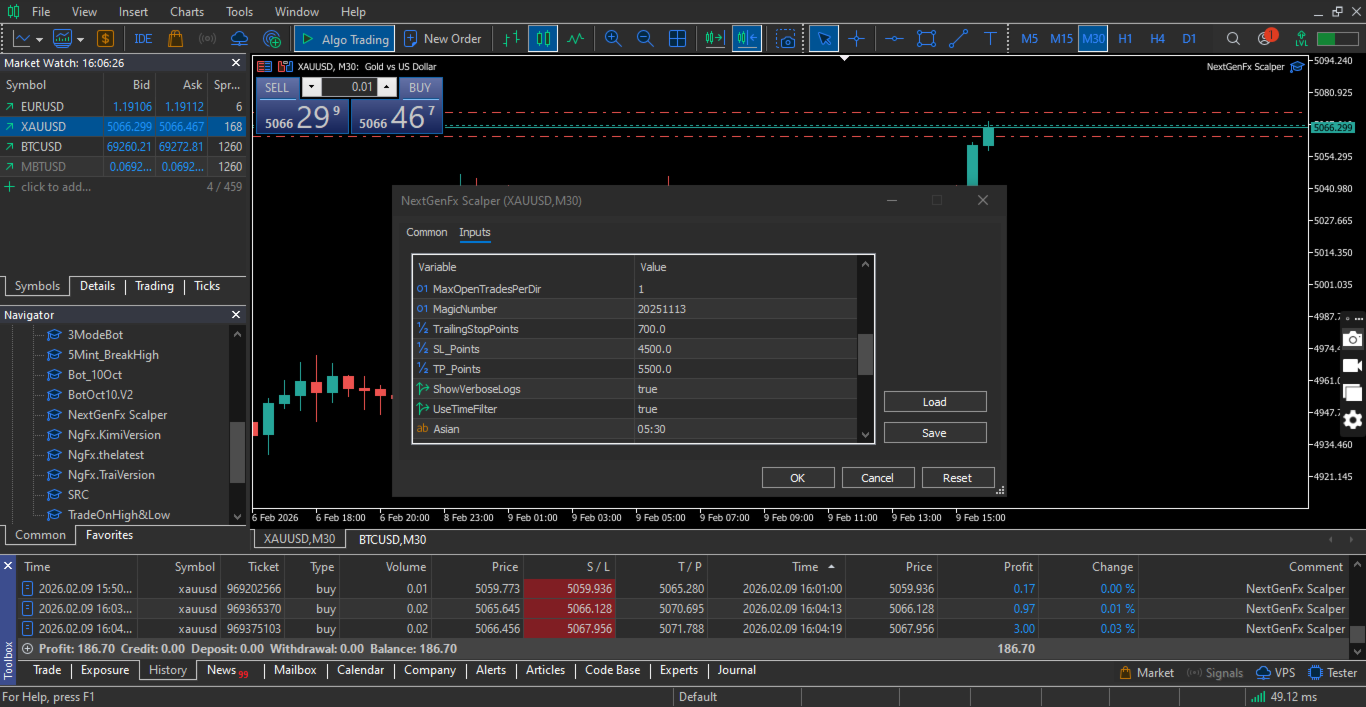
The EA supports Stop Loss and Take Profit settings for position management.
A trailing stop can be enabled to manage positions after the required conditions are reached.
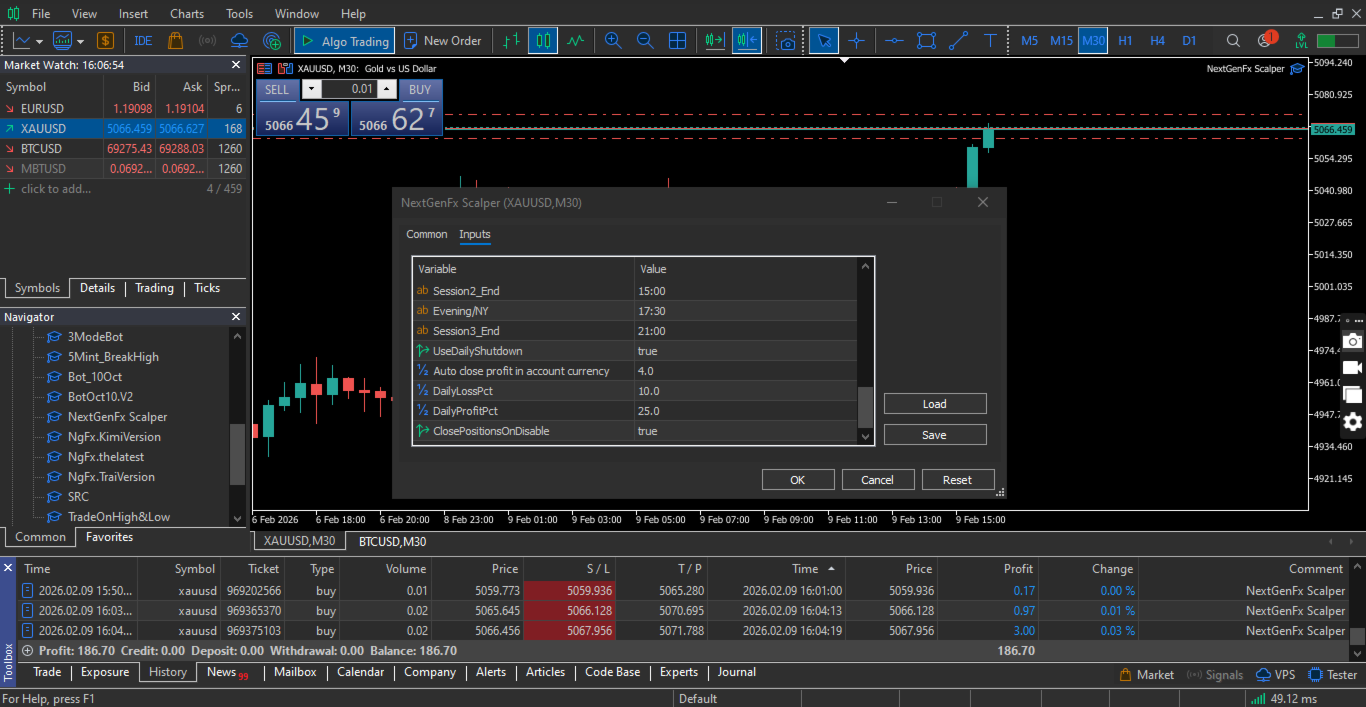
Daily profit and daily loss limits can be configured to control trading activity based on the account's daily performance.
The maximum number of open positions in each direction can also be configured.
Risk settings should be selected according to the account balance, trading conditions and the user's risk tolerance.
SUPPORTED TRADING CONDITIONS
The EA is designed primarily for XAUUSD (Gold).
The main operating timeframe is M5, while the trading logic also uses M15 and M30 data for additional conditions.
The EA can be used with MT5-compatible brokers. Execution conditions, spreads, contract specifications and available trading sessions may vary between brokers.
An ECN or Raw Spread account may be suitable for users who want to reduce the impact of spreads on short-term trading, but actual trading costs depend on the broker and account type.
A VPS is recommended when continuous automated operation is required.
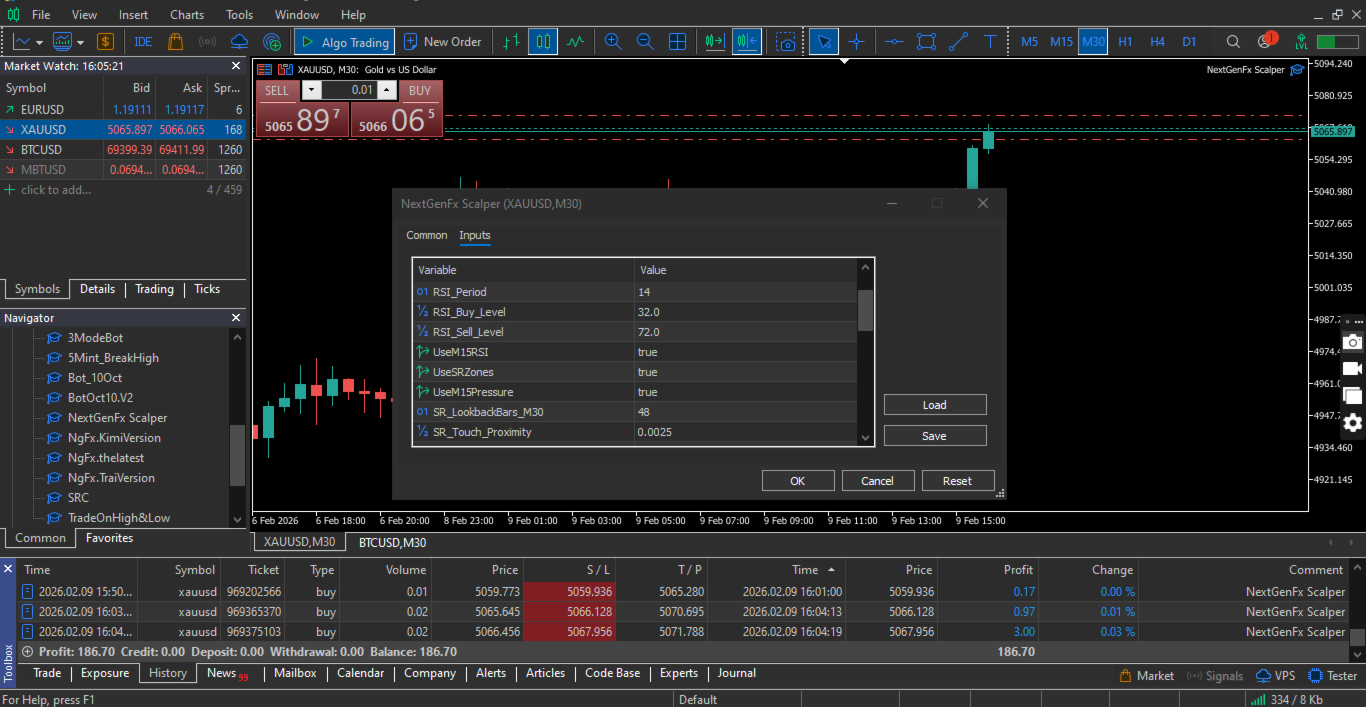
INPUT PARAMETERS
The EA provides configurable parameters for the main trading and risk management functions.
Trend settings control the EMA-based trend analysis.
RSI settings control the momentum and reversal conditions.
Candle pressure settings control the M15 price-pressure validation.
Support and resistance settings control the M30 level analysis.
Session settings control the Asian, London and New York trading periods.
Lot settings control the position volume and related lot-sizing options.
Stop Loss and Take Profit settings control the initial position protection.
Trailing stop settings control position management after the required profit conditions are reached.
Daily profit and loss settings control the account-level trading limits.
Maximum trade settings control the number of positions that can remain open in each direction.
ON-CHART INFORMATION
The EA can display information about its current operating status on the chart.
Depending on the configured settings, the information can include the current trading conditions, session status, position information and other relevant EA parameters.
INSTALLATION AND USAGE
Open an XAUUSD chart in MetaTrader 5 and attach the Expert Advisor.
Enable algorithmic trading in the terminal.
Review the input parameters and configure the trading sessions, lot size and risk management settings according to your requirements.
For initial testing, use the Strategy Tester and a demo account to evaluate the EA with your broker's trading conditions.
A VPS can be used when the EA needs to operate continuously without interruption.
IMPORTANT INFORMATION
NextGenFx Scalper is an automated trading system and does not guarantee profits.
Trading financial markets involves a risk of loss. Past performance and backtest results do not guarantee future results.
The actual trading results can vary depending on the broker, spread, commission, execution speed, market conditions, account type, lot size and selected parameters.
Users should test the EA on a demo account before using it with real funds and should select risk parameters according to their individual circumstances.