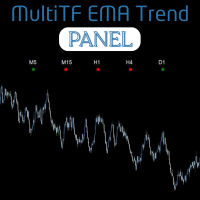
MultiTF EMA Trend Panel
- Indicators
- Francois Alwyn Kretsman
- Version: 1.0
The MultiTF EMA Trend Panel is a clean, lightweight, and visually intuitive indicator designed to help traders quickly assess trend direction across multiple timeframes — all in one glance.
It compares the relationship between two exponential moving averages (EMAs), typically the 50 EMA vs 200 EMA, across popular timeframes such as M5, M15, H1, H4, and D1.
You can customize the EMA settings and colors to match your own strategy or visual preferences.
- Multi-timeframe trend comparison: View trend status for 5 timeframes at once
- EMA crossover logic: Default setup compares 50 EMA vs 200 EMA
- Customizable visuals: Adjust colors, dot size, label size, and update speed
- Adjustable EMA inputs: Modify fast and slow EMA periods to fit your own strategy
- Minimalist UI: Designed to stay out of the way while providing powerful visual context
- No lag, no clutter: Lightweight script optimized for fast chart loading
How It Works
-
A green dot indicates an uptrend (Fast EMA is above Slow EMA)
-
A red dot indicates a downtrend (Fast EMA is below Slow EMA)
-
One dot per timeframe is displayed on your chart, aligned with a timeframe label
-
Use this tool to confirm trend strength, align multi-timeframe setups, or avoid trading against the dominant trend
Inputs & Customization
-
Fast EMA period (default: 50)
-
Slow EMA period (default: 200)
-
Dot size and color
-
Text font and color
-
Update frequency (in seconds)
This is a basic but powerful tool — no overcomplicated logic, no unnecessary features. Just a clear, customizable trend panel based on the classic EMA crossover principle.
Use it to stay on the right side of the trend and make more informed trade entries.