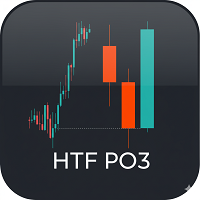
HTF Candles PO3
- Indicators
- Version: 1.6
- Updated: 21 August 2026

Your valuable feedback and ratings are the driving force behind our ongoing efforts to improve.
Product Name: HTF PO3 - Higher Timeframe Candle Display
Description
HTF PO3 is a powerful visualization tool designed for MetaTrader 5. Its primary function is to draw Higher Timeframe (HTF) candles directly on your main chart, cleanly positioned in the right-hand margin. This allows traders to conduct multi-timeframe analysis without switching charts, providing a clear view of the larger market structure while observing lower-timeframe price action.
This indicator is ideal for traders who reference HTF price levels, such as the daily or 4-hour open, and want to see how the current, forming candle is developing.
Key Features
-
Higher Timeframe (HTF) Overlay: Displays a specified number of HTF candles (e.g., H1, H4, D1) on the right side of the chart.
-
Current Open Price Line: Automatically draws a customizable horizontal line at the open price of the most recent, currently-forming HTF candle. This line extends from the HTF candle back to the current price action.
-
NY Time-Adjusted Display: Optionally displays the start time for each HTF candle, formatted as HH:MM. This feature includes a "New York Time Offset" parameter, allowing you to align the displayed times with the New York session or any other time zone.
-
Full Customization: You have complete control over the indicator's appearance, including:
-
Bullish and Bearish candle colors.
-
Candle body width and the margin between candles.
-
The style, color, and width of the open price line.
-
The color, font size, and vertical position of the time text.
-
How to Use
This indicator is perfect for multi-timeframe analysis, especially for concepts like the "Power of 3" (PO3), where the open of a higher timeframe candle is a critical price level. By loading this indicator, you can instantly see the HTF context and identify key levels (like the HTF open) without ever leaving your execution chart.
Main Parameters
-
InpHtfTimeframe: Select the higher timeframe you wish to display (e.g., PERIOD_H1, PERIOD_H4).
-
InpCandlesCount: Set the number of HTF candles to show on the right.
-
InpBullColor / InpBearColor: Set the colors for bullish and bearish candles.
-
InpCandleWidth: Define the width (in pixels/bars) of the candle bodies.
-
InpOpenLineColor / Style / Width: Customize the appearance of the current HTF open price line.
-
InpShowTimeText: true/false to show or hide the time text below the candles.
-
InpNyOffsetHours: Adjust the hour offset for the time display (e.g., -7 for NY time based on your broker's server).
-
InpTimeText...: Adjust the color, size, and vertical offset of the time text.





























Buenisimo, muchas gracias! :)