FVG mtf btn
- Indicators
- Version: 1.0
- Activations: 5

Briefly about FVG mtf btn:
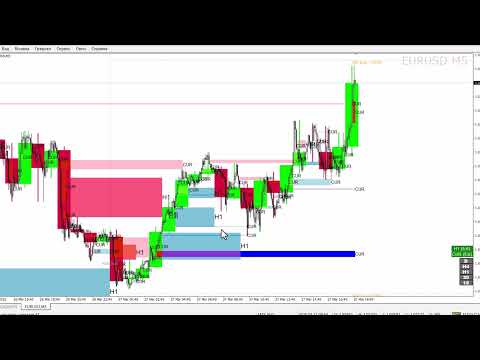
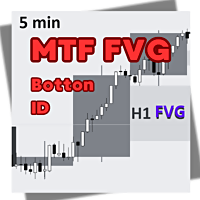
The "FVG mtf btn" indicator is a technical analysis tool that identifies and displays Fair Value Gaps (FVG) on the chart. FVG is an area of price imbalance where the market has moved quickly, leaving a gap between price levels that have not been fully tested by the market. Such gaps often act as areas of interest for traders, as the price tends to return to these areas to "fill" them before continuing to move.
The indicator supports multi-timeframe (MTF) analysis, allowing you to display FVG from a higher timeframe (e.g. H1, H4) on a lower timeframe chart (e.g. M15). It offers three operating modes:
- **Extended mode (MODE_EXTENDED)**: FVGs are extended to the right until the price tests the gap or user-defined conditions are met.
- **Original Mode (MODE_ORIGINAL)**: FVGs are displayed as static rectangles between candles where the gap was formed.
- **Off Mode**: All FVGs displays are disabled. The chart is clean.
More about FVG mtf btn:
FVGs are a key concept in price action trading, especially in strategies such as Smart Money Concepts (SMC) and Inner Circle Trader (ICT). They represent areas of inefficiency in the market where institutional traders may seek liquidity. What the FVG mtf btn indicator does:
- Identifies key levels: Highlights potential support/resistance zones where price is likely to react.
- Multi-Time Frame Analysis: Allows traders to see FVGs from higher time frames on a lower time frame chart, providing a broader view of the market.
- Customizable Filtering: Features like minimum gap size, active FVG filtering, and distance filtering help reduce noise and focus on areas of significance.
- Visual and Notification Support: Customizable colors, styles, and notifications make it easy to monitor FVGs in real time.
- Trading Performance: Helps traders find high probability setups to enter, exit, or set stop losses based on market inefficiencies.
**Indicator Settings**
**General Settings**
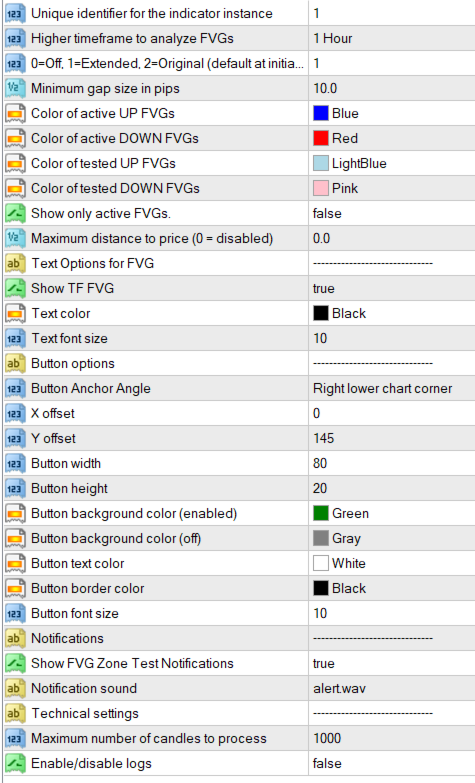
- `UniqueID` (default: 1) A unique identifier for the indicator instance. Ensures that multiple instances of the indicator on the same chart do not conflict.
- `TFsup` (default: PERIOD_H1) Higher timeframe for FVG analysis (e.g. PERIOD_H1 for 1-hour, PERIOD_H4 for 4-hour).
- `ModeSelection` (default: 1) Initial display mode: 0 = Disabled, 1 = Enhanced, 2 = Original.
- `MinGapSizePips` (default: 10) Minimum FVG size in pips to display. Filters out small, insignificant gaps.
- `RectangleUpColor` (default: clrBlue) Color of active uptrend FVGs (bullish gaps).
- `RectangleDnColor` (default: clrRed) Color of active downtrend FVGs (bearish gaps).
- `RectangleUpCompletedColor` (default: clrLightBlue) Color of tested (completed) ascending FVGs.
- `RectangleDnCompletedColor` (default: clrPink) Color of tested (completed) descending FVGs.
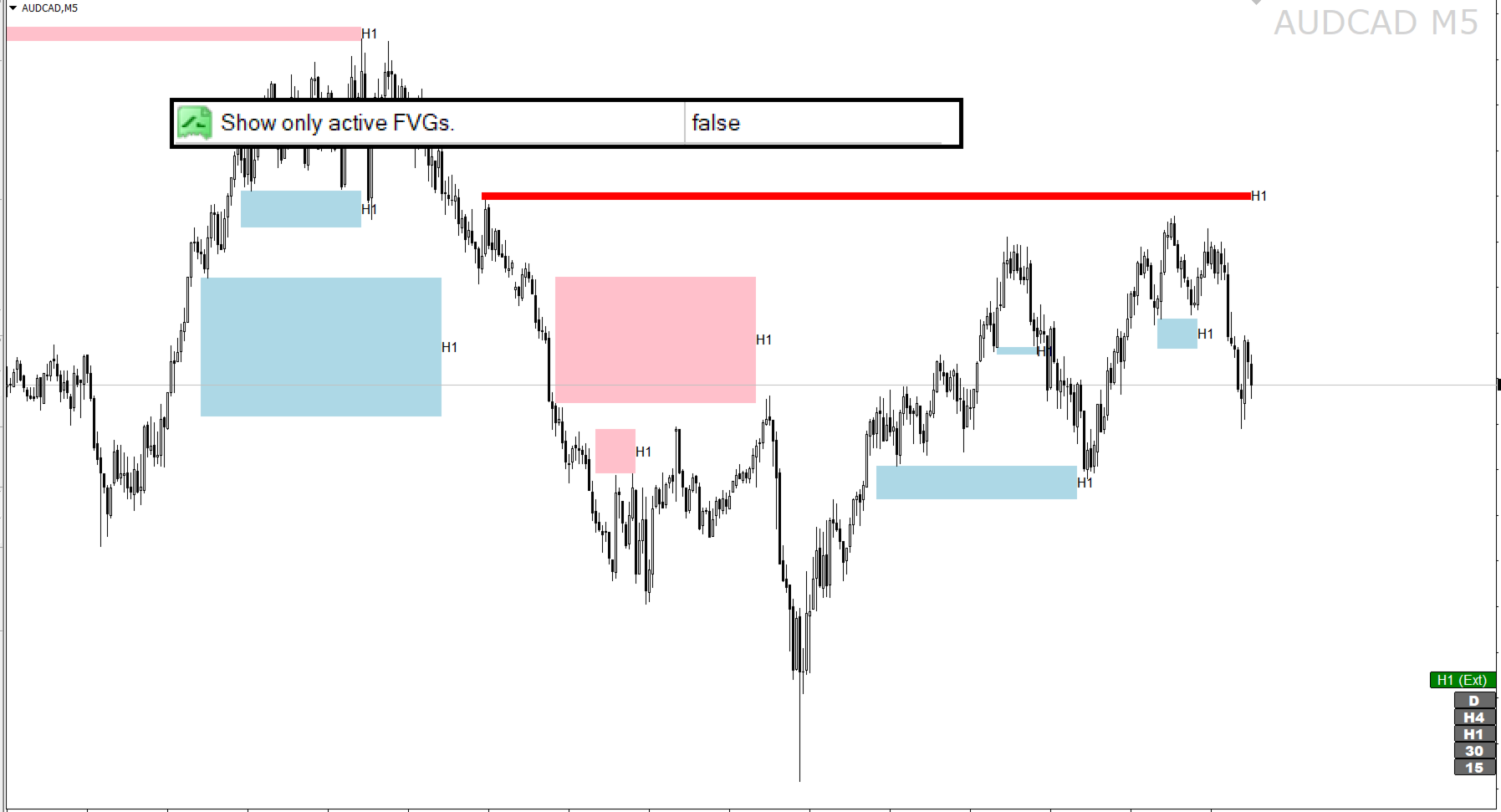
- `ShowOnlyActiveFVG` (default: false) If true, only active (not tested) FVGs are shown; completed FVGs are hidden.
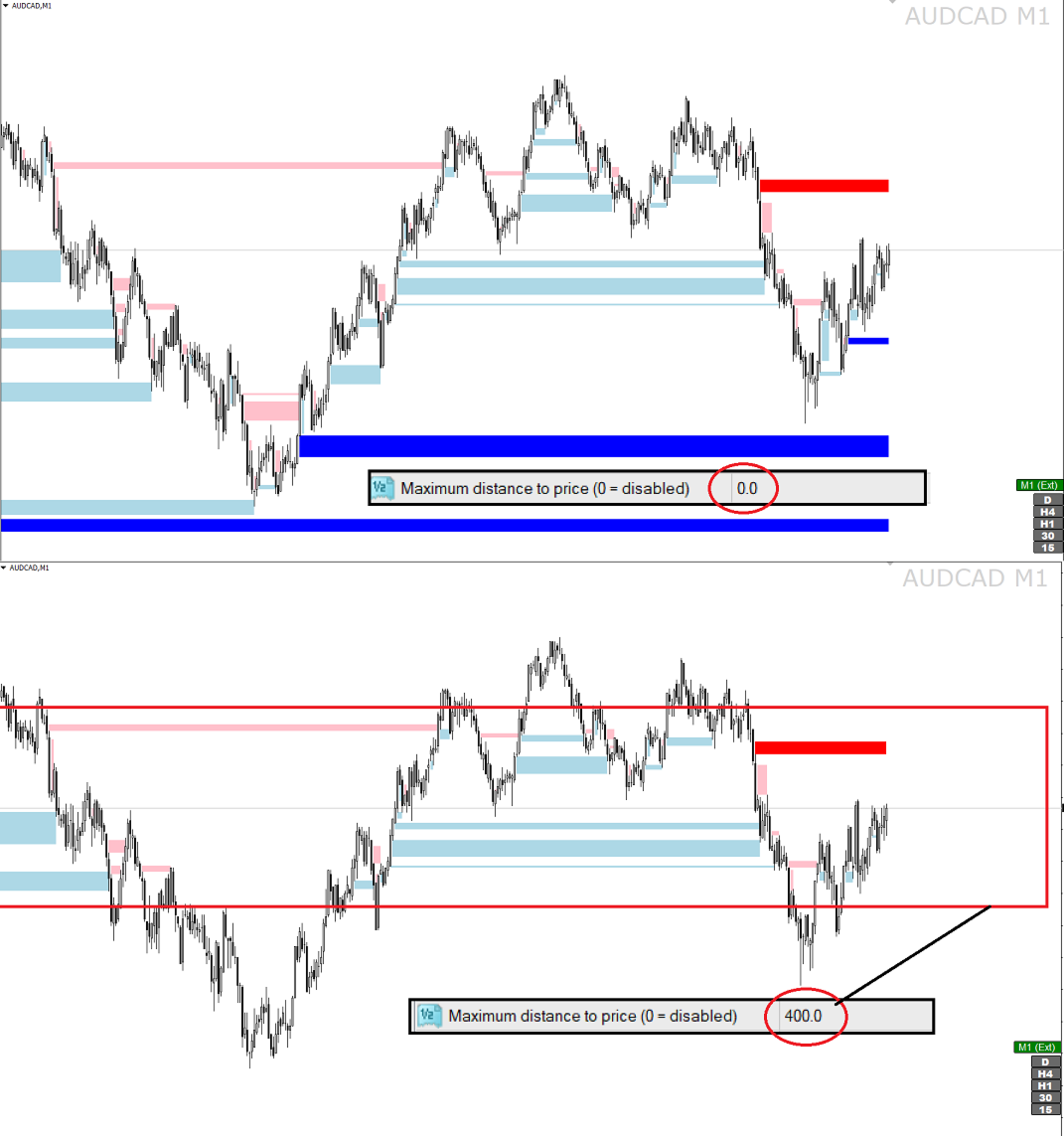
- `MaxDistanceToPricePips` (default: 0) Maximum distance (in pips) from the current price to display FVGs. If set to 0, the filter is disabled.
**Text Labels Settings**
- `ShowTextLabels` (default: true) If true, displays labels with the timeframe next to each FVG rectangle.
- `TextColor` (default: clrWhite) Color of text labels.
- `TextFontSize` (default: 10) Font size of text labels.
**Button settings**
- `ButtonAnchor` (default: CORNER_RIGHT_LOWER) The corner of the chart that the mode toggle button is anchored to (e.g. CORNER_RIGHT_LOWER).
- `ButtonOffsetX` (default: 0) The horizontal offset of the button (in pixels) from the anchor corner.
- `ButtonOffsetY` (default: 145) The vertical offset of the button (in pixels) from the anchor corner.
- `ButtonWidth` (default: 80) The width of the button (in pixels).
- `ButtonHeight` (default: 20) The height of the button (in pixels).
- `ButtonBackColorOn` (default: clrGreen) The background color of the button when the indicator is active (modes 1 or 2).
- `ButtonBackColorOff` (default: clrGray) The background color of the button when the indicator is off (mode 0).
- `ButtonTextColor` (default: clrWhite) Button text color.
- `ButtonBorderColor` (default: clrBlack) Button border color.
- `ButtonFontSize` (default: 10) Button text font size.
**Notification Settings**
- `ShowEntryNotifications` (default: true) If true, sends notifications when price tests FVG.
- `NotificationSound` (default: "alert.wav") Sound file for notifications (should be located (by default) in MT4's Sounds folder).
- `MaxCandlesToProcess` (default: 1000) Maximum number of candles to process when FVG is detected. Limits historical data processing to improve performance.
- `EnableLogs` (default: false) If true, enables detailed logging of indicator operations in the Experts tab in MT4.