Open all Watch list Symbols
- Utilities
- Version: 1.0

How to Use All Symbols Opener
-
Preparation:
- Open any symbol chart in your MetaTrader 5 platform.
- Select your preferred time frame for the open chart (e.g., M5, H1, D1).
-
Launch All Symbols Opener:
- Attach the All Symbols Opener utility to the currently open chart:
- Drag and drop it from the Navigator window under Experts onto the chart.
- Alternatively, double-click All Symbols Opener from the Navigator to activate it.
- Attach the All Symbols Opener utility to the currently open chart:
-
Automatic Operation:
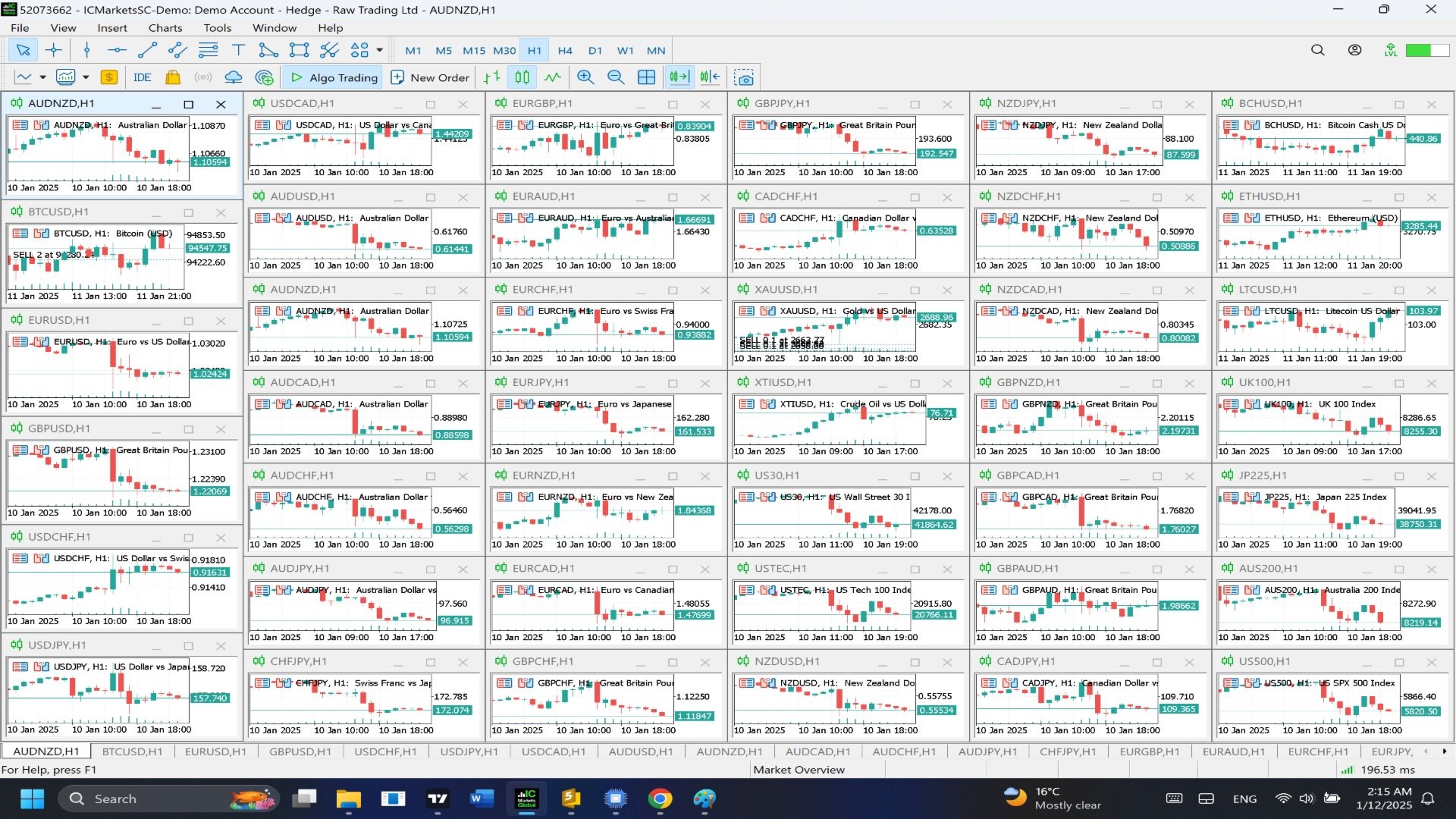
- The tool will detect the active chart’s time frame and apply it to all symbols in the Market Watch window.
- It will open a chart for each symbol listed in Market Watch, all set to the same time frame as the original chart.
-
Adjust Your Workspace:
- Once all charts are opened, arrange them using the Tile Windows option from the Window menu or save the layout as a profile for future use.