 MetaTrader 5
 Experts
 Indicators
 Libraries
 Utilities
 Widgets
 Rules
Rules
Watch the Market tutorial videos on YouTube
How to buy а trading robot or an indicator
Run your EA on
virtual hosting
virtual hosting
Test аn indicator/trading robot before buying
Want to earn in the Market?
How to present a product for a sell-through
Free trading utilities for MetaTrader 5 - 28
 Below are trading programs simplifying trading in MetaTrader 5. Hover over a utility to read its description and purpose.
CxPV Analyst is a high-performance trading utility and Expert Advisor designed for traders who demand data-driven precision over simple indicator crossovers. By combining four distinct quantitative engines into a single "Cert Score" (Certainty Score), this tool identifies high-conviction market phases while filtering out low-probability "noise." Whether you are a manual analyst looking for a powerful dashboard or an algorithmic trader seeking automated execution, CxPV Analyst provides the instit
FREE
Copier MS MT5 Netting Copyist MS is a fast and easy-to-use copier of trade orders; it works as an advisor in the form of a single file with switching between the Master and Slave operating modes. The current version of the adviser works only on netting accounts. Settings Type of work - selection of the operating mode: Master or Slave; Master account number - number of the trading account of the master terminal; Selective copying currency pairs - individual selection of currency pairs for copyin
FREE

xCalper Economic Calendar brings economic calendar information to your Terminal chart and Experts from online sources. Just add it to your chart to see detailed news without losing attention or automate reading of calendar information to improve trading decisions.
Main Features Support data sources: Forex Factory. Filtering by day, impact or currency of news. Visual alert of upcoming news. Platform notification of upcoming news.
Parameters Filters Impact expected - Show/Hide by impact: Low, Me
FREE

How to Use All Symbols Opener Preparation : Open any symbol chart in your MetaTrader 5 platform. Select your preferred time frame for the open chart (e.g., M5, H1, D1). Launch All Symbols Opener : Attach the All Symbols Opener utility to the currently open chart: Drag and drop it from the Navigator window under Experts onto the chart. Alternatively, double-click All Symbols Opener from the Navigator to activate it. Automatic Operation : The tool will detect the active chart’s time frame and appl
FREE

This script deletes all objects attached to all open charts. It's a bulk operation that can save a lot of time, avoiding the need to open the Objects List (Ctrl+B), pressing "List all", then manually selecting the objects and hitting "Delete" (for each single chart)... If you've tried "Delete all objects from chart", this script does the same thing, but to all open charts . So beware! You'll have to add all those Fibonacci retracements, trendlines, etc. back to your charts if you run this script
FREE

Description in English Spartan Radar Multi-Time is an advanced tactical information and alert dashboard engineered specifically for manual traders. The software monitors real-time price action and market momentum, streaming instant audio alerts and push notifications directly to your smartphone or tablet (iOS/Apple and Android). The system operates as a true tactical radar: it analyzes the mathematical convergence of Bollinger Bands and a 50-period Moving Average on the hourly (H1) structur
FREE

ImpulseShield EA is here to say NO to trading decisions made on Impulse
Have you ever placed a trade based on an impulsive decision and regretted your action? What if you could have been able to avoid taking the trade? ImpulseShield is here to help you to only when it is right. The Free Version Only Supports EURUSD, GBPUSD and USDJPY, Here is the Full Version, Just $30 https://www.mql5.com/en/market/product/131519 Key Settings and Their Role
The EA uses the inputs defined earlier to determine
FREE

GUARDIAN Trading Panel GUARDIAN Trading Panel Control the Market. Don’t Follow It. GUARDIAN is not just another trading panel.
It is a command system for traders who refuse chaos, hesitation, or emotional execution. Built for professionals who understand one truth:
Execution speed and control determine outcomes. ️ GUARDIAN removes the gap between decision and action.
It replaces randomness with structure. ️
It transforms your chart into a command center. What GUARDIAN enforces:
FREE

Trade Saver Service
Application Type: Service
Application Features: Automated search and saving of trading results for multiple systems into text files for further analysis About the Application The service automatically saves the results of closed positions for a list of trading systems into text files, creating a personalized file for each system. How to Use Parameters: LOG_LEVEL - Logging level in the terminal’s Experts section. DEBUG provides the most detailed logs, while ERROR provides m
FREE

AutoLotEqualizer – Smart Position Balancing Tool AutoLotEqualizer is a precision trade management utility designed to keep your total BUY and SELL volumes balanced automatically.
It detects differences between your open BUY and SELL positions and opens compensating trades — ensuring both sides stay equal in exposure.
This helps grid, hedge, and basket systems maintain symmetry and control over total position risk — all while saving you time and manual effort. ️ Key Features Automatic Lot Ba
FREE

Trade Idea Tracker Trade Idea Tracker is an indicator designed for traders who execute multiple entries within a single trading idea . Instead of evaluating trades individually, it allows you to track performance at the idea level , helping you understand whether your overall market bias and execution are profitable. Key Functionality Track multiple entries associated with a single trade idea Monitor realized profit and loss for the entire idea View combined results instead of isolated trades Or
FREE

EquityShield is a lightweight and dependable Expert Advisor (EA) for MetaTrader 5, crafted to protect your trading account from excessive losses with minimal resource usage. It monitors your account's equity drawdown and automatically closes all open positions and pending orders if the drawdown exceeds your specified threshold, either in percentage (%) or a fixed amount ($). Designed as a robust safety barrier, EquityShield ensures your capital remains secure during unexpected market volatility
FREE
The script removes all of the indicators on the chart with one movement of the hand. There are situations when there are too many indicators on the chart. And it is required to delete all of them without closing the tab. Unfortunately, the settings window doesn't allow us to select all indicators at once and we have to delete one by one. This script will solve this problem. Simply drag the script from Navigator window onto the chart.
FREE

This is a simple tool to display the maximum lot size permitted for any asset based on the size of your account (or more accurately the free margin), and the leverage. It will display the max lot size allowed, and then the script will naturally exit after 3 seconds which gives you enough time to see the information. When you have an active position, it will calculate the maximum number of lots that are left while a position of a certain lot size is already running. Before the script terminates
FREE

TA Ideas is a smart assistant for traders who rely on technical analysis. It automatically identifies potential support and resistance zones, marks key extremum points, and considers trading volumes on each bar. This tool helps you spot meaningful structures on the chart faster and with greater precision. Its clear, minimalist visualization makes analysis more intuitive, while flexible customization options allow adaptation to your individual strategy.
FREE

The utility for setting a common stop loss for multiple orders. Beta version. After the test, common take profit function will be added, orders close function will be added , and other necessary features will be added. Please do not give bad ratings to this free beta version. If you like it, give it a good rating and write to the author about any errors you find and what you would like to see in the utility. I made this utility for myself and use it daily. I am sharing it with you. A commercial
FREE

This indicator get all events/countries/values from metatrader terminal calendar and print veritical lines at chart, you can configure anything with inputs (string to filter names/url/code/countries/currencies), select period to filter, nws interval before and after current time (every information about time is seconds based), you can filter importance, type, sector, unit, multiplier, impact, timemode, frequency, forecast/previous % increase/decrease interval, actual/previous % increase/decrease
FREE

Indicador que calcula e exibe dois níveis de preço: o preço médio das posições atualmente abertas e o preço de cobertura, definido como o preço necessário para zerar ou manter o lucro acumulado em determinado período. O cálculo do preço médio considera o volume e o preço de entrada das operações abertas, enquanto o preço de cobertura é ajustado dinamicamente conforme o lucro ou prejuízo realizado e não realizado no período analisado.
Versão MT4: https://www.mql5.com/pt/market/product/139409
FREE

Haribol Risk Monitor A simple risk management dashboard for active traders. Displays your real-time account balance, equity, P/L, spread, and daily loss against a fixed USD limit — with color-coded warnings as you approach your ceiling. Fires an alert when your daily loss limit is breached. Includes one-click BUY, SELL, Close Buy, Close Sell, and Close All buttons for fast trade execution directly from the chart. Auto-detects broker filling mode. Compatible with Windows and macOS. Resets daily a
FREE

Помощник для ручной торговли. Рассчитывает лот по вашему риску, показывает все параметры сделки до её открытия.
Два режима: Market - для входа по текущей цене. Линия Open следит за Ask/Bid автоматически. Breakout - для отложенных ордеров. Выбираешь свечу и таймфрейм, линии ставятся на High/Low.
Можно менять цвета линий, переназначать клавиши, двигать панель куда удобно.
FREE

An Essential Tool for the Professional Trader
Problem: As a professional trader, you have worked out entry points across several charts and now your anticipating price action. At this stage, you are having to constantly check your mobile phone or PC across several charts hoping for those prices to be achieved
Solution: Enter all the prices for all charts into a single display and get instant notifications to your mobile phone or PC. Save yourself time and frustration
Note: This product wil
FREE

The script analyzes all trading instruments listed in the Market Watch of the MT5 platform to assess their suitability for trading on the timeframes specified in the settings. Based on the analysis, the script displays a table, where trading instruments deemed suitable and recommended for trading are marked in green, based on their compliance with the risk-to-reward ratio coefficient, including the spread (default 1:3). Instruments not recommended for trading are marked in red.
FREE
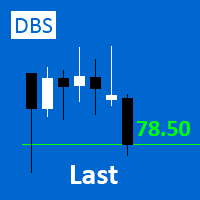
A small utility displays the value of the last price (Last) to the right of the chart. The Last price is the price at which the last deal was executed. Utility is convenient to use for screens with small print, for visual observation of the price level (value) or for people with poor eyesight. You can customize: Growth color Fall color Text font Font size Offset text
FREE
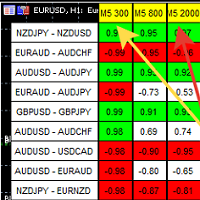
A script showing the correlation for three selected zones at once (TF-bar) In the parameters, select 3 options The data is displayed sorted by the first zone The script also creates a file in which it writes all the data without sorting. In this way, you can expand the number of zones to any number and perform the analysis in exsel
Parameters:
TF_Trade1 =PERIOD_M5; BarsCor1 = 300; TF_Trade2 =PERIOD_M5; BarsCor2 = 800; TF_Trade3 =PERIOD_M5; BarsCor3 = 2000; K = 0.8; WindSize
FREE

Trading panel for manual trading. Has a fairly wide functionality. Allows you to automatically calculate the order size, open both market and pending orders. It has a wide range of options for closing orders, it is possible to partially close orders, close orders after reaching a certain profit or loss, separately close profitable and unprofitable, buy and sell, as well as pending orders. The panel also contains a simple implementation of a grid of pending orders, reverse and lock functions, tr
FREE

CauCa Client is a smart execution engine built for the Fishing Strategy, a method designed to patiently cast entries, scale positions in layers, and react quickly when market conditions become favorable. It focuses on precision order handling, dynamic layer management, and stable behavior in fast-moving sessions. This Client EA is ideal for traders who want disciplined, rule-based execution without manual stress. It helps maintain consistency in grid expansion, order structure, and timing, while
FREE

Revolutionize Your Trading Experience with Our Advanced Management Panel Maximize efficiency and control with our cutting-edge Management Trades Panel, exclusively designed for discerning traders. Our innovative panel is a game-changer in the realm of financial trading, offering unparalleled functionality and user-friendly features. Key Features: Automated Daily Profit/Loss Closure : Set your desired profit or loss thresholds, and let our panel automatically close all current trades when these
FREE

This indicator shows spread value and Minimum and Maximum plus current symbol Leverage . It also displays ticks per minute . This shows how many ticks come in one minute averagelly. To compare brokers ,you can compare the minimum and maximum of spread specially news time and end of the day. In the news time run this indicator and see how spread wide.
The broker with the least fluctuation in spread is better.
FREE
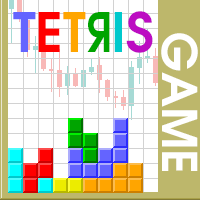
The Tetris — the most famous time killer is now on MT. Game develops active logic, attention and speed of decision making. This is a classic version of the game, no frills, but you can still adjust the size of the glass, the scale of the game, the color of the figures, and the desired speed. The game is made as an indicator. Control Keys: 'W,A,S,D' or 'Cursor' or 'NumPad'. S — Start new game. C — Continue previous game. P — pause on / off. Space — drop a figure. Esc — exit to menu.
FREE

This indicator allows to hide CCI oscillator (on all MT5 timeframes) from a date define by the user, with a vertical line (Alone) or a panel (with "Hidden Candles"). Indicator Inputs: Period Apply To Information on "Commodity Channel Index" indicator is available here: https://www.metatrader4.com/en/trading-platform/help/analytics/tech_indicators/commodity_channel_index ************************************************************* Hey traders!! Give me your feeds! We are a community here and
FREE

EA to help traders stay within tight risk management.
Asks only for account's initial balance and Stop Out DD. This is meant for prop firm traders, but will help any trader who is looking for a simple risk manager.
Trasks and reports daily PnL and will advise you to stop at 1% daily loss. Will advise you to wait if you have too many open trades.
Based on the open chart (symbol and timeframe) will recommend size and SL distance in order to risk the desired cash risk. See screenshot for example
FREE

Bundle Risk Manager Pro EA
"Risk Manager Pro EA is an all-in-one trading utility that combines advanced risk management tools, ensuring full control over your trading account while protecting your capital and complying with trading regulations. By bundling Limit Positions , Concurrent Risk Capital , and the newly added Limit Profit , this EA is the ultimate solution for disciplined trading and achieving evaluation goals. Key Features: 1. Limit Positions : Enforces a maximum number of open posi
FREE

Trading Companion is an EA bridge to the Telegram chat. It does not place trades, it provides to your Telegram's terminal information about your accounts - it can be used with any other EA, indicator or trading solution. It notifies you about the server lag (ping between your terminal and your broker) and includes a feature to withdraw wisely from your account.
Settings Ping limit: default 300ms - will warn you if ping is superior Basis Fund: 0, deactivated - each time you will withdraw, it is
FREE

CloseByLossOrProfit Expert Advisor closes all positions as their total profit or loss reaches a specified value (in deposit currency). In addition, it can delete pending orders. Allow AutoTrading before running the Expert Advisor. Usage: Run the Expert Advisor on a chart. Input Parameters: Language of messages displayed (EN, RU, DE, FR, ES) - language of the output messages (English, Russian, German, French, Spanish); Profit in the currency - profit in points; Loss in the currency - loss in p
FREE
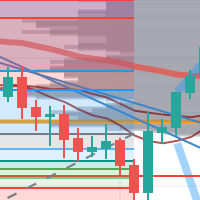
每次一忙都會錯過訊號下單,或不想一直花時間盯盤下單,可以用這個工具掛單,讓MT5 自動 盯盤並在滿足條件後下單 。
demo : https://www.youtube.com/watch?v=JBPiFkixqT4 configuration: https://www.youtube.com/watch?v=D7xESKKD26o #############################################
使用場景:
一般交易可以分為2種,分別是: 左側交易: 價格到達關鍵位置時就下單交易,想要自動下單,可以使用buy limit和sell limit掛單 右側交易: 價格到達關鍵位置, 同時出現做多或做空訊號 時下單交易, 想要自動下單, 就 可以用本工具自動掛單 本工具會 在你指定的阻力區域偵測到做空訊號時,建空單 ; 並在你指定的支撐區域偵測到做多訊號時,建多單。 demo影片: https://www.youtube.com/watch?v=JBPiFkixqT4
########################################
FREE

AE-DeletePendingOrders is a professional script for MetaTrader 5 designed to quickly and securely delete all pending orders on a trading account. The script provides full control over the deletion process thanks to a flexible filtering system and reliable error handling mechanisms.
Main features The script automatically deletes all types of pending orders: BUY LIMIT, SELL LIMIT, BUY STOP and SELL STOP. An intelligent retry system has been implemented in case of temporary communication errors wi
FREE

This script is designed so that the trader can determine the average duration of trade transactions, at which the ratio of possible profits and losses will be optimal. First, let's look at the general approach to determining the optimal duration of trade transactions. We introduce the following variables: R - the result of the transaction; T - the time during which the transaction was open; W - the time between the closing of the previous transaction and the opening of the next one. Every t
FREE

This MQL5 script calculates and displays a recommended trading lot size, offering both automatic and manual modes. In automatic mode, it calculates lot size based on account balance, market volatility (ATR), or a hybrid of both. The script defines lot size types (Micro, Mini, Standard) with switching thresholds, volatility settings, and safety limits. It aims to automate lot size calculations for systematic risk management, adapting to market dynamics and account parameters. Core Features Out
FREE

A very simple indicator, but one that cannot be missed when carrying out your operations.
Fast and accurate information on the Swap value of currency pairs before entering a trade.
See if when buying or selling the value of the Swap in your operations
Come and see our mql5 signals too https://www.mql5.com/pt/signals/899841?source=Site +Signals+From+Author
FREE

NORA NEWS SHIELD - Professional News Protection System Product Description Overview NORA NEWS SHIELD is a professional risk management tool that automatically protects your trading during high-impact economic news releases. It monitors major global currencies and temporarily suspends trading activity during critical market-moving events, helping you avoid sudden volatility spikes and potential losses. How It Works The system continuously scans the economic calendar for upcoming high-impact news
FREE

️ META SHOOTER MT5 – Defeat Trading Stress Before It Defeats Your Deposit. Exhausted by endless market waiting and staring at charts? It's time to turn your trading terminal into a powerful source of stress relief and adrenaline! META SHOOTER is a full-featured, dynamic Survival Shooter that runs directly on your MetaTrader 5 chart . It is the ultimate tool for traders to manage emotions and conquer stress. Why META SHOOTER is Your Best Anti-Stress Weapon: Instant Psychological Relief: Trad
FREE

Características Principales El bot actúa como una herramienta de supervisión y control automatizado de posiciones abiertas, enfocándose en la gestión dinámica basada en la detección de velas de expansión rápida ( Spikes ). 1. Detección Inteligente de Spikes Identificación Automática: Analiza si el símbolo activo corresponde a un índice Boom o Crash . Filtro de Cuerpo de Vela: Compara el tamaño de las velas recientes con un promedio dinámico (calculado sobre un periodo de referencia) para iden
FREE

Versione Inglese Title: Pocket Reversal Notifier - Free Mobile Utility Description: Pocket Reversal Notifier is a professional, free monitoring utility designed for traders who want to catch high-probability market opportunities without spending all day glued to the charts. This tool continuously scans the market for price reversals and sends real-time Push notifications straight to your smartphone. The algorithm is far more than a simple moving average crossover: it is a true "No-Lag" ecos
FREE

CapGuard Risk Manager Protect your capital, pass Prop Firm challenges, and eliminate emotional trading with CapGuard Risk Manager. Whether you are an algorithmic trader running multiple EAs, a manual trader struggling with discipline, or a Prop Firm challenger needing strict risk controls, CapGuard Risk Manager is your ultimate safety net. This professional utility runs on a single chart but protects your entire MT5 account. It continuously monitors your equity, open positions, and server stab
FREE

Free multi-pair trend scanner / dashboard for MT5 — 12 major Forex pairs, M15 to D1. The scan and ranking work out of the box, no API key needed. The optional AI breakdown uses your own Anthropic API key.
MarketEnvNavi — AI Market Scanner for Discretionary Traders What this tool does MarketEnvNavi scans 12 major currency pairs in real time, ranks them by how well conditions are aligned, and lets you ask Claude AI for a plain-English breakdown of the top pairs — including specific price levels,
FREE

The Position Selective Close is a multi-symbol multi-timeframe script used to close simultaneously various positions. General Description
The Position Selective Close possesses three operation modes (Intersection, Union and All) that control the way as four position features (symbol, magic number, type and profit) are used. The modes, available through the Selection Mode input parameter, relate to the features, available through the “Select by Feature” and “Feature” input pa
FREE

It can only be used in EURCHF . The Expert Advisor is a great tool that allows you to control your trade with ease and precision. The tool can be moved in the graphs and offers the following characteristics:
Instant order entry with a single click. Entry of pending orders using price tags and trend lines. Instant order closure with a single click. Instant order closure using trend lines as output levels that the broker can not see. We can modify the way to enter and exit the market, allowing us
FREE

Tiger Lite recreate the history of entry and exit orders. The goal is that you can grasp their strategy how to play. CSV format support for WEB, MT4 and MT5 platforms.
The sequence of steps is described in the photo. Note:
Please choose the existing date and symbol on the CSV file. For MT4/5, export historical data and copy the records to excel, save it with the extension CSV. For MT4/MT5/WEB, save the name with format mt4.csv/mt5.csv/web.csv If you get the history from another source and your
FREE

Test Trade Saver Script
Application Type: Script
Application Functions: Saves test results cache file data into text files
About the Application The script extracts trading results from a test system cache file and saves them into text files for further analysis. How to Use Parameters: LOG_LEVEL - Logging level in the Experts terminal section. DEBUG provides the most detailed information, while ERROR gives the minimum. CUSTOM_MAGIC_NUMBER - The system identifier (Magic Number) used to save resu
FREE

This is a MetaTrader 5 script. It helps to summarize all trades into every symbol.
Input Select Period: This is 7-option input. It includes Last Month, This Month, Last Week, This Week, Today, All History, and Date Specified. Specify Starting Date: Enter a date if you selected Date Specified in "Select Period" input. Specify Ending Date: Enter a date if you selected Date Specified in "Select Period" input. The summary is saved into a file in MQL5\Files folder. MT4 Version: https://www.mql5.co
FREE

Play Trading: Get started in trading by playing and learning how Limit (rebound) and Stop (continuation) orders work. From a mobile and transparent panel (by clicking on the header), anticipate market developments and place Limit and/or Stop orders. Set the initial distance to generate the grid with the number of orders you want (for each type of order). Set the take profit points and lot size as you wish. Set the type of orders you want: BUY – SELL – NO (delete orders) – BOTH (Buy and Sell
FREE

NS Financas Clear All Objects Automatically Script for quick removal of all objects from your chart (lines, shapes, symbols, etc ...) Don't waste any more time trying to find all the objects on your screen for removal. Use this script and in one click all objects will be removed from the chart automatically. Also, it is possible to configure hotkeys to make the script even faster in its use. NS Financas Clear All Objects Automatically does not remove indicators. Take the opportunity to visit our
FREE

Noetrix Lens
Read-only portfolio and performance analytics for MetaTrader 5.
Noetrix Lens turns native MT5 account history into clear portfolio intelligence from a single chart. It is designed for traders who want to understand where results come from without giving an analytics tool control over their trading.
Lens never places, modifies or closes trades. Algo Trading is not required.
## Main features
- Portfolio overview with net P/L, return, trade count, Profit Factor, win rate, average
FREE
If you use several charts open at the same time, you know how boring it is to apply formats to each chart individually. This script can change all open charts using a single command. Parameters: 1 - Choose symbol to put on charts: apply the selected symbol to all charts. If "current", it does not change the symbol; 2 - Choose timeframe or leave empty: apply the selected timeframe to all charts. If "CURRENT", it does not change the timeframe; 3 - Apply template to the charts: If true, apply the t
FREE

Meditation Seed:
Meditation is a practice in which an individual uses a technique – such as mindfulness, or focusing the mind on a particular object, thought, or activity – to train attention and awareness, and achieve a mentally clear and emotionally calm and stable state.[1][2][3][4][web 1][web 2] Meditation is practiced in numerous religious traditions. The earliest records of meditation (dhyana) are found in the Upanishads, and meditation plays a salient role in the contemplative repertoire
FREE

This Program will not execute any trades!
Works on any chart and any time frame!
This is the MT5 version.
MT4 version: https://www.mql5.com/en/market/product/125496?source=Site+Market+My+Products+Page#description
This Program will produce a comment box at the top left of the chart and show you your equity % difference throughout the day. Updating constantly in real time.
The daily resets back to zero on open of a new market open day. Using new current equity at start of day as reference for
FREE
This tool helps you calculate the ratio of slippage and current spread compared to the average price movement over the timeframe of a specific symbol. It can indicate whether you should trade on that timeframe or not. If the ratio is too high, it will be very challenging to make a profit. Typically, this ratio should be less than 15%.. Simply add it to the chart of the timeframe for the symbol you wish to estimate.
FREE

For MT5 Backtest. With this EA, you can read indicators via backtesting. Buffers and objects are read. You can then use them to program strategies and use them for your EA.
It's very easy to use. You simply enter the full indicator name in the menu and you're ready to go. You can then see all the information you need in the backtest log (journal). The default path is the indicator's root directory. If you want to specify a different directory from there, you can do so in the menu.
FREE

A MetaTrader 5 script that automatically closes all charts except for a specified number to keep open. Simply enter numbers like 1,2,5,10 to keep those corresponding charts open, or a single number (e.g., 3 ) to keep the first 3 charts open. All other charts are closed in one action, helping you manage multiple open positions with ease. Perfect for decluttering your workspace and focusing on the charts that matter most.
Source Code here: https://github.com/pwn-forex/ChartChaos Youtube T
FREE

OptView for MT5 is a visual options panel for MetaTrader 5 designed to simplify the analysis of options chains directly on the chart. Key features: • Native discovery of options (no external files required) • Automatic grouping by strike • Clear CALL vs PUT visualization • ITM / ATM / OTM highlighting • Expiry selection via clickable buttons • Strike distance filters (0–5%, 5–15%, >15%) • Works even when market is closed (quotes optional) • Lightweight and fast The panel helps traders quic
FREE

MP Close By Loss Or Profit for MT5 The Reason I made this Expert is because I want traders who already found out how to be profitable in the market use an easier tool throughout their trading days. This Expert will consider your exposure of trades and close them based on profit targets and losses you set for your own Risk Management. I want to thank my friend who helped me on this Expert, and his brilliant work is now shared here with you. A bit of advice after running the expert on your platfo
FREE
Helper utility that does the following important actions: Shows or hides various groups of symbols - Forex, CFD, Futurex, Bonds and all others. Shows or hides symbols that have or do not have trade restrictions. Shows or hides symbols that currently have a trading/quoting session active. Shows or hides symbols that contain the specified words in their names. Closes or deleted all market or pending orders. Closes orders by type - Buy/Sell. Clears stop loss and take profit values. Downloads histor
FREE

The Maximun Minimun Strata (100 bars and any period) is used to identify key levels on a price chart, which can be useful in technical analysis and decision making in trading:
Identify Key Levels: They help identify support and resistance levels on a price chart. The support level represents a minimum floor at which the price tends to bounce upwards, while the resistance level represents a maximum ceiling at which the price tends to bounce downwards.
Decision Making: Traders use these key lev
FREE

The Linear Surfer (Works on 50 bars and any interval) is a valuable tool in technical analysis and trading, as it offers a series of qualities and advantages:
Trend Identification: The main quality of a trend line is its ability to identify and visualize trends on a graph. You can clearly see if the market is in an uptrend, downtrend or sideways trend.
Easy to use.
Predicting Supports and Resistances: Trend lines can also be used to identify support levels (in uptrends) and resistance (in do
FREE

Introducing the SL Limiter Bot: Your Friendly Stop-Loss Management Solution! Take control of your trading like never before with the SL Limiter Bot, a powerful and intelligent tool designed to enhance your risk management strategy on MetaTrader 5 platforms. Say goodbye to manual monitoring and hello to automated precision! Whether manual trading, EA trading, or using Trade Signals, SL Limiter Pro will help you minimize your risk!
Another utility from the Trade Agent Toolbox! Key Features: Advan
FREE
This indicator allows to hide Volume (on all MT5 timeframes) from a date define by the user with a vertical line (Alone) or a panel (with "Hidden Candles"). The color of each bar depends if this one is higher or lower of the previous bar. Indicator Inputs: No inputs for this indicator Information on "Volume" indicator is available in this post: https://www.mql5.com/en/forum/134260 ************************************************************* Hey traders!! Give me your feeds! We are a commun
FREE
This indicator allows to hide Bollinger Bands (on all MT5 timeframes) from a date define by the user, with a vertical line (Alone) or a panel (with "Hidden Candles"). Indicator Inputs: Period Deviations Shift Apply To Color Style Width Information on "Bollinger Bands" indicator is available here: https://www.metatrader4.com/en/trading-platform/help/analytics/tech_indicators/bollinger_bands ************************************************************* Hey traders!! Give me your feeds! We are
FREE
This indicator allows to hide Bill Williams Alligator (on all MT5 timeframes) from a date define by the user with a vertical line (Alone) or a panel (with "Hidden Candles"). Indicator Inputs: Jaws Period Jaws Shift Teeth Period Teeth Shift Lips Period Lips Shift Method Apply To Information on "Alligator" indicator is available here: https://www.metatrader4.com/en/trading-platform/help/analytics/tech_indicators/alligator ************************************************************* Hey traders!
FREE

VYXAXIS Dispatcher is a free companion utility for Vyxaxis Tick. It processes WebRequest and supported Push notifications independently from the main Vyxaxis Tick chart workflow. Requires Vyxaxis Tick. VYXAXIS Dispatcher does not generate trading signals, execute trades, or provide a trading strategy. It is designed to separate notification delivery from the main tick-chart processing workflow, helping reduce the possibility of network-related delays affecting Vyxaxis Tick during periods of high
FREE

EA to prevent inactivity violations on prop firms.
This EA will scout for your most recent trade and if it is older than the number of days defined, will enter a micro lot position size 0.01 on the pair defined. It is recommended to use a tight spread pair like EURUSD. This EA will not act as long as you have at least one trade in the last X days (defined on config).
This EA will not place other trades or modify existing position.
FREE
The MetaTrader Market is the best place to sell trading robots and technical indicators.
You only need to develop an application for the MetaTrader platform with an attractive design and a good description. We will explain you how to publish your product on the Market to offer it to millions of MetaTrader users.

You are missing trading opportunities:
- Free trading apps
- Over 8,000 signals for copying
- Economic news for exploring financial markets
Registration
Log in
You agree to website policy and terms of use
If you do not have an account, please register