 MetaTrader 5
 Experts
 Indicators
 Libraries
 Utilities
 Widgets
 Rules
Rules
Watch the Market tutorial videos on YouTube
How to buy а trading robot or an indicator
Run your EA on
virtual hosting
virtual hosting
Test аn indicator/trading robot before buying
Want to earn in the Market?
How to present a product for a sell-through
Free trading utilities for MetaTrader 5 - 29
 Below are trading programs simplifying trading in MetaTrader 5. Hover over a utility to read its description and purpose.
Share your trades with a Discord channel automatically. How it works Create a webhook in your Discord channel settings and paste the URL into the inputs. Allow WebRequest for https://discord.com in Tools, Options, Expert Advisors. New positions, SL and TP changes and closed positions are sent with symbol, direction, price, lots, pips and result, depending on your settings. Messages are queued and resent if Discord is busy. Key features Open, modify and close messages Optional lots, pips and prof
FREE

This EA gives traders a clean, full-window view of how large a position each Market Watch symbol can support at different percentages of account balance used as margin. It helps you quickly compare sizing options across symbols and risk levels without ever placing or modifying orders. The goal is simple position-size awareness so you can decide exposure before you trade.
Benefits Shows lot size potential across Market Watch symbols at up to three different % of balance margin levels side-by-sid
FREE

SL Locker — Stop-Loss Discipline for MetaTrader 5 Your stop-loss is supposed to protect the trade. SL Locker is designed to stop that protection from being weakened after it has been established. SL Locker is a MetaTrader 5 risk-discipline Expert Advisor built around one focused principle: a protective stop may move in a safer direction — but it should not be casually moved back into a less protective one. Once SL Locker has recorded a valid Stop Loss for a position, it monitors that position a
FREE

TRAILINATOR is a unique Solution to use different Trailing-Stop Variants and change your settings via Remotecontrol. You configure your Trailing-Stop for a specified Symbol only once. This setting will be used for all your Positions of the same Symbol. Currently we support these different Trailing-Stops: Standard : works like you use in Metatrader Terminal, starts trailing if your profit is greater than trailing stop Start after points : trailing stop will start after your defined points in p
FREE

The spread in trading is the difference between the purchase price and the sale price of a financial instrument on the market. The spread is a commission fee that traders pay brokers for the opportunity to trade.
It's no secret that each broker offers its own terms for trading. The size of the spread is important. There are a lot of advisors (especially scalpers) who show different results at different brokers. We have repeatedly encountered this. Therefore, using this utility, find out what s
FREE

MO Spread Monitor — know your spread before it costs you
Spread Monitor shows the live spread in points against a limit you set, with a clear OK / BLOCKED state and an alert whenever the spread blows past the limit. It also tracks the session maximum, the running average, and how many times the limit was exceeded.
Widening spread quietly eats entries and stops. This tiny utility makes it visible, so you can avoid trading through news spikes and illiquid hours.
Inputs: • InpMaxSpreadPoints —
FREE

Aurum Position Manager is a position-management utility for MetaTrader 5. It watches existing positions on the chart symbol and can move their stop-loss to a break-even lock and then to an ATR-based trailing level. It is not a trading strategy. It does not open trades, choose entries, or calculate position size. Functions Checks matching open positions about once per second. Uses the current chart symbol only. Records the price distance from entry to the first stop-loss observed for each positio
FREE

SymbolScope MT5 is your personal assistant for instrument specifications. Forget the need to look into the contract specification in the terminal or search for data on the internet. All the necessary information is always at hand in an elegant and minimalist panel on the chart. What is it for?
It is vital for a trader to know the exact parameters of an instrument before opening a trade: point value, contract size, minimum volume, swaps. SymbolScope MT5 provides this data instantly for the curre
FREE

Description in English Spartan Radar Multi-Time is an advanced tactical information and alert dashboard engineered specifically for manual traders. The software monitors real-time price action and market momentum, streaming instant audio alerts and push notifications directly to your smartphone or tablet (iOS/Apple and Android). The system operates as a true tactical radar: it analyzes the mathematical convergence of Bollinger Bands and a 50-period Moving Average on the hourly (H1) structur
FREE
MSP_Bridge is the Free utility that connects AI Grok 4 to RiskKILLER AI Navigator a multi-timeframe Market Direction & Strategy Assistant based on AI.
This bundle will help you get institutional-level insights with AI-driven trend, sentiment, and macro analysis, tailored to your trading style.
RiskKILLER AI Navigator [ MT5 - MT4 ]
Implementation
Just download it and follow the hereunder instructions.
We are at your disposal in case of difficulties, just send a private message.
FREE

Demo copier of deals from MetaTrader 5 to MetaTrader 5 ( MetaTrader 4<->MetaTrader 4 version is available ; with both versions, you can copy MetaTrader 5<->MetaTrader 4, MetaTrader 4<->MetaTrader 5, MetaTrader 5<->MetaTrader 5, MetaTrader 4<->MetaTrader 4). Works only in the mode of hedging. Spread filter. Select the best price (start copying positions with a profit or loss). Configure the lot size, fixed or ratio-based (provider signals can be copied with an increased lot). Configure order copy
FREE

Trade Assistant – Position & History Overview Streamline your trading workflow with a powerful all-in-one panel for MetaTrader 5. Trade Assistant is a professional EA panel that gives you full control over your trades — from order execution to real-time position monitoring — all within a clean, intuitive on-chart interface. Key Features One-Click Order Execution Instant Market Orders (Buy / Sell) with configurable Lot, SL and TP Full Pending Order support: Buy/Sell Limit & Buy/Se
FREE

PositionPilot — Менеджер позиций в один клик PositionPilot размещает исполнение сделок и управление позициями прямо на вашем графике. Один клик — и ваша сделка под защитой. В отличие от большинства советников, которые обрабатывают только собственные ордера, PositionPilot работает со ВСЕМИ позициями — открытыми вручную, другими советниками или через его панель. Исполнение в один клик Кнопки BUY/SELL с автоматическим лотом по проценту риска Горячие клавиши F1–F6 для торговли с клавиату
FREE

Trading Panel Pro Trading Panel Pro is a professional MetaTrader 5 trading panel designed to help traders open and manage positions faster with precision and ease . Execute Buy/Sell orders , place pending orders , and manage trades directly from the chart using a clean, modern, and minimal interface — reducing unnecessary clicks and improving execution speed during fast-moving markets. Built for traders who value speed, simplicity, and efficient trade execution . Features:
Fast trade executio
FREE
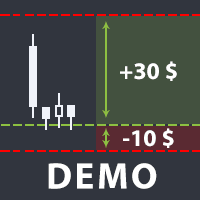
The utility helps open a deal with a stop loss that does not exceed the specified amount, or to refrain from it altogether. That is, it determines the number of lots to open the deal so that the stop loss is as close as possible to the specified amount in USD without exceeding it. For example, it will be indispensable when trading according to the Gerchik strategy. That is, when trading based on risks, with a fixed risk and a fixed take profit relative to stop loss. For example, if you always op
FREE

Script for quickly selecting a tool with high correlation. The script is placed on the tool to which you need to select the second correlating one. Then you can change the number of bars to calculate and the timeframe. The script iterates through all available symbols in the market overview and returns the 20 most correlated ones. You can use the selected pairs to trade with THE new SH expert Advisor
FREE

Draws trend lines from the high and / or low values of the week. The color and thickness of the levels are customizable. All trend lines can be edited. Suitable levels of the past can be renamed and other properties changed. Levels are re-read only on the H1 timeframe once an hour.
...
FREE

Account Info Utility is a free script for quick analysis of trading conditions for the current account and symbol.
It displays: - account information, balance, equity, margin, free margin and floating profit; - symbol trade restrictions, current price and trade mode; - minimum/maximum lot, lot step, real margin per 1 lot and maximum available lot; - point value for 0.01, 0.10 and 1.00 lots; - long/short swaps; - daily ATR(14) in pips and the value of that range for different lots; - trading se
FREE

Risk Control Utility: Margin Call & Loss Level Calculator Info Loss Level is an information utility for MetaTrader 5 traders that monitors critical risk levels in real-time and provides clear visualization of deposit loss points. Key Features Critical Risk Level Calculations Margin Call Level - price level where broker force-closes positions Loss Level - theoretical price level for complete deposit depletion The difference between levels shows your account's "safety buffer" Critica
FREE

DataForge exports MetaTrader 5 bars to a CSV file, and writes into that file what the data actually contains.
It does not trade. It places no orders, reads no positions, and requires no account permissions. It reads history and writes a text file.
WHAT THE EXPORT WRITES
1. An instrument passport, placed in the CSV header
Digits, point, contract size, tick value, tick size, and the minimum, step and maximum lot are written as comment lines at the top of the file. Export the same symbol fro
FREE

HorizonProbe measures how the size of a price move compares with the cost of trading it, across several holding times, on your broker's own history and your broker's own spread.
It is a single script. It places no orders, reads no positions, and has no external dependency. Copy the one file into a terminal and run it on a chart.
THE QUESTION IT ANSWERS
The cost of a trade is paid once, whatever happens next. The move you are paid for is not fixed: over a longer holding time, the average move
FREE

простой копировщик сделок между двух терминалов MT5, настраивается только коэффициент копирования на слейв части. мастер часть вешаете на любой новый график на терминал откуда нужно копировать сделки, а слейв часть вешаете на любой график в терминале в который нужно копировать «Программное обеспечение предоставляется по принципу "как есть" (As Is). Разработчик не дает никаких гарантий, явных или подразумеваемых, в отношении работоспособности программы, ее соответствия ожиданиям пользователя или
FREE

простой копировщик сделок между двух терминалов MT5, настраивается только коэффициент копирования на слейв части. мастер часть вешаете на любой новый график на терминал откуда нужно копировать сделки, а слейв часть вешаете на любой график в терминале в который нужно копировать «Программное обеспечение предоставляется по принципу "как есть" (As Is). Разработчик не дает никаких гарантий, явных или подразумеваемых, в отношении работоспособности программы, ее соответствия ожиданиям пользователя или
FREE

Management
The complete trade execution and position management toolkit for MetaTrader 5.
TEAM EA replaces your entire manual trading workflow with a single floating panel — from precision entry timing to live position management, all from one unified interface directly on your chart.
---
Overview
TEAM EA is a professional-grade Expert Advisor built for active traders who need speed, precision, and control. It provides four distinct execution modes, a live positions dashboard with automated mana
FREE

Right here, is the utility tool to help traders with opening, managing, and closing multiple trading positions at the same time. This Utility tool does not work on strategy tester. To test this utility, follow the blog link below to download the demo version. https://www.mql5.com/en/blogs/post/751097
Specifications. 1) User-friendly - No complications and any trader can find it easy to use. - A simple click on a button is all it takes to perform the desired task. 2) Doe
FREE

For those who use the Trading Arrows on the chart for later study, but use the Triple Screen approach and got all those arrows everywhere on all additional charts, here it is: Arrows Cleaner! Just drop it on the chart and leave it there. When needed, just with 1-click you get rid of all those annoying arrows...
SETTINGS You can position the little Button on any corner of the chart. Additionally you can displace it with the Offset settings. You can enlarge or shrink its size, as well as the text
FREE

Trade Performance Journal — Your Visual Trading Summary Tool Trade smarter by understanding your performance.
This Expert Advisor (EA) provides an instant visual summary of your trading results directly on the chart. Whether you’re a scalper, swing trader, or long-term investor, this tool helps you stay on top of your performance metrics with ease. Key Features Flexible Time Analysis
View your performance by Quarter, Month, or Half-Year. Easily switch between display modes to analyze your res
FREE

ApexTPGrid is a powerful Trade Management Utility designed to professionalize your grid and averaging strategies. Whether you trade manually or use other EAs, this utility takes control of your open "basket" of orders to manage them to a safe exit. The standout feature is the Swap-Aware Logic . We all know the pain of holding a grid for weeks, only to close at "breakeven" and realize negative swaps ate your capital. ApexTPGrid solves this by automatically calculating all accumulated costs (Swap
FREE

Script "Bar Close Timer Pro" is designed to display a real-time countdown to the closure of the current bar. This professional tool is tailored for traders working on any timeframe, enhancing chart analysis efficiency through precise time control. The script automatically adapts to the chart’s current timeframe (M1, H1, D1, etc.), calculating the remaining time until the candle closes. (Note: When switching timeframes, the script must be reattached to the chart.) Flexible display settings: Cus
FREE

PulseBar is a visual trading tool designed for MT5/MT4 that eliminates guesswork when planning your trades. It draws an interactive horizontal line on your chart that instantly calculates and displays the projected PnL (Profit/Loss) of your open positions (long or short) if the price were to reach that exact level. It is ideal for Price Action traders, Scalpers, and Day Traders who need to quickly and cleanly visualize Take Profit targets, partial exit levels, or risk zones without leaving the
FREE

“One-Click Flatten — Fast, Clean, Reliable” Close all orders and positions in your account with a single click — no hassle, no fumbling through tabs.
Time-saving tool for traders needing instant exit from the market—especially during volatile moves or news events.
Emotion-free execution reduces human errors and hesitation—just click and it's done.
Easy to use: load the EA in MT5 and let it handle the rest. Perfect for both beginners and seasoned traders.
Fu
FREE

Titan Dual Mode Utility is a high-performance trading assistant designed for traders who require speed, precision, and flexibility in the MetaTrader 5 terminal. This utility was developed to solve the delay of manual order entry, providing a professional interface for modern scalpers and intraday traders. The main innovation of this tool is the Dual Mode System , which allows the user to switch between two different execution strategies instantly: Protected Mode: This mode is designed for conser
FREE

Características Principales El bot actúa como una herramienta de supervisión y control automatizado de posiciones abiertas, enfocándose en la gestión dinámica basada en la detección de velas de expansión rápida ( Spikes ). 1. Detección Inteligente de Spikes Identificación Automática: Analiza si el símbolo activo corresponde a un índice Boom o Crash . Filtro de Cuerpo de Vela: Compara el tamaño de las velas recientes con un promedio dinámico (calculado sobre un periodo de referencia) para iden
FREE

Traderscope is a powerful and completely free advanced monitoring dashboard for MetaTrader 5, designed to monitor your Expert Advisors' live performance directly on your trading account. It delivers clear, real-time insights into your live trading performance — directly on your chart, with no complexity and zero impact on execution. Key Features Multi Magic Number Aggregation (up to 3)
Combine and analyze up to three different magic numbers (e.g., MagicA + MagicB + MagicC) in a single unified v
FREE

COASYN ATR Table is a multi-timeframe volatility reference for MetaTrader 5. It displays Average True Range across up to four user-selected timeframes and converts the values into pips for a cleaner comparison of how much the market is currently moving. The indicator does not generate signals, determine direction, or execute trades. Its purpose is simple: Use ATR as a ruler for current market movement. Features Up to 4 selectable timeframes Adjustable ATR length ATR displayed in pips Optional ra
FREE

**DER AUTOR ÜBERNIMMT KEINE HAFTUNG FÜR VERLUSTE, DIE DURCH DIE NUTZUNG DIESER SOFTWARE ENTSTEHEN, INSBESONDERE NICHT FÜR VERLUSTE DURCH DAS AUTOMATISCHE SCHLIESSEN VON POSITIONEN (TRADES). BITTE TESTEN SIE DIE SOFTWARE AUSFÜHRLICH AUF EINEM DEMO-KONTO!** --- # Equity Drawdown Monitor - Ihr Wächter für Risikomanagement **Schützen Sie Ihr Kapital mit professionellem Multi-EA-Monitoring und automatischem Notfall-Stopp.** Der **Equity Drawdown Monitor** ist ein unverzichtbares Werkzeug für Trader,
FREE

PropCorrelation shows whether your open positions are really different trades. Three index shorts feel like three trades; most days they are one bet, sized three times. The panel puts the number on your chart: the correlation between every pair of open positions, signed by direction, next to the money each of them risks to its stop. Free. Setup takes a minute: attach it to one chart, and the matrix appears for whatever is open on the account. No inputs are required to start. Try it first
It is
FREE

EA REMOTE COPIER Copy Your Trades Across Different VPS — Fast, Secure & Reliable EA Remote Copier is a professional Expert Advisor designed to automatically copy trading activity between different VPS, trading accounts, and locations through the Internet . It is suitable for traders, money managers, signal providers, and anyone who needs to synchronize trades across multiple accounts efficiently.
Please download Slave EA here = https://www.mql5.com/en/market/product/190756
User Manual : do
FREE

Chart Pro Classic Dark – Golden Version Transform your MetaTrader 5 chart with a clean, dark and elegant gold-style design. Black chart background Gold bullish candle outlines & wicks Black bullish candle bodies White bearish candle bodies Gold Ask line White Bid line Gold dashed horizontal grid Gold chart labels, prices & time scale Clean and professional chart appearance Lightweight chart customization It is designed purely for chart customization and visual styling only.
FREE

️ Multi-Symbol ATR Drawdown Mitigation EA (Smart Risk Manager) Advanced Drawdown Control Using ATR-Based Dynamic Profit Balancing “Professional Risk Management Engine”
This Expert Advisor is designed to help traders actively reduce drawdown by intelligently closing losing trades using profits from winning positions — based on market volatility (ATR) . Core Concept Instead of letting losing trades grow uncontrollably, this EA: ️ Identifies the worst losing position
️ Selects profi
FREE

** LIMITED version** This EA utility helps Price Action traders calculate the risk as Big Money profesional traders do: in points or percentages. Allows to also set a desired Profit:Risk ratio and optionally enter a second and third orders simultaneously with different ratios and risk percentages. Great for BTMM, ICT, and other methodologies.
Very simple to use, just "point and shoot"!!!
Full version available here .
FREE
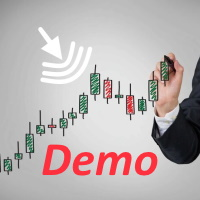
Горячие клавиши плюс клик левой кнопки мыши на графике.
Советник открывает сделки, выставляет лимитные и стоповые ордера, удаляет ордера и закрывает позиции, также делает реверс открытых позиций, выставляет прописанные в настройках стоп лосс и тейк профит.
(реверс только на неттинговых счетах)
При запуске советника можно посмотреть подсказку как действует советник при нажатии клавиши + клик на графике.
Правее последнего бара, ниже цены Ctrl+ЛКМ - OpenSell
Правее последнего бара, выше
FREE

OneClickClose-Pro EA allow users to easily close all positions at once with multiple options with simple UI.
Options Includes::
1. Close All Positions
2. Close All Buy Positions
3. Close All Sell Positions
4. Close All Position GreaterThan or Equal to Profit
5. Close All Position LessThan or Equal to Profit
6. Close All Position By Symbol
7. Option to Set Deviation
8. Option to Set Maximum Retry (If position close fails)
MT4 Versio
FREE
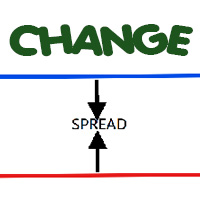
Most current tick data does not accurately reflect the actual spread levels. To achieve more precise backtest results, we need to adjust it to a higher value to account for slippage that may occur when Expert Advisors (EAs) execute orders in real trading.
This tool is used to change the Spread value in custom symbols created from tick data for backtesting purposes. Simply select the desired Spread value and wait for the tool to adjust it accordingly.
FREE
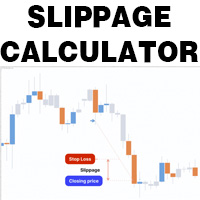
This is a tool that helps you calculate potential slippage you may encounter in real trading. This is quite important to understand how slippage can affect your strategy. It helps you gain a better understanding of your trading system and compare slippage levels among different brokers. Simply add it to the chart of the symbol you wish to estimate slippage for.
FREE

# Trading Info Panel - Your Complete Trading Dashboard
## Why This Indicator Was Created
As a fullscreen trader, I was constantly frustrated with the hassle of: - Exiting fullscreen mode to check positions - Switching between charts and the terminal window - Losing focus on price action while checking account status - Missing critical margin levels during active trading
**I needed a simple, elegant solution that kept all vital trading information visible at a glance - without disruptin
FREE

## What It Does
2RICH.CAPITAL APP SYNC is a lightweight MetaTrader 5 Expert Advisor that acts as a push client, automatically syncing live positions and closed trade history from a trader's MT5 terminal to their personal journal on the 2RICH Capital website. Rather than requiring manual CSV exports or imports, the EA connects once with a secure API key and connection token, then reports account and trade data to the platform on a recurring interval.
## Core Features
- Multi-user architecture
FREE

A simple utility that tells you to leave the computer and go for a walk and have a coffee every 60 minutes, or however long you configure.
The function is to remind us to get off the computer and go for a walk so as not to make the mistake of opening up an emotional order, taking every day to the end and a simple walk would solve the problem.
--- NEW VERSION FULL https://www.mql5.com/en/market/product/192677
Check out my FOMO blocker as well https://www.mql5.com/en/market/product/188473
Ch
FREE

PS4 Trading Controller lets you trade MetaTrader 5 using a DualShock 4 controller (USB or Bluetooth).
Designed for traders who want speed and convenience, this tool maps controller buttons to essential trading actions so you can execute and manage positions without touching the keyboard or mouse.
Key Features:
• Market Buy / Sell with R2 and L2
• Close one position at a time (R1 / L1)
• Close all profitable trades (Triangle)
• Close all losing trades (Circle)
• Adjust lot size with D-Pad
• Mov
FREE

DS Risk Calculator works out your lot size from the stop you actually intend to use, and shows how much room is left before your daily loss limit, your overall drawdown limit and your consistency rule are reached. It is built for funded account rules, and it works just as well on an ordinary account with rules you set yourself.
It does not place, modify or close orders. There are no trading functions in it. It reads your account and shows you arithmetic.
WHAT IT SHOWS
- Lot size for the sto
FREE

Position Story MT5 answers a practical history question: what happened inside this position?
Select a position from the account history and the panel rebuilds its story from the recorded deals. You can see the opening deal, partial exits, reversals or close-by events, their order, and the values MT5 recorded for each one.
What it shows
• Position summary with symbol, position ID, deal count, recorded entry/exit volume when that split is knowable, and coverage state. • Ordered deal sequence wi
FREE

An advanced equity protection and trade management script. It monitors individual trade P&L and closes positions when floating equity targets (profit or loss) are met. It features "skip closing hours" for high volatility, wide spreads, or price instability times .
Features: Closes trades at a target profit (`MAX_FLOATING_EQUITY`) or maximum loss (`MAX_FLOATING_LOSS`). Includes a `FORCE_CLOSE_AT_MAX_EQUITY` level that bypasses all exit protection checks. "SKIP_CLOSING_HOURS" input to pause loss
FREE

Clean and fast real-time Win Rate tracking directly on your MetaTrader 5 chart. Say goodbye to cluttered screens and heavy, laggy dashboards. The Simple Win Rate Tracker by InnovaDash is an ultra-lightweight widget that gives you the exact data you need, right where you need it. Why track your Win Rate? Knowing exactly how many trades you win versus how many you lose helps you manage expectations during drawdowns and verifies that your trading system has a true, statistical advantage over a larg
FREE

XFChart simplifies trading strategies with customizable options for informed decision-making across various styles, from scalping to position trading.
1. Risk Management: - XFChart offers automatic breakeven and trailing stop features to protect profits and reduce emotional decisions. - Auto Breakeven is disabled by default and can be enabled through the indicator properties window. - The "Auto Trailing Stop Loss" adjusts the stop loss based on market movement, facilitating profit lock
FREE
SmartSetup Bot Is an advanced trading tool that combines the flexibility of manual configurations with the power of semi-automated features. It automatically generates graphical objects, displaying critical zones such as support and resistance levels, stop loss and take profit areas, and other essential indicators. SmartSetup Bot provides clear and precise visualization of your trading parameters, facilitating informed decision-making. This bot is designed for traders who value manual control bu
FREE

AdaptiveStats is a comprehensive and visually stunning performance analysis tool for the MetaTrader 5 (MQL5) platform, featuring a professional "Fintech Dark" (JARVIS-inspired) aesthetic. It is engineered to provide traders with real-time, actionable insights into their trading performance directly on the chart interface. Key features and capabilities include: Multi-Timeframe Performance Tracking : Automatically calculates and aggregates Net Profit, Win Rate, and Total Trades for three critical
FREE

This MQL4 code is a custom indicator that draws multiple colored rectangles on a chart, spaced apart by a defined pip distance, and projected into the future. Here's a brief breakdown: Purpose: Draws several horizontal rectangles (zones) starting from a specified price. Rectangles are spaced apart vertically by a pip distance. Colors alternate between FirstColor and SecondColor . Rectangles can be drawn behind candles and optionally filled. Each rectangle extends into the future for a specif
FREE

HiperCube Protector is here! Discount code for 20% off at Darwinex Zero: DWZ2328770MGM_20
HiperCube Protector is the simpliest and easy drawdown Limiter to get the control of your account!, this tools aim to protect your account in real time, use a Max drawdown or StopLoss setting.
Features: Control DrawDown by Percent or Money, based on Balace of your account Friendly and elegent interface to see data in real time Send Notifications to Telegram, Push up Notificiations on your MT5 app , and
FREE

Welcome Again! Discount code for 20% off at Darwinex Zero: DWZ2328770MGM_20 Today we want present a new uselfull tool, HiperCube SuperVisor, this tool solved the problem that we have when run differents EAs at same time, doing the supervision of that something hard to do,Thanks to this we can see in 1 Chart up to 5 EAs at same time, we can if see each one of them have opened positions, profits in buy , profit in sell and total profits. Features
Custom names per each EA Set Colors as you wich,
FREE

Script Universal Counter is a utility script for the MetaTrader 5 terminal designed to instantly count the number of bars (candlesticks) within a specified historical range. Key Features: Timeframe Selection: Supports all 21 standard MT5 timeframes (from M1 to MN1) via a drop-down menu. Precise Dates: Allows you to set the exact start and end time of the calculation period. Convenient Output: Automatically displays the total bar count in a pop-up window (Alert) and duplicates detailed informatio
FREE

SQXHK presents MetaTrader 5 Expert Advisor: Hourly Equity & Drawdown Data Logger Developer: SQX.hk
Visit SQX.hk for data science trading skills course using "StrategyQuant X" and AI Data Science platform "Tradotcom.com"!
This MQL5 script functions as an automated data-logging Expert Advisor (EA) designed to capture intraday equity metrics directly from MetaTrader 5 and export them into structured CSV files . It records hourly snapshots of account performance, high-water marks, and equity drawd
FREE
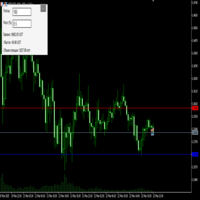
Преимущества и принцип работы индикатора "Risk end Lot Size Calculator" Преимущества : Простота использования :
Индикатор автоматически рассчитывает все необходимые параметры, вам нужно только ввести количество пипсов и риск.
Управление рисками :
Помогает определить, сколько вы можете потерять в сделке, и какой объем позиции (лот) выбрать, чтобы не превысить допустимый риск.
Визуализация :
На графике отображаются линии стоп-лосса для Buy и Sell, что позволяет быстро оценить уровни.
Удобство :
О
FREE

This is the demo version of AK Strategy Creator ( STC ) which enables traders to create, edit and save their own strategies using MT5 standard and custom indicators. Attach your strategy's indicators with your preferred settings, then attach STC EA, which will read the attached indicators so that you can use them in defining Buy and Sell Entry and Exit conditions.
Two default indicators are always included in the indicator list to allow access to Candle (Bar) prices and indicator values:
FREE

http://www.tradepositive.lat
ALGO Smart Flow Risk Manager (Keyboard Edition)
Have you ever spotted the perfect entry but hesitated so long calculating the lot size that the price ran away without you? Or has a bad streak ever wiped out 20% of your account because you didn't know when to stop? The ALGO Smart Flow Risk Manager is not an automated trading bot. It is a professional Execution Tool designed strictly for Manual Traders who demand speed, structure, and discipline. We turn your keyboar
FREE

Turn Economic Chaos into Consistent Opportunities
The financial markets move at the speed of news—miss a headline, and you miss a profit. Introducing the News Action AI Bot , a cutting-edge trading solution designed to capitalize on high-impact economic events with surgical precision. Built by traders, for traders, this bot combines real-time news analysis, AI-driven decision-making, and customizable risk management to transform volatility into your greatest advantage. Why This Bot Stands
FREE

This Equity Manager closes as many open positions instantanouesly simply by the profit/reward or loss/risk threshold you input into it (in base currency of your Trading account) . The equity manager manages each position by this profit & loss threshold. For instance you had 10 open positions and 5 of them had crossed the threshold, the equity manager will close them all just as they crossed it at computer speed.
FREE

Manual Trade Helper - Telegram Controlled Trading Assistant Trade From Anywhere Using Telegram Manual Trade Helper is a powerful trading assistant that lets you control your trades directly from your Telegram app. No need to be at your computer - open, close, and manage trades from your phone, tablet, or any device with Telegram. Open, close, and manage positions from your phone. Features partial close, auto trailing, flip mode, and daily summaries. Simple commands: B=Buy, S=Sell, C=Close.
FREE

TradeCopier is an application for automated copying of trades for different accounts in MetaTrader 5 terminal with flexible rules of filtering and modification. With TradeCopier, copying, filtering and transformation of trades are realized and processed via the server . It means that copying trades is possible within one or several computers. How can you boost your trading results with TradeCopier? Your convenience and speed Average speed of copying: 100 ms Working with MetaTrader 5 Working with
FREE

Product Description: GODFX EXECUTIONER v1.00 Take Control of Your Trading with Institutional-Grade Precision. The GODFX Executioner is not just a trade manager; it is a professional-grade command center for MetaTrader 5. Designed for scalpers and day traders who demand speed, it combines advanced risk management with intuitive visual tools to ensure you never have to calculate a lot size or fumble with orders again. Key Features: Dynamic Visual Planning: Drag-and-drop SL and TP lines on y
FREE

Features: The Expert Advisor pronounces current prices at a set interval. It speaks Russian and English. The file voice_dict.csv contains the rules of pronunciation (language, other rules). See an example below The Google cloud server is used for pronunciation, so the expert should be allowed to go to "https://texttospeech.googleapis.com" (see Tools\Options\Expert Advisors Allow WebRequest for...) Restrictions: Only 2 symbols
Example of a pronunciation rule (voice_dict.csv file in the Files
FREE
MetaTrader Market - trading robots and technical indicators for traders are available right in your trading terminal.
The MQL5.community payment system is available to all registered users of the MQL5.com site for transactions on MetaTrader Services. You can deposit and withdraw money using WebMoney, PayPal or a bank card.

You are missing trading opportunities:
- Free trading apps
- Over 8,000 signals for copying
- Economic news for exploring financial markets
Registration
Log in
You agree to website policy and terms of use
If you do not have an account, please register