 MetaTrader 5
 Experts
 Indicators
 Libraries
 Utilities
 Widgets
 Rules
Rules
Watch the Market tutorial videos on YouTube
How to buy а trading robot or an indicator
Run your EA on
virtual hosting
virtual hosting
Test аn indicator/trading robot before buying
Want to earn in the Market?
How to present a product for a sell-through
Free trading utilities for MetaTrader 5 - 30
 Below are trading programs simplifying trading in MetaTrader 5. Hover over a utility to read its description and purpose.
Account Info EA It is a tool that presents on the graph all the positions of the account, and specific information concerning the positions, but also the account. It enables the user to have an image of his account at a glance. Use like any expert advisor. You can't attach it in the same chart with other expert advisor. It does not have the ability to open or manage positions. You can attach it on any chart and any timeframe.
FREE

Total Closed Trades – MT5 Indicator The Total Closed Trades indicator for MetaTrader 5 provides a quick, visual overview of your trading performance by displaying a simple and intuitive 3-value breakdown : Total Trades – The total number of closed trades. Winning Trades – Number of profitable trades. Losing Trades – Number of losing trades. Instead of digging through reports, traders can instantly monitor their historical performance with a compact and elegant pie chart-style widget. Key
FREE

Toma el Control Absoluto de Tus Operaciones ¿Cansado de calcular manualmente el tamaño de tu posición o de sudar frío esperando a que el precio toque tu stop loss? La gestión del riesgo es la línea que separa a los traders consistentes del resto. No dejes tu capital en manos de la improvisación. Presentamos la Calculadora de Posición y Riesgo , tu nueva aliada esencial para operar con precisión y disciplina profesional. Con esta poderosa herramienta, tú: Maximiza tu Potencial: Calcul
FREE

Ofir blue is the first full trading application for Telegram. It is proposed in 2 versions : OfirBlueLite (without trading) and OfirBluePro (with trading). The Pro version is still in beta (available on request).
To access Ofir Blue Lite, go to Telegram and open the bot @OfirBlueLite. All demos, tutorials and docs are available in Telegram.
Join the Telegram group @OfirBlueUserGroup to get updated information and support.
Features: Dashboard ️ Account summary ️» Profit of the day ️» Eq
FREE

Result and Execution line, which shows the net global position, the expected profit at a given price level, and its percentage of the account balance. Additionally, with the line unselected, it executes position and/or order closing actions. You can move the line from one price to another by selecting it, to obtain information on the closing result of positions at different price levels. If you wish to close trades and/or orders, select this option in the EA parameters and then deselect the li
FREE
M ulti Cross Alert! on your smartphone. Use multiple indicators to get a crossover signal on chart as well as on MetaTrader app. You can use all crossovers at the same time but it is not recommended cause your chart will look messy. Instead use combination of two indicators which will be better. IMP NOTE:- More indicators will be added in future updates. Any suggestions regarding indicators are welcome! Indicators List: 1. MA (Cross) 2. RSI (OB/OS) 3. MACD Lines (Main Line & Signal Line Cross)
FREE

Tradeguard Account Control Tradeguard Account Control is a lightweight risk and trade management tool for MetaTrader 5 designed to help traders control risk, protect their accounts and manage open positions efficiently. This tool does not open trades . It works alongside manual trading or any Expert Advisor and focuses strictly on account protection and trade management. Key Features Automatic Stop Loss and Take Profit management
Partial close at predefined profit levels
Maximum daily loss
FREE

The Environment State Info Print is a script to display the constants that describe the current runtime environment of a MQL5 program. General Description
The constants are divided into four groups in the Environment State section of the MQL5 documentation and each group is divided into enumerations/subgroups (with designations “Integer”, “Double” or “String”). The script displays constants in two ways: a single constant or all group constants. The constants are obtained by selecting the
FREE

JVH Trading Information Panel – Professional Account Dashboard (MT5) The JVH Trading Information Panel is a clean, accurate, and professional account monitoring dashboard for MetaTrader 5.
It gives traders full control and insight into account performance, risk, drawdown, and trading statistics — all in real time , directly on the chart. Designed for manual traders, funded traders, scalpers, and algorithmic traders , this panel focuses on clarity, correctness, and stability . What This Indic
FREE

Prop Firm Killer: Auto-Guard Pro is a professional-grade Expert Advisor utility designed to protect traders from violating Prop Firm challenge rules. It runs silently in the background using a high-frequency timer, constantly monitoring your account equity against configurable Daily and Total Drawdown limits — calculated using the industry-standard high watermark method (higher of balance or equity at day start). The moment a limit is breached, the Kill Switch fires instantly: all open position
FREE

Balance History Indicator The Balance History indicator visually tracks the entire trading history of your account for the selected timeframe. It plots three key performance metrics: Profit – Displayed in Green Loss – Displayed in Red Zero Profit/Break-even – Displayed in Gray Balance Curve – Displayed as a SkyBlue line This indicator helps you instantly see the distribution of profitable and losing periods over time, along with your running account balance. It's ideal for evaluating historic
FREE
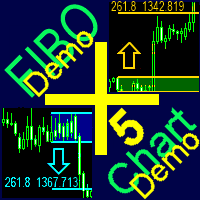
A ready-made trading system based on automatic plotting and tracking of Fibonacci levels for buying and selling any symbol on any timeframe. Demo version - calculation of the last 290 bars is not performed.
Advantages Determines the trend direction (14 indicators) Displays the trend strength and the values of indicators comprising the trend direction Plotting horizontal levels, support and resistance lines, channels Selection of the Fibonacci levels calculation type (6 different methods) Alert
FREE
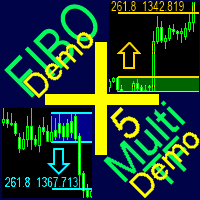
A ready-made multitimeframe trading system based on automatic plotting and tracking of Fibonacci levels for buying and selling any symbol. Demo version - calculation of the last 390 bars is not performed.
Advantages Determines the trend direction based on a complex of 14 indicators ( Cx ), extremums of ZigZag ( Z ), RSI ( R ), Impulse ( I ) Displaying the values of 14 indicators comprising the trend direction ( Cx ) Plotting horizontal levels, support and resistance lines, channels View the plo
FREE

HelloTrader is a completely new product view for the MetaTrader platform. Immediately after launching, the utility displays randomly one of the lines of the phrase, quotes of famous people or an aphorism in the upper left corner of the terminal. Every 5 minutes the recording changes. The Demo version includes 32 phrases, quotes or aphorisms in English only.
The utility starts working immediately after launch and no longer has any settings or functions. The only task is to randomly display quot
FREE

ConfluenceHunter helps you detect confluences on the chart.
Determine the market structure, find the best price, helps you calculate lots and trade levels, displays price data ALL IN ONE GLANCE! It saves you time doing MTF (Multi-timeframe) Analysis. ConfluenceHunter does it for you! All that's left for you to do is to take that trade and take your profits!
FREE

SL Locker — Stop-Loss Discipline for MetaTrader 5 Your stop-loss is supposed to protect the trade. SL Locker is designed to stop that protection from being weakened after it has been established. SL Locker is a MetaTrader 5 risk-discipline Expert Advisor built around one focused principle: a protective stop may move in a safer direction — but it should not be casually moved back into a less protective one. Once SL Locker has recorded a valid Stop Loss for a position, it monitors that position a
FREE

Boleta Pro – Execution, Risk Management and Visual Partials for MT5 Boleta Pro is a complete manual trading ecosystem and a surgical risk-management utility for MetaTrader 5. Built for professional traders, scalpers, and Prop Firm operators, this tool turns your chart into a fully interactive trading environment, combining fast execution with total real-time control over orders and positions. New and Exclusive Features Visual Pending Partial Exit System (Shift + P): Plan your partial exits direc
FREE

The Margin Stress Index (MSI) was created to represent the current load on a trading account as accurately as possible.
A value of 100% indicates an account with no margin usage, and the value decreases proportionally as margin is utilized.
A value of 0% corresponds to a trading account under maximum margin stress.
In addition, the Expert Advisor stores the highest and lowest values for margin, free margin, margin level, MSI, and equity.
FREE

Try Before You Buy: You can download and test the DisciplineGuard Pro free demo version on a demo account before purchasing. For MetaTrader 5:
Download: / DisciplineGuard Pro / How to install the trial: Download the / DisciplineGuard Pro / file above. In MetaTrader: File → Open Data Folder → MQL5/Experts Paste the trial file into that folder, then restart MetaTrader. The trial is fully functional for 4 hours per demo account. To reset the trial period (demo accounts o
FREE

Try Before You Buy: You can download and test the Multi Tp Ladder free demo version on a demo account before purchasing. For MetaTrader 5:
Download: MultiTP ladder How to install the trial: Download the MultiTP ladder file above. In MetaTrader: File → Open Data Folder → MQL5/Experts Paste the trial file into that folder, then restart MetaTrader . The trial is fully functional for 12 hours per demo account . To reset the trial period (demo accounts only):
MetaTrader →
FREE

Risk calculator for MetaTrader 5.
Precision Position Calculator is a MetaTrader 5 utility that helps calculate trade volume based on the risk configured by the user. The panel allows the user to work with Entry, Stop Loss and up to three Take Profit levels directly on the chart. Main description Precision Position Calculator is a utility for MetaTrader 5 designed to help calculate the volume of a trade before opening it. The panel allows the user to configure risk, select the order type, set th
FREE

PNL MANAGER PRO — Automatic Exit Manager with Smart Risk Control
Set your entry, walk away. PNL Manager Pro sets your stop loss and take-profits automatically, locks in profit in stages, moves you to breakeven, and trails the rest — all while keeping your risk inside the limit you set.
Try Before You Buy: You can download and test the Pnl MANAGER free demo version on a demo acc
FREE

Advanced Indicators Manager Tired of manually removing and re-adding indicators every time you want to switch between setups or get a clean chart? With this tool you turn them on and off with a single click, no digging through menus, no lost time. Advanced Indicators Manager automatically scans your chart and detects every indicator currently applied (main window and sub-windows), creating a small button panel with one button per indicator. You can add as many indicators as you want to your cha
FREE

MOST PROP ACCOUNTS DON'T DIE FROM BAD STRATEGIES. THEY DIE FROM BAD DAYS.
The Prop Firm AI Assistant is a professional monitoring dashboard that protects your funded account from the three killers: drawdown breaches, toxic market conditions, and your own emotions.
=== WHAT IT DOES === • CIRCUIT BREAKER — Tracks daily loss & max drawdown exactly like prop firms do. When a limit is hit, it warns you or closes everything instantly. • GROWTH ADVISOR — Tells you your exact risk per trade, your s
FREE

MT5 History Checker Can you trust the historical data behind your MT5 backtest? MT5 History Checker is a diagnostic utility designed to identify missing periods and coverage problems in the historical data supplied by your MetaTrader 5 broker. Select the symbol and date range you want to examine and run the checker. The utility analyses the available history and provides a clear PASS, WARNING or FAIL result. What it checks Historical tick-hour coverage M1 historical-data coverage Missing periods
FREE

Arixis Spread Monitor — Understand the Real Cost of Trading
Arixis Spread Monitor is a lightweight real-time MetaTrader 5 utility designed to measure, record and analyze the spread of your trading instruments. Instead of showing only the current spread, it builds a historical profile that helps you understand how transaction costs change throughout the trading day. The system records Bid and Ask information and calculates spread statistics including current spread, mean, median, P75, P90, P95,
FREE

Arixis Grid Risk Calculator — Understand Grid Exposure Before Trading
Arixis Grid Risk Calculator is a professional mathematical analysis tool for traders who use grid, recovery or progressive position-sizing systems. Configure the initial lot size, distance between entries, maximum number of levels and position-sizing progression to visualize how exposure evolves as additional positions are added. The calculator generates a detailed level-by-level representation including individual lot size,
FREE

Arixis EA Comparator — Compare Two Trading Systems Side by Side
Arixis EA Comparator is a professional MetaTrader 5 analysis tool designed to compare the observable historical performance and trading behavior of two Expert Advisors or strategies on the same account. Using Magic Numbers, the application separates the activity of two systems and presents their statistics side by side under the same analytical framework. Compare number of trades and campaigns, net results, gross profit and loss, P
FREE

Free companion for CC Cent (Cash Cow Cent). Read-only. It never opens, closes or modifies a trade. Requires the CC Cent EA: get CC Cent on the Market
Notifier for CC Cent: know the moment the cow gets milked. A small read-only utility that sends a Telegram message to your phone every time a CC Cent basket closes, plus an optional daily and weekly profit summary. See the result, the net profit and today's total without opening MT5. The Notifier only reads the account history. It cannot place, c
FREE

Version 7.04 Major update focused on stronger day trading discipline and account protection. • Post-Session Review mode with configurable review time from 0 to 60 minutes.
• Traders can keep MetaTrader 5 open after completing their allowed trades to review charts, take screenshots and complete their trading journal.
• Any new trade attempted after the daily trade limit triggers Emergency Close protection.
• Emergency Close closes open positions and cancels pending orders before locking and closi
FREE

ClearEdge Daily Candle
New York-close daily candle on any timeframe, with candle countdown, live spread and volatility information.
Overview
ClearEdge Daily Candle draws the current day's candle next to the live price on any chart timeframe. On the 1-minute, 5-minute, 15-minute, 1-hour or higher charts, you can see where the trading day opened, how far price has moved in both directions, and whether the day is currently bullish or bearish, without switching to the daily (D1) chart.
Why bro
FREE

Welcome to Quantum Trade Assistant , a free tool designed to improve your manual trading. This product is designed for two types of traders: those who want a simple but professional trade assistant for triggering trades, partially closing positions , locking in profits , and handling other essential trading tasks. The second category includes traders who already own one of the Quantum Indicators . Quantum Trade Assistant can connect to these indicators and automatically execute trades based on t
FREE

MORE FREE TOOLS ON THE WAY - LEAVE A REVIEW AND I WILL SEND THEM TO YOU FIRST. I am building a set of these and publishing them free. Supply and demand zones, session levels, structure tools - all free, all on this profile. Leave a review on this one and message me, and I will send you each new tool the day it is ready, before it goes on the Market. Reviews are the only way a free tool gets found here, so it genuinely helps - and it takes thirty seconds. Elysium HUD puts the four numbers you che
FREE
The MetaTrader Market offers a convenient and secure venue to buy applications for the MetaTrader platform. Download free demo versions of Expert Advisors and indicators right from your terminal for testing in the Strategy Tester.
Test applications in different modes to monitor the performance and make a payment for the product you want using the MQL5.community Payment System.

You are missing trading opportunities:
- Free trading apps
- Over 8,000 signals for copying
- Economic news for exploring financial markets
Registration
Log in
You agree to website policy and terms of use
If you do not have an account, please register