 MetaTrader 5
 Experts
 Indicators
 Libraries
 Utilities
 Widgets
 Rules
Rules
Watch the Market tutorial videos on YouTube
How to buy а trading robot or an indicator
Run your EA on
virtual hosting
virtual hosting
Test аn indicator/trading robot before buying
Want to earn in the Market?
How to present a product for a sell-through
Technical Indicators for MetaTrader 5 - 54
 Signals from technical indicators play a crucial role in opening and closing deals on stock and Forex markets. The essence of indicators is a mathematical transformation of a financial symbol price aimed at forecasting future price changes.
Test technical indicators to better predict market behavior and profit from it.
Signals from technical indicators play a crucial role in opening and closing deals on stock and Forex markets. The essence of indicators is a mathematical transformation of a financial symbol price aimed at forecasting future price changes.
Test technical indicators to better predict market behavior and profit from it. 
Az Speedometer measures price impulse quality — not just candle size, but whether that move is backed by real momentum, volume, and direction. A single glance tells you if the current bar is a meaningful push or just noise. "A green bar alone means nothing. Az Speedometer shows you green bars with high volume, a clean candle body, and three consecutive bullish closes — that's a signal worth taking." How it works: Speed ratio : Candle range vs ATR — how fast is price moving relative to its av
FREE

Laguerre RSI Advanced Suite for MetaTrader 5 Take your technical analysis beyond standard oscillators with the Laguerre RSI Advanced Suite . Based on the work of John F. Ehlers, the Laguerre Relative Strength Index (RSI) is designed to provide superior smoothness and faster response times compared to the conventional Welles Wilder RSI. While the standard Laguerre RSI is a powerful tool, our Advanced Suite transforms it into a complete trading cockpit. It equips traders with a precision calcul
FREE
If you like this project, leave a 5 star review. Trading large volumes requires us to look at multiple instruments/charts to
find new opportunities, this indicator will help you by plotting specific
levels by the multiple of a number or its suffix and update them automatically
as the price changes, a task that would otherwise be tedious. For example, on GBPUSD, you could have 4 instances of the indicator on the
chart to plot: Each 0.01 intervals with line length of 100 bars. Each price ending in
FREE

Every trader knows the ritual: open the indicator settings, change a number, click OK, squint at the chart, decide it is wrong, open settings again. Standard Deviation has only one number to set -- the period -- but that single trip through the dialog still costs you the same squint-and-guess cycle every time you want to compare 20 against a shorter or longer read of volatility on your own symbol. StdDev Live Tuner ends that. It is a Standard Deviation that you tune directly on the chart, live ,
FREE

Cobalt Advanced Support & Resistance (S&R) Your professional support/resistance and breakout assistant that catches the best price movements without cluttering your chart. Tired of complex indicators that fill your chart with distracting vertical lines? Cobalt Advanced S&R automatically identifies the most critical support and resistance levels using Bill Williams' proven Fractal logic. Thanks to its "classic dotted" design, it allows you to reference historical levels without straining your
FREE
Three Bar Supertrend combines precise reversal pattern detection with the power of the Supertrend trend filter. Built for intraday and swing traders, it spots high-probability bullish and bearish reversals based on a strict three-bar formation—optionally filtered by an SMA trend condition. Features: Detects 3-bar bullish and bearish reversals Uses Supertrend for directional confirmation Optional SMA Fast vs Slow filter for added precision Plots green/red arrows only on valid reversal patterns Ze

Explosion Signal Indicator analyzes the market for sharp changes in volatility and volume that often precede significant price movements. The indicator uses the ratio of short-term and long-term ATR to assess current volatility relative to the average level. Simultaneously, it monitors current volume compared to the average over a specified period.
When the volatility or volume exceeds the defined thresholds, the indicator determines the direction of movement through momentum calculation — the
FREE

TurnPoint Indicator – Market Reversal & Trend Signal Tool The TurnPoint Indicator is designed to help traders identify potential turning points and key levels in the market. By analyzing price action, it highlights areas where reversals or continuations are likely to occur, allowing traders to anticipate trend changes more effectively. This tool incorporates advanced logic to filter signals, reducing noise and false alerts. Users can choose between breakout and pullback modes, depending on their
FREE

Violet Indicator by Quant Atlas Creator: https://www.quant-atlas.com/ Violet Indicator is a clean reversal focused trading tool designed to identify moments where price may be shifting away from an extended directional condition. The indicator uses a price derived trend framework to detect moments where market structure may be changing. When conditions align, it plots violet triangle signals directly on the chart. Both bullish and bearish signals use the same violet visual identity, giving the
FREE
Key Price Levels Indicator Indicator that shows the highs and lows for the significant price levels for past periods that could be potentially considered as reaction levels. The indicator displays the following price levels: Yesterday high and low The day before yesterday high and low Two days back high and low Last week high and low Last month high and low Last three month high and low (Quarter) Last year high and low
FREE
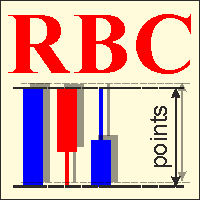
RBC Range Bar Chart is a classical range bar chart indicator. The indicator features price ranges for charting: High/Low price range is a classical option for analysis. It also has Open, High, Low and Close prices. In the first option, two price values are analyzed at the same time, while other options only use one price. Conventionally, range bars are drawn using tick data but since tick data is not available on the server, charting is only possible based on bar data from standard time frames.

Free until ...
The MACD Indicator is a MetaTrader 5 tool that helps traders analyze market trends and momentum. It shows three components in a separate window below the price chart: the MACD Line, Signal Line, and Histogram. What It Shows: MACD Line (Blue): Tracks the difference between a fast and slow moving average. Signal Line (Orange): A smoothed average of the MACD Line. Histogram (Bars): Shows the gap between MACD and Signal Lines with colors: Dark Green : Rising momentum above zero. Lig
FREE

TWAP/VWAP Indicator - a professional technical analysis tool that displays two important moving averages on the chart: TWAP (Time Weighted Average Price) - calculated as a simple arithmetic average of closing prices over the specified period. VWAP (Volume Weighted Average Price) - calculated using the typical price (high+low+close)/3 weighted by trading volume. Key Features: Dual indicator in one window Adjustable calculation period Clear visualization (blue line - TWAP, red line - VWAP) E
FREE

LogVar is an indicator that calculates and displays the logarithmic price variation , a more accurate way to measure percentage changes between periods. It compares the current closing price with the closing price n periods ago (defined by iPeriod ) and presents the result on an amplified logarithmic scale, making it easier to visualize the strength and direction of movement. The line is automatically colored according to the variation sign: Green: current price above the reference (uptrend). R
FREE

>> Announcements Channel << ATR Plus is an enhanced version of the classic ATR that shows not just volatility itself, but the directional energy of the market .
The indicator converts ATR into a normalized oscillator (0–100), allowing you to clearly see: who dominates the market — buyers or sellers when a trend begins when a trend loses strength when the market shifts into a range where volatility reaches exhaustion zones ATR Plus is perfect for momentum, trend-following, breakout and volatilit
FREE

Bollibang!! master
The Ultimate Indicator: Bollinger Bands. Band walk is a powerful trend. Bollibang!! Master includes the Bollinger Band Width indicator. Please download the separate Bollibang!! Master Percent b file and install BB%b .
Overview
Sub-window 1 — Bollinger BandWidth
FREE

TrendFlow CBL Pro is a complete trend-following indicator built on the Count Back Line (CBL) method — a proven technique for identifying dynamic support and resistance levels based on actual price structure, not lagging averages. It does not just give you an arrow — it gives you a full trading framework : entry signal, stop loss placement, take profit target, phase-colored bars, filter confirmation, and a live performance dashboard — all in one indicator, right on your chart. Why TrendFlow CBL

The Support n Resistance V2 is an advanced technical indicator that automatically calculates and plots highly accurate S/R channels based on Pivot Points . Upgraded with ATR volatility filtering and Smart Classification, this tool not only finds key levels but also analyzes historical price action and tick volume to validate the strength of each zone . Key Features Smart Classification: Automatically analyzes historical wick rejections and price touches to classify levels strictly as Support (S
FREE
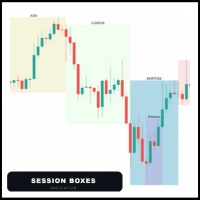
Session Boxes automatically draws the high and low range of up to 10 fully customizable trading sessions directly on your chart.
Each box captures only the candles that open within that session time range. This means the boxes are always precise regardless of the timeframe — whether M1, M5, H1 or H4, the candles always stay inside the box.
MAIN FEATURES
- Up to 10 fully customizable sessions - Works perfectly on any timeframe - Each session has its own name, color, start hour and end hou

The well-known ZigZag indicator that draws rays based on the "significant movement" specified by the pips parameter. If a ray appears, it will not disappear (the indicator is not redrawn), only its extremum will be updated until the opposite ray appears. You also can display text labels on each rays describing the width of the ray in bars and the length of the ray in points.

First Candle Sessions — LDN & NY MT5 Indicator | M1 to H1 | London and New York Sessions What It Does Automatically marks the High, Low and 50% midpoint of the first 5-minute candle at the opening of the London and New York sessions, creating a clear visual range to trade breakouts every day without any manual work. Buy signal: when a subsequent candle closes above the High of the first candle. Sell signal: when a subsequent candle closes below the Low of the first candle. No signal
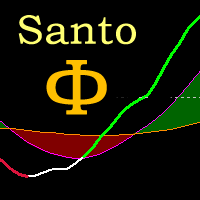
Oscilador bem próximo que o indicador SANTO mostrado pelo Bo Williams em sua metodologia PhiCube, para mim este indicador ainda é melhor que o próprio SANTO original. Ótimo para entender a força e tendência de movimentos e possíveis divergências. Preço fazendo topo e o SANTO não renovando máxima, tudo indica que teremos uma reversão ou no mínimo um drawback.
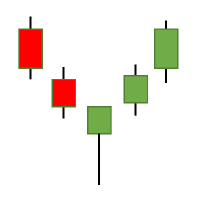
The Candlestick Patterns indicator for MT5 includes 12 types of candlestick signales in only one indicator. - DoubleTopsAndBottoms - SmallerGettingBars - BiggerGettingBars - ThreeBarsPlay - TwoBarsStrike - Hammers - InsideBars - OutsideBars - LongCandles
- TwoGreenTwoRed Candles - ThreeGreenThreeRed Candles The indicator creats a arrow above or under the signal candle and a little character inside the candle to display the type of the signal. For long candles the indicator can display the exact

RSI Arrow1 is an arrow indicator based on the RSI, is easy to use; no internal adjustments to be made. the user can change the indicator period as desired in the settings. It can be used on all markets but it will all depend on your Trade strategy. There is no better Time Frame for its use; the use will depend on the Trader himself.
Settings:
RSI Period Push Notification Email Notification Audible Alert Down levels Up levels
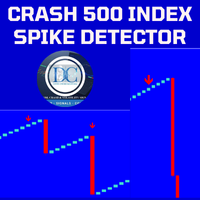
Spike Detector for Boom and Crash Indices
The Spike Detector is specifically designed to cater to the unique needs of traders in the Boom and Crash indices markets. Optimized for M1 (1-minute) and M5 (5-minute) timeframes, this tool ensures you receive timely and actionable insights. Below, you'll find a comprehensive guide on its key features, advantages, installation process, and how to use it effectively.
Key Features and Advantages
1. Non-Repainting: The Spike Detector guarantees accurac

This is the best indicator we have created by far, this indicator replicates the well known heiken ashi indicator, but with a more precise entry point, this indicator can work on all time-frames and is strong on all the time frames , this indicator does not repaint nor does it lag , this indicator strategy combined with price action will change your trading experience , elevate your experience to the next level.
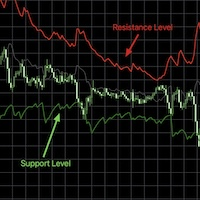
RSI bands provide an intuitive and visual method of understanding how price movements influence the Relative Strength Index (RSI) within its bounded range of 0 to 100. The upper and lower bands typically represent key thresholds—commonly set at 70 and 30—which signal potential overbought or oversold conditions. When RSI approaches or crosses these bands, it may indicate that a reversal or pullback is likely, helping traders identify potential entry or exit points. By plotting these bands on a c

Quantum Observation Engine
Quantum Observation Engine is a MetaTrader 5 indicator designed for visual market observation and manual decision support.
The indicator helps traders read current market conditions through a clean panel and structure-based visual information. It does not open, modify, or close trades. It is not an Expert Advisor and it does not provide automatic trading execution.
Overview
Quantum Observation Engine focuses on market state analysis. It observes recent candle beha
FREE

By installing this indicator you can create a price alert line with a click of a button A = create a price alert line at the location of your mouse pointer ( no number limit ) S = delete all existing price alert lines D = delete all triggered price alert lines F = delete the line near your mouse pointer( updated vertion)
some times the S and D hot hey function may not work, just double click on the the chart and try again or try switching between charts and try again, its some kind of mt5 bug

VectorPace Price Velocity FAST — MQL5 Market Product Description
Short Description VectorPace Price Velocity FAST is a MetaTrader 5 custom indicator that measures close-to-close price velocity normalized by average absolute close-to-close movement, then displays an oscillator, signal line, histogram, and optional closed-bar arrows.
Main Description VectorPace Price Velocity FAST is a professional MetaTrader 5 custom indicator designed for manual traders who want to measure short-term price sp

ATR Stop Loss Finder automatically calculates and displays dynamic stop loss levels on your chart based on the Average True Range indicator. The tool helps traders place logical, volatility-adjusted stop loss orders rather than relying on fixed pip values or arbitrary price levels.
The indicator plots two lines directly on the chart: an upper line for short positions and a lower line for long positions. Both lines update in real time with each new bar. A small information panel

Laser Trend Scalping Pro draws a bright neon laser trend line through the middle of the candles - green for an uptrend, red for a downtrend - and turns it into a complete, rule-based trade plan you can read at a glance.
On top of the swing pivots and the white trend-flip arrows, when the laser and the trend gate agree the indicator decides a trade and auto-draws it on the chart: ENTRY, STOP, TP1, TP2 and a dynamic EXIT, for both longs and shorts. A side panel shows the live result and the trade

CRT Pro Scanner Stop wasting hours watching multiple charts and missing setups while you blink. CRT Pro Scanner solves the most painful problem every trader faces: being in the wrong chart at the right moment. Instead of jumping between pairs and constantly asking yourself "did I miss something?", the scanner does the watching for you. It monitors all your symbols simultaneously, detects Candle Range Theory setups the instant they form, and alerts you immediately — so you can focus on executi

Strategy Compare is a dashboard that compares the Expert Advisors and strategies running on one account, by magic number. It reads the account history, splits it by magic number and shows each Expert Advisor, or each group of magics you define, as one row of a live table: Open, Today, Week, Month and All Time profit, win rate, profit factor, pips, worst drawdown and worst losing streak, side by side. Clicking a row opens a statistics panel for that single strategy. The user manual is published o

This script provides basic pivot point Support and Resistance Levels to the user whilst displaying Break signal tags. It also has the ability to let the user display more significant breaks by filtering using the Volume Oscillator.
Only more significant breaks of these basic levels are displayed to the user when optimized which avoids noise and messy signals.
It will also display breaks with candles it deems to be bullish (e.g. having a longer upper or lower wick).
Notation
The notation
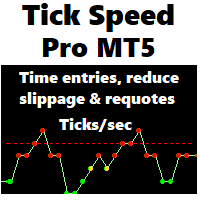
Tick Speed Pro povides a charted record of tick speed to allow you to see the ebb and flow of market activity. Observing patterns in tick speed may allow you to better time entries to reduce slippage and re-quotes.
The tick speed plot updates it's entire position to show you only the last N seconds you choose, ideal for scalping and HFT approaches. An alert is provided to signal when the instrument is getting ticks at a higher rate than the alert limit. Multiple loadings are supported to compare

Kito Quad Momentum Rotation Scanner Multi-symbol and multi-timeframe scanner for Kito Quad Momentum Rotation setups, with staged status tracking, closed-bar alerts and clickable chart rows.
SPECIAL OFFER: Purchase this scanner and send me a private message to claim your FREE bonus indicator( Kito Quad Momentum Rotation Indicator ) .
Kito Quad Momentum Rotation Scanner monitors selected Market Watch or custom symbols across multiple timeframes. It applies the embedded four-speed momentum engin
Why the RSI Alert Indicator is Essential for Your Trading Toolkit
In the fast-paced world of trading, timely and accurate information is crucial. The RSI Alert Indicator is a powerful tool designed to help you stay ahead of the market by providing real-time alerts when the Relative Strength Index (RSI) reaches critical levels. Whether you're a novice trader or a seasoned professional, this indicator can significantly enhance your trading strategy by pinpointing potential market reversals with

Nadaraya-Watson Envelope Indicator for MT5 Overview
This indicator expands on the original Nadaraya-Watson smoothing methods by introducing a dynamic envelope system built using kernel regression. Unlike the standard Nadaraya-Watson estimator, this tool applies a contrarian approach: the envelope boundaries are designed to identify potential reversal zones when price extends too far from its smoothed trend estimate. The indicator includes integrated alerts based on price crossings above or belo

VWAP Trend Dashboard
What It Does
Displays a compact dashboard on any MT5 chart showing the VWAP-based bias for up to 5 symbols simultaneously. For each symbol it checks the current price against four VWAP levels and summarises the overall directional bias in a single Trend column.
Dashboard Columns
Symbol: Your custom display label NY VWAP: VWAP anchored at NY session open today Day VWAP : VWAP anchored at 00:00 server time today LOD : VWAP anchored from today's Low-of-Day bar forw

The indicator displays in a separate window a price chart as Heiken Ashi candlesticks with a periodicity below a minute. Available periods (seconds): 30, 20, 15, 12, 10, 6, 5, 4, 3, 2, 1. It is possible to select the base price for calculations.
Parameters Time frames - the period of candlesticks in seconds. Price levels count - the number of price levels on a chart. Applied price - the price used in calculations. Buffer number: 0 - Heiken Ashi Open, 1 - Heiken Ashi High, 2 - Heiken Ashi Low, 3
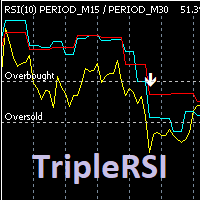
Индикатор отображает на графике данные RSI рабочего и двух старших тайм-фреймов, формирует сигналы выхода из зоны перекупленности / перепроданности кривой среднего временного периода. Опционально используется фильтр по данным старшего тайм-фрейма (расположение медленной линии выше средней для продажи и ниже средней - для покупки). Сигналы "подвального" индикатора дублируются на главном окне, отправляются сообщения во всплывающее окно, на почту и на мобильное устройство. Параметры индикатора: RSI

The CRT Indicator is a precision price-action tool designed to identify CRT candles , which represent key moments of market manipulation and reversal. This indicator highlights candles that show strong liquidity grabs , false breakouts, and aggressive rejections—often seen before major directional moves. The CRT Indicator helps traders spot high-probability reversal zones by detecting candles with clear wick expansion, strong displacement, and institutional-style price behavior. These candles fr

Cardwell Range Analyze reads trend from the range the RSI holds, not from a fixed overbought or oversold line. Andrew Cardwell's observation was that in a genuine uptrend the RSI oscillates inside a higher band and rarely breaks below it, while in a downtrend it works a lower band and rarely breaks above — so the band the RSI is respecting is itself the trend signal. This indicator turns that reading into a confirmed regime, colours the chart by it, and projects a full ATR trade the moment the r

NeuronBreakout identifies volatility compression before the market expands. It waits for price to contract, anchors a breakout range to the most recent confirmed swing, tracks that range until price closes beyond it, then projects a complete trade with entry, ATR-based stop loss, and three R-multiple profit targets. Every completed breakout remains frozen on the chart, allowing you to review past setups exactly as they formed. It is an indicator for chart analysis only: it draws on the chart, it

Introducing the Kangaroo Hunter - Your Ultimate Edge in Forex Trading ATTENTION Forex Traders! Are you in constant pursuit of high-probability trade setups? Or maybe you're a novice trader struggling to pinpoint precise entry and exit points? Our solution, the Kangaroo Hunter, is about to revolutionize your trading journey. This meticulously designed indicator simplifies and refines the art of identifying the often elusive Kangaroo Tail patterns in the Forex market, pushing your trading strateg
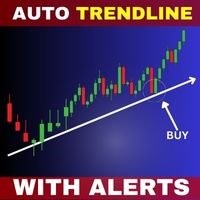
Introducing Auto Trendline Pro : Your Ultimate Trading Companion Are you tired of manually drawing trendlines on your forex charts? Do you wish for a tool that can simplify your trading while providing timely alerts? Look no further, because Auto Trendline Pro is here to revolutionize your trading experience. In the fast-paced world of forex trading, staying ahead of the curve is essential. Identifying trends, both upward and downward, can be a game-changer. This is where Auto Trendline Pro ste
Stochastic Alert Indicator for MetaTrader 5
The Stochastic Alert Indicator is a powerful and customizable tool designed for the MetaTrader 5 platform, perfect for traders who want to monitor overbought and oversold conditions while staying informed of potential buying and selling pressure. Key Features: Overbought/Oversold Detection: Automatically detects when the market reaches overbought (above 80) or oversold (below 20) levels, providing you with timely alerts for potential reversal points.

CRT Scanner MTF is a specialized indicator for traders who use the CRT — Candle Range Theory strategy. Its main purpose is to scan multiple timeframes in order to detect Mother Candles, R candles and active CRT ranges , helping traders identify which structures are currently active and which ones are aligned across different timeframes. The indicator can scan up to 9 configurable timeframes at the same time. On each selected timeframe, it searches for relevant CRT ranges and identifies four main

Bearish/Bullish divergent bar . One of the signals of the "Trade Chaos" system of Bill Williams. (First wiseman)
When bar moving away from the "Alligator" indicator and there is divergence on the Awesome Oscillator indicator, it shows a potential point of movement change.
It is based on the opening/closing of the bar, the position relative to the previous ones, the Alligator and AO.
When trading, the entrance is at the breakthrough of the bar(short trade - low of bar, long trade high of bar), a
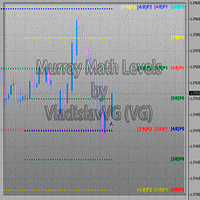
This indicator calculates and displays Murrey Math Lines on the chart. This MT5 version is similar to the МТ4 version: It allows you to plot up to 4 octaves, inclusive, using data from different time frames, which enables you to assess the correlation between trends and investment horizons of different lengths. In contrast to the МТ4 version, this one automatically selects an algorithm to search for the base for range calculation. You can get the values of the levels by using the iCustom() funct
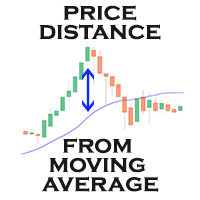
Moving Average Distance Indicator
The “Moving Average Distance Indicator” calculates the difference between the instrument's price and the moving average of your choice, showing this difference in percentage values or in price. In other words, it indicates how far the price is from the moving average.
What is it for?
The great advantage of this indicator is the ease to compare movement expansions that occurred in the past, at different price levels, as the indicator works in a levelled wa
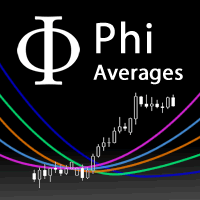
A fan of special weighted moving averages, able to predict tendency reversal and give references about price movements during consolidation and drawbacks. This special moving average is based on Phi fractals and is not available on others indicators. Reproduce this method with another kind of average will not have the same results. The fan has the following averages: 17: Purple 34: Blue 72: Orange 144: Green Blue 305: Dark Blue 610: Grey How to use the fan to analyze price behaviour: If the pric
The KT 4 Time Frame Trend is an invaluable forex indicator for traders seeking to identify the trend direction across 4-time frames accurately. This innovative indicator allows users to simultaneously observe and analyze price trends across four different timeframes. Whether you're a beginner or an experienced trader, this tool offers an enhanced understanding of trend dynamics, leading to improved trading strategies on your trading platform. The capability to concurrently monitor multiple timef

The Market Structure Pro Scanner MT5 is a comprehensive multi-symbol, multi-timeframe dashboard indicator that continuously monitors the Higher High (HH), Higher Low (HL), Lower High (LH), and Lower Low (LL) fractal market structure across all currency pairs and timeframes from a single chart. Instead of switching between charts and timeframes to track market structure manually, this scanner aggregates every signal in one responsive panel, organized by currency group, and sends real-time alerts

Adaptive trend indicator with 6 selectable trading styles, built-in multi-timeframe (massive update to v3!)
Confluence Edge is a trend-following indicator for MetaTrader 5 built around one idea: a signal is only as good as the context around it. Instead of a single fixed moving average, it lets you choose how the trend engine behaves, confirms every reading against a higher timeframe and against intraday/weekly price levels, and scores its own confidence — all from one chart, one indicator ins

Naked Forex Tweezer Pro Indicator Tweezer Pro Indicator is a pattern recognition indicator for Forex, Stocks, Indices, Futures, Commodities and Cryptos.
The standard Tweezer is a two bar pattern. Our enhanced version is a multi-bar pattern. We filter the patterns for you so that you only get the best and most effective patterns and ignore the noise.
The Tweezer pattern is a simple and effective pattern to trade.
The strategy that comes with the Tweezer is based on price action.
The Twe

Ouroboros: Adaptive Causality Indicator Ouroboros is a unique technical analysis tool developed based on "Root Theory" and the concept of Adaptive Causality. Unlike standard oscillators or lagging moving averages, Ouroboros integrates volume-weighted price action to identify market "thrust" zones and structural shifts. Core Logic The indicator maps the market's biological growth, where the initial "Root" (price action) interacts with "Nutrient Conditions" (volume). When these forces align, Ourob
FREE

Fair Value Gap (FVG) Indicator: Master the ICT Method in Forex Trading
What Traders Are Saying: " Transformed my trading approach with its precise gap spotting ..." – J. Doe " The alert feature is a lifesaver, never miss a trading opportunity.. ." – Alex P. " A crucial tool for anyone following the ICT methodologies in Forex. .." – Samantha R. Unlock the secrets of price movement in the Forex market with the revolutionary Fair Value Gap (FVG) Indicator. Designed for precision and ease of use,

NeuronLiquidity is a chart-overlay indicator for MetaTrader 5 from Neuron Systems that maps where liquidity rests and marks the exact bar where it is taken. It is an indicator only: it draws on your chart and raises alerts. It does not place trades, it does not send buy or sell orders, and it does not manage positions or accounts. Native MQL5, no DLLs, no external dependencies. Works on any symbol (forex, gold and metals, indices, crypto) and any timeframe. === HOW IT FINDS LIQUIDITY POOLS === A

TradersParadiseView: Institutional Liquidity & Trend Logic TradersParadiseView is a professional-grade momentum and supply/demand indicator designed to identify high-probability "Smart Money" entries. Unlike standard lagging indicators, this tool focuses on Institutional Trap Zones and Market Volatility Confluence to provide precise entries with minimal drawdown. Developed for the modern trader, it translates complex price action into simple, actionable visual zones and signals. How it Works Tra
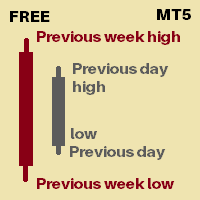
Its an indicator that will show you
Previous day high Previous day low Previous week high Previous week low You can set how many days of history you would like to see for previous day high low and previous week high low Currently 30 days of PDH/L will be marked 4 weeks of PWH/L will be marked You can change it from indicator settings. Dates are shown at marking lines to identify which date does that marking belongs to.
Thank you :) Always open to feedback and criticism if it helps me provide yo
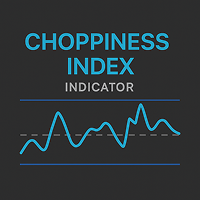
Choppiness Index — Trend or Range Market Indicator(MT5) Analyze market structure with the Choppiness Index. Adjustable settings and band visualization help distinguish between trend and consolidation phases. Overview The Choppiness Index is a volatility-based indicator for MetaTrader 5 that helps traders assess whether the market is currently trending or moving sideways . It does not predict direction but provides a measure of market consolidation or expansion, making it suitable for context-bas

Market Structure CHoCH/BOS Indicator for MT5 Overview
The Market Structure CHoCH/BOS (Fractal) indicator identifies key shifts in market direction based on fractal-based structural analysis. It automatically detects Change of Character (CHoCH) and Break of Structure (BOS) signals, two essential concepts in modern price action and Smart Money trading. How It Works
The indicator analyzes swing highs and lows using a fractal algorithm defined by the Length parameter. When price crosses a previous

Investment Castle Volatility Index — Read the Market's Energy
The Investment Castle Volatility Index shows you the current symbol's volume and market volatility in one clean reading. It is the same volatility engine the Investment Castle EA uses to set dynamic distances and time its opposite entries.
What it does for you Volume & volatility at a glance: see how active and how volatile the current market really is. Powers dynamic distances: the same index the Investment Castle EA uses for adapt
FREE

Long&Short Cointegration Analyzer An advanced tool for traders looking to profit from cointegration. Analyzes any asset pair for Long&Short strategies. What does the Long&Short Cointegration Analyzer do? Identifies cointegrated pairs that revert to the mean, ideal for profitable trades. Provides a detailed panel with statistical data for confident decisions. Works with any currency pair, on any timeframe.
Find buying and selling opportunities based on cointegration. Minimize risks with a relia

ApexForge Price Ray Marker
ApexForge Price Ray Marker is a lightweight MT5 utility designed for fast and efficient price structure analysis.
With a simple keyboard shortcut, you can instantly place horizontal price rays and price labels on candle highs or lows without manually drawing objects.
It is ideal for Price Action traders, Smart Money Concepts (SMC), ICT methodologies, support and resistance analysis, liquidity mapping, and multi-timeframe trading.
Features
Shift + Left Click → Ma
FREE

Momentum Maxwell V1 PRO: The Sniper Hybrid Energy Momentum Maxwell V1 PRO no es un oscilador convencional; es una herramienta de precisión balística diseñada para el trader que opera como un francotirador . Mientras que los indicadores estándar se pierden en el ruido del mercado, el Maxwell V1 PRO utiliza un motor de triple filtrado de energía para detectar el agotamiento del precio con una nitidez quirúrgica. A diferencia del RSI o el Estocástico, que confinan sus datos en una escala artificial
FREE

50-Indicator Command Center: The Ultimate Algorithmic EdgeProduct Overview The 50-Indicator Command Center is a professional-grade trading dashboard designed for traders who demand a comprehensive view of the market without the clutter of 50 different charts. This "All-in-One" engine processes 50 high-probability technical indicators in real-time, delivering a unified Voting Score that tells you exactly who is in control: the Bulls or the Bears. Gone are the days of manual analysis. Whether you

how each of these input fields is used and what happens on your chart when you adjust their values: Custom text for comment : How to use : Type any text you want into the "Value" field. Result : The text you type will appear in the top-left corner of the chart window (known as the Chart Comment). You might use this for the indicator's name, version, or your own short notes. Lookback period for regression calculation : How to use : Enter an integer (e.g., 100, 200, 300). Result : This determines
The MetaTrader Market is the best place to sell trading robots and technical indicators.
You only need to develop an application for the MetaTrader platform with an attractive design and a good description. We will explain you how to publish your product on the Market to offer it to millions of MetaTrader users.

You are missing trading opportunities:
- Free trading apps
- Over 8,000 signals for copying
- Economic news for exploring financial markets
Registration
Log in
You agree to website policy and terms of use
If you do not have an account, please register