 MetaTrader 5
 エキスパート
 インディケータ
 ライブラリ
ライブラリ
 ユーティリティ
 ウィジェット
 ルール
ルール
YouTubeにあるマーケットチュートリアルビデオをご覧ください
ロボットや指標を購入する
仮想ホスティングで
EAを実行
EAを実行
ロボットや指標を購入前にテストする
マーケットで収入を得る
販売のためにプロダクトをプレゼンテーションする方法
MetaTrader 5のためのテクニカル指標 - 54
 テクニカル指標からのシグナルは、株式および外国為替市場での取引の開始と終了に重要な役割を果たします。指標の本質は、将来の価格変動を予測することを目的とした金融銘柄価格の数学的変換です。
テクニカル指標をテストして、市場の動きとそれからの利益をより正確に予測します。
テクニカル指標からのシグナルは、株式および外国為替市場での取引の開始と終了に重要な役割を果たします。指標の本質は、将来の価格変動を予測することを目的とした金融銘柄価格の数学的変換です。
テクニカル指標をテストして、市場の動きとそれからの利益をより正確に予測します。 
Dynamic Candle Countdown
This indicator provides a real-time countdown to the next candle. Unlike standard timers, it positions the label near the current price for better visibility during fast-moving markets. Real-time updates: Uses a 1-second timer event. Dynamic Positioning: Follows the price action automatically. Fully Customizable: Adjust colors, font size, and offsets to suit your chart template. Performance Optimized: Minimal CPU usage.
FREE

HTF Vision - Higher Timeframe Candle Display Free now, celebrating release of Live Chart Viewer utility https://www.mql5.com/en/market/product/158488
HTF Vision provides traders with an intuitive way to visualize higher timeframe price action directly on their current chart. This powerful indicator overlays candlestick data from selected higher timeframes (H1, H4, or Daily) as customizable boxes, giving you instant context of larger market movements without switching charts. Key Features: Mult
FREE
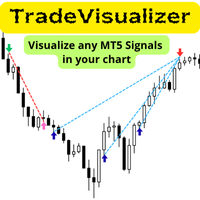
Trade Visualizer インジケーターは、取引データを視覚化し、MT5チャート上にすべての取引履歴を直接表示します。自分のパフォーマンスを分析する場合も、MQL5のシグナル提供者の取引を研究する場合も、このツールは生データを分かりやすいビジュアルに変換します。各トレードはエントリーとエグジットの矢印、接続ライン、価格・利益・ロット数・pipsなどのツールチップで示されます。 注: インジケーターをダウンロードした方は、メールアドレスを添えてご連絡ください。 Trade Visualizer Template を無料でお送りします。 特徴:
• 最新版 ProTrading Analytics Excel Template v1.7 と完全連携。
• 複数トレーダー・戦略を同一銘柄上で比較可能。
• 売買ごとの色・線のスタイル・矢印サイズを自由に設定。
• CSVとブローカーのGMT差を自動調整。
• 複数ブローカーのシンボル接尾辞に対応。
• 戦略ロジックやエントリー精度の可視分析に最適。
FREE

プライス・コンパス は、金融市場における トレンドナビゲーションシステム として機能するように設計された、強力なテクニカル分析ツールです。 本インジケーターは、市場の 平均的な方向性圧力 を評価し、短期的なノイズを効果的にフィルタリングして、支配的な動きを明確に識別します。現在の価格がその「中央平均」からどれだけ乖離しているかを定量化し、市場の 方向性 (強気、弱気、または中立)の正確なシグナルを提供します。 解釈 (コンパスの三つの状態) (Interpretação - Os Três Estados do Compass) このインジケーターは、 ゼロライン を中心に据えた別のサブウィンドウに描画され、現在の市場状態を示すために3つの異なる色を使用します: コンパスの状態 (Estado do Compass) 位置 (Localização) シグナル (Sinalização) 解釈 (Interpretação) 北 (強気) ゼロラインの上 ポジティブ (Positive) 市場が 強い買い圧力 下にあることを示します。 上昇トレンド の開始または継続を示唆します。 南

Introducing the "Super Trend Filter Oscillator," your ultimate trading companion designed to enhance your technical analysis and help you make informed decisions in the financial markets. This innovative oscillator is crafted to provide valuable insights into market trends and price movements, assisting traders like you in identifying potential entry and exit points. Features: Trend Identification: The Super Trend Filter Oscillator excels in detecting prevailing market trends, whether they are b
FREE

Our offer also includes a free panel — Indicator Panel — which allows you to show or hide indicators created by BOToBRACIA -> MT4 / MT5 Our offer also includes a version for MetaTrader 4 -> https://www.mql5.com/en/market/product/179248?source=Site+Market+Product+Page#description
Indicator Panel is a tool designed to manage the visibility of technical analysis objects generated by our indicators. Instead of enabling/disabling individual indicators or manually removing chart objects, a si
FREE

1. はじめに Joon Trade Planner をご利用いただきありがとうございます。 Joon Trade Planner は、MetaTrader 5 用のビジュアルトレードプランニングツールです。 実際に注文を出す前に、BUY と SELL の取引プランを簡単に作成できます。 チャート上で取引方向、ロットサイズ、テイクプロフィット(TP)、ストップロス(SL)を設定し、予想損益やリスクリワード比をリアルタイムで確認できます。 このインジケーターは実際の注文を発注しません。 取引計画およびリスク管理専用ツールです。 2. 主な機能 インタラクティブな取引パネル BUY / SELL の切り替え ロットサイズ調整 TP ラインのドラッグ SL ラインのドラッグ リスクリワード自動計算 時間足変更後も設定を保持 3. インストール インジケーターを MQL5\Indicators\Market\ へコピーします。 MetaTrader 5 を再起動します。 チャートを開きます。 Joon Trade Planner を適用します。 必要な場合のみ DLL を有効にしてください。
FREE
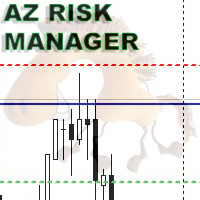
A simple indicator for calculating risk and automatically calculating the take profit line. In the settings, you enter the desired risk to profit ratio, the indicator will automatically calculate the volume for entry and show where to set the take-profit line to maintain the proportion. The risk is calculated based on your balance data. The information panel can be moved around the screen. The stop-loss line can also be moved, this will recalculate the entry volume and the take-profit position.
FREE
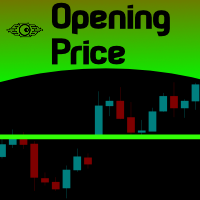
For those Price Action traders who love to trade strong Price points, like today's Opening Price (or even yesterday's Price), here is an indicator to ease the identification of those values, drawn directly on your chart! Opening Price will automatically draw a line showing you this point for you, AND, if you like any OPENing price in the past, not just today's price. A must-have in your Price Action toolbox!
SETTINGS
How many past days do you want to be drawn? Do you want to draw the current da
FREE

All Averages Cross Signal – 36 MA Types with Built-in Trade Simulator Description: All Averages Cross Signal is a powerful dual moving average crossover indicator featuring 36 different MA calculation methods and a built-in trade simulation engine. Identify golden cross and dead cross signals with any combination of moving averages, then instantly evaluate strategy performance — all without leaving the chart. 36 Moving Average Types in One Indicator Choose from 36 MA methods for both Fast and Sl
FREE
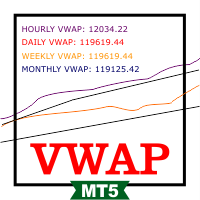
VWAP RSJ is an indicator that plots the Hourly, Daily, Weekly and Monthly VWAP Lines.
Large institutional buyers and mutual funds use the VWAP ratio to help move into or out of stocks with as small of a market impact as possible. Therefore, when possible, institutions will try to buy below the VWAP, or sell above it. This way their actions push the price back toward the average, instead of away from it. Based on this information I developed this indicator that combines 4 types of VWAP Tim
FREE

KS Fibonacci Toolは、現在のSMC(スマートマネー・コンセプト)における市場構造の「レグ(値動きの区間)」を自動的に検出し、そのレグに対してリアルタイムでフィボナッチ・レベルを描画するように設計されたMetaTrader 5用カスタムインジケーターです。
主な目的
ICT/SMCトレード手法で一般的に用いられるアプローチに基づき、直近の重要なプライス・スイング(構造上のレグ)を基準としたフィボナッチ・リトレースメントおよびエクステンション・レベルを可視化します。
主な機能
市場構造の自動検出:
スイングハイ(高値)とスイングロー(安値)を追跡し、強気および弱気のレグを識別します。
ローソク足の実体またはヒゲのいずれかを使用して構造のブレイクを検出します(設定変更可能)。
現在の構造における高値と安値を保持・表示します。
視覚的要素:
現在の構造の高値と安値を示す2本の水平線を描画します(デフォルトは青色)。
現在のレグに対して、カスタマイズ可能な最大5つのフィボナッチ・レベルを描画します:
デフォルトのレベル:-0.25、0.0、0.5、1.0、1
FREE
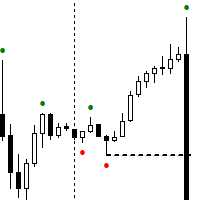
Next Arrival : Flip or Die Trading Arena. Flip a trading account: https://flipordie.com/chapter-1-thirteen-doublings-double-a-trading-account/
The Expert Advisor for this Indicator can be found here: https://www.mql5.com/en/market/product/115567 The Contraction/Expansion Breakout Lines with Fair Value Gaps (FVGs) Indicator for MetaTrader 5 (MT5) is a powerful technical analysis tool designed to help traders identify and visualize breakouts at critical levels of contraction and expansion in fi
FREE

Donchian Toshio — MetaTrader 5用 高値・安値チャネル Donchian Toshioは、選択した期間内に記録された最高値と最安値に基づいて計算されたチャネルを表示します。 このインジケーターは3本のラインを表示します。 上部ライン: 期間内の最高値; 下部ライン: 期間内の最安値; 中央ライン: 上限と下限の平均値。 このチャネルは、トレンド、持ち合い、ボラティリティ、ブレイクアウト、動的なサポートおよびレジスタンス領域の分析を補助するために使用できます。 利用可能なパラメーター Period: 計算に使用するローソク足の本数を設定します; Show Channel Lines: チャネルラインの表示または非表示を設定します。 特徴 さまざまな銘柄と時間足に対応; 市場の新しい動きに合わせて自動更新; シンプルで分かりやすい表示; 明確に識別できる3つの水準; MetaTrader 5ストラテジーテスターに対応; 通常のチャートを変更せず、リプレイモード専用の表示処理を提供。 Donchian Toshioはテクニカル分析ツールです。取引を自動的に実行する
FREE
ZIGZAG and FRACTAL CANDLE PRO ( Only candles, No RSI strength panel) " Suitable for QQE RITZ " > Check My Product is an advanced market structure visualization system built for precision trend detection, powered by dynamic fractal logic and adaptive swing validation.
It seamlessly identifies Higher Highs (HH), Lower Lows (LL), and key structural shifts — allowing traders to read the true rhythm of market transitions with institutional clarity. This system combines ZigZag precision , fractal
FREE
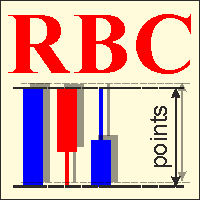
RBC Range Bar Chart is a classical range bar chart indicator. The indicator features price ranges for charting: High/Low price range is a classical option for analysis. It also has Open, High, Low and Close prices. In the first option, two price values are analyzed at the same time, while other options only use one price. Conventionally, range bars are drawn using tick data but since tick data is not available on the server, charting is only possible based on bar data from standard time frames.

The Kijun-Sen Envelope is a powerful trend-following indicator based on the Kijun-Sen line from the Ichimoku Kinko Hyo system. This tool creates dynamic upper and lower bands around the Kijun-Sen, forming an envelope that helps traders identify market trends, potential reversals, and overbought/oversold conditions.
Key Features: • Trend Confirmation – Helps determine whether the market is in a strong uptrend, downtrend, or ranging phase. • Support & Resistance Zones – The envelope acts as
FREE

TrendFlow CBL Pro is a complete trend-following indicator built on the Count Back Line (CBL) method — a proven technique for identifying dynamic support and resistance levels based on actual price structure, not lagging averages. It does not just give you an arrow — it gives you a full trading framework : entry signal, stop loss placement, take profit target, phase-colored bars, filter confirmation, and a live performance dashboard — all in one indicator, right on your chart. Why TrendFlow CBL

Predator 8 AI AI Predicts Next 8 Candles Trend Continuation Probability My other products: https://www.mql5.com/en/users/bitksk/seller
_______________________________________________________________________________________ Core Features Real-time output of next 8 candles up/down/sideways probability per bar Built-in Lasso+Attention deep learning model (fully embedded, no internet, no coding required) Zero repaint – historical signals never flicker Supports all markets: Forex, Gold, Crypto, Indi
FREE
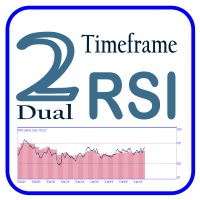
Dual Time Frame RSI with Custom Alerts & Visuals Dual Time Frame RSI is an advanced RSI (Relative Strength Index) indicator designed for traders who want to monitor multiple timeframes simultaneously and customize alerts and visuals for better trading decisions. This tool allows you to combine two RSI readings from different timeframes, helping you identify stronger trends and overbought/oversold conditions across multiple time horizons. Key Features: Two Timeframes : The lower timeframe is alwa
FREE

Bollinger Band Swing Detector
This indicator detects market swings based on the relative position of the price to the upper, lower, and middle bands of the Bollinger Bands indicator. It allows traders to visualize market structure based on volatility rather than fixed point distances. The indicator includes a dashboard panel that displays multi-timeframe trend information and active support and resistance levels. Swing Detection Unlike standard ZigZag indicators that use fixed points or percenta
FREE
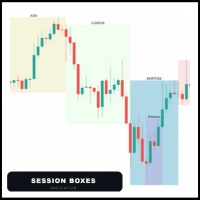
Session Boxes automatically draws the high and low range of up to 10 fully customizable trading sessions directly on your chart.
Each box captures only the candles that open within that session time range. This means the boxes are always precise regardless of the timeframe — whether M1, M5, H1 or H4, the candles always stay inside the box.
MAIN FEATURES
- Up to 10 fully customizable sessions - Works perfectly on any timeframe - Each session has its own name, color, start hour and end hou

Smart Divergence Finder Indicator In-depth Analysis: A Practical Guide to Trend, Divergence, and Resonance Indicator Introduction Smart Divergence Finder is an intelligent main-chart comprehensive indicator designed for MT4/MT5 platforms. It overcomes the fragmented limitations of traditional sub-chart divergence analysis by integrating: Trend determination Multi-indicator divergence detection Intelligent signal filtering All key trading signals are displayed directly on the price chart. Its co

CCI Multi-Timeframe Dashboard shows the CCI reading of four timeframes at the same time, so you can measure momentum extremes across the market at a glance. By default it displays the M15, H1, H4 and D1 timeframes, and the period, applied price and levels are configurable. Each timeframe is color coded, with red when the reading is above the upper level, green when it is below the lower level and grey when it is in the normal zone, which makes stretched conditions easy to see. Alerts are based o
FREE
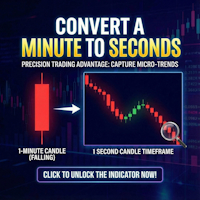
Second Timeframe Pro — See the Market Before Anyone Else!
Unlock a Hidden Level of Price Action
While other traders look at minute candles, you can see 60 candles within each minute!
What is Second Timeframe Pro?
It's a revolutionary indicator that creates full-fledged candlestick charts with second timeframes directly in MetaTrader 5.
Standard MT5 limits you to a minute chart. But the market doesn't stop every minute — it pulsates every second. Second Timeframe Pro removes this limitation

The well-known ZigZag indicator that draws rays based on the "significant movement" specified by the pips parameter. If a ray appears, it will not disappear (the indicator is not redrawn), only its extremum will be updated until the opposite ray appears. You also can display text labels on each rays describing the width of the ray in bars and the length of the ray in points.

First Candle Sessions — LDN & NY MT5 Indicator | M1 to H1 | London and New York Sessions What It Does Automatically marks the High, Low and 50% midpoint of the first 5-minute candle at the opening of the London and New York sessions, creating a clear visual range to trade breakouts every day without any manual work. Buy signal: when a subsequent candle closes above the High of the first candle. Sell signal: when a subsequent candle closes below the Low of the first candle. No signal
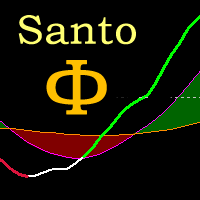
Oscilador bem próximo que o indicador SANTO mostrado pelo Bo Williams em sua metodologia PhiCube, para mim este indicador ainda é melhor que o próprio SANTO original. Ótimo para entender a força e tendência de movimentos e possíveis divergências. Preço fazendo topo e o SANTO não renovando máxima, tudo indica que teremos uma reversão ou no mínimo um drawback.
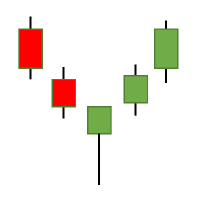
The Candlestick Patterns indicator for MT5 includes 12 types of candlestick signales in only one indicator. - DoubleTopsAndBottoms - SmallerGettingBars - BiggerGettingBars - ThreeBarsPlay - TwoBarsStrike - Hammers - InsideBars - OutsideBars - LongCandles
- TwoGreenTwoRed Candles - ThreeGreenThreeRed Candles The indicator creats a arrow above or under the signal candle and a little character inside the candle to display the type of the signal. For long candles the indicator can display the exact

RSI Arrow1 is an arrow indicator based on the RSI, is easy to use; no internal adjustments to be made. the user can change the indicator period as desired in the settings. It can be used on all markets but it will all depend on your Trade strategy. There is no better Time Frame for its use; the use will depend on the Trader himself.
Settings:
RSI Period Push Notification Email Notification Audible Alert Down levels Up levels
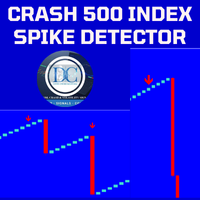
Spike Detector for Boom and Crash Indices
The Spike Detector is specifically designed to cater to the unique needs of traders in the Boom and Crash indices markets. Optimized for M1 (1-minute) and M5 (5-minute) timeframes, this tool ensures you receive timely and actionable insights. Below, you'll find a comprehensive guide on its key features, advantages, installation process, and how to use it effectively.
Key Features and Advantages
1. Non-Repainting: The Spike Detector guarantees accurac

Free forever simple pip meter for MT5 with customizable font color. Display profit or loss in both points count and currency value. Supports 4 currency symbols ($,€,£ ,¥). For unsupported currencies, it shows a 3-character currency short form. Enhance your trading interface with clarity and precision. Easy to use and tailored for diverse Forex traders. Perfect for MT5!
FREE
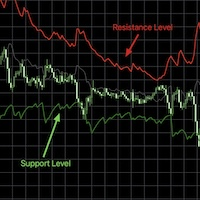
RSI bands provide an intuitive and visual method of understanding how price movements influence the Relative Strength Index (RSI) within its bounded range of 0 to 100. The upper and lower bands typically represent key thresholds—commonly set at 70 and 30—which signal potential overbought or oversold conditions. When RSI approaches or crosses these bands, it may indicate that a reversal or pullback is likely, helping traders identify potential entry or exit points. By plotting these bands on a c

By installing this indicator you can create a price alert line with a click of a button A = create a price alert line at the location of your mouse pointer ( no number limit ) S = delete all existing price alert lines D = delete all triggered price alert lines F = delete the line near your mouse pointer( updated vertion)
some times the S and D hot hey function may not work, just double click on the the chart and try again or try switching between charts and try again, its some kind of mt5 bug

Volume Profile Canvas - Professional Volume Profile Indicator for MetaTrader 5
DESCRIPTION
Volume Profile Canvas is a professional volume profile indicator for MetaTrader 5 that renders directly on the chart using a high-performance Canvas engine. It calculates and displays the volume distribution across price levels, identifying the Point of Control (POC), Value Area High (VAH) and Value Area Low (VAL) in real time.
This is a pure analysis tool. It does not trade. It gives you an instant vi

NEXUS Smart Zones v1.85 – Institutional SMC Confluence & Golden Line Analysis
"Logic Has No Tears" – This is the core philosophy behind NEXUS Smart Zones. Designed for professional traders who demand precision, this indicator is built on the principles of Smart Money Concepts (SMC) to track institutional footprints and eliminate market noise.
NEXUS Smart Zones is an intelligent auto-analysis system that helps you identify where big players leave their mark, featuring high-end algorithmic conf
FREE

VectorPace Price Velocity FAST — MQL5 Market Product Description
Short Description VectorPace Price Velocity FAST is a MetaTrader 5 custom indicator that measures close-to-close price velocity normalized by average absolute close-to-close movement, then displays an oscillator, signal line, histogram, and optional closed-bar arrows.
Main Description VectorPace Price Velocity FAST is a professional MetaTrader 5 custom indicator designed for manual traders who want to measure short-term price sp

ATR Stop Loss Finder automatically calculates and displays dynamic stop loss levels on your chart based on the Average True Range indicator. The tool helps traders place logical, volatility-adjusted stop loss orders rather than relying on fixed pip values or arbitrary price levels.
The indicator plots two lines directly on the chart: an upper line for short positions and a lower line for long positions. Both lines update in real time with each new bar. A small information panel

Laser Trend Scalping Pro draws a bright neon laser trend line through the middle of the candles - green for an uptrend, red for a downtrend - and turns it into a complete, rule-based trade plan you can read at a glance.
On top of the swing pivots and the white trend-flip arrows, when the laser and the trend gate agree the indicator decides a trade and auto-draws it on the chart: ENTRY, STOP, TP1, TP2 and a dynamic EXIT, for both longs and shorts. A side panel shows the live result and the trade

VG INDICATOR
Three independent strategy engines read every closed bar. They vote. Only when they agree does VG Indicator print a signal -- and it tells you exactly how strong that agreement was.
Most signal indicators give you an arrow and nothing else. VG Indicator gives you the arrow, the entry price, the stop, a three-level target ladder, a graded confidence score, and a live dashboard that scores its own past calls on your chart, from your broker's own price history.
-------------------

POC Migration Matrix is an analytical indicator that estimates where activity is concentrated inside each candle and tracks how that
activity center moves from one candle to the next. The indicator divides the candle range into configurable price rows, builds an activity distribution from available broker tick information or lower-timeframe reconstruction, and marks the dominant activity row as an estimated POC. It then measures POC displacement, persistence and the POC location relative to t

ALMA Market Structure Buy Sell Signals
ALMA Market Structure Buy Sell Signals is a MetaTrader 5 indicator that combines an adaptive ALMA trend wave, BOS and CHoCH market structure analysis, confirmed swing Buy and Sell markers, smart candle coloring and a dynamic -2.5 standard deviation target.
The indicator is designed to provide several layers of price-structure information directly on the chart without automatically opening or managing trades.
Its main purpose is to help traders evaluate

HalfTrend Risk Target Signals
HalfTrend Risk Target Signals is a MetaTrader 5 trend indicator that combines a HalfTrend trend engine, ATR-based volatility channels, confirmed LONG and SHORT reversal signals, and predefined Entry, Stop Loss, TP1, TP2 and TP3 reference levels for the symbol of the current chart.
The indicator works only with the chart symbol. It does not request or depend on external symbols, making it suitable for brokers that use different symbol lists or naming conventions.

CRT Pro Scanner Stop wasting hours watching multiple charts and missing setups while you blink. CRT Pro Scanner solves the most painful problem every trader faces: being in the wrong chart at the right moment. Instead of jumping between pairs and constantly asking yourself "did I miss something?", the scanner does the watching for you. It monitors all your symbols simultaneously, detects Candle Range Theory setups the instant they form, and alerts you immediately — so you can focus on executi

Apex Scalper Pro is a gold scalping indicator that does not just point at the chart. It plans the whole trade for you: entry, stop loss, three take profit levels and the lot size for the risk you choose. Every signal is confirmed on a closed bar and never moves afterwards.
Most arrow indicators tell you to buy. They do not tell you where the stop belongs, where to take profit, how large your position should be, or why the arrow appeared. This one answers all four questions on every signal, and

This script provides basic pivot point Support and Resistance Levels to the user whilst displaying Break signal tags. It also has the ability to let the user display more significant breaks by filtering using the Volume Oscillator.
Only more significant breaks of these basic levels are displayed to the user when optimized which avoids noise and messy signals.
It will also display breaks with candles it deems to be bullish (e.g. having a longer upper or lower wick).
Notation
The notation

QM Hunter - Quasimodo Pattern Detector with SMC Confluence ========================================================== QM Hunter detects Quasimodo (QM) reversal patterns on any symbol and timeframe, confirms them with a reversal candle gate, and scores each signal against three Smart Money Concepts (SMC) confluence factors — Fair Value Gap, Order Block, and Liquidity Sweep — that must have actively interacted with price before the signal fires. The result is a three-tier graded signal (A / B /

Kito Quad Momentum Rotation Scanner Multi-symbol and multi-timeframe scanner for Kito Quad Momentum Rotation setups, with staged status tracking, closed-bar alerts and clickable chart rows.
SPECIAL OFFER: Purchase this scanner and send me a private message to claim your FREE bonus indicator( Kito Quad Momentum Rotation Indicator ) .
Kito Quad Momentum Rotation Scanner monitors selected Market Watch or custom symbols across multiple timeframes. It applies the embedded four-speed momentum engin
Why the RSI Alert Indicator is Essential for Your Trading Toolkit
In the fast-paced world of trading, timely and accurate information is crucial. The RSI Alert Indicator is a powerful tool designed to help you stay ahead of the market by providing real-time alerts when the Relative Strength Index (RSI) reaches critical levels. Whether you're a novice trader or a seasoned professional, this indicator can significantly enhance your trading strategy by pinpointing potential market reversals with

Nadaraya-Watson Envelope Indicator for MT5 Overview
This indicator expands on the original Nadaraya-Watson smoothing methods by introducing a dynamic envelope system built using kernel regression. Unlike the standard Nadaraya-Watson estimator, this tool applies a contrarian approach: the envelope boundaries are designed to identify potential reversal zones when price extends too far from its smoothed trend estimate. The indicator includes integrated alerts based on price crossings above or belo

VWAP Trend Dashboard
What It Does
Displays a compact dashboard on any MT5 chart showing the VWAP-based bias for up to 5 symbols simultaneously. For each symbol it checks the current price against four VWAP levels and summarises the overall directional bias in a single Trend column.
Dashboard Columns
Symbol: Your custom display label NY VWAP: VWAP anchored at NY session open today Day VWAP : VWAP anchored at 00:00 server time today LOD : VWAP anchored from today's Low-of-Day bar forw

The indicator displays in a separate window a price chart as Heiken Ashi candlesticks with a periodicity below a minute. Available periods (seconds): 30, 20, 15, 12, 10, 6, 5, 4, 3, 2, 1. It is possible to select the base price for calculations.
Parameters Time frames - the period of candlesticks in seconds. Price levels count - the number of price levels on a chart. Applied price - the price used in calculations. Buffer number: 0 - Heiken Ashi Open, 1 - Heiken Ashi High, 2 - Heiken Ashi Low, 3
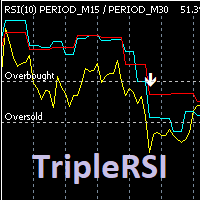
Индикатор отображает на графике данные RSI рабочего и двух старших тайм-фреймов, формирует сигналы выхода из зоны перекупленности / перепроданности кривой среднего временного периода. Опционально используется фильтр по данным старшего тайм-фрейма (расположение медленной линии выше средней для продажи и ниже средней - для покупки). Сигналы "подвального" индикатора дублируются на главном окне, отправляются сообщения во всплывающее окно, на почту и на мобильное устройство. Параметры индикатора: RSI

The CRT Indicator is a precision price-action tool designed to identify CRT candles , which represent key moments of market manipulation and reversal. This indicator highlights candles that show strong liquidity grabs , false breakouts, and aggressive rejections—often seen before major directional moves. The CRT Indicator helps traders spot high-probability reversal zones by detecting candles with clear wick expansion, strong displacement, and institutional-style price behavior. These candles fr

Cardwell Range Analyze reads trend from the range the RSI holds, not from a fixed overbought or oversold line. Andrew Cardwell's observation was that in a genuine uptrend the RSI oscillates inside a higher band and rarely breaks below it, while in a downtrend it works a lower band and rarely breaks above — so the band the RSI is respecting is itself the trend signal. This indicator turns that reading into a confirmed regime, colours the chart by it, and projects a full ATR trade the moment the r

PrimeScalping is a powerful trading companion designed to generate high-probability entry signals with dynamic TP/SL/DP levels based on volatility. Built-in performance tracking shows win/loss stats, PP1/PP2 hits, and success rates — all updated live.
Key Features: Buy/Sell signals with adaptive volatility bands Real-time TP/SL/DP levels based on ATR Built-in MA Filter with optional ATR/StdDev volatility Performance stats panel (Success, Profit/Loss, PP1/PP2) Alerts via popup, sound, push, or e

NeuronBreakout identifies volatility compression before the market expands. It waits for price to contract, anchors a breakout range to the most recent confirmed swing, tracks that range until price closes beyond it, then projects a complete trade with entry, ATR-based stop loss, and three R-multiple profit targets. Every completed breakout remains frozen on the chart, allowing you to review past setups exactly as they formed. It is an indicator for chart analysis only: it draws on the chart, it

Introducing the Kangaroo Hunter - Your Ultimate Edge in Forex Trading ATTENTION Forex Traders! Are you in constant pursuit of high-probability trade setups? Or maybe you're a novice trader struggling to pinpoint precise entry and exit points? Our solution, the Kangaroo Hunter, is about to revolutionize your trading journey. This meticulously designed indicator simplifies and refines the art of identifying the often elusive Kangaroo Tail patterns in the Forex market, pushing your trading strateg

Introducing Auto Trendline Pro : Your Ultimate Trading Companion Are you tired of manually drawing trendlines on your forex charts? Do you wish for a tool that can simplify your trading while providing timely alerts? Look no further, because Auto Trendline Pro is here to revolutionize your trading experience. In the fast-paced world of forex trading, staying ahead of the curve is essential. Identifying trends, both upward and downward, can be a game-changer. This is where Auto Trendline Pro ste
This indicator calculates trend via two different moving averages and draw zigzag trend lines. You can change fast and slow Moving Averages settings for customization. Inputs:
Fast MA Time Period : 64 Fast MA Shift: 0 Fast MA Method: Smoothed Fast MA Apply To: Median Price Slow MA Time Period: 32 Slow MA Shift: 0 Slow MA Method: Smoothed Slow MA Apply To: Median Price ZigZag Color: Red ZigZag Type: DashDot ZigZag Width: VeryThin
FREE

FlowSeeker is a custom technical indicator for MetaTrader 5 (MT5), developed by Ultron Trading Solutions ( www.ultrontradingsolutions.co.za ). It is designed to identify momentum shifts and directional changes in the market through two primary signals. Providing visual plots, optional buy/sell arrows, reversal crosses, a multi-timeframe trend panel, a candle timer, and alert notifications. It includes user-configurable settings for signals, plotting, trend trading filters, alerts, and display op

Gina Dual TPO — Brief MQL5 indicator TPO + Volume profile overlaid on chart — fast, scalable, and beginner-friendly. Built for traders who read market structure by POC and Value Area. What it is An MQL5 indicator that overlays dual market profiles—Time-at-Price (TPO) and Volume-at-Price (VPO)—directly on your chart. It’s fast (pixel-based drawing), scalable, and beginner-friendly. Who it’s for Intraday and swing traders who read market structure via POC (Point of Control) and Value Area to spot
FREE
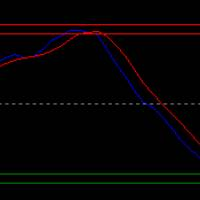
Here is a version for MetaTrader 5 of the famous Wave Trend indicator. Introducing the Wave Trend Oscillator Indicator for MT5 We are excited to present our Wave Trend Oscillator Indicator, exclusively designed for MetaTrader 5. This advanced tool is a must-have for traders who seek precision and efficiency in their trading journey. Our oscillator is built on the principles of wave trend analysis, capturing the ebb and flow of market trends with unparalleled accuracy. It helps traders identify p

This indicator is best used for Trend Riding . It ensures that you only enter trades when both the short-term momentum and the medium-term trend are aligned, significantly reducing the risk of being caught in a trend reversal or a flat market. Neutral Zone Protection: When the price is stuck between (a "mixed" or sideways market), the indicator hides all signals . This keeps your chart clean and prevents trading in choppy, undecided conditions. Real-Time Dashboard: A text display in the

Value Gap は、公正価値ギャップ(Fair Value Gap)戦略に基づいたスマートツールです。 動作原理:
このインジケーターは、直近の価格変動を継続的に分析し、買い手と売り手が残した不均衡エリアを特定します。ギャップが検出されると、チャート上に明確なレベルとして表示されます。 その後、ツールは将来の価格動向を監視します:市場が許可された期間内にギャップを埋めると、シグナルが生成されます。 Gap Threshold (%) で重要なセットアップのみをフィルタリングでき、 Max Bars to Touch でレベルの有効期間を制御できます。 視覚的にクリーンでアラートもあり、チャートをノイズではなくチャンスに集中させます。単独で使用することも、戦略と組み合わせて使用することも可能です。価格が反応しやすいポイントを明確に示します。
FREE
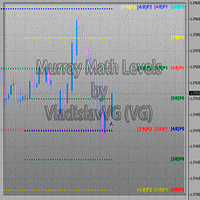
This indicator calculates and displays Murrey Math Lines on the chart. This MT5 version is similar to the МТ4 version: It allows you to plot up to 4 octaves, inclusive, using data from different time frames, which enables you to assess the correlation between trends and investment horizons of different lengths. In contrast to the МТ4 version, this one automatically selects an algorithm to search for the base for range calculation. You can get the values of the levels by using the iCustom() funct
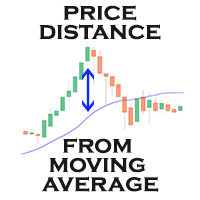
Moving Average Distance Indicator
The “Moving Average Distance Indicator” calculates the difference between the instrument's price and the moving average of your choice, showing this difference in percentage values or in price. In other words, it indicates how far the price is from the moving average.
What is it for?
The great advantage of this indicator is the ease to compare movement expansions that occurred in the past, at different price levels, as the indicator works in a levelled wa
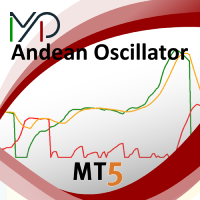
The MP Andean Oscillator is used to estimate the direction and also the degree of variations of trends. It contains 3 components: Bull component, Bear component and Signal component. A rising Bull component indicates that the market is up-trending while a rising Bear component indicates the presence of down-trending market. Settings: Oscillator period: Specifies the importance of the trends degree of variations measured by the indicator. Signal line per: Moving average period of the Signal line
FREE

A fan of special weighted moving averages, able to predict tendency reversal and give references about price movements during consolidation and drawbacks. This special moving average is based on Phi fractals and is not available on others indicators. Reproduce this method with another kind of average will not have the same results. The fan has the following averages: 17: Purple 34: Blue 72: Orange 144: Green Blue 305: Dark Blue 610: Grey How to use the fan to analyze price behaviour: If the pric

Accurate Buy Sell Pro System is a clean and reliable swing-based indicator designed to identify trend reversals and entry zones with high precision. The algorithm follows the original “Accurate Swing Trading System” concept from TradingView (by ceyhun) and has been fully re-engineered for MetaTrader 5. 1:1 match with TradingView behavior
Works on all symbols and timeframes
Clean non-repainting signals when used after candle close
Visual BUY/SELL arrows + colored dynamic trendline
MetaTraderプラットフォームのためのアプリのストアであるMetaTraderアプリストアで自動売買ロボットを購入する方法をご覧ください。
MQL5.community支払いシステムでは、PayPalや銀行カードおよび人気の支払いシステムを通してトランザクションをすることができます。ご満足いただけるように購入前に自動売買ロボットをテストすることを強くお勧めします。

取引の機会を逃しています。
- 無料取引アプリ
- 8千を超えるシグナルをコピー
- 金融ニュースで金融マーケットを探索