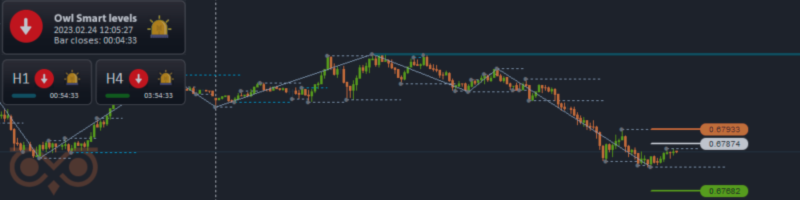

The Owl Helper Expert Advisor allows you to automate trading based on the Owl Smart Levels strategy. However, it gives the best results when used as an assistant rather than a replacement for manual analysis. Below, we’ll explain why the EA is more effective as a supporting tool and in which situations manual trade filtering remains especially important.
Why Owl Helper doesn’t replace analysis
The Owl Helper Expert Advisor helps automate part of the trading process and speeds up execution within the Owl Smart Levels system. However, one key thing remains unchanged: the market still produces both strong and weak signals.
In practice, some entries form within clear and strong market structure, while others appear in conditions where the probability of a quality outcome is significantly lower. The EA can help execute trades faster, but the decision whether a signal is worth trading still belongs to the trader.
That’s why Owl Helper should not be seen as a replacement for manual analysis, but rather as a tool that simplifies execution of already selected trades.
Which signals should be filtered manually
Even when using Owl Helper, some decisions are best left to the trader. The market regularly produces signals that formally meet the system rules but have a lower probability of a successful outcome in reality.
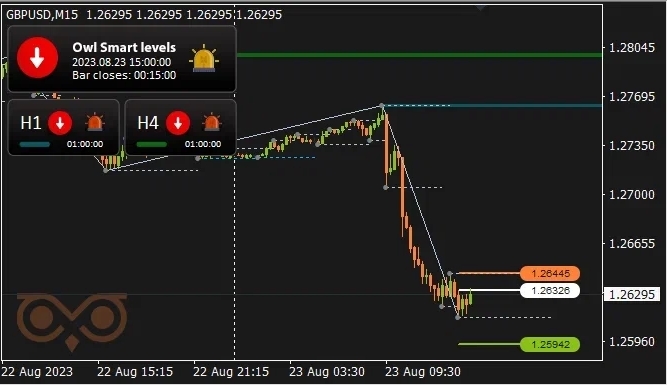
Fig. 1. Example of a lower-probability signal
Such situations include entries before major news releases, signals at the end of the trading day, trades after a strong move has already played out, and setups with weak structure. These examples are covered in more detail in the article “When to Ignore Signals from the Owl Indicator”. Visually, these conditions are usually easy to distinguish from clean and high-quality setups.
For this reason, automation works best not when it takes every trade, but when it’s applied after preliminary manual filtering.
How Owl Helper strengthens the system when used properly
When you use the Owl Helper correctly, it doesn’t just automate part of the process — it makes working with the Owl Smart Levels system more precise and efficient.
After filtering out weak setups manually, the EA allows you to enter trades faster, avoid missing strong signals, and simplify execution of your trading plan. This is especially useful when the market forms a clean and clear structure and the signal has a higher probability of success.
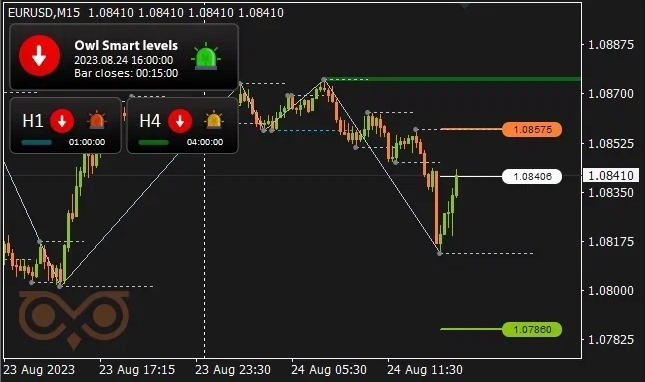
Fig. 2. Example of a higher-probability signal
Examples like these are discussed in detail in the article “Don’t miss these signals from the Owl Smart Levels indicator!”. When you focus only on the best setups instead of taking every signal, automation doesn’t reduce performance — it actually strengthens the system.
In this way, Owl Helper delivers maximum value when combined with manual filtering: weak signals are filtered out, while high-quality entries are executed faster and more efficiently.
As a result, Owl Helper should not be viewed as a standalone automated trading solution, but as an assistant that enhances the Owl Smart Levels system when used correctly. The EA speeds up execution, but the final result still depends on which signals the trader chooses to act on.
The combination of automation, manual filtering, and understanding of market structure helps eliminate a large number of unnecessary losing trades and significantly improves overall system performance.
If you want to better understand the Owl Smart Levels system and how to properly combine automation with manual signal filtering, we recommend the following materials:
- Creating a comprehensive Owl trading strategy
- How to combine trade entry signals with a news filter
- Basic Principles of the Market
I'm Sergei Ermolov, follow me and don't miss more useful tools for profitable trading on the Forex market.




