
One of the simplest ways to reduce weak entries based on Owl Smart Levels signals is to filter them in advance using a news calendar. There are plenty of news releases in the market, but not all of them actually impact price movement. That is why it’s important to understand which events matter before entering a trade, how they can affect market structure, and when even a strong signal is better ignored.
How News Affects the Market
During news releases, the market can quickly shift from its usual behavior. Price starts moving faster, volatility increases, strong impulses appear, and technical levels that previously looked reliable may temporarily stop working.
At these moments, the market reacts not only to the existing structure but also to traders’ expectations around the event. As a result, before or right after news releases, price can move more aggressively than usual, create false spikes, and rapidly change direction. See Figure 1.
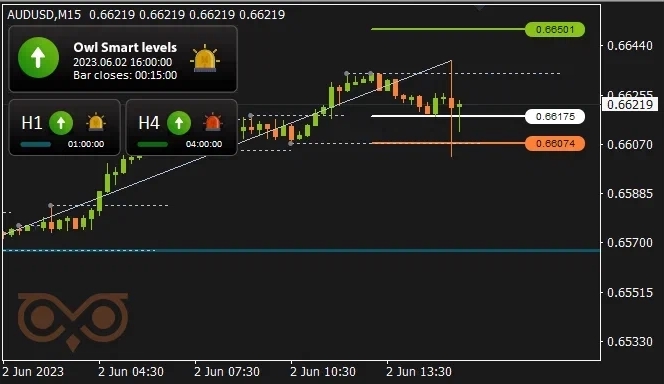
Fig. 1. Example of news-driven movement with sharp impulses in both directions
For a trader, this means that even a strong Owl Smart Levels signal during a major news release can play out very differently compared to normal market conditions.
At the same time, not every news event has a real impact on price. Some releases are barely noticed, while others can completely break the current technical picture. For this reason, it’s not enough to simply watch the news — it needs to be filtered properly.
Which News to Filter Before Entering a Trade
Before opening a trade, focus primarily on high-impact news — events usually marked in red in the economic calendar.
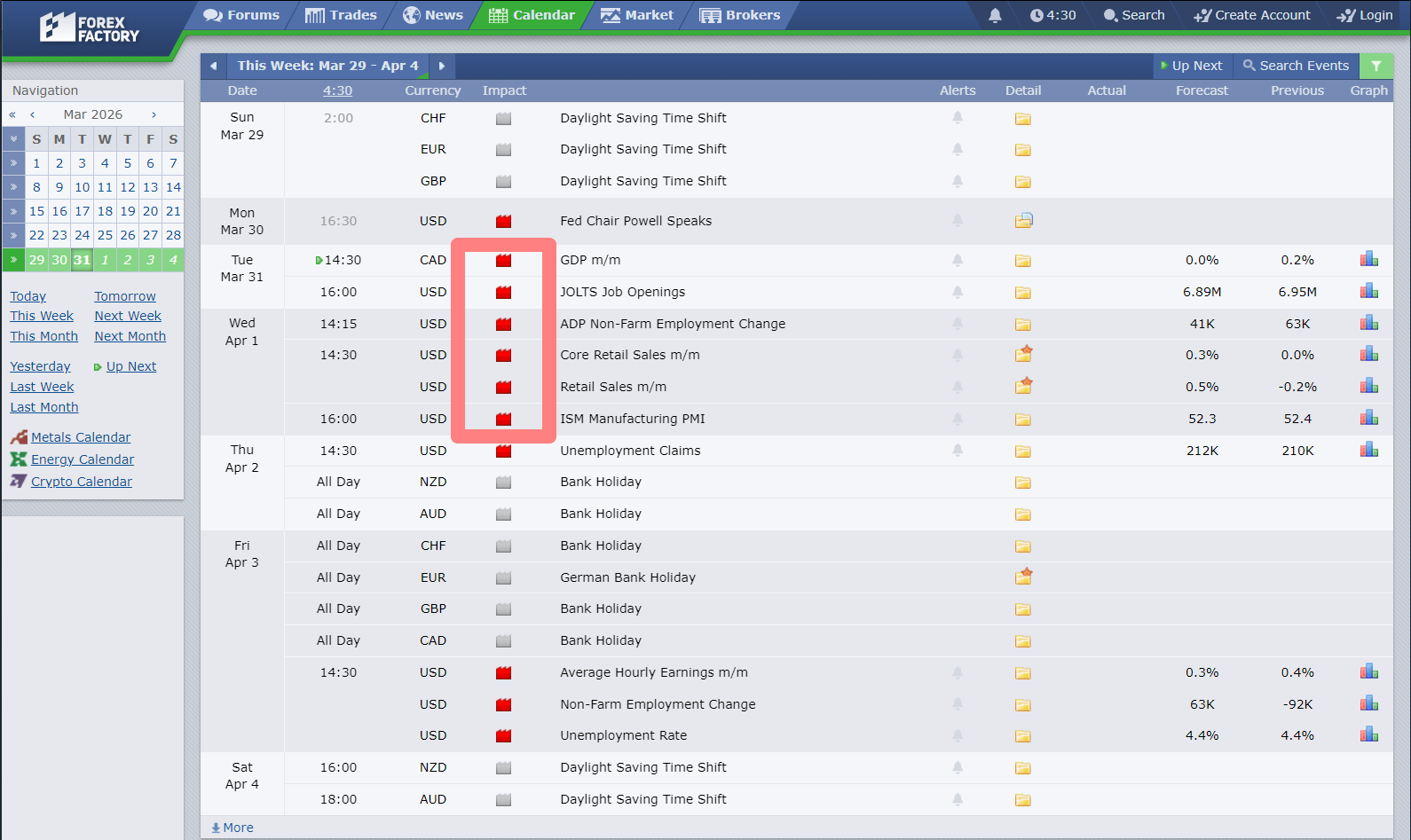
Fig. 2. Example of high-impact news in the calendar
These are news that usually have the strongest effect on the market. When they are released, volatility spikes, price can accelerate without a clear structure, ignore technical levels, and form movements that are hard to predict from the chart alone.
Such events typically include:
- interest rate decisions
- inflation data
- labor market reports
- speeches by central bank officials
These releases most often trigger strong market reactions and can completely change the current price movement.
To track such events, it’s convenient to use the Forex Factory economic calendar, where news is categorized by impact and release time.
How to Combine Owl Smart Levels Signals with a News Filter
The Owl Smart Levels signal should never be the only reason to enter a trade. It should always be confirmed with a news filter before opening a position.
In practice, the process is simple: first, a signal appears on the chart, then the trader checks the economic calendar to see if any high-impact news related to the selected currency or asset is coming soon.
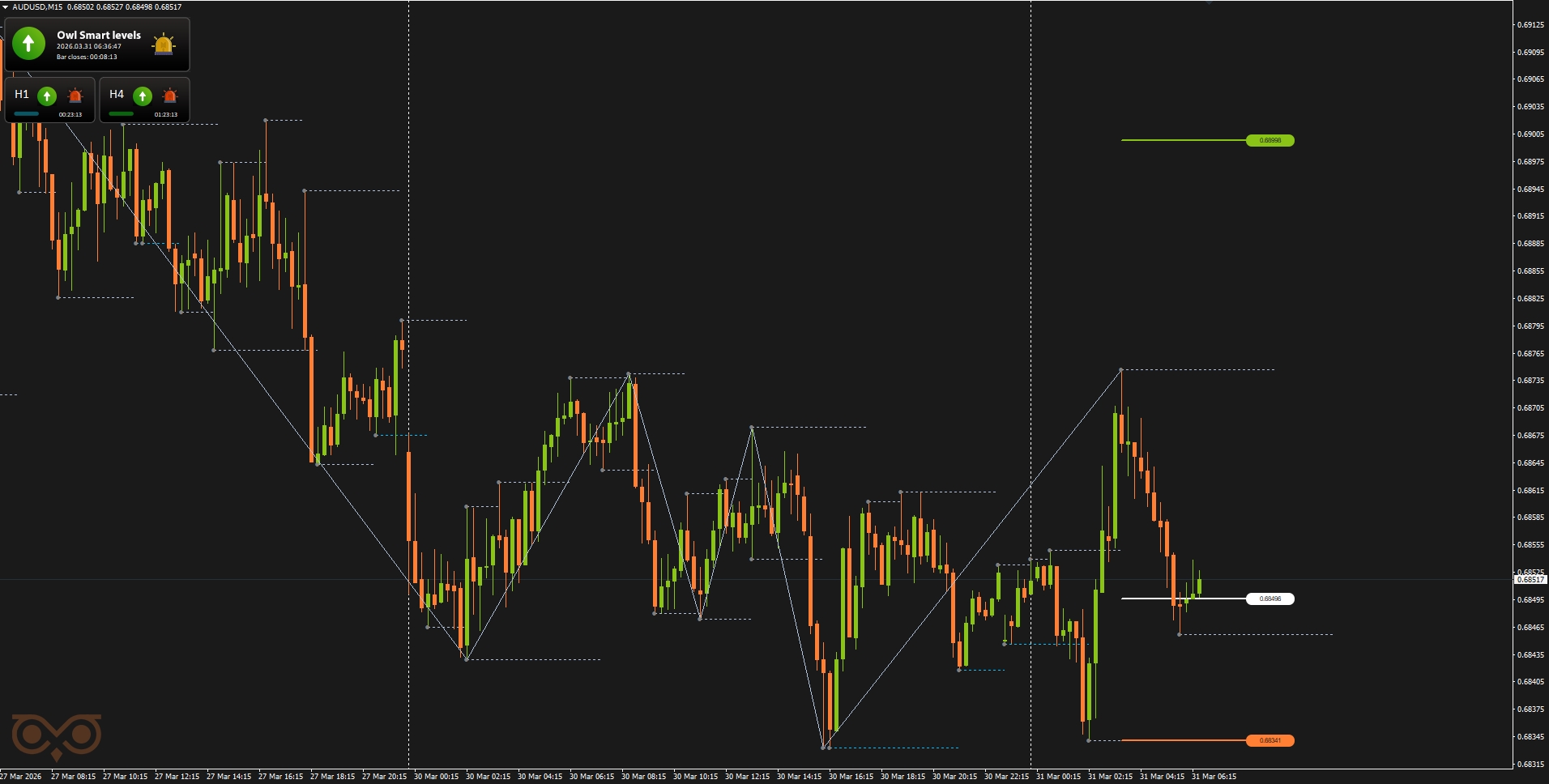
Fig. 3. Owl Smart Levels indicator signal appears
If there are no major news ahead, the signal can be traded as usual. However, if a high-impact (red folder) news is expected soon, it’s better to skip the trade — even if the setup looks strong technically.
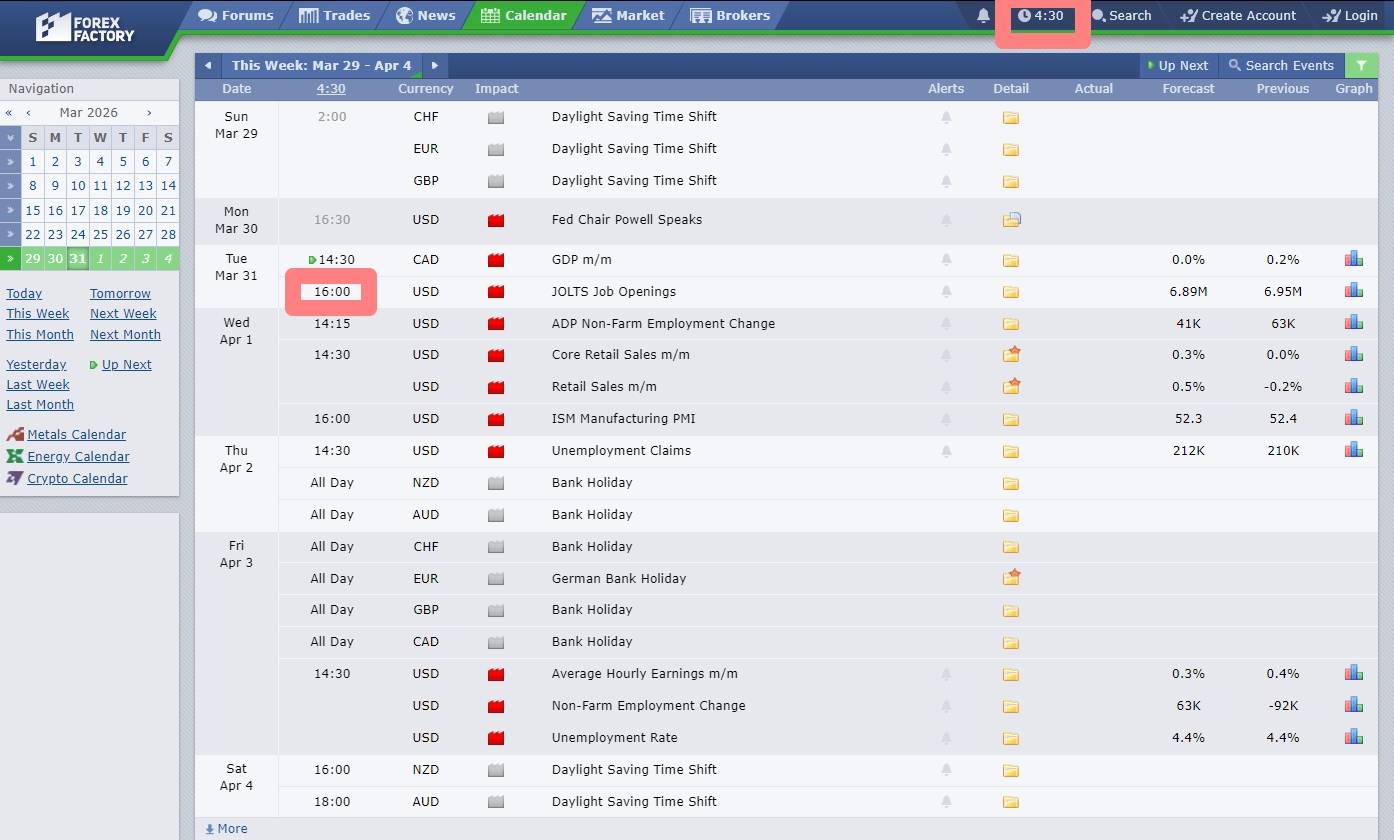
Fig. 4. The nearest high-impact news is in 9 hours — the trade can be taken
If a trade is already open and an important news release is approaching, it’s better to close the position about 20 minutes before the release, regardless of whether it is in profit or loss. This helps reduce unnecessary risk and avoids exposure to sharp news-driven moves.
In this way, the news filter does not replace Owl Smart Levels signals but helps use them more accurately and consciously. Even a strong technical setup can temporarily lose its edge during major news releases, so checking the calendar before entering a trade should always be part of your routine.
If you want to better understand which signals are worth trading and which are better skipped, check out the following materials:
I'm Sergei Ermolov, follow me and don't miss more useful tools for profitable trading on the Forex market.




