AR Scalper Pro EA Mt5
- Эксперты
- Версия: 1.2
- Обновлено: 29 июня 2026
- Активации: 6

AR Scalper Pro EA MT5
AR Scalper Pro EA MT5 is a gold-focused Expert Advisor designed for traders who want an automated scalping system for XAUUSD on MetaTrader 5. The robot is built around short-term gold price movement, fast order execution, controlled exposure, spread protection, and structured trade management.
The Expert Advisor is designed to work on XAUUSD / Gold and is optimized for active market conditions where gold produces short-term directional movement and frequent price reactions. The system is intended for traders who prefer an automated scalping approach with predefined risk parameters instead of manual entry and exit decisions.
AR Scalper Pro does not require manual analysis after setup. Once attached to the recommended chart, the robot monitors price action, spread, market movement, trading conditions, and active exposure. It can place and manage trades automatically according to the configured settings.
The product is designed for MetaTrader 5 and supports brokers using gold symbols with suffixes such as XAUUSD, XAUUSDm, XAUUSDc, or similar symbol formats, provided that the broker offers normal trading conditions for gold and the symbol is available in the Market Watch.
Main Purpose
AR Scalper Pro EA MT5 is built for automated gold scalping. The robot focuses on short-term market reactions and attempts to capture small movements while managing several active positions under a controlled maximum exposure limit.
The system is not designed as a long-term trend follower. It is a fast market reaction robot for gold traders who want automated entries, automated trade handling, and structured position management.
Key Features
Gold Scalping System
The Expert Advisor is designed specifically for XAUUSD / Gold. It focuses on short-term movement, quick market reaction, and controlled trading activity.
Automated Trade Execution
The robot can automatically place, manage, and close trades based on its internal market logic and configured risk settings.
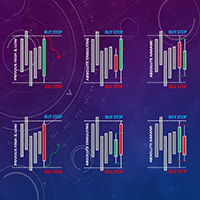
Pending Stop Based Entry Logic
The system uses a fast pending-stop style execution model to react to short-term movement. This approach is designed to enter only when price reaches a defined action zone instead of opening random market orders.
Controlled Maximum Exposure
Users can define the maximum number of active trades. This helps keep the strategy structured and avoids unlimited position expansion.
Fixed Lot and Risk Settings
The default configuration uses fixed lot trading. Users can adjust lot size according to account balance, broker conditions, and personal risk tolerance.
Spread Protection
The robot includes spread control to avoid opening trades when the market spread is higher than the configured limit.
Session and Time Control
Users can configure trading days and trading sessions. The EA can be used with full-day trading or restricted trading windows depending on the trader’s preferred setup.
Candle and Volatility Filters
The system includes filters designed to avoid abnormal market conditions and very unstable candle behavior. These filters help the robot operate only when the selected market environment is acceptable.
Tick Activity Filter
The robot checks short-term tick activity to help avoid inactive or low-quality market periods.
Trade Management
AR Scalper Pro includes automated trade management, including protective logic, optional trailing behavior, hidden or visible trade levels depending on settings, and exposure control.
Broker Compatibility
The EA is designed to work with common gold symbol suffixes. It can detect the chart symbol automatically when attached to the correct gold chart.
Clean Chart Operation
The product can run with a clean chart and does not require extra indicators to be manually added by the user.
How the Robot Works
AR Scalper Pro monitors XAUUSD price movement and waits for short-term trading opportunities. When the market conditions match the configured environment, the robot prepares pending-stop style entries around the current price area. If price reaches the entry zone, a trade may be activated.
The EA then manages active trades according to its internal exit and protection logic. Some trades may close quickly with small profits, while others may remain open longer until the market provides a suitable exit or reaches a protective level.
This style is suitable for traders who understand that scalping systems can open and close multiple small trades and may sometimes keep several positions active while waiting for the market to complete the cycle.
Recommended Symbol
XAUUSD
XAUUSDm
XAUUSDc
Gold symbols with similar broker suffixes
If your broker uses a special symbol name, attach the EA directly to the correct gold chart from Market Watch.
Recommended Timeframe
H1 is recommended for the default setup.
The EA should be attached to one XAUUSD / Gold chart only unless the user fully understands risk exposure and wants to test additional charts separately.
Recommended Account Type
Hedging account is recommended.
The robot can manage multiple positions on the same symbol. A hedging account gives the EA the correct trading environment for its intended behavior. Netting accounts may not behave the same way because opposite positions can be merged by the trading platform.
Recommended Broker Conditions
Low spread gold account
Fast execution
Stable server connection
VPS recommended
Hedging account recommended
XAUUSD trading enabled
Sufficient margin for gold trading
Recommended Deposit
The required deposit depends on broker leverage, spread, account type, symbol contract size, and selected lot size.
For standard accounts, a higher balance is recommended when using 0.01 lot on gold because gold can move quickly and the EA may keep several positions active.
For safer testing, users may start on a demo account or a cent account with smaller lot exposure before using a standard real account.
Suggested Starting Setup
Symbol: XAUUSD / Gold
Timeframe: H1
Lot: 0.01 for standard account testing
Max Trades: default setting
Spread Protection: enabled
VPS: recommended
Account Type: hedging
Testing First: strongly recommended
Important Notes Before Use
This Expert Advisor is designed for XAUUSD / Gold. It is not recommended to run it on random symbols without testing.
Results can vary depending on broker spread, execution speed, slippage, symbol contract size, account leverage, and market conditions.
Scalping systems are sensitive to broker conditions. A low-spread broker and stable VPS can improve execution consistency.
Do not use high lot size without forward testing.
Do not run the EA on multiple charts with the same symbol unless you understand the combined exposure.
Always test the robot in the Strategy Tester and on a demo account before using it on a real account.
Main Inputs
Lot Size
Controls the fixed trading volume used by the EA.
Max Trades
Controls the maximum number of active trades allowed by the system.
Entry Gap
Controls the distance used by the entry engine.
Spread Protection
Prevents trading when spread is higher than the allowed level.
Trading Sessions
Allows the user to define when the EA is allowed to trade.
Candle and Volatility Filters
Help the EA avoid unsuitable or unstable market conditions.
Trailing and Protection Settings
Allow the user to configure how trades are managed after entry.
Daily Profit and Drawdown Controls
Optional protection settings that can be adjusted according to the user’s risk plan.
Best Use Case
AR Scalper Pro EA MT5 is best suited for traders who:
Want an automated gold scalping robot
Trade XAUUSD on MetaTrader 5
Use a hedging account
Prefer controlled maximum exposure
Understand that scalping needs good broker execution
Want to test on demo or cent account before real trading
Prefer automated trade management instead of manual scalping
Not Recommended For
Very high spread accounts
Slow execution brokers
Netting accounts
Very small standard accounts with high lot size
Users who expect guaranteed profit
Users who do not understand gold volatility
Running on many symbols without testing
Frequently Asked Questions
1. Which symbol should I use?
Use XAUUSD / Gold. Broker suffixes such as XAUUSDm or XAUUSDc can be used if the broker provides them.
2. Which timeframe is recommended?
H1 is recommended for the default setup.
3. Does the EA work automatically?
Yes. After setup, the EA can open, manage, and close trades automatically according to its internal logic and input settings.
4. Is a VPS recommended?
Yes. A VPS is recommended because gold scalping requires stable connection and consistent execution.
5. Can I use a cent account?
Yes. A cent account can be used for lower-risk forward testing. Please remember that cent account balance and profit are usually displayed in cents.
6. Can I use it on a real account immediately?
It is better to test on demo first, then on a small real or cent account, and only increase risk after reviewing forward results.
7. Does the EA guarantee profit?
No. No trading robot can guarantee profit. Results depend on market conditions, broker execution, spread, slippage, and risk settings.
8. Can I change the lot size?
Yes. The lot size can be adjusted. Lower lot size reduces exposure. Higher lot size increases both potential profit and risk.
9. Can I run it on other symbols?
The EA is designed for XAUUSD / Gold. Other symbols are not recommended unless tested carefully.
10. What account type is best?
A hedging account is recommended because the robot can manage multiple active positions on the same symbol.
Risk Warning
Trading gold with automated systems involves risk. Market conditions can change quickly, and past performance does not guarantee future results. Use proper lot size, test carefully, and trade only with risk capital you can afford to lose.
Support
For support, product questions, or setup guidance, please use the MQL5 built-in messaging system or the product comments section.
Updates
Future updates may include additional broker compatibility improvements, execution refinements, user interface improvements, and risk-management enhancements based on user feedback and forward testing.