 MetaTrader 5
 Experts
 지표
지표
 라이브러리
라이브러리
 유틸리티
유틸리티
 위젯
위젯
 규칙
규칙
MetaTrader 5용 새 트레이딩 유틸리티 - 50
 다음은 MetaTrader 5의 거래를 단순화하는 거래 프로그램입니다. 유틸리티의 설명과 목적을 읽으려면 유틸리티 위에 마우스를 놓으십시오.
Join WhatsApp Group for Free Signals & More Discussion
https://chat.whatsapp.com/IWc1CaxviFw8Bu94JGRIQv For Live Signals Please Visit
https://www.mql5.com/en/signals/2352564?source=Site+Profile+Seller
TRADE EXECUTION Auto-trade on pattern confirmation Reverse trading signals option Multiple order management Customizable magic number for identification ️ RISK MANAGEMENT Fixed or dynamic lot sizing Automated stop loss placement Take profit targets Maximum orders limit control PROFIT PROT
FREE

EA NAME: Trade Manager mit Signalgeber
OPTIMIERT FÜR TIMEFRAMES: Alle Timeframes
KURZBESCHREIBUNG: Ein hochentwickelter, semi-automatischer Expert Advisor mit einem dualen Strategiesystem für Swing-Trading auf Forex-Paaren und spezialisiertem Scalping auf Gold. Die Strategie basiert auf einem Scoring-System aus mehreren Indikatoren. Empfohlene Timeframes sind M5/M15 für Scalping und H1/H4 für Swing-Trading.
Dieser Expert Advisor ist ein hybrides Trading-Tool, das einen automatischen Signal-G

Auto SL/TP EA is a lightweight and reliable MetaTrader 5 Expert Advisor designed to automatically place Stop Loss and Take Profit for each open position.
When a trader manually or through limit orders opens a trade (BUY or SELL), the EA:
automatically sets Stop Loss
automatically sets Take Profit
according to the user-selected pip / USD distance
The EA works fully automatically:
no need to manually calculate prices
no need to be afraid of forgetting to set SL or TP
suitable for bot

MT5용 Dynamic Fibonacci Grid Dashboard 최신 버전을 소개합니다.
많은 새로운 기능이 추가된 이번 대시보드는 거래 경험을 완전히 변화시키며, 시장과 가격 움직임을 완전히 새로운 관점에서 볼 수 있게 합니다. 여러 시간대와 여러 심볼을 동시에 분석하여 새로운 가능성을 발견하세요. 수동 거래와 포지션 관리에 친화적인 사용자 인터페이스와 미리 정의된 자동 전략을 적용할 수 있는 확장된 기능을 제공합니다. 또한 DFG는 이제 전략 테스터(Strategy Tester)에서 트레이딩 시뮬레이터로 완벽하게 작동하며, 과거 데이터를 사용하여 다양한 거래 조건을 재현할 수 있습니다. 시각 모드에서 수동 거래를 연습하고, 고속 모드에서 자동 전략을 테스트할 수 있습니다. 주요 기능 • Dynamic Fibonacci Bands 개념을 기반으로 한 다중 시간대 및 다중 심볼 고급 기술 분석
실시간 시장 모니터링 대시보드를 통해 탁월한 효율성을 경험할 수 있습니다. M1,
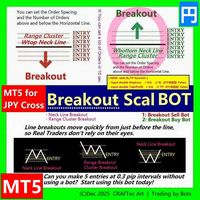
MT5【 Breakout Scal BUY BOT 】Script ( for JPY Cross pairs )
Breakout Buy Bot { Quick steps to compile in MetaEditor }
※ Enter the Horizontal line price and you can set up a lot of orders in less than 10 seconds.
for :
・USD/JPY(米ドル/円) ・EUR/JPY(ユーロ/円) ・GBP/JPY(英ポンド/円) ・AUD/JPY(豪ドル/円) ・NZD/JPY(ニュージーランドドル/円) ・CAD/JPY(カナダドル/円) ・CHF/JPY(スイスフラン/円) ・SGD/JPY(シンガポールドル/円) ・HKD/JPY(香港ドル/円)
Entry @
・Neck Line Breakout ( W Top, Head & Shoulder ... ) ・Range Breakout ( Tokyo Range ... ) ・Cluster Breakout
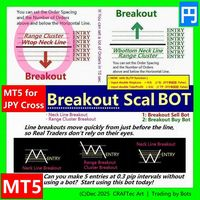
MT5【 Breakout Scal SELL BOT 】Script ( for JPY Cross pairs )
Breakout SELL BOT { Quick steps to compile in MetaEditor }
※ Enter the Horizontal line price and you can set up a lot of orders in less than 10 seconds.
for :
・USD/JPY(米ドル/円) ・EUR/JPY(ユーロ/円) ・GBP/JPY(英ポンド/円) ・AUD/JPY(豪ドル/円) ・NZD/JPY(ニュージーランドドル/円) ・CAD/JPY(カナダドル/円) ・CHF/JPY(スイスフラン/円) ・SGD/JPY(シンガポールドル/円) ・HKD/JPY(香港ドル/円)
Entry @
・Neck Line Breakout ( W Top, Head & Shoulder ... ) ・Range Breakout ( Tokyo Range ... ) ・Cluster Breako
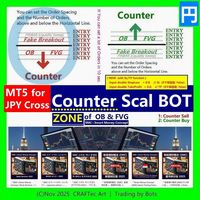
MT5【 Counter SELL Bot 】( for JPY Cross pairs )
Counter SELL Bot { Quick steps to compile in MetaEditor }
※ You can set a lot of Orders in 10 sec.
@ LINE of Round Number, Resistance & Support @ ZONE of OB & FVG by SMC Smrt Money Concept
For :
・Order Block (OB) Counter ・Fair Value Gap (FVG) Counter ・Round Number (RN) Counter ・Fake Breakout (PINBAR) ・etc ...
for :
・USD/JPY(米ドル/円) ・EUR/JPY(ユーロ/円) ・GBP/JPY(英ポンド/円) ・AUD/JPY(豪ドル/円) ・NZD/JPY(ニュージーランドドル/円) ・CAD/JPY(カナダドル/円) ・CHF/JPY(スイスフラン/円) ・
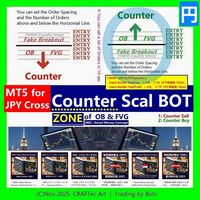
MT5【 Counter BUY Bot 】( for JPY Cross pairs )
Counter BUY Bot { Quick steps to compile in MetaEditor }
※ You can set a lot of Orders in 10 sec.
@ LINE of Round Number, Resistance & Support @ ZONE of OB & FVG by SMC Smrt Money Concept
For :
・Order Block (OB) Counter ・Fair Value Gap (FVG) Counter ・Round Number (RN) Counter ・Fake Breakout (PINBAR) ・etc ...
for :
・USD/JPY(米ドル/円) ・EUR/JPY(ユーロ/円) ・GBP/JPY(英ポンド/円) ・AUD/JPY(豪ドル/円) ・NZD/JPY(ニュージーランドドル/円) ・CAD/JPY(カナダドル/円) ・CHF/JPY(スイスフラン/円) ・SGD

KS PropFirm 및 Broker Dashboard Pro: 프로프 트레이딩 회사(Prop Firm)의 까다로운 규정 준수를 위한 최고의 도구
정밀한 모니터링으로 프로프 트레이딩 여정을 한 단계 업그레이드하세요. 고위험 프로프 트레이딩 회사 규정 준수를 위해 스프레드시트, 계산기, 수동 확인 작업을 반복하는 데 지치셨나요? KS PropFirm 및 Broker Dashboard Pro는 FTMO, MyForexFunds, The5%ers 등과 같은 회사 규정을 준수해야 하는 전문 트레이더를 위해 설계된 올인원 MT5 유틸리티입니다. 이 가벼운 대시보드는 계정 상태에 대한 실시간 인사이트를 제공하고, 비용이 많이 드는 규정 위반을 방지하기 위해 자동으로 규칙을 적용합니다. EA나 터미널 속도를 저하시키지 않고도 규정 준수 요건을 충족합니다. 규정 준수 요건을 더 빠르게 충족하고, 더 스마트하게 거래하며, 자신 있게 자금 지원 계정을 활용하세요.
KS PropFirm 대시보드를

이 유틸리티는 차트에 경제 뉴스를 직접 표시합니다. 예정된 이벤트, 발표까지 남은 시간, 중요도를 보여주고 알림을 전송합니다.
대상:
경제 뉴스를 주시하는 트레이더
뉴스에 기반한 거래를 하는 트레이더
적시에 알림을 받고 싶은 트레이더
차트에서 간편하고 직관적인 캘린더를 필요로 하는 사용자
주요 기능 뉴스 패널 - 차트에 가장 가까운 경제 이벤트를 표시합니다.
통화 필터 - 거래하는 통화에 대한 뉴스만 표시합니다.
알림 - 뉴스 발표 전 선택한 시간에 알림을 보냅니다.
푸시 알림 - MetaTrader 모바일 기기로 알림을 보냅니다.
소리 알림 - 사용자 지정 가능한 소리 알림
색상 표시기 - 중요도 및 긴급도를 시각적으로 표시합니다.
설정 알림 시간(분) - 이벤트 발생 몇 분 전에 알림을 보낼지 설정합니다.
최소 중요도 - 알림을 보내기 위한 최소 뉴스 중요도
통화별 필터 - 현재 거래 중인 종목의 통화로 뉴스를 필터링합니다.
소리 알림 활성화 - 소리
FREE

GUARDIAN 트레이딩 패널 GUARDIAN 트레이딩 패널 시장을 통제하라. 따라가지 마라. GUARDIAN은 단순한 트레이딩 패널이 아니다.
혼란, 주저, 감정적 실행을 거부하는 트레이더를 위한 명령 시스템이다. 한 가지 진리를 이해하는 전문가를 위해 구축되었다:
실행 속도와 통제력이 결과를 결정한다. ️ GUARDIAN은 결정과 실행 사이의 간극을 제거한다.
무작위성을 구조로 대체한다. ️
당신의 차트를 지휘 센터로 변환한다. GUARDIAN이 강제하는 것: ️ 차트에서 직접 원클릭 실행 ️ 통제된 규칙 기반 행동을 통한 강제적 규율 실시간 트레이딩 환경 인식 안전하지 않은 조건의 자동 거부 잡음 없음. 장식 없음. 순수 기능만. 모든 클릭에는 의도가 있다 모든 거래는 신중하다 GUARDIAN은 단순히 당신을 지원하지 않는다.
당신의 워크플로우를 지휘한다. ️ GOLDEN EDGE 생태계 당신은 도
FREE

WS TakeStop AutoPilot 은 포지션이 열리는 즉시 TP, SL, 그리고 브레이크이븐(BE)을 자동으로 설정하고 싶은 트레이더를 위해 설계된, 가볍고 안정적인 자동 리스크 관리 도구 입니다.
이 유틸리티는 포지션을 열지 않습니다 . 이 도구는 계좌의 오픈 포지션을 감지하고, 새로운 포지션이 열리면 즉시 미리 설정해 둔 TP / SL / BE 값을 적용합니다. 주요 기능 포지션 오픈 시 자동 TP / SL 적용 선택형 브레이크이븐 기능 (트리거 및 오프셋 설정 가능) 모든 상품 지원 : 지수, 외환, 주식, 암호화폐, 원자재 매우 빠르고 가벼운 구조 (타이머 기반) 포지션만 관리 — 진입 기능 없음 현재 차트 상품만 또는 계좌 전체 상품 관리 가능 규율, 일관성, 자동 보호를 원하는 트레이더에게 완벽 적합한 사용자 TP/SL 설정을 자주 잊는 수동 트레이더 즉각적인 리스크 보호가 필요한 사용자 외부 신호 또는 수동 진입을 사용하는 트레이더 리스크

AI Trading Assistant | Discord/Telegram → MetaTrader 5 Automation An advanced automation framework that enables natural language trade instructions sent from Discord or Telegram to be executed automatically on MetaTrader 5 using n8n workflows and a custom Expert Advisor. This solution integrates modern workflow automation with MetaTrader 5, allowing users to send trade instructions such as: “buy EURUSD 1% risk 30 pip SL 3R TP” “sell GBPUSD now 2% 20 SL 60 TP” “buy limit EURUSD at 1.0850 with 1%
This panel was built on one simple philosophy: focus only on what truly matters . Clean, minimalist, and uncluttered, it displays just the information you need to make decisions: trend scanner, momentum scanner, real-time currency strength, and dominant market direction. Everything is grouped into a clear, fast-to-read interface designed for active trading and prop firm challenges . Unlike the overloaded and confusing panels flooding the Market, this one is all about efficiency. It features inst
Alpha Risk Controller PRO – Complete Risk Discipline for Every Trader Most traders lose not because their strategy is wrong, but because their risk is inconsistent , their lot sizes fluctuate , and their drawdown grows silently .
Alpha Risk Controller PRO provides a consistent, structured, and disciplined framework to keep trading controlled and stable. This tool monitors exposure, manages position size, safeguards the account, and enforces rules that prevent emotional mistakes. It works with bo

Smart Trading Dashboard for MetaTrader 5 Smart Trading Dashboard is a professional multilingual control panel that consolidates all key trading elements into a single convenient interface. No more switching between tabs—all important data and tools are now right in front of you! KEY FEATURES All Data at a Glance Account: Balance, Equity, Margin Level, Free Margin Instrument: Bid, Ask, Spread in points Open Positions: Number of Buy/Sell, Volume in lots, Profit per symbol Total Profit: O
FREE

PulsePanel FREE – The exact same clean, professional and powerful dashboard as the Pro, completely free so you can test it thoroughly before upgrading. Limited to USDCHF and GBPNZD , this free edition gives you full, unrestricted access to every core feature: What You Get in the FREE Version One-click instant execution (buy/sell) Real-time currency strength meter Precise momentum scanner Watchlist with trend, momentum and conviction Live position tracking: net P&L, dynamic risk/reward ratio, sto
FREE

Smart TP by Risk Ratio MT5 Script – Take Profit Calculation Based on Stop Loss Overview Smart TP by Risk Ratio is a script for MetaTrader 5 that calculates Take Profit levels using the distance between the Open Price and Stop Loss, multiplied by a user-defined ratio (R-Multiple). The script can be applied once per execution to the current chart symbol or to all open positions.
It does not open trades and requires a Stop Loss to be set for the calculation. Functionality TP Calculation: Take Prof

Advanced Breakeven & Partial Close Manager MT5 Script – One-Click Trade Management Overview Advanced Breakeven & Partial Close Manager is a trade management script for MetaTrader 5.
It works only on existing open positions and applies actions strictly based on user-defined rules. The script runs once per attachment and performs only the actions explicitly enabled in the inputs.
It does not run in the background, does not trade automatically, and does not generate signals. Core Functionality The

Smart Bulk Order Closer MT5 Script – PnL-Based Trade Closer Overview Smart Bulk Order Closer is a script for MetaTrader 5 that closes open positions based on their current floating profit or loss in account currency. The script executes once per attachment and only closes trades that meet the user-defined PnL conditions.
It does not run in the background, does not modify Stop Loss or Take Profit, and does not open trades. Core Functionality The script evaluates each position individually and ap

Apex StopLoss Manager MT5 Script – Stop Loss Control Utility Overview Apex StopLoss Manager is a trade management script for MetaTrader 5 designed to provide precise, rule-based control over Stop Loss behavior on existing open positions . The script focuses on manual execution and accuracy.
It does not use automated trading logic, does not open trades, and runs once per attachment . Core Functionality The script provides two independent Stop Loss control functions, both enabled only through exp

Smart Bulk SL Setter MT5 Script – Bulk Stop Loss Management Overview Smart Bulk SL Setter is a trade management script for MetaTrader 5 designed to modify the Stop Loss level of multiple existing open positions at once. The script executes once per attachment and applies a user-defined Stop Loss price based on selected filters.
It does not run in the background, does not open trades, and does not generate signals. Core Functionality The script allows setting a unified Stop Loss level for multip

Smart Bulk TP Setter MT5 Script – Bulk Take Profit Management Overview Smart Bulk TP Setter is a trade management script for MetaTrader 5 designed to modify the Take Profit level of multiple existing open positions at once. The script executes once per attachment and applies a user-defined Take Profit price based on selected filters.
It does not run in the background, does not open trades, and does not generate signals. Core Functionality The script allows setting a unified Take Profit level fo
WARNING: Is your Backtest lying to you?
Did you know that 95% of Expert Advisors (EAs) fail in live accounts because they were optimized on “clean” and perfect data? The live market is imperfect, asymmetric, and hostile. Tick Data Stress Tester – Chaos Edition is a professional stress testing and extreme validation tool, designed to expose hidden weaknesses before your strategy faces the harsh reality of live trading and you risk a single dollar.
It transforms static CSV files into adverse mar

Trade Interface Pro – The Ultimate Visual Trading Platform for MetaTrader 5
This is a All-In-One Trading Tool, but in general it's a Full Expert Advisor but without automated Trade-Execution Trade Interface Pro transforms MetaTrader 5 into a fully automated, interactive trading environment, turning every chart into a real-time intelligence terminal. All market analysis, trade execution, and structure visualization happen directly on the chart — instantly, intuitively, and without menus or delay

RiskMaster EA Pro – Next-Gen Trading Assistant & Risk Management System
Absolute Capital Protection • Precision Money Management • Smart Automation Major Feature: Universal and simultaneous support for both CFD and FUTURES markets, Hedging or Netting automatically identified (with automatic detection and real-time calculation of contract expirations). ️ Built-in Safety Layer (Unique per user) : To maximize your account protection and prevent any conflicts with automatic trading

WS Trade Result HUD is a lightweight and fast utility that displays essential information about your open trade directly on the chart: current profit/loss, lot/contract size, and TP/SL values automatically converted into points.
It is perfect for traders who want clarity and speed without cluttering the chart with heavy dashboards. The HUD works on any MetaTrader 5 instrument — including Forex, Crypto, Indices, Stocks and Futures — and updates in real time with every tick.
You can customize corn
FREE
This EA deletes pending orders that stay on the account longer than a period you define. It does not open or close any market position and it makes no trading decision.
A pending order that has been forgotten can block margin or get filled at a price you no longer want. This utility removes such orders automatically once they pass the time limit you set, so your capital stays available and your order list stays clean.
Key features
- Deletes pending orders after a configurable time in the ter

EcoFineX – Multi-Factor Adaptive Bias Dashboard for MetaTrader 5 EcoFineX is a non-trading Expert Advisor that delivers a real-time, quantitative assessment of market direction through a clear, card-based dashboard. Designed for disciplined traders who value clarity, confluence, and controlled risk , it synthesizes 14+ analytical filters into a single Trade Bias Score (0–100) and displays an ATR-based risk percentage for informed position sizing. This tool does not execute trades—it provides tr

Time-Based Auto-Close Order Management Tool (MT5) — Technical Description Overview
This is an automated order management EA based on time-algorithm logic. Its core function is to automatically execute preset closing operations when user-defined holding periods expire, aiming to help traders enforce predetermined rules mechanically and reduce emotional interference. Core Closing Modes Closing Mode Functional Definition Close All Closes all eligible positions when the set time is reached. Close

JP2 CoreHedge – Prop Risk Dashboard (Standard Edition) Professional Drawdown Monitor for Prop Firm Traders JP2 CoreHedge STANDARD is a lightweight and precise risk monitoring panel designed for traders working with prop firm rules.
It does not open or manage trades — instead, it provides clean, real-time visibility of your account’s risk status. This utility is ideal for challenge accounts, funded accounts, and traders who need to avoid hidden drawdown violations. Key Features Real-time Prop Ris

Drawdown Terminator – Account-wide Equity Guardian for MT5
Protect your capital. Lock your profits. Sleep without watching every tick. ️
1. What is Drawdown Terminator? Drawdown Terminator is an MT5 utility (non-trading Expert Advisor) designed to protect your entire account equity – not just a single EA or symbol. It continuously monitors your total account equity / capital , and when your Equity Profit Target or Equity Loss Limit is reached, it can automatically: Close all open position

FTU Auto Trade with on Chart Panel Mt5 (basic version)
This EA will improve your trading, lower work load and improve risk management Adjust Lot size, entry based on at market or by price input EA will manage entry, stop loss, partial close and adjust stop loss after tp1, partial Designed to be compact and efficient, small layout for multiple chart trading
Features: Lot groups - Allows for fast change to various risk models Tp, Partial and SL management Multiple No Trade Times - Various time
FREE

JVH Trading Information Panel – Professional Account Dashboard (MT5) The JVH Trading Information Panel is a clean, accurate, and professional account monitoring dashboard for MetaTrader 5.
It gives traders full control and insight into account performance, risk, drawdown, and trading statistics — all in real time , directly on the chart. Designed for manual traders, funded traders, scalpers, and algorithmic traders , this panel focuses on clarity, correctness, and stability . What This Indic
FREE

SympleAssist is a smart risk & trade panel for MetaTrader 5.
It does not generate signals or “magic entries”. It helps you execute your own strategy with strict risk control: Set your account size (COUNT) . Set your Stop Loss price . Type how many USD you want to risk . SympleAssist calculates the lot size , draws the SL line on the chart and gives you one-click BUY / SELL / CLOSE .
Main Features Risk per trade in USD You type the risk in USD, SympleAssist calculates the position size based on
FREE

Ping-Monitor — Never Miss a Tick Again!
Do you run EAs and worry about silent chart freezes or data feed stalls ?
This utility is your ultimate watchdog, alerting you the moment your charts stop receiving updates.
Ping-Monitor is designed to detect when a chart freezes or the data feed stalls, even if MT5 still shows that the connection is active.
It works by tracking the time of the last incoming tick. Every time the chart receives a new price update, the EA records the timestamp.
Then, on a

AxiomSuite Pro — Institutional-Grade Risk & Compliance Engine for MetaTrader 5 AxiomSuite Pro is a complete institutional risk-management system designed for traders, prop firms and professional managers who need real-time protection, automated discipline, and full compliance tracking inside MetaTrader 5. Unlike classic trading EAs, AxiomSuite Pro does not execute trades.
It supervises every trade you place — manually or through your own strategy — and enforces strict rules to prevent viol

Manual Trading Dashboard for MT5 Strategy Tester
This utility adds a clean on-chart dashboard that lets you manually trade inside the MetaTrader 5 Strategy Tester — ideal for discretionary backtesting, replay-style practice, and validating execution rules under realistic conditions.
Instead of relying on the standard interface, you get a fast workflow to place and manage orders directly from the panel .
Features • Place Market orders and Pending orders from the dashboard • Quickly

Trade Assistance AlgoMatrix v2.0 – Advanced Trade Management Utility for MetaTrader 5 Trade Assistance AlgoMatrix v2.0 is a professional trade management utility for MT5 designed for traders who want better control over positions, exits, and risk directly from the chart. Many traders spend most of their time searching for entries, but long-term consistency often depends on how trades are managed after entry. This utility was created to make that process easier by providing a structured and pract
This EA Trails your stops for both manually and auto-opened trades. This EA will work whether you have manually or automatically set stop loss or not.
Trailing stop is a more flexible variation of a normal exit order. Trailing stop is the practice of moving the stop-loss level closer to the current price when the price moves in your favor. Trailing the stop-loss allows traders to limit their losses and safeguard their positive trades. It is a very popular practice. This EA will manage your ord

Why execution quality matters more than you think You can have the best trading strategy, perfect entry points, and proper risk management. But if your broker consistently executes orders at worse prices, you lose money before the market even moves. A slippage of 0.01% seems insignificant. But over 100 trades per month, it becomes a noticeable amount. Over 1000 trades, it becomes a serious problem. Scalpers and algorithmic traders understand this well: execution quality directly affects your bot

SmartT AI Levels (MT5) is a professional utility that displays trading levels generated by SmartT’s autonomous AI Traders - fully independent algorithmic models, each with its own unique trading behavior, logic, and risk pattern.
Every AI Trader evaluates the market separately and produces its own Entry, SL, and TP levels.
This tool does not merge or combine models. It simply retrieves the selected AI Trader’s output and displays its exact levels on your MT5 chart.
This tool is not free and re
FREE

- Download historical rates via `CopyRates()` for many symbols and timeframes. - Works with Market Watch symbols or explicit symbol list. - Optional CSV export into the terminal `Files` folder (per symbol/timeframe). - Configurable retries, pause and exponential backoff. - Verbose logging and progress comments for convenience.
## Usage 1. Copy `AutoHistoryDownloader_mq5.mq5` into `MQL5/Scripts` or open in MetaEditor. 2. Attach / run the script from the Navigator (Scripts). 3. Configure inputs:
FREE

Trade Control Panel Function
Normal One Click Function
Close All Close All Profit Close All Loss
Close All Pending Order Close All Sell
Close All Buy
Advance One Click Function 1. Close Partial Lot Sell by Percent It will help you partial close for all open position by desire percent you wanted.
No longer partial close one by one for every open position Manual input for desire percent 2. Close Partial Lot Buy by Percent It will help you partial close for all open position by desire percent

功能一:全景式订单路径回溯,让交易历史一目了然 智慧视觉区分 :系统自动以 实线 清晰标记 历史订单 的完整生命周期(从入场到离场),同时以 虚线 高亮显示 当前持仓 的浮动盈亏路径。线段样式与颜色完全支持自定义。 一键全景复盘 :独家支持 自定义时间范围 内所有订单路径的 一键加载 。无论是复杂的分批止盈、中途减仓,还是多笔交易叠加,都能在图表上瞬间清晰呈现,助您深度复盘策略得失,优化风控点位。( 默认为显示五天内的持仓 ) 功能二:K线收线精准倒计时,永远快市场一步 决胜秒针 :在图表醒目位置实时显示 当前周期K线的剩余收线时间 ,精确到秒。告别凭感觉猜测,让离场或入场决策在关键时刻更加从容、精准。 完全个性化 :倒计时显示的大小、位置均可自由定义,完美融入您的个性化交易界面,信息获取零干扰。 告别盲点交易,拥抱全景决策。立即拥有 OrderMap and Timing Pro ,将复杂的交易数据转化为清晰的制胜地图,并精准把握市场的每一次“心跳节拍”。
일반 설명
Digital Clock은 Everton Messias가 개발한 MetaTrader 5 전용 실시간 디지털 시계 표시 인디케이터입니다. 이 도구는 트레이더가 차트를 분석하면서도 중요한 시간 정보를 즉시 확인할 수 있도록 도와줍니다. 외부 프로그램이나 브라우저, 또는 컴퓨터의 시스템 시간을 별도로 확인할 필요 없이, 거래 화면 안에서 모든 시간을 한눈에 볼 수 있도록 설계되었습니다. 특히 세션 변화나 뉴스 발표 시점 등 시간 관리가 중요한 전략을 사용하는 트레이더에게 큰 이점을 제공합니다. 주요 기능:
실시간 표시 – 시·분·초 단위로 정확한 시간 업데이트
완전 사용자 설정 – 색상, 글꼴, 글자 크기를 자유롭게 구성 가능
위치 설정 가능 – 차트 좌측, 우측, 상단, 하단 등 원하는 위치에 배치
1초 단위 자동 갱신 – 지연 없이 최신 시간 표시 유지
모든 MT5 템플릿과 호환 – 다크 모드·라이트 모드 모두 최적화
세션 기반 전략에
FREE
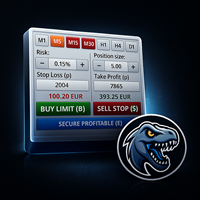
MrRexo Trade Panel - MT5 트레이딩 패널 MrRexo Trade Panel 은 MetaTrader 5 용 차트 위 트레이딩 패널입니다. 빠른 주문 실행, 명확한 리스크 관리, 차트에서 직접 포지션 관리를 원하는 수동 트레이더를 위해 제작되었습니다. 이 패널은 주문 실행, 리스크 관리, lot 계산기, 시각적 R:R 계획, Break Even, Trailing Stop, 포지션 보호, 세션, 추세 컨텍스트, 가격 레벨 및 차트 모듈을 하나의 Expert Advisor에 통합합니다. Forex, 지수, 원자재, 금속, CFD 및 브로커 suffix가 있는 심볼에서 사용할 수 있습니다. Hedging 및 Netting 계정 유형을 지원합니다. 수동 트레이딩 및 실행 차트에서 Buy 및 Sell 실행. 설정된 lot, Stop Loss, Take Profit을 사용하는 시장가 주문 . 시각적 레벨을 이용한 pending order 계획. Close All , Close P

Buy Sell Keyboard - 키보드 임펄스 트레이딩을 위한 전문가 어드바이저
번개 같은 키보드 트레이딩. 한 번의 터치로 완벽한 시장 제어. 마우스나 대화 창 없이 즉시 주문을 실행하는 핫키 할당. 주요 기능: 정밀한 진입을 위한 임펄스 알고리즘
프로 트레이더들의 비밀 공식. 알고리즘이 강력한 움직임을 준비하는 가격의 시장 임펄스 순간을 식별. 거짓 돌파 필터링, 축적 포인트 판단, 임펄스 확인 신호. 즉각적인 키보드 트레이딩
A/S - 즉시 매수/매도 개시 (대소문자 구분 없음 (A/a, S/s), 매직넘버 설정
Q/W/Z/X - 지능형 포지션 종료 (대소문자 구분 없음 (Q/q, W/w, Z/z, X/x)
제로 딜레이 - 밀리초 단위 실행
미니멀리스트 모드 - 패널 비활성화 및 키보드 전용 작업 가능 지능형 포지션 관리
외과적 정밀도로 거래 종료. 4가지 종료 전략:
Q - 포트폴리오 내 모든 수익 포지션 종료 (모든 심볼, 해당 매직넘버 기준)
W -
FREE

ForceCode Risk Assist Panel ForceCode Risk Assist Panel is a professional trading utility designed for strict risk management and Prop Firm compliance. It distinguishes itself with a unique Live Equity Preview that visually projects your future balance, and an innovative Rectangular Entry Zone system for weighted position sizing. This tool transforms risk management from complex manual calculations into an instant visual workflow, allowing traders to focus entirely on price action while the sof

MQL5 Trading Control Panel - Your All-in-One Trading Assistant A professional-grade desktop control panel designed specifically for MetaTrader 5 traders. This tool integrates trade execution, order management, risk control, and visual monitoring into one comprehensive floating panel, significantly enhancing your trading efficiency and discipline. Key Features: One-Stop Trade Execution : Quick entry (long/short), one-click close all, categorized closing (profitable/losing positions, long/short po

Sajiro Copier Pro – Ultra-Fast File-Based Master/Slave Trade Copier (MT5) CSV Sync | Reverse Mode | Pending Sync | Partial Close Engine | Consecutive Loss Filter (A1)
Lightning-Fast | Ultra-Stable | Professional-Grade Trade Replication What is Sajiro Copier Pro? Sajiro Copier Pro is a high-speed, file-based trade copier that mirrors trades from one MT5 account (Master) to multiple MT5 accounts (Slave) with ultra-low latency , precision , and prop-firm-safe consistency .
Perfect for signal

TrendView Zero Automator — Full Automation with One Click
TrendView Zero Automator is the official automation module designed to work seamlessly with the TrendView Zero indicator. While the indicator analyzes the market, selects the best internal configuration, and generates trading signals, the Automator transforms those signals into fully automated trades. It follows the same philosophy as TrendView Zero: zero complexity and maximum clarity. A single on-screen button controls the entire sy

Panel Trade Basic: Speed and Total Control
It is the ultimate tool for high-speed manual trading. Trade directly from the chart with a single click or thru keyboard shortcuts, eliminating unnecessary menus.
Key Functions
Instant execution: Market and Pending Orders (Limit/Stop). Quick management: Total control of Batch, SL, and TP instantly. Pro Interface: Floating, draggable panel and real-time P&L/Margin visualization. Keyboard Shortcuts (Hotkeys)
C / V: Buy / Sell. X / Z: Close all / Cle
FREE

SL Locker — Stop-Loss Discipline for MetaTrader 5 Your stop-loss is supposed to protect the trade. SL Locker is designed to stop that protection from being weakened after it has been established. SL Locker is a MetaTrader 5 risk-discipline Expert Advisor built around one focused principle: a protective stop may move in a safer direction — but it should not be casually moved back into a less protective one. Once SL Locker has recorded a valid Stop Loss for a position, it monitors that position a
FREE

SRT Levels Pro Indicator — Support, Resistance & Trend Levels (Visual Trade Ideas & Alerts)
Brief description SRT Levels Pro is a powerful on-chart indicator that reads user-drawn Support, Resistance, Channels and Trend lines/zones and turns them into actionable trade ideas (Breakout, Bounce, Retest). It scores level strength, provides entry/stop/target suggestions (ATR or dynamic stops), and shows a compact dashboard and on-chart visual trade ideas. Alerts include pop-ups, email, push

This utility trails not each position separately, but the entire profit on the account (by money or by percentage).
Activate_Trailing - activation of trailing by money or by percentage of profit. Start_Trailing - the required profit value to start the trailing. Size_Trailing - the size of the trailing stop. Min_Value_for_Close - the minimum profit value after the start of trailing to close positions (in case of a large negative gap to stay in the game). Select_trades - selecting positions t

Professional Trading Analytics — A Complete Picture of Your Trading in Real Time
Do you know your true statistics?
Most traders trade blindly. They don't know their true win rate, don't understand which direction is profitable, and which is wasting their deposit. They don't see that their long trades are losing money while their short trades are profitable.
Professional Trading Analytics shows the truth about your trading — right on the chart, in real time.
What will you get?
Instant analy

Risk Manager Best: The Benchmark for Professional Money Management
Why do I consider this utility the best solution on the market? The answer is simple: it was created by a trader for traders who value their time and money. Unlike overloaded alternatives, it doesn't have a single unnecessary feature that could distract you from chart analysis. This is a tool that turns routine risk calculations into instant action.
Here are the key advantages, broken down into sections:
1. Intuitive Interfac

Automated account protection for prop trading. PropProtector monitors your trading rules in real time, closes trades when a limit is reached, and helps protect your capital on funded and challenge accounts. Important: test on a demo account first Never run PropProtector on a live account with open trades before verifying all settings on a demo account. Adjust min/max balance, loss limit, profit target and trade limits to match your account size and strategy. Incorrect settings can immediately cl

Core function Intelligent transaction management one-click opening and closing operation, which supports user-defined lots to set multiple closing modes: all closing, closing by direction and closing by profit and loss status. Professional risk control, real-time risk monitoring and spread control to avoid high-cost trading environment. Visual control panel has an intuitive graphical interface, and all functions can be operated with one button to display position information, profit and loss sta
FREE
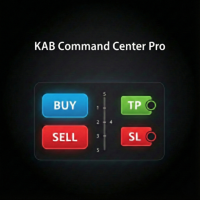
Fast execution utility for manual traders. Drag-and-drop visual trading, split take-profits, and single-ticket management system. Speed, Precision, and Risk Control. KAB Trade Manager is built for traders who need to execute fast but keep risk tight. It integrates all essential tools into floating, collapsible windows. Core Functions: Instant Order Execution: Market and Pending orders with automatic Lot sizing based on SL distance. Focus Ticket Manager: A dedicated window to monitor and mana

This Order Risk Control Panel is designed with the core concept of "Simple, Efficient and Accurate Risk Control". Tailor-made for all types of traders, whether they are beginners or experienced professionals, it allows for quick mastery and realization of refined risk management in every trade. The panel deeply integrates risk control logic into the entire order placement process, fundamentally addressing the pain points of "cumbersome risk control settings and delayed operations" in traditiona
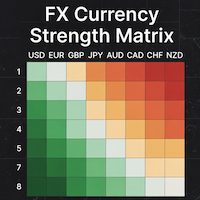
### MQL5 Marketplace Product Description FX Currency Strength Matrix – Professional MT5 Indicator
#### Overview The FX Currency Strength Matrix is a powerful, real-time visual tool that instantly reveals the true strength and weakness of all 8 major currencies in a clean, color-coded matrix format. No more guessing which currency is driving the pair – see the complete strength hierarchy at a glance and trade with institutional-level clarity.
#### Key Features - True 8×8 Currency
FREE
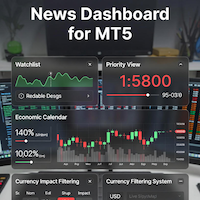
### MQL5 Marketplace Product Description News Dashboard for MT5 – with Live Sessions Map
#### Professional Real-Time Economic News Dashboard + Live Trading Sessions Map
Never get caught off-guard by high-impact news again. The ultimate all-in-one news tool trusted by thousands of professional traders – now with a beautiful embedded Live Sessions Map.
#### Core Features - Uses MT5’s built-in Economic Calendar (zero WebRequest, 100% compliant) - Real-time countdown timer to the
FREE

️ Instant Close All Charts – MT5 Utility Script One-Click Solution to Instantly Close Every Chart Window in MetaTrader 5 Managing too many open chart windows in MetaTrader 5 can slow down your platform, clutter your workspace, and reduce productivity. Instant Close All Charts is a lightweight, ultra-fast MT5 utility script designed to close all open chart windows with a single click — clean, safe, and efficient. Download MT5 EA Products Whether you're a trader working with dozens of charts or
FREE
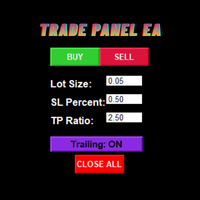
Trade Panel EA – Smart Manual Trading with Professional Risk Management Trade Panel EA is a powerful and user-friendly trading assistant for MetaTrader 5, designed for traders who prefer manual execution while benefiting from advanced trade management and automated risk control. Built with speed, simplicity, and precision in mind, this EA helps traders execute positions efficiently, manage risk consistently, and reduce emotional trading mistakes through an intuitive on-chart trading panel. Trad

VelocityX is a manual trade execution panel for MetaTrader 5. It provides instant order placement with automatic position sizing, structure-based stop loss targets, and built-in risk management protocols. Core Execution Smart Structure Buttons: Three pre-set Stop Loss distances (COLOURED: Gold, Silver, Bronze) calibrated to market structure. Auto-Calculation: Automatically calculates lot size based on your defined risk percentage. Instant Entry: Immediate market entry with a single click. Asset

Here our more valuable tools
SMC Trend Trading , Easy SMC Trading , Institutional SMC Architect Volume Analysis Tools , Volume flow Profile , Market volume profile , FVG with Volume , Liquidity Heatmap Profile , Volume Spread Analysis Key Features 1. Total Immersion UI (The "Blackout") Chart Masking: Upon loading, the tool turns the background, grid, and candles pitch black. This hides the noise of the market ticks, allowing you to focus purely on your performance data withou

AxiomSuite – Advanced Risk Manager for MetaTrader 5 A full-account real-time risk controller for disciplined and prop-firm-compliant trading. AxiomSuite is a professional Risk Management System for MetaTrader 5 , designed to actively protect trading accounts with institutional-grade rules.
It supervises all trading operations — manual entries, EA trades, pendings, multi-EA VPS environments — acting as a full-account risk firewall . AxiomSuite does not open or close trades.
It enforces your ri

FTU Auto Trade with Panel Mt5
This EA will improve your trading, lower work load and improve risk management Adjust Lot size, entry based on at market or by price input EA will manage entry, stop loss, partial close and adjust stop loss after tp1, partial Test on demo to be sure of all the features and inputs Special Features: This version includes price mode PRC, set a price for entry, no need to wait for MKT execution
Features: Multiple No Trade Times - Various time inputs to stop the EA fro
MetaTrader 마켓 - 트레이더를 위한 로봇 및 기술 지표는 거래 터미널에서 바로 사용할 수 있습니다.
The MQL5.community 결제 시스템은 MQL5.com 사이트의 모든 등록된 사용자가 MetaTrader 서비스에서 트랜잭션을 수행할 수 있습니다. 여러분께서는 WebMoney, 페이팔, 또는 은행 카드를 통해 자금을 예치하거나 인출하실 수 있습니다.
