Risk Manager Best
- 유틸리티
-
Pavel Malyshko
 나는 정직하고 매우 중요한 단어를 말하고 싶다:마지막 돈으로 거래하지 마십시오,이것은 매우 큰 스트레스이며,이 투자와 관련된 가장 중요한 규칙 중 하나입니다.
네가 나에게서 아무것도 사지 못하게 하라,그러나 나는 네가 마지막 돈을 주지 않는다는 것을 알게 될 것이다.
획기적인 거래 전략은 이미 진행 중이며 정기적으로 업데이트 될 것입니다. 놓치지 않기 위해,내 계정을 추적하고 친구를 추가 할 수 있습니다.
내 새로운 제품을 놓치지 않기 위해 내 전보를 구독하십시오. - 버전: 2.70
- 활성화: 20
Risk Manager Best: The Benchmark for Professional Money Management
Why do I consider this utility the best solution on the market? The answer is simple: it was created by a trader for traders who value their time and money. Unlike overloaded alternatives, it doesn't have a single unnecessary feature that could distract you from chart analysis. This is a tool that turns routine risk calculations into instant action.
Here are the key advantages, broken down into sections:
1. Intuitive Interface
The main problem with most trading panels is complexity. A ton of tabs, tiny buttons, and confusing settings. Risk Manager Best offers a clean, minimalist design. All controls are concentrated on one compact panel. You see only what's truly important for making decisions right now.
2. Automatic Lot Calculation Based on Risk
Forget about calculators and manual calculations. You simply set the risk as a percentage of your deposit or choose a fixed lot. The utility automatically calculates the ideal position size based on where you've moved the Stop Loss line. This eliminates human error and miscalculations.
3. Full Trade Visualization
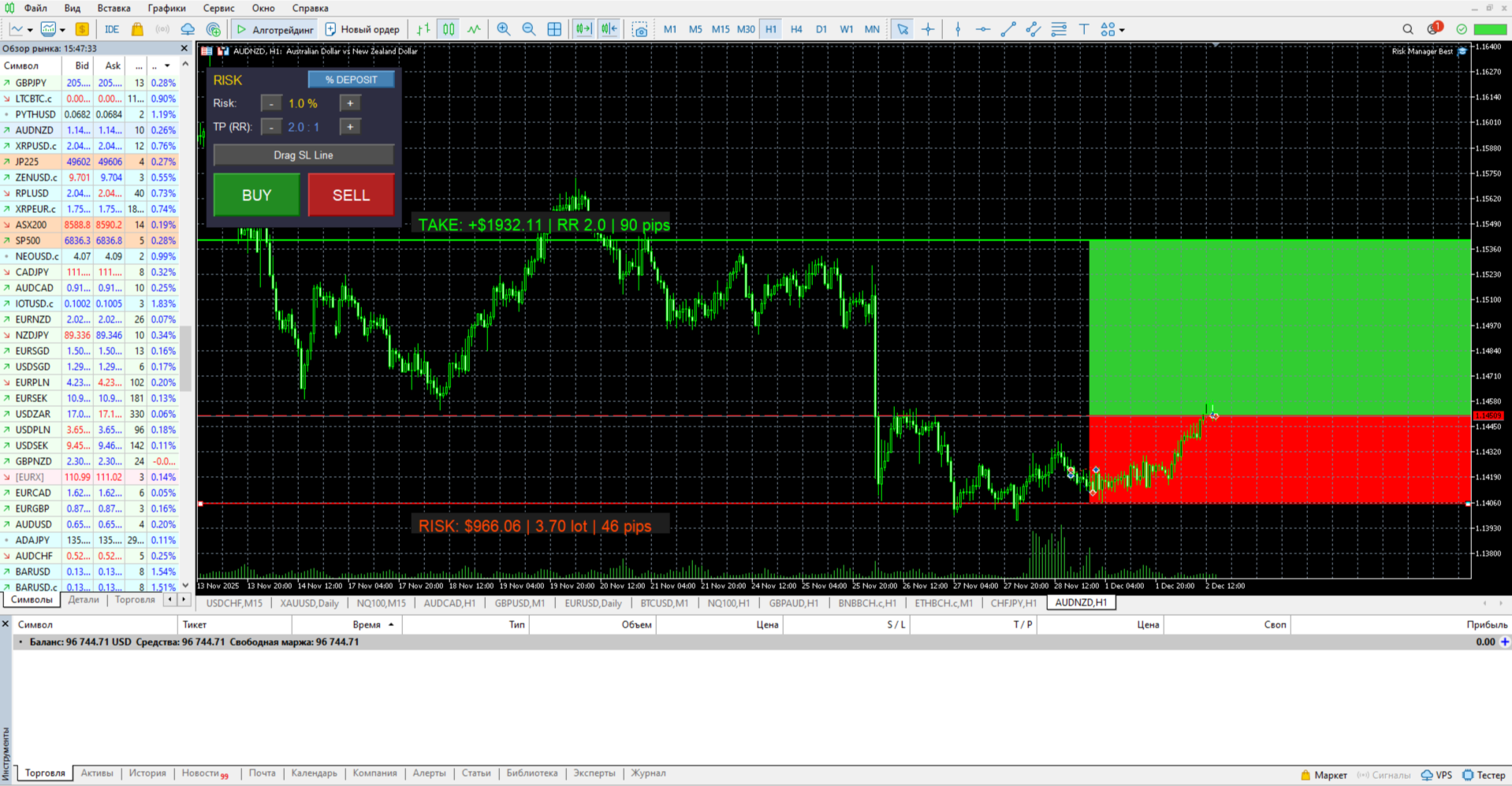
You're not trading blindly. When you activate the lines, clear colored zones appear on the chart. You immediately see the stop loss distance, potential profit, and the exact amounts in your deposit currency. This helps you assess the situation a split second before you press the button.
4. Risk/Reward Ratio Control
Professional trading is impossible without maintaining mathematical expectation. The utility displays the Risk Reward ratio in real time. You can immediately see whether the trade is worth the candle or whether the potential profit is too small compared to the risk.
Summary
Risk Manager Best isn't just a buy or sell button. It's your trading discipline, automated in code. The best solution for those who want to trade professionally, manage their risks, and avoid wasting time studying complex instructions.
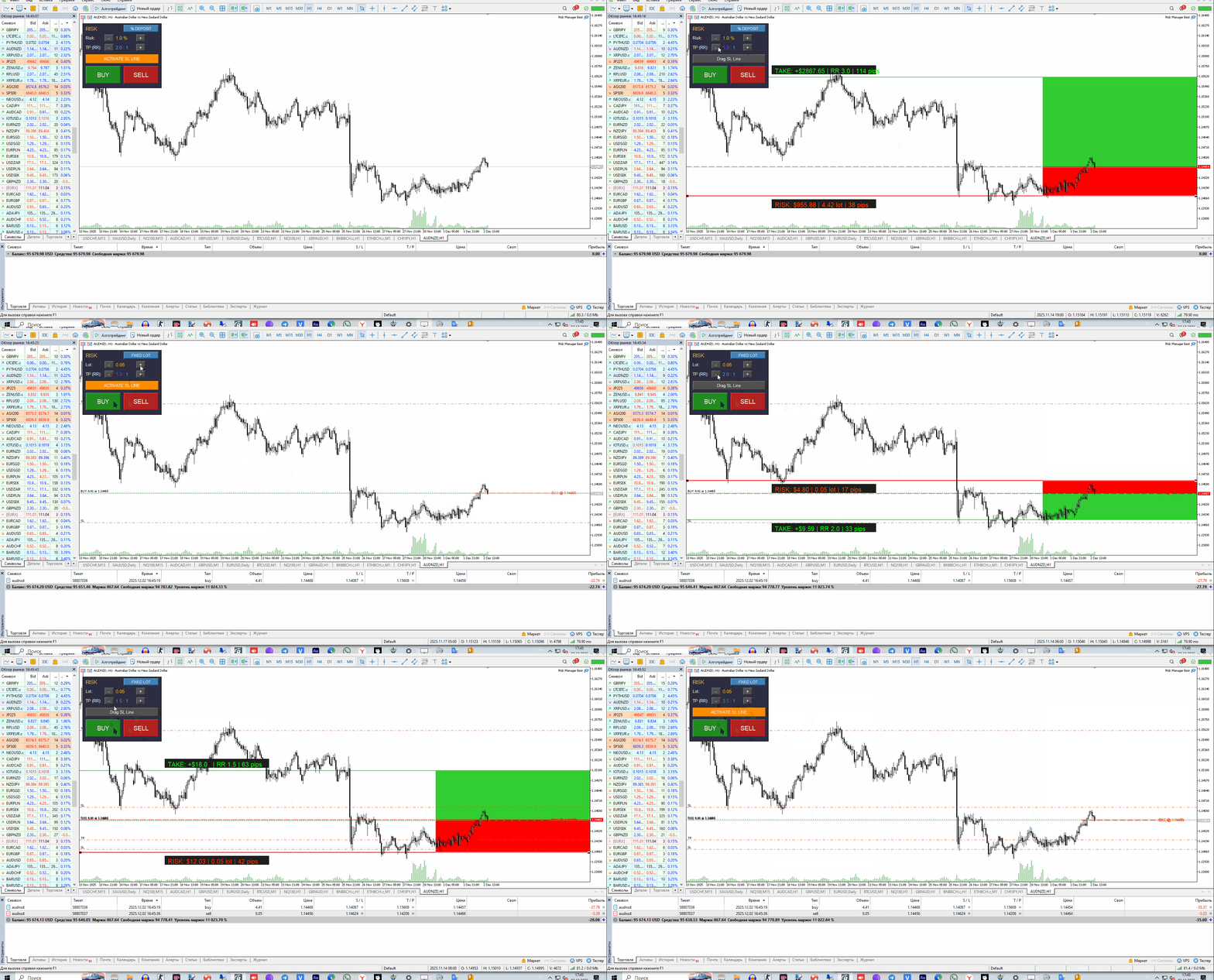
The instructions are very simple; you can watch the GIF video below: Drag the Risk Manager Best utility from the Navigator window (Market section) onto the chart of the instrument you want.
In the settings window that appears, go to the "General" tab and be sure to check "Enable algorithmic trading." Without this, the panel will not be able to open trades. Click "OK."
Make sure the "Algo Trading" button in the top panel of the terminal is enabled (it's green).
The control panel will then appear on the chart.
HOW THE PANEL WORKS:
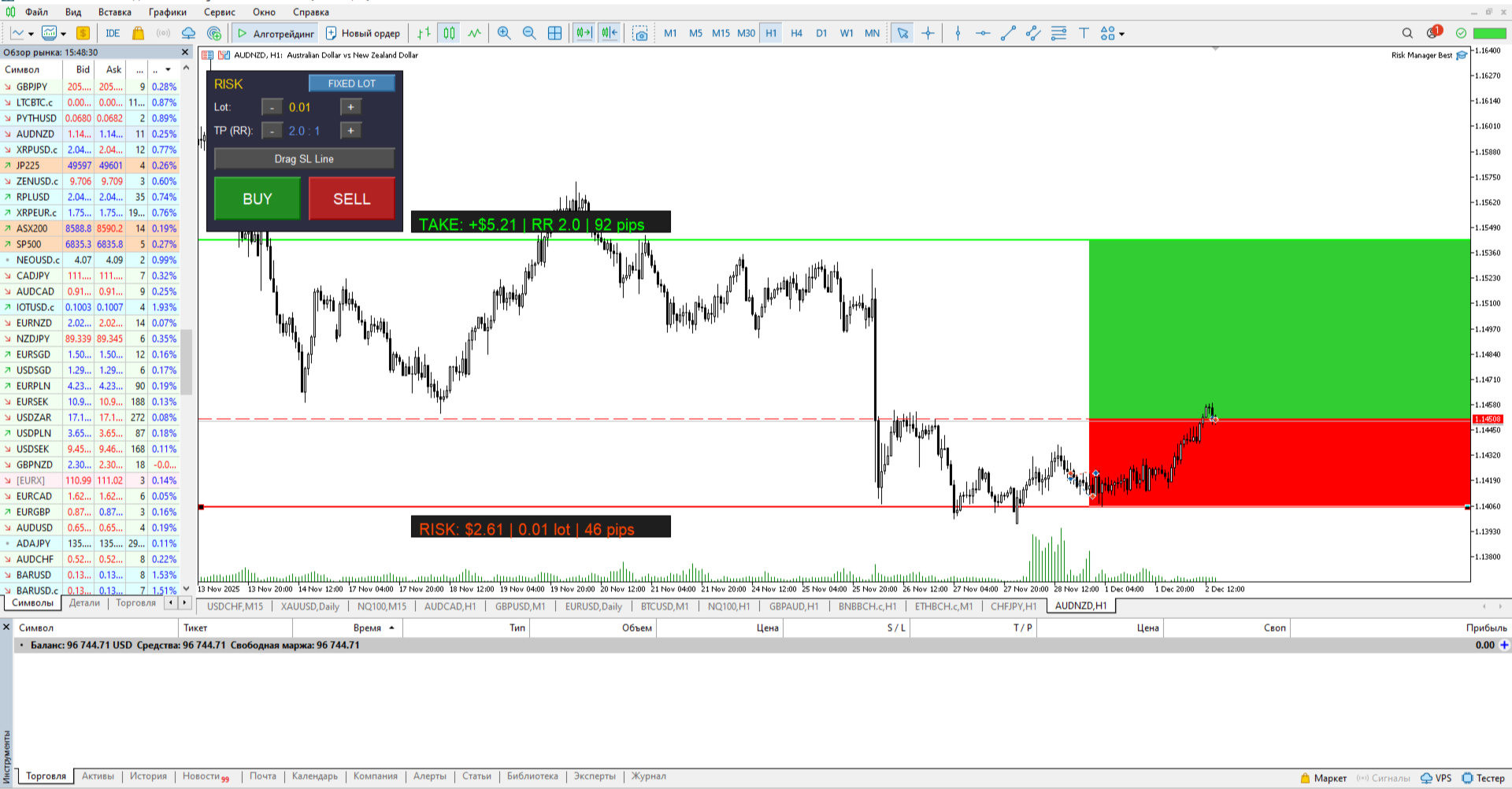
The panel has two modes, which are switched by the blue button at the top. "% DEPOSIT" mode allows you to set the risk as a percentage of your deposit, while "FIXED LOT" mode allows you to work with a fixed lot size.
The "Risk" (or "Lot") line shows the current risk or lot size. The "-" and "+" buttons next to it allow you to change this value.
The "TP (RR)" line shows the risk-to-reward ratio. A value of "2.0" means your profit target will be twice the potential loss. This value can also be adjusted using the "-" and "+" buttons.
HOW TO OPEN A TRADE:
First, configure the parameters on the panel. Select the mode, set the desired risk (e.g., 1.0%), and the RR ratio (e.g., 2.0).
Then click the orange "ACTIVATE SL LINE" button. This button activates the red Stop Loss line on the chart. A green Take Profit line will also appear.
Now, left-click the red line and set it to the price level where you want your stop loss.
As soon as you start moving the line, colored zones (a red loss zone and a green profit zone) will appear on the chart, and an information label will appear on the right. It will show in real time the lot size that will be used for the trade and the monetary loss you will incur if the stop is triggered.
The green Take Profit line will move automatically, maintaining the risk-to-reward ratio you set.
Once you've set the stop loss at the desired level and are satisfied with all the calculated parameters (lot size, risk), simply click the "BUY" button to buy or "SELL" to sell.
The trade will be opened with the ideal lot size, and the Stop Loss and Take Profit levels will be automatically applied. After this, the lines and zones will disappear from the chart.