 MetaTrader 5
 Experts
 지표
지표
 라이브러리
라이브러리
 유틸리티
유틸리티
 위젯
위젯
 규칙
규칙
MetaTrader 5용 새 트레이딩 유틸리티 - 48
 다음은 MetaTrader 5의 거래를 단순화하는 거래 프로그램입니다. 유틸리티의 설명과 목적을 읽으려면 유틸리티 위에 마우스를 놓으십시오.
중요! 구매 전 저에게 연락하시면 20% 할인을 받으실 수 있습니다 TG: @SoyRauX DrawMaster - MT5용 전문 드로잉 도구
진지한 트레이더를 위한 고급 드로잉 도구가 포함된 올인원 패널.
주요 기능:
• 스마트 사각형 - 빈 사각형 및 채움 사각형, 사용자 정의 가능한 색상 • 추세선 - 다양한 스타일 및 두께 설정 가능 • 시장 구조 - 자동 감지 기능이 있는 MS 및 BOS • 자유 그리기 - 방향 색상이 적용된 마커 및 경로 • 영역별 지우개 - 여러 개체를 빠르게 제거 • 사용자 정의 가능한 패널 - 차트 내 6가지 위치 선택 가능
주요 장점:
시간대 간 지속적 객체 유지
깔끔하고 전문적인 인터페이스
빠른 사용을 위한 키보드 단축키
가격 행동(Price Action) 및 기술적 분석에 최적화
전문 도구를 한곳에 모아 기술적 분석을 최적화하고 차트를 체계적으로 관리하세요. -----------------
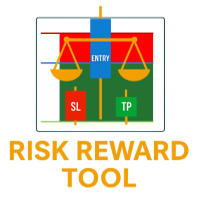
위험 보상 도구 - 스마트 거래 계획 지표
위험 보상 도구는 트레이더가 모든 거래를 자신 있게 계획할 수 있도록 설계된 간단하면서도 강력한 지표입니다. 진입가, 손절매가, 이익실현가, 그리고 위험 대비 보상 비율(RR 비율)을 차트에 즉시 계산하여 표시합니다.
몇 번의 클릭만으로 다음을 확인할 수 있습니다.
손절매(Stop Loss)에 도달했을 때 위험 부담액
이익실현(Take Profit)에 도달했을 때 얻을 수 있는 수익
️ 정확한 위험-보상 비율을 통해 거래의 가치 판단 가능
주요 기능
드래그 앤 드롭 라인 - 진입, 손절매(SL), 이익실현(TP) 라인을 차트에서 직접 이동
즉각적인 계산 - 위험, 보상, 이익실현 비율이 실시간으로 업데이트
시각적 명확성 - 색상으로 구분된 라인(파란색 = 진입, 빨간색 = 손절매, 녹색 = 이익실현)
범용성 - 모든 종목, 모든 시간대, 모든 브로커에서 사용 가능
스마트 거래 계획 - 감정적인 거래를 피
FREE

MultiChart Pro – MetaTrader 5용 차트 관리 전문가 도구 MultiChart Pro는 MetaTrader 5 플랫폼에서 여러 차트를 자동으로 열고 설정할 수 있는 전문가용 어드바이저(EA)입니다. 이 도구는 트레이더가 다양한 시간 프레임에서 시장을 효율적으로 분석할 수 있도록 설계되었으며, 매번 수동으로 차트를 여는 번거로움을 제거합니다.
이 EA는 최대 네 개의 차트를 자동으로 설정할 수 있습니다. 예를 들어, D1, M1, M15 차트와 함께 10초 오프라인 차트를 생성할 수 있으며, 현재 활성 차트(M5 등)도 함께 구성합니다. 모든 차트는 사용자가 지정한 템플릿으로 자동 구성되어, 동일한 스타일과 지표 구성을 유지합니다. 주요 기능: 자동 차트 생성: EA 실행 시 여러 시간대 차트를 자동으로 엽니다. 템플릿 자동 적용: 사용자가 지정한 템플릿을 각 차트에 적용하고, 파일 존재 여부를 자동 확인합니다. 시간 프레임 선택: 입력 매개변수를 통해 손쉽게 원하

Cool Martingale EA – 지능형 헤지 자동매매 시스템 Cool Martingale EA는 XAUUSD, EURUSD, GBPUSD, USDJPY 등 다양한 거래 종목의 차트에서 실행할 수 있는 **전문가급 자동매매 시스템(Expert Advisor)**입니다. 본 EA는 지능형 헤지 마틴게일 거래 로직을 기반으로 설계되었으며, Buy / Sell 양방향 거래 및 단방향 거래를 모두 독립적으로 지원합니다. 유연한 파라미터 구조, 계좌 단위 관리 기능, 그리고 직관적인 차트 제어 패널을 통해 효율적이고 안정적이며 제어 가능한 자동매매 환경을 제공합니다. 핵심 기능 자동 Buy / Sell 헤지 / 단방향 거래, 마틴게일 포지션 증액 지원 초기 로트, 진입 간격, 배수, TP 포인트, 거래 시간 등 모든 주요 파라미터 설정 가능 조기 청산(Early TP) 및 평균가 기반 TP 시스템 내장으로 거래 효율 향상 계좌 단위 관리 및 주문 수량 제어 지원 다양한 손절 및 보호

Trade Manager – BreakEven and Global Stop Loss with one click
This Expert Advisor (EA) is designed to help traders manage their positions faster and more efficiently. It comes with two main features, accessible through on-chart buttons:
BreakEven function:
Instantly moves all open trades to the entry price with a single click.
Option to add a configurable margin (e.g., +2 pips) to cover spreads or commissions.
Global Stop Loss function:
Instantly applies the same stop loss level to
FREE

AEGIS Account and Drawdown Protector Real-Time Account-Level Risk Enforcement for MetaTrader 5 AEGIS is a real-time account protection Expert Advisor designed to enforce strict equity and loss limits across your entire MT5 account. It continuously monitors account equity and intervenes immediately when user-defined thresholds are reached. AEGIS does not generate trading signals and does not open positions — its sole function is capital protection. IMPORTANT AEGIS operates exclusively as a protec

MT5 to Telegram Signals
This utility is simple to use and supports a wide variety of settings: Pick your desired Telegram group and enter the bot token and the chat id Get notified when orders are placed, modified, executed, closed… or any combination of states Connect your broker account with Telegram and stop missing important notifications. Would you like to receive Telegram notifications? Are you looking for a simple way to share trade signals with your followers? Do you need to start docume
FREE

REMOTE COPY TRADE PRO révolutionne le trading social en brisant les limites traditionnelles des systèmes de copy trading ! Contrairement aux solutions classiques qui vous obligent à utiliser le même ordinateur ou VPS, ou s'inscrire sur les plateformes en ligne, notre technologie brevetée permet une copie d'ordres SANS LIMITES GÉOGRAPHIQUES entre n'importe quel ordinateur dans le monde ! AVANTAGE EXCLUSIF : COPIE D'ORDRES À DISTANCE Les limites des autres systèmes : Obligation d'u

This indicator creates a Renko-based custom symbol in MetaTrader 5. Renko charts are built using price movement only, not time, making them useful for analyzing trends and filtering noise. Features Customizable brick size in points. Option to calculate brick size using ATR (adaptive). Ability to show or hide wicks. Creates and updates a custom Renko chart symbol. Automatically opens the chart window (optional). Maintains a limited bar history for performance. Inputs BrickSizePoints – brick size
FREE
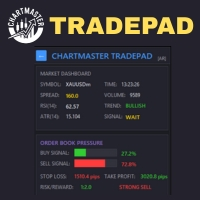
Take control of your trading with ChartMaster TradePad – a powerful all-in-one trading panel designed to simplify order execution, risk management, and market analysis. Whether you’re a scalper, day trader, or swing trader, ChartMaster TradePad gives you the speed, clarity, and precision you need to maximize your trading performance. Key Features Market Dashboard Real-time Market Data : Symbol, spread, RSI(14), ATR(14), trend direction, volume, and trading signals at a glance. Clear Trend & S

Trade Panel Pro is a powerful and easy-to-use trading utility designed for traders who need fast execution, accurate position sizing, and complete risk management directly from the chart. Whether you scalp on the 1-minute chart or swing trade on the 4H, Trade Panel Pro gives you the tools to manage trades with confidence and precision — all in one clean interface. Price will double after 5 purchases. Grab this offer Key Features Fast Trade Execution Open Buy/Sell positions instantly from the pan
FREE
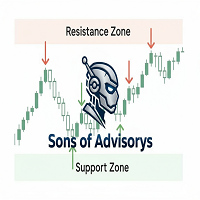
Sons of Advisorys: QuantumLevel This advanced MT5 Expert Advisor automates trading decisions based on a robust Support and Resistance breakout and retest strategy. It performs multi-timeframe analysis across H4, H1, and M15 charts to identify high-probability trade setups with precise zone validation. Key Features: Strategy: Support/Resistance breakout with retest continuation. Multi-Timeframe Detection: Independent analysis and toggle options for H4, H1, and M15 timeframes. Auto-Trading:
FREE

SMART MONEY SCALPER EA - ICT Scalping Strategy Description INTRODUCTION - WHY THIS ICT SCALPING EA IS ESSENTIAL FOR YOUR SUCCESS Dominate the markets with the most advanced ICT scalping system ever created. The Smart Money Scalper EA is specifically engineered for high-frequency ICT scalping, combining Inner Circle Trader concepts with lightning-fast execution to capture multiple quality trades throughout each trading session. This specialized scalping EA transforms ICT methodology into a pr
FREE

PS Assistance is hybrid EA. It make trade easier than general trading. It shows necessary value real time for help to trading and has button for Buy/Sell/Close All Buy/Close All Sell/especially close remain 3 orders has profit highest. It has break event line for order buy or sell. It made you get price when you have profit or you plan to order in big lots for close all. I hope you enjoy trading with my "PS Assistance".

Why You Need VLine Alarm
Stop Missing Trade Setups.
News events, session opens, key timeframes - they all happen whether you're watching or not. VLine Alarm keeps you on point.
Set It Once. Forget It.
Drag a line. Walk away. Get alerted. No babysitting charts. No missing opportunities because you switched timeframes or stepped away.
The Problem It Solves:
You know that moment when you realize the news already hit 5 minutes ago? Or you miss the London open because you were analyzing the daily cha
FREE

EA PRO Risk Panel — MT5 리스크 관리 및 트레이드 관리 패널 EA PRO Risk Panel은 프랍펌 트레이더와 개인 트레이더를 위한 무료 MT5 리스크 관리 패널입니다 — 리스크 기반 랏 계산과 차트에서 드래그 가능한 분할 익절 라인을 제공합니다. - 진입 전에 리스크($ 또는 %)로 정확한 랏 크기 계산
- 3단계 분할 익절 — 패널이 최소화된 상태에서도 라인 드래그 가능
- TP1 도달 시 자동 브레이크이븐(Risk-Free)
- 100% 무료 — 시그널 없음, 과장 없음, 오직 깔끔한 리스크 관리 개발: Sayed Ali Ordibehesht & Afshin Partovi 개요
EA PRO Risk Panel은 MetaTrader 5용 트레이딩 패널로, 리스크 계산, 진입 전 차트에서 주문 미리보기, 볼륨·손절(SL)·익절(TP)을 명확하게 설정한 시장가/지정가 주문 실행을 지원합니다. 본 도구는 매매 시그널을 제공하지 않으며 수익을 보장하지 않습니다. 시
FREE
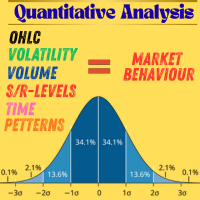
당신의 트레이딩을 ‘감’이 아닌 ‘데이터 기반 의사결정’으로 전환하세요. 이제 전문 금융기관이 사용하는 정량 분석의 힘을 모든 진지한 트레이더가 이용할 수 있습니다. “트레이딩에서 측정할 수 있는 것만이 개선될 수 있습니다. 중요한 것을 측정하기 시작하세요.” 이 도구는 저작권으로 보호된 완전한 정량 분석 툴킷으로, 시장 행동, 변동성, 유동성, 그리고 거래 기회를 깊이 이해하고자 하는 트레이더를 위해 설계되었습니다. 이 Excel 스프레드시트(VBA 자동화 포함)는 MT5(또는 모든 OHLCV 데이터 소스)와 완벽하게 연동되며, 몇 번의 클릭만으로 원시 데이터를 실행 가능한 트레이딩 인사이트로 변환합니다. 이 툴킷은 투자은행이 신입 애널리스트에게 가르치는 정량적 접근 방식을 구현한 것입니다.
이는 전문 트레이딩 교육의 첫 단계로, 추측이 아닌 데이터를 통해 시장 행동과 리스크를 이해하도록 돕습니다. 모든 향후 업데이트가 포함되어 있으며,
한 번의 구매로 최대 10대의 컴퓨터 또는

실시간 가격 및 총 수익 표시 지표 라이브 트레이딩 및 화면 공유에 완벽 데이 트레이더, 스캘퍼 및 라이브 스트림 트레이딩 세션을 위해 특별히 설계됨 이 전문 지표는 차트에서 직접 실시간 가격 표시와 포괄적인 수익 추적을 제공합니다 - 고빈도 거래 및 라이브 트레이딩 방송에 필수적입니다. 주요 기능 실시간 가격 표시 매초 라이브 매수 가격 업데이트 모든 심볼 유형에 대한 전문적 형식화 귀금속을 위한 특별 골드/XAU 형식화 화면 공유에 완벽한 대형 명확한 표시 데이 트레이딩 결정을 위한 즉시 가격 업데이트 포괄적 수익 추적 트레이딩 히스토리로부터의 계좌 총 수익 거래 종료 시 실시간 수익 업데이트 사용자 정의 추가 수익 금액 수수료 및 스왑 포함 플러스/마이너스 지표가 있는 전문적 수익 형식화 성능 최적화 스마트 캐싱 시스템 - 최소 CPU 사용 1초 업데이트 간격 - 번개처럼 빠름 효율적인 타이머 기반 업데이트 실시간 거래 모니터링 전문적 오류 처리 고급 사용자 정의 조정 가능한
FREE

Global Risk Manager Auto Stop Loss Automate Your Risk Management This utility works seamlessly with any symbol, by intelligently setting your initial Stop Loss and Take Profit the instant a new position is opened.
Perfect for traders who enter manually or via an EA but want consistent, rules-based risk management applied automatically.
Why You Need This
Eliminates Human Error: Never forget to set a stop loss again. Ensures every trade is protected from the start.
Enforces Discipline: Removes

Historical Info 차트에서 직접 필수 거래 정보를 표시하는 간단한 무료 유틸리티입니다. 이 가벼운 도구는 한눈에 성과를 추적하는 데 도움이 됩니다. 기능: 현재 오픈된 포지션: 모든 활성 포지션의 요약을 즉시 확인합니다. 최근 거래 내역: 지난 30일 중 선택한 기간의 종료된 거래를 분석합니다. 명확한 데이터 구성: 과거 데이터는 검토하기로 선택한 날의 시작부터 깔끔하게 정리됩니다. 사용 방법: 탐색기 창에서 차트로 유틸리티를 드래그하세요. 패널은 계정 전체 데이터를 표시하며, 배치된 차트의 영향을 받지 않으므로 어떤 종목이나 시간대에서도 사용할 수 있습니다 . 팝업 창에서 '입력' 탭으로 이동하세요. 종료된 거래를 검토할 과거 일수를 설정하세요. '확인'을 클릭하면 패널이 차트에 나타납니다.
FREE
The OCOBreakEven order is a simple EA that, upon identifying a buy/sell order, whether sent to the market or limit, sends the take and stop orders you define in the settings and also uses the breakeven to protect the trade.
This version does not have a trailing stop and does not calculate the average price to combine orders.
If you are interested, please contact us so we can add additional features.

Automatic calculation of lot size for the specified risk and order placement. A simple and concise interface, optimized for fast operation and taking up very little workspace in the instrument window. YouTube guide: https://www.youtube.com/watch?v=9aBKakAMdts
IMPORTANT: When installing Position Wizard, don’t forget to allow algorithmic trading in your terminal! Risk can be set as: An absolute value in dollars (deposit currency) A percentage of the deposit Supported order types: Market (Sell &

Telegram Alert With Emoji Description and User Manual
EA Description Purpose:The Telegram Alert With Emoji sends real-time trading notifications to a Telegram chat or group for all trading activities in MT5, including new Positions (BUY/SELL), Pending Orders (BUY LIMIT, SELL LIMIT, BUY STOP, SELL STOP), Stop Loss/Take Profit (SL/TP) triggers, and closed Positions with profit/loss details. It includes a Rainbow Display on the chart and uses Global Variables to prevent duplicate notifications. [

Trading assistant NewsRForestExpert v4.01 Purpose and principle of operation NewsRForestExpert is a trading assistant for MetaTrader 5, using the built-in economic calendar
and the machine learning model "Random Forest" of the ALGLIB library (hereinafter simply "model"). The assistant: in this version works only on the EURUSD currency pair timeframes M1 – M5; loads news history for the selected period and forms training and test samples; trains on the obtained data or loads an already trained
FREE

CopyStar – File-based Trade Copier (MT5 Master/Slave, MT4-compatible) Short description
CopyStar mirrors changes to your open net positions from the master to any slaves – quickly, robustly, and without network configuration. Communication runs via common files (shared file folder), enabling CopyStar to support MT5↔MT5, MT5→MT4, MT4→MT4, and MT4→MT5. Supports symbol mapping, lot multiplication, optional SL/TP copying, magic/comment filters, and a clear chart status display including heartbeat.
FREE

RiskManagerOptimum for MetaTrader 5 – Your Ultimate Trading Safety Net!
RiskManagerOptimum is the most advanced and professional trade and account risk management Expert Advisor for MetaTrader 5.
It does not open trades. It monitors and manages existing positions in real time to control risk, drawdown, and exposure across all symbols. The EA is designed for manual traders, algorithmic traders, and portfolio traders who require strict and automated risk control across Forex, metals, crypto, indi

Overview Order Manager PRO MT5 is a comprehensive trading tool designed to streamline order management and risk control in MetaTrader 5. It provides visual order placement with drag-and-drop interfaces, advanced risk management, and automated partial profit-taking capabilities. Key Features Visual Order Management Interactive Trading Bars : Drag-and-drop BUY/SELL bars that follow price movements or can be positioned manually Visual SL/TP Positioning : Real-time adjustment of Stop Loss and Take P
FX Ticket Sections 1. Quantity (Lot Size – volume)
Field to define the lot size (volume) of the order to be opened. There are shortcut buttons (0.10, 0.20, 0.40) for quick selection that can be customized. It is also possible to manually enter the value in the field (e.g., 0.20). 2. TP / SL (in points)
Allows setting Take Profit (TP) and Stop Loss (SL) at the time of entry. Values are configured in points , not as direct prices. Checkboxes: TP: Take Profit enabled – when placing or sen
Multi-Level Trading Dashboard - Professional Market Analysis Tool Transform Your Trading Experience with Advanced Multi-Symbol Monitoring The Multi-Level Trading Dashboard is a sophisticated MetaTrader indicator that revolutionizes how you monitor and analyze multiple currency pairs simultaneously. Built with professional traders in mind, this comprehensive tool combines real-time market data, technical analysis, and account management in one intuitive, Windows-style interface. Key Features

EA Close All Set TPSL All Panel EA Close All Set TPSL All MT5 is a professional utility tool for MetaTrader 5 that helps traders manage orders quickly and efficiently.
With a clean on-chart control panel, you can close trades or set Take Profit / Stop Loss levels for all orders with just one click. [MT4 Version ---> click . ]
Key Features On-Chart Control Panel – Light gray background with simple and intuitive design. Close All Orders – Instantly close all active Buy, Sell, and
FREE

Unlock the power of professional risk management with the Hardstop Risk Manager — your ultimate safeguard against devastating trading losses! Are you tired of watching your hard-earned capital erode due to unexpected market swings? Then Unlock the power of professional risk management with the Hardstop Protection EA — your ultimate safeguard against devastating trading losses! This all-in-one, intelligent risk management tool continuously monitors your account, employing multiple layers of prot

Scorpion 73 Bot – User Manual MT5 Version: 1.0 | Author: Salman (Signalsview.com) | Sep 1, 2025 Contents 1️⃣ Overview
2️⃣ Installation & Setup
3️⃣ Main Control Panel ️
4️⃣ Multi-Pair Monitor
5️⃣ Trades Panel ️
6️⃣ Stop Loss & Profit Lock ️
7️⃣ Account Info
8️⃣ Best Practices
9️⃣ FAQs 1. Overview Scorpion 73 is a MetaTrader 5 Expert Advisor (EA) acting as a trader’s command center :
Fast execution & automation
️ Full trade/order control
️ Advanced risk

Liquidity Seeker EA
Why You MUST Have This EA Unlock the power of ICT (Inner Circle Trader) methodology with the most advanced Smart Money Concept trading system available. This EA transforms complex institutional trading concepts into automated precision, giving you the unfair advantage that professional traders use to consistently profit from liquidity manipulation and market structure shifts. START trading WITH market makers using their own playbook. You don't need to do much other than to
FREE
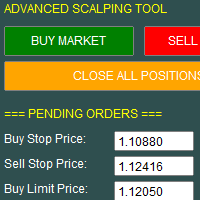
This utility allows for fast and flexible execution of market, stop, and limit orders, giving traders full control over their entries. It includes built-in support for setting stop loss, take profit, and trailing stop parameters at the time of order placement, streamlining trade management from the start.
The interface also displays key trading data in real time, including spread, live profit/loss, and position metrics, helping traders make informed decisions quickly and efficiently

Limiter Drawdown EA – Automatic Account Protection for MetaTrader 5
Description
Limiter Drawdown EA is a lightweight risk management tool for MetaTrader 5.
It monitors your account drawdown in real time and will automatically close all open trades once the threshold you define is reached. This provides a reliable safeguard for any trading strategy. Main Functions Monitors equity versus balance continuously Closes all positions when your chosen drawdown percentage is reached Optionally removes
FREE

How To Use Prop Guardian: 1. The enabled/ disabled button is used to turn Prop Guardian On/Off. 2. You can add your name by double clicking the expert advisor icon at the top right corner of the chart, then add your name where it says 'optional default trader name'. Once you add your name Prop guardian will address you by your name anytime it needs to send you a message. 3. You can choose your Prop firm's drawdown type by choosing between the 'Balance', 'Equity' and 'trailing' button .NOTE; this

Smart Tp Manager – Profit & Loss Closure Expert Advisor for MT5 Smart Tp Manager is a powerful yet lightweight Expert Advisor for MetaTrader 5, built to help traders enforce discipline and protect profits with zero guesswork. Whether you’re managing a single strategy or multiple EAs, Smart Tp Manager ensures your trades close exactly when your profit or loss thresholds are reached — automatically and without hesitation. Key Features Automated Profit & Loss Closure – Instantly closes all trades w
Title: ClosePanel MT5 — Instant Order Management from the Chart Description: ClosePanel MT5 is a convenient utility Expert Advisor for MetaTrader 5 that allows you to instantly close orders directly from the chart using three intuitive buttons. Perfect for manual traders who need to react quickly to market changes and manage risk without unnecessary clicks. Key Features: Close All Orders — instantly closes all open positions and pending orders Close Profitable Orders — closes onl

TradePilot Expert Advisor (EA) for MetaTrader 5 TradePilot is a professional and user-friendly Expert Advisor (EA) for MetaTrader 5 (MT5) . It simplifies automated trading , risk management , and trade execution with a smart trading panel . Perfect for beginners and experienced traders looking for a reliable trade manager EA with automated lot size calculation and smart position management. Key Advantages User-Friendly Trading Panel: Customizable panel with buttons and hotkeys for fast ex
MSP_Bridge 는 AI Grok 4를 RiskKILLER AI Navigator 에 연결하는 무료 유틸리티입니다. 이는 AI 기반의 다중 시간대 시장 방향 및 전략 어시스턴트 입니다.
이 번들을 통해 귀하의 트레이딩 스타일에 맞춰진 AI 기반 트렌드, 심리 및 거시 분석을 통한 기관 수준의 인사이트를 얻을 수 있습니다.
RiskKILLER AI Navigator [ MT5 - MT4 ]
트레이딩 성과는 프로처럼 시장을 이해하는 데 있습니다. 그것이 바로 RiskKILLER_AI Navigator 가 제공하는 것입니다: MQL5에서는 제공되지 않는 AI 기반 트렌드, 시장 심리, 그리고 거시경제 분석을 통해 여러분의 트레이딩 스타일에 맞는 기관급 인사이트를 얻으세요.
핵심 이점 다양한 시간대와 자산에 걸친 실시간 시장 방향 AI 기반의 거시 지표, 뉴스, 심리 분석 여러분의 트레이딩 스타일(수동 또는 자동)에 기반한 맞춤형 조언 Ris
FREE

이 무료 인디케이터는 MetaTrader 5에서 명확하고 실용적인 그리기 기능으로 기술적 분석을 최적화합니다. 주요 기능: 관심 영역을 표시하기 위한 사각형 그리기. 간단하게 추세선 그리기. BOS 및 Market Structure (MS)와 같은 구조 표시. 개인 취향에 맞게 색상과 스타일을 사용자 지정. Price Action 또는 시장 구조 기반 분석을 사용하는 트레이더에게 이상적이며, 차트를 깔끔하고 쉽게 해석할 수 있게 유지합니다. 무료로 다운로드하여 MT5 분석을 향상시키세요. French Cet indicateur gratuit optimise l’analyse technique dans MetaTrader 5 grâce à des outils de dessin clairs et pratiques. Fonctions principales : Dessiner des rectangles pour marquer les zones d’intérêt. Tracer f
FREE
Bollinger Bands TP Guardian
이 유틸리티 Expert Advisor는 볼린저 밴드를 사용하여 오픈된 주문의 이익 실현(TP) 수준을 수정하고, 거래 관리를 개선하며, 수동 거래가 실행된 후에도 편리하게 사용할 수 있도록 합니다. 주요 기능 자동 TP 조정: EA는 오픈된 주문의 TP를 자동으로 조정합니다. 볼린저 밴드 통합: TP 수준은 볼린저 밴드의 상단, 중간 또는 하단 밴드를 사용하여 설정됩니다. 사용자 정의 설정: 사용자는 볼린저 밴드 매개변수와 TP 수정 빈도를 지정할 수 있습니다. 손쉬운 작동: 차트에 한 번 첨부하면 EA는 수동 개입 없이 백그라운드에서 작동합니다. 사용 방법 EA를 차트에 첨부합니다. EA 설정에서 원하는 목표 이익 수준에 대해 볼린저 밴드 선(상단, 중간 또는 하단)을 선택합니다. 볼린저 밴드 매개변수를 설정합니다. 그러면 EA가 해당 심볼의 모든 오픈 주문에 대한 TP를 조정하기 시작합니다. 매개변수 Bands Period (
Lot Size Calculator Advanced – 드로다운 잔액을 고려한 포지션 크기 조정 도구 이 로트 사이즈 계산기는 선택한 리스크 비율과 손절매(Stop Loss) 거리에 기반합니다. 또한, 거래당 추가로 감수할 리스크 금액을 설정하는 새로운 기능이 추가되었습니다. 이 접근 방식은 리스크 증가를 즉시 두 배로 만드는 대신 시간에 걸쳐 분산함으로써, 드로다운을 원활하게 관리하는 데 도움이 됩니다. 이를 통해 더 나은 통제와 안전한 리스크 관리가 가능합니다. 이 도구는 외환, 금속, 지수, 상품 및 암호화폐 거래를 위해 설계되었습니다. 주요 기능 계좌 잔액과 선택된 리스크 비율에 따른 포지션 크기 계산 시각적 및 클릭 가능한 버튼: 시장가 주문 및 지정가 주문 모드 시각적 거래 레벨: 차트의 진입, 손절매, 이익실현 라인 시각적 리스크 대비 보상 비율(Risk-to-reward ratio) 표시 손절매 거리에 따라 자동으로 로트 조정 패널에 시각적으로 표시되는 손익 값 사용
Trading Manager Tool – Execute and Manage Your Trades with Professional Precision Introduction
The Trading Manager Tool is a complete solution for traders who want precise control over risk, execution, and trade management.
No more manual calculations or complex steps — this tool simplifies your trading process and enhances your efficiency. Key Features Smart Risk Management Define SL/TP in real values (e.g., “I risk $30”) and let the tool calculate the lot size automatically Visualize risk and
FREE

Local MT5 Trade Copier EA – 안전하고 빠르며 유연한 계좌 간 트레이드 복사기 Local MT5 Trade Copier EA 는 트레이더가 마스터 계좌에서 슬레이브 계좌로 안전하고 빠르며 자동으로 트레이드를 복사할 수 있도록 설계되었습니다. 이 도구는 다음과 같은 경우에 이상적입니다: 계좌 관리자: 메인 계좌의 트레이드를 여러 고객 계좌나 개인 계좌로 복사 여러 계좌를 보유한 트레이더: 추가 작업 없이 동시에 여러 계좌에서 트레이드 실행 리스크 관리: 로트 크기, 거래 시간 및 요일을 제어하여 과도한 거래 방지 이 EA의 주요 기능 자동 트레이드 복사: 여러 계좌에 수동으로 주문을 넣을 필요 없음 유연한 로트 관리: 원래 로트 크기 복사, 배수 적용, 또는 고정 로트 설정 가능 심볼 매핑: 브로커마다 다른 심볼 이름을 사용해도 작동 시간 및 요일 필터: 특정 시간대나 요일에만 복사 가능 지정가 주문 지원: 시장가 주문과 지정가 주문 모두 복사 보안 기능: 최대 로

CHART REVOLUTION EA - 반자동 매매의 혁명! 다루기 힘든 MT5 기본 인터페이스에 지치셨나요? 계속해서 창을 바꾸고 복잡한 계산을 하는 것은 이제 그만! Chart Revolution EA 는 여러분의 차트를 완전한 트레이더의 지휘 본부로 바꿔줄 차세대 전문가용 트레이딩 패널입니다! 왜 CHART REVOLUTION을 선택해야 할까요? 모든 것을 한 화면에서 - 더 이상 추가 창은 필요 없습니다
즉시 실행 - 원클릭으로 거래 시작
스마트한 리스크 계산 - 예치금의 %에 따른 자동 랏 크기 계산
시각적 제어 - 모든 포지션 레벨을 차트 위에 바로 표시
4가지 스타일리시한 테마 - 사이버펑크부터 매트릭스까지 핵심 기능 트레이딩 패널: 원클릭으로 BUY/SELL 포지션 오픈 랏, SL, TP의 빠른 설정 빠른 선택 버튼 (0.01 - 1.00 랏) 사전 설정된 SL/TP 레벨 (25, 50, 100, 200 포인트) 모든 포지션 청산
FREE
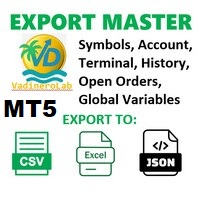
VadineroLab MT5 Export Master to CSV EXEL JSON - Expert Advisor for exporting and analyzing symbols, account, terminal parameters, active trades, current account state, trading history, global variables. Generates the following report types: * Symbols Parameters — spread, tick size, min/max lot, swap, … * Account Parameters — balance, equity, leverage, currency, margin info, … * Terminal Parameters — server, version, language, date, environment, … * Trade History — orders, deals, positions, se
FREE

Introducing the Elite Chart Navigator — your ultimate MetaTrader 5 Expert Advisor designed to revolutionize multi-symbol trading with seamless chart navigation and superior usability. Product Overview The Elite Chart Navigator EA is a sophisticated trading utility enabling rapid switching between multiple trading pairs through an intuitive on-chart button interface. Built for professional traders managing numerous instruments, this EA dramatically improves workflow efficiency, ensuring

ELITE REVERSE TRADER (MT5)
Instantly hedge or invert any trade opened on your account—manual or EA. Reverse Mirror EA monitors your live positions and opens an opposite trade using your chosen lot mode (Fixed or Multiplier). When the original position is closed (manual close, SL/TP hit, EA exit—any method), the mirrored position closes automatically. Because it runs in the same terminal, it reacts faster than third-party copy tools. WHY THIS MATTERS
It is widely cited that a large majority of

TrumpFeed to Telegram – Lightweight News Forwarder especially for Gold-Trader This Expert Advisor reads the Trump Truth Social RSS (mirror feed) , classifies new posts via OpenAI , neatly shortens the quote, and forwards it to your Telegram group/topic – including a compact XAUUSD impact summary . Ideal if you want to be notified immediately of potentially market-moving statements. Key Features Fetch: EA reads the RSS feed https://trumpstruth.org/feed every 30 seconds. Parse & Clean: Removes HTM

Talents ATR Scalper Utility (MT5) The Talents ATR Scalper Utility is a professional-grade trade execution and management tool built for MetaTrader 5. Inspired by the Biblical Parable of the Talents , this utility is designed to help traders multiply their potential with precision risk control, one-click simplicity, and advanced automation. Whether you’re scalping forex, gold, or indices, this tool delivers speed, consistency, and confidence. Key Features One-Click Trade Preview Click below price

TradeMetrics – Advanced Trading Analytics Exporter Turn your trading history into a professional, shareable report in seconds. Get a full breakdown of performance with balance, profit/loss, win rate, equity curve, detailed statistics, streaks, money management, and risk/reward analysis. Includes performance by day, hour, session, and instrument. Perfect for traders, signal/EA providers, and mentors who need a clear and reliable performance dashboard . Turn your trading history into profession

If you optimize your EA with backtest+forward, this is the script you need.
Imagine this: you have 10k simulations in the Optimization step (the back test), and you get another 10k in the Forward step. Each pair of simulation is done with a set of input parameters for your EA. Then the question are: Which set of parameters should you select for live trading? What criteria should I use to select such set? How much weight should I put to profit versus draw down or versus recovery factor? OPS help

Global Market Sessions – Visual Analyzer for MT5
A lightweight MT5 indicator that visually maps Tokyo, London and New York sessions, auto-detects broker timezone & DST, and highlights the best liquidity windows for smarter trading. See the market’s rhythm at a glance. Trade with clarity, precision, and confidence. Overview Global Market Sessions is a powerful yet easy-to-use MT5 indicator that visually displays the world’s major trading sessions (Tokyo, London, New York) directly on your chart
FREE

This MQL5 indicator creates a customizable grid of horizontal lines on your trading chart. Here's what it does:
**Main Functions:** - Draws equally spaced horizontal lines across the visible price range - Supports two line types: horizontal lines or trend lines with forward projection - Automatically adjusts to price scale changes
**Key Features:** 1. **Customizable Spacing**: Set grid distance in pips (20 pips by default) 2. **Flexible Starting Point**: Auto-calculates starting price or lets
FREE

This MQL4 code is a custom indicator that draws multiple colored rectangles on a chart, spaced apart by a defined pip distance, and projected into the future. Here's a brief breakdown: Purpose: Draws several horizontal rectangles (zones) starting from a specified price. Rectangles are spaced apart vertically by a pip distance. Colors alternate between FirstColor and SecondColor . Rectangles can be drawn behind candles and optionally filled. Each rectangle extends into the future for a specif
FREE

it's a combination of my rectangle and a line at half the distance of the between the upper part of a rectangle and the lower of the next rectangle /zone
It’s a pure charting indicator that builds a fixed-price zone grid: Anchor: Uses StartUpperPrice as the top of index 0 (fixed, not auto-shifting). Zones: Draws rectangles every StepPips , each RectHeightPips tall, with 100 above and 100 below the anchor. Style: Alternating FirstColor / SecondColor , optional fill and “dra
FREE

The indicator is a real-time trading dashboard for MT5, showing account, trade, and risk information in a compact panel directly on the chart. Key Features Dashboard Display Shows instrument, price, spread, and remaining candle time. Shows account stats: balance, equity, margin, free margin, margin used. Floating profit and pips of all open trades. Historical profits: today, this week, this month, and all-time. Risk stats: total lot size, average risk per trade, average R:R ratio, average tr
FREE

Features Broadcasts new trades , SL/TP modifications , partial closes , and full closes . Supports up to 3 Discord channels and 3 Telegram bots simultaneously. Includes direction (LONG/SHORT) , entry, SL, TP, Risk : Reward, ticket ID, and close reason. Time zone: default UTC+5:30 (IST). Users can select their own time zone via input parameters.
How to Configure Allow Web Request in Meta Trader: Go to Tools → Options → Expert Advisors . Tick Allow Web Request for listed URL . Add https://discor
Trader [SWORD] is a panel EA designed to help the trader [scalper]. From the dashboard, the trader can: set the order volume, stop loss and take profit values [in points]; open a market order with its respective stop loss and take profit values. close all [win only, loss only or win and loss] positions opened through the EA. On the panel we have: the buttons to open new market orders [buy and sell]; the buttons to set the order volume [increasing and decreasing de volume order]; the buttons

TREND RISK MONITOR EA - USER GUIDE ---------------------------------------------------- 1. OVERVIEW The Trend Risk Monitor is not a trading robot that opens new positions. Instead, it is a sophisticated risk management utility designed to work alongside another Expert Advisor (EA) on your trading account. Its primary purpose is to actively monitor trades opened by a specific EA (identified by a "Magic Number") and provide a real-time assessment of the market risk associated with each open posit

BossFXTradePanelEA (MT5) [First 10 copies sold at 50 USD price will increase to 99USD] BossFXTradePanelEA is a fully interactive trade management panel designed for MetaTrader 5, providing traders with an easy-to-use, one-click interface to execute and manage trades. This EA simplifies trade execution , risk management, and position control by combining market orders, stop loss, take profit, trailing stops, and breakeven functionalities into a single, intuitive panel.
Key features include: On

Timeless Charts is an all-in-one trading utility for professional traders. It combines custom chart types such as Seconds Charts and Renko with advanced order flow analysis using Footprints , Clusters , Volume Profiles , VWAP studies, and anchored analysis tools for deeper market insight. Trading and position management are handled directly from the chart through an integrated trade management panel , while Market Replay and Virtual Accounts provide environments for practicing trading skills and

Trade Assistant X
Trade Assistant X는 차트에 통합된 패널을 통해 거래를 관리할 수 있는 MetaTrader 5용 도구입니다. 패널을 통해 시장가 주문과 예약 주문을 실행하고, Stop Loss와 Take Profit을 설정하며, 열린 포지션을 수정하고 부분 청산을 수행할 수 있습니다. 주요 기능 시장가 주문 실행 Stop 및 Limit 예약 주문 Stop Loss 및 Take Profit 설정 거래량 수동 설정 잔고 비율과 Stop Loss 거리 기준 거래량 계산 열린 포지션 수정 부분 청산 Break Even 설정 예약 주문 취소 진입, Stop Loss 및 Take Profit 수준 표시 심볼 및 Magic Number 정보 표시 포지션 관리 열린 포지션을 패널에서 직접 관리할 수 있습니다. Stop Loss와 Take Profit을 추가하거나 수정하고, 부분 청산을 실행하며 Break Even 조건을 설정할 수 있습니다. 예약 주문도 동일한 인터페

빠르게. 정확하게. 혁신적으로. 기술 기반. 혁신적인 X2 Copy MT5로 즉각적인 거래 복사를 경험해 보세요. 단 10초의 간단한 설정만으로 단일 컴퓨터 또는 Windows VPS에서 MetaTrader 터미널 간의 거래를 전례 없는 속도로 동기화하는 강력한 도구를 얻을 수 있습니다. 여러 계정을 관리하든, 신호를 따라 거래하든, 전략을 확장하든, X2 Copy MT5는 비교할 수 없는 정밀도와 제어력으로 작업 흐름에 적응합니다. 가장 기술 중심적인 거래 복사 솔루션으로 더 빠르고 안정적으로 작업하세요. 무료 평가판을 사용해 보고 시스템에서 속도를 확인해 보십시오. *중요: MT4 터미널 작업에는 별도의 X2 Copy MT4 버전이 필요합니다 X2 Copy MT4/5 설정 및 기능 설명 | X2 Copy 체험판 설치 방법 주요 기능 고속 복사 — 0.1초 이내 거래 전송 모든 복사 유형에 대한 범용 지원: MT4>MT4, MT4>MT5, MT5>MT4, MT5>MT5 직관적인 인

TITAN CHART ALERTS v2.2 소리 알림 기능이 포함된 전문가용 그리기 도구 TITAN CHART ALERTS는 자동 모니터링의 강력한 기능과 원클릭 그리기 도구의 간편함을 결합하여 모든 전문 트레이더에게 필수적인 도구입니다.
시장이 원하는 수준으로 상승할 때 즉시 알림을 받으세요. 더 이상 브레이크아웃을 놓치지 마세요!
TITAN CHART ALERTS는 전문가급 그리기 도구와 지능형 가격 알림을 MT5 플랫폼에 직접 제공하는 정교한 MetaTrader 5 전문가 자문 프로그램입니다. 모던 미니멀리스트 디자인에서 영감을 받은 세련되고 모던한 인터페이스로 디자인된 이 EA는 강력한 자동화 기능으로 기술 분석 워크플로우를 향상시킵니다.
최소화 및 최대화 패널 기능을 통해 차트를 더욱 선명하게 볼 수 있습니다!
버튼 기능 버튼 기능 설명 툴바 최소화/최대화 토글 수평 지지선/저항선 그리기 추세선 분석 생성 → 광선 확장 추세 투영 직사각형 가격 채

Ultimate Candle Countdown – 이제 더 이상 캔들 마감 시점을 놓치지 마세요! Ultimate Candle Countdown 으로 거래 정확도를 한 단계 높이세요 – 모든 시간 프레임과 모든 종목에서 사용할 수 있는 깔끔하고, 가볍고, 강력한 캔들 카운트다운 타이머입니다.
M1에서 스캘핑을 하든, H1에서 스윙 트레이딩을 하든, 혹은 일간/주간 마감을 지켜보든 – 이 도구는 다음 캔들이 열리기 전까지 남은 시간을 항상 정확히 알려줍니다. 더 이상 추측은 필요 없습니다 – 날카롭게 유지하고 항상 한 발 앞서 나가세요. 주요 기능 모든 시간 프레임 지원 – 1분부터 월간까지, 신뢰성과 정확성 보장. 시각적 카운트다운 – hh:mm:ss 형식으로 남은 시간을 표시하며 매초 부드럽게 업데이트. 색상 알림 – 일반, 경고, 긴급 색상을 자유롭게 설정해 시간 부족을 즉시 파악. 옵션 퍼센트 표시 – 현재 캔들의 진행 상황을 한눈에 확인. 진행 바 – 카운트다운
FREE

CHART REVOLUTION EA - 반자동 매매의 혁명! 다루기 힘든 MT5 기본 인터페이스에 지치셨나요? 계속해서 창을 바꾸고 복잡한 계산을 하는 것은 이제 그만! Chart Revolution EA 는 여러분의 차트를 완전한 트레이더의 지휘 본부로 바꿔줄 차세대 전문가용 트레이딩 패널입니다! 왜 CHART REVOLUTION을 선택해야 할까요? 모든 것을 한 화면에서 - 더 이상 추가 창은 필요 없습니다
즉시 실행 - 원클릭으로 거래 시작
스마트한 리스크 계산 - 예치금의 %에 따른 자동 랏 크기 계산
시각적 제어 - 모든 포지션 레벨을 차트 위에 바로 표시
4가지 스타일리시한 테마 - 사이버펑크부터 매트릭스까지 핵심 기능 트레이딩 패널: 원클릭으로 BUY/SELL 포지션 오픈 랏, SL, TP의 빠른 설정 빠른 선택 버튼 (0.01 - 1.00 랏) 사전 설정된 SL/TP 레벨 (25, 50, 100, 200 포인트) 모든 포지션 청산
FREE
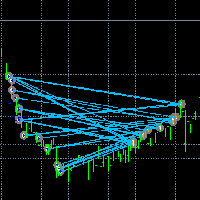
거래를 눈에 보이게 만드세요. MT5 전략 테스터나 차트의 신호 시각화에서 거래를 분석해 본 적이 있나요?
만약 "예"라고 답했다면, 거래 라인이 얼마나 잘 보이지 않는지 아실 겁니다.
해결책은 유틸리티 “Visible Deals” 입니다.
“Visible Deals” 를 사용하면 거래 라인을 더 두껍게 만들거나 색상을 변경할 수 있습니다.
차트에 “Visible Deals” 를 드롭하고 새로운 라인 형식을 조정하기만 하면 됩니다. Make the deal visible. Have you ever analyzed the deals in the MT5 Strategy Tester or Signal Visualization on Chart? If the answer is "Yes", then you know how sightless trade lines are. The solution is the utility "Visible Deals". The utility "Visible Deal
FREE

Professional-Grade Chart Analysis – AI-Powered & Visually Enhanced The AInalyzer is an Expert Advisor for MetaTrader 5 that leverages artificial intelligence to analyze market structures and automatically places visual objects directly on your charts. Instead of spending hours manually examining charts, you'll get a clear overview of support levels, resistance zones, trend structures, and potential trading opportunities in no time – all logically presented, visually marked, and available at you
MetaTrader 마켓은 거래로봇과 기술지표를 판매하기에 최적의 장소입니다.
오직 어플리케이션만 개발하면 됩니다. 수백만 명의 MetaTrader 사용자에게 제품을 제공하기 위해 마켓에 제품을 게시하는 방법에 대해 설명해 드리겠습니다.
