 MetaTrader 5
 Experts
 지표
지표 라이브러리
라이브러리 유틸리티
유틸리티 위젯
위젯 규칙
규칙MetaTrader 5용 새 트레이딩 유틸리티 - 46
 다음은 MetaTrader 5의 거래를 단순화하는 거래 프로그램입니다. 유틸리티의 설명과 목적을 읽으려면 유틸리티 위에 마우스를 놓으십시오.
FJUNIVERSE | MT5 최소 로트 가격 스냅샷 도구 거래당 위험을 이해하는 간단하고 효과적인 방법. 이 스크립트는 초보 트레이더들이 "마켓 워치"에 나열된 각 심볼에서 최소 로트 크기로 거래할 때 발생할 수 있는 잠재적 위험을 명확히 파악할 수 있도록 설계되었습니다. 한 번의 클릭으로 스크립트는 현재 시장(매도호가) 가격과 계약 크기를 사용하여 최소 로트 크기로 개시된 포지션의 예상 가치를 계산합니다. 그런 다음, 해당 금융 상품의 가격이 0으로 하락할 경우 얼마나 많은 위험이 있는지를 결정합니다. 모든 결과는 구조화된 CSV 파일에 저장되며, 빠른 확인을 위해 MetaTrader 터미널 로그에도 출력됩니다. 기능: 현재 시장 가격을 기반으로 각 심볼에 대한 최소 금전적 노출을 계산합니다. 최소 허용 로트 크기에 대해 100% 가격 하락을 기반으로 한 잠재적 최대 손실을 표시하고 내보냅니다. 데이터가 정확하고 실시간 시장 조건을 반영하도록 현재 가격의 스냅샷을 찍습니다. 결과
Bias Seasonal Pattern Analyzer – MT5용 계절성 바이어스 분석 도구 Bias Finder 는 시간 기반의 시장 반복 패턴을 시각적으로 보여주는 고급 분석 도구입니다. 다양한 시간 단위에서 평균 수익을 계산하여 트레이더가 더 나은 결정을 내릴 수 있도록 도와줍니다. 분석 가능한 바이어스 유형: 시간별 바이어스 (Hourly Bias): 하루 중 가장 수익성 있는 시간대를 식별합니다. 요일별 바이어스 (Weekday Bias): 종목별로 가장 좋은 성과를 보이는 요일을 분석합니다. 월별 날짜 바이어스 (Day-of-Month Bias): 매월 초와 말의 시장 행동을 분석합니다. 월별 바이어스 (Monthly Bias): 장기 계절성 또는 월간 추세 분석에 적합합니다. 모든 바이어스는 설정한 기간 동안의 종가(Open)와 시가(Close)의 차이 를 기반으로 계산됩니다. 주요 기능: 정렬된 표 형식으로 직관적인 결과 제공 양/음 바이어스에 따라 색상 구분 (녹색

Auto SLTP Risk Assistant – Smart Risk Management & Auto Lot Size EA for MT5 Looking for a fast and professional way to calculate lot size, Stop Loss, and Take Profit automatically on MT5? Auto SLTP Risk Assistant is a powerful MetaTrader 5 trading assistant and risk management EA designed to help traders execute trades with precise risk control and accurate position sizing. Simply drag the Stop Loss line on your chart, and the EA will automatically: Calculate lot size Set Stop Loss (SL) Set Tak

Close All % Balance EA - 빠른 가이드
이 EA는 수익/손실 목표(퍼센트 또는 USD)에 따라 모든 포지션 또는 개별 포지션을 자동으로 종료합니다. 주요 기능
2가지 모드: 전체 포지션: 동일 심볼 + 매직 넘버 기준으로 전체 수익/손실을 감시. 개별 포지션: 각 포지션을 개별적으로 감시하고 종료. 수익/손실 목표: 잔액의 % 또는 USD로 설정 가능. 0으로 설정 시 해당 기능 비활성화. 심볼 기반 작동: 현재 차트의 종목에만 작동.
매직 넘버 지원: 수동 및 EA 주문 모두 지원 (수동은 Magic = 0).
정보 패널: 실시간 통계 표시 (옵션). ️ 입력 설정 TargetProfitPercent / USD: 목표 수익 도달 시 포지션 종료. TargetLossPercent / USD: 손실 목표 도달 시 포지션 종료. Mode: 전체 또는 개별 모드 선택. Magic Number: 지정한 매직 넘버로 필터링. 표시 설정: 패널 색상, 위치, 글

- Statistics and monitoring of account - Sending screenshot to TG and push notification to the phone : bot report by schedule and by pressing the button; notifications of the drawdown (in % or currency) of a symbol and/or account by schedule; - Closing the position of the symbol by pressing its current profit/loss My bot's token is written in the "Bot token (0=off)" parameter . To work it, you need to find it in search of TG called " GR_BOT_MT5_TO_TG_bot " and send a message "/start" . After

Alert Relay Helper (EA) – MT5 & MT4
Encrypted bridge that forwards indicator alerts to external messengers * in real-time. Plug-and-play utility – simply attach it to one chart. Zero trading functions – does not open, modify or close orders. End-to-end AES-256 encryption – only custom indicators that support the same key can broadcast messages (e.g. VWAP Ultimate Pro v1.20+). Multi-platform – MT5 build 4150+, MT4 build 1380+. Before you turn it on : Open Tools > Options > Expert Advisors and
FREE

Auto BreakEven Pro is a lightweight, no-nonsense Expert Advisor designed to automatically move your Stop Loss to breakeven once your trade reaches a predefined profit level. This EA is ideal for traders who want to protect profits without constantly monitoring the charts.
Key Features: Automatically sets Stop Loss to break-even after a custom number of pips in profit. Optional break-even offset to lock in small gains (e.g., +0.5 pips). Compatible with any manual or automated strategy – simpl
FREE

Introduction Copytrade Online is a powerful EA tool that helps you automatically copy trades from a Master account to Slave accounts on MetaTrader 4/5 (MT4/MT5) platforms. The EA ensures fast, secure, and easy trade transmission, suitable for both individuals and trading groups. Copy online via the internet from an MT4/MT5 account on one computer to MT4/MT5 accounts on multiple other computers. Key Features Automatically copy trades from the Master account to multiple Slave accounts. Supports b

Discretion Assistant v1 – Manual Trading Utility for MT5 Discretion Assistant v1 is a comprehensive discretionary trading tool designed to support manual traders with visual clarity, intuitive chart overlays, and streamlined position control. It improves timing, judgment, and execution precision across all trading styles. Full Feature List (Customizable in pips and seconds) Position Control Automatic Take-Profit Placement Fixed-Width Trailing Stop ATR-Based Trailing Start Trailin

TradeBlitz: The Intelligent Forex Trading Assistant TradeBlitz is a highly efficient trading assistant tool specifically designed for forex traders. It helps traders make quick decisions and precisely manage risks in the complex and volatile forex market, thereby enhancing trading efficiency and returns. Core Features One-Click Trading: Supports instant one-click opening and closing of positions, allowing traders to swiftly seize market opportunities and capture every crucial moment. Intelligen

This Tool is designed to automate one of the most critical aspects of trade management — setting and managing Stop Loss, Take Profit , and Trailing Stop levels — directly on your MetaTrader 5 platform.
Key Features:
Automatic SL, TSL and TP Placement: Instantly sets initial Stop Loss and Take Profit levels on any new position based on customizable parameters, helping to enforce disciplined risk and reward management.
Dynamic Trailing Stop: Automatically moves the Stop Loss to lock in profits
FREE

Free Slave Version – Remote Trade Receiver MT5.
This is the FREE Slave version of our professional Remote Trade Copier system. It allows you to receive trades from a Master account running our full Copy Trade solution. Designed for simplicity and reliability, this version is read-only and cannot send trades or operate independently.
Key Features: One-click setup – simply connect to the Master. Fast and accurate order copying. Supports all symbols, order types, and brokers. Minimal resource us
FREE

Overview Stratbot is a sophisticated and highly flexible Expert Advisor designed for MetaTrader 5 that combines multiple advanced trading strategies into one powerful system. This EA is built for serious traders who demand precision, flexibility, and professional-grade risk management in their automated trading operations. Key Features & Capabilities 1. Advanced Multi-Condition Trading System 5 Customizable Conditions : Set up to 5 different trading conditions for both BUY and SELL signals
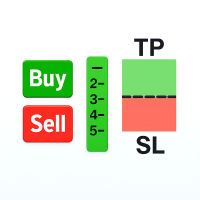
Easily analyze the trade setup and make adjustments before placing any order. This Tool allows you to analyze if the trade is worth taking based on its potential return. The Risk-to-Reward (R:R) Ratio is one of the most critical concepts in successful forex trading and long-term profitability. It measures how much you stand to gain (reward) for every unit of risk you take (risk).

Telegram Notifier EA: Instant MT5 Trade Alerts & Reports Stay connected to your trading account 24/7 with the most comprehensive Telegram notifier on the MQL5 marketplace. This powerful Expert Advisor instantly sends all your MetaTrader 5 trading activity directly to your phone, tablet, or desktop via Telegram. Never miss an important market event or trade execution again. Whether you're away from your terminal or managing multiple accounts, this EA gives you the peace of mind that comes from be
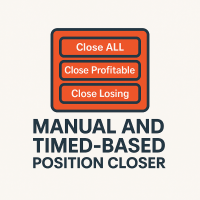
This EA puts simple, useful close buttons right on your chart—so you’re always one click away from managing your positions. Whether you want to clean up before the market closes or just take profits without hassle, Custom Close EA helps you do it fast, safely, and your way. What it does: Close All – Instantly closes every open trade. Close Profitable – Closes only trades that are in profit. Close Losing – Closes only trades that are in loss. Close Symbol Only – Closes trades only for t

Trade With Ease Risk Management Tool MT5 - Professional Trading Assistant Short Summary The TWE Risk Management Tool MT5 is a powerful and versatile Expert Advisor designed to enhance your trading experience with advanced risk management, precise order execution, and intelligent trailing stop features. Whether you're a beginner or an experienced trader, this tool helps you trade with confidence by automating key aspects of your strategy while giving you full control over risk parameters. Key

The Multi-Account Trade Copier EA is a lightweight, high-performance Expert Advisor designed to replicate trades across multiple MetaTrader 5 (MT5) accounts on the same device . The EA mirrors positions from a designated Master account to one or more Slave accounts running on the same device , ensuring reliable and fast trade synchronization without the need for third-party services.
You can copy all trades from one MT5 terminal to another MT5 terminal hosting two different accounts on the same

여러 주문을 쉽게 관리할 수 있는 도우미
1. “원클릭으로 다중 주문 관리를 마스터하세요 – 위험 기반 로트 크기 조정, 부분 마감. 유틸리티의 주요 강점(자동화된 볼륨/위험 제어, 다중 주문 감독) 강조
2. “더 똑똑하고 더 스마트한 거래 – 동시 무역 관리를 위한 완벽한 대시보드” 여러 거래에 걸쳐 효율성을 확장하기 위해 EA를 올인원 제어판으로 구성합니다.
3. “모든 주문을 관리하는 하나의 패널 - 부분 청산, 반 청산, 이익 청산, 전체 청산
여러 포지션을 동시에 처리하는 트레이더에게 매력적인 핵심 기능을 나열합니다.
4. “간편한 다중 포지션 제어 — MetaTrader5의 SL/TP 라인 및 평균 가격 라인” 위험 관리, 그래픽 거래 인터페이스를 강조합니다.
5. 여러 주문을 끌어서 클릭하면 SL 및 TP를 쉽게 수정할 수 있습니다.
이것이 작동하는 이유 다중 주문 제어: 다중 주문에 대한 EA 거래 지원 도구에서 사용자가 검색하는 내용을
FREE

Hello, trading champs! I trust you are doing well. Have you experienced entering a position where the market initially moves in your favour or approach your takeprofit then suddenly the market reversed opposite your position? Well, it has happened to me numerous times and today I decide to fight back.
I present to you a trade manager that help you protect your position(s). This project helps you set your position(s) to breakeven either when a certain amount of pips you specify is reached or a
FREE

Expert TP SL v04 - Professional Trading Assistant with AI Motivation System Advanced manual trading tool with automatic risk management, overtrading protection, and intelligent psychological support for disciplined trading. PRODUCT OVERVIEW Expert TP SL v04 is a comprehensive trading assistant designed for manual traders who want to maintain emotional discipline while automating risk calculations. This isn't just another order placement tool - it's a complete trading psychology system that pr

This Expert Advisor MoneyProtect is a tool developed to support traders in their operations within defined parameters: adding a Stop Loss to open positions, activating the Trailing Stop, and setting the maximum loss value the trader is willing to accept on open trades. The operation works by adding a Stop Loss to the position when an order is opened, based on the number of points defined in the parameter Points To Stop Loss . The Trailing Stop can be enabled, starting from the profit points def

MT5 Premium App - Picture Based (Chart Screenshot) Telegram Alerts - Visual Notifications straight to your phone via Telegram Get the software at a discounted price of $80 for a Limited Time Only. Price Monitoring & Instant Alerts with Chart Screenshots for Traders. Stay ahead of the markets with Faithstream Forex Telegram Price Alert App, a professional MetaTrader 5 script that monitors key price levels and sends real-time Telegram alerts—complete with chart screenshots—when your targets are h

Market & Pending Risk Manager EA Operation Manual Market & Pending Risk Manager is a professional MT5 trading panel EA that integrates multiple functions such as market order trading, pending order trading, risk management, and trailing stop loss, providing traders with a comprehensive trading solution. Core Advantages Intelligent Dual-Mode Trading Market Order Mode: One-click buy/sell for fast execution Pending Order Mode: Precise entry to wait for the optimal timing Seamless Switching
FREE

Virtual SL TP Trailing Pro – Client-Side Stop Loss / Take Profit and Trade Management Looking for MetaTrader 4 version? I t is available separately in the Market: Virtual SL TP Trailing Pro MT 4 Public channel: CLICK HERE
Virtual SL TP Trailing Pro is a trade management utility for MetaTrader that keeps Stop Loss (SL) and Take Profit (TP) levels on the client side instead of sending them to the trading server. It is designed to help you manage exits in a structured way using a clear on-cha
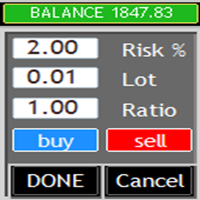
What is this? This Expert Advisor adds a visual trading panel to MetaTrader 5 charts. Key features: - Open/close trades with one click - Manage Stop Loss (SL) and Take Profit (TP) levels - Auto-apply risk settings - Light/dark theme toggle
Interface: 1. Main panel with buttons: - `BUY` – open buy order - `SELL` – open sell order - `CLOSE ALL` – close all trades - `On/Off` – hide/show panel 2. Input fields: - `Stop Loss (SL)` – SL distance in points
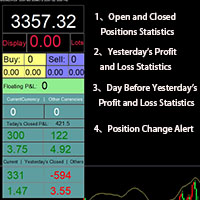
Smart Trading Monitor - Real-Time Position Tracking, P/L Analysis & Alert System Real-Time Monitoring: Automatically tracks open/closed positions, clearly displays yesterday's/previous day's P/L - no more manual calculations!
Smart Alerts (Premium only): Instant push notifications + sound alerts for position changes - never miss a trading opportunity!
Simple & Intuitive: One-click installation with key data displayed directly on charts for faster decision making
High Compatibility: Su
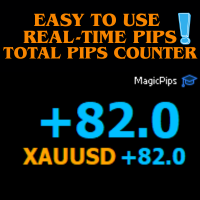
MagicPips - Ultimate Free Position Pip Counter Track Your Trading Performance in Real-Time with Precision MagicPips is a professional-grade tool for MetaTrader 5 (MT5) that provides traders with immediate, accurate pip calculations for all open positions. This utility offers a clear and customizable display of profit and loss in pips, helping traders monitor performance efficiently. Key Features Real-Time Pip Tracking Continuously updates pip gains and losses for all open positions (both buy and
FREE

SimpleKeys — Hotkey Trade Manager for MT5 Most trade managers give you a dashboard full of buttons you'll click once and forget. SimpleKeys does the opposite. Every action is a single keypress. Every level is a visual line you place exactly where you want it. No panels to navigate, no dropdowns to open mid-trade. Place your stop, place your target, press Space. Done. Who This Is For SimpleKeys is built for traders who already know what they're doing and need execution to keep up with their think

Template Loader : Automate Your Chart Setup with Precision
Automate chart template loading daily at your chosen time with Template Loader for MT5. Why Buy Template Loader? Template Loader is a must-have tool for traders who rely on specific chart setups for their strategies. Its straightforward design, reliable performance, and time-saving automation make it a valuable addition to any MT5 trading arsenal. Get started today and streamline your trading workflow! Full Description : Simplify Your T

"Success in trading isn't about perfect predictions - it's about knowing your performance and making informed decisions based on accurate data." Get started now and trade with complete confidence!
Introduce
Trading Performance Calculator Panel or " ProfitCalculator" - Your Smart Trading Companion
Transform Your Trading Success with Real-Time Profit Intelligence! Are you tired of guessing your trading performance? Stop flying blind and take control of your trading destiny with ProfitCalcu

TRADEX EDGE MANAGER V1.00 – Configuration Overview The Tradex Edge Manager V1.00 offers an intuitive and powerful set of customizable inputs, designed for precision trading and seamless automation with MT5. Below is a breakdown of its configuration categories and parameters: TELEGRAM SETTINGS Telegram Bot Token: Unique token to connect your EA to your Telegram bot. Telegram Chat ID: Destination group or channel where messages will be sent. Enable Telegram Notifications: Set to true to activ

1. Move SL to BE On/Off: allow EA move SL to BE or not allow. 2. BE mode: BE Single order: move SL of single order when condition match. BE multi order: Move Sl of multiple orders base on BE of multiple orders. 3. Move SL to BE when profit >= (pips): set how many pips you want EA move SL to BE when profit. 4. Add value from BE: number of pips you want to add from BE (offset). 5. Audible Alert: Enable audible alert on/off. 6. Push notification: Enable Push notification on/off. 7. Three button hel
FREE
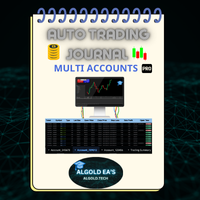
The ALGOLD EA’s Automatic Trade Journal Professional Multi-Account Automation for MetaTrader 5 Experience the next generation of trading documentation with the ALGOLD EA’s Automatic Trade Journal , an elite, fully-automated solution meticulously designed for professional traders, prop firms, and asset managers who demand precision and efficiency. This advanced system leverages the power of Google Sheets to seamlessly integrate with MetaTrader 5 (MT5) exclusively capturing every trade in rea

JA Reverse Trade Tool - V1 Tired of buying when prices drop and selling when they soar?
Reverse Trade is your solution!
This smart tool flips the script: turn every "BUY" into a "SELL" and every "SELL" into a "BUY" to outsmart the market & solve your psychology problem!
Perfect for traders who feel cursed with bad timing.
Try Reverse Trade today and trade with confidence!
Key Features: Eight buttons (four BUY & four SELL) which lot size can be customized in EA's properties. One button to
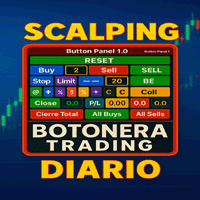
트레이딩 키보드 금융 시장에서 민첩하고 정확한 거래를 위한 고급 도구입니다. DAX, XAU/USD, 외환 및 기타 시장(스캘핑, 일중, 스윙 등)을 거래하는 트레이더를 위해 설계된 이 키패드는 한 번의 클릭으로 다양한 전문가용 설정을 통해 거래를 실행할 수 있도록 지원합니다.
"일일 스캘핑 키패드"를 사용하면 한 번의 클릭으로 거래를 시작하고, 마감하고, 보호할 수 있어 M1/M5 거래에 시간 낭비 없이 이상적입니다. 헤지, 손익분기점, 총 마감, 빠른 랏 제어 버튼이 포함되어 있습니다. 소중한 시간을 낭비하고 싶지 않은 활동적인 트레이더를 위해 설계되었습니다.
주요 기능: 직접 및 예약 진입: 시장에서 매수 또는 매도 주문을 실행하거나, 매수/매도 제한가 또는 매수/매도 손절가를 사용하여 거래를 예약할 수 있습니다.
랏 크기 관리: 포지션 크기를 구성하고 헤지 전략을 자동화합니다.
자동 헤지: 지능형 헤지 시스템으로 위험을 최소화합니다.
강조 표시된 버튼: TSL(Tra

Close Buttons Utility는 차트에서 직접 포지션과 보류 주문을 수동으로 관리할 수 있는 간편하고 유연한 MQL5 유틸리티입니다. 이 패널을 사용하면 현재 또는 선택한 종목 그룹에 대한 주문 및 포지션 그룹을 한 번의 클릭으로 종료할 수 있습니다. 모든 주문뿐만 아니라 지정된 매직 넘버 목록이나 수동 주문에도 사용할 수 있습니다. 패널은 최소화하거나 화면에서 이동할 수 있습니다. 밝고 어두운 테마, 사용자 지정 가능한 크기, 행 높이, 버튼 열 개수가 지원되며, 각 버튼에 원하는 단축키를 지정할 수 있습니다. 종목 및 매직 넘버(모두, 목록 또는 수동)별 필터링 기능을 통해 대량 거래에 필요한 포지션과 주문을 정확하게 선택할 수 있습니다.
장점 기술 패널: 차트에서 패널을 원하는 모서리로 드래그할 수 있습니다. 패널은 상단 부분을 당겨서 이동할 수 있으며, 최소화할 수도 있습니다. 간략한 개요: 모든 주요 데이터(포지션 수, 거래량, 손익)를 간결한 형태로 제공합니다

이지 렌코 차트: 이전과는 다른 가격 움직임을 시각화하세요! 진정한 추세를 가리는 시끄러운 캔들스틱 차트에 지쳤나요? 이지 렌코 차트 는 MetaTrader 5 플랫폼에서 시장 움직임에 대한 명확한 통찰력을 얻기 위한 궁극적인 솔루션입니다. 이 강력한 유틸리티는 원시 틱 데이터를 깨끗하고 통찰력 있는 렌코 벽돌로 변환하여, 중요한 가격 변화에 집중하고 시장 노이즈를 필터링할 수 있도록 돕습니다. 이지 렌코 차트 는 활성 차트를 기반으로 사용자 지정 합성 심볼을 생성한 다음, 과거 및 실시간 가격 움직임을 렌코 벽돌로 세심하게 재구성합니다. 시간 기반의 왜곡에 작별을 고하고 보다 순수한 수요와 공급의 표현을 환영하세요! 맞춤형 렌코 분석의 힘을 발휘하세요: 이 직관적인 입력 매개변수를 사용하여 렌코 차트를 거래 스타일에 완벽하게 맞춤 설정하세요: 벽돌 크기 (포인트): 새로운 벽돌을 형성하는 데 필요한 정확한 가격 움직임을 정의합니다. EURUSD와 같은 상품의 경우 1포인트는 0.0

Take Control of Risk with Smart Trailing Stop Manager for MetaTrader 5 Looking for MetaTrader 4 version? I t is available separately in the Market: Smart Trailing Stop Manager MT4 Full User Guide – Public channel: CLICK HERE Tired of missed profits or manual stop loss adjustments?
Smart Trailing Stop Manager is a powerful utility for MetaTrader 5 designed to automate your trailing stop, breakeven, partial close, and SL management. Whether you're a discretionary trader, signal follower, o

Break Even Helper – Simple SL Manager for MT5 Break Even Helper is a lightweight and efficient MetaTrader 5 utility that helps traders manage risk by automatically moving the Stop Loss (SL) to break-even when a trade reaches a certain profit level. Looking for MetaTrader 4 version? I t is available separately in the Market: Break Even Helper MT4 This tool is ideal for traders who want a simple break-even function without the complexity of full trailing stop systems . It supports all account ty

Telegram Trade Notifier EA Enhanced Utility Expert Advisor
Real-time Telegram notifications for new positions AND TP/SL closures on its chart symbol Core Functionality Monitors all new positions (manual/EA/script) on its attached chart Alerts when positions close via Take Profit or Stop Loss Sends Telegram alerts within 0.5-2 seconds Works concurrently with other EAs New Position Alerts Include :
• Symbol
• Direction (Buy/Sell)
• Entry Price
• Take Profit Level
• Stop Loss Level
• Position Tick
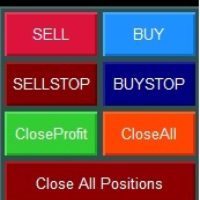
Smart Trading Panel MT5 - Умная торговая панель Обзор продукта Smart Trading Panel MT5 — это не просто панель управления - это профессиональная торговая панель для MetaTrader 5 больше похожа на советник, который значительно упрощает процесс торговли и добавляет функции, отсутствующие в стандартном терминале: 3 режима расчета лота, Автоматическая установка StopLoss, Продвинутый трейлинг-стоп, Трейлинг отложенных ордеров. Ключевые преимущества Эффективность и скорость Мгновенное открытие по
FREE

Laissez votre robot gérer vos sorties pendant que vous vous concentrez sur vos entrées. Ce robot ne prend aucune position par lui-même. Il est conçu pour vous assister dans votre trading manuel en fermant automatiquement vos positions lorsque le Take Profit (TP) ou le Stop Loss (SL) virtuels définis en argent sont atteints. Simple, léger, et sécurisé : vous tradez en toute sérénité.
Description :
Ce robot MQL5 est un outil d’accompagnement au trading manuel, conçu pour les traders qui souhait
FREE

The only EA for TRADING PSYCHOLOGY:Discipline, Mindset Training & Risk Control Checklist-Enforced Trading (No trades allowed until strategy checklist is met)
1-Click Revenge Trade Blocker (Auto-freezes account after losses)
Overtrading Circuit Breaker (Hard daily trade limits enforced)
Neuroplasticity Training (Rewires retail habits into institutional discipline)
Institutional Risk Protocols (Auto SL/TP, position sizing, daily loss cutoffs)
Prop Firm and account Safeguard (Preve

Description The New York Auto1 Trade is a precision Expert Advisor for MetaTrader 5 , built to capture high-probability trades during the New York session — the most active time of the trading day.
It uses only essential filters: trend direction via MA and volume confirmation via MA , placing trades at clean whole number levels for maximum efficiency. No clutter, no unnecessary indicators — just focused, fast execution. Key Features: New York Session Exclusive: Trades only during the New Yo

베타 출시 Telegram to MT5 Signal Trader 는 곧 공식 알파 버전을 출시할 예정입니다. 일부 기능은 아직 개발 중이며, 작은 버그가 발생할 수 있습니다. 문제가 있으면 꼭 보고해 주세요. 여러분의 피드백은 소프트웨어 개선에 도움이 됩니다. Telegram to MT5 Signal Trader 는 Telegram 채널 또는 그룹의 거래 신호를 자동으로 MetaTrader 5 계정으로 복사하는 강력한 도구입니다. 공개 및 비공개 채널을 모두 지원하며, 여러 신호 제공자를 여러 MT5 계정에 연결할 수 있습니다. 소프트웨어는 빠르고 안정적으로 동작하며, 복사된 거래를 완벽히 제어할 수 있습니다. 인터페이스는 깔끔하며 대시보드와 차트가 시각적으로 구성되어 있고, 직관적인 네비게이션이 가능합니다. 여러 Signal Account를 관리하고, 공급자별 설정을 세밀하게 조정하며, 모든 동작을 실시간으로 모니터링할 수 있습니다. 필수 조건 MQL의 제한으로 인해 EA는 Te

이 무료 도구가 마음에 드셨다면 별점 5점을 남겨주세요! 정말 감사합니다 :) "위험 관리 어시스턴트" 전문가 자문 컬렉션은 다양한 시장 상황에서 효과적으로 위험을 관리하여 거래 전략을 강화하도록 설계된 포괄적인 도구 모음입니다. 이 컬렉션은 평균화, 전환, 헤지 전문가 자문의 세 가지 핵심 요소로 구성되어 있으며, 각 요소는 다양한 거래 상황에 맞춰 고유한 장점을 제공합니다.
이 EA는 시중에 나와 있는 표준 위험 관리 전략을 기반으로 개발되었습니다.
https://www.mql5.com/en/blogs/post/756961
1. "평균화 어시스턴트" EA: MT4: https://www.mql5.com/en/market/product/115468 MT5: https://www.mql5.com/en/market/product/115469 2. "스위칭 어시스턴트" EA: MT4: https://www.mql5.com/en/market/product/115478 MT5: ht
FREE

Custom Alerts AIO: 다중 시장을 동시에 모니터링 – 설정 없이 즉시 사용 가능 개요
Custom Alerts AIO 는 복잡한 설정 없이 즉시 사용할 수 있는 통합 시장 모니터링 도구입니다. FX Power, FX Volume, FX Dynamic, FX Levels, IX Power 등 필요한 모든 지표가 내장되어 있어 별도의 설치나 구성 없이 알림 기능을 바로 사용할 수 있습니다. 차트 그래픽 없이 작동하며, Forex, 금속, 지수, 암호화폐 등 주요 자산군을 모두 지원합니다. 주식(Symbols)은 별도로 입력하여 추가할 수 있으나, MetaTrader에서는 일반적으로 제한적으로만 사용됩니다. 1. 왜 Custom Alerts AIO를 선택해야 하나요? 추가 라이선스가 필요 없습니다
• 모든 Stein Investments 지표가 내장되어 있어 별도 구매가 필요 없습니다.
• 즉시 알림 기능을 시작할 수 있어 빠르고 간편합니다. 모든 시장을 하나의 도구로

DCA Tool All-in-One – MetaTrader 5용 자동 및 반자동 DCA 트레이딩 유틸리티 사용 권장 사항 DCA Tool All-in-One 은 트레이더가 자동 및 반자동 모드로 Dollar Cost Averaging (DCA) 전략을 실행 하고 MetaTrader 5에서 포지션 관리 효율을 극대화 할 수 있도록 설계된 강력한 도구입니다.
실계좌 사용 전에 작동 방식을 충분히 이해하고, 백테스트를 수행하며, 시장 분석과 병행하여 활용할 것 을 권장합니다. 1. 개요 반복 작업 자동화 (지정가 주문, SL/TP, 트레일링 스탑, 부분 청산). 수동 판단 과 정확하고 빠른 자동 실행 을 결합. 가격 구역 기반 DCA 전략 을 더 안전하고 효율적으로 적용. 직관적인 컨트롤 패널 을 통해 진입 구역을 설정하고, 클릭 한 번으로 DCA 전략을 활성화하며 진입 타이밍과 방향을 완전히 제어 할 수 있습니다. 2. 주요 기능 2.1 반자동 모드 첫 거래는 수동으로,
FREE

TrailNow Ghost EA - 고급 클라이언트 사이드 트레일링 스톱 유틸리티 TrailNow Ghost EA - 고급 클라이언트 사이드 트레일링 스톱 유틸리티 개요 TrailNow Ghost EA는 서버 사이드 스톱 로스 주문을 수정하지 않고 정교한 클라이언트 사이드 트레일링 스톱 기능을 구현하는 고급 MetaTrader 5 유틸리티입니다. 이 혁신적인 접근 방식은 다양한 브로커 환경 및 거래 전략과의 호환성을 유지하면서 트레이더에게 포지션 관리에 대한 향상된 제어를 제공합니다. 핵심 기능 고스트 트레일링 스톱 시스템 EA는 다음과 같은 "고스트" 트레일링 스톱 메커니즘을 사용하여 작동합니다: 포지션과 대기 주문을 실시간으로 모니터링 가격 움직임을 기반으로 가상 트레일링 스톱 레벨 계산 고스트 스톱 레벨이 트리거될 때 포지션 종료 실행 원래 서버 사이드 스톱 로스 주문을 그대로 유지 차트 디스플레이 요소를 통한 시각적 피드백 제공 주요 특징 멀티 심볼 지원 모든 심볼 또는 특

QUANT PANEL Independent per-algo analytics, protected MT5 history and professional PDF reporting Quant Panel is built for traders who run several Expert Advisors or strategies on one MT5 account and need to know how each algo is actually performing. Instead of treating the terminal as one combined portfolio, Quant Panel groups closed positions by EA comment or magic number and calculates every strategy independently. It gives you one clear dashboard for comparing algos, finding weak systems and

This Expert Advisor monitors all open positions across all symbols in MetaTrader 5. Whenever a Stop Loss (SL) or Take Profit (TP) is manually set or adjusted on any position, the EA automatically applies that value to all other open positions , regardless of symbol or order type (Buy/Sell). This ensures consistent and synchronized SL and TP levels across your account.
Perfect for mobile trading via tablet or smartphone!

HeatMap – Volume & Pips Change Analyzer for MT5 The HeatMap indicator for MetaTrader 5 is a powerful and interactive tool designed to help traders identify the most active and volatile trading hours across the last 14 days. By default, the indicator starts as a simple floating button labeled "HeatMap" in the top corner of your chart.
With just one click, it opens a compact, easy-to-read panel showing historical market behavior in a 24-hour x 14-day grid layout . What it shows: Hourly Data: Each
FREE

Raw Tick Recorder EA for MetaTrader 5 For full setup instructions and demo version that works on chart (not just Strategy Tester), visit: Full User Guide – Raw Tick Recorde r Public channel: CLICK HERE
Raw Tick Recorder EA is a lightweight utility that captures every tick from your broker's price feed in real time. It records bid/ask data with millisecond accuracy and exports to multiple formats, including .csv, .bin, and .bi5 . This EA does not send, modify, or manage orders. It only list

All-in-One MT5 Trading Panel EA Take full control of your trades directly from the chart using this intuitive and efficient MetaTrader 5 Expert Advisor. Built for precision, speed, and simplicity, this EA provides a fully integrated trading panel to manage your positions without navigating multiple menus. Key Features Instant Order Execution
Place trades instantly with six predefined buttons: BUY 0.5 – Open a buy position with 0.5 lot BUY 1.0 – Open a buy position with 1.0 lot BUY 2.0 – Open a
FREE

Bid Ask Spread Display - Real-Time Price Monitor Instantly visualize crucial market pricing information directly on your chart with this lightweight, efficient script. Perfect for all trading styles, this tool provides: Key Features: Real-Time ASK Price (Red) Real-Time BID Price (Green) Spread Display in Points (Blue) ️ Fully Customizable : Position, fonts, colors High Performance : Updates 10x/second Clean Layout : Professional three-line display Self-Cleaning : Automatically
FREE

A MetaTrader 5 script that automatically closes all charts except for a specified number to keep open. Simply enter numbers like 1,2,5,10 to keep those corresponding charts open, or a single number (e.g., 3 ) to keep the first 3 charts open. All other charts are closed in one action, helping you manage multiple open positions with ease. Perfect for decluttering your workspace and focusing on the charts that matter most.
Source Code here: https://github.com/pwn-forex/ChartChaos Youtube T
FREE

Balance History Indicator The Balance History indicator visually tracks the entire trading history of your account for the selected timeframe. It plots three key performance metrics: Profit – Displayed in Green Loss – Displayed in Red Zero Profit/Break-even – Displayed in Gray Balance Curve – Displayed as a SkyBlue line This indicator helps you instantly see the distribution of profitable and losing periods over time, along with your running account balance. It's ideal for evaluating historic
FREE
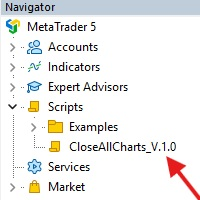
This Script was made for faster handling closing all open Chartwindows espacially in Backtesting Mode. The Script is totally for free. It is made for the MT5 Version of Metatrader. Closes all open chart windows, including the chart on which the script is being executed.
I hope you have fun with this simple but for me useful script. if you have any question please let me know...
FREE

If you’re constantly finding yourself annoyed by the need to manually disable auto scroll on every single chart window you open, you’re not alone. Many users share this frustration, especially when managing multiple charts during analysis or live trading. Fortunately, there’s a simple solution that can save you from this repetitive task: a handy script designed specifically to automatically disable auto-scroll across all open chart windows in your trading platform. The beauty of this script lies

GBPUSD indicator.mq5 – Smart Signal Arrow Indicator Mark.mq5 is a professional-grade, fully autonomous signal indicator designed for serious traders who want visual, consistent trade signals with smart logic and advanced filtering. Built for GBPUSD M15 , it generates Buy , Sell , Buy Stop , and Sell Stop signals using a custom combination of Alligator (Lips) , RSI , DEMA , and DeMarker indicators — and it even writes signal data to a .csv file for automation or external trade management. K

HINN MAGIC ENTRY – the ultimate tool for entry and position management!
SIMPLE. FASTEST. INTUITIVE. MAX AUTOMATED. Place orders by selecting a level directly on the chart!
full description :: demo-version :: 60-sec-video-description
Key features:
- Market, limit, and pending orders
- Automatic lot size calculation
- Automatic spread and commission accounting
- Unlimited partitial take-profits
- Breakeven and trailing stop-loss and take-profit functions
- Invalidation leves
- Intuitive, a

프로페셔널 포지션 트래킹 - 고정 위험/보상 비율로 시장 혼란 속에서도 원래의 트레이딩 계획을 유지하세요! 마침내 진정으로 중요한 것을 보여주는 포지션 모니터가 등장했습니다 - 감정적인 가격 변동이 아닌, 계획된 위험/보상 비율을 표시합니다. 개인 트레이더를 위한 기관급 분석 도구입니다. 독보적인 특징:
고정 위험/보상 비율 표시 진입점에서의 원래 RR 비율 유지 가격 변동에 따라 변경되지 않음 - 트레이딩 계획 보호 "대부분의 도구는 잘못된 결정을 유도하는 변동 비율을 보여줍니다. 이 도구는 규율을 유지시켜 줍니다." 실시간 위험 지표 설정 가능한 단위 (포인트 또는 핍) 색상 경고가 있는 순위험 백분율 맞춤형 경고 임계값 (기본값: 계정 위험 2%) 전문가급 시각화 깔끔하고 간섭 없는 디스플레이 (9가지 설정 가능 요소) 진입/SL/TP 라인 온/오프 전환 색상, 글꼴 및 위치 사용자 지정 ️ 초고속 성능 500ms마다 최적화된 업데이트 (CPU 부하
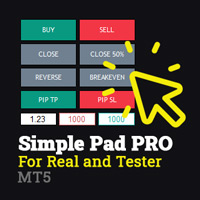
Simple Pad PRO for MetaTrader 5 – Total Control at Your Fingertips Tired of losing valuable seconds when opening or closing trades? Want to trade with the agility of a professional, both in real-time and during strategy testing?
Introducing Simple Pad PRO , the ultimate tool for fast, precise, and strategic trade execution in MetaTrader 5. Designed by traders, for traders , this Pad simplifies manual trading with an intuitive yet powerful interface that works seamlessly on both live charts

This MQL5 indicator automatically monitors all objects drawn on the chart and sends push notifications when price touches them. Supported objects include horizontal lines, trend lines, rectangles, triangles, ellipses, and channels. Each object type can be individually enabled or disabled. The indicator offers various alert options (push, popup, sound) and features a cooldown system to prevent spam. Perfect for traders who want to monitor important support and resistance levels without constantly

Simple Trade Utility Join the Group Chat - Community Group Need an indicator? Check out ZeroLag T3 Signal Suite The Simple Trade Utility is designed to make trading straightforward and efficient , without unnecessary complexity. This tool provides a clean, easy-to-use panel that simplifies the process of placing and managing trades. It focuses on essential functions traders use every day —nothing more, nothing less. Despite its simplicity, it offers powerful features such as: Trailing stop Part
FREE

Market or Pending Orders, Buy Limit, Sell Limit
With this version for MetaTrader 5, the user can perform the same functions as the MetaTrader 4 version. With this Order, you can send market orders or pending orders with defined Stop and Take (with user configuration), bringing more agility to entries, avoiding the loss of the entry signal. Having the confirmation of the orders sent on the third click to avoid conflicts of removing objects on the chart.

-- This Utilities is for those using Desktop user want to switch timeframe quickly.
Using Keyboard(1,2,3,4,5) to quick switch TimeFrame 1m,5m,15m,1h,4h
Free to Use.
Once download just drag in to your MT5 Application.
Go to MT5 right click mouse "refresh" will see that indicator where u put.
========================= ENJOY ==================== =====
FREE

TradeVantage MT5 Script is a user-friendly, efficient tool designed for MetaTrader 5 traders to manage open positions with ease. This script offers four powerful trade management options through a straightforward dialog box, enabling rapid execution on the current chart's symbol. Whether you're looking to close all positions, secure profits, minimize losses, or set positions to break-even, TradeVantage simplifies the process with reliability and precision. Key Features: · Close All Positi
FREE
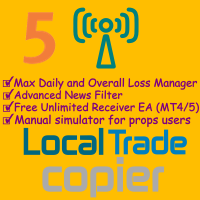
Local Trade Copier is an advanced tool designed for efficiently copying trades between accounts in the local mode. It allows for lightning-fast order replication from a master account to a slave account. In local mode, trades are copied instantly, while in remote mode, the copying process takes less than 1 second. MT4 Version MT5 Full Version (Local & Remote) MT4 Full Version (Local & Remote) Local mode refers to both MetaTrader platforms being installed on the same system. It fully suppo
MetaTrader 마켓 - 트레이더를 위한 로봇 및 기술 지표는 거래 터미널에서 바로 사용할 수 있습니다.
The MQL5.community 결제 시스템은 MQL5.com 사이트의 모든 등록된 사용자가 MetaTrader 서비스에서 트랜잭션을 수행할 수 있습니다. 여러분께서는 WebMoney, 페이팔, 또는 은행 카드를 통해 자금을 예치하거나 인출하실 수 있습니다.
