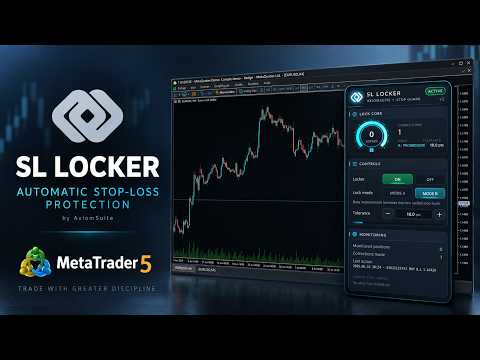
Stop Loss Protector for AxiomSuite


🚀 AxiomSuite SL Locker – Institutional Stop-Loss Protector for MetaTrader 5

AxiomSuite SL Locker is a professional stop-loss integrity module designed for traders who require strict execution rules on MT5.
It protects every position opened by manual trading or Expert Advisors by enforcing safe and compliant stop-loss behavior.

This module never opens or closes trades.
It only supervises SL modifications in real time and corrects any invalid or risky change instantly.

Perfect for prop-firm rules, multi-EA VPS setups, and disciplined risk management environments.

1. Strict Stop-Loss Integrity (BUY ↑ / SELL ↓)

The SL Locker enforces institutional rules:

✔ BUY positions → SL can only move up
✔ SELL positions → SL can only move down
✔ Never allows widening a stop-loss
✔ Prevents accidental or malicious SL modification
✔ Monitors all trades from all EAs and manual entries

Any invalid SL change is restored instantly and logged clearly.

2. Smart SL Monitoring Engine

The module continuously tracks:

• All open positions
• SL modifications in real time
• Missing SLs
• Risky SL adjustments
• Positions monitored
• Corrections performed

Full transparency through MT5 Journal logs.

3. Two Operating Modes

Mode A — Lock initial SL only

Once the initial stop-loss is set, it cannot be moved to a worse position.

Mode B — Lock every improvement

Each improvement (SL moving in the safe direction) becomes the new locked level.

Ideal for scaling strategies, trailing logic, and prop-firm compatible trading.

4. Tolerance Protection

A tolerance (in points) can be set to avoid triggering corrections on micro-adjustments or platform noise.

Example:
Tolerance 10 pts → allows small server-side SL adjustments without conflict.

5. Full Transparency & Audit Trail

Every action is logged with:

• Reason
• Old SL / New SL
• Mode
• Tolerance
• Position ticket

Perfect for professional risk management, strategy testing, and compliance reports.

6. Compatibility

Works with:

✔ All EAs (scalpers, swing, grid, trend, smart money, etc.)
✔ Manual trading
✔ Prop-firm accounts
✔ Hedging mode
✔ Multi-EA VPS environments
✔ All symbols & brokers

No conflict with trade logic.
No interference with entries or exits.

7. No Dependencies

SL Locker is a standalone module.
It can be used alone or as part of the AxiomSuite ecosystem.

No DLLs, no external files, no restrictions.

8. Ideal Use Cases

• Prop-firm compliance
• Preventing accidental SL widening
• Protecting EA logic from bugs
• Stop-loss enforcement for beginner traders
• Institutional-style SL discipline
• VPS multi-EA safety layer

9. Key Advantages

• Ultra-strict SL protection
• Zero strategy interference
• Fast, lightweight, and stable
• Clear logs
• Two operating modes
• Configurable tolerance
• Works instantly on all positions

📌 AxiomSuite SL Locker is a pure safety engine — simple, powerful, and essential for disciplined trading.


추천 제품
Panic Panel MT5
Nikola Miladinovic
Panic Panel is a professional manual trade management tool for MetaTrader 5. It allows traders to control open positions quickly and safely directly from the chart. Main Features: - Symbol-specific position control - One-click Break Even - Manual Stop Loss step adjustment - Partial close: 25% / 50% / 75% - Net profit, position count and volume display - Independent per chart operation The panel works only on the active symbol and does not affect other instruments. This tool does NOT open tr
FlipPro Unlimited EA Manual 1. Introduction FlipPro Unlimited is an Expert Advisor (EA) designed for the MetaTrader 5 (MT5) trading platform. It is a versatile trading tool that allows users to initiate buy or sell positions with customizable stop loss (SL) mechanisms, and it supports automated flipping of trade directions upon hitting SL. The EA includes features like dynamic or fixed SL, trailing to breakeven (BE), martingale pending orders, target profit closure, and a common take profit (
The purpose   of this utility is to manage one or more subwindow in the same chart by opening and closing them through a button or the keyboard keys How it works: If you want to handle more than one subwindow you need to reinstall the indicator . In this case some setups has to be customized onlu in the last subwindow installed and others setups in the installed subwindow during the first time installation. They are denoted in the input rispectively as ' LW ' and ' IW '. First of all install
Instructions for Using Reverse Copier EA Attach EA to Charts Open MetaTrader and attach the EA to any chart on both accounts (master & slave). Make sure AutoTrading is enabled. Master Account (Signal Sender) Set Mode = Master in EA settings. This account will send trade signals. Slave Account (Signal Receiver) Set Mode = Slave in EA settings. This account will receive trades in reverse (opposite direction). Lot Multiplier In Slave EA settings, set Multiplier to control lot size. Example: 1.0
Visual Risk Reward Calculator MT5 Professional "Drag-and-Drop" Position Sizing & Rapid Execution Utility Stop Calculating. Start Trading. fast-moving markets, manual lot size calculation is your enemy. A delay of just a few seconds can ruin your entry price and destroy your Risk-to-Reward (R:R) ratio. The   Visual Risk Reward Calculator (VRR)   simplifies complex position sizing into intuitive on-chart line dragging. It handles the math instantly, allowing you to focus entirely on your trading
Short Description Swing Timing Breakout EA is a smart Expert Advisor for MetaTrader 5 that combines trend filtering, momentum timing, and dynamic risk management to capture high-probability swing and breakout opportunities. Full Description Swing Timing Breakout EA is a professional trading robot designed for MetaTrader 5, suitable for traders who want a balance between automation, control, and disciplined risk management. This EA uses a trend-following and momentum confirmation approach ,
Flow – Hotkey Tool for Discretionary Traders Take full control of MT5 with your keyboard and mouse. Flow is a powerful hotkey-based assistant designed specifically for discretionary traders who want to place orders, draw tools, and operate charts with speed and precision. No more right-click menus or wasting time. Just trade. Key Features Order Execution Place pending Buy/Sell orders (limit or stop) instantly with just a mouse click. Stop Loss and Take Profit lines are automatically attac
* Super Assistant is an useful management tool that helps traders perform management tasks on MT4/MT5 account remotely via Telegram such as: - Get info (account, details of positions, pending orders, floating PL, price, economic news, etc) - Open trade (open instantly with preset parameters) - Manage trade (set SLTP automatically, break-even mode, max risk, close time every day, etc) - Close trade (close all, buy, sell, win positions by one click, set awaiting close by PL, time) - Set up notifi
Professional utility that automatically sends real-time trading signals, position updates, and custom alerts from MetaTrader 5 to any Telegram group, channel, or private chat. Supports multiple chat destinations, fully customizable message formats, and comprehensive event filtering. Perfect for signal providers, trading communities, and personal trade journals. The   MT5 to Telegram Signal Sender   is a sophisticated yet easy-to-use utility that bridges your MetaTrader 5 platform with Telegram m
1,交易功能:    (1)开仓:仓位计算,止损止盈点数、挂单、批量挂单     (2)顺势加仓,逆势加仓,加仓倍数,加仓间隔    (3)跟踪止损:均线突破、高低点突破、ATR、单品种净值比例回撤、单品种亏损金额、 时间止损    (4)平仓:分批平仓、盈利平仓、亏损平仓    (5)高低点和跟踪止损价格自动划线    (6)批量挂单 2,划线下单:仓位计算、止损止盈计算,挂单类型自动判断 3,统计:持仓统计、历史统计、magic统计、品种统计,盈亏曲线,净利润饼图,亏损饼图 4,账户风控:净值回撤比例报警、净值回撤比例平仓、亏损金额报警、亏损金额平仓,              盈利比例报警,盈利比例平仓、盈利金额报警,盈利金额平仓               时间平仓,持仓单数控制、总持仓量控制,magic平仓
This utilities can constantly monitors and handle the equity/ balance account to prevent drawdowns and protect your account. This Utilities can handle manually order and automatically order by other Expert Advisors.  If the conditions are reached, the open position will be close/ all close (depending your setting). How to use : attach this utilities on new chart (same pair) you need to handle make sure magic number is same with other EA you need to handle entry magic number '0' if you need han
SinalTradeEA Telegram To MT5 SinalTradeEA는 거래 신호를 MetaTrader 5에 직접 연동하기 위해 설계된 완전 자동화 EA입니다. 정확한 주문 실행과 더불어 진입, 청산, 리스크 관리에 대한 완전한 제어를 제공합니다. 주요 기능 Telegram 신호 또는 외부 신호 연동. 완전 자동 주문 실행. 다양한 모드의 TP/SL 스마트 관리. 고급 로트 및 리스크 관리 기능. MT5의 여러 통화쌍 및 자산 지원. 슬리피지, 스프레드 상승, 드로우다운 보호. 상세 파라미터 TP 모드 TP_MODE_AUTO → 신호에서 제공된 TP 사용. TP_MODE_MANUAL → 수동 TP 설정. TP_MODE_HYBRID → 신호 TP를 우선 사용. 주문 코멘트 COMMENT_FROM_SIGNAL → 신호에서 제공된 코멘트 사용. COMMENT_MANUAL → 사용자 정의 코멘트. 로트 분배 전략 LOT_EQUAL_DIVISION → equal 분배. LOT_PERCE
This QuickClose help you to close all orders having profit immediately with only ONE CLICK, its work is very fast. You can choose which symbol you want or close all symbols so it will helpful for you in your trading to manage trading faster. This EA can quick close all Buy and Sell Orders by a selected symbol or total, And delete all pending orders. This SymbolButton is designed for closing orders. There is available Manual and Automatic closing functions. Automatic closing function will close t
Shadow Risk Guardian - The Ultimate Executioner for Professional Traders Are you losing trading opportunities while calculating lot sizes? Do you struggle with disciplined stop-losses or miss moving your SL to break-even after a partial profit? Shadow Risk Guardian (SRG) is a professional-grade GUI tool designed to bridge the gap between analysis and execution. By automating risk management directly on your chart, SRG eliminates calculation errors and emotional hesitation from your trading workf
GoT Hedge Manager MT5 This Tool is suitable for traders who use Hedging Strategy GoT Hedge Manager MT5 Hello Traders...!! This tool is to help you to manage your hedge order It will not take any order if you not trigger the order by placing the line order Requirement and Recommendation: ============== =================== Currency Pair Any Timeframe Any Account Type Any Leverage Any Execution Mode Hedging   VPS Mandatory for stable 24/7 operation Functions: Help you to place hedge orders
️ EquityShield is your automated risk management guardian for MetaTrader 5. If you've ever exceeded your daily loss limit, struggled to enforce your own trading rules during volatile markets, or wanted to automatically lock in profits when you hit your targets, EquityShield is built for you. This is not a trading strategy - it's a safety system that watches your account 24/7, automatically closes positions when your risk limits are breached, and helps you maintain consistent trading discipline

It's a trading dashboard appears on strategy tester, allows you to backtest your own strategies, testing them on multiple symbols and timeframes. It is equipped with useful features such as risk management, trailing stops, breakeven points, and more, enabling you to evaluate and refine your strategies effectively. Trading panels are typically designed to facilitate real-time trading and may not function properly on a strategy tester. However, this particular trading panel is specifically designe
LiqStrike Trade Panel Pro
Enmanuel De Jesus Hernandez Farias
LiqStrike Trade Panel Pro | MT5 Trade Panel | Risk Management | Position Manager Every second counts in trading. LiqStrike gives you total control — instantly. Built for serious traders who demand speed, precision and professional risk management in a single panel. MT5 Trade Panel with One Click Trading Advanced Risk Management — Auto Lot Calculator Position Manager for MetaTrader 5 Break Even & Trailing Stop per position Real-time USD tags on chart for SL & TP Compatible with AL
FREE
This script is for changing all open tabs/charts at once on MetaTrader 5 using the drop-down box once the script has been initialized. It has all the standard timeframes available to be selected for MetaTrader 5. This is an individual script for all timeframes. You will need to select the timeframe you want all charts to go. Please watch the video for the installation instructions. 

AnaliTick
Aleksandr Prozorov
AnaliTIck is a financial instrument analysis and testing program based on the Metatrader5 platform. The object of analysis is the sequence of changes in the prices of Bid and Ask - ticks. The program may be useful to developers of scalping advisers and strategies, those who work on the news. When the program is loaded, an array of ticks for the financial instrument, on the chart of which the program is installed, is filled for the current period. The analyzed period is 4 trading days. On this pe
Trailing Stop loss last X candles swing high and low.  X is a value of candles you can set as an input parameter. This Trailing stop loss moves the SL below the last X candles low(if BUY positions) or high(for SELL positions) If we are in a trend and we open a position following the trend, the SL will be automatically placed at the low or high of the last X bars. contact me if you need further assistence
The Expert Advisor will help you forward all alert from  MetaTrader 5 to Telegram channel/ group.  All alert must save to folder <Data folder>MQL5\Files\Alerts\ , text file with format *.txt and screenshot with format *.gif or *.png. Parameters: - Telegram Bot Token: - create bot on Telegram and get token. - Telegram Chat ID:  - input your Telegram user ID,  group / channel ID - Forward Alert: - default true, to forward alert. - Send message as caption of Screenshot: - default false, set true t
Position Closure Management MT5
Juergen Marcus Wolfgang Rosswinkel
NOHEDGE Automated Hedge Manager & Risk Controller for MetaTrader 5 OVERVIEW Running grid, martingale, or manual hedging strategies means you constantly carry open buy/sell pairs that need to be resolved at exactly the right moment — before the spread widens at rollover, before a news spike blows your account, or exactly at your daily profit target. Doing that manuall
Global Equity Manager Pro Global Equity Manager Pro (GEM Pro)   is a professional-grade risk management and account protection suite designed for serious traders, pro-firm applicants, and fund managers. Unlike standard risk managers that simply close everything when a limit is hit, GEM Pro offers elite-level granular controls, selective closing logic, and a high-performance command center dashboard. WHY CHOOSE GEM PRO? GEM Pro was built based on feedback from real traders who found traditiona
EA SB8 Panel Trade
Juan Manuel Bernal Martin
SB-8 – Manual Trading Panel with Fixed Risk & TradingView-Style Visualization for MT5 SB-8 is an advanced manual trading panel for MetaTrader 5 , designed to execute trades visually, quickly and without calculations . It is especially built for traders coming from TradingView , who often find MT5 confusing when it comes to risk management and trade visualization. With SB-8, you don’t calculate lot size, percentages or risk . You simply move the Stop Loss line , and the panel handles everything a
Smart Trade Manager Pro is the ultimate all-in-one trading panel designed to give you complete control over your manual trading. Built for both professional traders and prop-firm challenges (like FTMO), it brings TradingView-style visual planning directly into your MetaTrader 5 charts. KEY FEATURES: 1. Visual Chart Planning (TradingView Style) Plan your trades visually before execution! The EA draws interactive Profit/Loss boxes directly on the chart. Drag the edges of the boxes to seamlessly
Telegram 유틸리티 EA는 모든 개인/공용 봇에 연결되며 다음을 수행하는 데 도움이 될 수 있습니다. 명령으로 즉시 모든 주문을 닫습니다. 명령은 사용자 정의 비밀번호로 인코딩되며 나만 알고 있습니다. Telegram 봇은 모든 주문이 마감되면 알려주고 MT5 터미널에서 실행 중인 다른 모든 EA를 일시 중지할 수도 있습니다. 단 한 번의 클릭으로 터미널에서 실행 중인 다른 EA를 일시 중지/재개하세요! 핍 형태 또는 화폐 형태로 수출 무역 보고서. 봇 또는 커뮤니티(텔레그램 채팅 그룹, 텔레그램 채널)에 매수/매도 신호를 보냅니다. 보낼 거래 유형을 수동으로 선택할 수 있습니다. 스크린샷으로 신호를 보냅니다. 차트 스크린샷은 수동으로 선택할 수도 있습니다. 명령할 때 선택한 차트에 스크린샷을 보냅니다. 모든 매개변수를 쉽게 이해하고 수정할 수 있습니다.
Forget about enabling templates when you launch the window. Auto Template Master is a professional utility tool that runs as a system service in MetaTrader 5, and it will do it for you. Unlike traditional indicators or expert advisors (EAs), the program runs in the background of the entire terminal and doesn't require you to add it to each window individually. As soon as you open a new chart of any instrument (Forex, Stocks, Crypto), the service immediately detects the new window and applies yo
The utility is designed to display on the chart the margin zones built on the basis of margin requirements for futures of the Chicago Mercantile exchange (CME). These margin zones are good levels of resistance and support, as seen in the screenshots. How to use To trade on margin zones, use the following rules: buy after the day has closed above one of the zones to the next zone; sell after the day has closed below one of the zones to the next zone; after opening a sell trade, place limit sell
TradingX Hotkeys
Johannes Stephanus Lombard
Inputs Available Lotsizes Partial Close % You can change lotsizes as you require On an open chart click once to select chart to be able to use hotkeys on specific chart. All Pairs can be used with this expert We created this expert to be able to still trade C300 with a 0.06 Lotsize If you enter a 0.6 lot and close 0.90% you can trade with 0.06 Lot Keys to be used: B -Buy S -Sell C -Close Profitable D -Breakeven (Note if stoploss is set it won't break even) P -Partial close X -Close all
이 제품의 구매자들이 또한 구매함
Trade Assistant MT5
Evgeniy Kravchenko
4.42 (208)
거래당 위험 계산, 라인을 사용한 손쉬운 신규 주문, 부분 청산 기능을 통한 주문 관리, 7가지 유형의 트레일링 스탑 및 기타 유용한 기능을 제공합니다. 추가 자료 및 지침 설치 지침   -   애플리케이션 지침   -   데모 계정용 애플리케이션 평가판 라인 기능       - 차트에 개시선, 손절매, 차익실현을 표시합니다. 이 기능을 사용하면 새로운 주문을 쉽게 하고 개봉 전에 추가 특성을 볼 수 있습니다. 위기 관리       -       위험 계산 기능은 설정된 위험과 손절매 주문의 크기를 고려하여 새 주문의 볼륨을 계산합니다. 이를 통해 손절매 크기를 설정하고 동시에 설정된 위험을 존중할 수 있습니다. 로트 계산 버튼 - 위험 계산을 활성화/비활성화합니다. 필요한 위험 값은 위험 필드에 0에서 100 사이의 백분율 또는 예금 통화로 설정됩니다. 설정 탭에서 위험 계산 옵션을 선택합니다. $ 통화, % 잔액, % 지분, % 자유 마진, % 사용자 정의, % AB 이전
Trade Manager EA에 오신 것을 환영합니다. 이 도구는 거래를 보다 직관적이고 정확하며 효율적으로 만들기 위해 설계된 궁극적인 리스크 관리 도구 입니다. 단순한 주문 실행 도구가 아닌, 원활한 거래 계획, 포지션 관리 및 리스크 제어를 위한 종합 솔루션입니다. 초보자부터 고급 트레이더, 빠른 실행이 필요한 스캘퍼에 이르기까지 Trade Manager EA는 외환, 지수, 상품, 암호화폐 등 다양한 시장에서 유연성을 제공합니다. Trade Manager EA를 사용하면 복잡한 계산은 이제 과거의 일이 됩니다. 시장을 분석하고 진입, 손절 및 익절 수준을 차트의 수평선으로 표시한 후 리스크를 설정하면, Trade Manager가 이상적인 포지션 크기를 즉시 계산하고 SL 및 TP 값을 실시간으로 표시합니다. 모든 거래가 간편하게 관리됩니다. 주요 기능: 포지션 크기 계산기 : 정의된 리스크에 따라 거래 크기를 즉시 결정합니다. 간단한 거래 계획 : 진입, 손절, 익절을 위한
TradePanel MT5
Alfiya Fazylova
4.87 (149)
Trade Panel은 다기능 거래 도우미입니다. 이 애플리케이션에는 50개 이상의 수동 거래 기능이 포함되어 있으며 대부분의 거래 작업을 자동화할 수 있습니다. 구매하기 전에 데모 계정에서 데모 버전을 테스트할 수 있습니다. 데모 계정용 애플리케이션 체험판 다운로드: https://www.mql5.com/en/blogs/post/750865 . 전체 지침 여기 . 거래. 한 번의 클릭으로 거래를 수행할 수 있습니다: 리스크 자동 계산과 함께 예약 주문 및 포지션 열기. 한 번의 클릭으로 여러 주문 및 포지션 열기. 주문 그리드 열기. 예약 주문 및 포지션을 그룹별로 닫기. 포지션 방향 전환 (Buy 닫기 > Sell 열기, Sell 닫기 > Buy 열기). 포지션 잠금 (부족한 포지션을 열어 Buy와 Sell 포지션의 수량을 동일하게 만들기). 모든 포지션 한 번의 클릭으로 부분적으로 닫기. 모든 포지션의 테이크 프로핏과 스톱로스를 같은 가격 수준에 설정. 모든 포지션의 스톱로스를
베타 출시 Telegram to MT5 Signal Trader 는 곧 공식 알파 버전을 출시할 예정입니다. 일부 기능은 아직 개발 중이며, 작은 버그가 발생할 수 있습니다. 문제가 있으면 꼭 보고해 주세요. 여러분의 피드백은 소프트웨어 개선에 도움이 됩니다. Telegram to MT5 Signal Trader 는 Telegram 채널 또는 그룹의 거래 신호를 자동으로 MetaTrader 5 계정으로 복사하는 강력한 도구입니다. 공개 및 비공개 채널을 모두 지원하며, 여러 신호 제공자를 여러 MT5 계정에 연결할 수 있습니다. 소프트웨어는 빠르고 안정적으로 동작하며, 복사된 거래를 완벽히 제어할 수 있습니다. 인터페이스는 깔끔하며 대시보드와 차트가 시각적으로 구성되어 있고, 직관적인 네비게이션이 가능합니다. 여러 Signal Account를 관리하고, 공급자별 설정을 세밀하게 조정하며, 모든 동작을 실시간으로 모니터링할 수 있습니다. 필수 조건 MQL의 제한으로 인해 EA는 Te
VERIFIED TRADING RESULTS - Farmed Hedge Yield Axi Copy:  https://www.mql5.com/en/signals/2356376 - Farmed Hedge Yield Exn Copy:   https://www.mql5.com/en/signals/2356404 - Farmed Hedge Yield V Copy:  https://www.mql5.com/en/signals/2357156 Contact me via private message to receive the User Manual and Setup. * Thai Lauguage Support Available Farmed Hedge Yield Farming - Professional Pair Trading Dashboard (Manual - Hybrid - Semi/Automated EA) VERSION 3 - WILD HARVEST UPDATE Trading Approac
Copy Cat More Trade Copier MT5 (복사 고양이 MT5) 는 오늘날의 거래 과제를 위해 설계된 로컬 거래 복사기이자 완전한 위험 관리 및 실행 프레임워크입니다. 프롭펌 챌린지부터 개인 포트폴리오 관리까지, 견고한 실행, 자본 보호, 유연한 구성 및 고급 거래 처리의 조합으로 모든 상황에 적응합니다. 복사기는 마스터(송신자)와 슬레이브(수신자) 모드 모두에서 작동하며, 시장 주문과 예약 주문, 거래 수정, 부분 청산 및 헷지 청산 작업의 실시간 동기화를 제공합니다. 데모 및 실계좌, 거래 또는 투자자 로그인과 호환되며, EA, 터미널 또는 VPS가 재시작되어도 지속적인 거래 메모리 시스템을 통해 복구를 보장합니다. 고유 ID로 여러 마스터와 슬레이브를 동시에 관리할 수 있으며, 브로커 간 차이는 접두사/접미사 조정 또는 사용자 정의 심볼 매핑을 통해 자동으로 처리됩니다. 매뉴얼/설정  | Copy Cat More MT4 | 채널  특별 기능: 설정이 간편함 —
Ultimate Extractor
Clifton Creath
5 (9)
Ultimate Extractor - Professional Trading Analytics for MT5 *****this is the local HTML version of Ultimate Extractor. For the online version please reach out to me directly****** Ultimate Extractor transforms your MetaTrader 5 trading history into actionable insights with comprehensive analytics, interactive charts, and real-time performance tracking. What It Does Automatically analyzes your MT5 trading history across all Expert Advisors and generates detailed HTML reports with interactive vi
MT5 to Telegram Signal Provider 는 사용하기 쉽고 완전히 커스터마이즈 가능한 유틸리티로, 특정 신호를 Telegram의 채팅, 채널 또는 그룹으로 전송하고, 귀하의 계정을 신호 제공자 로 만듭니다. 경쟁 제품과 달리 DLL 임포트를 사용하지 않습니다. [ 데모 ] [ 매뉴얼 ] [ MT4 버전 ] [ 디스코드 버전 ] [ 텔레그램 채널 ]  New: [ Telegram To MT5 ] 설정 단계별 사용자 가이드 가 제공됩니다. 텔레그램 API에 대한 지식은 필요하지 않습니다; 개발자가 제공하는 모든 것이 필요합니다. 주요 특징 구독자에게 보낸 주문 상세 정보를 커스터마이즈할 수 있습니다. 예를 들어, 브론즈, 실버, 골드와 같은 계층 구독 모델을 만들 수 있습니다. 골드 구독에서는 모든 신호를 받습니다. id, 심볼, 또는 코멘트로 주문을 필터링할 수 있습니다. 주문이 실행된 차트의 스크린샷이 포함됩니다 보낸 스크린샷에 닫힌 주문을 그려 추가 검증을 합니다
Pulsar Terminal 은 Astralys LLC 의 상표인 Pulsar Technologies 의 제품입니다. Pulsar Terminal은 MetaTrader 5용 유틸리티 애드온입니다. Expert Advisor 를 통해 MetaTrader 5 계정에 연결되는 동반 애플리케이션 내에서 실행 도구와 결합된 비주얼 인터페이스 입니다. 표준 MT5 패널보다 더 고급 비주얼 인터페이스와 워크플로우를 제공하기 위해 동반 애플리케이션을 사용하여 도구의 기능을 극대화합니다. Pulsar Terminal은 독립형 애플리케이션이 아니며 작동하려면 MetaTrader 5가 필요합니다. EA는 Pulsar Terminal 동반 애플리케이션과 localhost를 통해서만 통신합니다. 동반 애플리케이션 설치 프로그램은 설치 가이드(MQL5 블로그 게시물)를 통해 구매자에게 제공됩니다. 인터페이스를 통해 주문 실행, 리스크 관리, 거래 통계 확인, 그리고 MetaTrader 5에 연결된 동반
YuClusters
Yury Kulikov
4.93 (43)
Attention: You can view the program operation in the free version  YuClusters DEMO .  YuClusters is a professional market analysis system. The trader has unique opportunities to analyze the flow of orders, trade volumes, price movements using various charts, profiles, indicators, and graphical objects. YuClusters operates on data based on Time&Sales or ticks information, depending on what is available in the quotes of a financial instrument. YuClusters allows you to build graphs by combining da
The product will copy all telegram signal to MT5 ( which you are member) , also it can work as remote copier.  Easy to set up, copy order instant, can work with almost signal formats, image signal,  s upport to translate other language to English Work with all type of channel or group, even channel have "Restrict Saving Content", work with  multi channel, multi MT5 Work as remote copier: with signal have ticket number, it will copy exactly via ticket number. Support to backtest signal. How to s
Trade Manager DashPlus
Henry Lyubomir Wallace
5 (13)
DashPlus 는 MetaTrader 5 플랫폼에서 거래 효율성과 효과를 향상시키기 위해 설계된 고급 거래 관리 도구입니다. 리스크 계산, 주문 관리, 고급 그리드 시스템, 차트 기반 도구 및 성과 분석 등 포괄적인 기능을 제공합니다. 주요 기능 1. 리커버리 그리드 불리한 시장 상황에서 거래를 관리하기 위한 평균화 및 유연한 그리드 시스템을 구현합니다. 거래 회복을 최적화할 수 있도록 전략적인 진입 및 종료 포인트를 제공합니다. 2. 스택 그리드 강한 시장 움직임 동안 포지션을 추가하여 유리한 거래에서 잠재적 수익을 극대화하도록 설계되었습니다. 유리한 시장 트렌드에서 승률을 높이며 거래를 확장할 수 있도록 합니다. 3. 손익(P&L) 라인 차트에서 잠재적인 수익 및 손실 시나리오를 시각적으로 표현합니다. 설정을 조정하고 P&L 라인을 드래그하여 실행 전에 다양한 거래 결과를 평가할 수 있습니다. 4. 바스켓 모드 동일한 심볼에 여러 포지션을 단일 집계 포지션으로 결합하여 관리합니
Comprehensive on chart trade panel with the unique ability to be controllable from mobile as well. Plus has a library of downloadable configuration, e.g. exit rules, extra panel buttons, pending order setup and more. Please see our product video. Works with all symbols not just currency pairs. Features On chart panel plus controllable from free app for Windows, iPhone and Android Built-in script engine with library of downloadable configuration, e.g. add 'Close All Trades in Profit' button, exit
Trade Manager DaneTrades
Levi Dane Benjamin
4.36 (28)
거래 관리자는 위험을 자동으로 계산하는 동시에 거래를 빠르게 시작하고 종료하는 데 도움을 줍니다. 과잉 거래, 복수 거래 및 감정 거래를 방지하는 데 도움이 되는 기능이 포함되어 있습니다. 거래를 자동으로 관리할 수 있으며 계정 성과 지표를 그래프로 시각화할 수 있습니다. 이러한 기능은 이 패널을 모든 수동 거래자에게 이상적으로 만들고 MetaTrader 5 플랫폼을 향상시키는 데 도움이 됩니다. 다중 언어 지원. MT4 버전  |  사용자 가이드 + 데모 트레이드 매니저는 전략 테스터에서 작동하지 않습니다. 데모를 보려면 사용자 가이드로 이동하세요. 위기 관리 % 또는 $를 기준으로 위험 자동 조정 고정 로트 크기 또는 거래량과 핍을 기반으로 한 자동 로트 크기 계산을 사용하는 옵션 RR, Pips 또는 Price를 사용한 손익분기점 손실 설정 추적 중지 손실 설정 목표 달성 시 모든 거래를 자동으로 마감하는 최대 일일 손실률(%)입니다. 과도한 손실로부터 계정을 보호하고 과도한
AntiOverfit PRO MT5
Enrique Enguix
5 (1)
당신의 돈을 조용히 빼앗고 있는 Market의 숨은 오류 (많은 개발자들조차 보지 못하는 문제) 보기 좋은 백테스트 하나가 당신에게 수백, 심지어 수천 달러의 손실을 안길 수 있습니다. 대부분의 트레이더는 첫 번째 실거래 포지션을 열기도 전에 이미 돈을 잃습니다. 초록색 곡선 하나만 보고 EA를 구매하는 그 순간에 돈을 잃는 것입니다. 공정하게 말하자면, Market의 대부분의 개발자들은 당신을 일부러 속이려는 것이 아닙니다. 그들은 몇 달 동안 시스템을 프로그래밍하고, 전략 테스터에서 완벽한 수익 곡선을 본 뒤, 자신이 걸작을 만들었다고 진심으로 믿습니다. 하지만 그들은 자기 자신의 도구에 의해 오히려 속고 있는 것입니다. 실제로 일어난 유일한 과거에 시스템이 정확히 맞아떨어지도록 최적화하는 과정에서, 그들은 스스로도 모르게 과최적화의 함정에 빠집니다. 전통적인 백테스트만으로는 충분하지 않습니다. 그것은 하나의 환상을 보여줄 뿐입니다. 그리고 EA 제작자에게 악의가 없더라도,
Telegram To MT5 Receiver
Levi Dane Benjamin
4.31 (16)
가입한 모든 채널에서 (개인 및 제한된 채널 포함) 시그널을 바로 MT5로 복사합니다.   이 도구는 사용자를 고려하여 설계되었으며 거래를 관리하고 모니터하는 데 필요한 많은 기능을 제공합니다. 이 제품은 사용하기 쉽고 시각적으로 매력적인 그래픽 인터페이스로 제공됩니다. 설정을 사용자 정의하고 제품을 몇 분 안에 사용할 수 있습니다! 사용자 가이드 + 데모  | MT4 버전 | 디스코드 버전 데모를 시도하려면 사용자 가이드로 이동하십시오. Telegram To MT5 수신기는 전략 테스터에서 작동하지 않습니다! Telegram To MT5 특징 여러 채널에서 동시에 신호를 복사합니다. 개인 및 제한된 채널에서 신호를 복사합니다. Bot 토큰이나 채팅 ID가 필요하지 않습니다.   (원하는 경우에는 사용할 수 있습니다) 위험 % 또는 고정된 로트로 거래합니다. 특정 심볼을 제외합니다. 모든 신호를 복사할지 또는 복사할 신호를 사용자 정의할지 선택할 수 있습니다. 모든 신호를 인
Custom Alerts AIO: 다중 시장을 동시에 모니터링 – 설정 없이 즉시 사용 가능 개요 Custom Alerts AIO 는 복잡한 설정 없이 즉시 사용할 수 있는 통합 시장 모니터링 도구입니다. FX Power, FX Volume, FX Dynamic, FX Levels, IX Power 등 필요한 모든 지표가 내장되어 있어 별도의 설치나 구성 없이 알림 기능을 바로 사용할 수 있습니다. 차트 그래픽 없이 작동하며, Forex, 금속, 지수, 암호화폐 등 주요 자산군을 모두 지원합니다. 주식(Symbols)은 별도로 입력하여 추가할 수 있으나, MetaTrader에서는 일반적으로 제한적으로만 사용됩니다. 1. 왜 Custom Alerts AIO를 선택해야 하나요? 추가 라이선스가 필요 없습니다 • 모든 Stein Investments 지표가 내장되어 있어 별도 구매가 필요 없습니다. • 즉시 알림 기능을 시작할 수 있어 빠르고 간편합니다. 모든 시장을 하나의 도구로
MT5 Professional Copy Trading System (MT5 버전) MT5 Professional Copy Trading System은 산업급 초고속 LOCAL 트레이드 코피어 로, 전문 트레이더, 시그널 제공자, 기관 수준의 멀티 계정 운용을 위해 설계되었습니다. 일반적인 클라우드 기반 또는 리테일용 복사 도구와 달리, 본 시스템은 동일한 Windows 환경에서 여러 터미널을 실행하는 것을 전제로 한 LOCAL 아키텍처를 기반으로 구축되었습니다. 산업급 LOCAL 아키텍처 LOCAL 설계를 통해 동일한 PC 또는 동일한 Windows VPS 인스턴스에서 실행되는 터미널 간 통신이 최소 지연과 높은 안정성으로 이루어집니다. 불필요한 네트워크 의존성을 줄임으로써 더 빠른 동기화, 정확한 실행, Master와 Receiver 계정 간 높은 일관성을 제공합니다. 이는 전문 거래 환경과 24/7 무인 운용에 적합합니다. Master / Slave / Self-Copier +
EasyInsight MT5
Alain Verleyen
5 (7)
EASY Insight – 더 스마트한 트레이딩, 여기서 시작하세요 개요 만약 단 몇 초 만에 외환, 금, 암호화폐, 지수, 심지어 주식 시장까지 전체를 수동 차트 확인 없이 스캔할 수 있다면 어떨까요? EASY Insight 는 인디케이터 데이터를 실행 가능한 트레이딩 인사이트로 바꿔주는 AI 준비형 데이터 내보내기 도구입니다. 추측이나 복잡한 시각적 혼란에 더 이상 시간을 낭비하고 싶지 않은 트레이더를 위해 개발되었으며, 하나의 깔끔한 CSV 파일로 전체 시장 스냅샷을 제공합니다. 이것이야말로 완전히 새로운 차원의 트레이딩입니다. 끝없는 창 전환도, 복잡한 차트 오버레이도 없습니다. 여러분이 이미 잘 알고 있는 도구(FX Power (FXP), FX Volume (FXV), FX Dynamic (FXD), FX Levels (FXL), 그리고 비외환 자산용 IX Power (IXP))에서 얻는 구조화된 순수 인사이트만을 제공합니다. 더욱 편리함을 원한다면, EASY Insig
Prop Guardian Risk Manager MT5 – Daily and Overall Drawdown Protection for Prop Firm Traders Prop Guardian Risk Manager is a professional risk-control utility for MetaTrader 5, created for traders who operate under prop firm rules. It does not open trades and does not implement any trading strategy. Instead, it runs in the background, monitors your account risk and can automatically block trading or close positions when your own limits are reached. Use it as a safety layer on top of your manual
Effortlessly calculate lot sizes and manage trades to save time and avoid costly errors The Trade Pad Pro EA is a tool for the Metatrader Platform that aims to help traders manage their trades more efficiently and effectively. It has a user-friendly visual interface that allows users to easily place and manage an unlimited number of trades, helping to avoid human errors and enhance their trading activity. One of the key features of the Trade Pad Pro EA is its focus on risk and position manageme
Unlimited Trade Copier Pro MT5 is a tool to copy trade remotely to multiple MT4, MT5 and cTrader accounts at different computers/locations over internet. This is an ideal solution for you if you are a signal provider and want to copy your trades to other receivers globally on your own rules. One provider can copy trades to multiple receivers and one receiver can get trade from multiple providers as well. The provider can even set the subscription expiry for each receiver, so that receiver will n
ManHedger MT5
Peter Mueller
4.8 (5)
THIS EA IS A SEMI-AUTO EA, IT NEEDS USER INPUT. Manual & Test Version Please TEST this product before BUYING  and watch my video about it. The price of the ManHedger will increase to 250$ after 20 copies sold. Contact me for user support or bug reports or if you want the MT4 version! MT4 Version  I do not guarantee any profits or financial success using this EA. With this Expert Advisor, you can: Implement your own Zone Recovery strategy to capitalize on trending markets. Create Grid trading s
HINN Lazy Trader
ALGOFLOW OÜ
5 (2)
The core idea: using the user interface, you configure the parameters the chart must meet before entering a position (or positions), choose which entry models to use, and set the rules for when trading and planning should end. Lazy Trader takes over all the routine chart watching and execution.  Lazy Trader  handles the rest. full description  :: 3 key videos [1] ->  [2]   ->  [3] What can it do? - Understands Larry Williams market structure - Understands swing market structure by Michael Hu
Footprint Chart Pro — Professional Order Flow EA for MetaTrader 5 Version 6.34 | Professional tool for real traders | Institutional-Grade Visualization DEMO USERS - PLEASE SELECT EVERY TICK / REAL TICK WHEN TESTING AND YOU HAVE DOWNLOADED HISTORICAL DATA. IF YOU SEE A WAITING SCREEN AND IT IS NOT DOWNLOADING, IT MEANS YOU HAVE LOW HISTORICAL DATA. TRY 1 MIN AND 5 MIN FIRST ON 1 DAY DATA. ONE DAY DATA SHOULD BE THE NEWEST AND MOST CURRENT DATE. PLEASE WAIT UNTIL THE MARKET HAS ROLLED OVER PERIOD
EA Auditor
Stephen J Martret
EA AUDITOR - VERIFY EA'S BEFORE YOU BUY The Only Independent EA & Signal Verification Tool for MetaTrader 5 MAKE SMARTER EA PURCHASES. EVERY TIME. The MQL5 market is home to some genuinely outstanding Expert Advisors built by talented developers — strategies that can transform your trading. But it can also include EAs with history readers coded in to produce fake backtest results, curve-fitted strategies, manipulated signals, and EAs falsely marketed as "AI-powered" or "machine learning" when th
Patrex pro
Chioma Obunadike
5 (1)
Patrex Pro: Maximize Your Trading Potential Patrex Pro is an advanced trading bot designed to help traders optimize their trading strategies and maximize their potential returns. With its cutting-edge technology and user-friendly interface, Patrex Pro is the ultimate tool for traders seeking to elevate their trading game. Get MT4 Version Key Features: 1. Position Hedging: Patrex Pro allows users to hedge their positions based on their individual risk tolerance and market analysis. 2. Advanced R
EasyInsight AIO MT5
Alain Verleyen
4.92 (12)
EASY Insight AIO – 스마트하고 손쉬운 트레이딩을 위한 올인원 솔루션 개요 외환, 금, 암호화폐, 지수, 심지어 주식까지 — 전 시장을 몇 초 만에, 수동 차트 확인이나 복잡한 설치, 인디케이터 설정 없이 스캔할 수 있다고 상상해 보세요. EASY Insight AIO 는 AI 기반 트레이딩을 위한 궁극의 플러그 앤 플레이(Plug & Play) 데이터 내보내기 도구입니다. 단 하나의 깔끔한 CSV 파일로 전체 시장 스냅샷을 제공하며, ChatGPT, Claude, Gemini, Perplexity 등 다양한 AI 플랫폼에서 즉시 분석할 수 있습니다. 창 전환, 복잡함, 차트 오버레이는 더 이상 필요 없습니다. 자동으로 내보내지는 순수하고 구조화된 데이터 인사이트만으로, 반복적인 차트 감시 대신 데이터 기반의 스마트한 의사결정에 집중할 수 있습니다. 왜 EASY Insight AIO인가요? 진정한 올인원 • 별도의 설정, 인디케이터 설치, 차트 오버레이가 필요 없습
Local Trade Copier EA 는 외부 소스에서 거래 신호를 실행해야 하거나 MAM 또는 PAMM 계정 없이 동시에 여러 계정을 관리해야 하는 개인 거래자 또는 계정 관리자를 위한 솔루션입니다. 최대 8개의 마스터 계정에서 무제한 슬레이브 계정으로 복사합니다. [ 설치 가이드 | 업데이트 가이드 | 문제 해결 | 자주하는 질문 | 모든 제품 ] 100% 자체 호스팅 설치 및 사용이 간편함 설치 프로그램, 구성 파일, 서버, 메모리 파이프 또는 DLL이 사용되지 않음 EA를 영원히 사용하기 위한 1000번의 활성화 로컬 실행, 네트워크 대기 시간 없음 필요한 모든 기능을 구현합니다. 최대 8개의 마스터 계정 및 무제한 슬레이브 계정 모든 브로커 및 DD/NDD/ECN/STP 실행과 함께 작동 다른 계정 통화를 사용하는 계정에서 작동 라이브 계정과 데모 계정 간에 구분 없이 작동 마스터 및 슬레이브 계정에서 기호 이름의 접미사 지원 매직 넘버 및 주문 댓글로 필터링 다른 거래
Telegram Broadcast MT5
Volodymyr Hrybachov
3.67 (3)
TELEGRAM BROADCAST 유틸리티를 사용하면 거래를 Telegram 채널에 즉시 게시할 수 있습니다. FOREX 신호로 자신의 Telegram 채널을 오랫동안 만들고 싶었다면 이것이 필요한 것입니다. TELEGRAM BROADCAST는 다음과 같은 메시지를 보낼 수 있습니다. 거래 개시 및 종료 대기 중인 주문의 배치 및 삭제 손절매 수정 및 준비금(라스트 오더) 손실을 막고 증명을 발동합니다. 보류 중인 주문의 활성화 및 삭제: 거래 보고서 보내기 입금 및 출금에 대한 메시지 보내기 인출 또는 이익이 N 값에 도달하면 메시지를 보냅니다. 계정 모니터링 - N분마다 통계를 보냅니다. 각 메시지에 자신의 텍스트를 추가하고 몇 분 안에 지연을 게시할 수 있습니다. 모든 메시지는 유연합니다. 유틸리티는 하나의 차트에만 설치되지만 모든 기호에서 메시지를 보냅니다. 설정에서 기호를 숨길 수 있습니다. 유틸리티 구성: 서비스 -> 설정 -> 전문가 자문 -> 다음 URL에
제작자의 제품 더 보기
AxiomSuite – Advanced Risk Manager for MetaTrader 5 A full-account real-time risk controller for disciplined and prop-firm-compliant trading. AxiomSuite is a professional Risk Management System for MetaTrader 5 , designed to actively protect trading accounts with institutional-grade rules. It supervises all trading operations — manual entries, EA trades, pendings, multi-EA VPS environments — acting as a full-account risk firewall . AxiomSuite does not open or close trades. It enforces your ri
AxiomSuite Pro — Institutional-Grade Risk & Compliance Engine for MetaTrader 5 AxiomSuite Pro is a complete institutional risk-management system designed for traders, prop firms and professional managers who need real-time protection, automated discipline, and full compliance tracking inside MetaTrader 5. Unlike classic trading EAs, AxiomSuite Pro does not execute trades. It supervises every trade you place — manually or through your own strategy — and enforces strict rules to prevent viol


필터:
리뷰 없음
리뷰 답변